


Picnote Image Annotations
Add professional source attributions and licenses to images in your WordPress content with overlays and organized lists.

Betrachten Sie eine Alternative
Picnote Image Annotations shows warning signs in 2026 — compare the alternatives below before installing. Was last updated 1 year ago, and scores 30/100 on our health check.
- Kleine Benutzerbasis (<10 aktive Installationen)
- Bisher sehr wenige Bewertungen
- Kein Update in über einem Jahr
- Nur getestet bis WordPress 6.8 (letzt ist 7.1)
Wie stapelt es sich?
Side-by-side bei Installationen, Updates, Bewertungen und Support



Tägliche Downloads
Download-Spitzen folgen normalerweise einer neuen Version - jede Website, die automatisch aktualisiert wird, gilt als Download.
Ranglisten
Where Picnote Image Annotations stands todayWordPress.org Ranglisten suchen
Live-Position in der Plugin-Suche, Top 100| Stichwort | Position |
|---|---|
| annotation | #72 |
| attribution | >100 |
| copyright | >100 |
| credits | >100 |
| images | >100 |
About Picnote Image Annotations
From the official readme · v0.1.1Beschreibung
Picnote lets you easily manage and display image credits, attributions, and licenses on your WordPress website. Perfect for photographers, news sites, magazines, and any content creator who needs to properly attribute their images.
Anwendungsfälle
- Photography Portfolios: Properly credit photographers and maintain image rights
- News & Magazine Sites: Display source attributions professionally
- Educational Websites: Maintain academic integrity with proper image citations
- Agency Websites: Track and display image licenses across client projects
- Content Publishers: Streamline image attribution workflow
Kernfunktionen
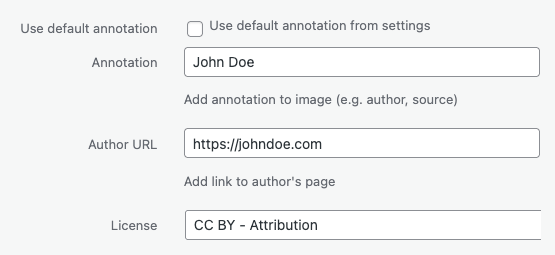
- Add custom annotations (credits, sources) to any image in your media library
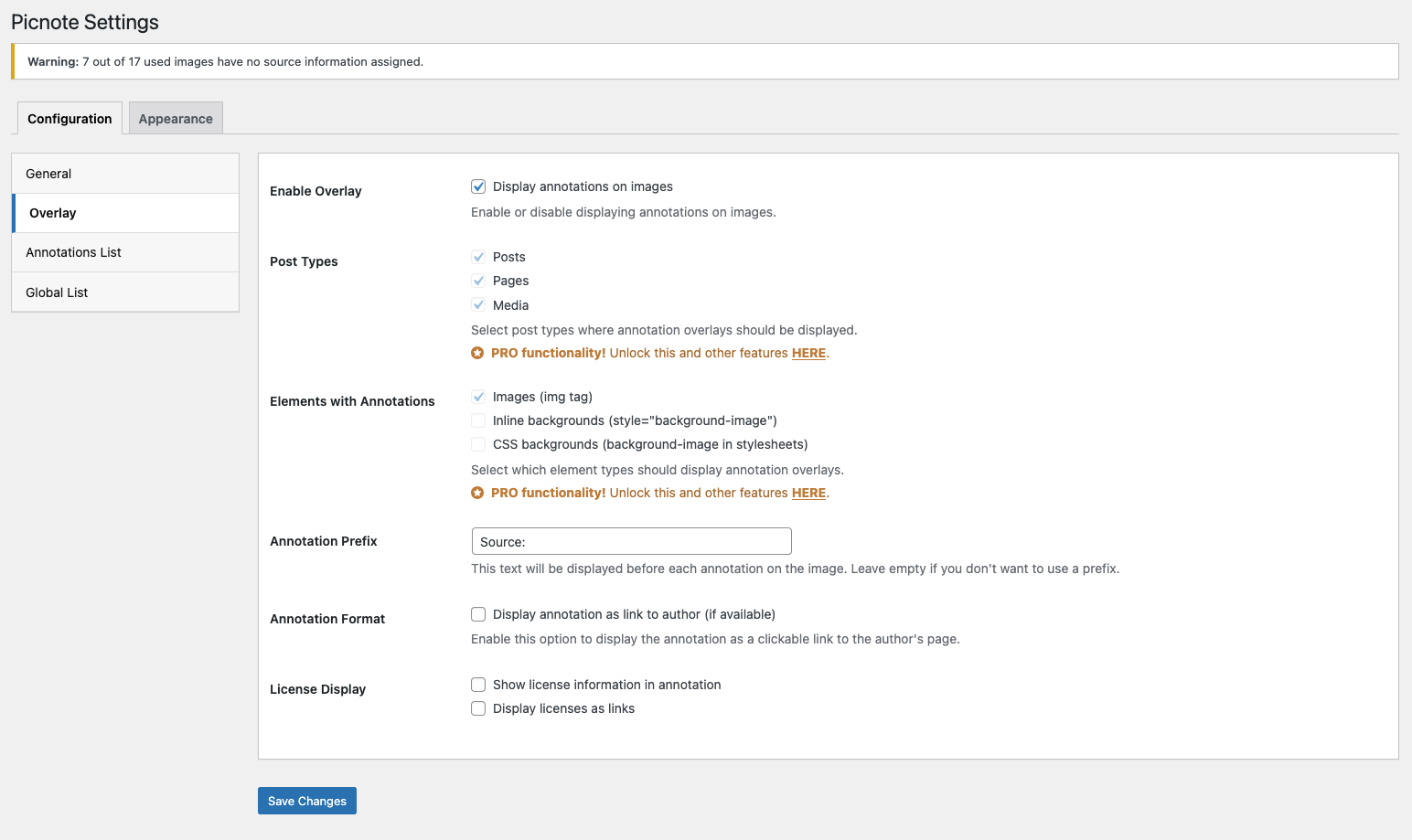
- Display annotations as overlays on images or below them
- Create a list of image credits at the bottom of posts
- Global annotations list via shortcode
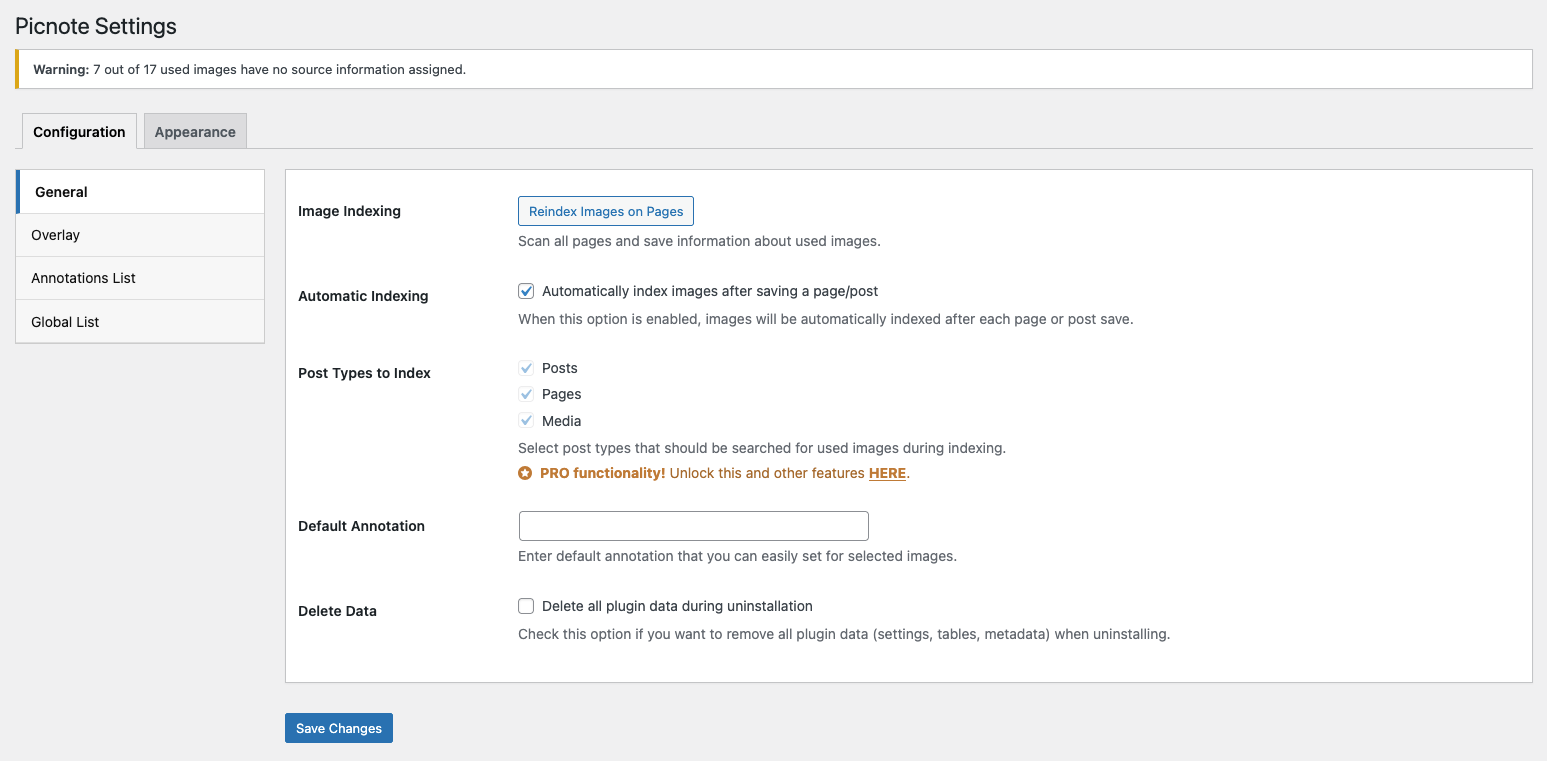
[pn_global_list] - Default annotation text to speed up the process of adding new images of the same author
- Support for Creative Commons licenses
- Predefined styles
Pro-Funktionen
Upgrade to PRO for advanced customization and time-saving features:
-
Enhanced Customization
- Custom header tags (h2-h6) for annotation lists
- Full appearance control (colors, fonts, spacing)
- More predefined styles
-
Advanced Control
- Support for inline and CSS background images
- Choose post types for indexing and overlay display
- Additional shortcode
[pn_list]for flexible placement
-
Bulk Management
- Dedicated image annotations management page
- Bulk edit titles, annotations, licenses and links
- Quick preview of image usage across your site
- Filters to help you find images you are looking for
Easy to Set Up
- Installieren und aktivieren Sie das Plugin
- Add annotations in your media library
- Choose your preferred display style
- Optional: Configure global settings and customize appearance
Installation
- Laden Sie die Plugin-Dateien in das
/wp-content/plugins/picnote-Verzeichnis hoch oder installieren Sie das Plugin über den WordPress-Plugin-Bildschirm direkt. - Aktivieren Sie das Plugin über den Bildschirm „Plugins“ in WordPress
- Use the Settings->Picnote screen to configure the plugin
- Begin adding annotations to your images in the Media Library
Änderungsprotokoll
Initial release of Picnote plugin.
0.1.0
- Erste Freigabe
Screenshots



Für Entwickler
Ist das dein Plugin? Zeigen Sie die Zahlen.
Fügen Sie Ihrer Website, Docs oder GitHub Readme ein Live-Badge hinzu. Es wird von selbst aktualisiert - kein Konto erforderlich.
Best Picnote Image Annotations alternatives
All annotation plugins →




Fragen und Antworten
Picnote Image Annotations: quick answers
Gerade Antworten, gezogen von Live WordPress.org Daten.
Quelle: WordPress.org
Is Picnote Image Annotations free?
Yes. Picnote Image Annotations is free to download and use from the official WordPress.org plugin directory.
Is Picnote Image Annotations safe to use in 2026?
Picnote Image Annotations shows warning signs in 2026 — compare the alternatives below before installing. Was last updated 1 year ago, and scores 30/100 on our health check.
How many websites use Picnote Image Annotations?
Picnote Image Annotations is active on <10 WordPress websites and has been downloaded 676 times since it launched in April 2025. It was downloaded 45 times in the last 30 days.
Does Picnote Image Annotations work with WordPress 7.1?
Picnote Image Annotations is officially tested up to WordPress 6.8.13, while the latest release is 7.1.5. It may still work, but try it on a staging site first.
What PHP version does Picnote Image Annotations need?
Picnote Image Annotations requires PHP 7.4 or higher. Most hosts run PHP 8.x today, so it works on any modern WordPress hosting.
When was Picnote Image Annotations last updated?
The latest version, 0.1.1, was released on October 11, 2025 (1 year ago).
Who makes Picnote Image Annotations?
Picnote Image Annotations is developed and maintained by wpplugged.
What are the best alternatives to Picnote Image Annotations?
The most popular alternatives to Picnote Image Annotations are Hypothesis (200+ installs), Side Matter (100+ installs) and Noted Visual Feedback (90+ installs).
Angetrieben von PageForge
Eine Vorlage und eine Tabelle. Eine echte Seite für jede Suche.
PageForge Verwandelt jede Zeile eines CSV in eine WordPress-Seite mit eigenem Titel, URL, SEO Felder und Schema entworfen. Kostenlos auf WordPress.org.
- CSV und XLSX, plus Google Sheets auf Beruf und Unternehmen
- seinen eigenen Titel, URL, SEO Felder und Schema für jede Seite
- Arbeitet mit dem Blockeditor, Elementor, Divi und Avada
- Kostenlos auf WordPress.org, keine Kreditkarte