


Page View Count
Places an icon, all time views count and views today count at the bottom of posts, pages and custom post types on any WordPress website.

Mit Vorsicht verwenden
Page View Count works, but test it on a staging site before relying on it in 2026. It runs on 10K+ sites, is rated 4/5 and was last updated 5 months ago, and scores 59/100 on our health check.
- Bewährt im Maßstab auf 10k + aktiven Standorten
Wie stapelt es sich?
Side-by-side bei Installationen, Updates, Bewertungen und Support



Tägliche Downloads
Download-Spitzen folgen normalerweise einer neuen Version - jede Website, die automatisch aktualisiert wird, gilt als Download.
Ranglisten
Where Page View Count stands todayWordPress.org Ranglisten suchen
Live-Position in der Plugin-Suche, Top 100| Stichwort | Position |
|---|---|
| Gutenberg | >100 |
| page view count | #1 |
| post view count | #4 |
| post views | #9 |
| wordpress page view | #6 |
Versionsübernahme
Anteil aktiver Sites pro Release.
Bewertungsaufschlüsselung
★★★★★★★★★★ 4 from 55 reviews
About Page View Count
From the official readme · v2.9.2Beschreibung
A beautifully simple to set up plugin that gives site visitors and site owners the ability to quickly and easily see how many people have visited that page or post.
FEATURES
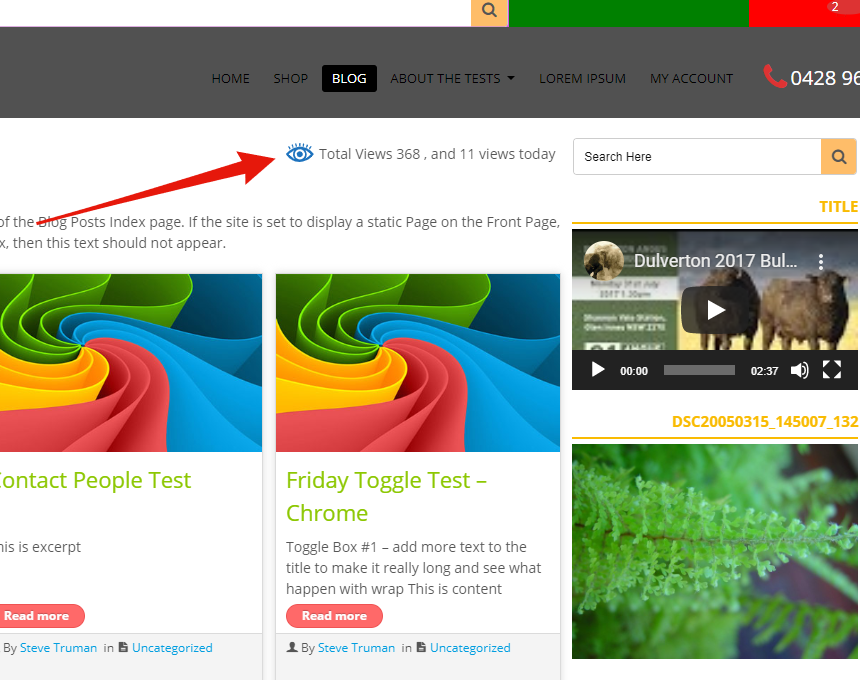
- On the front end it adds an icon and page views count to the bottom or top of pages and posts on your WordPress website.
- Switch ON | OFF hide Page Views Count for all Posts, Pages and all custom posts types including WooCommerce custom post types.
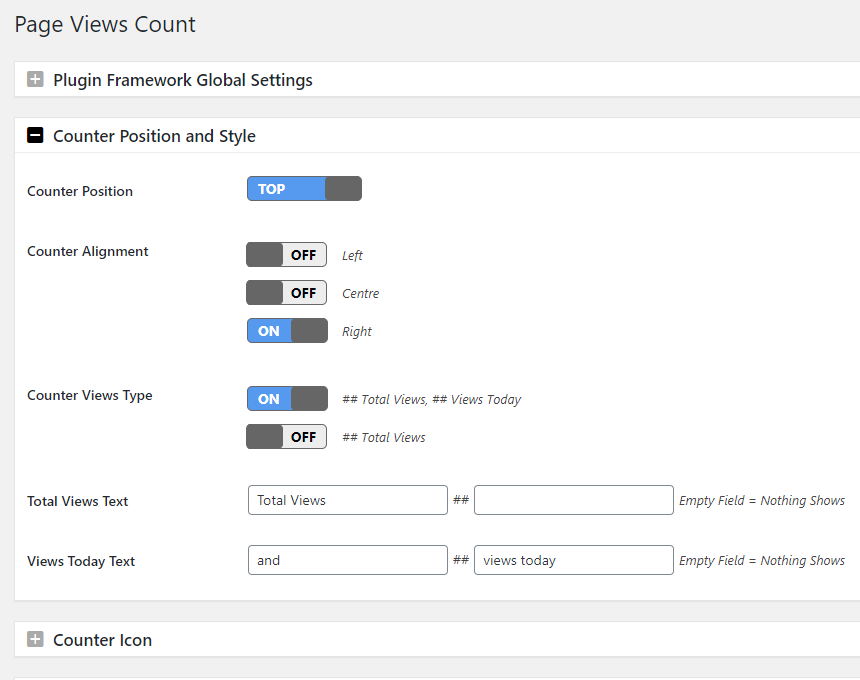
- Set the Position of the counter to show at the top of the page or post or at the bottom
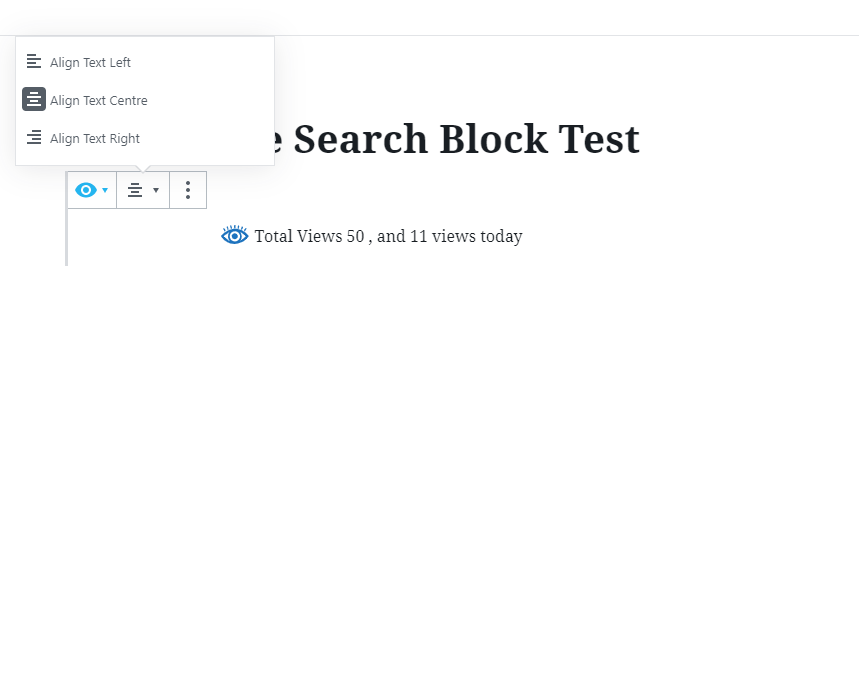
- Set alignment of the counter Left, Right or Centre
- Set the colour and size of the counter icon
- Option to use load by Ajax to prevent the count from being cached by caching plugins
- Option to Manually set / edit total views and views today from Page View Count meta box on any post or page editor
- Add Page Views counter via the PVC Gutenberg block
- Add Page Views counter via shortcode
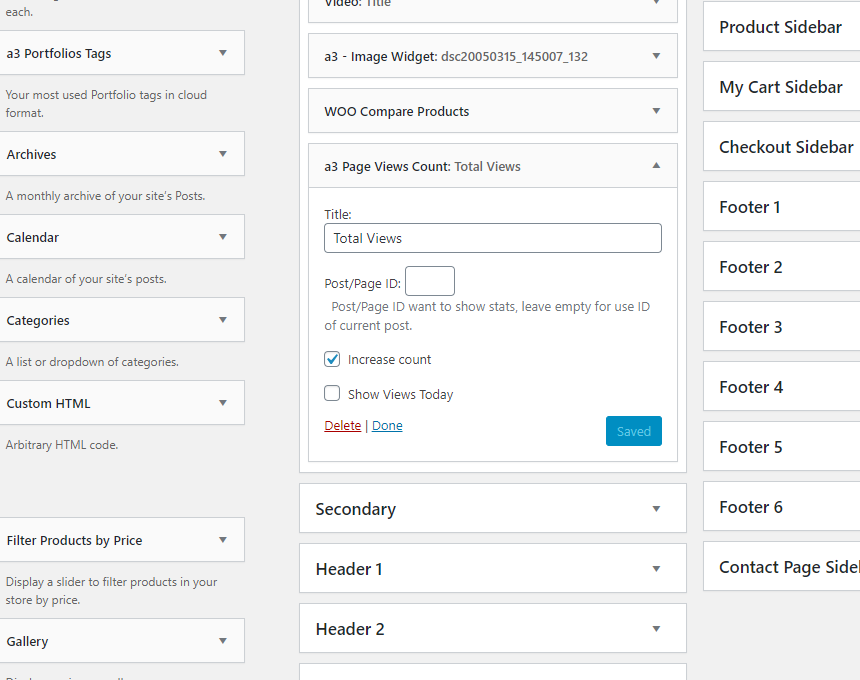
- Add Page Views counter via widget
- Developers can add the Page Views Counter via php tag
- All options and settings are point click – absolutely no coding required
COMPATIBILTY
Compatible with WordPress 5.9+ and backwards to WP 5.6.0 Compatible with Classic Editor plugin (Gutenberg editor Deactivated)
GUTENBERG BLOCK
Using the Gutenberg Editor. Use the Page View Count Block to add the counter to any page or post content. Block search for ‘Page Views’ or selecting the block from the a3rev Blocks menu.
Adding the Page Views block to your content automatically deactivates the Global Page View counter on the post or page.
ELEMENTOR TEMPLATES
Fully compatible with Elementor templates. Add counter via Shortcode or widget to any template.
DEVELOPERS
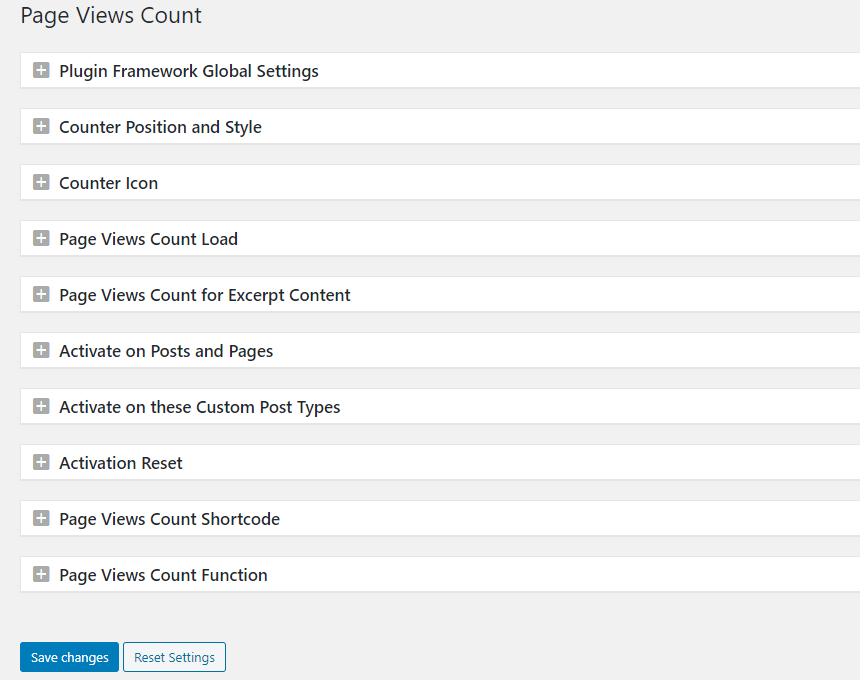
On the plugins dashboard in the + Page Views Count Function options box you will find the Page Views Count functions and notes on how to use them.
- Use to manually add Page views count to any content or object in the theme.
- Use to add page View Count to any content that is not create using WordPress custom post / taxonomy type.
- Use to create a custom position of the Page Views Count
- Functions support echo and return parameters when getting visitor stats on any variable.
TROUBLESHOOTING
- The number 1 support request we get about the plugin is that it double or triple counts page or post loads. Yes it does and if you see that it is a Red Flag that you have a misconfiguration or bug in your theme or a plugin. Page Views Count does exactly that – counts each time the page or post is loading in the browser – if its counting twice it is because the browser is double loading the page. That is a bad thing and you or your developer needs to fix that.
CONTRIBUTE
When you download Page Views Count, you join our community. Regardless of if you are a WordPress beginner or experienced developer if you’’re interested in contributing to Page Views Count development head over to the Page Views Count GitHub Repository to find out how you can contribute.
Want to add a new language to Page Views Count? Great! You can contribute via translate.wordpress.org
Verwendung
-
Installieren und aktivieren Sie das Plugin
-
Go to WordPress Settings menu > Page View Count Menu
-
Activate Page Views Count and use the options box settings to make the desired configuration
-
Be sure to clear any caching and browser cache to see your Page Views Count
Installation
Mindestanforderungen
- PHP version 7.4 or greater is recommended
- MySQL version 5.6 or greater is recommended
Automatische Installation
Automatic installation is the easiest option as WordPress handles the file transfers itself and you don’t even need to leave your web browser. To do an automatic install of Page Views Count, log in to your WordPress admin panel, navigate to the Plugins menu and click Add New.
In the search field type “Page Views Count” and click Search Plugins. Once you have found our plugin you can install it by simply clicking Install Now. After clicking that link you will be asked if you are sure you want to install the plugin. Click yes and WordPress will automatically complete the installation.
Manuelle Installation
The manual installation method involves down loading our plugin and uploading it to your web server via your favorite FTP application.
- Laden Sie die Plugin-Datei auf Ihren Computer herunter und entpacken Sie sie
- Using an FTP program, or your hosting control panel, upload the unzipped plugin folder to your WordPress installations wp-content/plugins/ directory.
- Aktivieren Sie das Plugin aus dem Plugin-Menü im WordPress-Admin.
Änderungsprotokoll
This maintenance release adds compatibility with PHP 8.5.
2.9.2 – 2026/06/29
- This maintenance release applies security hardening and minor code tidy-ups.
- Hardening – Restrict admin AJAX actions to authorized users and remove the unauthenticated hook
- Hardening – Limit the number of IDs processed per page view count request
- Tweak – Enable SSL verification on outbound API requests
- Tweak – Remove deprecated get_magic_quotes_gpc() usage for PHP 8 compatibility
- Tweak – Remove redundant output in the page view AJAX handlers
2.9.1 – 2026/06/01
- This maintenance release adds compatibility with PHP 8.5.
- Tweak – Replace deprecated
(boolean)cast with(bool)for compatibility with PHP 8.5
2.9.0 – 2026/04/09
- This maintenance release has bug fixes and compatibility with WordPress 7.0
- Tweak – Tested for compatibility with WordPress 7.0
- Tweak – Improved plugin initialization sequence for better reliability
- Tweak – Update meta box for compatibility with WordPress 7.0 Block Editor
- Fix – Resolved PHP warnings on image size registration when settings are not yet saved
- Fix – Resolved admin interface loading issue on taxonomy edit pages
- Framework – Updated LESS compiler for compatibility with PHP 8.2 onwards
2.8.7 – 2025/05/02
- This maintenance release has 2 user identified code bug fixes.
- Fix – Remove wp_ajax_nopriv_ action for not logged in user. Props @PluginVulnerabilities for reporting the issue
- Fix – Call get_all_settings at init to resolve textdomain load warning. Props @adrianodownload for reporting the bug
2.8.6 – 2025/04/28
- This maintenance release has a bug fix that was introduced in security patch release 2.8.5 earlier today.
- Fix – Correct value from post_ids array
- Props – to @dmaragris for reporting the bug.
2.8.5 – 2025/04/28
- This maintenance update applies 3 security patches and compatibility with WordPress 6.8 – please upgrade now.
- Security Hardening – Reject the request if the key provided does not match the list of allowed keys
- Security Hardening – Allow only administrators with manage_options capability to perform the action
- Security Hardening – Allow only administrators with manage_options capability to enqueue script
- Tweak – Tested for compatibility with WordPress 6.8
Screenshots
Für Entwickler
Ist das dein Plugin? Zeigen Sie die Zahlen.
Fügen Sie Ihrer Website, Docs oder GitHub Readme ein Live-Badge hinzu. Es wird von selbst aktualisiert - kein Konto erforderlich.
Best Page View Count alternatives
Alle Gutenberg-Plugins →





Fragen und Antworten
Page View Count: quick answers
Gerade Antworten, gezogen von Live WordPress.org Daten.
Quelle: WordPress.org
Is Page View Count free?
Yes. Page View Count is free to download and use from the official WordPress.org plugin directory.
Is Page View Count safe to use in 2026?
Page View Count works, but test it on a staging site before relying on it in 2026. It runs on 10K+ sites, is rated 4/5 and was last updated 5 months ago, and scores 59/100 on our health check.
How many websites use Page View Count?
Page View Count is active on 10K+ WordPress websites and has been downloaded 765,321 times since it launched in December 2012. It was downloaded 2,508 times in the last 30 days.
Does Page View Count work with WordPress 7.1?
Page View Count is officially tested up to WordPress 7.0.9, while the latest release is 7.1.5. It may still work, but try it on a staging site first.
When was Page View Count last updated?
The latest version, 2.9.2, was released on July 9, 2026 (5 months ago).
Who makes Page View Count?
Page View Count is developed and maintained by Steve Truman.
What are the best alternatives to Page View Count?
The most popular alternatives to Page View Count are Classic Editor (8M+ installs), Classic Widgets (2M+ installs) and Advanced Editor Tools (1M+ installs).
Angetrieben von PageForge
Eine Vorlage und eine Tabelle. Eine echte Seite für jede Suche.
PageForge Verwandelt jede Zeile eines CSV in eine WordPress-Seite mit eigenem Titel, URL, SEO Felder und Schema entworfen. Kostenlos auf WordPress.org.
- CSV und XLSX, plus Google Sheets auf Beruf und Unternehmen
- seinen eigenen Titel, URL, SEO Felder und Schema für jede Seite
- Arbeitet mit dem Blockeditor, Elementor, Divi und Avada
- Kostenlos auf WordPress.org, keine Kreditkarte