


Osom Multi Theme Switcher
Use different themes for specific pages, posts, or URLs while keeping your main theme active site-wide.

Mit Vorsicht verwenden
Osom Multi Theme Switcher works, but test it on a staging site before relying on it in 2026. It runs on 90+ sites, is rated 5/5 and was last updated 9 months ago, and scores 47/100 on our health check.
- Kleine Benutzerbasis (90+ aktive Installationen)
- Bisher sehr wenige Bewertungen
- Nur getestet bis WordPress 6.9 (letzt ist 7.1)
Tägliche Downloads
Download-Spitzen folgen normalerweise einer neuen Version - jede Website, die automatisch aktualisiert wird, gilt als Download.
Ranglisten
Where Osom Multi Theme Switcher stands todayWordPress.org Ranglisten suchen
Live-Position in der Plugin-Suche, Top 100| Stichwort | Position |
|---|---|
| landing page theme | #37 |
| multiple themes | #84 |
| theme per page | #47 |
| Theme Switcher | #6 |
| Woocommerce Theme | >100 |
Versionsübernahme
Anteil aktiver Sites pro Release.
Bewertungsaufschlüsselung
★★★★★★★★★★ 5 from 2 reviews
About Osom Multi Theme Switcher
From the official readme · v1.2.2Beschreibung
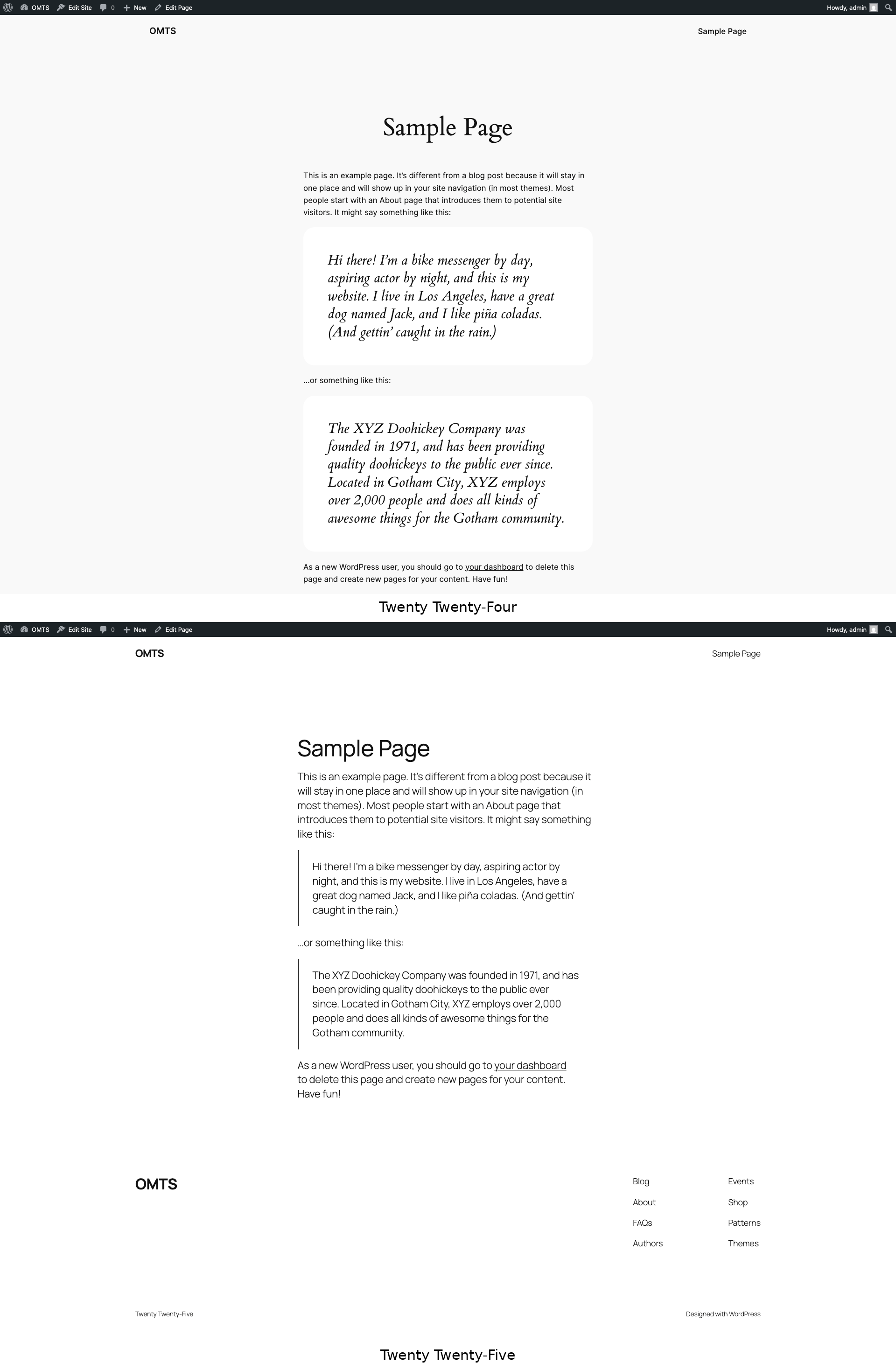
Osom Multi Theme Switcher lets you run multiple WordPress themes on a single site — assigning different themes to specific pages, posts, post types, categories, tags, or custom URLs.
Built by Osom Studio, a WordPress & WooCommerce agency with 10+ years of experience managing complex multi-theme setups for clients.
We built this plugin because we kept solving the same problem for clients: one WordPress installation, multiple designs. Landing pages that need a completely different look. A WooCommerce store that runs a separate theme from the corporate site. A membership area with its own design system.
Instead of hacking theme conditionals into functions.php every time, we packaged our solution into a plugin.
When you need this
- Landing pages with a unique design — without touching your main theme
- WooCommerce stores running a dedicated shop theme alongside a corporate theme
- Membership or gated sections with a separate visual identity
- Theme testing — preview a new theme on specific pages before switching site-wide
- Agencies managing multi-brand WordPress installations from a single dashboard
Key features
- Flexible rules — assign themes by page, post, post type, custom URL, category, or tag
- Full theme loading — the alternative theme’s functions.php loads completely, so page builders (Elementor, Divi, Beaver Builder) and custom functionality work as expected
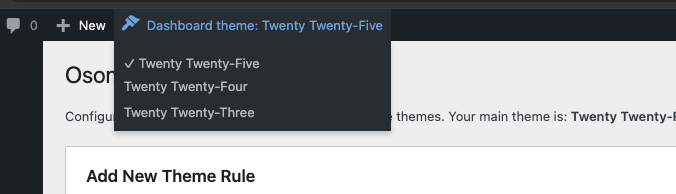
- Admin theme switcher — access settings for any installed theme directly from the admin bar
- Per-user admin theme — each administrator can use their preferred dashboard theme independently
- Draft & scheduled support — apply themes to unpublished content for preview and staging
- REST API support — configure custom REST API prefixes per theme
- ACF compatible — loads Advanced Custom Fields JSON from all active theme directories
- No code required — set up everything through the WordPress admin panel
Wie es funktioniert
- Installieren und aktivieren Sie das Plugin
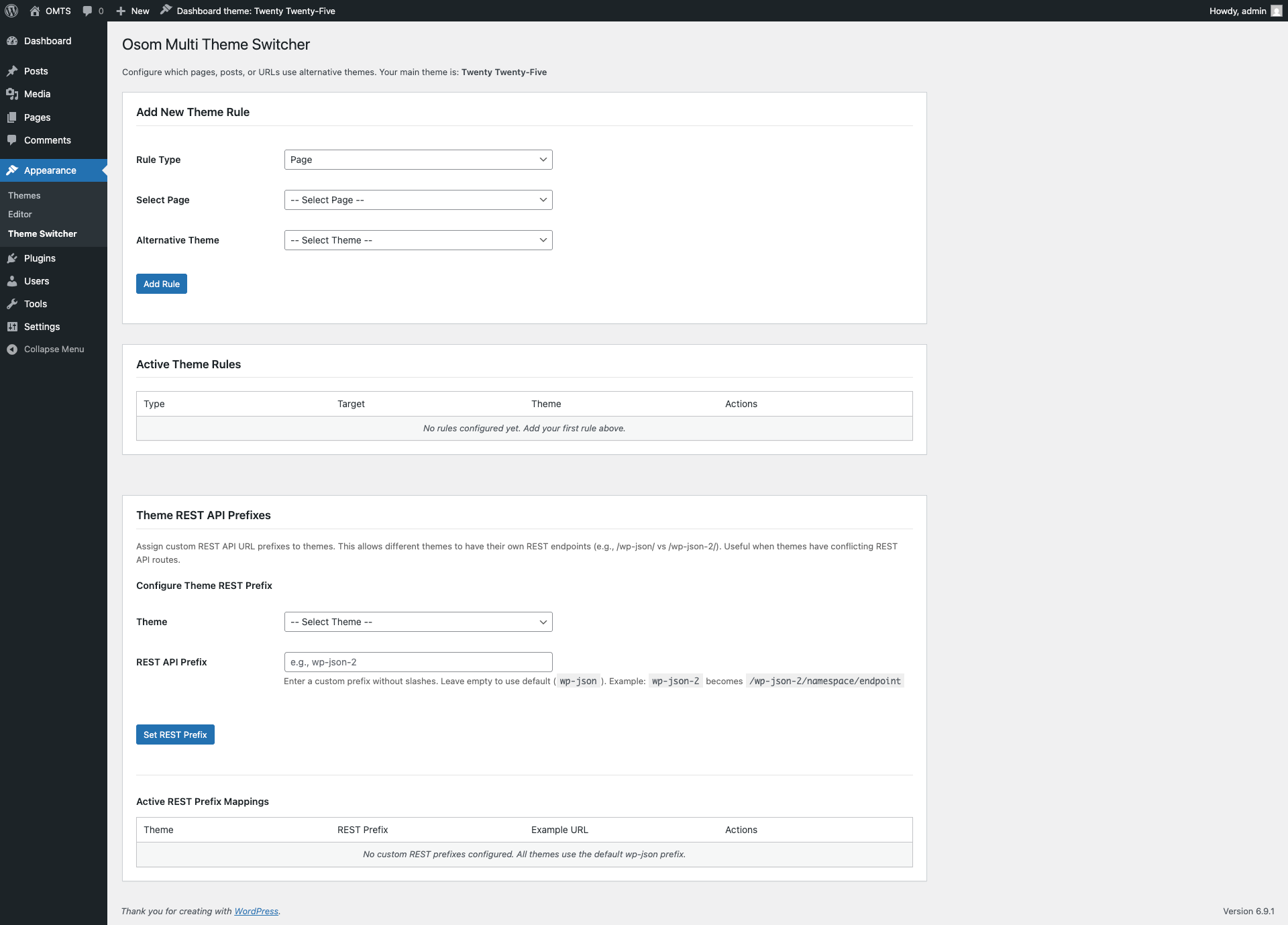
- Go to Appearance > Theme Switcher
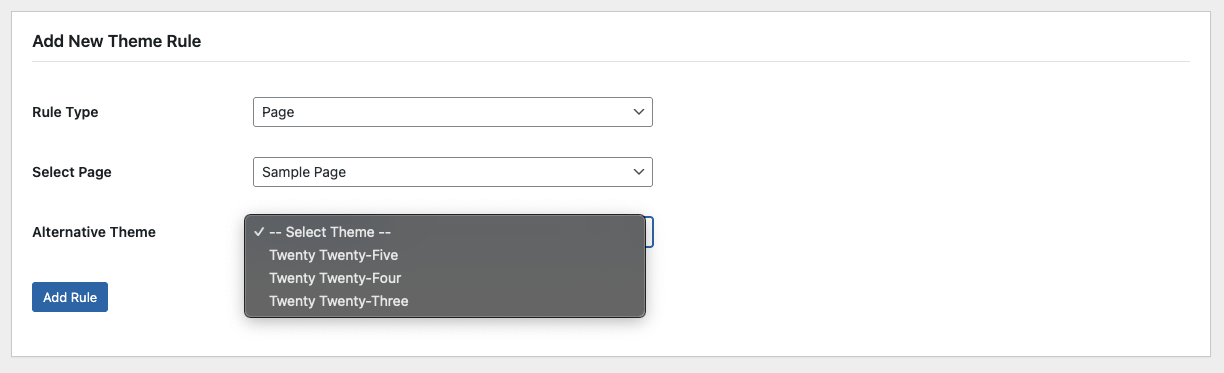
- Select a rule type (Page, Post, Post Type, Category, Tag, or Custom URL)
- Choose the content to target
- Pick the alternative theme
- Click Add Rule — changes apply immediately
The plugin hooks into WordPress on the setup_theme action, before any theme code runs. This ensures full compatibility with theme features, widgets, customizer settings, and page builders.
Installation
- Laden Sie den Ordner
osom-multi-theme-switcherin das/wp-content/plugins/-Verzeichnis hoch - Aktivieren Sie das Plugin über das „Plugins“-Menü in WordPress
- Go to Appearance > Theme Switcher to configure your theme rules
Änderungsprotokoll
Initial release of Osom Multi Theme Switcher.
1.2.2
- Fix bug with object selectors
1.2.1
- Added cascading selector UI for adding theme rules (Custom Post Type, Taxonomy support)
- Added automatic status synchronization (OMTS_Status_Sync) — rules update when post status changes
- Added CPT/taxonomy registry for re-registering missing CPTs across themes (OMTS_Theme_Switcher)
- Added early URL matching for categories, tags, custom taxonomies, post types, and CPT items
- Added is_query_ready() guard to prevent rule matching before WP_Query is available
- Added theme existence validation before switching template/stylesheet
- Added get_rule_type_display() shared static method for consistent rule type labels
- Added new AJAX handlers: omts_get_rule_objects, omts_get_rule_items
1.0.3
- readme.txt and screenshot changes
1.0.1
- Removed deprecated load_plugin_textdomain() call – translations are now handled automatically by WordPress.org
- Removed Domain Path header pointing to non-existent languages folder
1.0.0
- Erste Freigabe
- Support for pages, posts, post types, custom URLs, categories, and tags
- Support for draft, pending, private, and scheduled content
- AJAX-powered admin interface for real-time rule management
- Admin dashboard theme switcher in the top admin bar
- Per-user admin theme preferences stored in user meta
- REST API custom prefix support per theme
- ACF JSON loading from all installed themes
- Early theme switching via setup_theme hook for full compatibility
Screenshots
Für Entwickler
Ist das dein Plugin? Zeigen Sie die Zahlen.
Fügen Sie Ihrer Website, Docs oder GitHub Readme ein Live-Badge hinzu. Es wird von selbst aktualisiert - kein Konto erforderlich.
Fragen und Antworten
Osom Multi Theme Switcher: quick answers
Gerade Antworten, gezogen von Live WordPress.org Daten.
Quelle: WordPress.org
Is Osom Multi Theme Switcher free?
Yes. Osom Multi Theme Switcher is free to download and use from the official WordPress.org plugin directory.
Is Osom Multi Theme Switcher safe to use in 2026?
Osom Multi Theme Switcher works, but test it on a staging site before relying on it in 2026. It runs on 90+ sites, is rated 5/5 and was last updated 9 months ago, and scores 47/100 on our health check.
How many websites use Osom Multi Theme Switcher?
Osom Multi Theme Switcher is active on 90+ WordPress websites and has been downloaded 1,187 times since it launched in February 2026. It was downloaded 200 times in the last 30 days.
Does Osom Multi Theme Switcher work with WordPress 7.1?
Osom Multi Theme Switcher is officially tested up to WordPress 6.9.12, while the latest release is 7.1.5. It may still work, but try it on a staging site first.
What PHP version does Osom Multi Theme Switcher need?
Osom Multi Theme Switcher requires PHP 7.0 or higher. Most hosts run PHP 8.x today, so it works on any modern WordPress hosting.
When was Osom Multi Theme Switcher last updated?
The latest version, 1.2.2, was released on February 23, 2026 (9 months ago).
Who makes Osom Multi Theme Switcher?
Osom Multi Theme Switcher is developed and maintained by Osom Studio WordPress and WooCommerce Agency.
Angetrieben von PageForge
Eine Vorlage und eine Tabelle. Eine echte Seite für jede Suche.
PageForge Verwandelt jede Zeile eines CSV in eine WordPress-Seite mit eigenem Titel, URL, SEO Felder und Schema entworfen. Kostenlos auf WordPress.org.
- CSV und XLSX, plus Google Sheets auf Beruf und Unternehmen
- seinen eigenen Titel, URL, SEO Felder und Schema für jede Seite
- Arbeitet mit dem Blockeditor, Elementor, Divi und Avada
- Kostenlos auf WordPress.org, keine Kreditkarte