


OptiPub
Sync OptiPub content to WordPress with automated cron jobs and custom post types.

Mit Vorsicht verwenden
OptiPub works, but test it on a staging site before relying on it in 2026. Was last updated 4 weeks ago, and scores 52/100 on our health check.
- Aktiv entwickelt — letztes Update vor 4 Wochen
- Kleine Benutzerbasis (<10 aktive Installationen)
- Bisher sehr wenige Bewertungen
- Nur getestet bis WordPress 6.9 (letzt ist 7.1)
Wie stapelt es sich?
Side-by-side bei Installationen, Updates, Bewertungen und Support


Tägliche Downloads
Download-Spitzen folgen normalerweise einer neuen Version - jede Website, die automatisch aktualisiert wird, gilt als Download.
Ranglisten
Where OptiPub stands todayWordPress.org Ranglisten suchen
Live-Position in der Plugin-Suche, Top 100| Stichwort | Position |
|---|---|
| api integration | >100 |
| content sync | >100 |
| custom post types | >100 |
| optipub | #1 |
| Widgets | >100 |
About OptiPub
From the official readme · v1.0.28Beschreibung
OptiPub synchronizes content from the OptiPub platform to your WordPress installation. Creates custom post types for Resources, Videos, FAQs and Authors with automated sync every 5 minutes via WP-Cron.
Features: Custom post types (Resources, Videos, FAQs, Authors), automated content synchronization via WP-Cron, secure API authentication with encrypted token storage, multiple publication support, widget integration with custom content, tag and category management, static and dynamic pages sync, redirect handling, theme template integration, and file copying utilities.
Source Code for Minified Files
This plugin includes one minified JavaScript file (public/js/video.js) which is a third-party library. The source code for this minified file is publicly available:
Video.js v4.6.3 (Location: public/js/video.js)
* Source Code Repository: https://github.com/videojs/video.js/tree/v4.6.3
* License: Apache 2.0
* Documentation: https://docs.videojs.com/
All other JavaScript and CSS files in this plugin (public/js/archive-filters.js, public/js/gtm.js, public/js/init.js, public/js/login-forms.js, public/js/navigation-collapse.js, and public/css/subscribers.css) are provided in their original, unminified source code format and are fully human-readable.
Externe Dienste
This plugin connects to the following external services:
Google Tag Manager
Provides tag management and analytics functionality when GTM containers are configured in OptiPub. Sends the container ID to www.googletagmanager.com on every page load. Data collection is controlled by your GTM configuration.
- Service Provider: Google LLC
- Terms of Use: https://www.google.com/analytics/tag-manager/use-policy/
- Privacy Policy: https://policies.google.com/privacy
Youtube
Embeds YouTube videos when video content is configured to use YouTube as the player. Sends video IDs to youtube.com/embed only when displaying YouTube video content. Data collection is controlled by YouTube’s privacy policy.
- Service Provider: Google LLC (YouTube)
- Terms of Use: https://www.youtube.com/static?template=terms
- Privacy Policy: https://policies.google.com/privacy
Wistia
Embeds Wistia videos when video content is configured to use Wistia as the player. Sends video IDs to fast.wistia.net only when displaying Wistia video content. Data collection is controlled by Wistia’s privacy policy.
- Service Provider: Wistia, Inc.
- Terms of Use: https://wistia.com/terms
- Privacy Policy: https://wistia.com/privacy
OptiPub API
Synchronizes content (publications, resources, videos, FAQs, authors, tags, categories, redirects) from the OptiPub platform to WordPress. Sends authenticated API requests with encrypted tokens to your configured OptiPub domain (typically https://<domain>.app.optipub.com) via WP-Cron at configured intervals (default: every 5 minutes). Also creates edit links to OptiPub content management pages in WordPress admin.
- Service Provider: OptiPub
- Terms of Use & Privacy Policy: Please refer to your OptiPub service agreement for terms of use and privacy policy.
Third Party Libraries
This plugin includes one minified JavaScript library for video functionality:
- Video.js v4.6.3 – Used for video player functionality
- Source Code Repository: https://github.com/videojs/video.js/tree/v4.6.3
- License: Apache 2.0
- Location in Plugin:
public/js/video.js - Documentation: https://docs.videojs.com/
The source code for this minified library is publicly available at the GitHub repository link above. This plugin does not include any custom build process – the minified file is used directly from the Video.js project.
Development Documentation
Technical documentation for developers working with the OptiPub plugin. Topics covered:
- OptiPub Introduction
- Prepare
- Installation
- Activation
- OptiPub Admin Page (Save Changes Button, Clear Data Button)
- Cron Job & Troubleshooting
- Plugin Configurations (wp-config.php, Configuring WP-Cron)
- Deactivation & Rescheduling the cron job
- Uninstallation
- Theme dependencies
OptiPub Introduction
OptiPub syncs OptiPub Resources to a WordPress installation. The plugin schedules the WP-Cron event optipub_sync to sync Publications, Resources, Videos, FAQs, Authors, Pages, Custom Content, Tags, Categories and Redirects.
The plugin creates Custom Post Types (CPTs): Resources, Videos, FAQs and Authors. Resources synced to these post types store OptiPub metadata and properties in the wp_postmeta table. OptiPub Tags are saved as WordPress Tags. OptiPub Resource Categories are saved as WordPress Categories.
WordPress Widgets can be created with OptiPub Custom Content from the OptiPub Admin page.
Prepare
From WordPress Admin: Settings > General, select timezone (recommended: ‘New York’) and click [Save Changes].
OptiPub syncs with UTC but displays dates in EST. If you don’t select ‘New York’, website dates may differ from OptiPub dates. WordPress automatically converts post_date and post_modified to the selected timezone. Configure this before syncing data.
Bitnami permissions and configurations (Optional)
Note: This section is only required if you’re using Bitnami WordPress. Skip this if you’re using a standard WordPress installation.
Increase upload file size:
1. sudo -i
2. sudo nano /opt/bitnami/php/etc/php.ini
3. Update upload_max_filesize, e.g. upload_max_filesize = 128M
4. Restart: sudo /opt/bitnami/ctlscript.sh restart
Set permissions before activation (required for proper activation and uninstallation – vendor files need deletion permissions):
Note: These commands apply to all WP plugins. Modify paths to target only OptiPub if needed.
sudo find /home/bitnami/apps/wordpress/htdocs/wp-content/plugins/ -type d -exec chmod 775 {} \;sudo find /home/bitnami/apps/wordpress/htdocs/wp-content/plugins/ -type f -exec chmod 664 {} \;sudo chown -R bitnami:daemon /home/bitnami/apps/wordpress/htdocs/wp-content/plugins/
This sets user/group to bitnami:daemon, file permissions to 664 (read/write for user/group, read for others), and folder permissions to 775 (read/write/execute for user/group, read/execute for others).
Activation
Activate from Plugins page. After activation, a green OptiPub Admin menu item appears in the left sidebar.
Activation Processes
During activation, three processes execute:
- Override
WP_CRON_LOCK_TIMEOUTconstant – Locateswp-config.phpand overrides the constant. See WP_CRON_LOCK_TIMEOUT. Note: May fail in Bitnami if permissions aren’t set first. - Generate
OPTIPUB_KEYencryption key – Generates a random key stored inwp-config.phpasOPTIPUB_KEY. Used to encrypt/decrypt the API token during cron job execution. - Change permalink structure – Changes permalink structure to
/%postname%/to accommodate static pages with multiple slugs (e.g.,https://www.energyandcapital.com/pubs-detailed/babwherepubs-detailed/babis defined in/pagesOptiPub API).
OptiPub Admin Page
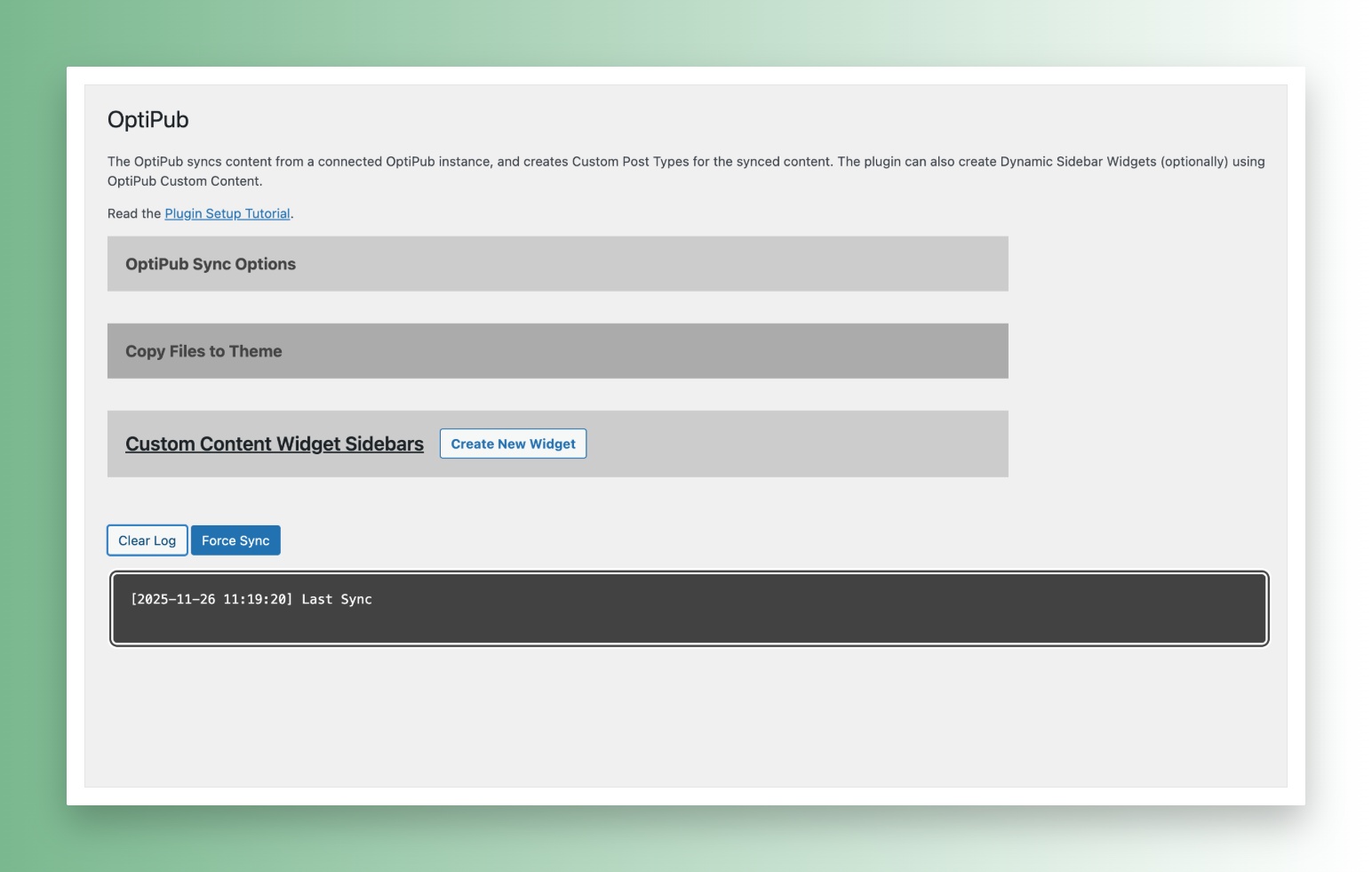
The green menu icon opens the Admin Page for migrating data from the OptiPub API.
OptiPub Sync Options:
1. OptiPub Domain – HTTPS URL of the OptiPub API
2. API Token – The provided API Token from OptiPub will be used to authenticate with the API. Encrypted and stored in database, decrypted for API calls
3. Open Graph Image Link – Backup/default image URL. Access with:
function get_optipub_opengraph_image() {

      return get_option(\OptiPub\Base\Constants::OPTIPUB_OPENGRAPH_IMAGE_LINK);

   }
4. WP Auth Token – Create a WP Auth Token to authenticate subscriber logins through OptiPub
5. Home Page Template – Template name from OptiPub:
– OptiPub > Administration > Templates – create template with .php extension (e.g., optipub_home_page.php)
– OptiPub > Content > Pages – create page with path / using the template
– Optional: OptiPub > Content > Redirects – create redirect from domain.com/home to https://www.domain.com/
6. Publication Dropdown – Generated after OptiPub Domain and API Token are provided and Save changes is clicked
7. Publication Domain Id – Publication domain ID (integer) used to retrieve redirects
Copy Files To Theme (feature complete – documentation under construction)
View more documentation in the plugin ‘OptiPub Admin’ page
- Files copied to
[theme-directory]/inc/optipub - Select file categories and click [Copy Files]
- Reference from current location or use as integration guide
If copying Helper Functions, copy content from [theme-directory]/inc/optipub/php/add_to_bottom_of_functions.php.txt to your theme’s functions.php. include statements and filter/action calls are commented out. Review functions before uncommenting.
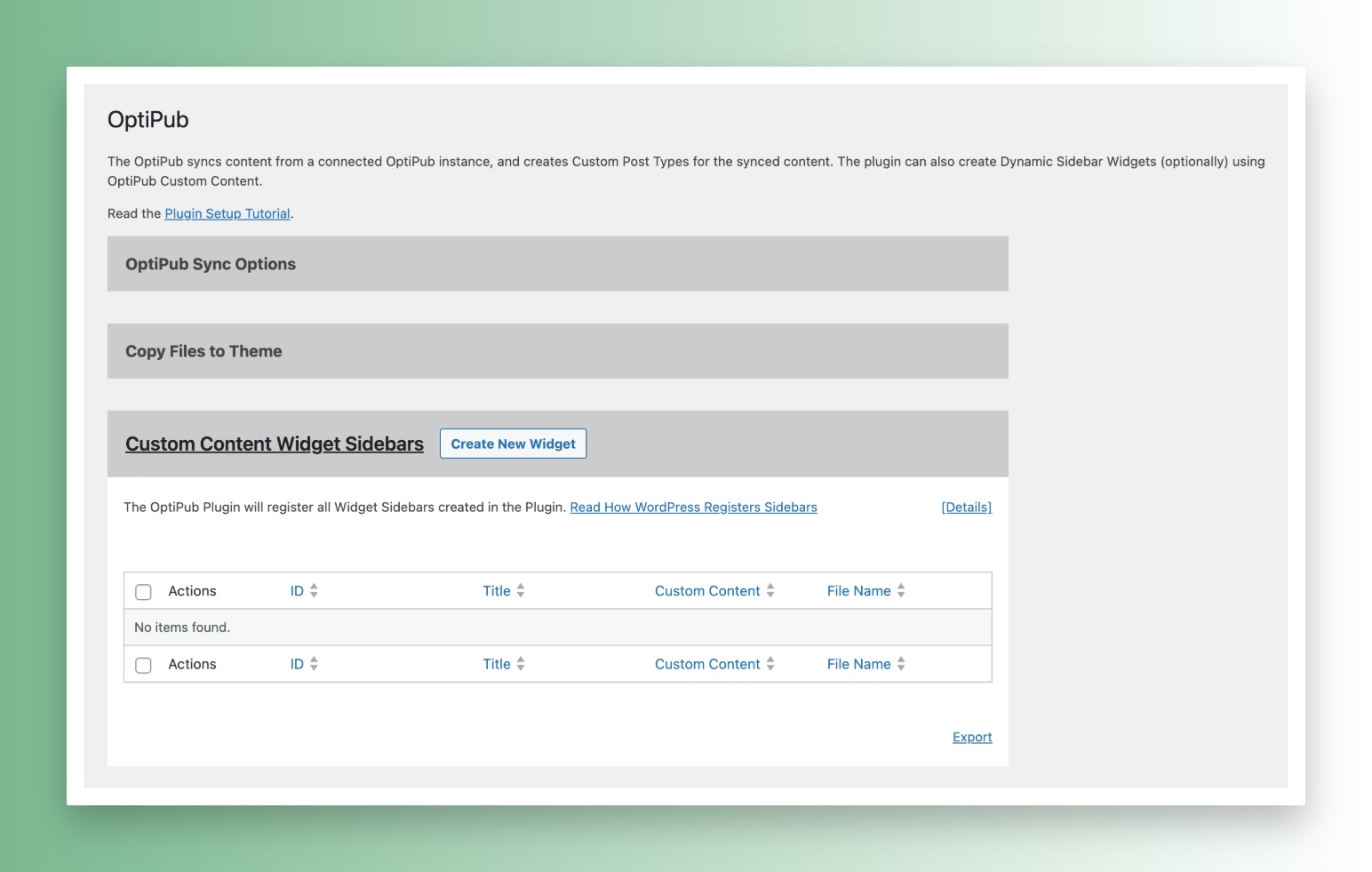
Custom Content Widget Sidebars (feature complete – documentation under construction)
View more documentation in the plugin ‘OptiPub Admin’ page
Create custom content macro in OptiPub > Content > Custom Content. Custom Content syncs to WordPress as options.
Click [Create New Widget]:
– Title – WordPress Admin Console
– Sidebar ID – Display widget in theme templates
– File Name – WordPress Sidebar Widget content file
– Description – WordPress Admin Console
– Custom Content – OptiPub custom content macro name
– Class Name – CSS class for styling
– Before Widget – HTML before widget
– After Widget – HTML after widget
– Before Title – HTML before title (displays Title if used)
– After Title – HTML after title (displays Title if used)
How OptiPub Custom Content creates WordPress Sidebar Widgets:
Widget files created at:
[theme-directory]/inc/optipub/widget-templates/File Name
Default content:
<?php echo get_option('{$custom_content_name}'); ?>
Include in theme templates:
if (is_active_sidebar('sidebar-id')) {

   dynamic_sidebar('sidebar-id');

}
Save Changes Button
Validates API Domain and token, then stores Optipub Domain, Api Token, Publication, Publication Domain, Header Pencil Ad Macro, Article bottom Ad Macro, Signup Sidebar Macro in wp_options table.
Schedules cron job to run every 5 minutes if Optipub Domain, Api Token, and Publication are provided correctly.
After saving, an API call fetches publication metadata. Fetched metadata appears in the WordPress admin left menu. New CPT links appear in green to differentiate from other CPTs.
Clear Data Button
Clears all imported posts (articles, resources, reports, etc.). Publication metadata remains, but imported posts are deleted. Stops and reschedules the cron job. Use to reset the plugin after errors.
Important Note: The clear button stops the current cron job, deletes all posts imported from the API, and reschedules the cron job.
Cron Job
Syncs content from the OptiPub API. Scheduled to run every CRON_INTERVAL_IN_SECONDS after OptiPub Domain, API key, and Publication are selected.
First run: Loads all content for Custom Post Types, dynamic pages (nav menu pages like Videos, FAQs, Authors), static pages (from /contents/pages endpoint), and Widget contents (from /custom-contents endpoint).
Subsequent runs: Loads only new or updated content using the updated_at attribute and last cron run timestamp.
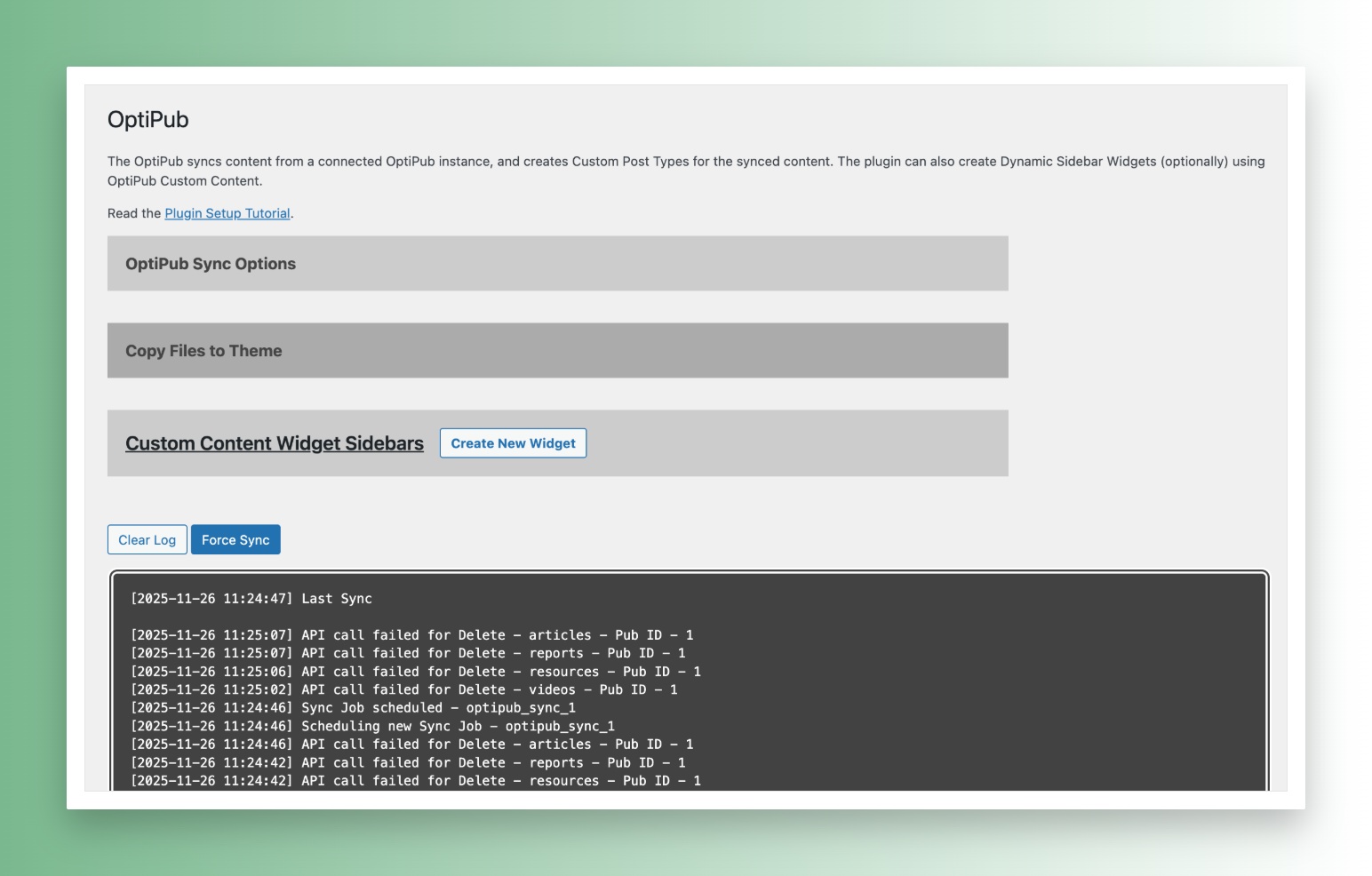
Troubleshooting the Cron Job
WP-CLI commands:
– wp cron event list – Lists all cron jobs (optipub_sync is the plugin cron job)
– wp cron event delete optipub_sync – Deletes the cron job. Use Save changes to reschedule.
Plugin Configurations
Constants control plugin behavior: Cron Job scheduling, error handling, widgetized areas, template directory paths.
Constants defined in two places:
1. wp-config.php – WordPress environment variables
2. Plugin Constants ([plugin-directory]/inc/Base/Constants.php) – Plugin runtime configuration
wp-config.php
WP_CRON_LOCK_TIMEOUT – Defines cron job execution period (default: 60 seconds, can be changed to 3600 seconds for 60 minutes). Plugin attempts to write this during activation. If it fails, cron job won’t schedule and error appears:
Could not activate Cron Job since WP_CRON_LOCK_TIMEOUT is smaller than the expected value of: 3000 (e.x);
Configuring WP-Cron
WP-Cron documentation: https://developer.wordpress.org/plugins/cron/
Configuration in [plugin-directory]/inc/Base/Constants.php:
-
CRON_INTERVAL_IN_SECONDS – Default: 60 – Interval in seconds for
optipub_syncwp-cron job. Creates a lock option inwp_optionstable; cron won’t run again until it finishes and deletes the option. -
WP_CRON_LOCK_TIMEOUT – Default: 3600 – Changes WP-Cron timeout in
wp-config.php:
define( 'WP_CRON_LOCK_TIMEOUT', 3600 );
Plugin updates this during Activation, when clearing plugin data, or when changing Publication.NOTE: WP-Cron checks for scheduled jobs on every page load. For more consistent intervals, create a system cron job (requires server access).
Crontab in Linux:
PHP Command:
* * * * * HTTP_HOST=www.domain.com $(which php) /opt/bitnami/wordpress/wp-cron.php >> /path/to/file.log 2>&1Configure
HTTP_HOSTto your site domain.WP-CLI:
* * * * * sudo wp cron event run optipub_syncNote: Cannot log output and less reliable than PHP command.
Deactivation
Deactivate from Plugins page. Deactivation pauses execution, temporarily disables custom post types and admin page, and stops cron job schedule. Cron job won’t reschedule on reactivation. If cron is running during deactivation, it finishes its job, then gets deleted on next run.
Rescheduling the cron job
After deactivation clears the cron job, reschedule via Save Changes button (even without data changes).
Uninstallation
Uninstall from WP Plugin page. Deactivate first to enable delete option.
Uninstallation removes all plugin directory files. During uninstall, database commands delete all plugin-created content. Details in uninstall.php file.
Theme dependencies
Content loaded by the plugin is displayed via custom WP theme templates. Theme must provide templates for dynamic pages and widgets, and register/display widgets. Page templates in theme root directory. Widget templates in theme widget-templates directory.
Templates in plugin /templates directory are not used by the plugin but serve as guides for retrieving content from the WP Database. Only optipub_admin.php in /templates is used (decorates the Admin page).
Theme must know Widget area IDs to register them in functions.php. IDs are documented above and found in plugin Constants.php class.
template-parts/archives/
optipub-filters.php
optipub-pagination_params.php
template-parts/videos/
mv display.php videos_handler.php
Installation
- Upload the plugin files to
/wp-content/plugins/optipub/ - Aktivieren Sie das Plugin über den Bildschirm „Plugins“ in WordPress
- Navigate to ‘OptiPub Admin’ in the WordPress admin menu
- Configure your OptiPub domain and API token
- Select publications to sync and click ‘Save Changes’Bundle the plugin:
- Run
composer install - Zip the plugin
Install via WordPress Admin:
1. Navigate to Plugins > Add New > Upload Plugin
2. Upload the zipped plugin file
3. Click Install Plugin (Note: May need to increase max file upload size in Bitnami)
4. Activate the plugin (Note: Set Bitnami permissions first if applicable)
5. Activate the associated custom theme before configuring (Note: Required for widget registration)
6. Configure from OptiPub Admin page
Änderungsprotokoll
1.0.28
Neu
- New REST endpoint
GET /wp-json/optipub/v1/last-runfor uptime monitors: it answers 200 while the sync runs normally, and 503 when the last successful sync started more than 10 minutes ago (the sync lock timeout).
Improvements
- Every plugin class now uses the
OptiPub\namespace. Themes that still call the formerOptiPubWP\class names (for example\OptiPubWP\PubAccess\UserAccess) keep working. - The archive template no longer refers to a class of the legacy plugin.
- Updated release versioning to 1.0.28.
1.0.27
Fehlerbehebung
- Full syncs (the first sync and Re-Sync) no longer run out of memory on large sites that use a persistent object cache.
- The “Fetched IDs” lines of each sync have their own log, which keeps only the current sync and is shown at the top of the log, so they no longer fill the summary log.
- Each sync adds only its own entries to the log; the log no longer keeps growing.
- The “Last Sync” time in the log is shown in the site’s time zone.
- Updated release versioning to 1.0.27.
1.0.26
Improvements
- Tags that OptiPub marks as hidden from the website are no longer synced as categories or tags.
- The plugin package now ships only the libraries needed at runtime, so it is much smaller.
- Updated release versioning to 1.0.26.
1.0.25
Fehlerbehebung
- Deferred the OptiPub elements bundle until after theme assets so slow network requests no longer delay critical UI interactions.
- Updated release versioning to 1.0.25.
1.0.24
Fehlerbehebung
- Reconciled the post type category terms on every sync, so a category that was deleted or recreated by hand no longer permanently loses its resources.
- Updated release versioning to 1.0.24.
1.0.23
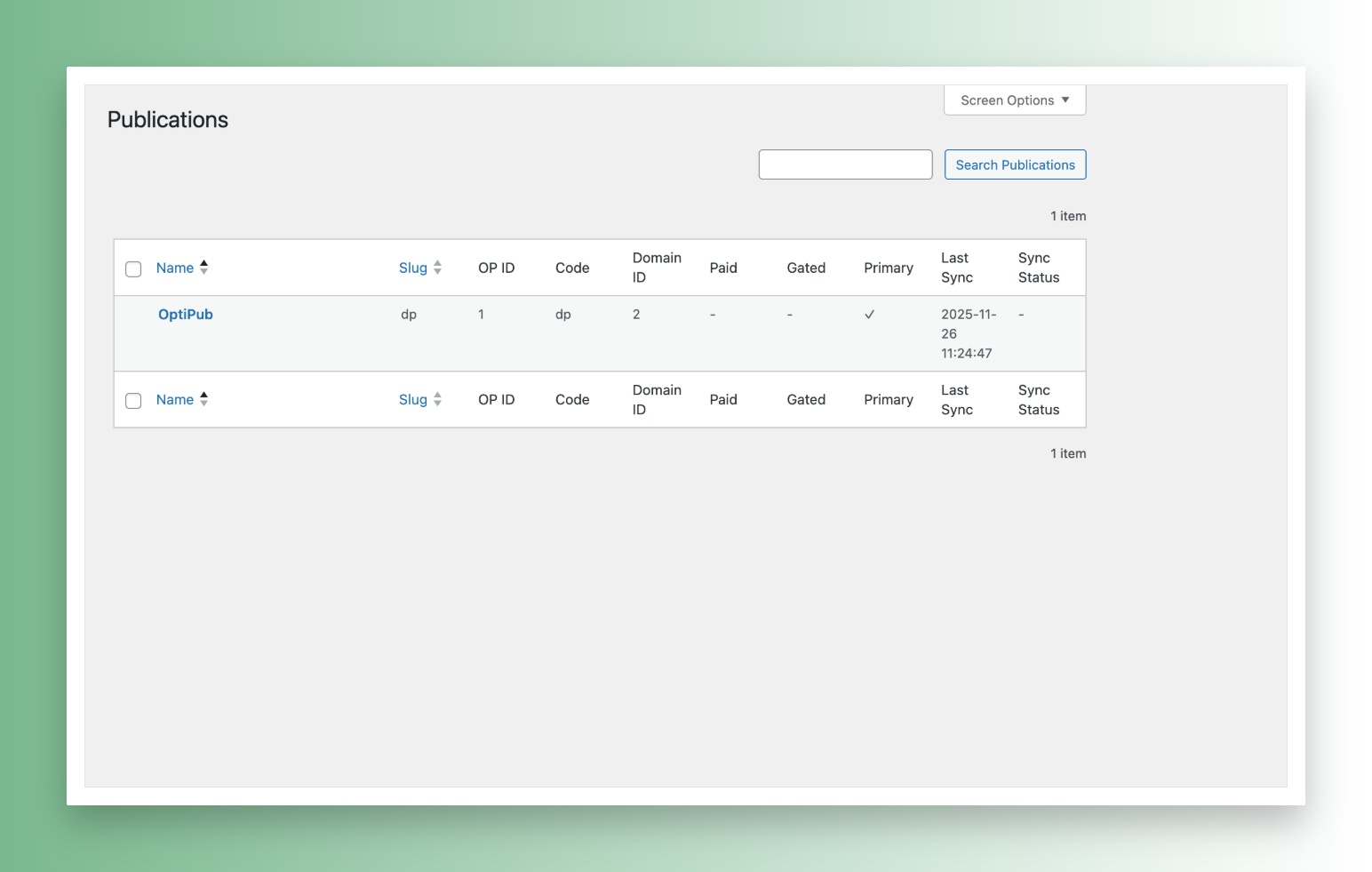
Screenshots



Für Entwickler
Ist das dein Plugin? Zeigen Sie die Zahlen.
Fügen Sie Ihrer Website, Docs oder GitHub Readme ein Live-Badge hinzu. Es wird von selbst aktualisiert - kein Konto erforderlich.
Best OptiPub alternatives
All api integration plugins →





Fragen und Antworten
OptiPub: quick answers
Gerade Antworten, gezogen von Live WordPress.org Daten.
Quelle: WordPress.org
Is OptiPub free?
Yes. OptiPub is free to download and use from the official WordPress.org plugin directory.
Is OptiPub safe to use in 2026?
OptiPub works, but test it on a staging site before relying on it in 2026. Was last updated 4 weeks ago, and scores 52/100 on our health check.
How many websites use OptiPub?
OptiPub is active on <10 WordPress websites and has been downloaded 1,646 times since it launched in November 2025. It was downloaded 344 times in the last 30 days.
Does OptiPub work with WordPress 7.1?
OptiPub is officially tested up to WordPress 6.9.12, while the latest release is 7.1.5. It may still work, but try it on a staging site first.
What PHP version does OptiPub need?
OptiPub requires PHP 7.4 or higher. Most hosts run PHP 8.x today, so it works on any modern WordPress hosting.
When was OptiPub last updated?
The latest version, 1.0.28, was released on November 3, 2026 (4 weeks ago).
Who makes OptiPub?
OptiPub is developed and maintained by OptiPub.
What are the best alternatives to OptiPub?
The most popular alternatives to OptiPub are Forms Bridge (100+ installs), Custom WP Zapier (100+ installs) and Enudge (50+ installs).
Angetrieben von PageForge
Eine Vorlage und eine Tabelle. Eine echte Seite für jede Suche.
PageForge Verwandelt jede Zeile eines CSV in eine WordPress-Seite mit eigenem Titel, URL, SEO Felder und Schema entworfen. Kostenlos auf WordPress.org.
- CSV und XLSX, plus Google Sheets auf Beruf und Unternehmen
- seinen eigenen Titel, URL, SEO Felder und Schema für jede Seite
- Arbeitet mit dem Blockeditor, Elementor, Divi und Avada
- Kostenlos auf WordPress.org, keine Kreditkarte