


Ozean extra
The ultimate companion for OceanWP. Adds local Google Fonts, mega menus, site templates, and per-page settings for total design authority.

Solide Wahl
Ocean Extra is a solid plugin choice in 2026, with a few things worth checking first. It runs on 400K+ sites, is rated 3.3/5 and was last updated 4 days ago, and scores 74/100 on our health check.
- Bewährt auf 400k+ aktiven Standorten
- Actively developed — last update 4 days ago
- Getestet mit dem neuesten WordPress (7.1)
- Momentum — downloads up 34.4% vs the previous 30 days
- Mixed reviews — 3.3/5 from 67 ratings
Wie stapelt es sich?
Side-by-side bei Installationen, Updates, Bewertungen und Support



Tägliche Downloads
Download-Spitzen folgen normalerweise einer neuen Version - jede Website, die automatisch aktualisiert wird, gilt als Download.
Ranglisten
Where Ocean Extra stands todayWordPress.org Ranglisten suchen
Live-Position in der Plugin-Suche, Top 100| Stichwort | Position |
|---|---|
| meta box | #9 |
| metabox | #6 |
| metaboxes | #4 |
| OceanWP | #1 |
| Widgets | >100 |
Versionsübernahme
Anteil aktiver Sites pro Release.
Bewertungsaufschlüsselung
★★★★★★★★★★ 3.3 from 67 reviews
About Ocean Extra
From the official readme · v2.6.5Beschreibung
Ocean Extra adds extra features and flexibility to the OceanWP theme for a turbocharged experience.
Build any type of a professional looking website without any coding knowledge and by controlling every aspect of it with ease. With Ocean Extra you’re in command and have full authority over available features and options.
👉 Ocean Core Extensions Bundle
👉 Ocean Full Website Templates
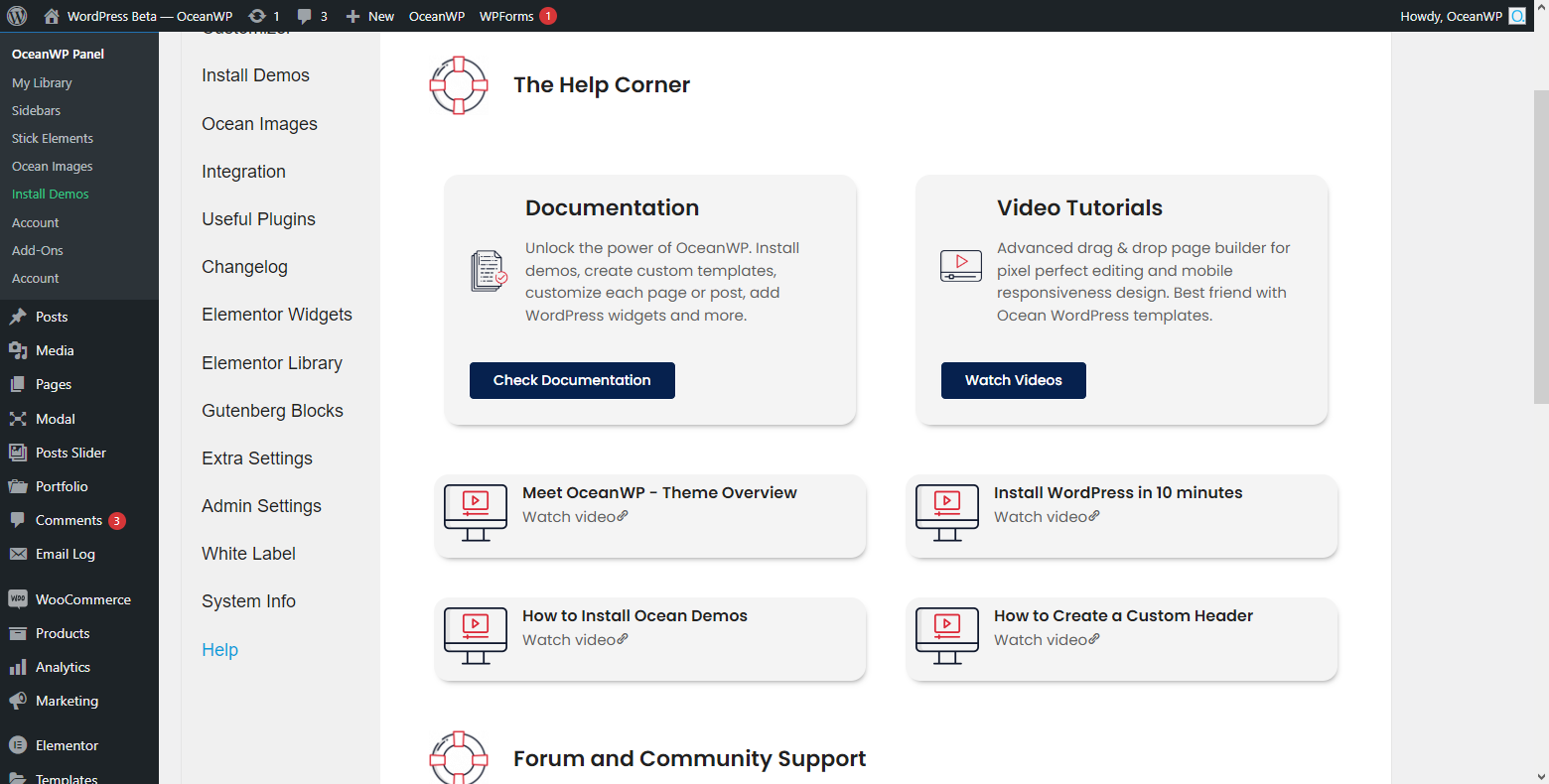
📘 Documentation
🎬 Video Tutorials
💙 Join the official OceanWP Facebook community and always be up to speed with the latest news.
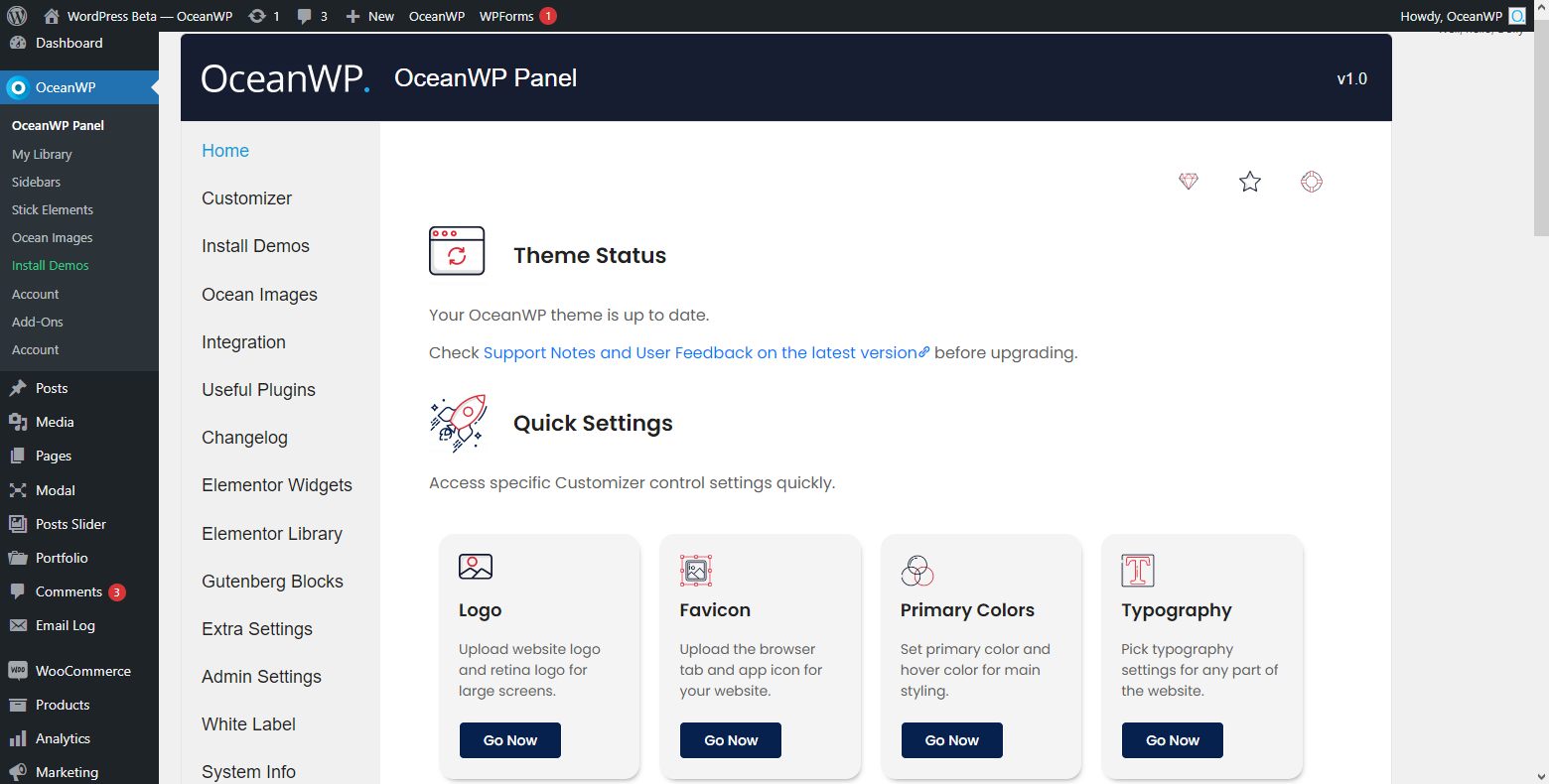
Check out the video when Ocean Extra’s Theme Panel received a makeover to become OceanWP Panel and an overview of its capabilities
Ocean Extra is a 100% free WordPress plugin that enriches your website building experience by adding extra features to the OceanWP free theme. Save time and effort, and reduce the need for additional plugins or custom codes.
Everyone deserves a polished website with expert features, and so do you.
🔥 Check out the Premium Features for additional power, energy and ability.
Copyright
Ocean Extra, Copyright 2016-2025 OceanWP LLC
Ocean Extra is distributed under the terms of the GNU GPL.
Ocean Extra uses the following third-party resources:
Font Awesome Fonts, Copyright Fonticons, Inc.
License: SIL OFL 1.1 License – https://scripts.sil.org/OFL
Source: https://fontawesome.com/
Font Awesome Icons, Copyright Fonticons, Inc.
License: CC BY 4.0 License – https://creativecommons.org/licenses/by/4.0/
Source: https://fontawesome.com/
Font Awesome Code, Copyright Fonticons, Inc.
License: MIT License – https://opensource.org/licenses/MIT
Source: https://fontawesome.com/
Merkmale
Features listed below are just a fraction of the most significant Ocean Extra possibilities:
* Host Google fonts locally
* Adobe Fonts integration
* Custom templates support
* Individual page / post control
* Freemium website templates import
* WordPress widgets
* Mega Menu
* Menu icons
* Various shortcodes
* Customizer sections control
* Customizer search
* Customizer reset
* Customizer styling import / export
* Integration
* Extra settings
* Admin settings
* Website preloader
* Premium licenses panel & more
HOST GOOGLE FONTS LOCALLY
1-click solution, no font upload required. (Any Google font you apply from the Customizer)[https://docs.oceanwp.org/article/808-host-google-fonts-locally] will load from your site automatically, making your website faster and GDPR friendly in an instant. This feature also supports the Elementor page builder and Google fonts applied through it.
ADOBE FONTS INTEGRATION
Add Adobe Fonts (Typekit) to your OceanWP theme. The (integration supports Adobe fonts usage)[https://docs.oceanwp.org/article/849-how-to-add-adobe-fonts-typekit] with the OceanWP theme and plugins (Customizer), as well as Elementor.
CUSTOM TEMPLATES SUPPORT
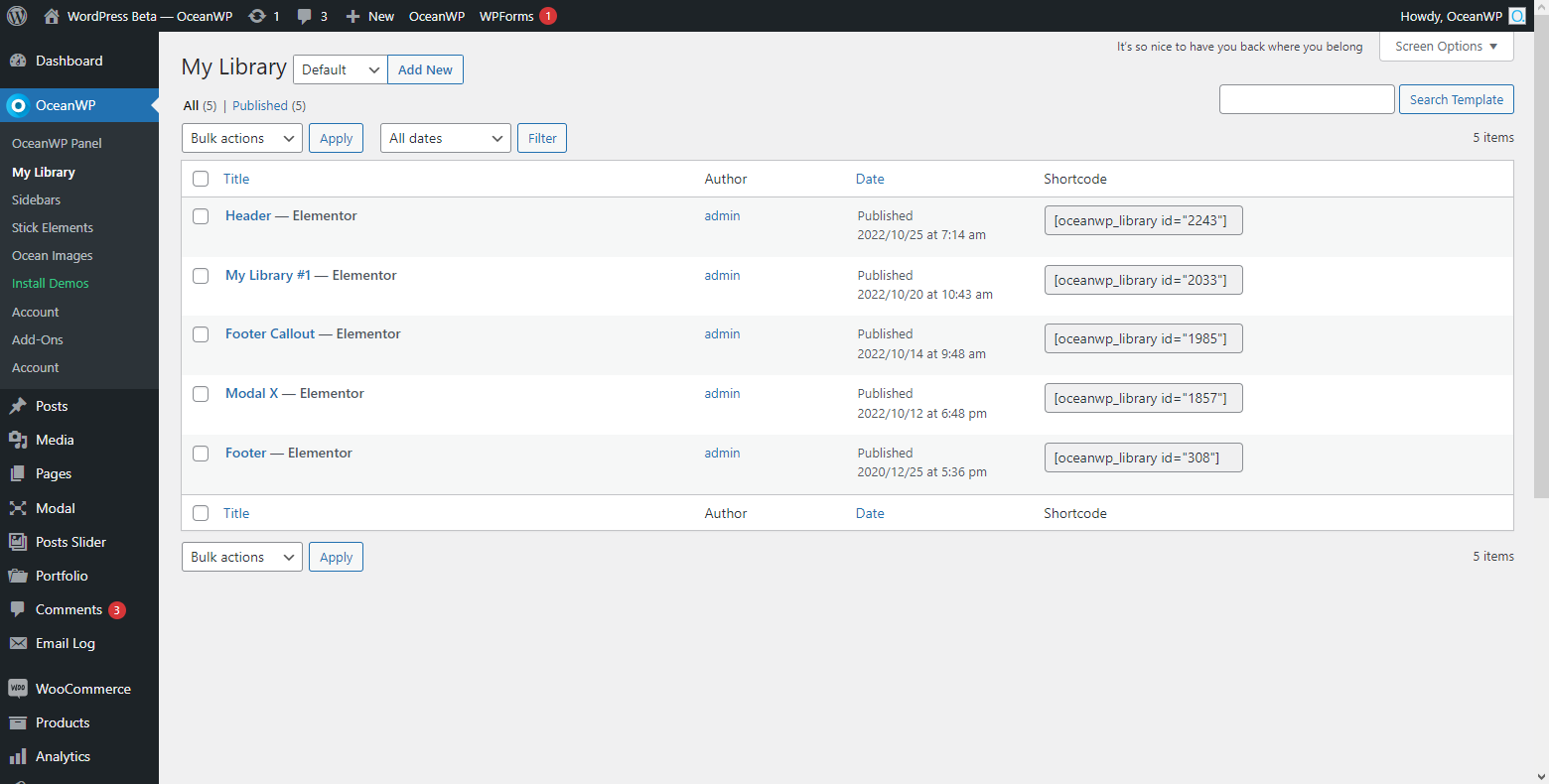
Create as many templates as you like, using any page builder you want, including Gutenberg. Create and apply a custom header or footer directly through the Customizer. Display custom templates using shortcodes, hooks or even custom codes.
INDIVIDUAL PAGE / POST CONTROL
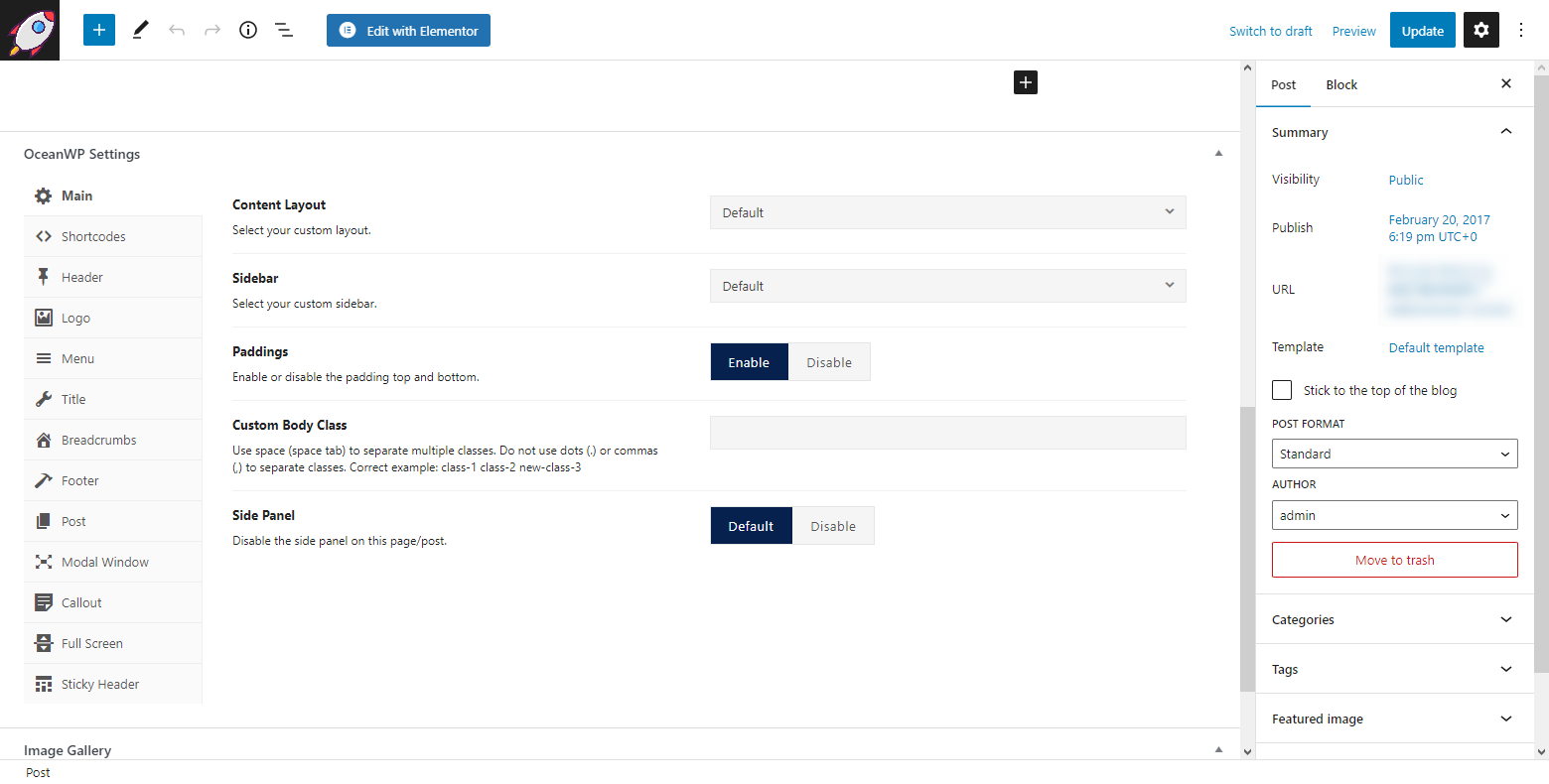
This feature is enabled through the metabox settings and gives you full control over every page or post on your website independantly from your global Customizer settings. For example, you can apply a different page layout or a custom sidebar; you can enable or disable the Header, Top Bar, Page Title, Footer Widgets, Footer Copyright. You can apply a different navigation menu, header style, page title style, play with colors, custom titles, apply templates through shortcodes and much, much, much more.
FREEMIUM WEBSITE TEMPLATES
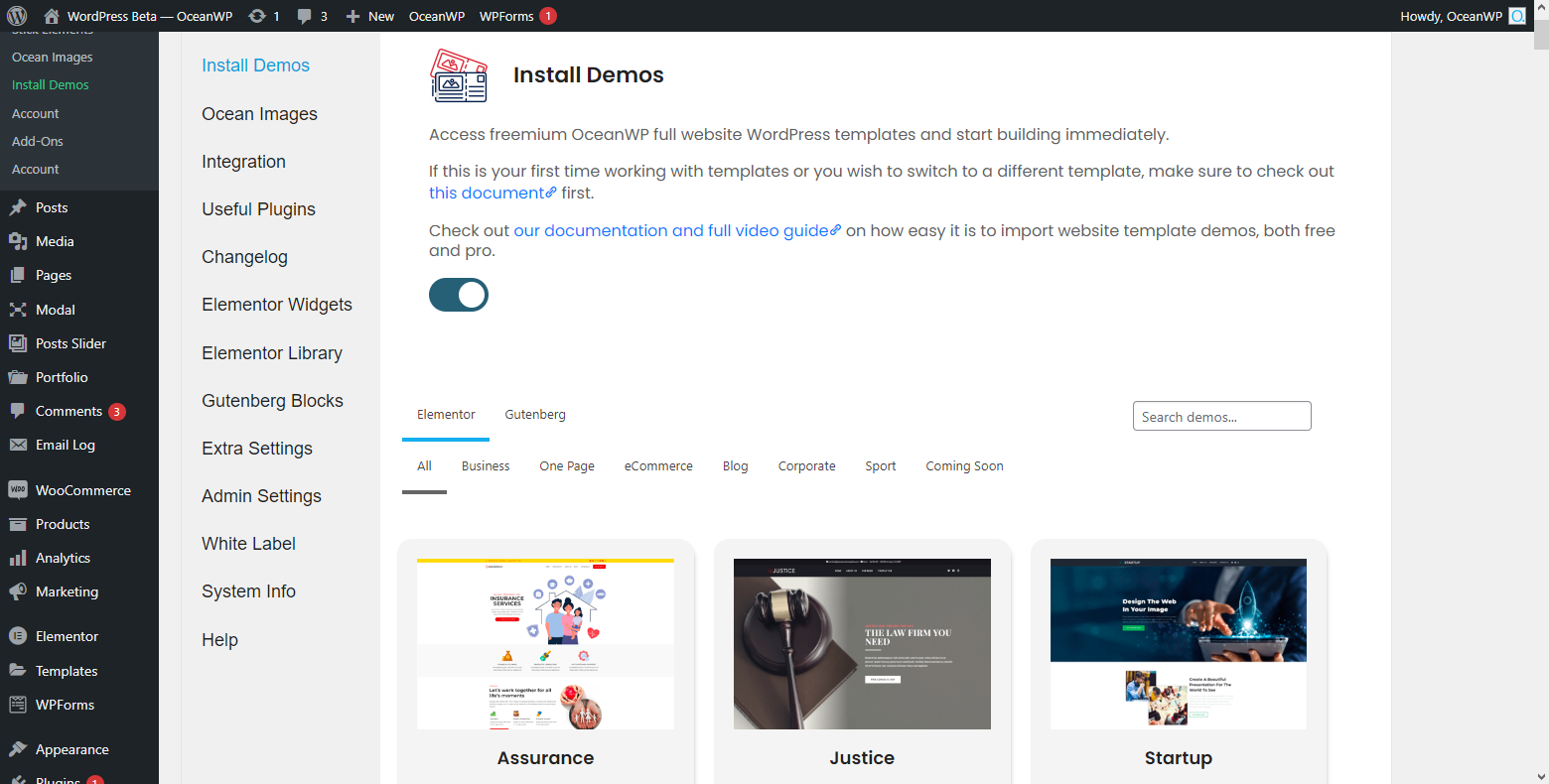
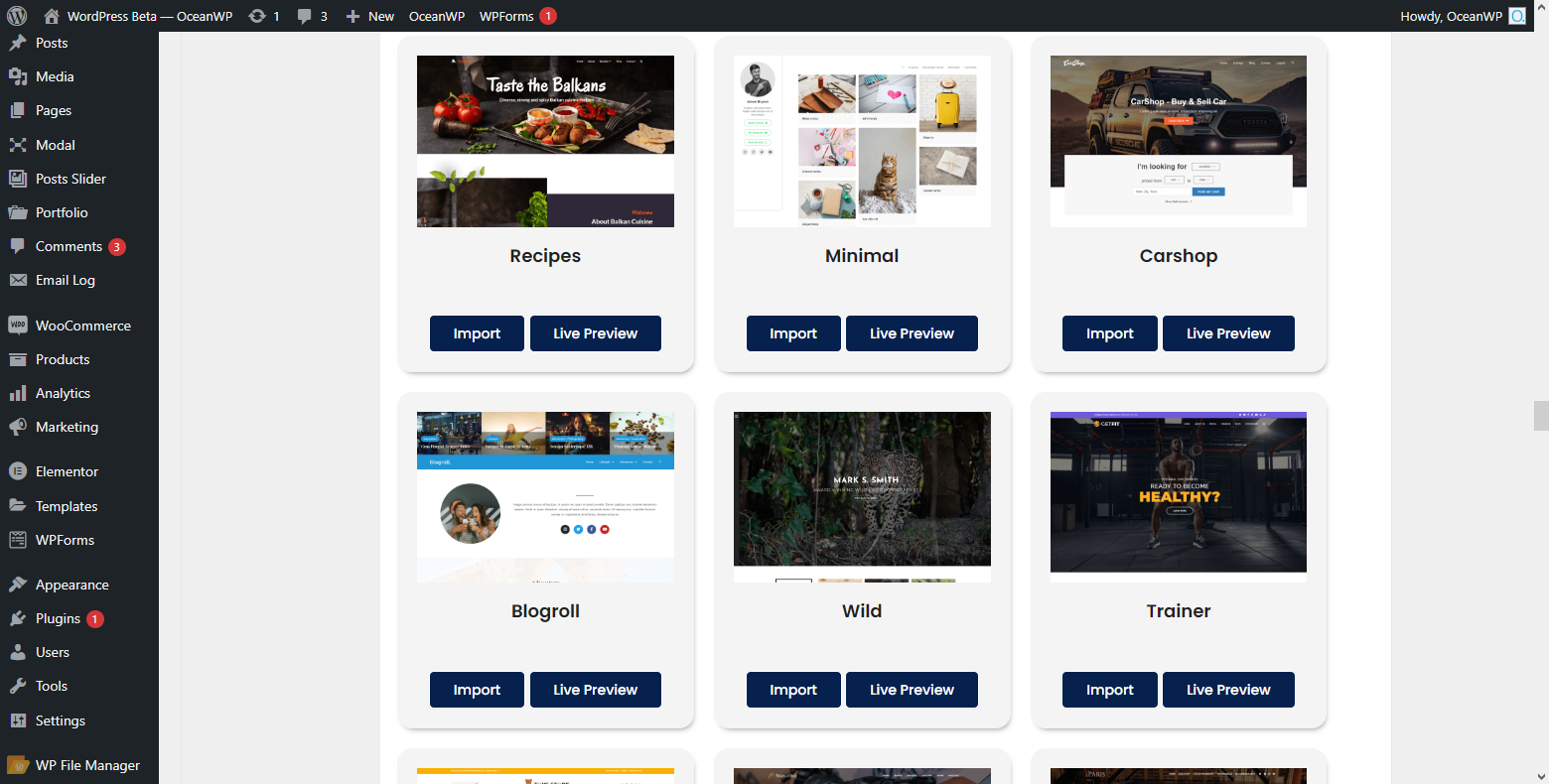
Don’t feel like starting a website from scratch? Import one of the freemium full website templates and edit content and styling as you go. Depending on the template type, each contains sample pages, sample posts and Customizer styling. Website templates are also known as demos or site kits.
WORDPRESS WIDGETS
Enrich your widget areas such as sidebars or footer with additional widgets like: About Me, Contact Info, Recent Posts (with thumbnails), Custom Menu, Social Icons, Social Share and more.
MEGA MENU
Turn your website navigation into a mega menu with a simple setup directly through the WordPress Menus option.
MENU ICONS
Add icons to some or all of your menu items. Several icon libraries are supported, like Font Awesome, Simple Line Icons, Dashicons and more.
VARIOUS SHORTCODES
Use OceanWP shortcodes to display dynamic content on your website, such as: current year, current user, login / logout link, breadcrumbs, WooCommerce cart and more.
CUSTOMIZER SECTIONS CONTROL
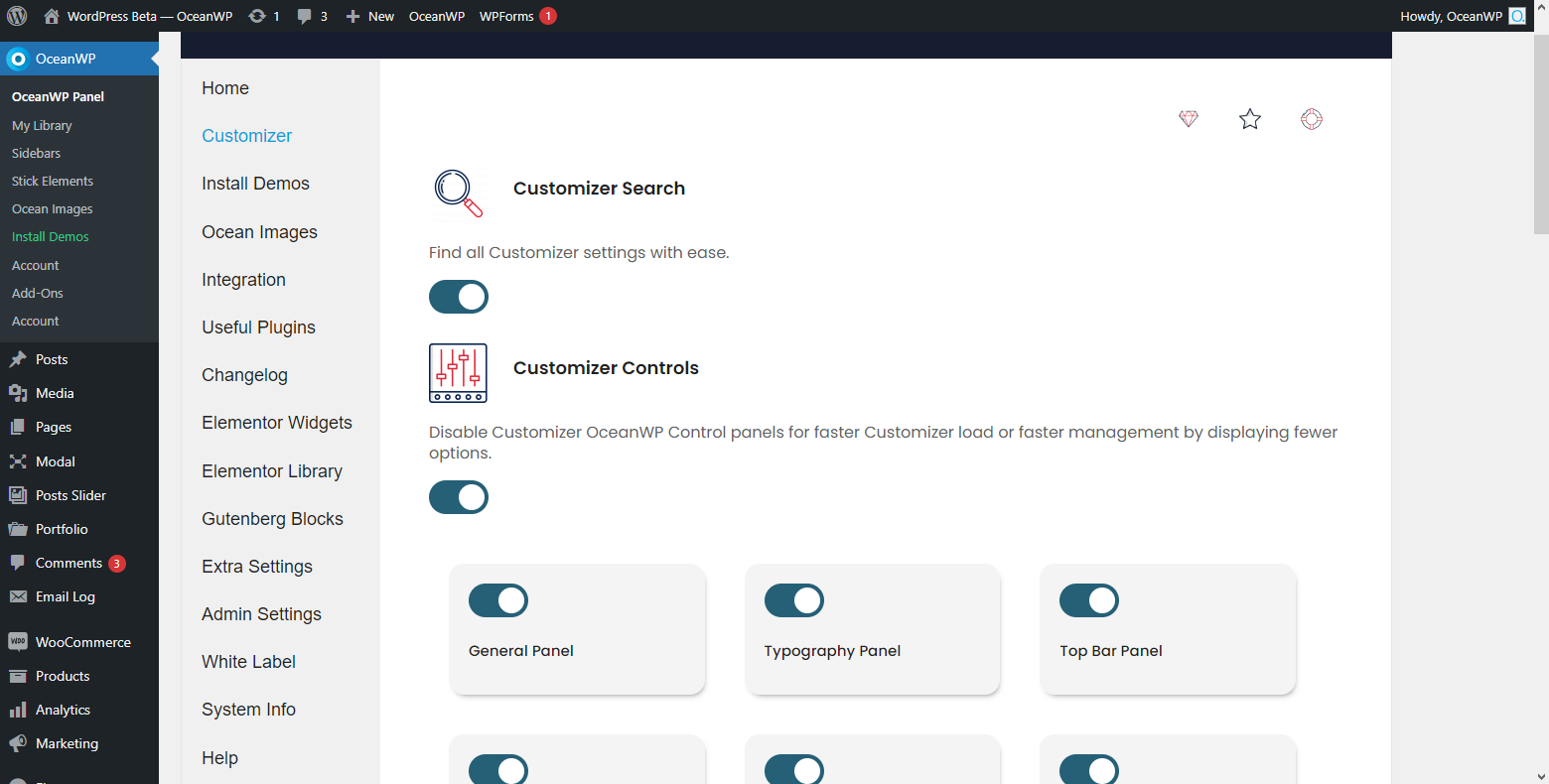
Disable any of the Customizer panels from loading, to increase the Customizer loading time or focus on your tasks. This feature allows you to disable only those panels created by the OceanWP theme or any of the Ocean plugins. Likewise, you can enable all panels back again.
CUSTOMIZER SEARCH
The search option within the Customizer helps you find all relevant settings instantly. Enable or disable per need.
CUSTOMIZER RESET
Unhappy with your Customizer settings and styling? Or you would like to import different styling? Reset all current settings to OceanWP’s default values and apply your design.
CUSTOMIZER STYLING IMPORT / EXPORT
Export your Customizer styling options to use on other sites, to save as backup or simply speed up the design process. Likewise, import an existing Customizer styling file and apply all settings in a breeze.
INTEGRATION
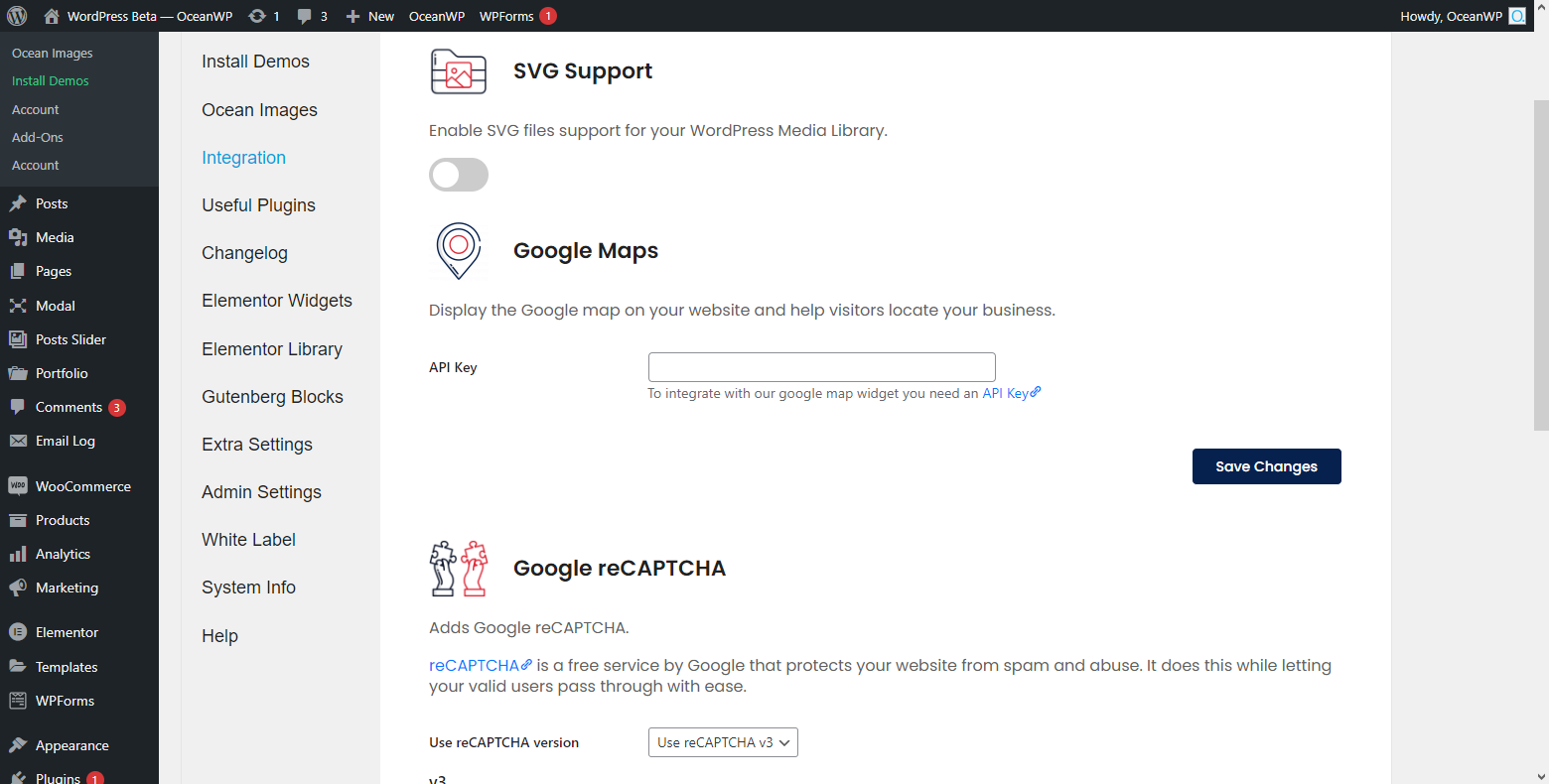
The Integration panel helps you enable SVG file upload support for the WordPress Media Library, connect with MailChimp, Google reCaptcha, Google Maps and more.
EXTRA SETTINGS
The Extra Settings panel allows you to disable or enable Ocean Extra plugin components, like the meta box, custom templates support, widgets, etc.
ADMIN SETTINGS
The Admin Settings panel offers control over additional features, like regenerating the local Google fonts CSS file, disabling the “edit” link on post archive pages which is visible to admins, and more.
WEBSITE PRELOADER
Dealing with heavy page content such as videos or slow hosting? Enable the (website preloader feature)[https://docs.oceanwp.org/article/851-oceanwp-website-preloader] on your website to reduce bounce rate, entertain visitors, brand site or more.
PREMIUM OCEAN FEATURES
Some of the most outsanding premium features controled by the Ocean Extra’s OceanWP Panel include:
* Ocean Images: Import royalty free images and icons directly to your Media Library, a feature that is included in the Ocean Core Extensions Bundle and the Ocean Pro Demos plugin.
* Full Website Templates: Import any of the 220+ full website templates (demos, site kits) to kick start your website fast.
* Elementor Widgets: Disable or enable any of the widgets that come with the Ocean Elementor Widgets plugin.
* Elementor Library: Control the settings of the Elementor Sections Library, that counts over 60 various designs. Create your page content as you. This feature is included in the Ocean Core Extensions Bundle and the Ocean Pro Demos plugin.
* Gutenberg Blocks: Disable or enable any of the blocks that come with the Ocean Gutenberg Blocks plugin.
* White Label: Whitelabel your OceanWP theme, personalize it and make it your own, with the Ocean White Label plugin.
Installation
USING WORDPRESS PLUGIN INSTALLER
- Go to your WordPress Dashboard, ‘Plugins > Add New’.
- Search for ‘Ocean Extra’.
- Click ‘Install’ and then ‘Activate’.
- Gemacht!
Manuelle Installation
- Download the ‘ocean-extra’ zip file.
- Extract the content and copy to the
/wp-content/plugins/directory of your WordPress installation. - Navigate to your WordPress dashboard, ‘Plugins > Installed Plugins’.
- Find the ‘Ocean Extra’ plugin and activate.
- Gemacht!
Änderungsprotokoll
2.6.5 – NOV 25 2026
- Added: Setup Wizard: Main Toolbar: Tooltips and accessible labels for ‘Sync’, ‘Dark/Light mode’, and ‘Exit/Close’.
- Improved: Setup Wizard: Templates Gallery: Templates display in 5 columns from 1800px width for a compact preview.
- Improved: Setup Wizard: Dark Mode: New color palette for a more comfortable, cohesive design.
- Improved: Setup Wizard: Individual plugin cards for a compact and consistent design.
- Improved: Setup Wizard: Individual plugin cards conditional order logic for a compact and consistent layout.
- Fixed: Setup Wizard: Required Plugins screen: Summary separator broken HTML encoding.
- Fixed: OceanWP Panel: System Info: Broken logic returns incorrect results for ‘SoapClient’, ‘DOMDocument’, and ‘GZip’ options.
2.6.4 – NOV 20 2026
- Improved: Setup Wizard: Layout, style, and descriptions for a smoother UX.
- Fixed: Setup Wizard: Using ‘Exit to WP dashboard’ option on first screen displays a blank screen in the Wizard and doesn’t redirect to the WordPress dashboard.
- Fixed: Setup Wizard: The modal window on the templates selection screen reappears during the same session even after being dismissed.
- Fixed: Security: Potential vulnerability patched. Wordfence report from November 14, 2026.
2.6.3 – OCT 13 2026
- Updated: Freemius SDK to its latest version.
2.6.2 – SEP 21 2026
- Improved: Metabox Settings: Access control consistency for all Shortcode options.
- Improved: Menu Icons: Icon selector loading and rendering performance.
- Improved: Standardized file access checks across plugin files.
2.6.1 – SEP 10 2026
- Fixed: Potential vulnerability patched. Report by Wordfence from September 8, 2026.
2.6.0 – SEP 8 2026
- Added: Shortcode: Current User: Support for ‘first_name’, ‘last_name’, and ‘nickname’ display options.
- Improved: Shortcode: Current User: Data handling and output processing.
- Improved: Shortcode: Woo Cart: Custom color value validation.
- Improved: Shortcode: Breadcrumbs: Custom color value validation.
- Improved: Shortcode: Free Shipping Left: AJAX cart refresh handling.
- Improved: My Library: Nested shortcode rendering stability.
- Fixed: Potential vulnerability patched. Report by Wordfence from September 3, 2026.
Screenshots

Für Entwickler
Ist das dein Plugin? Zeigen Sie die Zahlen.
Fügen Sie Ihrer Website, Docs oder GitHub Readme ein Live-Badge hinzu. Es wird von selbst aktualisiert - kein Konto erforderlich.
Best Ocean Extra alternatives
All meta box plugins →





Fragen und Antworten
Ocean Extra: quick answers
Gerade Antworten, gezogen von Live WordPress.org Daten.
Quelle: WordPress.org
Is Ocean Extra free?
Yes. Ocean Extra is free to download and use from the official WordPress.org plugin directory.
Is Ocean Extra safe to use in 2026?
Ocean Extra is a solid plugin choice in 2026, with a few things worth checking first. It runs on 400K+ sites, is rated 3.3/5 and was last updated 4 days ago, and scores 74/100 on our health check.
How many websites use Ocean Extra?
Ocean Extra is active on 400K+ WordPress websites and has been downloaded 29,082,142 times since it launched in October 2016. It was downloaded 347,975 times in the last 30 days.
Does Ocean Extra work with WordPress 7.1?
Yes. The developer has tested Ocean Extra up to WordPress 7.1.5, the latest release. It requires WordPress 5.9 or newer.
What PHP version does Ocean Extra need?
Ocean Extra requires PHP 7.4 or higher. Most hosts run PHP 8.x today, so it works on any modern WordPress hosting.
When was Ocean Extra last updated?
The latest version, 2.6.5, was released on November 25, 2026 (4 days ago).
Who makes Ocean Extra?
Ocean Extra is developed and maintained by oceanwp.
What are the best alternatives to Ocean Extra?
The most popular alternatives to Ocean Extra are Meta Box (500K+ installs), MB Elementor Integration (1K+ installs) and MB Rest API (1K+ installs).
Angetrieben von PageForge
Eine Vorlage und eine Tabelle. Eine echte Seite für jede Suche.
PageForge Verwandelt jede Zeile eines CSV in eine WordPress-Seite mit eigenem Titel, URL, SEO Felder und Schema entworfen. Kostenlos auf WordPress.org.
- CSV und XLSX, plus Google Sheets auf Beruf und Unternehmen
- seinen eigenen Titel, URL, SEO Felder und Schema für jede Seite
- Arbeitet mit dem Blockeditor, Elementor, Divi und Avada
- Kostenlos auf WordPress.org, keine Kreditkarte