


Npcink Abilities Toolkit
Expose and inspect WordPress Abilities API capabilities for AI hosts and clients, without running models or writing content.

Solide Wahl
Npcink Abilities Toolkit is a solid plugin choice in 2026, with a few things worth checking first. Was last updated 3 weeks ago, and scores 64/100 on our health check.
- Aktiv entwickelt – letztes Update vor 3 Wochen
- Getestet mit dem neuesten WordPress (7.1)
- Kleine Benutzerbasis (<10 aktive Installationen)
- Bisher sehr wenige Bewertungen
Wie stapelt es sich?
Side-by-side bei Installationen, Updates, Bewertungen und Support



Tägliche Downloads
Download-Spitzen folgen normalerweise einer neuen Version - jede Website, die automatisch aktualisiert wird, gilt als Download.
Ranglisten
Where Npcink Abilities Toolkit stands todayWordPress.org Ranglisten suchen
Live-Position in der Plugin-Suche, Top 100| Stichwort | Position |
|---|---|
| abilities-api | >100 |
| Agents | >100 |
| Ai | >100 |
| automation | >100 |
About Npcink Abilities Toolkit
From the official readme · v0.8.0Beschreibung
Npcink Abilities Toolkit gives your WordPress site a safe toolbox for AI clients: an AI assistant or host product can read articles, media, comments, menus, and site diagnostics, and prepare reviewed suggestions for tags, excerpts, and media metadata.
Every write-like ability is a preview by default. A real change only happens after your host product approves the commit, and the approval decision and the audit trail stay with the host, never with this plugin.
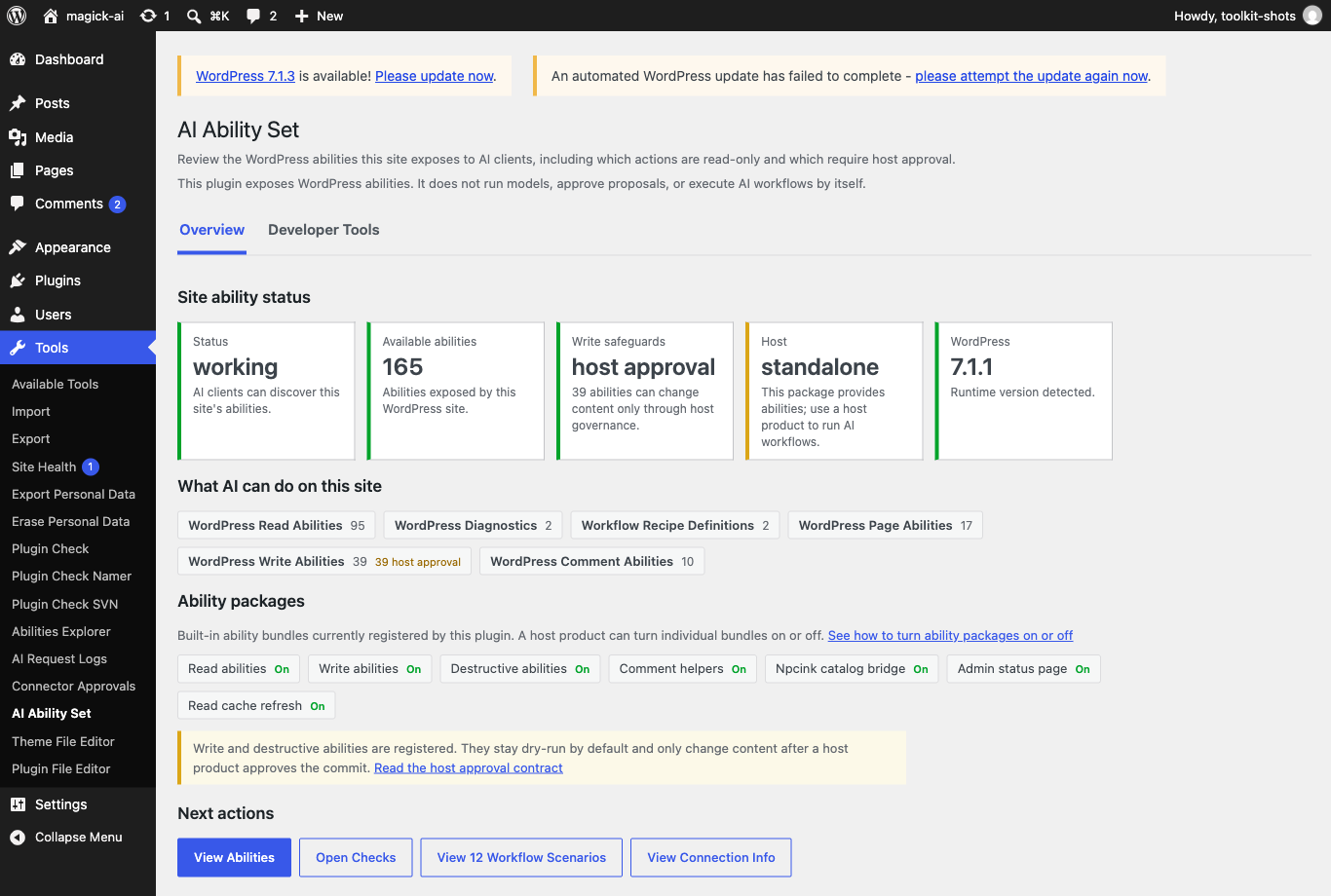
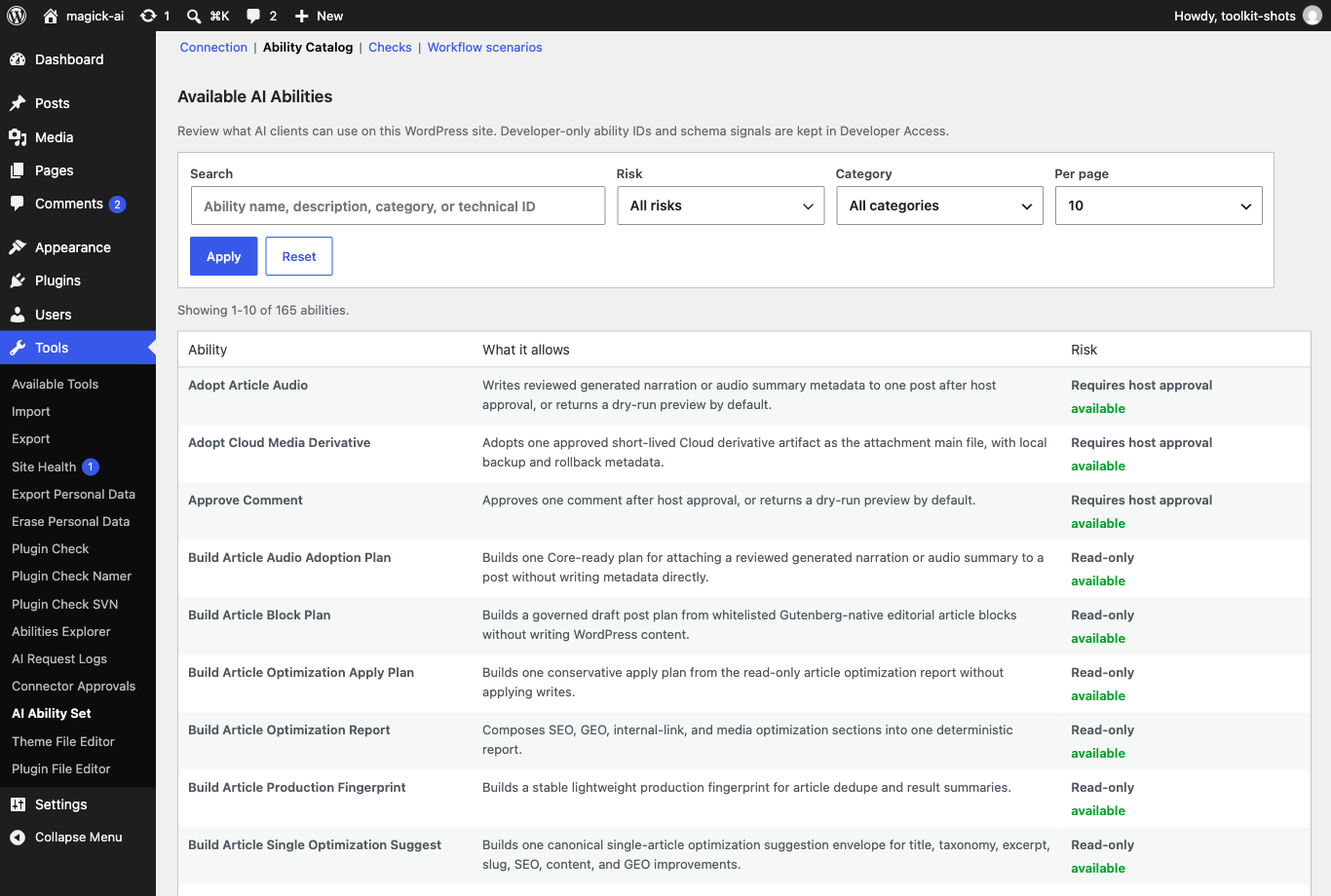
After activation, open Tools -> AI Ability Set to see at a glance what AI clients can do on this site: which abilities are available, which are read-only, and which would require approval from a host product before anything changes. The page is built for site operators first.
For developers and host runtimes, the plugin also provides ability registration helpers, category helpers, schema normalization, annotation normalization, REST discovery values, and optional canonical projection for Npcink AI when Npcink AI is installed.
It can be used by any WordPress plugin or client that consumes the WordPress Abilities API. Npcink AI is one optional consumer, not the owner of this plugin.
The plugin does not run AI models, execute workflows, route prompts, contact model providers, manage billing or quotas, own MCP governance, or approve final WordPress writes.
Read-only host composition recipe metadata may document how hosts can compose abilities, but those records do not run queues, schedule jobs, execute workflows, or create a second registry. Host composition recipe metadata is available through read-only helpers and Abilities API discovery abilities for hosts that need catalog discovery without execution ownership.
Bundled starter locale files are limited to translations intentionally maintained in this repository. Incomplete bundled locale packs are removed until they can be maintained as complete starter translations. WordPress.org directory translations are managed separately through translate.wordpress.org/GlotPress and are not runtime authority owned by this plugin.
External Services and Remote Requests
This plugin does not automatically contact Npcink AI, model providers, analytics services, tracking services, or cloud services.
Some abilities can prepare request payloads for a separate host or cloud add-on, but this plugin does not send those payloads to an external service by itself.
The npcink-abilities-toolkit/upload-media-from-url ability is inert as a dry-run preview unless a separate authenticated host supplies approval context and commits the operation. When an approved host runtime commits that ability, WordPress sends an HTTP request to the caller-provided URL in order to fetch the media file for the local media library. The remote endpoint is chosen by the caller, not by this plugin. This plugin stores no provider credentials or remote-service configuration for that ability. This is not provider routing, cloud execution, or stored external-service configuration.
Bedarf
- WordPress 6.9 or later. WordPress 6.9 introduced the Abilities API used by this plugin.
- PHP 8.0 or later.
- The WordPress Abilities API REST routes must be available before third-party
provider plugins or external clients can discover and run abilities.
Public API
npcink_abilities_toolkit_register_category( $category_id, $args )npcink_abilities_toolkit_register_readonly( $ability_id, $definition )npcink_abilities_toolkit_register_write_proposal( $ability_id, $definition )npcink_abilities_toolkit_normalize_schema( $schema, $default_type )npcink_abilities_toolkit_normalize_annotations( $annotations, $risk_level )npcink_abilities_toolkit_get_registered()npcink_abilities_toolkit_get_workflow_definitions()npcink_abilities_toolkit_get_workflow_definition( $recipe_id )
The workflow definition helpers return read-only recipe metadata for host-side composition. They are not a workflow registry, execution engine, scheduler, approval store, audit store, model router, prompt registry, or final write authority.
Third-Party Integration Quickstart
Provider plugins should wait until plugins_loaded, check that the public
helper exists, and then register their abilities through the helper functions:
if ( function_exists( 'npcink_abilities_toolkit_register_readonly' ) ) { npcink_abilities_toolkit_register_readonly( 'acme/site-summary', $definition ); }
Do not include files from this plugin’s includes/ directory or instantiate
classes in the Npcink_Abilities_Toolkit namespace. Those are implementation
details.
Use npcink_abilities_toolkit_register_readonly() for read-only context and
diagnostic abilities. Use npcink_abilities_toolkit_register_write_proposal()
only when the callback returns a proposal, preview, diff, or handoff payload.
Third-party provider callbacks should not perform final host-governed commits.
Approval, audit, quota, and final write authorization belong to the consuming
host runtime.
REST clients should first discover the catalog through:
/wp-json/wp-abilities/v1/categories/wp-json/wp-abilities/v1/abilities/wp-json/wp-abilities/v1/abilities/{namespace}/{name}/run/wp-json/npcink-abilities-toolkit/v1/contract
The contract endpoint is a compatibility and boundary discovery endpoint for
authenticated host runtimes. It does not replace the WordPress Abilities API
catalog and does not run abilities.
Full provider examples and REST client notes are maintained in the public
repository:
https://github.com/npcink/npcink-abilities-toolkit
If the wp-abilities/v1 REST routes are missing, enable the WordPress
Abilities API baseline or compatibility plugin before connecting third-party
providers or clients.
Admin Page
After activation with a Npcink AI host plugin, open Npcink AI -> AI Ability Set in wp-admin. When this standalone package is installed without a Npcink AI host menu, open Tools -> AI Ability Set instead.
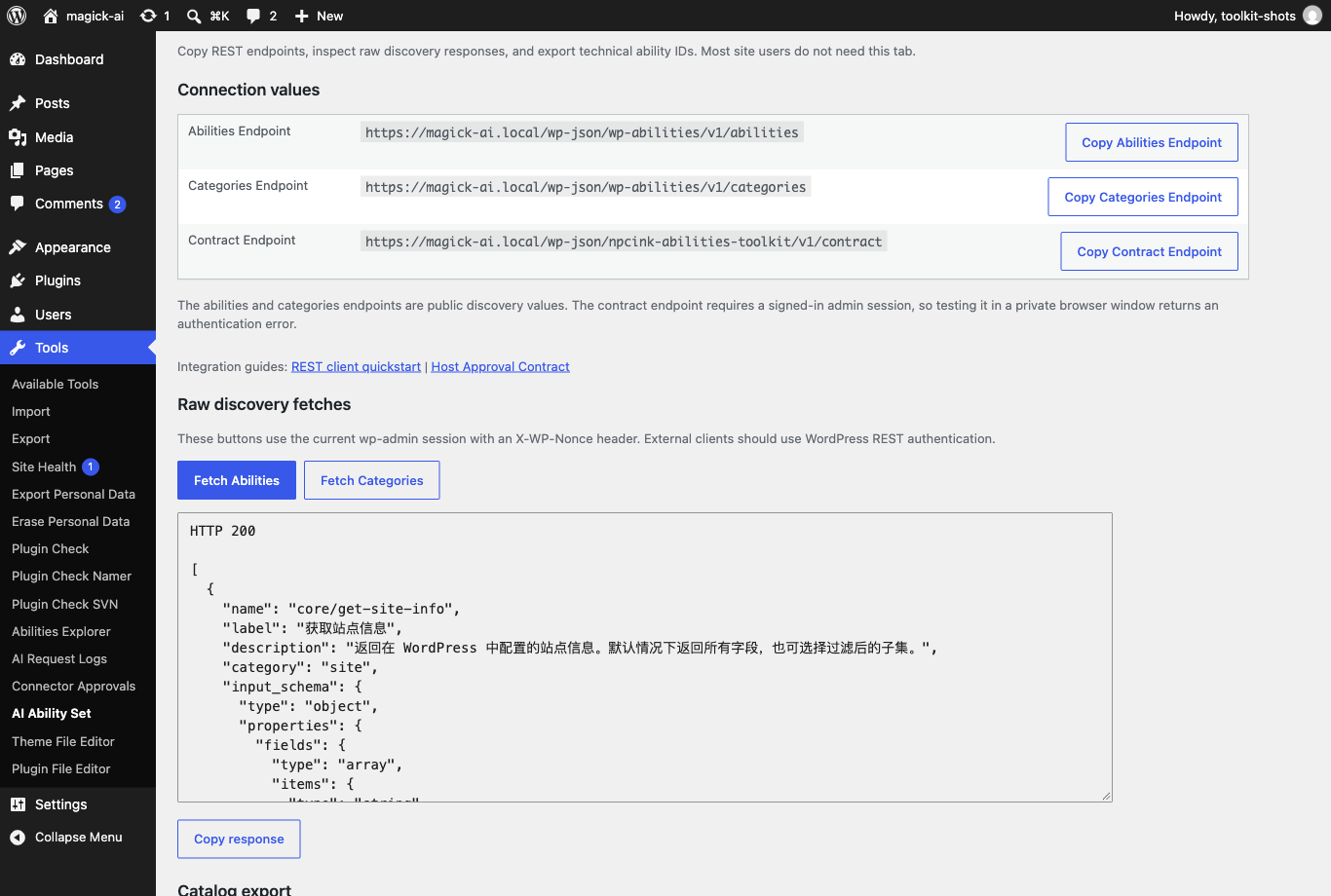
The page is designed for site operators first: it shows site ability status, the ability package list with write safeguards, plain-language capability groups, and next actions. Under Developer Tools, the Checks view can run two official read-only checks: site info and bounded redacted diagnostics summary, explaining what each check proves and what it does not prove before it runs. Check results are shown as a plain summary table, with raw JSON kept behind a support disclosure. The Connection view keeps copyable REST endpoint values, raw discovery fetches, and ability ID export available for host/client setup. It does not run showcase workflows, model calls, write abilities, approval flows, or demo abilities. The Tools -> AI Ability Set page remains the standalone surface when no Npcink AI host menu is active; host detection must not create approval, quota, audit, or workflow control-plane behavior in this plugin.
Built-In Abilities
The plugin includes migrated low-risk WordPress read abilities, deterministic comment helpers, and host-governed WordPress write/destructive abilities using canonical npcink-abilities-toolkit/* ids.
It also includes npcink-abilities-toolkit/wp-diagnostics-summary, a redacted WordPress-only diagnostics summary for Abilities API clients. This summary intentionally omits Npcink AI settings, MCP settings, API keys, database names, table prefixes, filesystem paths, error logs, and external HTTP probes.
It also includes npcink-abilities-toolkit/search-posts and npcink-abilities-toolkit/search-post-meta, bounded local WordPress search helpers for keyword and explicit post-meta discovery. These are read-only helpers and do not call external search indexes or mutate content.
It also includes npcink-abilities-toolkit/list-workflow-recipes and npcink-abilities-toolkit/get-workflow-recipe, read-only host composition recipe metadata discovery abilities. These expose metadata only and do not execute workflow runtime behavior.
Core governance handoff docs include a catalog snapshot, permission matrix, and schema boundary audit for hosts that consume this plugin through npcink-ai-core.
Source-level verification commands for contributors are documented in the public repository’s README and CONTRIBUTING files.
Installation
- Install and activate the plugin through the Plugins screen, or upload the plugin folder to wp-content/plugins/ and activate it from there.
- Confirm the site runs WordPress 6.9 or later so the Abilities API registration functions and REST routes exist.
- A one-time welcome notice on the Plugins screen links to the status page. Open Tools -> AI Ability Set (or Npcink AI -> AI Ability Set when a Npcink AI host menu is present) and check that the site ability status is working.
- To expose abilities from your own plugin, register them on plugins_loaded through the public helpers listed under Public API; see the Third-Party Integration Quickstart below.
Änderungsprotokoll
0.8.0
Adds optional core_read and read_only registration profiles for integrations while preserving the full default and the operator read-only switch. Host commit authorization now requires the literal boolean true. Fixes premature taxonomy writes, incomplete media cleanup scans, media rename recovery, diagnostics secret redaction, post-content backslash handling and scheduling validation. All final changes still require host approval.
0.7.0
Restores ability discovery on real REST requests while preserving the light anonymous frontend and operator read-only mode. Adds a read-only flagged-media removal plan and a separate governed attachment deletion ability with explicit no-backup or retained-backup branches. Host approval is required for every deletion or restore. Toolkit backups can recreate a deleted attachment with a new id; old references and plugin-specific relationships require separate review. Ten new runtime strings ship in all seven bundled locales.
0.6.0
User-visible operator read-only mode release: site owners can turn off the write and destructive ability packages from the AI Ability Set Overview while keeping read abilities available. The narrowing-only setting composes with the host package filter, applies on the next request, is removed on uninstall, and leaves dry-run defaults and host-governed approval unchanged. The release also includes the 0.5.12 locale terminology alignment and the completed read-only implementation from #242/#243.
0.5.12
User-experience and operator-guidance release from the 2026-10 end-user audit: no ability contract, schema, response-shape, or behavior changes to abilities. The bundled troubleshooting guide now opens with a no-command-line section for site operators and documents how to turn ability packages on or off with a copy-paste snippet, and the admin ability package list links to that guidance. A disabled safe-check button now explains that its ability is not registered instead of greying out silently, and the raw check response and raw discovery outputs gained Copy response buttons for support handoff. All admin help links share one filterable documentation base (npcink_abilities_toolkit_docs_base_url) so sites with unreliable GitHub access can point them at a mirror they maintain. Three new admin strings ship in all seven bundled locales, and this readme’s description now leads with what the plugin gives you before boundary language.
0.5.11
Security and performance hardening release from the 2026-10 audit: no ability contract, schema, or response-shape changes. Publishing reports enforce per-post edit permission, anonymous frontend pageviews skip built-in ability registration and catalog fingerprinting (faster pageviews, no behavior change on admin, REST, cron, or CLI), the runtime contract endpoint serves from a bounded cache, media file paths are validated segment-by-segment on both read and write sides, every registered ability re-checks its capability before its callback runs, and site operators get a health warning when a host integration allows commits unconditionally. Uninstall now keeps the shared legacy media replacement history by default; set the npcink_abilities_toolkit_uninstall_preserve_media_history filter to false to restore the old delete behavior.
0.5.10
Documentation-follow-up release: records the article-publish-preflight
closed-loop host proof, corrects the preflight proof failure attribution,
and keeps the 0.5.9 code base unchanged so the conventional release tag
can point at the current candidate head.
Screenshots

Für Entwickler
Ist das dein Plugin? Zeigen Sie die Zahlen.
Fügen Sie Ihrer Website, Docs oder GitHub Readme ein Live-Badge hinzu. Es wird von selbst aktualisiert - kein Konto erforderlich.
Best Npcink Abilities Toolkit alternatives
All abilities-api plugins →





Fragen und Antworten
Npcink Abilities Toolkit: quick answers
Gerade Antworten, gezogen von Live WordPress.org Daten.
Quelle: WordPress.org
Is Npcink Abilities Toolkit free?
Yes. Npcink Abilities Toolkit is free to download and use from the official WordPress.org plugin directory.
Is Npcink Abilities Toolkit safe to use in 2026?
Npcink Abilities Toolkit is a solid plugin choice in 2026, with a few things worth checking first. Was last updated 3 weeks ago, and scores 64/100 on our health check.
How many websites use Npcink Abilities Toolkit?
Npcink Abilities Toolkit is active on <10 WordPress websites and has been downloaded 1,054 times since it launched in June 2026. It was downloaded 238 times in the last 30 days.
Does Npcink Abilities Toolkit work with WordPress 7.1?
Yes. The developer has tested Npcink Abilities Toolkit up to WordPress 7.1.5, the latest release. It requires WordPress 6.9 or newer.
What PHP version does Npcink Abilities Toolkit need?
Npcink Abilities Toolkit requires PHP 8.0 or higher. Most hosts run PHP 8.x today, so it works on any modern WordPress hosting.
When was Npcink Abilities Toolkit last updated?
The latest version, 0.8.0, was released on November 2, 2026 (3 weeks ago).
Who makes Npcink Abilities Toolkit?
Npcink Abilities Toolkit is developed and maintained by Npcink.
What are the best alternatives to Npcink Abilities Toolkit?
The most popular alternatives to Npcink Abilities Toolkit are MCP Adapter (80K+ installs), Agent Abilities for MCP (1K+ installs) and AgizoAI Agentic Browsing Op… (100+ installs).
Angetrieben von PageForge
Eine Vorlage und eine Tabelle. Eine echte Seite für jede Suche.
PageForge Verwandelt jede Zeile eines CSV in eine WordPress-Seite mit eigenem Titel, URL, SEO Felder und Schema entworfen. Kostenlos auf WordPress.org.
- CSV und XLSX, plus Google Sheets auf Beruf und Unternehmen
- seinen eigenen Titel, URL, SEO Felder und Schema für jede Seite
- Arbeitet mit dem Blockeditor, Elementor, Divi und Avada
- Kostenlos auf WordPress.org, keine Kreditkarte