


MountDev AI MCP Connector for WordPress
Connect ChatGPT or Claude to WordPress with one address. Edit posts, pages and media, and use any plugin that registers WordPress Abilities.

Solide Wahl
MountDev AI MCP Connector for W… is a solid plugin choice in 2026, with a few things worth checking first. It runs on 200+ sites and was last updated 2 months ago, and scores 65/100 on our health check.
- Getestet mit dem neuesten WordPress (7.1)
- Kleine Benutzerbasis (über 200 aktive Installationen)
- Bisher sehr wenige Bewertungen
Wie stapelt es sich?
Side-by-side bei Installationen, Updates, Bewertungen und Support


Tägliche Downloads
Download-Spitzen folgen normalerweise einer neuen Version - jede Website, die automatisch aktualisiert wird, gilt als Download.
Ranglisten
Where MountDev AI MCP Connector f… stands todayWordPress.org Ranglisten suchen
Live-Position in der Plugin-Suche, Top 100| Stichwort | Position |
|---|---|
| Ai | >100 |
| AI agent | >100 |
| ChatGPT | >100 |
| Claude | >100 |
| MCP | #74 |
Versionsübernahme
Anteil aktiver Sites pro Release.
About MountDev AI MCP Connector for WordPress
From the official readme · v2.2.0Beschreibung
Connect ChatGPT, Claude or another AI assistant to your WordPress site, then ask it to do the work you would otherwise do by hand.
Connecting takes one address and a sign-in. There are no API keys to create, no client IDs to copy and nothing to paste into a configuration file. Claude and ChatGPT identify themselves automatically, using the published client metadata the Model Context Protocol defines for exactly this, and you approve the connection on your own site.
Ask it to draft and publish a post, tidy your menus, fix a typo on every page, or clear out spam comments. It works on your site directly, so there is no copying and pasting between a chat window and your admin screens.
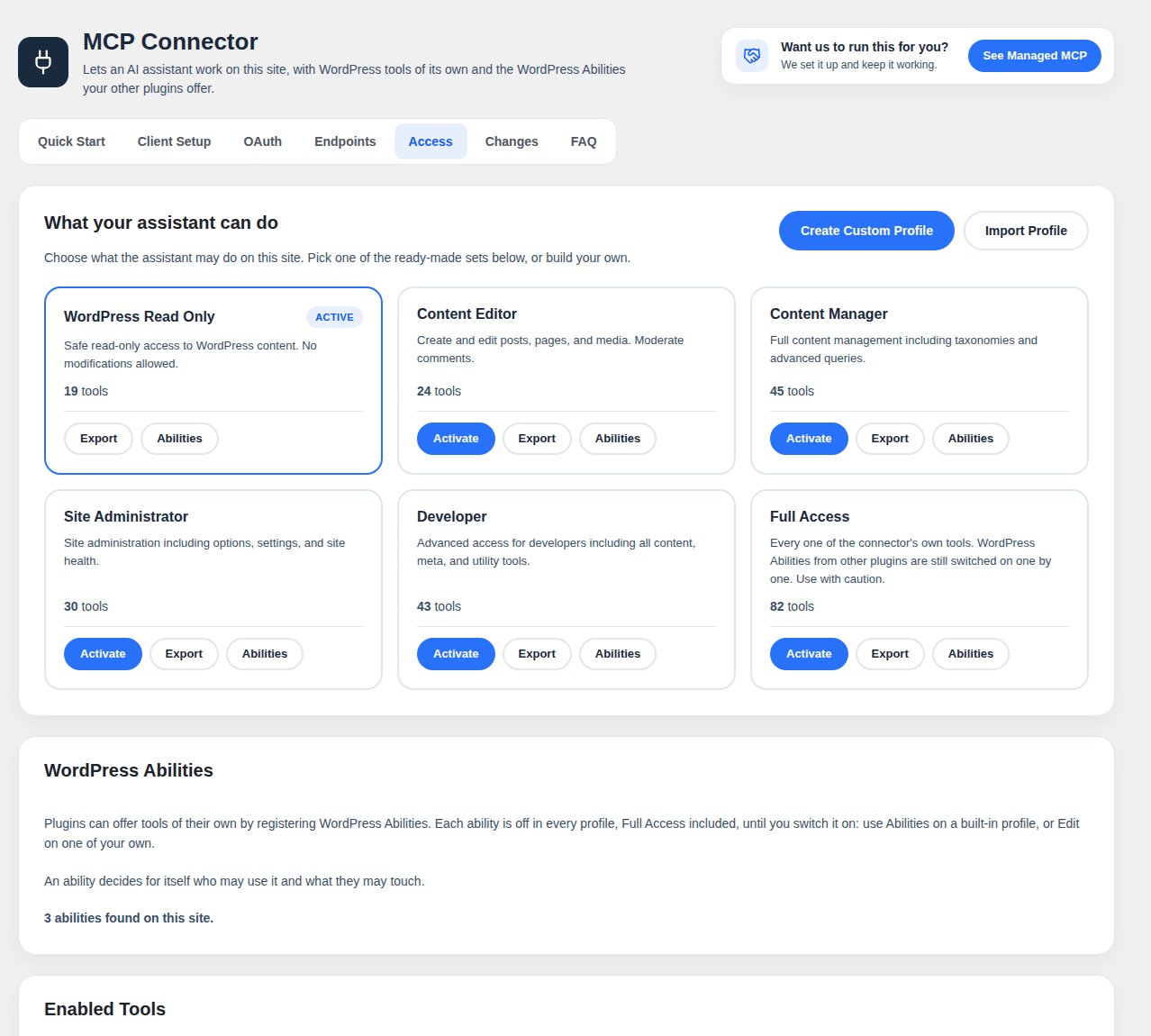
You decide what it may touch. Access is granted with a profile, which is a named set of tools: read only, content editing, site administration, or one you build yourself. Everything the assistant does still runs through WordPress’s own permissions, so it can never do more than the account it signed in as.
What you can ask for
- Precise edits – change one sentence, or one word across the whole site, with every change previewed, checked and reversible
- Content – draft, edit, publish and schedule posts and pages, manage categories, tags and menus
- Media – upload images, set alt text, tidy the library
- Housekeeping – comments, users, plugins, themes and site settings
- Your other plugins – anything they offer as WordPress Abilities
Works with any plugin that registers WordPress Abilities
WordPress 6.9 added Abilities: a standard way for a plugin to describe what it can do, what it needs and who may use it. Any plugin that registers abilities gets tools in this connector, with nothing extra to install or configure. When the plugin updates its abilities, your assistant sees the change.
Every ability starts switched off, in every profile. You turn on the ones you want, profile by profile, and each is clearly labeled when it can change or delete things. The ability itself checks who may use it before anything runs.
Abilities need WordPress 6.9 or later. On older versions the connector’s own tools work as before.
Works with the assistants people actually use
- ChatGPT – paste the address, sign in, done
- Claude – paste the address, sign in, done (Claude.ai, Claude Desktop and Claude Code)
- Cursor, Windsurf and other editors – connect with a WordPress Application Password
- Any client that speaks the Model Context Protocol
Built for people who are responsible for a site
- Nothing is sent to us or to any third party. The assistant talks to your site and nowhere else.
- Client secrets are encrypted before they are stored.
- Access tokens expire after an hour; authorization codes after ten minutes.
- Only administrators can issue credentials.
- Every action respects the signed-in user’s WordPress capabilities, checked against the specific post, product or comment being touched.
Sicherheit
- OAuth 2.0 with PKCE – authorization requires a logged-in WordPress user and an explicit approval step
- AES-256-CBC encryption – client secrets encrypted at rest
- Token expiry – access tokens last an hour, refresh tokens 30 days, authorization codes ten minutes
- Per-object capability checks – a tool checks rights over the specific object, not just a broad capability
- Administrator-only credentials – only administrators can issue or view OAuth credentials
- No privilege escalation – the assistant can never exceed the permissions of the account it signed in as
Externe Dienste
This plugin talks to your site and nothing else. No data is sent to Cascadia Web Services or to any third party.
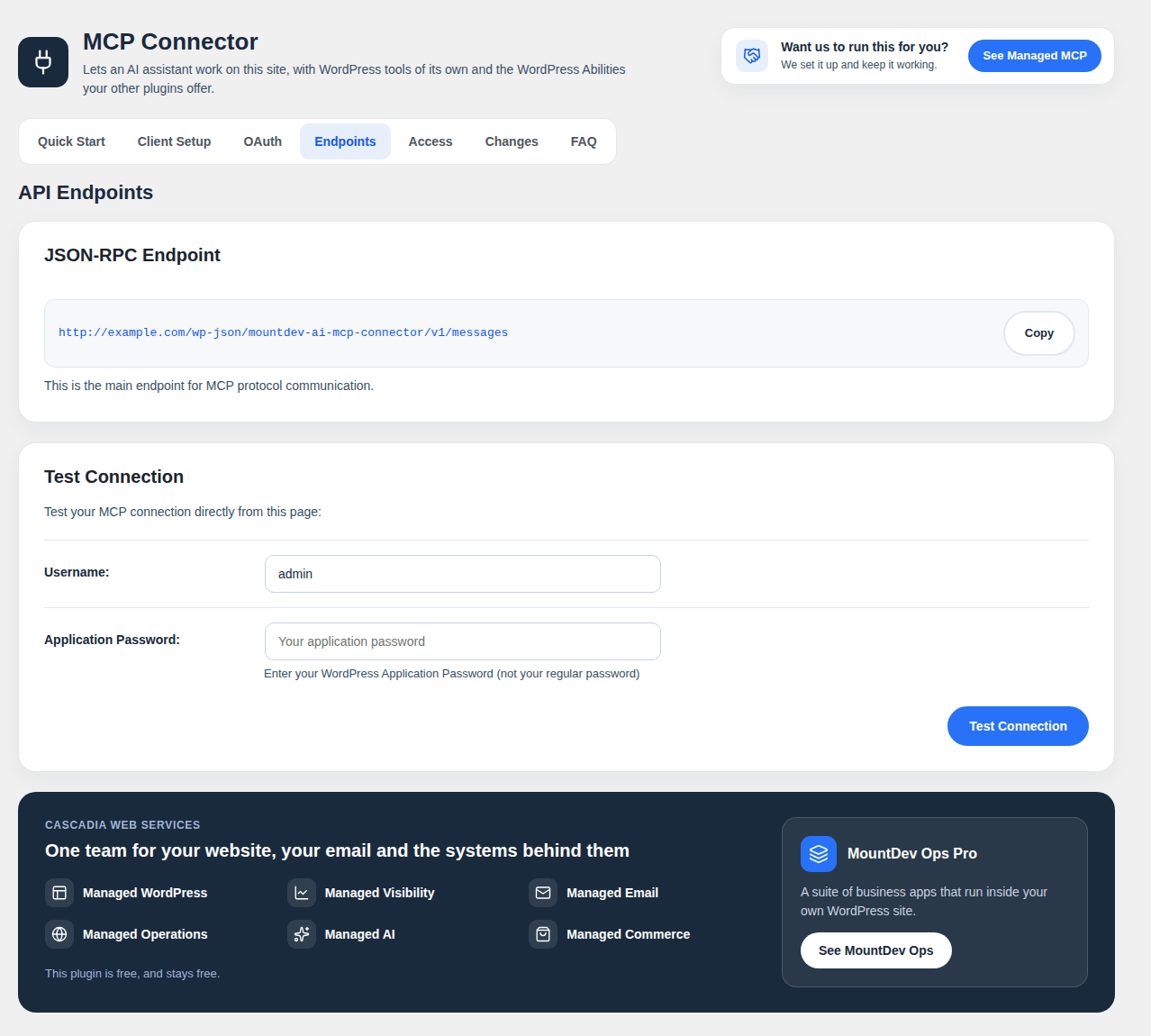
For editors that cannot connect to a remote MCP server themselves, the plugin includes an optional Node.js bridge script that runs on your own computer. It passes requests between the editor and your site’s REST API at:
https://yoursite.com/wp-json/mountdev-ai-mcp-connector/v1/messageshttps://yoursite.com/wp-json/mountdev-ai-mcp-connector/v1/oauth/*
It sends your WordPress username and Application Password to authenticate, along with whatever the assistant is asking for. Everything stays between your computer and your own server.
The settings page has links to cascadiawebservices.com. Nothing is loaded from that site, and nothing is sent to it unless you click a link.
Lizenz
This plugin is licensed under the GPL v3 or later.
See https://www.gnu.org/licenses/gpl-3.0.en.html for details.
Icons on the settings page are from Lucide (https://lucide.dev), licensed under the ISC license. See licenses/lucide.txt.
Installation
- Installieren und aktivieren Sie das Plugin.
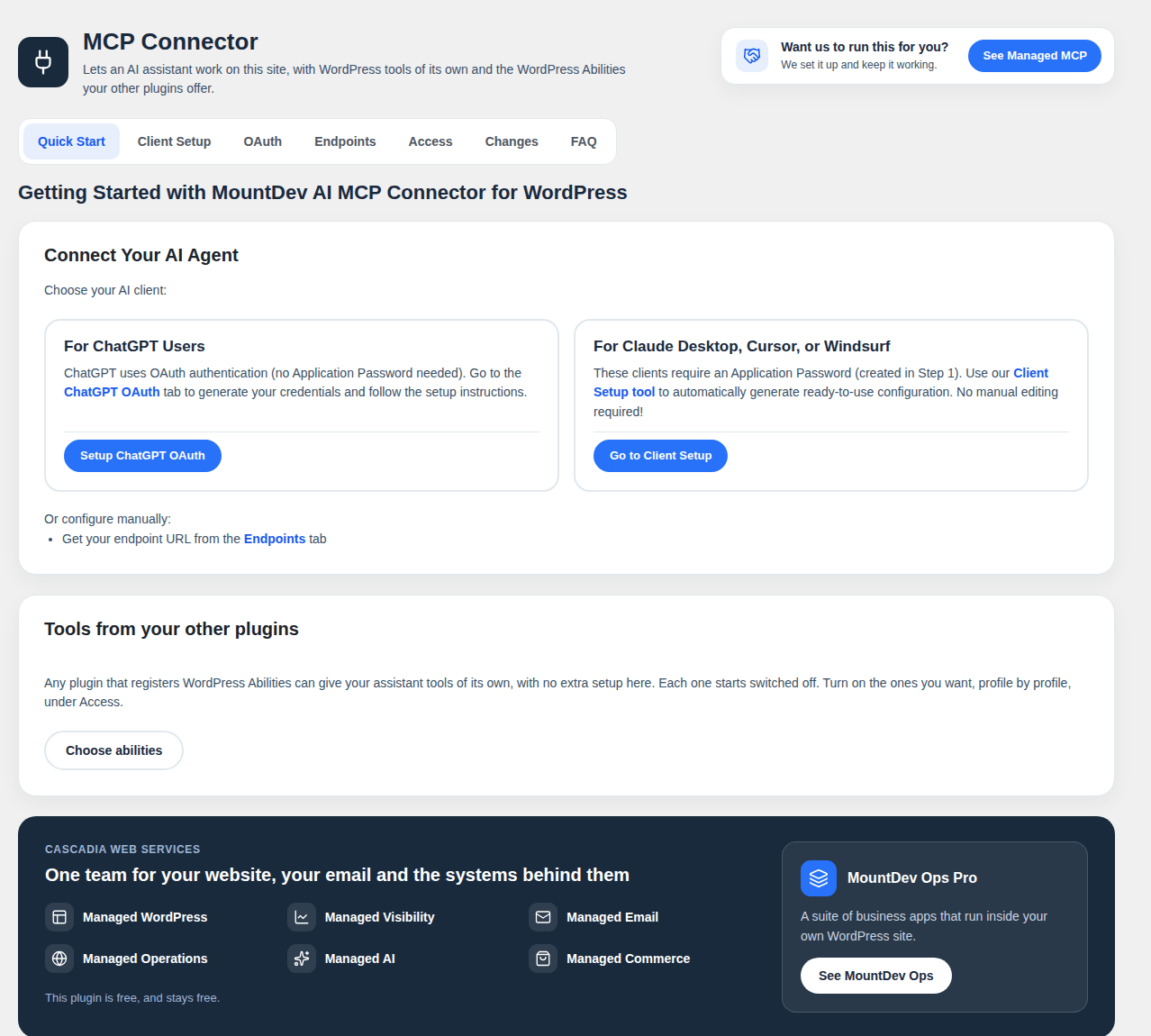
- Go to Settings – MCP Connector.
- Copy the address shown on the page.
- In ChatGPT or Claude, add it as a custom connector and sign in when asked.
- Choose a profile, so the assistant knows what it may do.
ChatGPT and Claude
- Copy the address from Settings – MCP Connector.
- In ChatGPT or Claude, open Settings, then Connectors, and add a custom connector with that address. Leave any Client ID and Secret fields empty.
- Sign in to WordPress when the window opens, and approve the request. The approval screen names the app asking and the domain that published it.
- Open the Access tab and choose what the assistant may do.
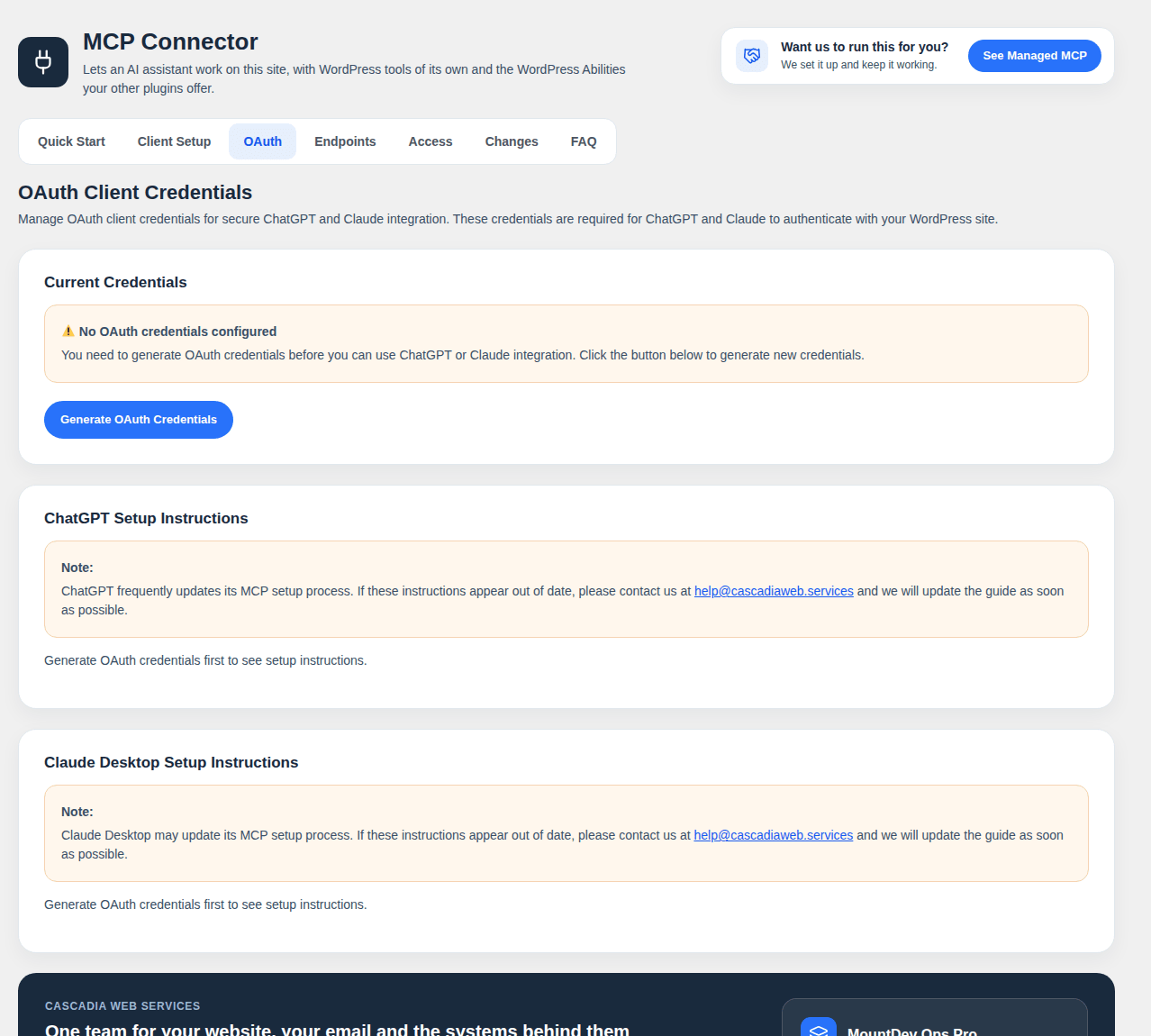
If you prefer to issue credentials yourself, the OAuth tab still generates a Client ID and Secret, and connectors set up that way keep working.
Cursor, Windsurf and other editors
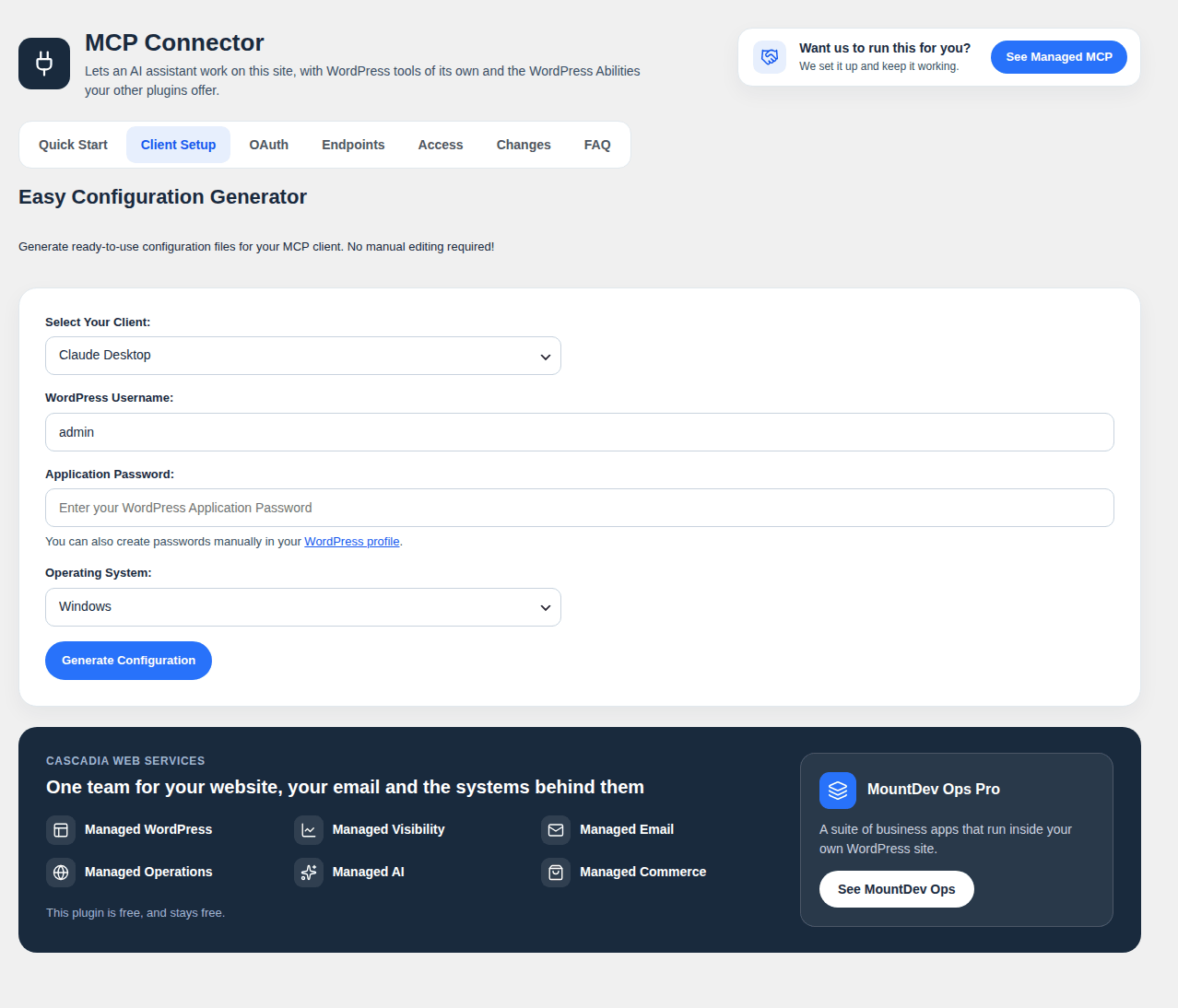
- Create an Application Password under Users – Profile.
- Use the Client Setup tab to generate the configuration file for your editor.
Änderungsprotokoll
Test Connection now checks your site from outside, the way AI assistants reach it, and says what is blocking them. Nothing about your connections or profiles changes.
2.2.0
- Added: Test Connection now also checks your site from outside, the way ChatGPT and Claude reach it, through your CDN, firewall and host. It requests the connection addresses as a browser and as each AI client, checks what comes back, and says plainly what is wrong and who answered: the CDN, the server or a security plugin. Copy report gives a plain-text version to send to your host
- Added: Test Connection names any switched-on abilities that never reach the assistant, such as those from a plugin that registers them only on admin pages
- Fixed: One ability with a schema that AI clients reject no longer breaks the whole tool list. Ability schemas are made valid JSON Schema before they are sent, so Refresh tools works in Claude and other clients
- Changed: Each ability’s title names the plugin it comes from, for example “FluentCRM: Get Contact”, so assistants that list tools by title show where each one comes from. The settings page keeps the plain label
- Changed: The Changes tab matches the new settings design. Each change reads as a short sentence, the full before and after text sits behind Show details, and times show as “2 hours ago” with the full date on hover
- Note: Changes made before 2.2.0 show their short summary under Show details. Undo works as before
2.1.0
- Changed: A new settings page, with the same layout as the other MountDev plugins
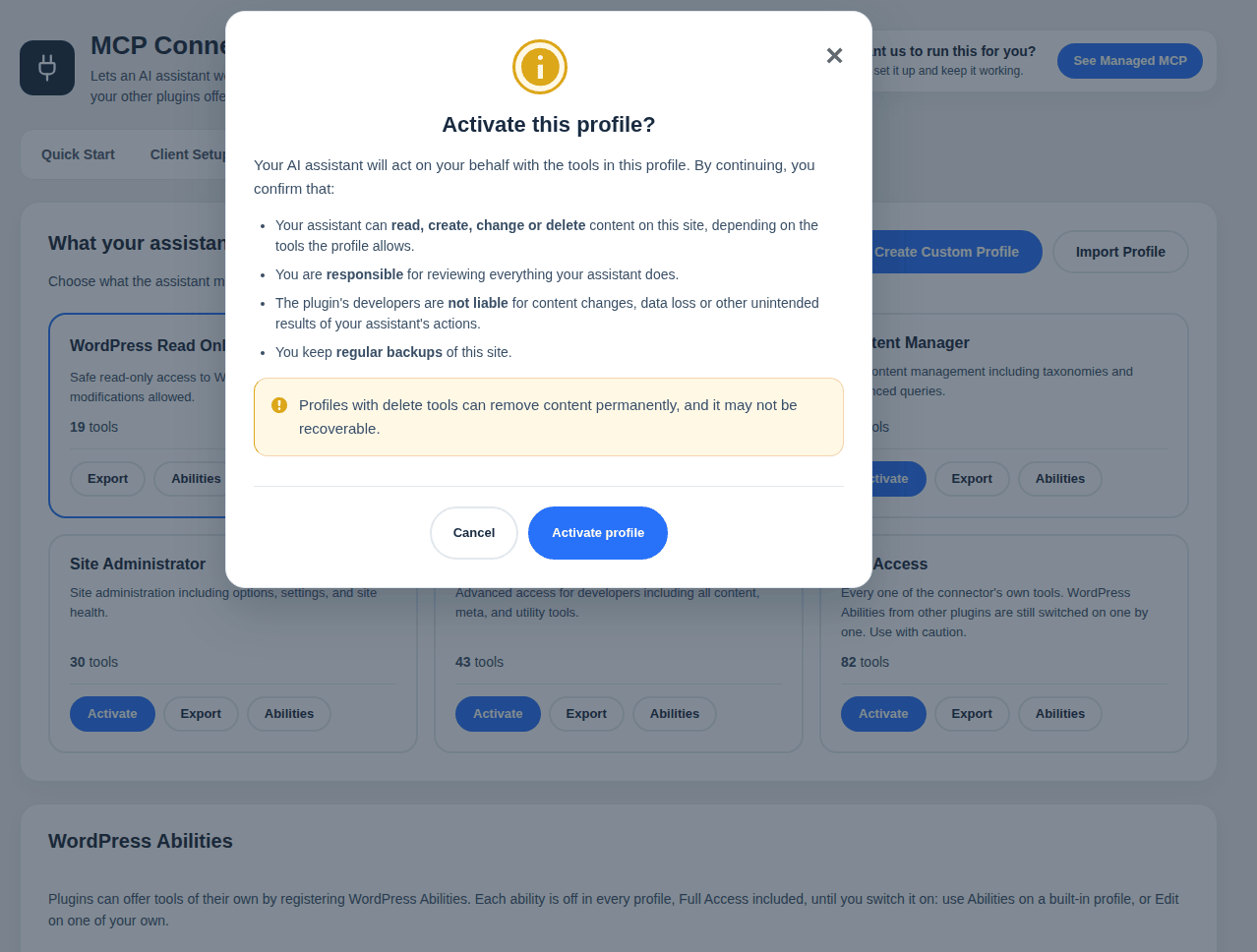
- Changed: Activating a profile asks you to confirm in plain words, then keeps the window open with a progress indicator until the change is saved
- Changed: Notices from other plugins no longer appear on this plugin’s settings page
- Added: New screenshots and directory artwork
2.0.0
- Removed: The built-in tools for WooCommerce, Rank Math, Yoast SEO, Elementor, Jetpack and Contact Form 7, and their ready-made profiles. Each was code this plugin had to keep in step with another plugin’s updates. Several of those plugins now describe their own actions through WordPress Abilities, which is the better source
- Added: WordPress Abilities. Any plugin that registers abilities (WordPress 6.9 or later) gets tools in the connector, grouped by the plugin’s own categories, with no code written for it here
- Added: Every ability starts switched off, in every profile including Full Access. Built-in profiles have an Abilities button to switch them on; custom profiles do it under Edit. Choices are kept by ability name, so a plugin that is deactivated and reactivated finds them as it left them
- Added: Tools that can change your site are labeled Write, and those that may delete or overwrite are labeled Destructive, in the profile editor and the list of enabled tools
- Added: Abilities run through WordPress itself, which checks the input and the ability’s own permission check before anything runs. The assistant sees each ability’s title, input and output schemas and its read only, destructive and idempotent hints
- Added: Precise edits works with more page builders: SiteOrigin Page Builder, Zion Builder and Live Composer, the new widgets in Elementor 4, and the text settings of Spectra, Essential Blocks, Otter, Kubio and Greenshift blocks
- Fixed: Precise edits on a Beaver Builder page failed, and put the page back, when the page held a backslash anywhere
- Changed: Full Access now means every one of the connector’s own tools. Abilities are switched on one by one
- Changed: An unknown tool, and a tool given bad input, now return the MCP “Invalid params” error (-32602) instead of an internal error
- Upgrade: Saved profiles forget the removed tools and keep everything else. A custom profile left with none stays, shown as empty, until you edit or delete it. A site whose active profile was one of the removed ones goes back to WordPress Read Only. OAuth connections, application passwords and the Changes history are untouched
1.8.0
- Added: duplicate_post copies a post, page or other public post type as a new draft. The copy keeps the content, the layout as your builder stored it, the featured image, the page template and the terms, and is titled “(copy)” unless you give it a title. It is always a draft, and it is refused unless you may edit what you are copying
- Fixed: Three links in the “Who builds this” box on the settings page (WordPress care, Hosting and Automation) led to pages that no longer exist. They now open the current pages
- Fixed: bridge/README.md is included in the plugin again. 1.7.1 left it out by mistake
- Changed: The short description is now within WordPress.org’s 150 character limit, so the directory no longer cuts it off
1.7.1
- Added: How long changes are kept is now a setting, 30 days by default, from 7 days to a year. The change list and the backups are cleared on the same schedule, so neither grows without limit; previously the list itself was never cleared
- Added: Recent changes, on its own Changes tab, 20 to a page. Every change made with precise edits is listed with the page, what changed, when and by whom, and can be undone from there, without the assistant that made it
- Added: Undoing a change on a page that has been edited since now asks first, because it would also remove those later edits. Assistants are told the same and must confirm
- Fixed: The settings tabs now fill their space when selected, and only the tab you are on is highlighted. Since 1.6.8, WordPress’s own tab styling sat on top of the plugin’s, leaving a gap beside each tab and keeping Quick Start highlighted
- Changed: Patch tools are now called Precise edits in the settings, with a plainer description of what they do
- Changed: The Access tab is simpler. It leads with what the assistant may do, the list of allowed tools opens on request, in three columns with each tool’s description on hover, instead of scrolling in a small box, the banners suggesting other plugins are gone, and Precise edits sits at the end with the other permissions. Recent changes has its own Changes tab
1.7.0
- Added: Patch tools. Your assistant can change part of a page, such as one sentence, or one spelling across many pages, without resending the whole page. Every change is a preview first; a real change must say which version of the page it expects and how many times each piece of text should be found, and nothing happens if either is wrong
- Added: Every patch is backed up for 30 days, read back from the database after saving, checked, and undone automatically if the check fails. content_rollback puts any page back exactly as it was
- Added: Patches change only visible text. Links, image addresses, classes, styles, code and SVG are never matched, and “realise” never matches inside “realised”
- Added: Works with the block editor and block builders such as Greenshift, Kadence and Spectra, where text is changed in both the page and the block’s own settings so the editor still recognises it; and with Elementor, Divi, WPBakery and Beaver Builder
- Added: cache_purge clears cached copies of changed pages through WordPress and any of the common caching plugins that is installed
- Added: Each change is previewed as the sentence before and after, so a change that is valid but wrong, such as a doubled full stop, is visible before anything is written
- Added: The patch tools are included in the built-in editing profiles, not only Full Access
- Changed: Deleting the plugin also removes the patch tools’ backups, write log, settings and scheduled cleanup
- Note: Patch tools are off until an administrator turns them on, under Access. They need an account allowed to save unfiltered HTML
Screenshots
Für Entwickler
Ist das dein Plugin? Zeigen Sie die Zahlen.
Fügen Sie Ihrer Website, Docs oder GitHub Readme ein Live-Badge hinzu. Es wird von selbst aktualisiert - kein Konto erforderlich.
Best MountDev AI MCP Connector for… alternatives
Alle AI-Plugins →





Fragen und Antworten
MountDev AI MCP Connector for WordP…: quick answers
Gerade Antworten, gezogen von Live WordPress.org Daten.
Quelle: WordPress.org
Is MountDev AI MCP Connector for W… free?
Yes. MountDev AI MCP Connector for W… is free to download and use from the official WordPress.org plugin directory.
Is MountDev AI MCP Connector for W… safe to use in 2026?
MountDev AI MCP Connector for W… is a solid plugin choice in 2026, with a few things worth checking first. It runs on 200+ sites and was last updated 2 months ago, and scores 65/100 on our health check.
How many websites use MountDev AI MCP Connector for W…?
MountDev AI MCP Connector for W… is active on 200+ WordPress websites and has been downloaded 5,882 times since it launched in March 2026. It was downloaded 1,001 times in the last 30 days.
Does MountDev AI MCP Connector for W… work with WordPress 7.1?
Yes. The developer has tested MountDev AI MCP Connector for W… up to WordPress 7.1.5, the latest release. It requires WordPress 5.8 or newer.
What PHP version does MountDev AI MCP Connector for W… need?
MountDev AI MCP Connector for W… requires PHP 7.4 or higher. Most hosts run PHP 8.x today, so it works on any modern WordPress hosting.
When was MountDev AI MCP Connector for W… last updated?
The latest version, 2.2.0, was released on October 1, 2026 (2 months ago).
Who makes MountDev AI MCP Connector for W…?
MountDev AI MCP Connector for W… is developed and maintained by Cascadia Web Services.
What are the best alternatives to MountDev AI MCP Connector for W…?
The most popular alternatives to MountDev AI MCP Connector for W… are Elementor Agent Ready Websi… (10M+ installs), Jetpack (3M+ installs) and All in One SEO (2M+ installs).
Angetrieben von PageForge
Eine Vorlage und eine Tabelle. Eine echte Seite für jede Suche.
PageForge Verwandelt jede Zeile eines CSV in eine WordPress-Seite mit eigenem Titel, URL, SEO Felder und Schema entworfen. Kostenlos auf WordPress.org.
- CSV und XLSX, plus Google Sheets auf Beruf und Unternehmen
- seinen eigenen Titel, URL, SEO Felder und Schema für jede Seite
- Arbeitet mit dem Blockeditor, Elementor, Divi und Avada
- Kostenlos auf WordPress.org, keine Kreditkarte