


Uplink Media Bridge for Etch
Manage Etch Collections directly in WordPress, with optional Wicked Folders or HappyFiles synchronization.

Solide Wahl
Uplink Media Bridge for Etch is a solid plugin choice in 2026, with a few things worth checking first. It runs on 200+ sites, is rated 5/5 and was last updated 2 weeks ago, and scores 76/100 on our health check.
- Aktiv entwickelt — letztes Update vor 2 Wochen
- Getestet mit dem neuesten WordPress (7.1)
- Kleine Benutzerbasis (über 200 aktive Installationen)
- Bisher sehr wenige Bewertungen
- Benötigt PHP 8.3 oder neuer
Wie stapelt es sich?
Side-by-side bei Installationen, Updates, Bewertungen und SupportTägliche Downloads
Download-Spitzen folgen normalerweise einer neuen Version - jede Website, die automatisch aktualisiert wird, gilt als Download.
Ranglisten
Where Uplink Media Bridge for Etch stands todayWordPress.org Ranglisten suchen
Live-Position in der Plugin-Suche, Top 100| Stichwort | Position |
|---|---|
| etch | #1 |
| folders | #94 |
| happyfiles | #3 |
| media | >100 |
| wicked folders | #8 |
Versionsübernahme
Anteil aktiver Sites pro Release.
Bewertungsaufschlüsselung
★★★★★★★★★★ 5 from 2 reviews
About Uplink Media Bridge for Etch
From the official readme · v2.8.2Beschreibung
Uplink Media Bridge for Etch lets you organize Etch Collections directly in the WordPress media library. Manage images, curate collection order, build galleries, and create reusable Etch image loops without opening the builder.
Etch must be installed and active. Wicked Folders and HappyFiles are optional integrations, not requirements.
Choose your media workflow
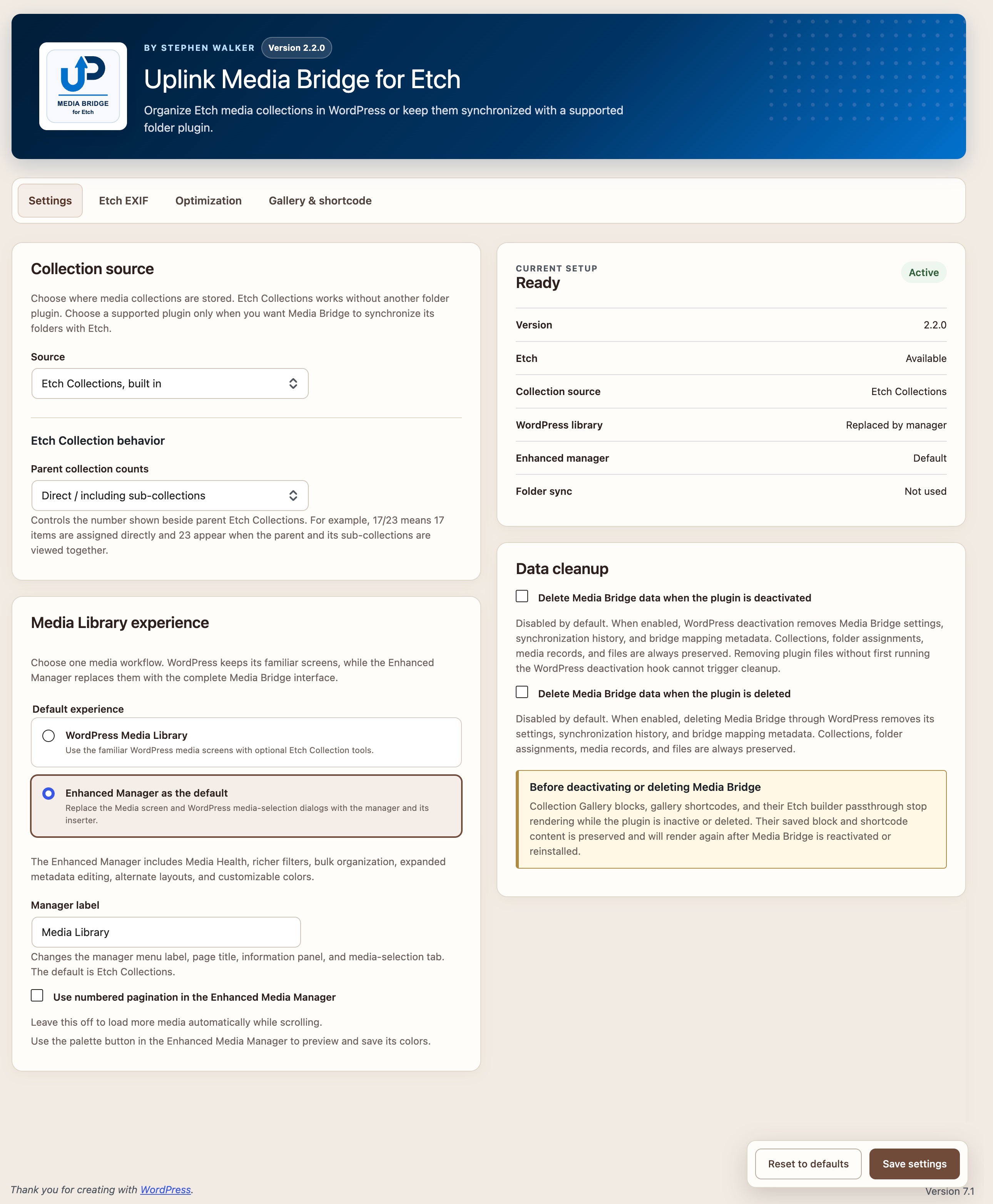
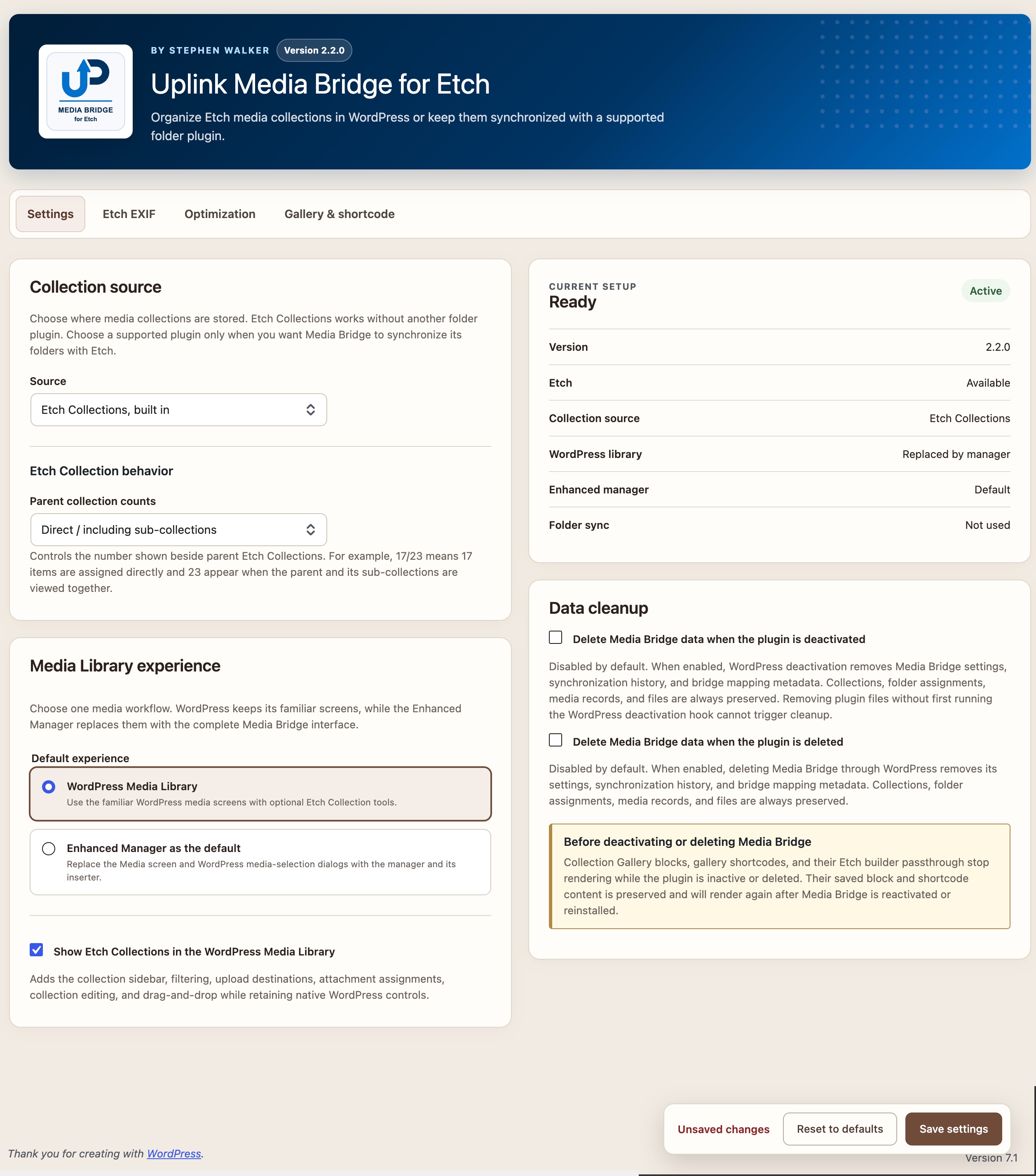
Use the WordPress Media Library with Etch Collection tools, or choose the Enhanced Media Manager with a customizable name, collection navigation, and grid, masonry, and list views. Settings are under Media > Uplink Media Bridge.
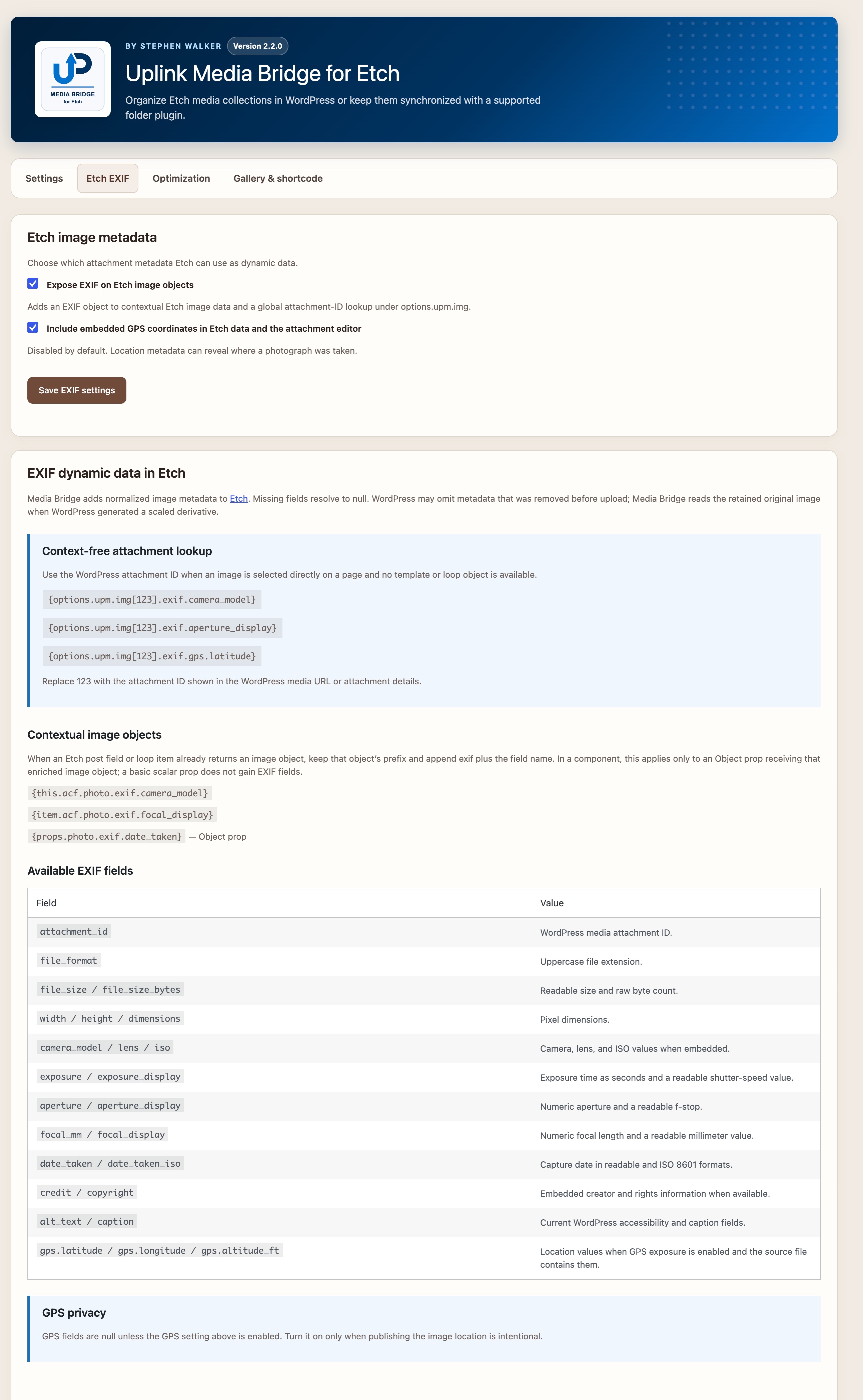
The Enhanced Manager includes search, filters, adjustable thumbnail sizes, bulk collection assignments, attachment editing, and light, dark, or automatic appearance. The collection sidebar has a remembered draggable width in the WordPress, Enhanced, and Etch Asset Manager views. Media Health helps identify issues such as missing alt text, missing image sizes, and oversized files. Optional EXIF information shows available camera metadata.
AVIF uploads and missing image sizes
When the host cannot resize AVIF images, the browser automatically generates missing sizes during uploads. This works in the WordPress library and Enhanced Manager, including registered custom crops. Original AVIF files and their embedded EXIF stay unchanged; browser-generated copies omit EXIF. Keep the upload page open until processing finishes. Failed size generation can be retried without uploading the image again. Existing images can be repaired under Health > Missing image sizes. Local repair supports still AVIF originals up to 40 megapixels and 32 MB.
Collections and custom image order
Create, rename, move, and delete collections. Assign an image to multiple collections and drag selected images into a collection. An experimental depth setting extends collection management to as many as five levels.
Open a collection and choose Reorder to arrange images by dragging individual images or a selected group. Each collection keeps its own order, so a shared image can appear in different positions in different collections. Changes save automatically. Keyboard users can move a focused image with Alt plus an arrow key.
Etch image loop generator
Choose a collection by name, select an image order and limit, and preview the generated query. Copy the query for manual use, or give the loop a name and add it to the Etch loop library. The generator is available in settings and the Enhanced Manager.
Generated loops read current collection membership and order as images are added, removed, or reordered. Existing loops are preserved. Saving to the Etch loop library requires administrator settings access.
Upload previews, renaming, and replacement
Preview selected images and edit filenames before uploading, including after supported pre-upload optimization. A selectable queue lets you review one image at a time. File extensions follow the resulting format. Keep originals bypasses supported pre-upload optimization.
File replacement is optional and disabled by default. Enable it in Settings > File replacement, or leave it off if another plugin handles replacement. Select one file and choose between:
- Keep the existing filename and URL. The replacement must have the same file type and extension after optimization. Existing thumbnail URLs are refreshed. Browser or CDN caches may need clearing.
- Use the replacement filename and type. This creates a new file URL and permits a different format. Old files are retained for links written directly into content; those links are not rewritten.
Both options preserve the attachment ID, title, alt text, caption, description, collections, and custom collection order. The dialog shows the retained filename when applicable and displays replacement errors directly in the dialog.
Collection galleries
Choose Collection Slider to show one or several images at a time, with responsive image counts, configurable navigation, autoplay, Play/Pause, and a visible countdown. Optional lightbox photo details display only selected, available EXIF fields.
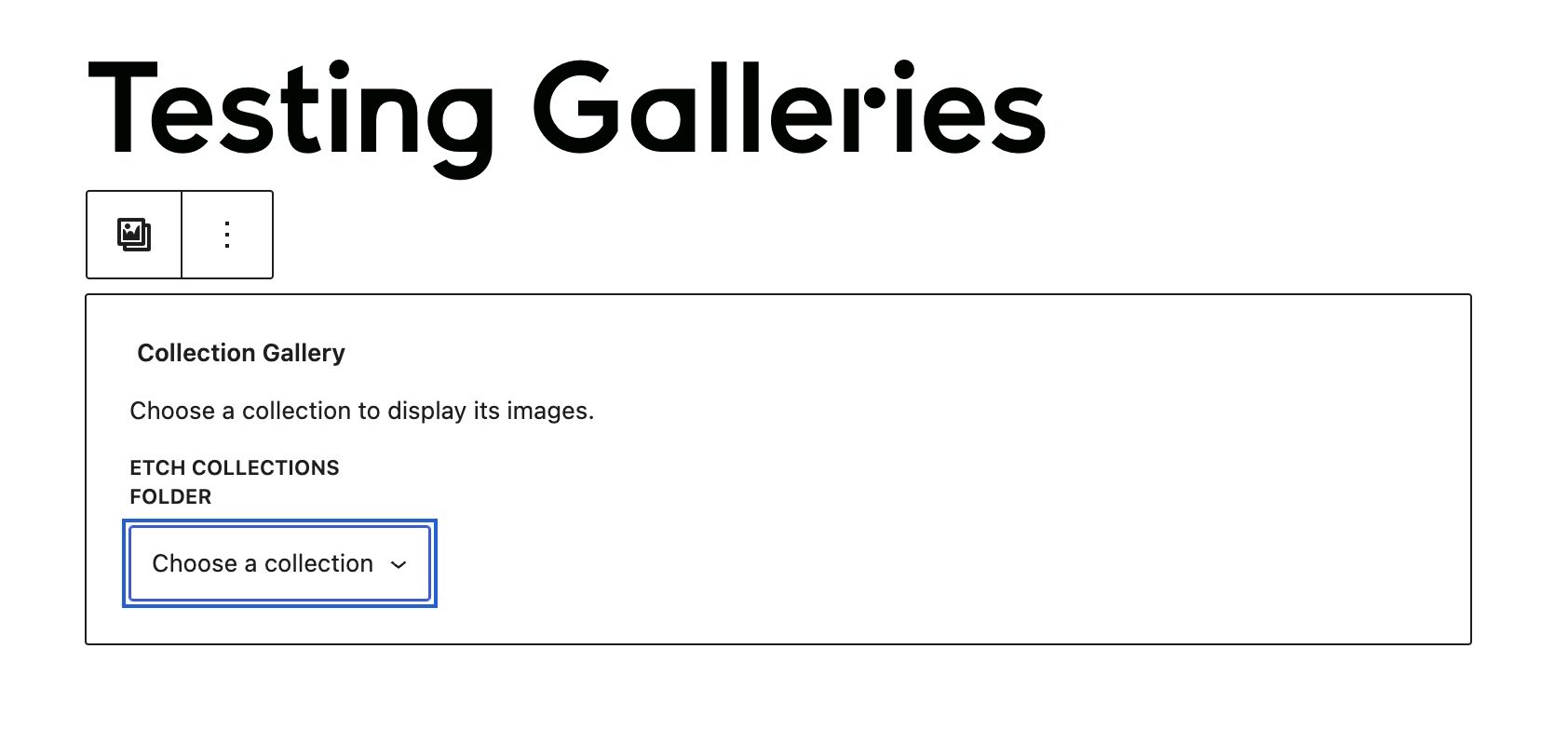
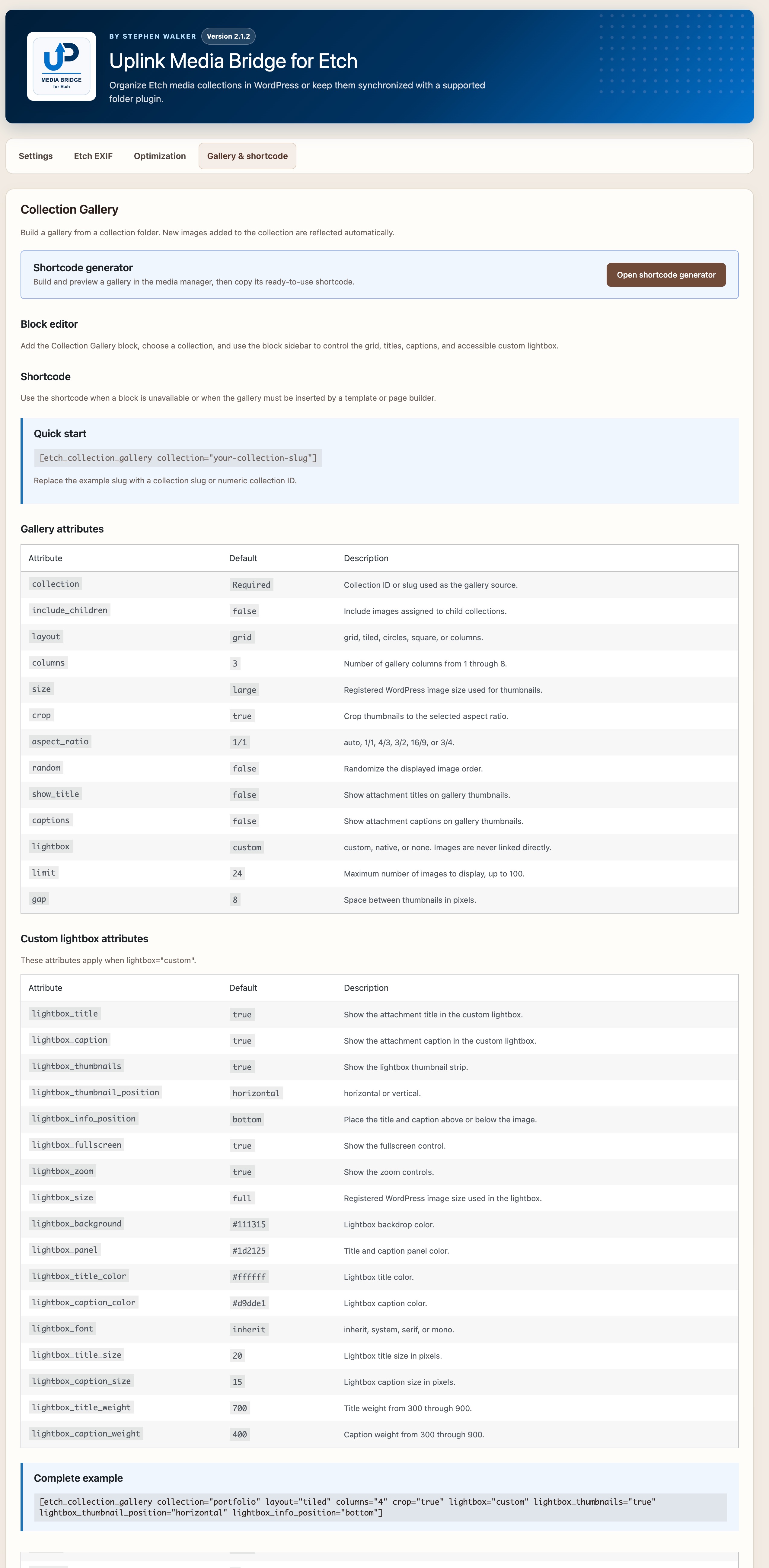
Display collection images with the Collection Gallery block or the [etch_collection_gallery] shortcode. Choose a layout, image size, captions, custom collection order, and lightbox settings. A shortcode generator provides a preview and copyable code.
Beispiel: [etch_collection_gallery collection="portfolio" layout="grid" columns="3" limit="24"]
Optional integrations
Wicked Folders and HappyFiles can synchronize folder hierarchies and media assignments with Etch Collections. Settings label this feature 3rd party folder sync. Review migration and cleanup guidance before removing an existing folder provider.
Media Bridge also adds an optional uniform square-grid view with adjustable thumbnail widths to the Etch Asset Manager. This does not add collection-specific sorting to that manager.
Supported Cimo pre-upload optimization runs through the shared upload workflow. The Enhanced Manager also offers browser-based compression and format conversion without Cimo Pro. Instant Images and Ops Center integrations are available when those plugins are installed.
Permissions and data
Media Bridge respects WordPress attachment permissions and Etch taxonomy capabilities. Collection management and media editing remain limited to users with the required access.
Deactivation and uninstall cleanup options are available in About. Review them before enabling cleanup, especially when using a third-party folder provider. Back up the site before migration or cleanup. Deactivating Media Bridge stops its gallery blocks and shortcodes from rendering; saved content remains available when the plugin is reactivated.
Dokumentation
Read the complete documentation for migration, permissions, EXIF, shortcode attributes, integrations, and data retention details.
Configurable Collection Slider
Insert Collection Slider and select a collection. Choose one image for a single-image slider or up to eight for a carousel. Tablet and mobile counts can reduce the desktop count. Navigation button settings control position, alignment, shape, and text or icons. Playback settings add optional autoplay, a two-to-twenty-second interval, and a visitor Play/Pause button. Autoplay pauses on hover or when offscreen, stops for manual navigation and keyboard focus, and respects reduced motion. Shortcodes also accept autoplay=”true” interval=”5000″. Existing single-image sliders retain their one-image behavior. The Etch gallery dialog provides the same settings; its preview remains static.
Example: [etch_collection_gallery collection=”123″ layout=”slider” slides=”4″ carousel_tablet=”2″ carousel_mobile=”1″ nav_position=”bottom” nav_alignment=”end” nav_shape=”pill” nav_content=”icon”]
Image compression and photo maps
Under Media > Uplink Media Bridge > Compression, use the master switch and choose WebP, AVIF, JPEG XL or JPG to let permitted users compare the enabled formats in the Enhanced editor’s Optimization tab. Quality controls and full-size previews help compare results before saving. All sizes converts recorded WordPress and custom sizes except those excluded on the Compression tab. No sizes are excluded until an administrator selects them. For example, exclude thumbnail (150 × 150) to keep thumbnail files unchanged. Choose Selected sizes and check an excluded size to override it for one conversion. Size names sharing one physical file are excluded and overridden together. Choose Main image only or Selected sizes to limit processing. Unselected files remain unchanged, with original files retained for restoration. JPEG XL adds responsive picture sources with the original image as fallback. Existing picture elements, CSS backgrounds and external links keep the original format. Current-site content, metadata and options referencing converted WebP, AVIF or JPG files are updated. Custom tables and external sites are outside this workflow. Module workers, WebAssembly and OffscreenCanvas are required. Animated source images are left unchanged. Compression settings also provide separate role selections for compression and restoration. Both default to administrators only. Selected users must still be able to upload files and edit the specific image. Restoration access is independent of the compression master switch.
GPS exposure and photo maps are off by default and require separate opt-ins under EXIF. The EXIF display option in the Enhanced Manager must also be on. Maps use bundled Leaflet 1.9.4. Opening a photo’s EXIF map requests tiles from Esri World Imagery or OpenStreetMap and sends the displayed location, IP address and browser information to that provider. No map tiles are requested when mapping or GPS exposure is disabled.
Esri terms: https://www.esri.com/en-us/legal/terms/full-master-agreement
Esri privacy: https://www.esri.com/en-us/privacy/privacy-statements/privacy-statement
OpenStreetMap terms: https://osmfoundation.org/wiki/Terms_of_Use
OpenStreetMap privacy: https://osmfoundation.org/wiki/Privacy_Policy
Bundled image encoders run locally. Codec source, build and license references are in assets/vendor/jsquash/SOURCES.md. Leaflet source and license are in assets/vendor/leaflet. This release uses GPL-3.0-or-later for compatibility with the bundled Apache-2.0 codec wrappers. Third-party libraries retain their own licenses.
Source code and builds
The ZIP includes editable PHP, JavaScript and CSS for all first-party code. assets/gallery-lightbox.js is the original handwritten source, not a generated or minified bundle. Edit it directly; no npm, webpack, transpiler or compilation step is required. The separate Ramka Gallery uses a compiled viewer. Its editable entry, pinned upstream source, build steps and licenses are listed in assets/ramka-gallery/SOURCES.md.
Development repository: https://github.com/stphnwlkr/media-bridge-for-etch
To make an installable ZIP, place media-bridge-for-etch.php, uninstall.php, readme.txt, LICENSE and the includes, assets and blocks directories inside a media-bridge-for-etch folder and ZIP that folder. Development tests, reports and old builds are excluded from the runtime package. The development checkout also provides python3 tools/build.py for this packaging step.
Bundled third-party assets retain their upstream source, build and license references in the sections below and their assets/vendor SOURCES.md files. Browser Image Compression includes readable original sources in its source map. Leaflet includes leaflet-src.js.
Third-party licenses
Lucide outline icons are bundled under ISC and MIT licenses. Source and full license notices are included in assets/vendor/lucide/. Web Awesome and Leaflet license notices remain in their respective assets/vendor/ directories.
Installation
- Install and activate Etch.
- Install and activate Uplink Media Bridge for Etch.
- Open Media > Uplink Media Bridge to choose the media workflow and optional integrations.
- Open the media manager to organize collections and images.
Änderungsprotokoll
Fixes a Gutenberg editor error when clicking a Ramka Gallery thumbnail.
2.8.2
- Fixes an issue where clicking a Ramka Gallery thumbnail in Gutenberg could open the image inside the editing frame and trigger an editor error. Thumbnails now select the gallery block in the editor.
2.8.1
- Saves changes to title, alt text, caption, and description when you leave a field, including when you click into another field or press Tab. Save also commits changes. Typing no longer triggers save requests.
- Shows the save confirmation below the inspector controls so it stays clear of the buttons.
- Defaults Ramka Gallery to a cropped mosaic and adds tile aspect-ratio options for original proportions, square, 4:3, 16:9, and 4:5. The lightbox shows the full photo.
- Adds an aperture button to view available EXIF photo details in the Ramka lightbox.
- Fixes oversized lazy-loaded thumbnails that could make the gallery jump when changing photos.
2.8.0
- Adds the separate Ramka Gallery block with the demo’s masonry photo wall, Peek and Theater views, scroll-snap navigation, zoom, and pull-to-dismiss.
- Adds a per-gallery opening view and visible photo limit with a +N tile in the Ramka Gallery and the existing custom Collection Gallery.
2.7.7
- Restores font previews before selection in the Etch Asset Manager grid, including collection and search views.
- Validates the complete visible grid against a fresh media snapshot before matching font placeholders. Native IDs and source URLs remain preferred.
- Keeps Etch 1.8 API support, the authenticated fallback for older Etch versions, stale-index protection, and batched refreshes. Compression and restoration are unchanged.
2.7.6
- Uses Etch 1.8’s media read API when available, with the existing authenticated WordPress fallback for older Etch versions.
- Refreshes the builder media index after successful media and collection changes, rejects stale in-flight results, and allows failed reads to recover.
- Matches font previews by verified attachment identity instead of tile position. Unidentified font tiles keep Etch’s placeholder until selection identifies the attachment.
- Coalesces Asset Manager refreshes and ignores unrelated builder changes. Releases observers when the manager closes.
- Fixes Escape closing native attachment details before the thumbnail-size popover. Media Bridge compression and restoration are unchanged.
2.7.5
- Uses the original Dark appearance spacing as the shared layout for Light, Dark and Auto, with 18px manager padding.
Screenshots
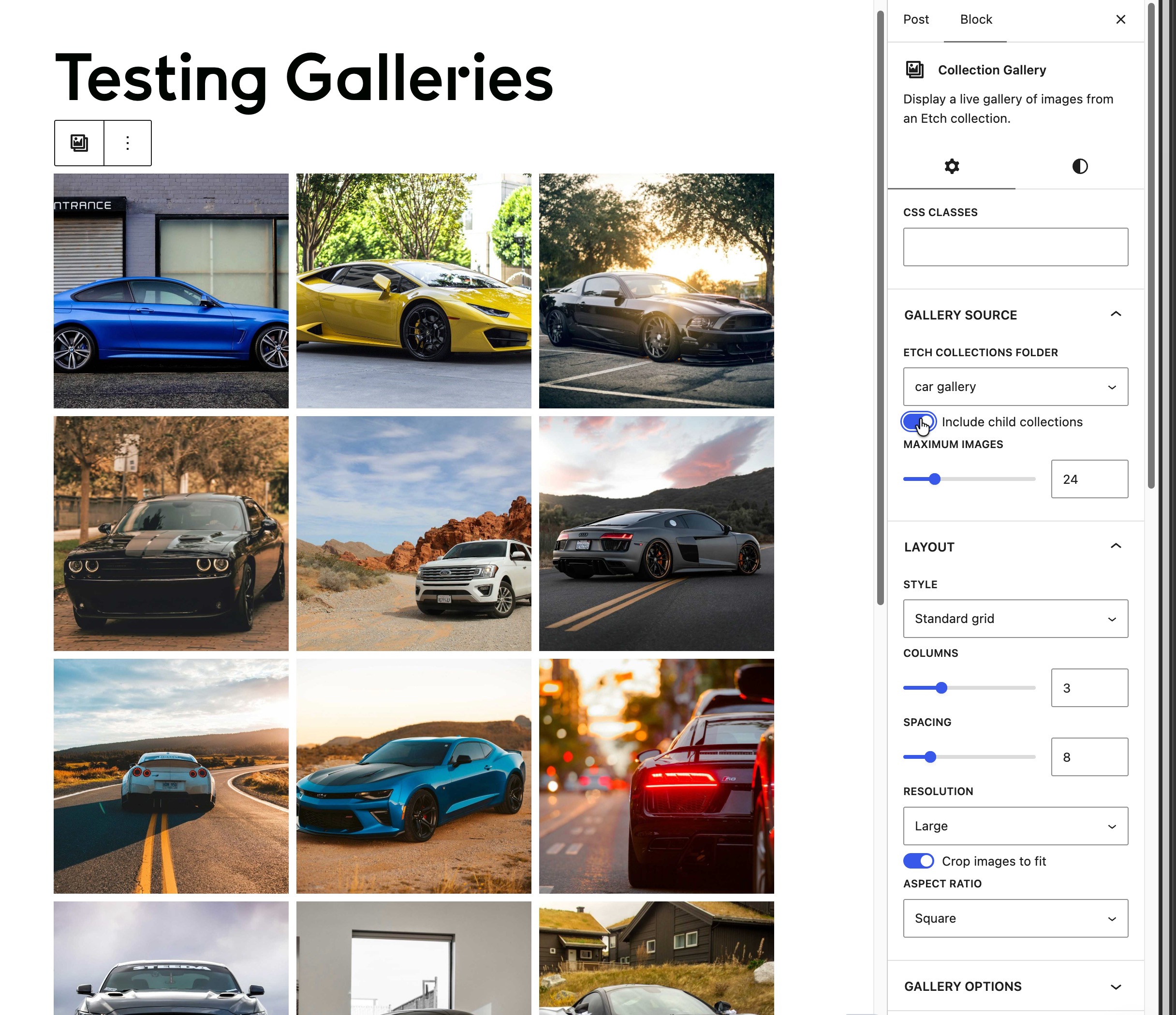
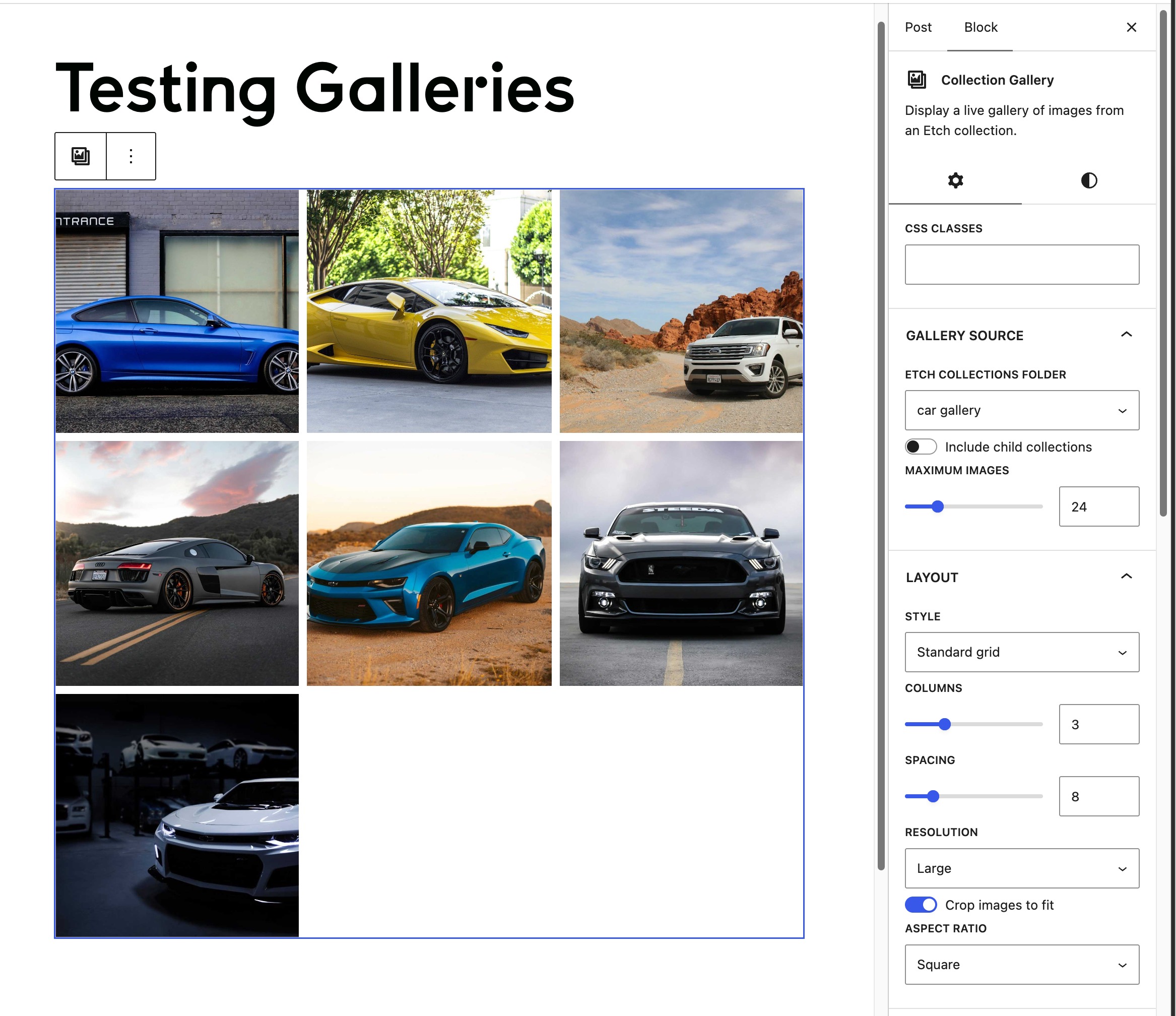
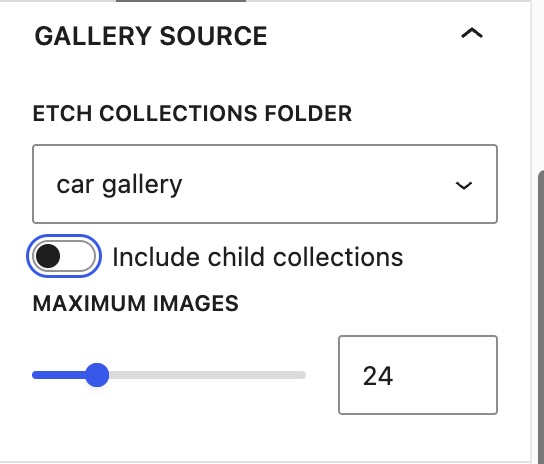
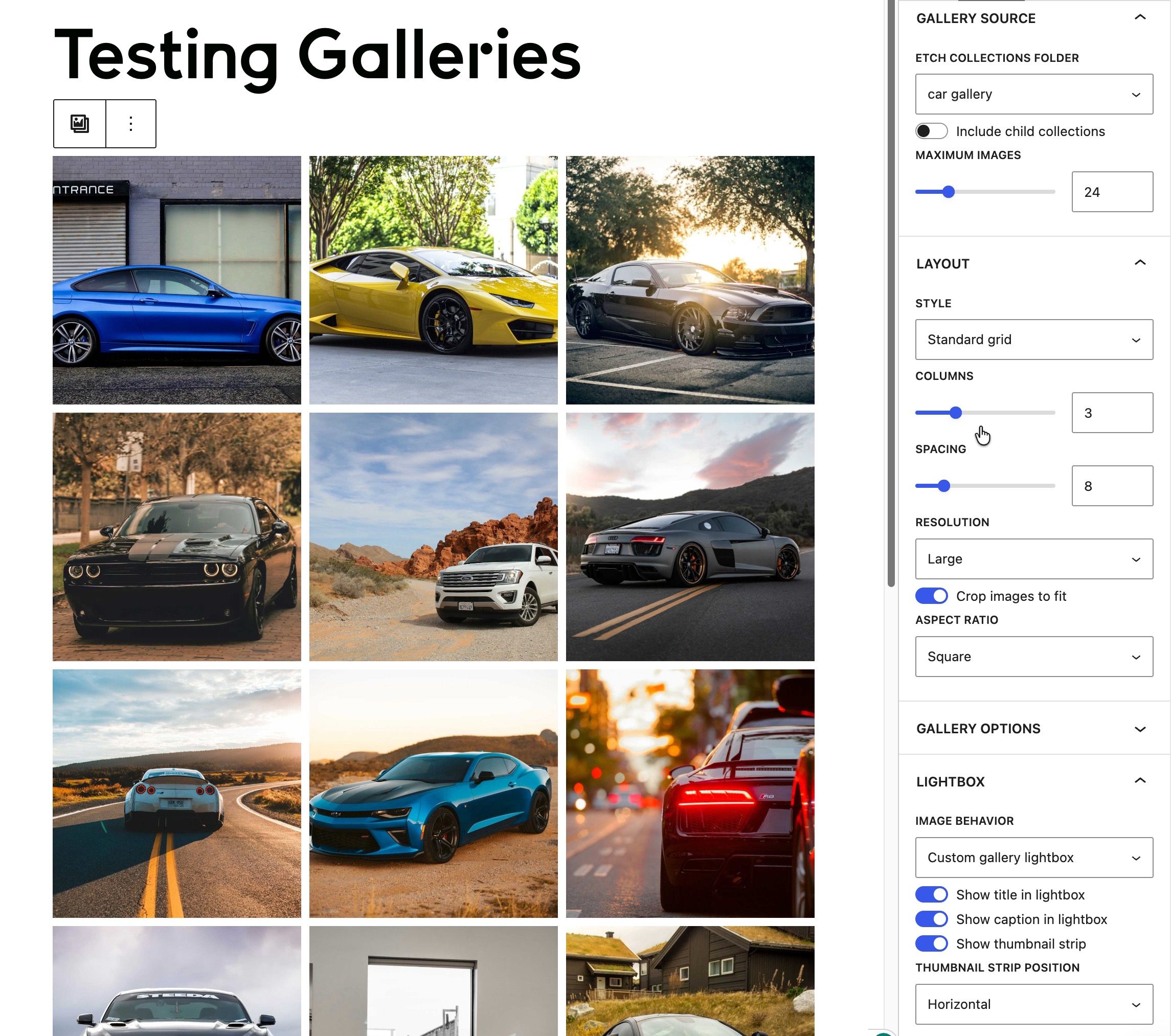
Für Entwickler
Ist das dein Plugin? Zeigen Sie die Zahlen.
Fügen Sie Ihrer Website, Docs oder GitHub Readme ein Live-Badge hinzu. Es wird von selbst aktualisiert - kein Konto erforderlich.
Best Uplink Media Bridge for Etch alternatives
All etch plugins →| Rang | Plugin | Aktive Installationen |
|---|---|---|
| 2 |
 Uplink Unified Ops Center
Centralize WordPress, Bricks, and Etch admin workflows with searchable content, media… |
60+ |
| 3 |
 Uplink Hours & Greetings
Show greetings, opening countdowns, and dates from a reusable seven-day business schedule… |
10+ |
Fragen und Antworten
Uplink Media Bridge for Etch: quick answers
Gerade Antworten, gezogen von Live WordPress.org Daten.
Quelle: WordPress.org
Is Uplink Media Bridge for Etch free?
Yes. Uplink Media Bridge for Etch is free to download and use from the official WordPress.org plugin directory.
Is Uplink Media Bridge for Etch safe to use in 2026?
Uplink Media Bridge for Etch is a solid plugin choice in 2026, with a few things worth checking first. It runs on 200+ sites, is rated 5/5 and was last updated 2 weeks ago, and scores 76/100 on our health check.
How many websites use Uplink Media Bridge for Etch?
Uplink Media Bridge for Etch is active on 200+ WordPress websites and has been downloaded 6,706 times since it launched in July 2026. It was downloaded 1,992 times in the last 30 days.
Does Uplink Media Bridge for Etch work with WordPress 7.1?
Yes. The developer has tested Uplink Media Bridge for Etch up to WordPress 7.1.5, the latest release. It requires WordPress 7.0 or newer.
What PHP version does Uplink Media Bridge for Etch need?
Uplink Media Bridge for Etch requires PHP 8.3 or higher. Most hosts run PHP 8.x today, so it works on any modern WordPress hosting.
When was Uplink Media Bridge for Etch last updated?
The latest version, 2.8.2, was released on November 10, 2026 (2 weeks ago).
Who makes Uplink Media Bridge for Etch?
Uplink Media Bridge for Etch is developed and maintained by Stephen Walker.
What are the best alternatives to Uplink Media Bridge for Etch?
The most popular alternatives to Uplink Media Bridge for Etch are Uplink Unified Ops Center (60+ installs) and Uplink Hours & Greetings (10+ installs).
Angetrieben von PageForge
Eine Vorlage und eine Tabelle. Eine echte Seite für jede Suche.
PageForge Verwandelt jede Zeile eines CSV in eine WordPress-Seite mit eigenem Titel, URL, SEO Felder und Schema entworfen. Kostenlos auf WordPress.org.
- CSV und XLSX, plus Google Sheets auf Beruf und Unternehmen
- seinen eigenen Titel, URL, SEO Felder und Schema für jede Seite
- Arbeitet mit dem Blockeditor, Elementor, Divi und Avada
- Kostenlos auf WordPress.org, keine Kreditkarte