


MCP Tracker
Records and displays MCP-related REST API requests made to your WordPress site.

Mit Vorsicht verwenden
MCP Tracker works, but test it on a staging site before relying on it in 2026. It runs on 20+ sites, is rated 5/5 and was last updated 7 months ago, and scores 46/100 on our health check.
- Kleine Benutzerbasis (20+ aktive Installationen)
- Bisher sehr wenige Bewertungen
- Nur getestet bis WordPress 6.9 (letzt ist 7.1)
Wie stapelt es sich?
Side-by-side bei Installationen, Updates, Bewertungen und Support



Tägliche Downloads
Download-Spitzen folgen normalerweise einer neuen Version - jede Website, die automatisch aktualisiert wird, gilt als Download.
Ranglisten
Where MCP Tracker stands todayWordPress.org Ranglisten suchen
Live-Position in der Plugin-Suche, Top 100| Stichwort | Position |
|---|---|
| debugging | >100 |
| developer-tools | >100 |
| logging | >100 |
| MCP | #64 |
| rest-api | >100 |
Versionsübernahme
Anteil aktiver Sites pro Release.
Bewertungsaufschlüsselung
★★★★★★★★★★ 5 from 1 reviews
About MCP Tracker
Aus der offiziellen Readme · V1.0.1Beschreibung
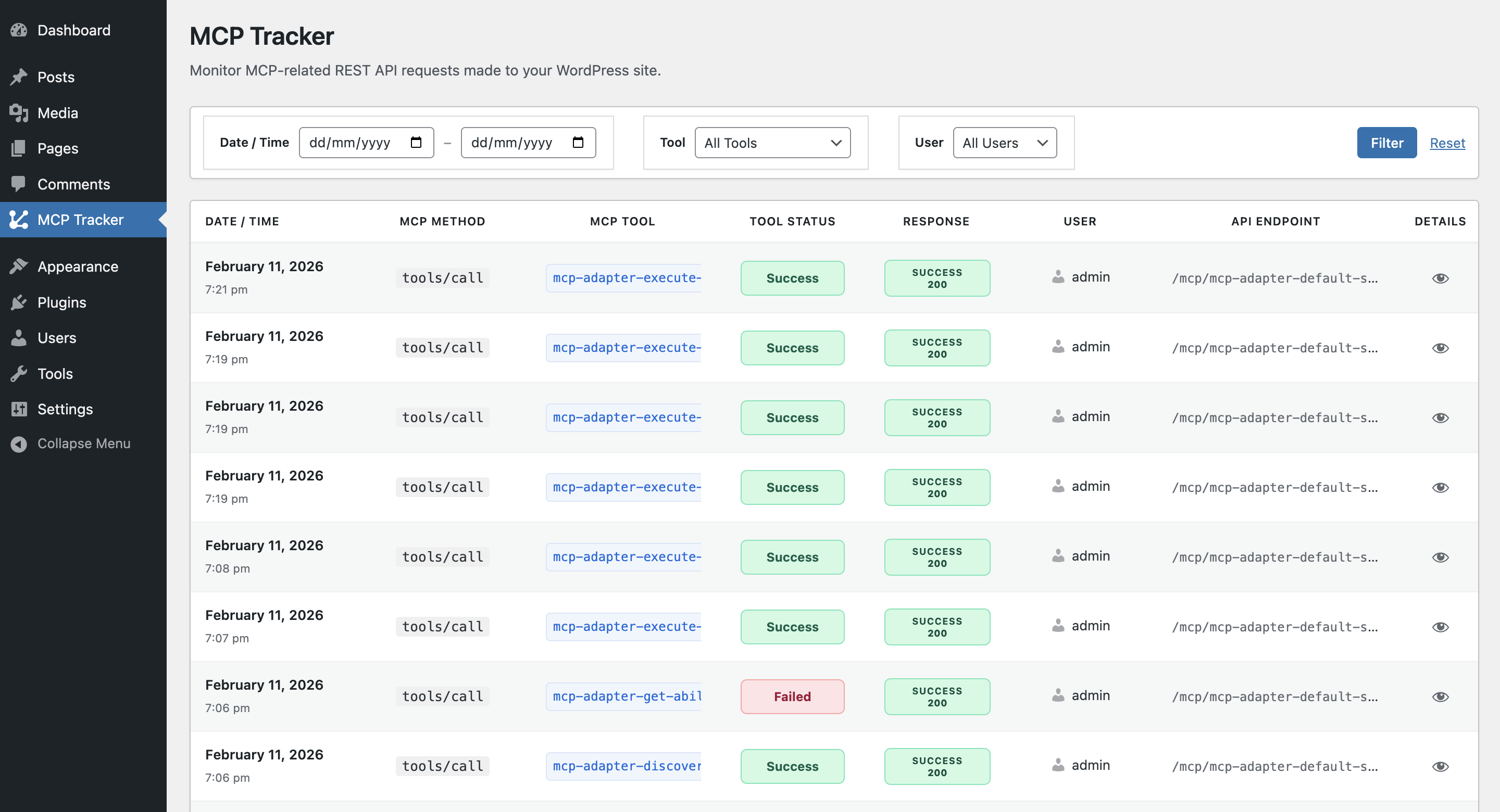
MCP Tracker is an admin-only WordPress plugin designed to monitor and log MCP (Model Context Protocol) requests made to the Abilities API on your WordPress site.
If you are using the Abilities API to power AI-driven tools or MCP-based integrations, MCP Tracker gives you complete visibility into how those tools interact with your REST endpoints — without modifying or interfering with request flow.
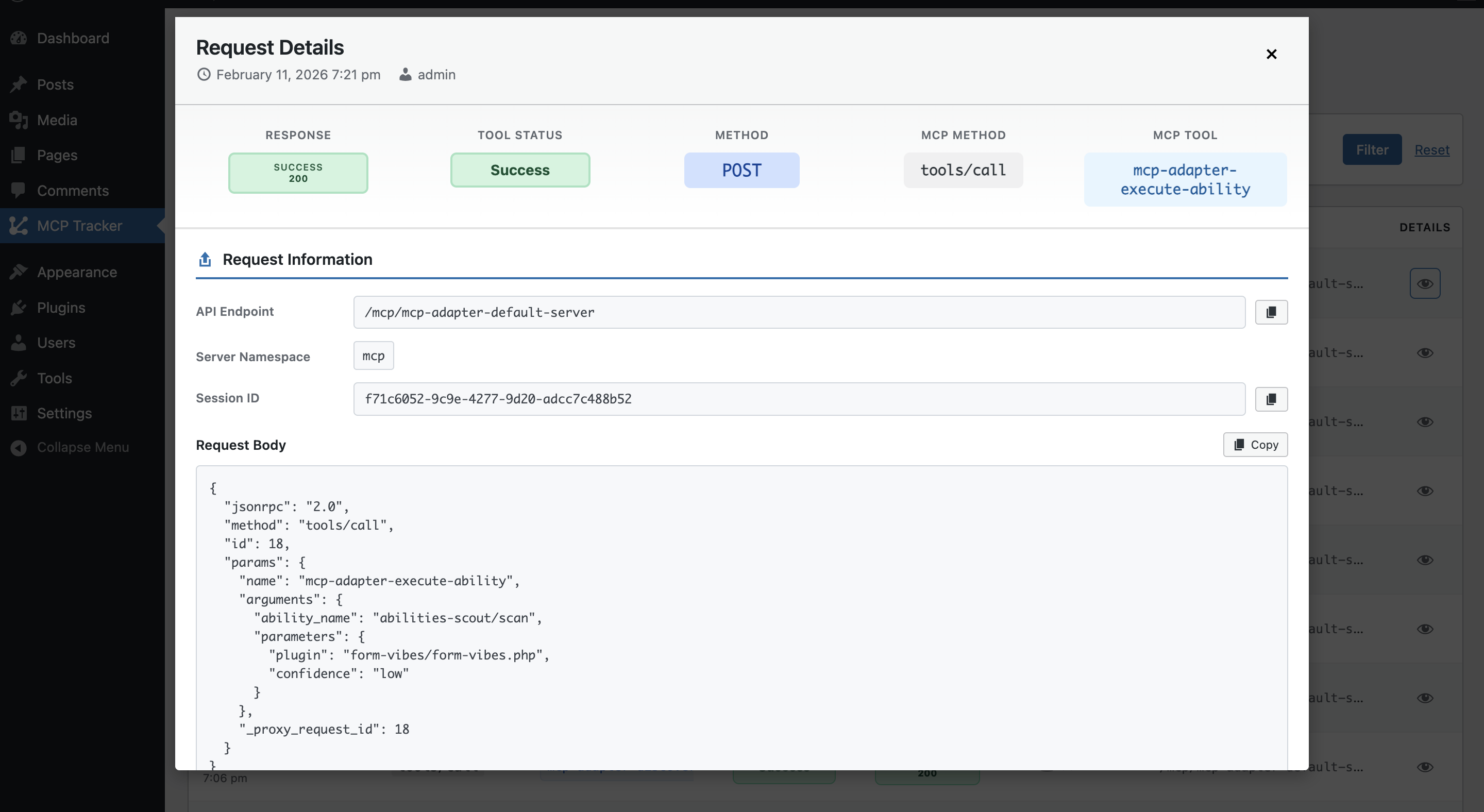
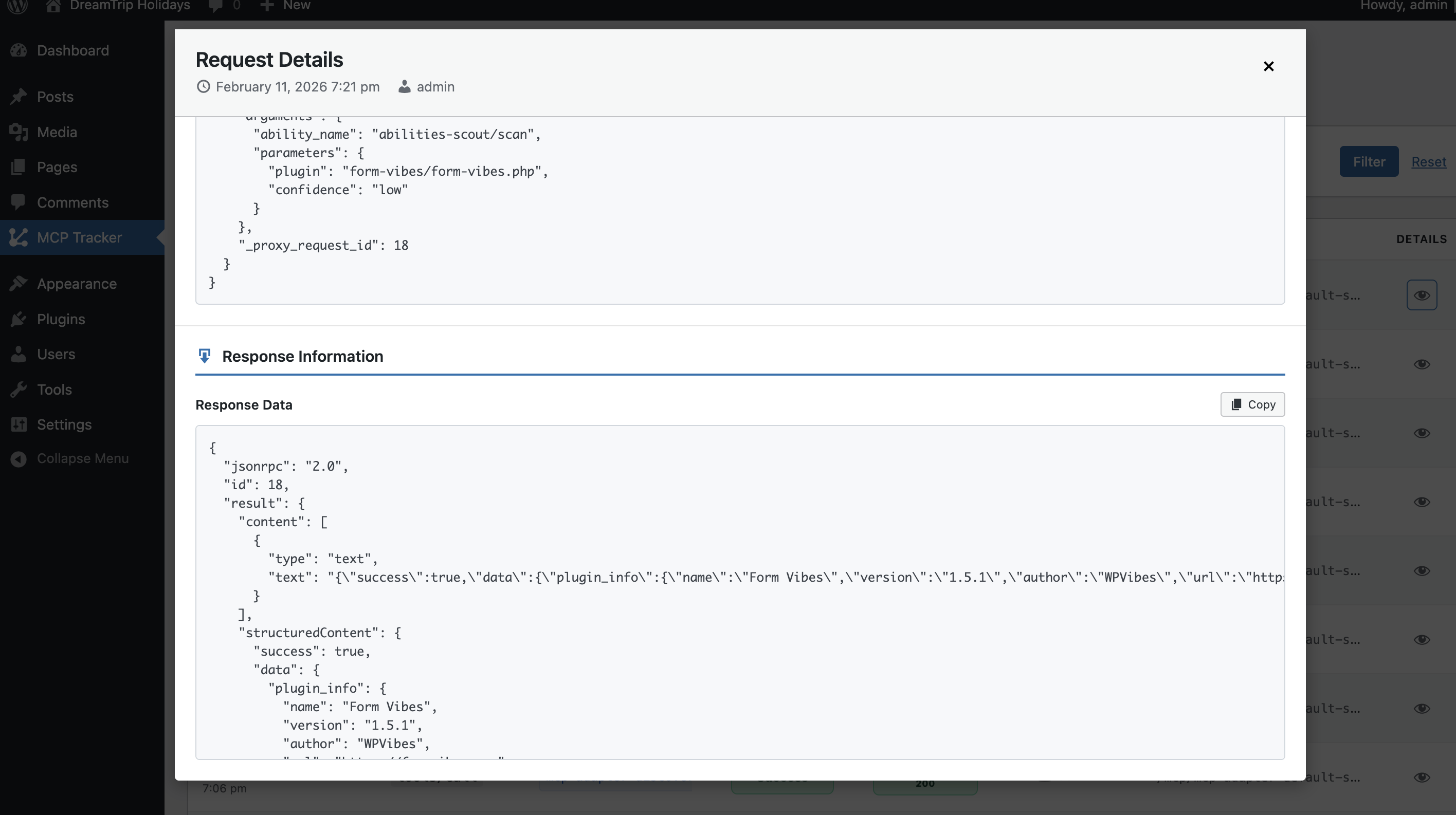
The plugin automatically detects MCP requests (identified via the Mcp-Session-Id header), records detailed request and response data, and presents everything in a structured, filterable interface inside WordPress Admin.
Whether you’re debugging Abilities API integrations, auditing MCP tool usage, or analyzing response behavior, MCP Tracker provides the observability layer you need.
Merkmale
- Automatic MCP Detection
Identifies MCP requests related to Abilities API using theMcp-Session-Idheader. - Comprehensive Logging
Logs route, method, headers, request payload, response status, and response body. - User Attribution
Displays which WordPress user (or guest) initiated the MCP request. - Advanced Filtering
Filter logs by date range, tool name, and user for targeted analysis. - Formatted JSON Inspection
View complete request and response data in a structured format. - Privacy Focused
All logs remain stored in your WordPress database. No external transmission or telemetry. - Performance Optimized
Efficient logging using native WordPress REST hooks and optimized queries.
Anwendungsfälle
- Debug Abilities API integrations
- Monitor MCP-based AI tool usage
- Analyze REST response patterns
- Audit MCP activity on production sites
- Investigate failed or unexpected tool executions
Technical Details
- Uses WordPress REST API hooks for non-intrusive logging
- Custom indexed database table for efficient storage
- Admin-only access with capability checks
- Nonce verification for secure actions
- Prepared SQL statements for database safety
- Self-healing table creation on activation
Installation
- Laden Sie den Ordner
mcp-trackerin das/wp-content/plugins/-Verzeichnis hoch - Aktivieren Sie das Plugin über das „Plugins“-Menü in WordPress
- Navigate to ‘MCP Tracker’ in the WordPress admin menu
- Start monitoring MCP requests!
Änderungsprotokoll
1.0.1
- Added: URL-based filtering by MCP server slug (e.g.
?server=mcp-adapter-default-server) for easier integration with other plugins - Improved: Redesigned filter header with a cleaner action bar layout
- Improved: Resized and respaced action bar buttons (Delete, Settings, Filter, Reset) for better visual balance
1.0.0
- Erste Freigabe
- MCP request detection and logging
- Filtering by date, tool, and user
- Detailed request viewer
Screenshots
Für Entwickler
Ist das dein Plugin? Zeigen Sie die Zahlen.
Fügen Sie Ihrer Website, Docs oder GitHub Readme ein Live-Badge hinzu. Es wird von selbst aktualisiert - kein Konto erforderlich.
Best MCP Tracker alternatives
All debugging plugins →



Fragen und Antworten
MCP Tracker: quick answers
Gerade Antworten, gezogen von Live WordPress.org Daten.
Quelle: WordPress.org
Is MCP Tracker free?
Yes. MCP Tracker is free to download and use from the official WordPress.org plugin directory.
Is MCP Tracker safe to use in 2026?
MCP Tracker works, but test it on a staging site before relying on it in 2026. It runs on 20+ sites, is rated 5/5 and was last updated 7 months ago, and scores 46/100 on our health check.
How many websites use MCP Tracker?
MCP Tracker is active on 20+ WordPress websites and has been downloaded 1,018 times since it launched in February 2026. It was downloaded 147 times in the last 30 days.
Does MCP Tracker work with WordPress 7.1?
MCP Tracker is officially tested up to WordPress 6.9.12, while the latest release is 7.1.5. It may still work, but try it on a staging site first.
What PHP version does MCP Tracker need?
MCP Tracker requires PHP 7.4 or higher. Most hosts run PHP 8.x today, so it works on any modern WordPress hosting.
When was MCP Tracker last updated?
The latest version, 1.0.1, was released on April 27, 2026 (7 months ago).
Who makes MCP Tracker?
MCP Tracker is developed and maintained by WPVibes.
What are the best alternatives to MCP Tracker?
The most popular alternatives to MCP Tracker are Freesoul Deactivate Plugins (8K+ installs), Fatal Error Notify (6K+ installs) and Debug Log Manager Tool (3K+ installs).
Angetrieben von PageForge
Eine Vorlage und eine Tabelle. Eine echte Seite für jede Suche.
PageForge Verwandelt jede Zeile eines CSV in eine WordPress-Seite mit eigenem Titel, URL, SEO Felder und Schema entworfen. Kostenlos auf WordPress.org.
- CSV und XLSX, plus Google Sheets auf Beruf und Unternehmen
- seinen eigenen Titel, URL, SEO Felder und Schema für jede Seite
- Arbeitet mit dem Blockeditor, Elementor, Divi und Avada
- Kostenlos auf WordPress.org, keine Kreditkarte