


Matomo Analytics – Powerful, Privacy-First Insights for WordPress
Privacy friendly, GDPR compliant and self-hosted. Matomo is the #1 Google Analytics alternative that gives you control of your data. Free and secure.

Sichere Auswahl
Yes — Matomo Analytics is a safe, well-maintained plugin to use in 2026. It runs on 100K+ sites, is rated 4.6/5 and was last updated 2 months ago, and scores 84/100 on our health check.
- Bewährt im Maßstab auf 100k+ aktiven Standorten
- Loved by users — 4.6/5 from 178 reviews
- Getestet mit dem neuesten WordPress (7.1)
Wie stapelt es sich?
Side-by-side bei Installationen, Updates, Bewertungen und Support



Tägliche Downloads
Download-Spitzen folgen normalerweise einer neuen Version - jede Website, die automatisch aktualisiert wird, gilt als Download.
Ranglisten
Where Matomo Analytics stands todayWordPress.org Ranglisten suchen
Live-Position in der Plugin-Suche, Top 100| Stichwort | Position |
|---|---|
| analytics | #19 |
| behavior | #2 |
| conversion | #34 |
| DSGVO | #75 |
| privacy friendly | #4 |
Versionsübernahme
Anteil aktiver Sites pro Release.
Bewertungsaufschlüsselung
★★★★★★★★★★ 4.6 from 178 reviews
About Matomo Analytics
From the official readme · v5.13.1Beschreibung
Version 5.11.1 and above include an important security related fix, it is highly recommended to update to this version.
Already a Matomo On-Premise or Matomo Cloud user? You need to use the Connect Matomo plugin instead of this plugin.
For all you WordPress website owners wanting an easier way to get customer insights to grow your business, you can now get the solution the professionals use, for free!
Matomo Analytics is the #1 used Google Analytics alternative that offers a powerful range of features, security and protects the privacy of your users. This enables you to learn how to improve your website, make the right decisions for your business and stand out in the crowd in a safe and trustworthy way.
Matomo’s mission is to give control and data ownership back to the user. By hosting web analytics on your own servers there’s no third-parties taking ownership, no on-selling of data and no-one looking in. This means when you install Matomo in a matter of a few clicks, you’re in full control.
It’s also easier for you to get insights from Matomo Analytics with it’s time-saving interface design and out-of-the-box features, which require less manual configuration than Google Analytics.
Matomo is free, secure and open – your ethical user insights platform.
How Matomo Analytics for WordPress solves problems:
- 100% data ownership, no one else can see your data
- All data is stored in your WordPress and not sent to any third party or different country
- Super easy to install. No coding or technical knowledge needed #nocode
- Free to use forever
- Designed to save you time as an out-of-box solution (including many Ecommerce stores)
- Protects the privacy of your users
- GDPR Manager
- No data sampling
- Opportunities to extend with an ever-growing marketplace
- Supports over 50 languages
- Comes equipped with Matomo Tag Manager
How Matomo focuses on privacy:
- Superb user privacy protection
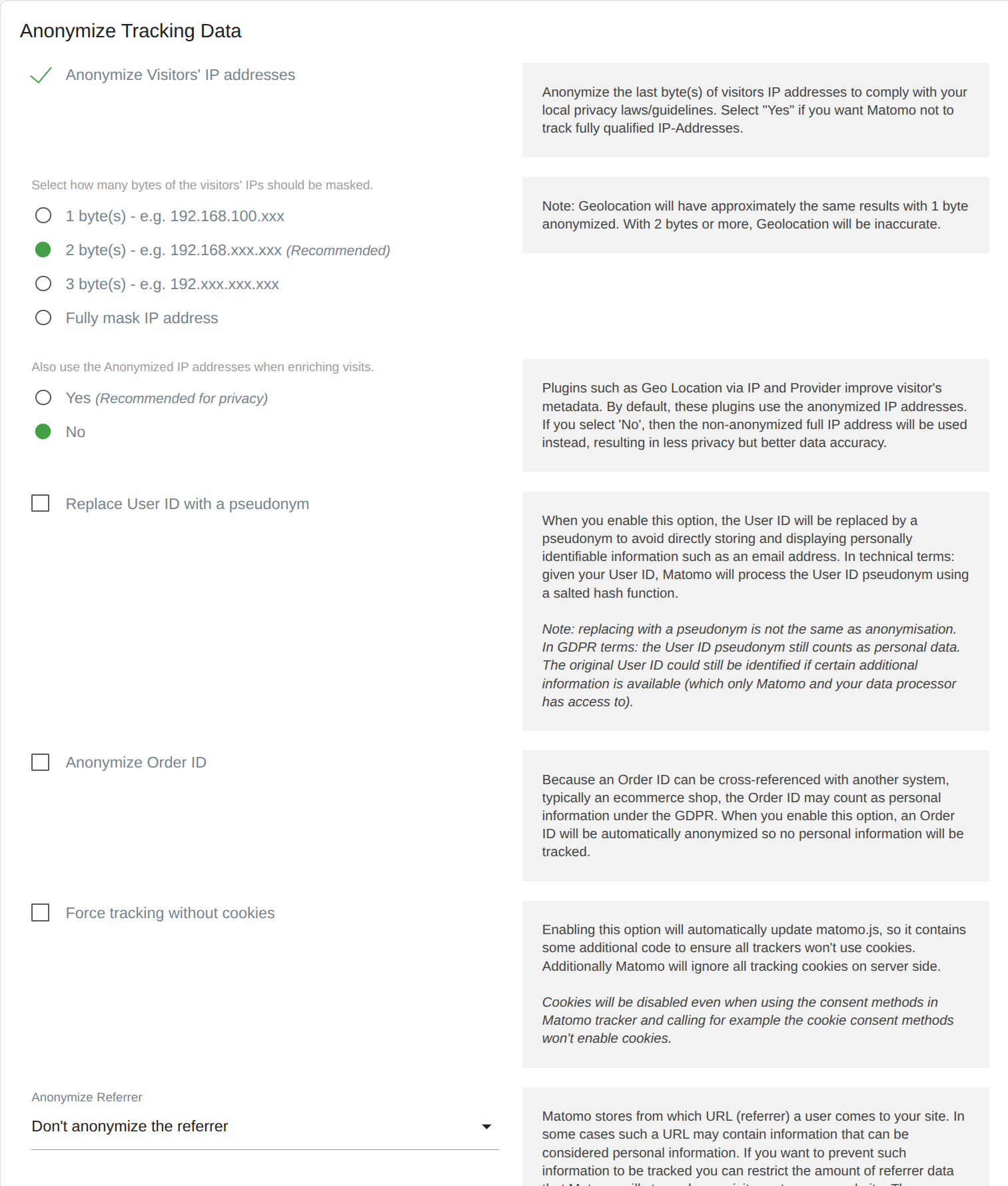
- Heaps of features to anonymize data and IP addresses
- WP shortcode to embed an opt-out feature into your website
- Features to export and delete data for GDPR
- Ability to configure data retention
Ultimately, Matomo lets you: learn who your customers are and their needs; understand what content works and how engaged your audience is; identify which marketing channels give you the highest ROI and invest with confidence in channels that convert for your business; and discover blockages and fix pain points for confused visitors to ensure they become satisfied customers.
Eigenschaften umfassen:
- Ecommerce features (supports WooCommerce, Easy Digital Downloads and MemberPress out of the box)
- Kampagnenverfolgung
- Visitor profiles
- Tag Manager
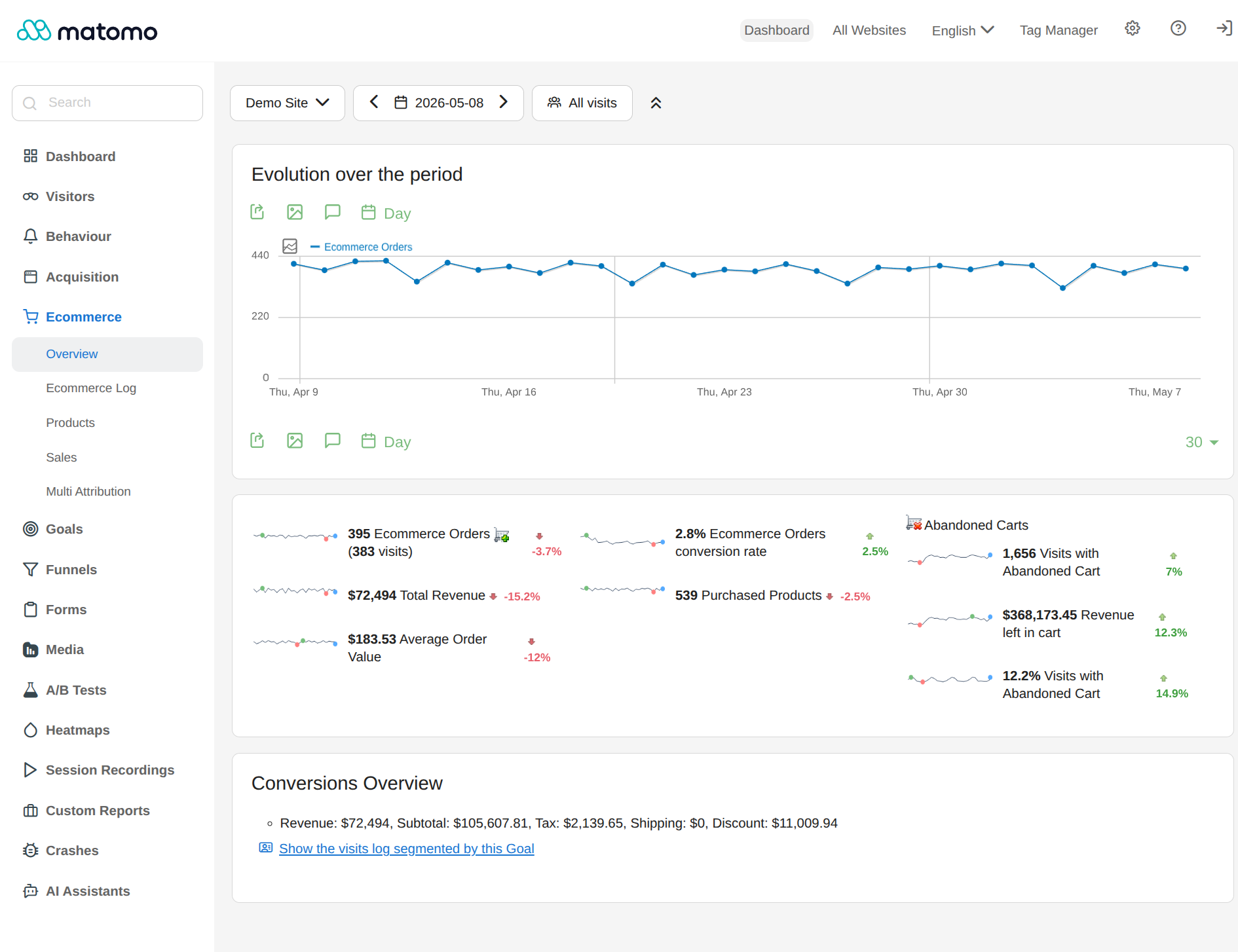
- Dashboards
- Segmentation
- Real time reports
- Transitions
- JavaScript error tracking
- Extensive geolocation reports / maps
- Many different visualisations
- Row evolution
- Report comparisons
- Export features
- See the most drastic changes within a given time period
- Supports WP Rest API
- And hundreds of other features
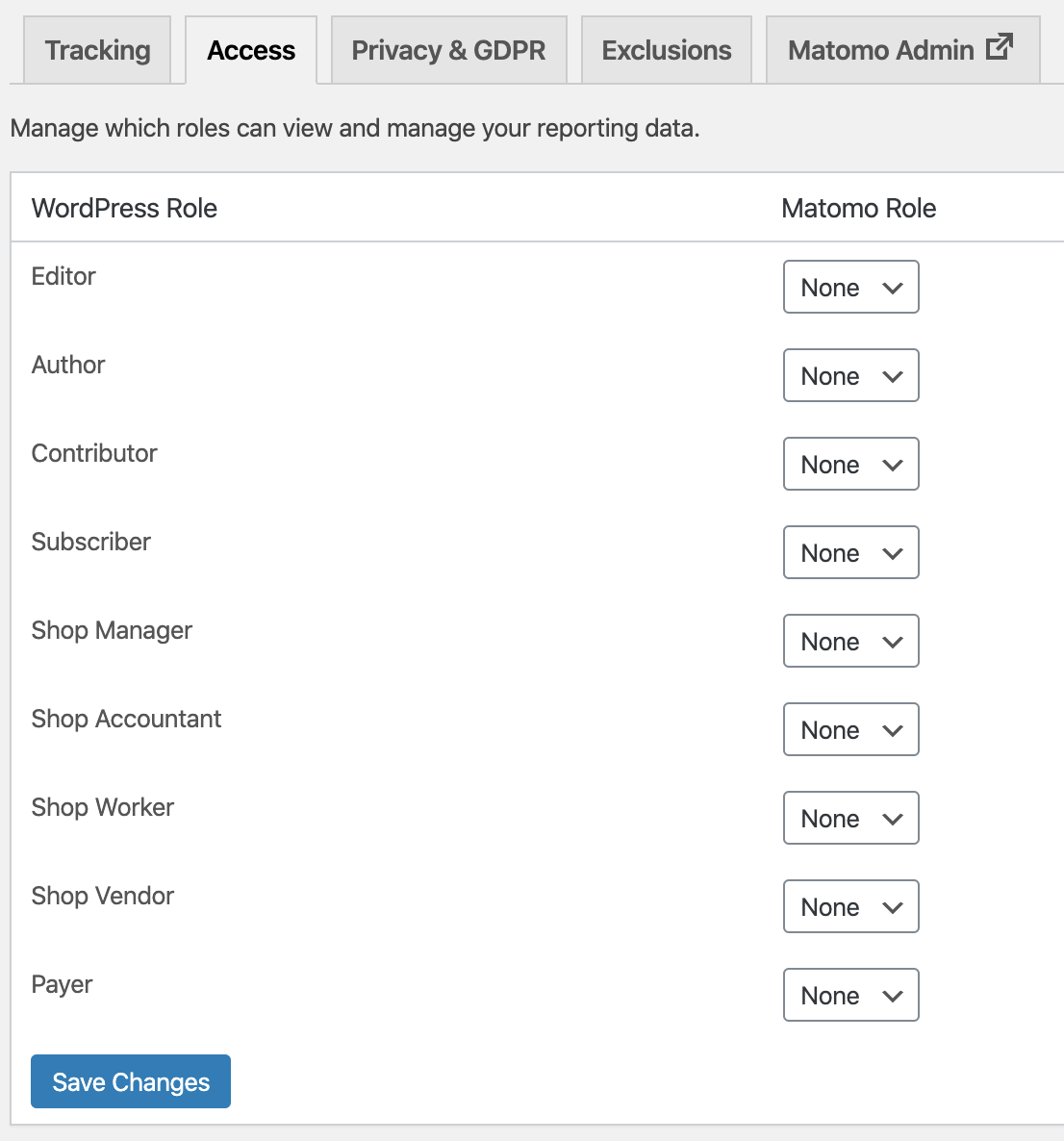
- Easily give your colleagues access to your reports if / when needed
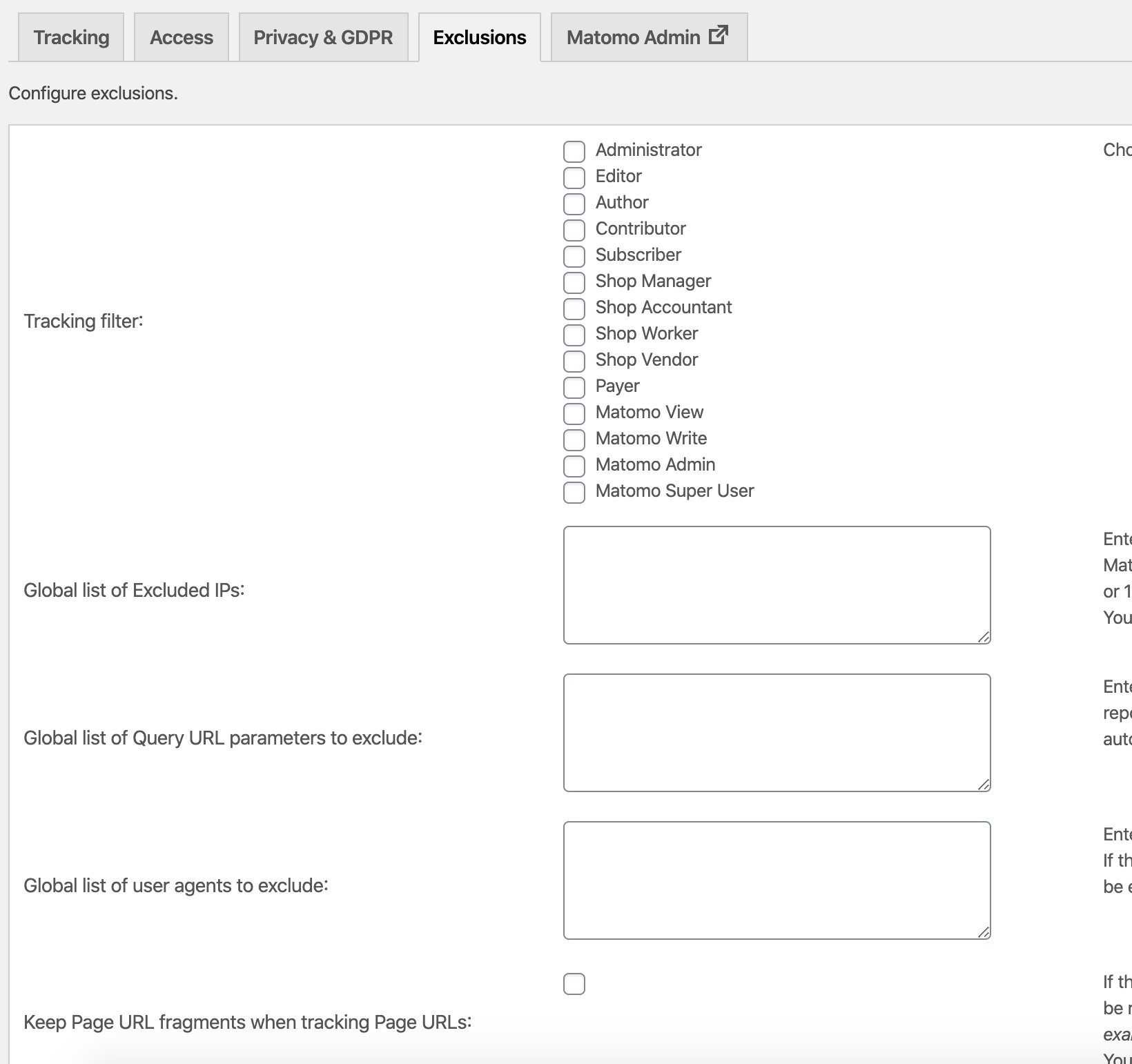
- Easily exclude certain roles, visitors and pages from being tracked
- Supports WordPress Multisite. (Note: Tag Manager feature does not work in MultiSite.)
- Import historical data from Google Analytics or WP Statistics
- Heatmaps & Session Recordings
- Form Analytics
- Media Analytics
- Funnels
- SEO features – Keyword rankings
- Custom reporting
- Cohorts
- Users flow
Prerequisites and technical requirements:
Running Matomo Analytics on your server can use significant resources. Whenever someone visits your WordPress website, your server will need to serve your WordPress pages to the user, as well as tracking the user journey in Matomo, resulting in an additional request for each page view.
- The minimum PHP memory limit is 128Mb, but we recommend to use a higher limit (memory_limit = 256M).
- PHP 7.2 at minimum is required.
- From Matomo 6 onwards, PHP 8.1, MySQL 8.0 or MariaDB 10.6 will be required at minimum. If your server does not meet those requirements, the plugin will not update to Matomo 6 and will tell you what needs upgrading.
- If you have high traffic website, or manage a lot of websites with WordPress MultiSite, we recommend installing Matomo On-Premise or signup to Matomo Cloud and install the Connect Matomo plugin instead.
- Needing to know more before you install? Have a read through the most popular FAQs to ensure you’re making the right choice for you.
Over 1 million websites in over 190 countries are using Matomo already. Join the revolution too! Install Matomo on your WordPress website completely free and take back full control of your data!
Third party resources we use:
- After activating this plugin, it will download a Geolocation database (DBIP-City.mmdb) from DB IP into your uploads directory. The DB-IP database is distributed under the Creative Commons Attribution 4.0 International License. This database is needed to detect the location of your visitors based on their IP.
- When you enter a URL in the SEO ranking widget, then a request with the entered URL may be sent to Google, Alexa, Bing, and other SEO providers.
Credits
- The entire Matomo team and everyone who contributed
- André Bräkling who is the Author of the Connect Matomo plugin
Installation
Mindestanforderungen
- PHP 7.2 or greater
- MySQL 5.5 or greater is recommended
- 128MB memory or greater is recommended
Upcoming Minimum Requirements (Matomo 6)
Matomo 6 raises the minimum system requirements. From that version onwards you will need:
- PHP 8.1 or greater
- MySQL 8.0 or greater, or MariaDB 10.6 or greater
Until your server meets these requirements the plugin will not update to Matomo 6. Please ask your hosting provider to upgrade your server so you can keep receiving the latest Matomo features, bug fixes and security updates.
Automatische Installation
- Log in to your WordPress Admin Dashboard
- Navigate to the “Plugins” menu
- Click “Add New”
- Search for “Matomo Analytics”
- Click “Install Now” and then “Activate”
Manuelle Installation
- Downloading the plugin
- Upload it to your web server using an FTP application. Learn more
Once installed
- Go to “Matomo Analytics” in the WordPress Admin Dashboard.
- Click on “Activate tracking” in the “Get started” page.
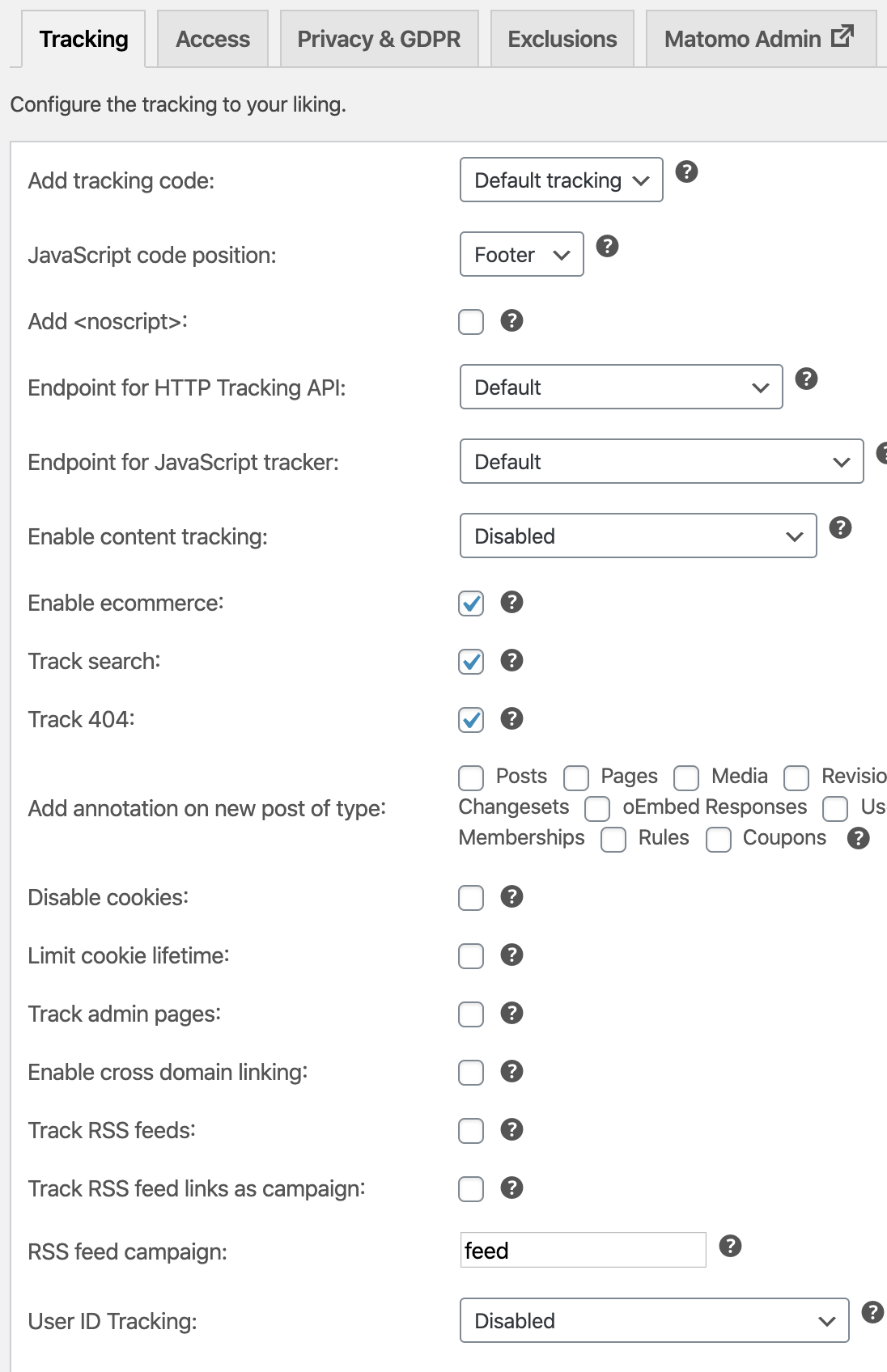
- That’s it! You can further customize the tracking in the settings page.
Änderungsprotokoll
Screenshots
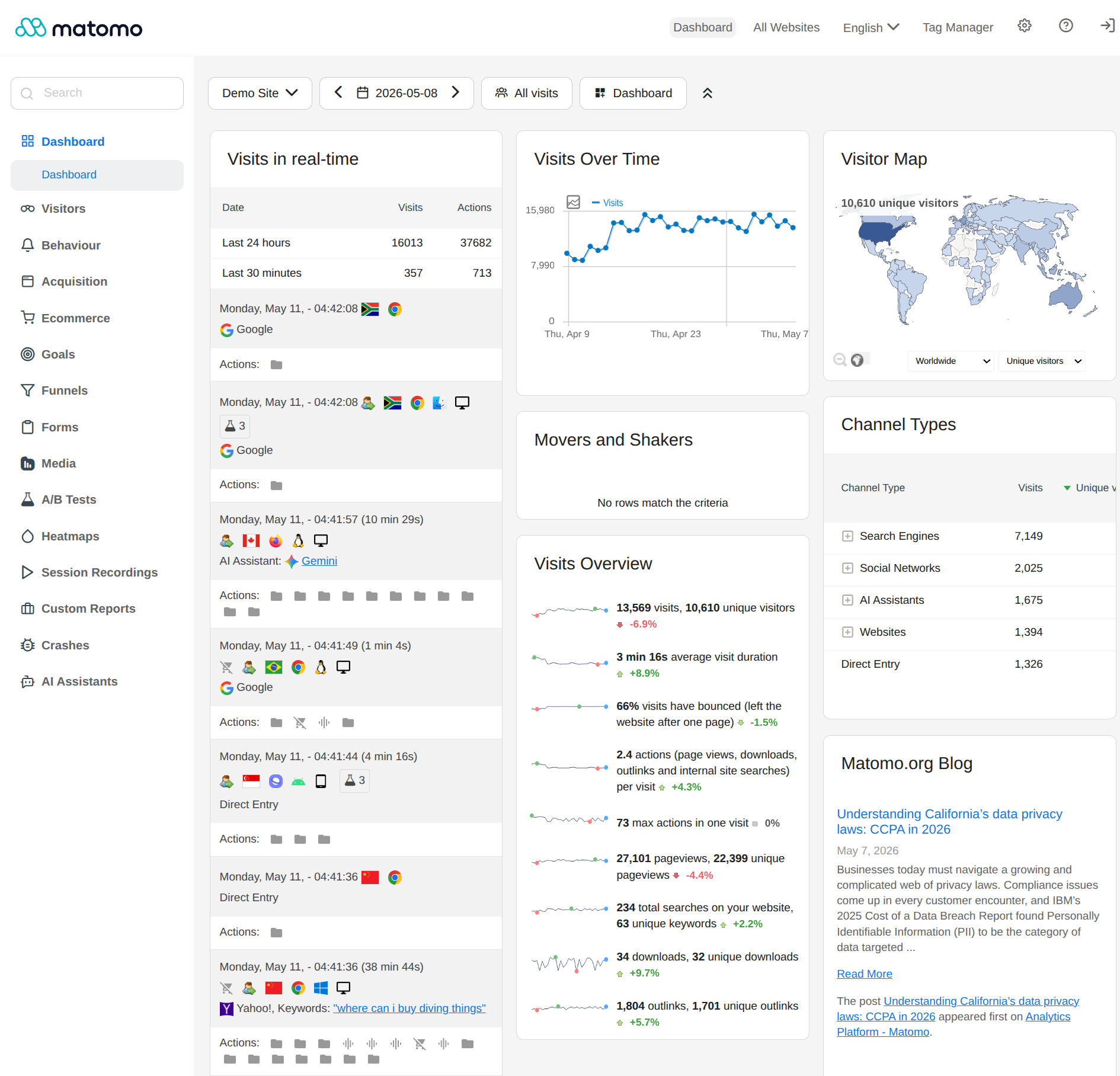
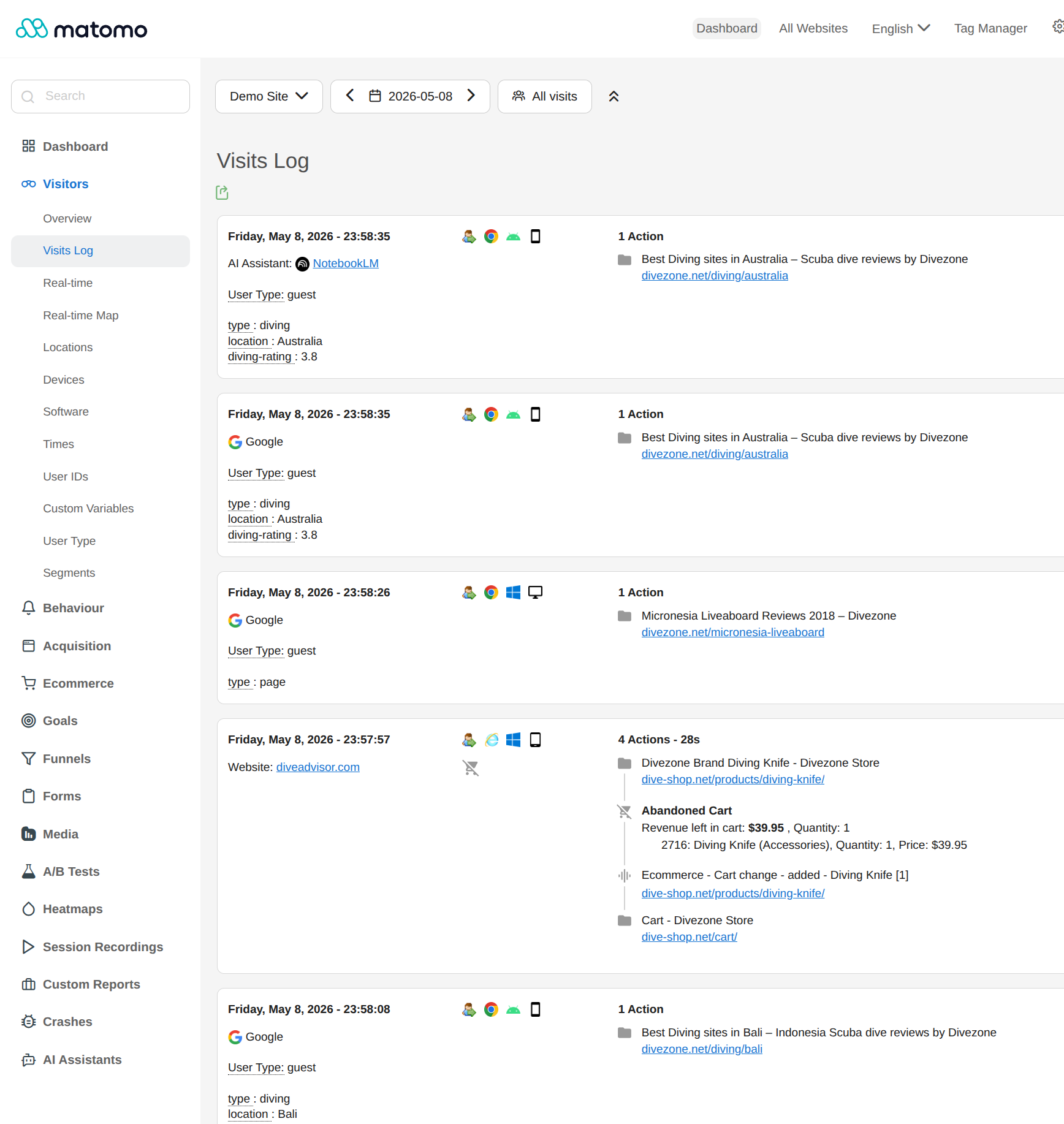
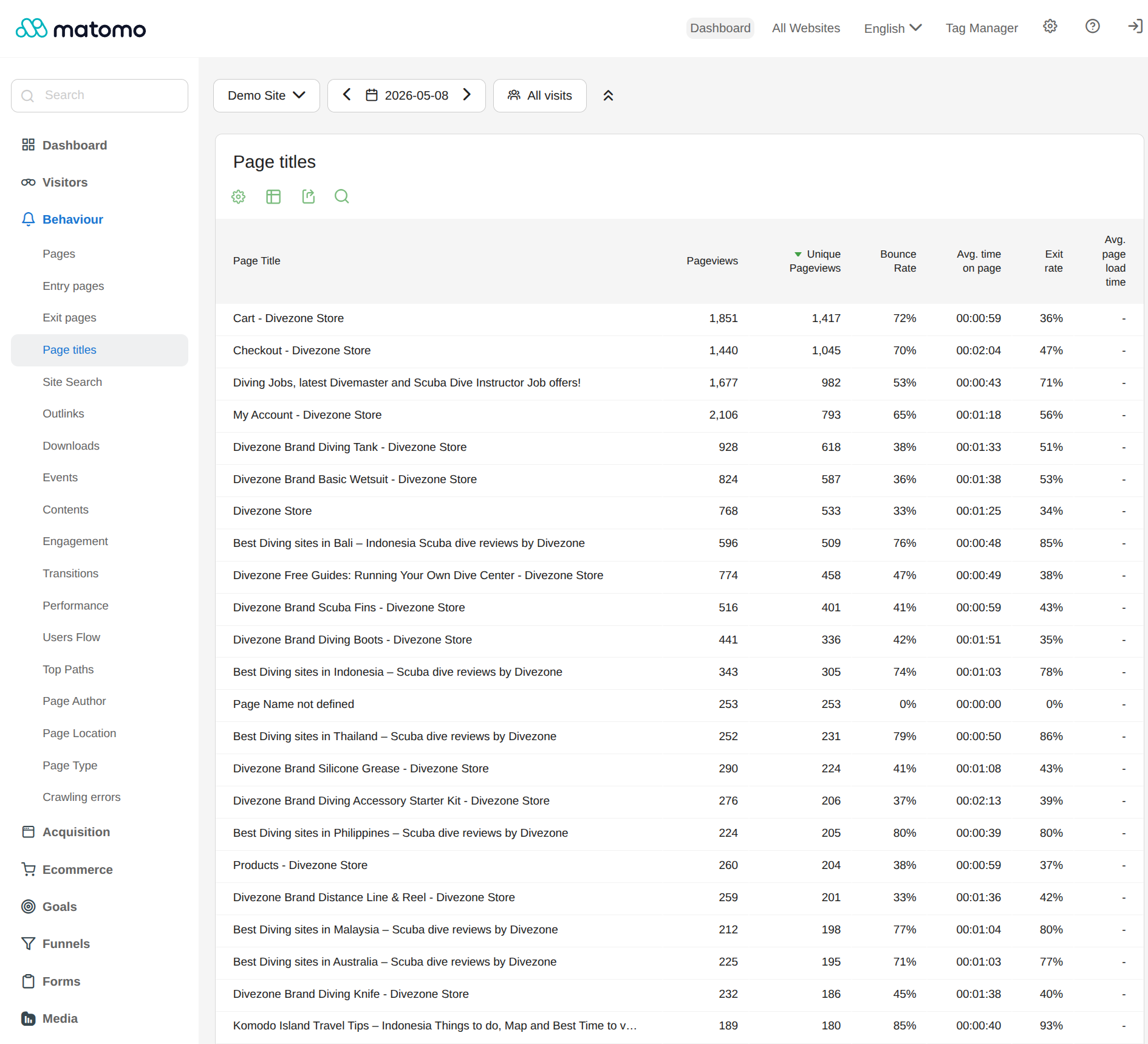
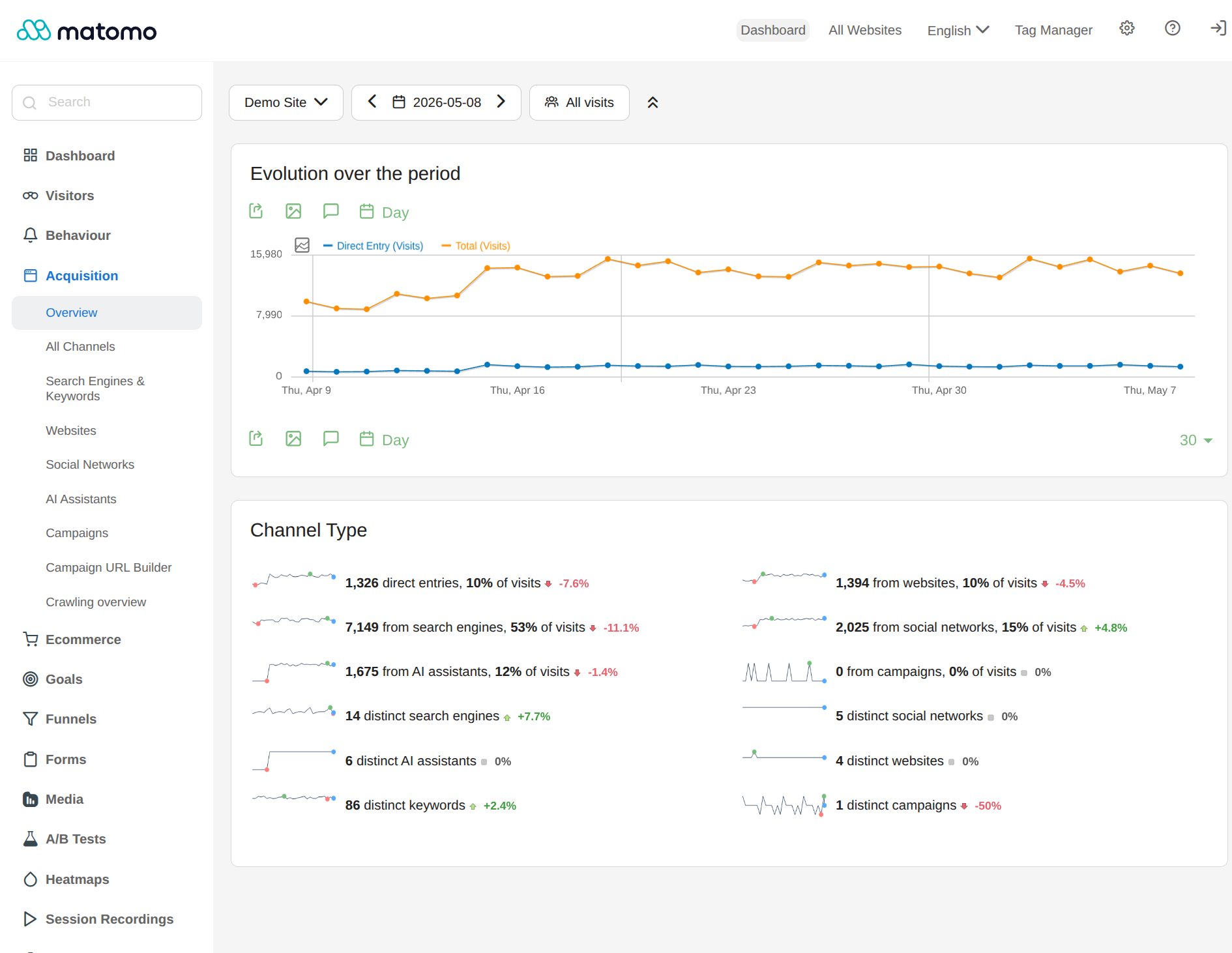
Für Entwickler
Ist das dein Plugin? Zeigen Sie die Zahlen.
Fügen Sie Ihrer Website, Docs oder GitHub Readme ein Live-Badge hinzu. Es wird von selbst aktualisiert - kein Konto erforderlich.
Best Matomo Analytics alternatives
All analytics plugins →





Fragen und Antworten
Matomo Analytics: quick answers
Gerade Antworten, gezogen von Live WordPress.org Daten.
Quelle: WordPress.org
Is Matomo Analytics free?
Yes. Matomo Analytics is free to download and use from the official WordPress.org plugin directory.
Is Matomo Analytics safe to use in 2026?
Yes — Matomo Analytics is a safe, well-maintained plugin to use in 2026. It runs on 100K+ sites, is rated 4.6/5 and was last updated 2 months ago, and scores 84/100 on our health check.
How many websites use Matomo Analytics?
Matomo Analytics is active on 100K+ WordPress websites and has been downloaded 3,318,374 times since it launched in February 2020. It was downloaded 20,936 times in the last 30 days.
Does Matomo Analytics work with WordPress 7.1?
Yes. The developer has tested Matomo Analytics up to WordPress 7.1.0, the latest release. It requires WordPress 4.8 or newer.
What PHP version does Matomo Analytics need?
Matomo Analytics requires PHP 7.2.5 or higher. Most hosts run PHP 8.x today, so it works on any modern WordPress hosting.
When was Matomo Analytics last updated?
The latest version, 5.13.1, was released on September 15, 2026 (2 months ago).
Who makes Matomo Analytics?
Matomo Analytics is developed and maintained by matomoteam.
What are the best alternatives to Matomo Analytics?
The most popular alternatives to Matomo Analytics are Site Kit by Google (5M+ installs), MonsterInsights (2M+ installs) and WP Statistics (500K+ installs).
Angetrieben von PageForge
Eine Vorlage und eine Tabelle. Eine echte Seite für jede Suche.
PageForge Verwandelt jede Zeile eines CSV in eine WordPress-Seite mit eigenem Titel, URL, SEO Felder und Schema entworfen. Kostenlos auf WordPress.org.
- CSV und XLSX, plus Google Sheets auf Beruf und Unternehmen
- seinen eigenen Titel, URL, SEO Felder und Schema für jede Seite
- Arbeitet mit dem Blockeditor, Elementor, Divi und Avada
- Kostenlos auf WordPress.org, keine Kreditkarte