


LWS Tools
Optimize and modify your website's parameters

Sichere Auswahl
Yes — LWS Tools is a safe, well-maintained plugin to use in 2026. It runs on 10K+ sites, is rated 5/5 and was last updated 3 weeks ago, and scores 85/100 on our health check.
- Bewährt im Maßstab auf 10k + aktiven Standorten
- Aktiv entwickelt – letztes Update vor 3 Wochen
- Getestet mit dem neuesten WordPress (7.1)
- Momentum — downloads up 461.7% vs the previous 30 days
Wie stapelt es sich?
Side-by-side bei Installationen, Updates, Bewertungen und Support



Tägliche Downloads
Download-Spitzen folgen normalerweise einer neuen Version - jede Website, die automatisch aktualisiert wird, gilt als Download.
Ranglisten
Where LWS Tools stands todayWordPress.org Ranglisten suchen
Live-Position in der Plugin-Suche, Top 100| Stichwort | Position |
|---|---|
| Administrator | >100 |
| LWS | #2 |
| optimisation | #7 |
| Sicherheit | >100 |
Versionsübernahme
Anteil aktiver Sites pro Release.
Bewertungsaufschlüsselung
★★★★★★★★★★ 5 from 6 reviews
About LWS Tools
From the official readme · v2.6.5Beschreibung
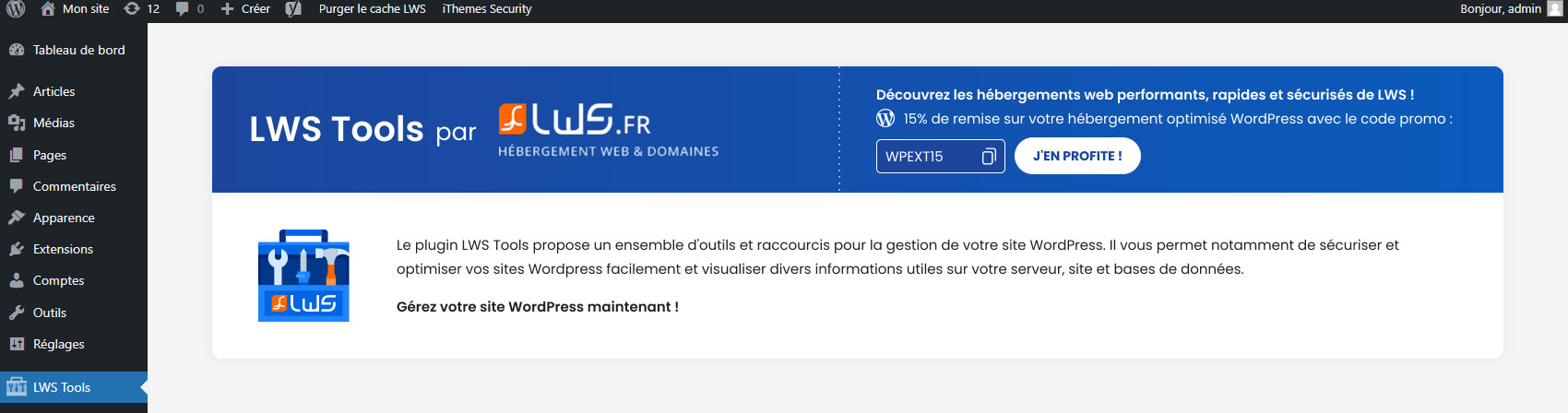
With LWS Tools, get a hold on various tools and options to optimize your website. From deactivating emotes or hiding sensible informations to deactivating REST API!
You can access and change several parameters, get informations on your database and your server and even more.
WPilot – Your WordPress AI Assistant
Meet WPilot, your dedicated AI assistant for WordPress, available exclusively with LWS hosting. WPilot automatically analyzes your site, plugins, and theme to provide personalized advice and guidance. Whether you’re creating, updating, or optimizing your website, WPilot acts as your co-pilot, helping you troubleshoot common issues and make informed decisions about your WordPress site. This intelligent assistant understands your specific setup and offers tailored recommendations to enhance your website’s performance and functionality.
Notifications
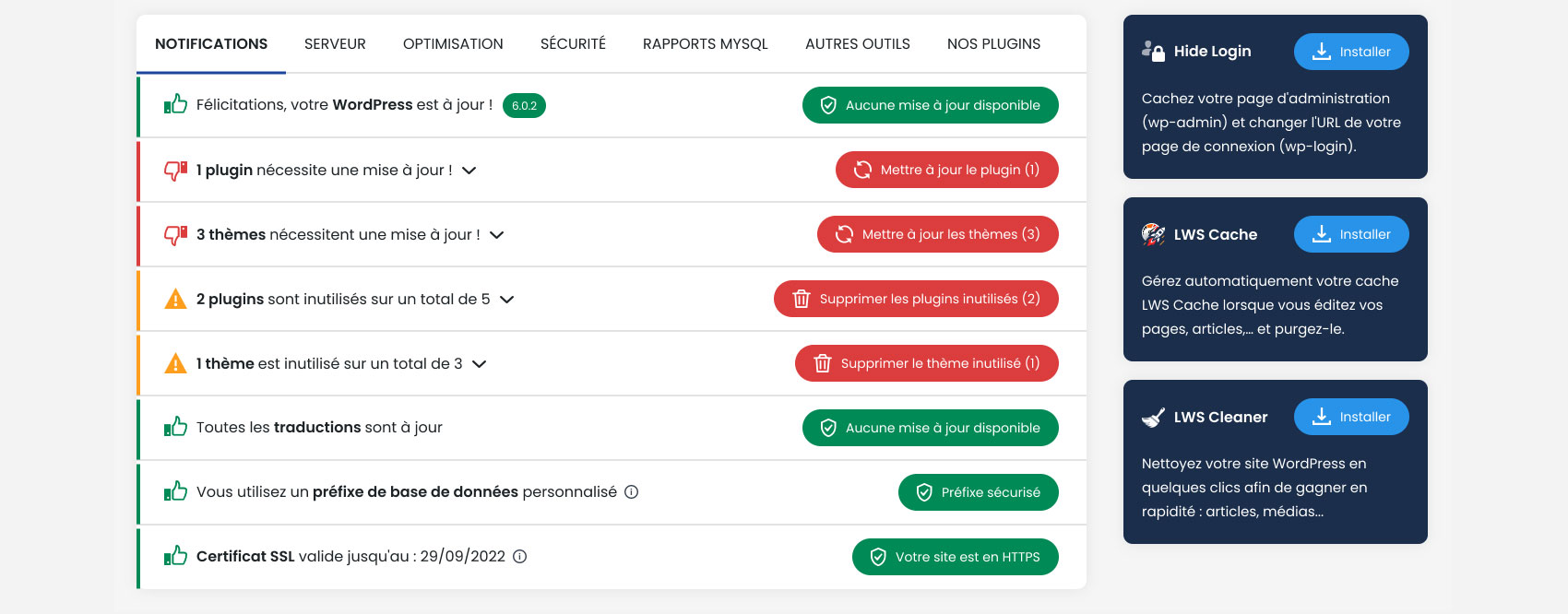
Find an improved notification center allowing you to see at a glance what to update, what to delete, correct or adjust.
- Status of updates to the WordPress version, plugins, themes and translations.
- Unused plugins and themes can be removed in one click..
- Database prefix : customized or not.
- Validity of your SSL certificate (included with LWS web hosting plans).
Server information
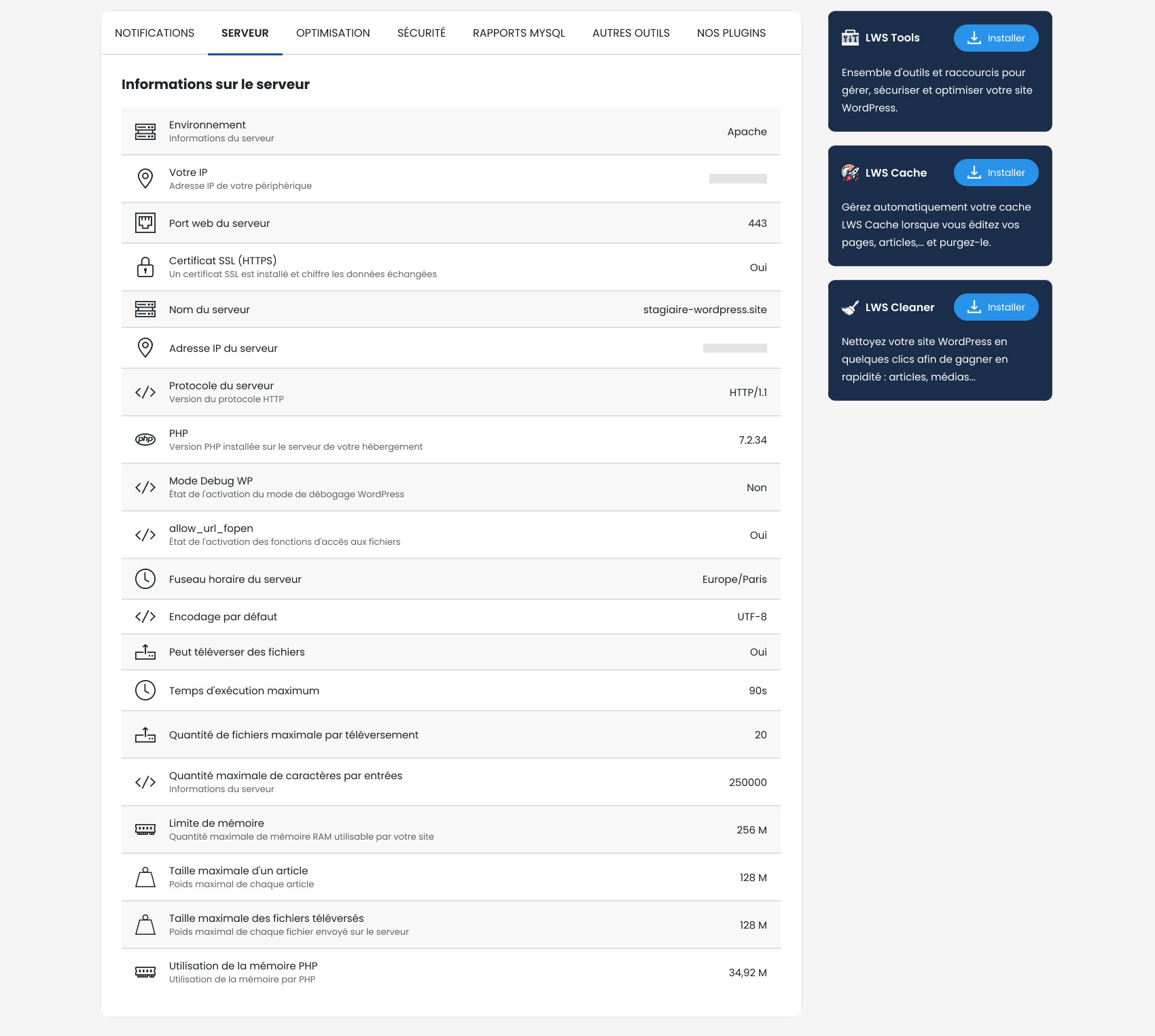
View all the characteristics of the server on which your WordPress website is hosted:
- Environment, server information
- IP address of your device
- Server web port
- SSL certificate status (HTTPS)
- Server name
- Server IP address
- Protocol version
- PHP version
- Debug WP mode status (WordPress debug mode)
- Status of allow_url_fopen (file access functions)
- Server time zone
- Default encoding
- Uploading files
- Maximum execution time
- Maximum number of files per upload
- Maximum number of characters per entry
- RAM memory limit
- Maximum size of an item
- Maximum size of uploaded files
- PHP memory usage
Optimisation
Delete, reduce elements that are not useful to you. Or add minor features. Here are the features you can enable as you wish:
- Delete the Windows Live Writer manifest
- Reduce the number of revisions
- Delete author pages and associated links
- Prevent WordPress from disabling pingbacks of your own posts
- Use visitor browser emotes instead of WordPress emotes
- Remove Title 1 in Tiny MCE
- Remove shortlinks
- Add hidden ‘Medium Large’ image size
- Alternative cleaning of uploaded media
- Remove RSS feeds
- Remove links from RSS feeds
Sicherheit
Here are some functions that you can activate. These have a positive impact on the security of your site:
- Hide connection errors on WP-Login
- Hide the ‘WordPress Version’ meta from pages
- Disable the REST API
- Hide user pages from sitemap
- Hide user endpoints from REST API
MySQL Reports
Find a summary table of the WordPress data in your MySQL database. You can also repair and optimize your database directly from LWS Tools.
Other tools
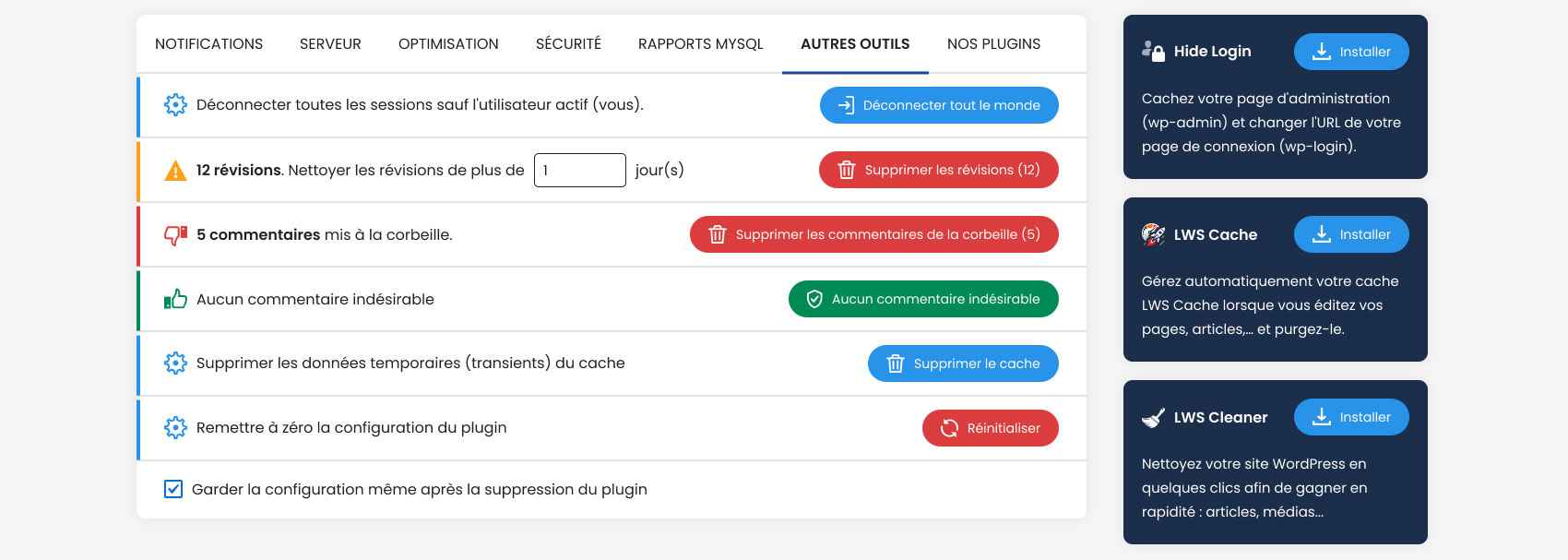
In the last tab of the plugin, you have access to other useful functions:
- Disconnect all sessions except the active user (you).
- Clean up revisions that are older than a certain time (please specify)
- Delete trashed or unwanted comments
- Delete temporary data (transients) from the cache
- Reset the plugin configuration
- Keep the configuration even after deleting the plugin
This plugin is pre-installed when ordering one of these LWS webhosts: WordPress hosting, Classic shared web hosting and cPanel hosting
Lizenz
Released under the terms of the GNU General Public License.
Installation
There are 3 different ways to install LWS Tools (as with any other wordpress.org plugin).
Using the WordPress dashboard
- In WordPress, in the Extensions menu, click on “Add”
- Search for the ‘LWS Tools’ plugin
- Click ‘Install Now’
- Aktivieren Sie das Plugin
Uploading in WordPress Dashboard
- Download the latest version of this plugin
- In WordPress, in the Extensions menu, click on “Add”
- Click on the top button “Upload an extension”
- Select the zip file from your computer (zip file from step 1.)
- Click ‘Install Now’
- Aktivieren Sie das Plugin
Using FTP
- Download the latest version of this plugin
- Unzip the zip file. This extracts the files from the compressed folder on your computer
- Upload the LWS Tools folder to the /wp-content/plugins/ directory in your web space
- Activate the plugin in WordPress
Änderungsprotokoll
2.6.5
- Minor CSS issue fixed
2.6.4
- Fixed broken link in topbar
- Reduced more the size of the AI button when closed
- Upgraded security and stability
2.6.2
- The IA Chatbot can now be reduced while browsing pages to avoid issues where it would hide UI elements
2.6.1
- Changed IA name
- Changed not-compatible notification
2.6
- Added a ChatGPT Bot on the admin pages (only for administrators) to answer questions you may have on your website
- Minor CSS updates
2.5
- New design to better match with newer LWS plugins
- Added LLM Optimization, adding a llms.txt file to your website, acting like a sitemap for IA
Screenshots



Für Entwickler
Ist das dein Plugin? Zeigen Sie die Zahlen.
Fügen Sie Ihrer Website, Docs oder GitHub Readme ein Live-Badge hinzu. Es wird von selbst aktualisiert - kein Konto erforderlich.
Best LWS Tools alternatives
Alle Admin-Plugins →




Fragen und Antworten
LWS Tools: quick answers
Gerade Antworten, gezogen von Live WordPress.org Daten.
Quelle: WordPress.org
Is LWS Tools free?
Yes. LWS Tools is free to download and use from the official WordPress.org plugin directory.
Is LWS Tools safe to use in 2026?
Yes — LWS Tools is a safe, well-maintained plugin to use in 2026. It runs on 10K+ sites, is rated 5/5 and was last updated 3 weeks ago, and scores 85/100 on our health check.
How many websites use LWS Tools?
LWS Tools is active on 10K+ WordPress websites and has been downloaded 271,734 times since it launched in September 2022. It was downloaded 18,063 times in the last 30 days.
Does LWS Tools work with WordPress 7.1?
Yes. The developer has tested LWS Tools up to WordPress 7.1.5, the latest release. It requires WordPress 5.0 or newer.
What PHP version does LWS Tools need?
LWS Tools requires PHP 7.3 or higher. Most hosts run PHP 8.x today, so it works on any modern WordPress hosting.
When was LWS Tools last updated?
The latest version, 2.6.5, was released on November 10, 2026 (3 weeks ago).
Who makes LWS Tools?
LWS Tools is developed and maintained by Aurélien LWS.
What are the best alternatives to LWS Tools?
The most popular alternatives to LWS Tools are Loginizer (1M+ installs), Redux Framework (800K+ installs) and Admin Menu Editor (300K+ installs).
Angetrieben von PageForge
Eine Vorlage und eine Tabelle. Eine echte Seite für jede Suche.
PageForge Verwandelt jede Zeile eines CSV in eine WordPress-Seite mit eigenem Titel, URL, SEO Felder und Schema entworfen. Kostenlos auf WordPress.org.
- CSV und XLSX, plus Google Sheets auf Beruf und Unternehmen
- seinen eigenen Titel, URL, SEO Felder und Schema für jede Seite
- Arbeitet mit dem Blockeditor, Elementor, Divi und Avada
- Kostenlos auf WordPress.org, keine Kreditkarte