


LottieFiles
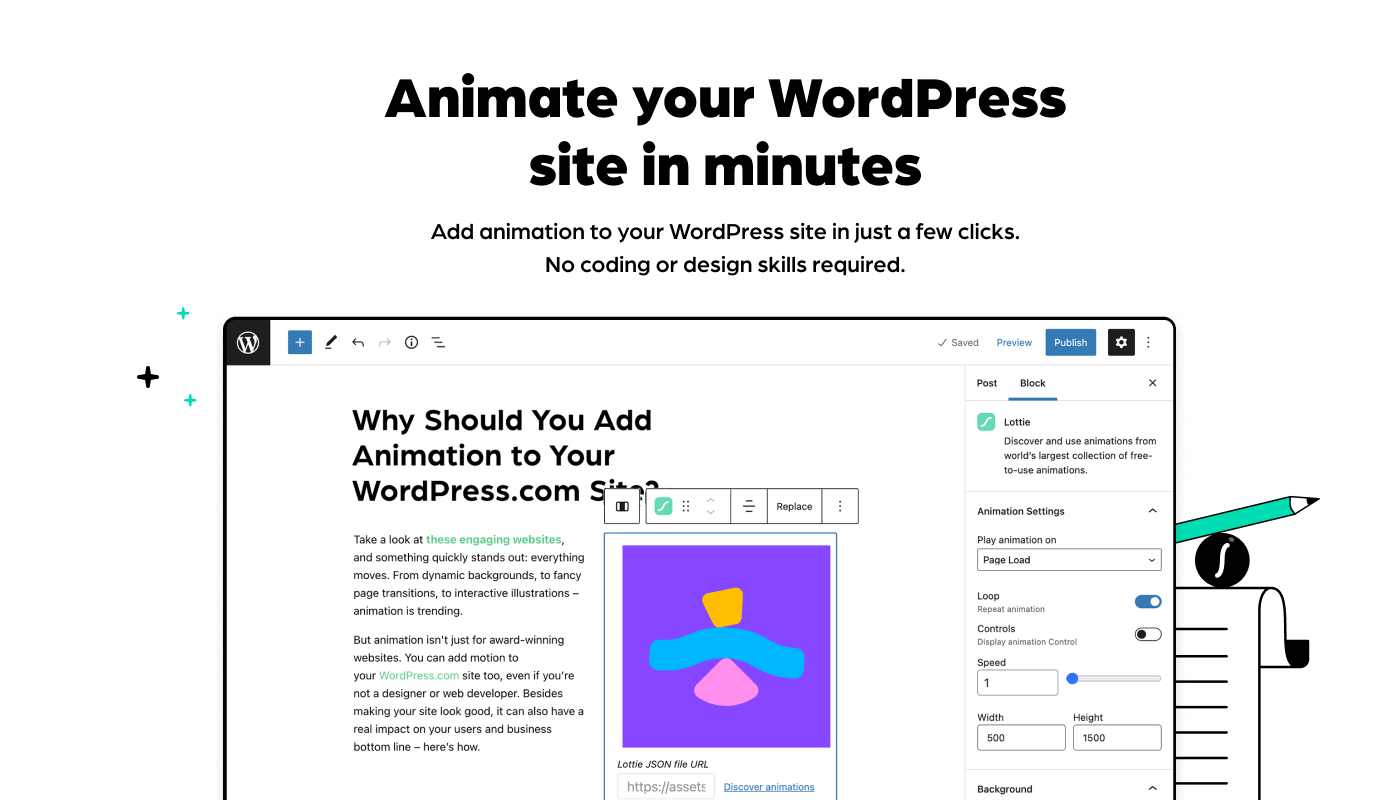
LottieFiles for WordPress is the easiest way to add Lottie animations to your WordPress website using the Gutenberg editor.

Betrachten Sie eine Alternative
LottieFiles shows warning signs in 2026 — compare the alternatives below before installing. It runs on 6K+ sites, is rated 2.3/5 and was last updated 10 months ago, and scores 34/100 on our health check.
- Momentum — downloads up 42.1% vs the previous 30 days
- Mixed reviews — 2.3/5 from 18 ratings
- Nur getestet bis WordPress 6.9 (letzt ist 7.1)
Wie stapelt es sich?
Side-by-side bei Installationen, Updates, Bewertungen und Support



Tägliche Downloads
Download-Spitzen folgen normalerweise einer neuen Version - jede Website, die automatisch aktualisiert wird, gilt als Download.
Ranglisten
Where LottieFiles stands todayWordPress.org Ranglisten suchen
Live-Position in der Plugin-Suche, Top 100| Stichwort | Position |
|---|---|
| animation | >100 |
| animations | >100 |
| bodymovin | #3 |
| Gutenberg | >100 |
| lottie | #13 |
Versionsübernahme
Anteil aktiver Sites pro Release.
Bewertungsaufschlüsselung
★★★★★★★★★★ 2.3 from 18 reviews
About LottieFiles
From the official readme · v3.1.0Beschreibung
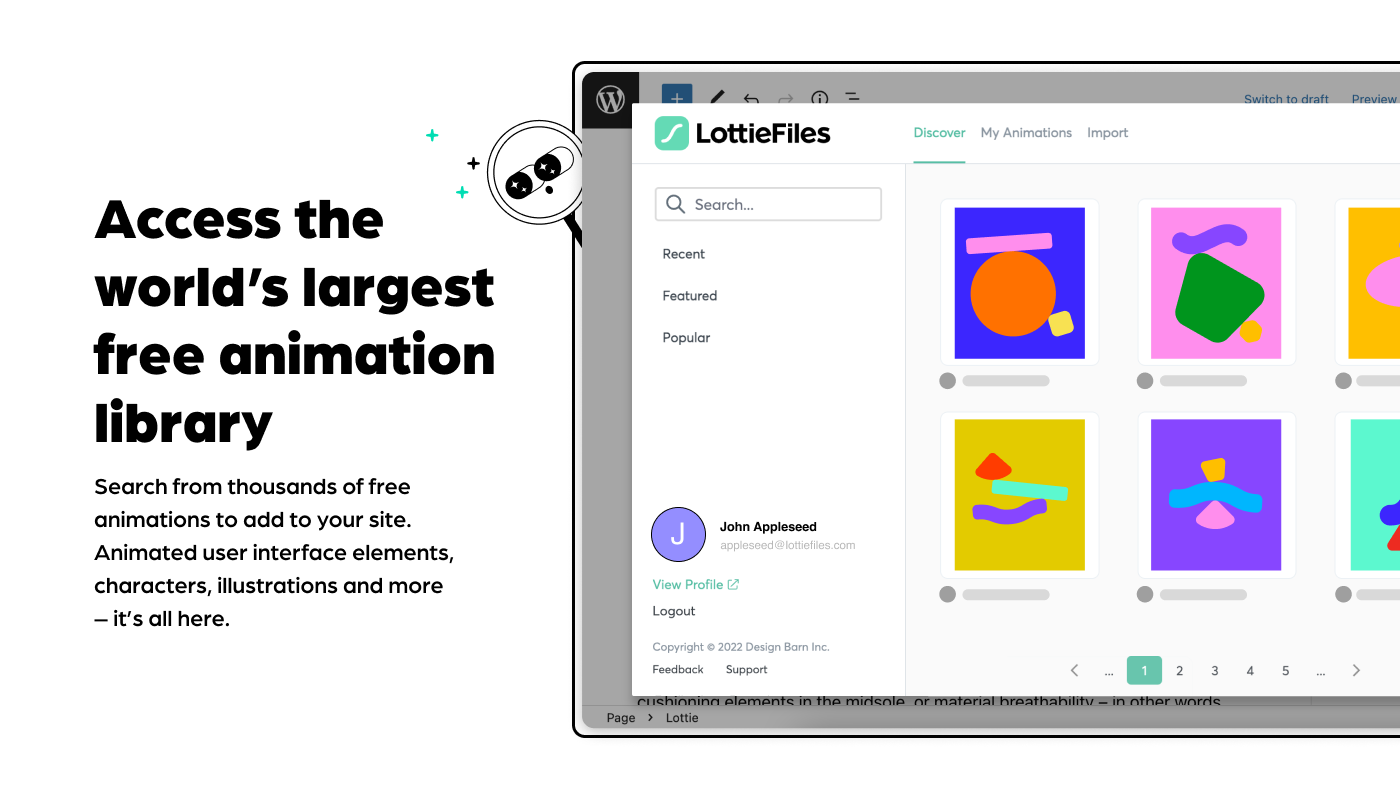
LottieFiles for WordPress gives you access to over 50k free and ready to use Lottie animations that you can easily embed on your website. Adding animations is quick and simple: simply drag and drop the animation of your choice anywhere in your page and post and make your site stand out, no coding or design skills needed. Bring your content to life and explain your product and service in a more exciting way to your users!
Merkmale
- Transform your website into animated web experiences using the Gutenberg Editor
- Search and access over 50,000 free and ready to use Lottie animations
- Access to your Private files from LottieFiles
- Drag & drop a Lottie JSON file
- Insert a Lottie animation from URL
- Save and re-use animation data JSON files through the WordPress Media Library
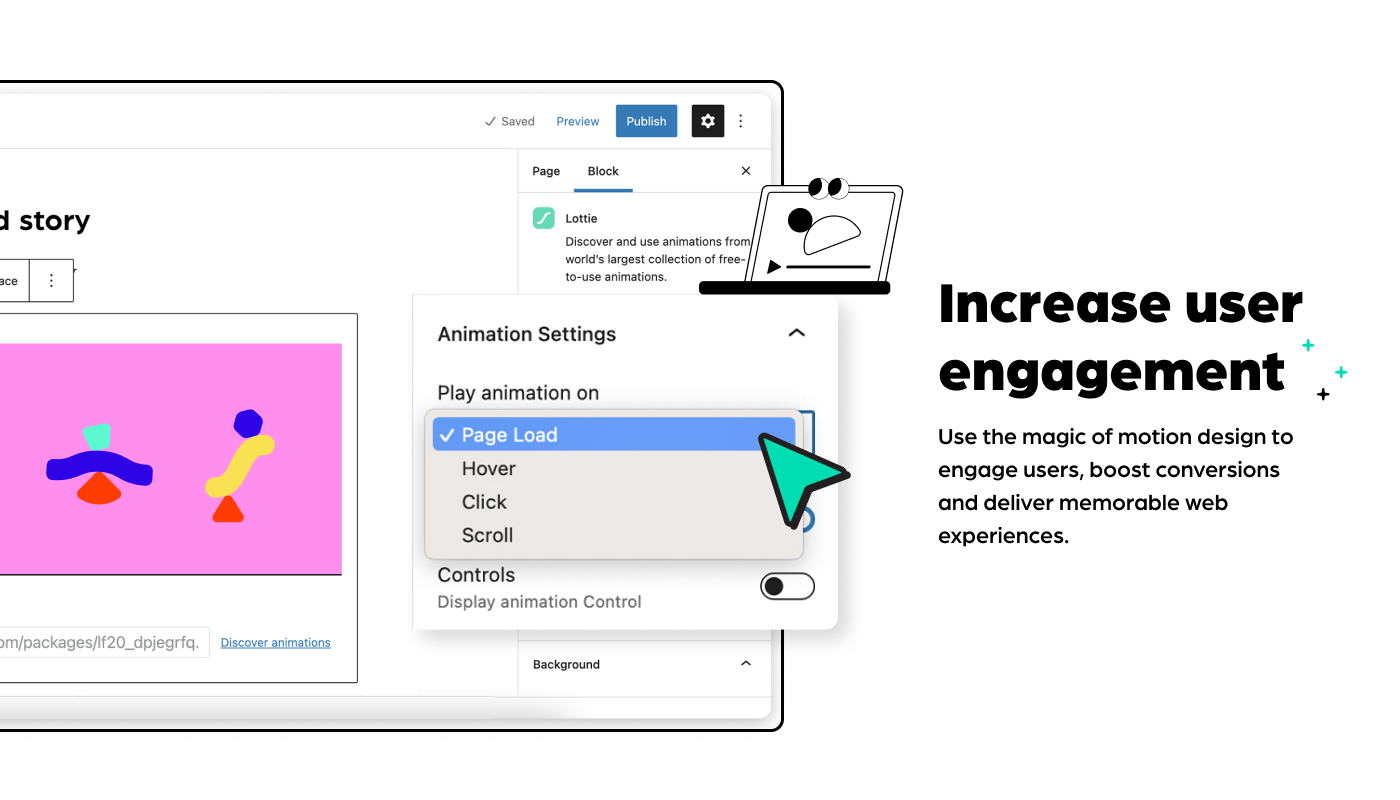
- Customize your Lottie, everything is configurable directly within the the Gutenberg Editor, through the block’s controls
- Includes customization options, allowing you to customize:
- Background color of the animation
- The speed of the animation
- Play on page load, click, scroll or mouse over
- Loop the animation or play once
- Play the animation in reverse
- The dimensions (width and max width) with responsive controls
3.1.0
Sicherheit
- Fixed unauthenticated REST API endpoint vulnerability (CVE-2026-0717)
- Added proper permission callbacks and capability checks to REST API endpoints
- Removed “Share LottieFiles account with other users” feature
3.0.0
Minor Changes
- Fixes breaking changes in Gutenberg
2.9.0
Minor Changes
- Dependencies update and BugSnap implementation
2.8.0
Minor Changes
- Fix for Lottie block throwing block validation error
2.7.0
Minor Changes
- fix for LottieFiles WP plugin’s CSS affects other input elements in the WP Block Editor
2.6.0
Minor Changes
- fix for plugin affecting UI of other wordpress pages
2.5.0
Minor Changes
- dotLottie support refactor
- interactivity bugs fixed
- CDN enable for new users error solved
2.4.0
Minor Changes
- New feature to give an option for the user to use the CDN or use local player
- Fix for animation play on hover, click and scroll
- Search feature gate removed on workspaces
2.3.0
Minor Changes
- Fixes for lottie player size on safari browser
2.2.0
Minor Changes
- Fixes for pagination, search and interactivity
2.1.0
Minor Changes
- Fixes for Gutenberg plugin compatibility and sidebar UI enhancements
2.0.0
Major Changes
- Major workflow update
1.1.0
Minor Changes
- Fixed Block Movement/ Drag & Drop issue
- fixed Import from media library
1.0.5
Patch Changes
- UI fixes, copy fixes
1.0.4
Patch Changes
- Hit counter fix
- Interactivity scroll fix
- CSS Namespace population fix
- Only load CSS where relevant
1.0.3
Patch Changes
- Upload JSON fixes
1.0.2
Patch Changes
- Update common php function names to be unique to avoid namespace clashes
1.0.1
Patch Changes
- Documentation updates for readme and dev readme
- Updates for WordPress SVN listing
1.0.0
Major Changes
- First stable release
Installation
Automatische Installation
Automatic installation is the easiest option — WordPress will handle the file transfer, and you won’t need to leave your web browser.
- Log in to your WordPress dashboard
- Navigate to the “Plugins” menu
- Search for “LottieFiles”
- Click “Install Now” and WordPress will take it from there
- Activate the plugin through the “Plugins” menu in WordPress
Manuelle Installation
- Upload the entire
lottiefilesfolder to thewp-content/plugins/directory - Activate the plugin through the “Plugins” menu in WordPress
After activation
- Go to the WordPress Block/Gutenberg Editor
- Search For **Lottie **
- Click on the Lottie to add the block
Screenshots
Für Entwickler
Ist das dein Plugin? Zeigen Sie die Zahlen.
Fügen Sie Ihrer Website, Docs oder GitHub Readme ein Live-Badge hinzu. Es wird von selbst aktualisiert - kein Konto erforderlich.
Best LottieFiles alternatives
All animation plugins →





Fragen und Antworten
LottieFiles: quick answers
Gerade Antworten, gezogen von Live WordPress.org Daten.
Quelle: WordPress.org
Is LottieFiles free?
Yes. LottieFiles is free to download and use from the official WordPress.org plugin directory.
Is LottieFiles safe to use in 2026?
LottieFiles shows warning signs in 2026 — compare the alternatives below before installing. It runs on 6K+ sites, is rated 2.3/5 and was last updated 10 months ago, and scores 34/100 on our health check.
How many websites use LottieFiles?
LottieFiles is active on 6K+ WordPress websites and has been downloaded 119,021 times since it launched in May 2022. It was downloaded 1,292 times in the last 30 days.
Does LottieFiles work with WordPress 7.1?
LottieFiles is officially tested up to WordPress 6.9.12, while the latest release is 7.1.5. It may still work, but try it on a staging site first.
What PHP version does LottieFiles need?
LottieFiles requires PHP 5.6 or higher. Most hosts run PHP 8.x today, so it works on any modern WordPress hosting.
When was LottieFiles last updated?
The latest version, 3.1.0, was released on January 19, 2026 (10 months ago).
Who makes LottieFiles?
LottieFiles is developed and maintained by LottieFiles.
What are the best alternatives to LottieFiles?
The most popular alternatives to LottieFiles are Blocks Animation: CSS Anima… (90K+ installs), Greenshift (70K+ installs) and UiCore Animate (40K+ installs).
Angetrieben von PageForge
Eine Vorlage und eine Tabelle. Eine echte Seite für jede Suche.
PageForge Verwandelt jede Zeile eines CSV in eine WordPress-Seite mit eigenem Titel, URL, SEO Felder und Schema entworfen. Kostenlos auf WordPress.org.
- CSV und XLSX, plus Google Sheets auf Beruf und Unternehmen
- seinen eigenen Titel, URL, SEO Felder und Schema für jede Seite
- Arbeitet mit dem Blockeditor, Elementor, Divi und Avada
- Kostenlos auf WordPress.org, keine Kreditkarte