


Location Weather – WordPress Weather Forecast, Air Quality & Weather Widget
Real-time Weather, Forecast, AQI, Weather Maps, Historical Data, Sun & Moon Times, AI Weather Assistant & Search – Block, Shortcode, Elementor.

Sichere Auswahl
Yes — Location Weather is a safe, well-maintained plugin to use in 2026. It runs on 10K+ sites, is rated 4.5/5 and was last updated 1 week ago, and scores 92/100 on our health check.
- Bewährt im Maßstab auf 10k + aktiven Standorten
- Loved by users — 4.5/5 from 103 reviews
- Aktiv entwickelt — letztes Update vor 1 Woche
- Getestet mit dem neuesten WordPress (7.1)
- Momentum — downloads up 232.3% vs the previous 30 days
Wie stapelt es sich?
Side-by-side bei Installationen, Updates, Bewertungen und Support


Tägliche Downloads
Download-Spitzen folgen normalerweise einer neuen Version - jede Website, die automatisch aktualisiert wird, gilt als Download.
Ranglisten
Where Location Weather stands todayWordPress.org Ranglisten suchen
Live-Position in der Plugin-Suche, Top 100| Stichwort | Position |
|---|---|
| air quality | #1 |
| weather | #1 |
| weather block | #1 |
| weather forecast | #1 |
| weather widget | #1 |
Versionsübernahme
Anteil aktiver Sites pro Release.
Bewertungsaufschlüsselung
★★★★★★★★★★ 4.5 from 103 reviews
About Location Weather
From the official readme · v3.1.1Beschreibung
All-in-One WordPress Weather Forecast Solution
Location Weather is a powerful, easy-to-use weather plugin for WordPress that lets you display accurate, real-time weather for any location worldwide. With 200+ Ready Weather Patterns and 15+ Gutenberg Weather Blocks (Free & Pro), you can add a beautiful WordPress weather widget to any page in minutes — no coding required.
Whether you need a simple current weather widget, a detailed weather forecast widget, a live weather map for WordPress, an Air Quality Index (AQI) display, Sun & Moon Times, or an AI Weather Assistant, Location Weather does it all from one lightweight and feature-rich plugin. The plugin is fully supported with different page builders like Elementor, Divi, and Classic Shortcodes.
Trusted by 20,000+ happy users and 178+ ⭐⭐⭐⭐⭐ Reviews & 4.9/5 Happiness Rating on Trustpilot. Location Weather is the complete weather forecast plugin for travel sites, hotels, news portals, agriculture, events, real estate, and any WordPress site where weather matters.
🧩 Weather Blocks | 🎨 Ready Patterns | 📖 Documentation | 🛟 Support | 🛣️ Roadmap | 🏆 Upgrade to Pro!
Add a Weather Forecast in 3 Simple Steps
You don’t need any technical skills to display a professional local weather forecast on your site. Just:
- Add a weather API key – Get a free or paid key from OpenWeather or WeatherAPI.
- Choose a ready pattern or template – Pick from 200+ professionally designed weather templates.
- Customize visually and publish – Adjust colors, layout, and data, then embed via block, shortcode, or Elementor.
Elementor, Divi, Gutenberg, or the Classic Editor – whatever your setup, Location Weather helps you add accurate, beautiful weather forecasts fast.
Why Choose Location Weather?
Location Weather is more than a simple current weather widget – it’s a complete weather forecast solution for WordPress that helps you increase engagement, reduce bounce rates, and support smarter buying and travel decisions:
- All-in-one weather solution – Real-time weather, current temperature, forecasts, AQI, weather maps, historical data, sun & moon times, and an AI weather assistant, global weather search in a single plugin.
- No coding required – A visual editor and ready-made patterns mean anyone can build a stunning weather display.
- Beautiful weather widgets/templates – 40+ built-in customizable weather templates and 200+ ready weather patterns that look great on every device.
- Works everywhere – Native weather Gutenberg block, weather shortcode, and Elementor weather widget compatibility, plus Divi, WPBakery, Beaver Builder, and more.
- Multiple weather APIs supported – Connect OpenWeather and WeatherAPI for maximum reliability and flexibility.
- Lightweight & fast – Performance-optimized code that won’t slow your site down.
- Global coverage locations – 200,000+ cities across 238+ countries and territories, with weather by location, ZIP, city, or coordinates.
200+ Ready Weather Patterns & Templates
Start fast with 200+ ready weather patterns and 40+ weather templates built for every style and mood. Every weather template is fully customizable – colors, typography, units, layouts, and 12+ weather icon packs – so your responsive weather widget always matches your brand.
The Weather Patterns Library covers every layout you need:
✅ Weather Card Patterns
✅ Weather Horizontal Patterns
✅ AQI – Minimal Card Patterns
✅ AQI – Detailed Air Quality Patterns
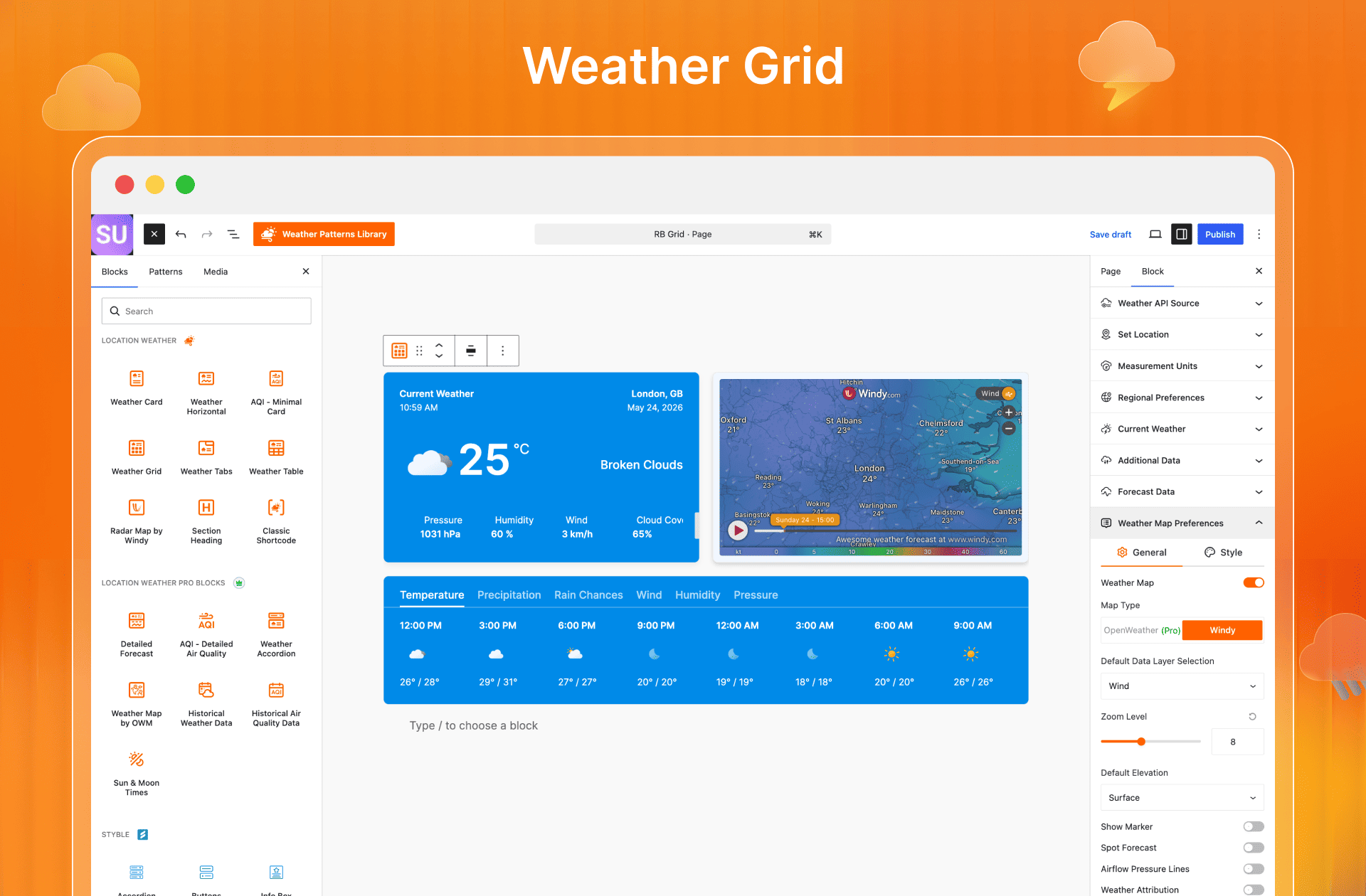
✅ Weather Grid Patterns
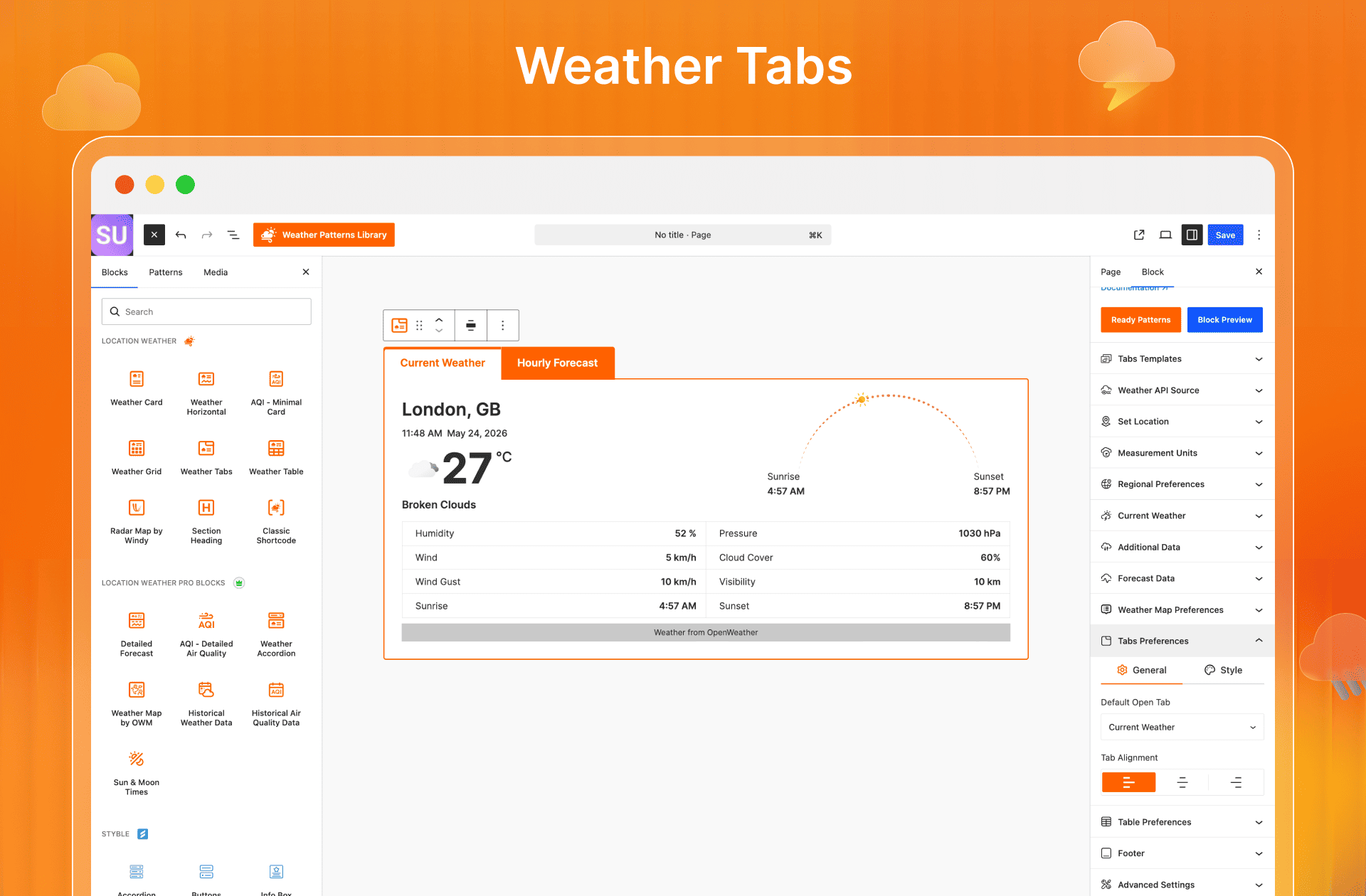
✅ Weather Tabs Patterns
✅ Weather Accordion Patterns
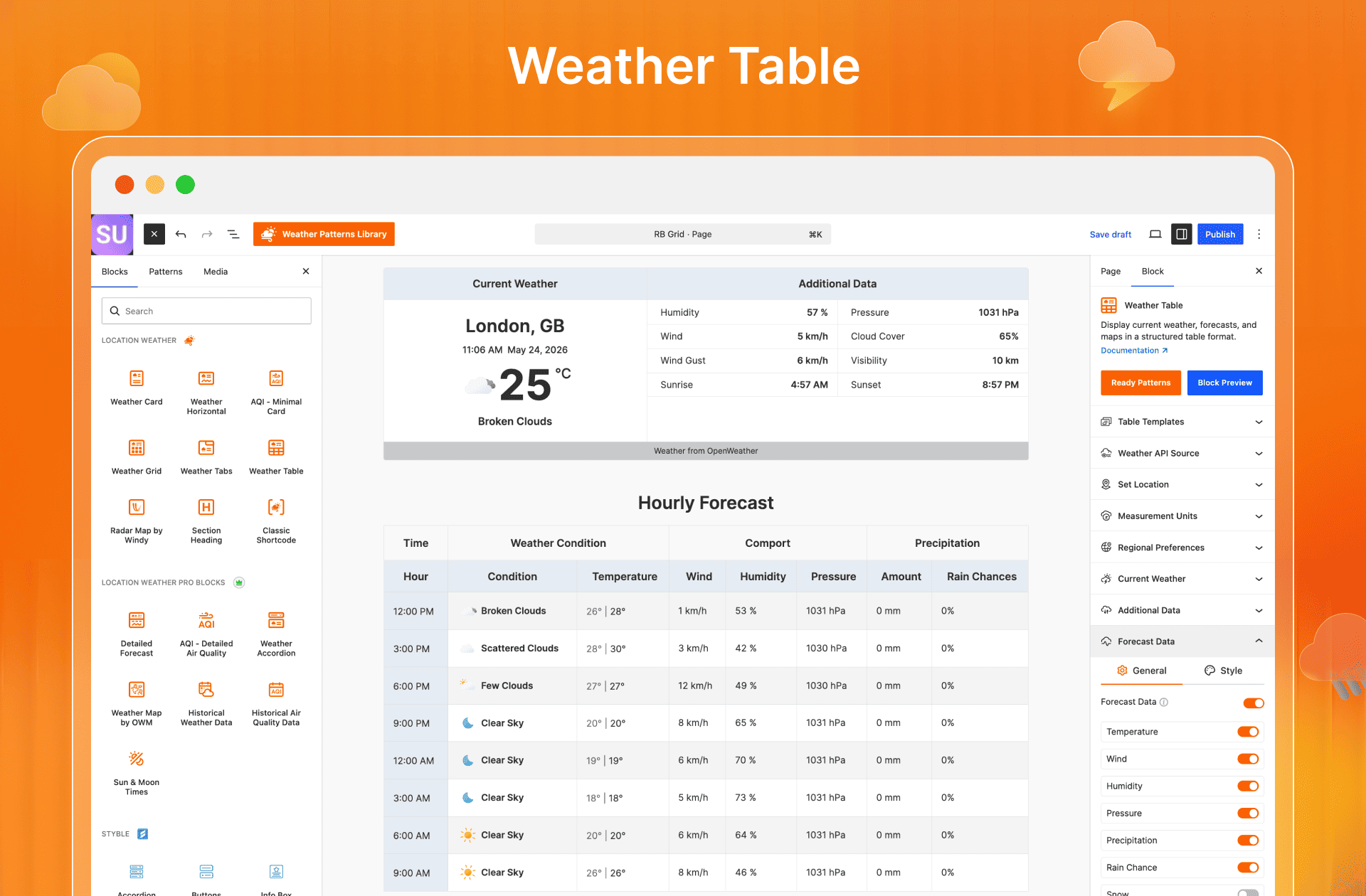
✅ Weather Table Patterns
✅ Historical Weather Data Patterns
✅ Historical Air Quality Data Patterns
✅ Sun & Moon Times Patterns
✅ Detailed Forecast Patterns
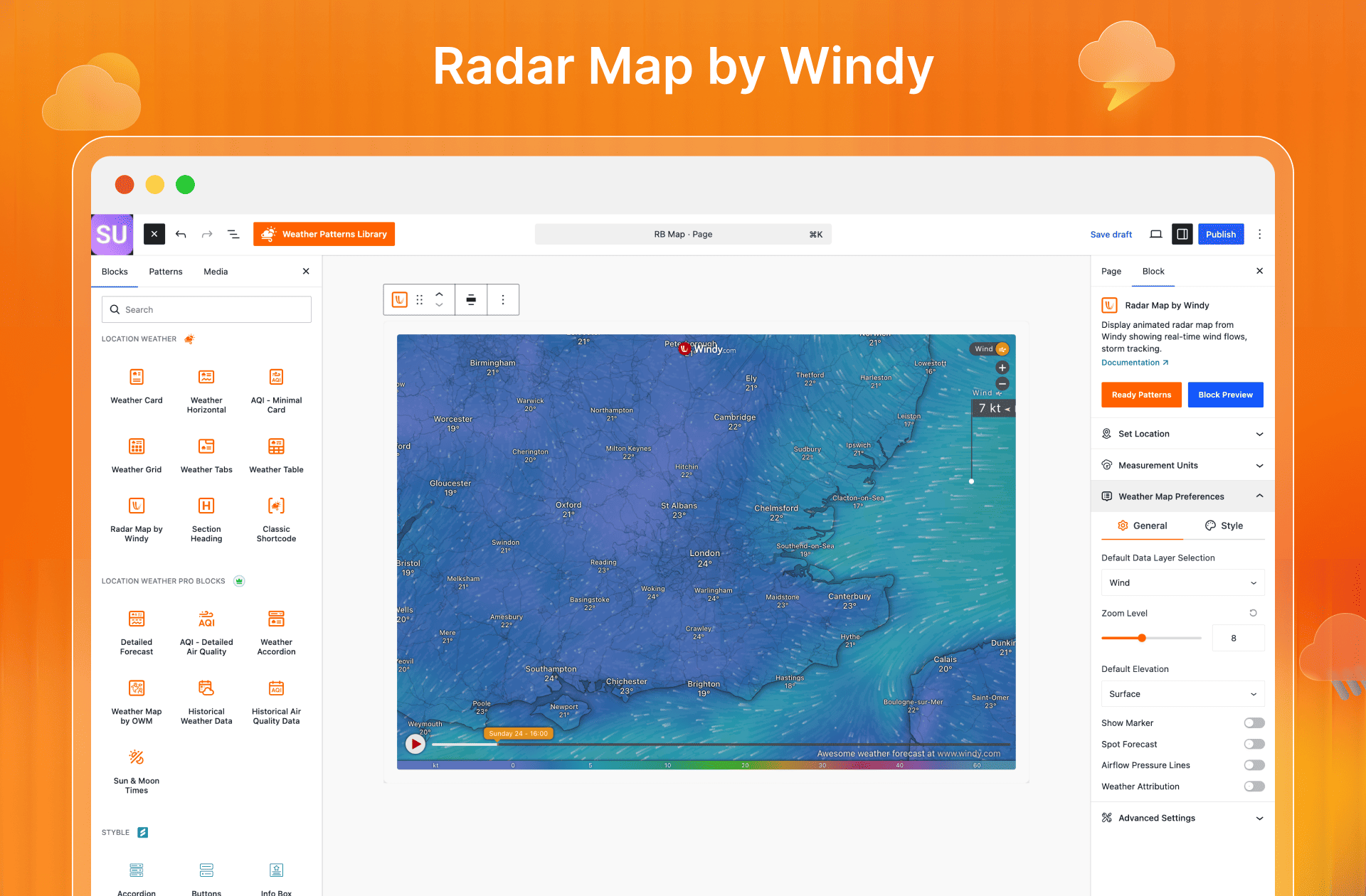
✅ Windy Radar Map Patterns
✅ Weather Map Patterns
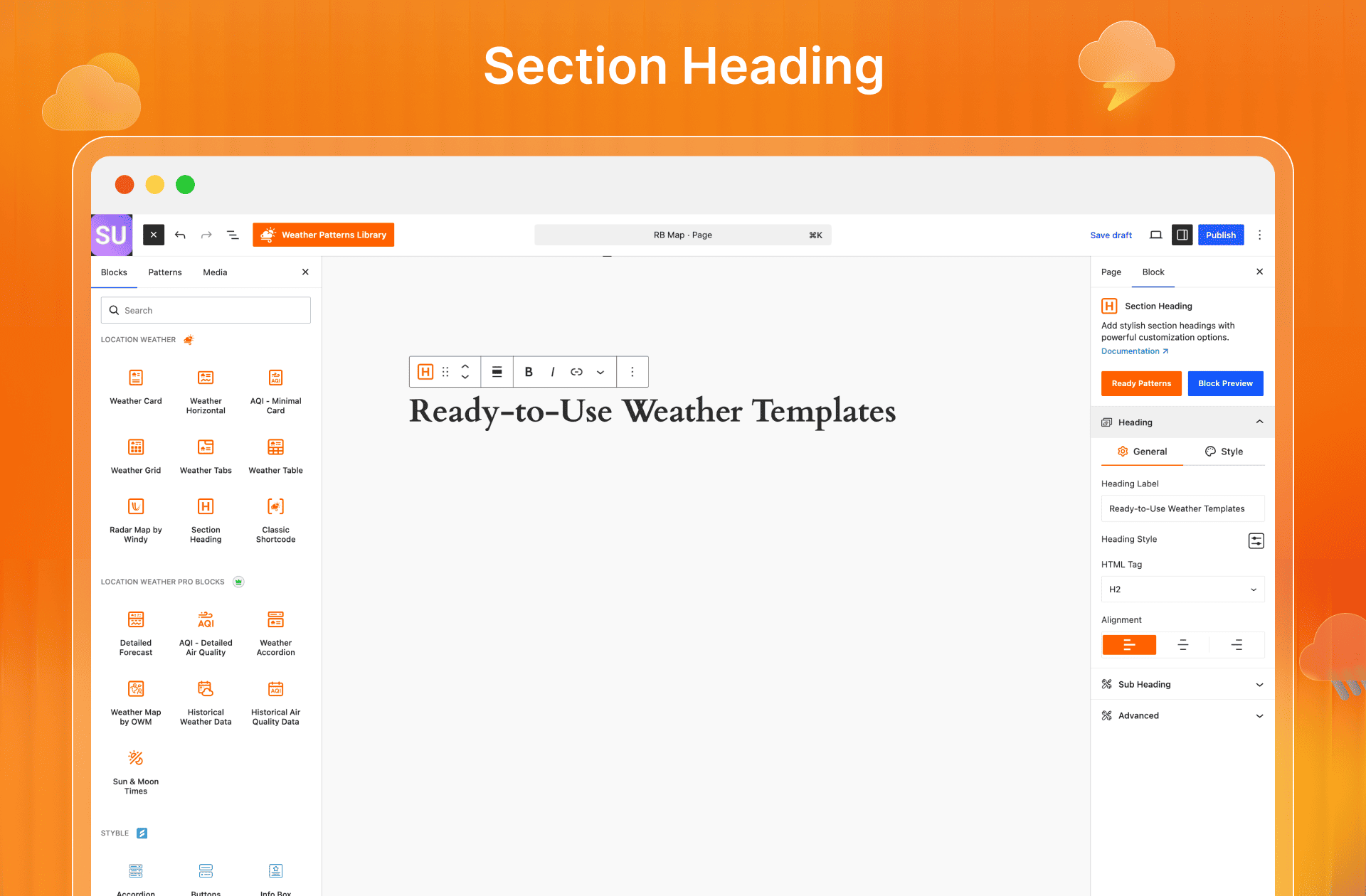
✅ Section Heading Patterns
Each pattern in the Weather Patterns Library is fully customizable, so you can match your brand in a few clicks.
15+ Powerful Gutenberg Weather Blocks
Location Weather provides with a full library of Gutenberg weather blocks for WordPress, each with ready templates and deep customization:
- Weather Card – Real-time weather in a clean vertical current weather widget layout. Perfect for travel, tourism, news, sports, and local business sites.
- Weather Horizontal – A sleek wide layout ideal for headers, sidebars, and landing pages.
- Weather Tabs – Organize current, hourly, daily, and map data into tidy interactive tabs.
- Weather Table – Display temperature, humidity, wind, pressure, and precipitation in a clear, responsive table.
- Weather Grid – Compare multiple forecast cards side by side in a modern grid.
- Weather Accordion (Pro) – Collapsible panels that keep multi-location or extended forecasts tidy.
- Weather Detailed Forecast (Pro) – Rich metrics including temperature trends, humidity, precipitation, wind, UV index, and sunrise/sunset.
- AQI – Minimal Card – Compact, elegant real-time Air Quality Index display.
- AQI – Detailed Air Quality (Pro) – Full air quality metrics, pollutant levels, status, and health advice.
- Weather Map by OWM (Pro) – Live interactive weather map WordPress layers powered by OpenWeatherMap.
- Radar Map by Windy – Animated windy weather map radar with 50+ live data layers for storms, rain, and wind.
- Historical Weather Data (Pro) – Decades of past weather records, temperature trends, and rainfall history.
- Historical Air Quality Data (Pro) – Long-term Air Quality Forecast trends and pollution history.
- Sun & Moon Times (Pro) – Sunrise, sunset, moonrise, moonset, daylight duration, and moon phases — full Astronomy Data.
- Custom Weather Search – Let visitors run a Global Weather Search for any location instantly.
- Section Header – Professional, styled headings to organize your weather sections.
Add Weather in Elementor & Other Page Builders
Location Weather is a fully compatible weather plugin for Elementor, Gutenberg, and every major page builder. Use the dedicated Elementor weather addon to drop saved templates anywhere, or the weather module for Divi, weather shortcode into WPBakery, Beaver Builder, and others. Drag, drop, and design advanced Elementor weather widget sections that match any layout – without writing a line of code.
Supported Weather APIs & Integrations
Stop relying on a single data source. Location Weather supports robust weather API integration with:
- OpenWeather – Global coverage with detailed weather data.
- WeatherAPI – A generous, cost-effective free plan and reliable WeatherAPI integration.
Switch between sources anytime, so you stay in control of what powers your WordPress weather forecast at all times. More APIs integrations are coming soon!
See the full Weather API Key Integration Guidelines
Unlock More with Location Weather Pro
Unlock Pro features and give your visitors a richer, more accurate weather experience. The free WordPress weather widget gives you everything you need to display real-time, location-based weather. Location Weather Pro unlocks the full forecast solution: Click here to purchase Location Weather now!
Weather Forecasts Up to 30 Days & 120 Hours
Go further than the competition. Most WordPress weather plugins cap out at 5 days. With Location Weather Pro, offer 1-hourly & 3-hourly up to 120 hours, and daily forecasts up to 30 days — for weather, AQI, and astronomy alike.
AI Weather Assistant 🔥
Add the AI Weather Assistant once and let visitors ask anything about the weather in plain language. It understands natural questions and replies instantly with clear, accurate answers – conversational weather intelligence no other WordPress weather plugin offers.
Air Quality Index (AQI) & Air Quality Forecast
Expand beyond forecasts with a dedicated air quality section. Display real-time AQI, hourly and daily Air Quality Forecast trends, historical air data, pollutant breakdowns, and health recommendations – everything an environmental, health, or travel site needs.
Sun & Moon Times and Astronomy Data
Differentiate your site with Sun & Moon Times most weather plugins ignore. Show sunrise, sunset, moonrise, moonset, moon phases, golden hour, daylight duration, and solar events – a Sun & Moon Times Forecast that attracts photographers, travelers, and researchers.
Historical Weather Data (Time Machine)
Unlock 46+ years of verified Historical Weather Data and 10 years of air quality history with the built-in Time Machine. Pull decades of records for any location and display them instantly – ideal for real estate, agriculture, research, and news platforms.
Advanced Live Weather Maps
Embed an interactive weather map for WordPress in minutes. Choose from the OpenWeatherMap map or the windy weather map with 50+ live data layers and Windy spot forecasts up to 16 days, giving visitors a professional weather-tracking experience.
Global Weather Search
Add a single search block and give your audience a Global Weather Search for any location worldwide — search by city, ZIP, or coordinates across 200,000+ cities in 238+ countries. One toggle opens up the entire world of weather search.
Deliver Real-Time National Weather Alerts
Publish live, government-issued weather alerts automatically – no manual updates. Just enable National Weather Alerts, and your site stays current and credible through every severe weather event.
Display Weather for Your Business Location
Show weather for one specific location – your hotel, theme park, venue, or event site. In just a few clicks, override the default location label with your own business name, turning your weather display into a branded experience that builds instant local trust.
Dynamic Weather Forecasts for Locations and Custom Post Types
Automatically display accurate weather forecasts based on location data stored in your custom post types. Whether you’re managing properties, destinations, events, stores, or listings, the plugin retrieves location information from custom fields and displays weather forecasts automatically.
More Pro Features You’ll Love
Location Weather Pro is packed with advanced controls and display options. Here’s everything you unlock:
- Advanced weather metrics – Precipitation, Real Feel, UV Index, Dew Point, Rain Chance, Snow, and Wind Gust
- Real-time National Weather Alerts with show/hide control
- Show/hide high and low temperatures
- Show/hide real feel (feels-like) temperature
- Weather attribution and last-updated time display
- Display weather data from custom fields
- Multiple city weather support
- Real-time AQI with health recommendations
- Weather and AQI interactive Graph Charts and Pollutant breakdowns
- Interactive radar and detailed weather maps
- 10 Weather additional data layouts
- 5 weather additional data list layouts
- 3 weather additional data grid layouts
- Simple and flat-style carousel layouts
- Clean, divided, and striped additional-data styles
- Weather additional data carousel
- Weather forecast data carousel
- Auto-detect visitor location via IP for personalized weather
- Custom business location name override for branded displays
- Location-based °C/°F units with one-click switching
- Auto-detect temperature unit
- Display temperature in both °C and °F
- Degree symbol (°) only option
- Precipitation units in mm/inch
- Weather-based dynamic backgrounds — image and video (HTML5 MP4, WebM, Ogg) and YouTube
- Interactive weather pop-up and detailed view
- 12+ weather icon packs — animated, static, light, fill, glass-morphism, and more
- Global style controls — colors, typography, spacing, borders, shadows, and radius.
Who Should Use Location Weather?
If your audience cares about the weather, Location Weather has the blocks, patterns, and data to help:
- Travel & Tourism – Show destination forecasts to boost booking confidence.
- Hotels & Resorts – Place a live weather block near booking forms to reduce hesitation.
- Outdoor & Adventure – Hourly and daily forecasts for hikes, camps, and tours.
- Sports Clubs & Venues – Match-day weather for fans.
- Events & Venues – Answer weather questions on event pages to lift registrations.
- News & Local Media – A daily-utility forecast widget that brings readers back.
- Agriculture & Farming – Temperature, precipitation, and historical data for farm decisions.
- Restaurants & Food – Local forecasts that make outdoor seating more appealing.
- Environmental & Sustainability – AQI, air quality forecasts, and historical trends.
- Real Estate – Local climate and air quality context for listings.
- Education & Schools – A practical live weather block for campus life.
- Healthcare & Wellness – AQI and temperature data for weather-aware health decisions.
- Logistics & Transportation – Regional forecasts for weather-sensitive planning.
- Developers & Agencies – Deploy weather blocks across client sites with shortcodes, patterns, and export/import.
- WooCommerce Stores – Connect weather to seasonal products to lift conversions.
We Speak Your Language
Location Weather is fully translation-ready and localized. Translate it into any language in minutes with PoEdit, WPML, Polylang, Loco Translate, and more — so you can deliver a local weather forecast in your visitors’ own language.
WordPress Multisite Supported
Location Weather works perfectly on WordPress Multisite – whether network-activated or enabled on individual sites. Automatic updates are fully supported across your entire network, with no extra setup.
Live Website Showcase
See how real businesses use Location Weather in the wild. Browse live examples across travel, hospitality, news, and local-business sites for layout inspiration before you build your own.
👉 Browse Live Showcases
Ready to unlock the full power of the best weather display plugin for WordPress?
🏆 Upgrade to Location Weather Pro Today!
👨🏻💻Author
Location Weather is built and maintained by ShapedPlugin LLC, a team with over a decade of experience building quality, high-performance WordPress plugins.
🛟 Documentation & Support
Although Location Weather is beginner-friendly with a minimal learning curve, it is well-documented. It provides dedicated support whenever you need.
👉 Read well-organized Location Weather Documentation
👉 Watch Location Weather YouTube Playlist
👉 Join the plugin’s Forum or Contact Us for support.
👉 Join the ShapedPlugin Community for tips from users and experts
👉 Learn more about the Location Weather at https://locationweather.io/
🔥 Explore More Solutions from ShapedPlugin
Discover our powerful WordPress and WooCommerce plugins designed to save time, boost performance, and enhance your website experience:
Real Testimonials – Showcase authentic customer reviews with stylish layouts to build trust, boost credibility, and increase conversions effortlessly on your website.
WP Carousel – Create responsive carousels for posts, images, and content with smooth navigation to engage visitors and beautifully highlight your key content.
Smart Post – Smart Post is a next-generation Post Grid and Gutenberg Page Builder Blocks plugin designed to help you build stunning blogs, magazines, news portals, and content-driven websites with ease.
Smart Tabs – Organize content into clean, responsive tabs to improve user experience, reduce clutter, and present information in a structured, engaging way.
Easy Accordion – Add responsive, SEO-friendly accordion sections to organize content efficiently, improve readability, and create a clean, interactive browsing experience.
Smart Team – Showcase your team members with stylish, customizable layouts to build trust, highlight expertise, and present your organization professionally.
Logo Carousel – Display client, partner, or brand logos in responsive carousels to build credibility, strengthen brand identity, and showcase partnerships effectively.
Reno Product Gallery – Create beautiful, responsive product galleries for WooCommerce to showcase images attractively, improve user experience, and increase product engagement.
Smart Swatches – Replace default WooCommerce variation dropdowns with color, image, and label swatches to improve product selection and enhance the shopping experience.
Product Slider (Smart Store) – Build modern, conversion-focused WooCommerce store layouts with advanced features to improve product visibility, user experience, and sales performance.
Reno Product Category – Display WooCommerce product categories in stylish grids or sliders to improve navigation, highlight collections, and enhance store browsing experience.
Installation
MINIMUM REQUIREMENTS
- PHP 7.4 or later
- MySQL 5.6 or later
- WordPress 5.9.0 or later
This section describes how to install the plugin and get it working
AUTOMATIC INSTALLATION (EASIEST WAY)
To do an automatic install of Location Weather, log in to your WordPress dashboard, navigate to the Plugins menu and click Add New.
In the search field type “Location Weather”. Once you have found it you can install it by simply clicking “Install Now” and then “Activate”.
Manuelle Installation
Uploading in WordPress Dashboard
- Download location-weather.zip
- Navigate to the ‘Add New’ in the plugins dashboard
- Navigate to the ‘Upload’ area
- Select location-weather.zip from your computer
- Click ‘Install Now’
- Activate the plugin in the Plugin dashboard
Using FTP
- Download location-weather.zip
- Extract the location-weather directory to your computer
- Upload the location-weather directory to the /wp-content/plugins/ directory
- Activate the plugin in the Plugin dashboard
You will now see the Location Weather menu in your WordPress admin panel.
The WordPress codex contains instructions on how to install a WordPress plugin.
Änderungsprotokoll
Version 3.1.1 – Nov 13, 2026
- New: A dismissible Black Friday / Cyber Monday offer notice.
- Tested: WordPress 7.1.3 compatibility.
Version 3.1.0 – Oct 20, 2026
- New: The WP Bakery Page Builder Addon to display saved weather templates.
- New: The Beaver Builder Addon to display saved weather templates.
- New: The Bricks Builder Addon to display saved weather templates.
- New: The Oxygen Builder Addon to display saved weather templates.
- New: The Tools tab in the settings to export and import weather shortcodes.
- New: Manage classic weather shortcodes directly from the Saved Templates page, including duplicate, delete, and publish status toggling.
- New: Live chat support widget in the plugin dashboard.
- Improved: The dashboard header navigation style improved.
- Improved: The Saved Templates table now lists both block editor templates and classic shortcodes with an editor type badge.
- Improved: The green upgrade notice in the dashboard can now be dismissed permanently.
- Improved: The shortcode block editor UI simplified and updated to the latest block editor API.
- Improved: The Pattern Library toolbar button is now hidden for user roles that cannot access it.
- Tested: WordPress 7.1.3 compatibility.
Version 3.0.7 – Jul 23, 2026
- Improved: Added capability checks to all AJAX handlers and admin actions to prevent unauthorized access.
- Improved: Hardened unserialize() with an is_serialized() guard and an allowed_classes restriction to prevent PHP object injection.
- Improved: Replaced manual WordPress.org API calls with the core plugins_api() function for better reliability.
- Fix: Corrected the output escaping on the “invalid weather API key” admin notice.
Version 3.0.6 – June 22, 2026
- Fix: The warning found in the widget editor for the non-block themes.
Version 3.0.5 – June 03, 2026
- Improved: WordPress minimum version requirement updated from 5.0 to 5.9.0 for better Gutenberg block compatibility.
- Fix: WPCS (WordPress Coding Standards) warnings across multiple template files.
- Fix: Extra blank lines removed from PHP template opening tags.
- Updated: Improved documentation links and cross-references.
Version 3.0.4 – May 24, 2026
- New: Elementor Addon introduced to support Location Weather Saved Templates.
- New: Divi Addon introduced to support Location Weather Saved Templates.
- New: Default Editor option added in plugin settings to set the preferred editor for creating weather views.
- New: Shortcode field added to the Saved Template right sidebar for quick one-click copying.
- Improved: Plugin Dashboard Panel UI has been enhanced for a better experience.
- Improved: Minor style conflict with the Astra theme has been resolved.
Screenshots
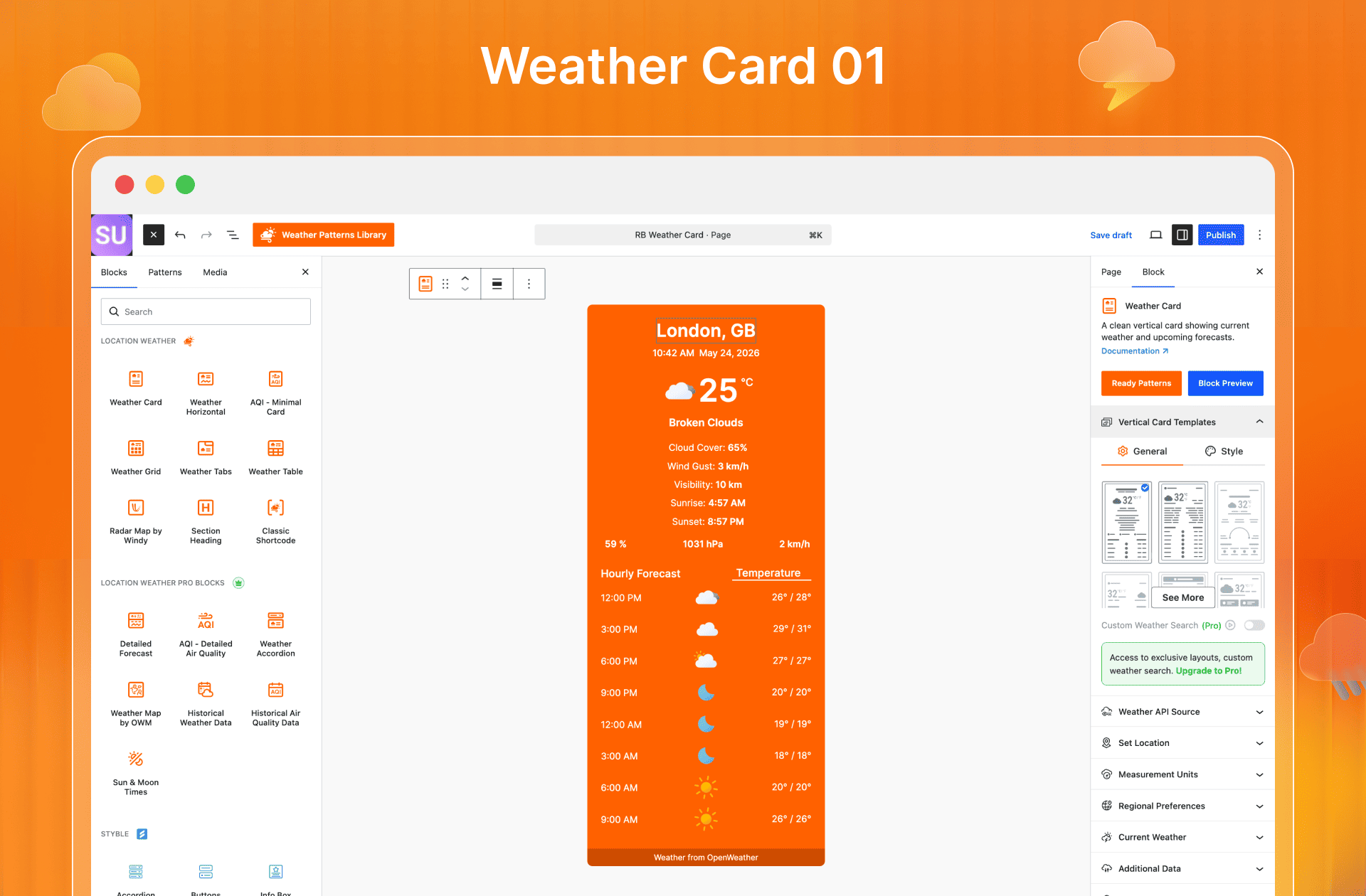
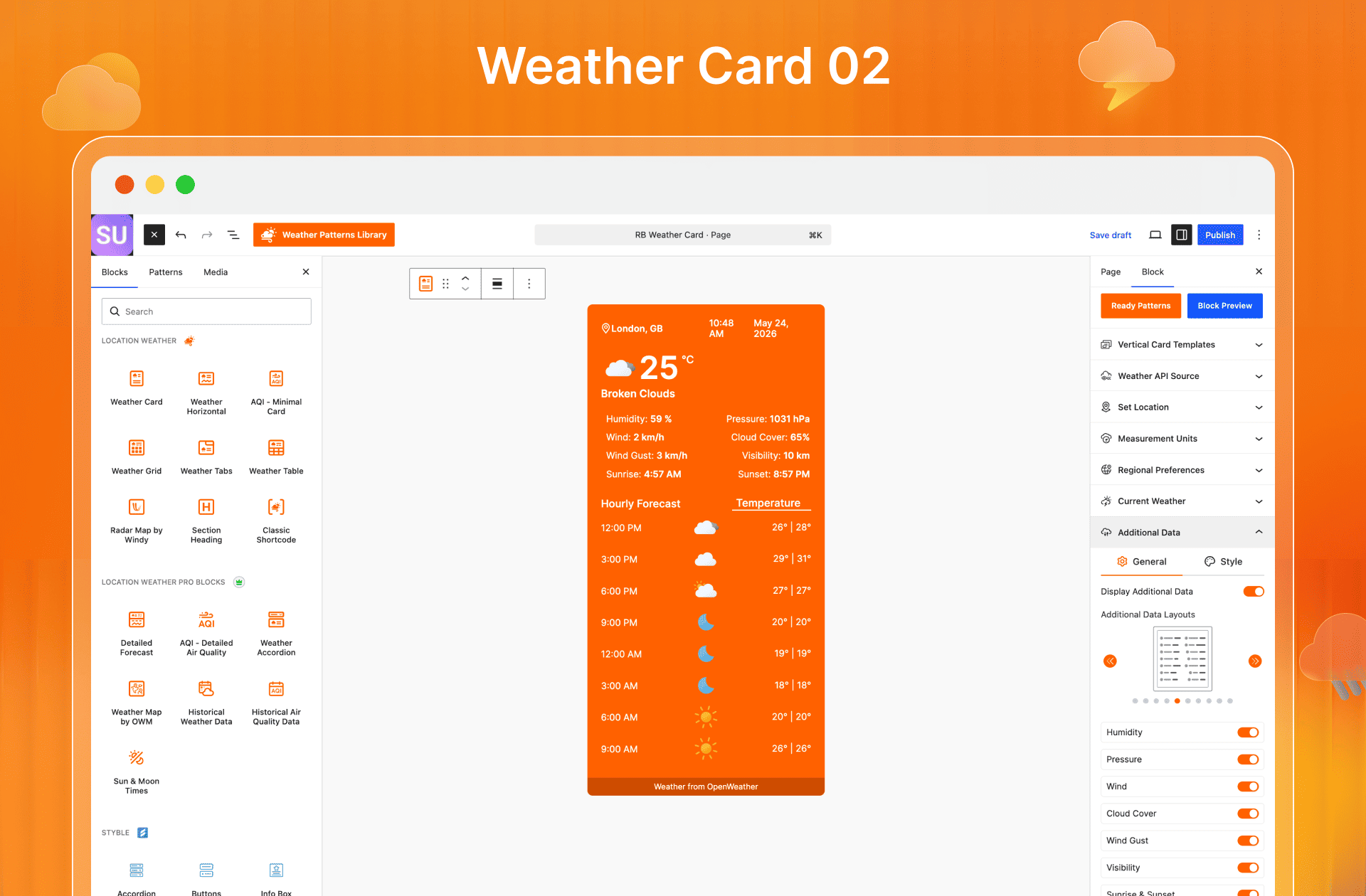
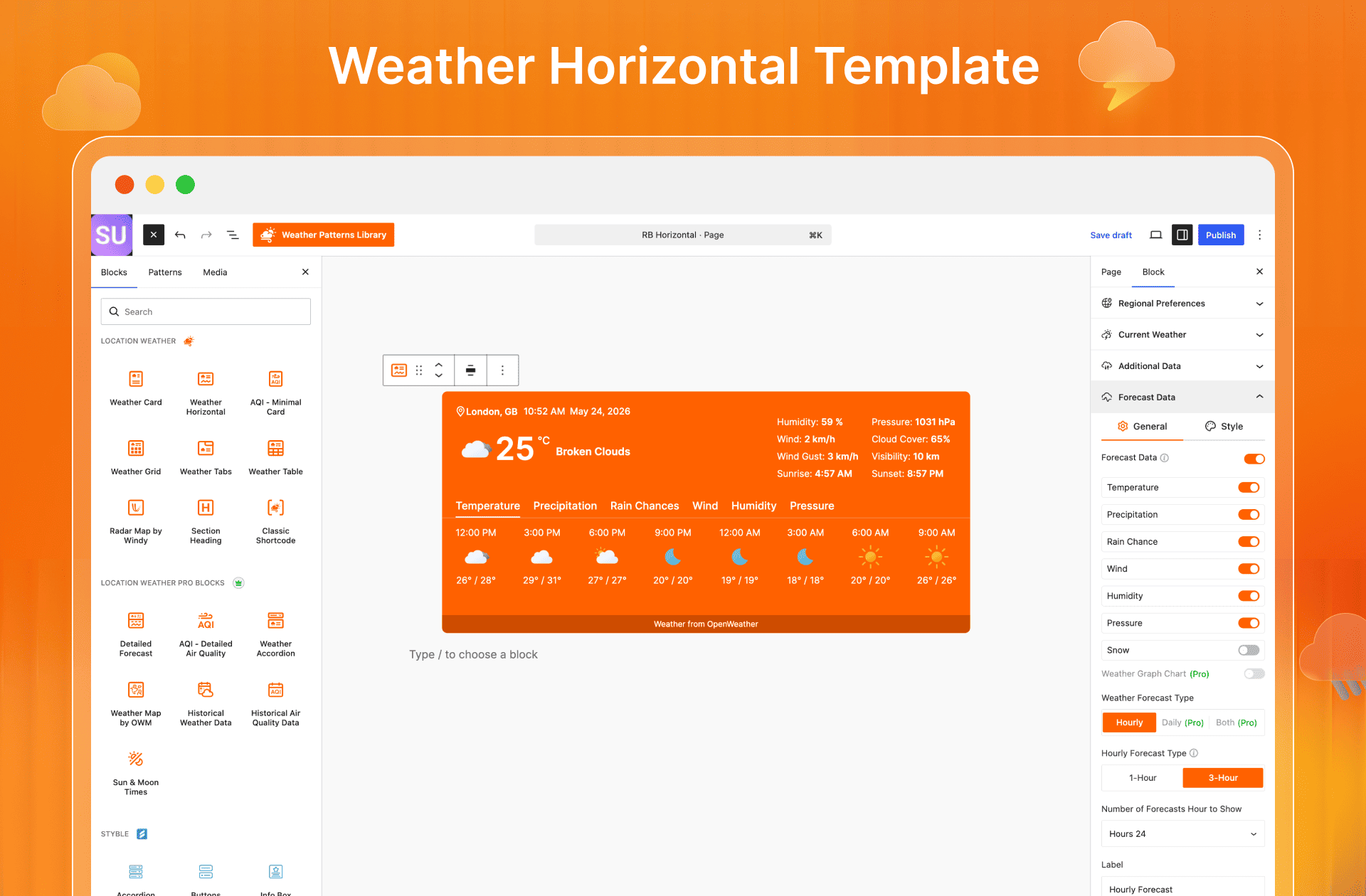
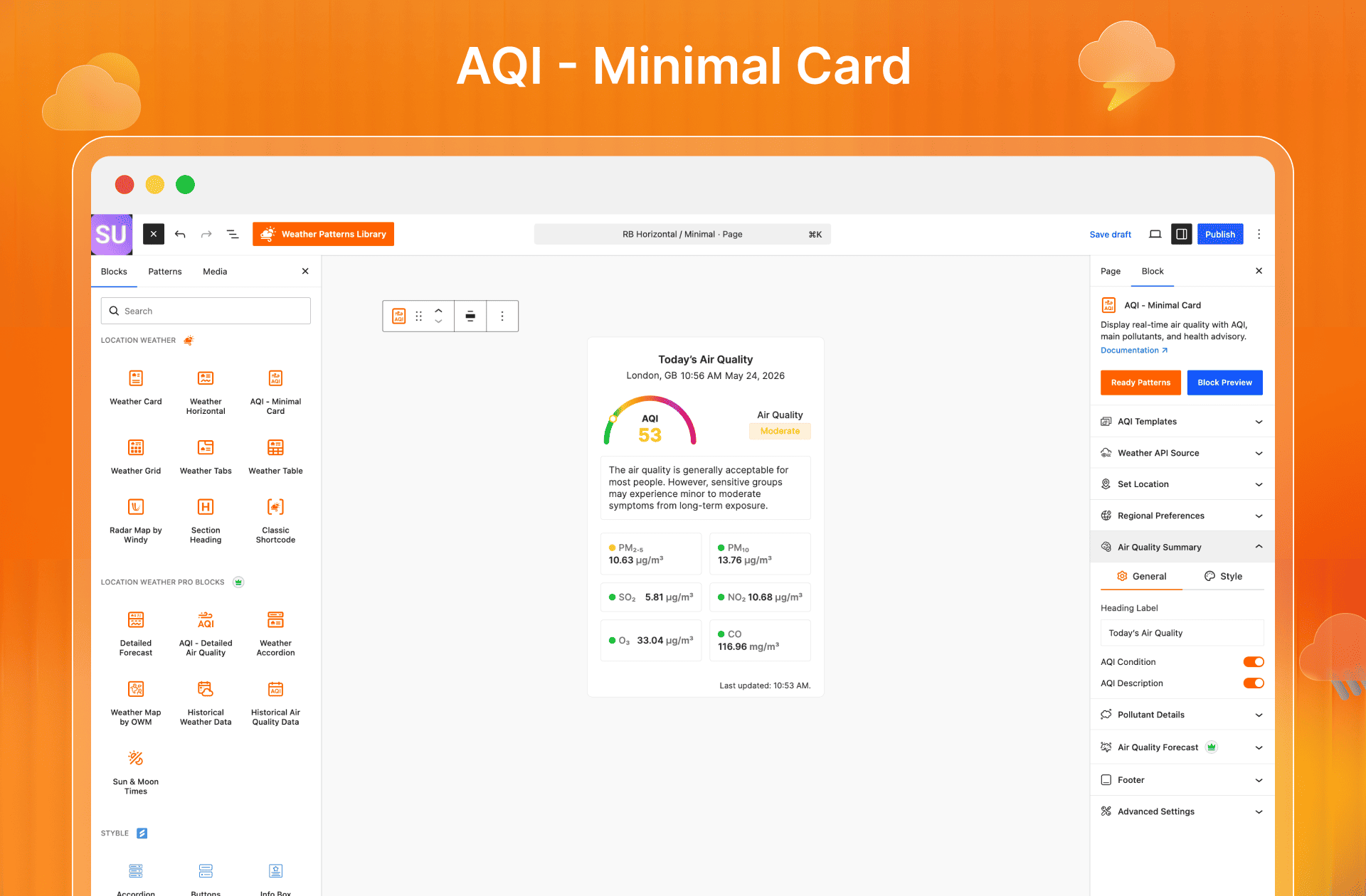
Für Entwickler
Ist das dein Plugin? Zeigen Sie die Zahlen.
Fügen Sie Ihrer Website, Docs oder GitHub Readme ein Live-Badge hinzu. Es wird von selbst aktualisiert - kein Konto erforderlich.
Best Location Weather alternatives
All air quality plugins →Fragen und Antworten
Location Weather: quick answers
Gerade Antworten, gezogen von Live WordPress.org Daten.
Quelle: WordPress.org
Is Location Weather free?
Yes. Location Weather is free to download and use from the official WordPress.org plugin directory. The developer also sells premium add-ons or a Pro version with extra features.
Is Location Weather safe to use in 2026?
Yes — Location Weather is a safe, well-maintained plugin to use in 2026. It runs on 10K+ sites, is rated 4.5/5 and was last updated 1 week ago, and scores 92/100 on our health check.
How many websites use Location Weather?
Location Weather is active on 10K+ WordPress websites and has been downloaded 503,484 times since it launched in April 2016. It was downloaded 16,122 times in the last 30 days.
Does Location Weather work with WordPress 7.1?
Yes. The developer has tested Location Weather up to WordPress 7.1.5, the latest release. It requires WordPress 5.9.0 or newer.
What PHP version does Location Weather need?
Location Weather requires PHP 7.4 or higher. Most hosts run PHP 8.x today, so it works on any modern WordPress hosting.
When was Location Weather last updated?
The latest version, 3.1.1, was released on November 13, 2026 (1 week ago).
Who makes Location Weather?
Location Weather is developed and maintained by ShapedPlugin LLC.
What are the best alternatives to Location Weather?
The most popular alternatives to Location Weather are WFY24 Weather Widget (60+ installs), MORPC's Air Quality Widget (10+ installs) and Air Quality Data from Foobot (<10 installs).
Angetrieben von PageForge
Eine Vorlage und eine Tabelle. Eine echte Seite für jede Suche.
PageForge Verwandelt jede Zeile eines CSV in eine WordPress-Seite mit eigenem Titel, URL, SEO Felder und Schema entworfen. Kostenlos auf WordPress.org.
- CSV und XLSX, plus Google Sheets auf Beruf und Unternehmen
- seinen eigenen Titel, URL, SEO Felder und Schema für jede Seite
- Arbeitet mit dem Blockeditor, Elementor, Divi und Avada
- Kostenlos auf WordPress.org, keine Kreditkarte