


LaunchList
Add your LaunchList waitlist to any page, and send your own WordPress forms to LaunchList with referral credit that follows the visitor.

Solide Wahl
LaunchList is a solid plugin choice in 2026, with a few things worth checking first. Was last updated 4 weeks ago, and scores 64/100 on our health check.
- Aktiv entwickelt — letztes Update vor 4 Wochen
- Getestet mit dem neuesten WordPress (7.1)
- Kleine Benutzerbasis (<10 aktive Installationen)
- Bisher sehr wenige Bewertungen
Wie stapelt es sich?
Side-by-side bei Installationen, Updates, Bewertungen und Support



Tägliche Downloads
Download-Spitzen folgen normalerweise einer neuen Version - jede Website, die automatisch aktualisiert wird, gilt als Download.
Ranglisten
Where LaunchList stands todayWordPress.org Ranglisten suchen
Live-Position in der Plugin-Suche, Top 100| Stichwort | Position |
|---|---|
| email signup | >100 |
| lead capture | >100 |
| referral | >100 |
| signup form | >100 |
| waitlist | >100 |
About LaunchList
Aus der offiziellen Readme · V1.0.0Beschreibung
LaunchList is pre-launch waitlist software for founders. This plugin puts it on your WordPress site in two ways. You need a LaunchList account: the forms, widgets and updates it shows are the ones you made in LaunchList.
Add LaunchList to a page
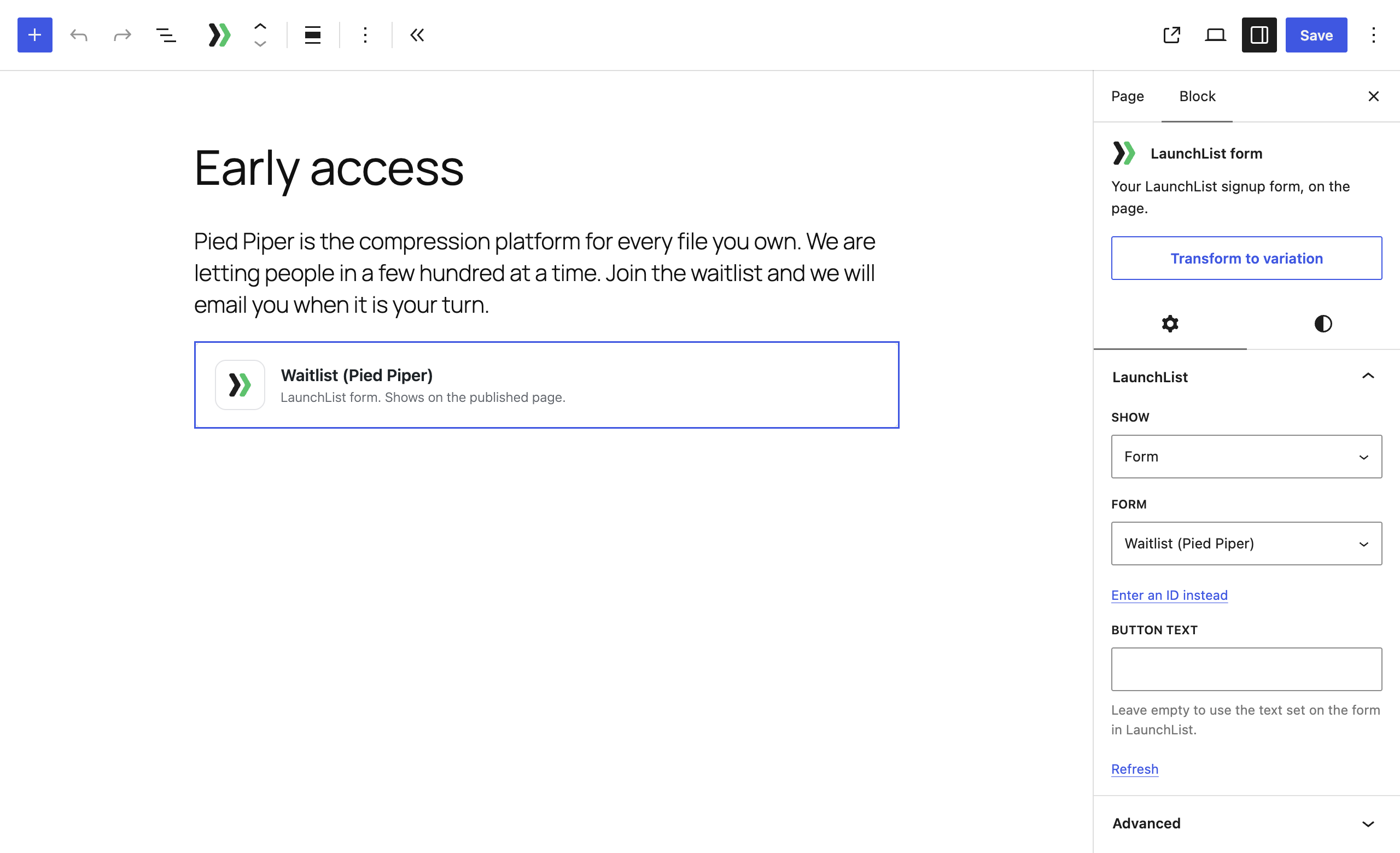
- The LaunchList block. Add it in the block editor and choose what it shows: your form, a button that opens the form in a popup, a widget (a signup counter, a referral leaderboard, a milestone or a countdown) or your published updates.
- The
[launchlist]shortcode, for the classic editor, widget areas and page builders.
The form looks exactly as you designed it in LaunchList, and what happens after a signup (your status page, a page on your site, or a message with the person’s place in line and referral link) is set on the form in LaunchList. This needs no connection.
Send your own WordPress forms to LaunchList
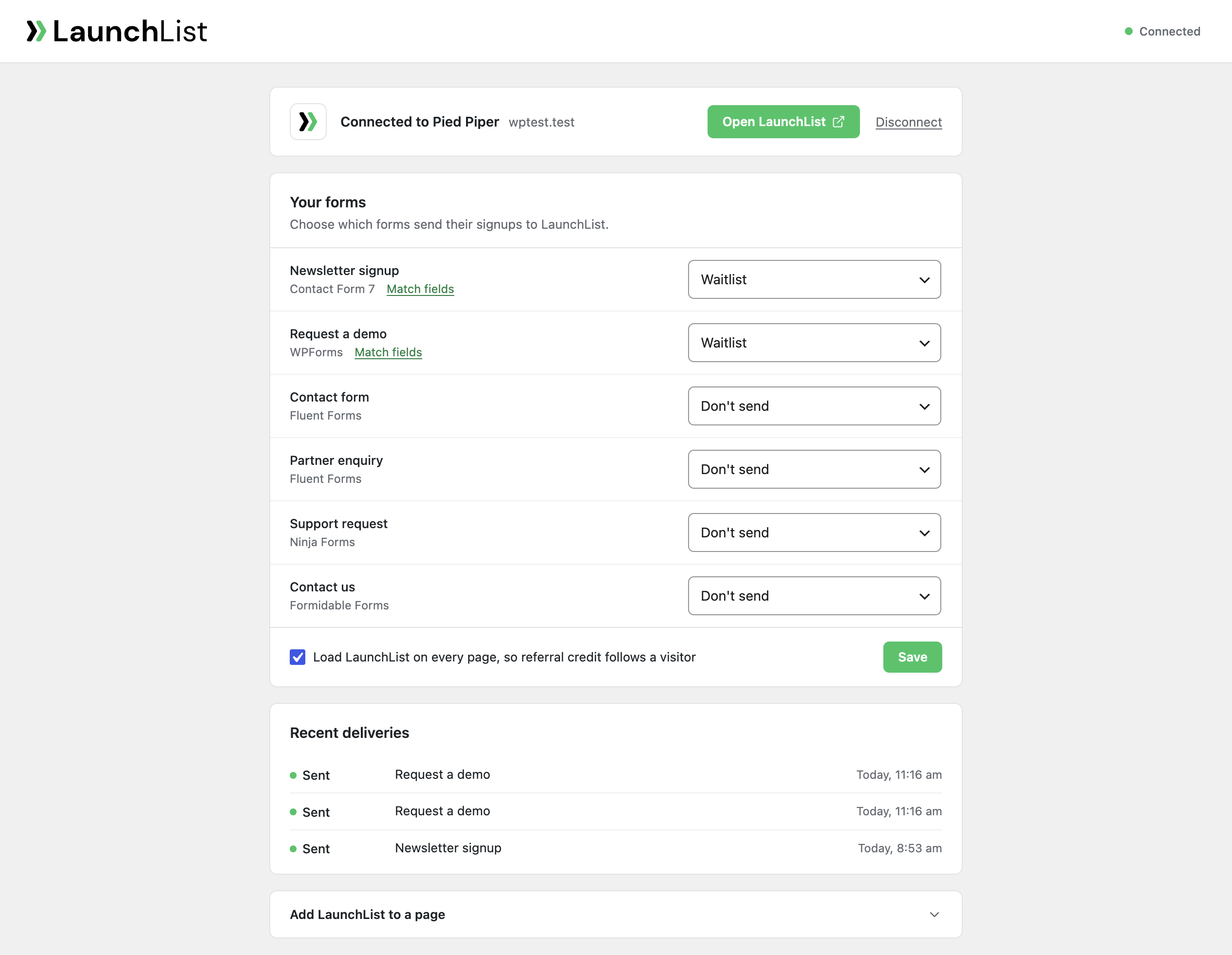
Already built a form? Connect the site once. On the LaunchList screen each of your forms has one dropdown: leave it on Don’t send, or choose the LaunchList form that receives its signups. Match fields lets you change which field fills which LaunchList field, and one Save applies everything. It works with:
- Kontaktformular 7
- WpForms
- Schwerkraft bildet
- Elementor Pro forms
- Fließende Formen
- Ninja-Formen
- Furchtbare Formen
Your form plugin keeps working as before: its emails, messages and saved entries do not change. LaunchList receives each submission from your server after your form plugin accepts it, signed with a key only your site and LaunchList know, and checks each one for duplicates and spam before adding it. If LaunchList can’t take it right away, your site keeps it and tries again about a minute later at first, then up to an hour apart, for 24 hours. A visitor never waits more than 5 seconds on LaunchList and never sees an error from it. Recent deliveries on the same screen lists what was sent, what is waiting and what LaunchList did not add, with a Retry now button.
Referral credit across pages
Once the site is connected, the plugin loads the LaunchList script on every page, so a visitor who arrives with someone’s referral link and signs up on another page, through a LaunchList form or one of your own forms, still credits the person who shared the link. You can turn this off under LaunchList in your dashboard.
Externe Dienste
This plugin connects to LaunchList, a service run by LaunchList (https://getlaunchlist.com), at https://embed.getlaunchlist.com. It is needed to show LaunchList forms, popups, widgets and updates, and to send your own forms’ submissions to LaunchList.
What is sent, and when:
- The LaunchList script (
https://embed.getlaunchlist.com/v1/embed.js) is loaded by your visitors’ browsers on pages with a LaunchList block or shortcode, and on every page while the site is connected and Load LaunchList on every page is on (where the WP Consent API is active, only after the visitor allowed marketing cookies). It shows your forms, popups, widgets and updates, sends signups made through them to LaunchList, and remembers the referral link, campaign details and referring site the visitor arrived with. Loading it sends LaunchList the visitor’s IP address, browser details (user agent) and the page address. - Connecting the site. When you click Connect to LaunchList, your browser goes to LaunchList with this site’s address, name, admin address and the plugin version. Your server then exchanges a one-time code for this site’s key.
- Your own forms. When a visitor submits one of the forms you chose to send to LaunchList, your server sends LaunchList what they entered in that form, the form’s title, the form plugin’s name, the address of the page they submitted it from, and their referral and campaign details from the
launchlist_attributioncookie. - Settings and the block editor. When you open the LaunchList screen, check the connection, refresh your forms, edit a page with the LaunchList block, or disconnect, your server asks LaunchList for your forms and projects or for the connection’s status, and sends the plugin version.
- Deleting the plugin. Your server asks LaunchList to remove the site’s connection (a signed request that carries no visitor data).
LaunchList’s terms of service: https://getlaunchlist.com/legal/terms
LaunchList’s privacy policy: https://getlaunchlist.com/legal/privacy
Privatsphäre
- Loading the LaunchList script sends LaunchList the visitor’s IP address and browser details, as loading anything from another site does.
- The LaunchList script keeps a visitor’s referral code, campaign details (UTM parameters) and referring site for up to 90 days, in the browser’s storage and, while the site is connected, in a first-party cookie named
launchlist_attribution. It holds no name or email address. - A submission LaunchList could not take yet is kept in your database (in the
launchlist_queuetable) and deleted as soon as LaunchList has it. One that could never be sent is deleted 7 days after the last try. Disconnecting deletes every submission still waiting. - WordPress’s Export Personal Data and Erase Personal Data tools find and remove waiting submissions by email address.
- The list of recent deliveries holds when, which form, and what happened. It never holds what a visitor typed.
- The plugin suggests text for your privacy policy under Settings, then Privacy.
Installation
- In your dashboard, go to Plugins, then Add New Plugin, search for LaunchList, and click Install Now, then Activate. Or upload the plugin’s zip under Plugins, then Add New Plugin, then Upload Plugin.
- To show a LaunchList form, add the LaunchList block to a page and choose your form in the block’s settings, or use the shortcode, such as
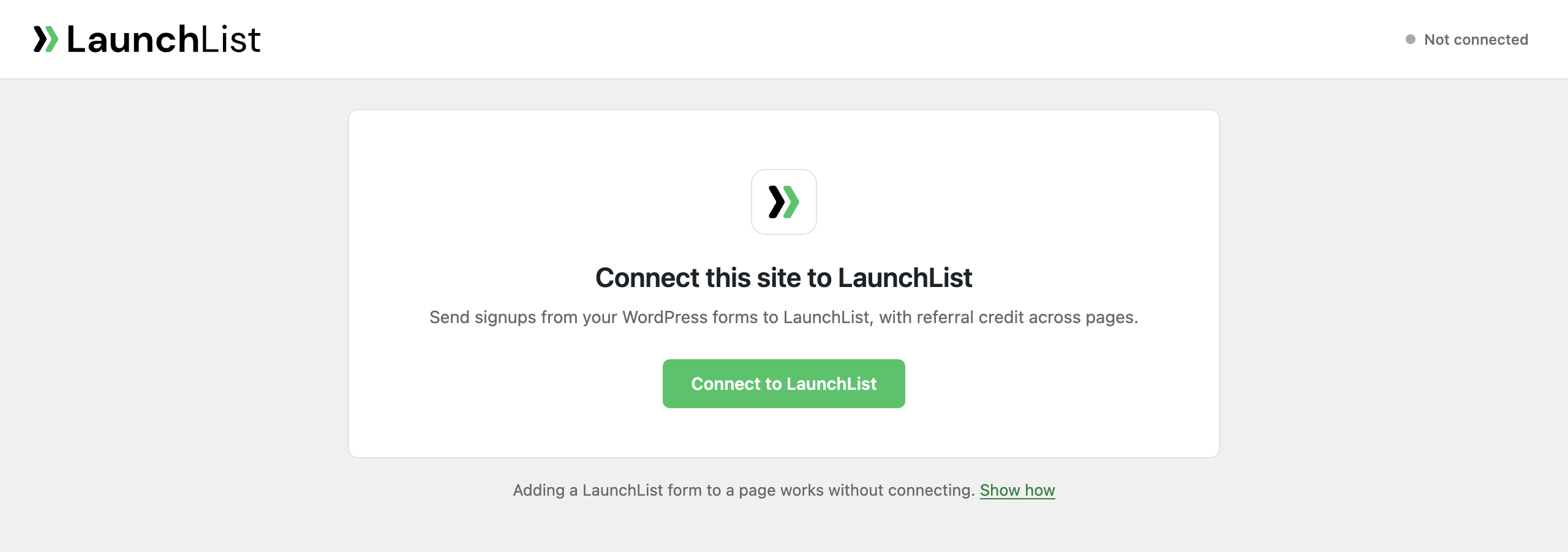
[launchlist form="frm_8Kd2Qm4Rp9xy"]with your own form ID from Embed & API in LaunchList. - To send your own forms to LaunchList, open LaunchList in your dashboard’s menu (it sits with your form plugins, above Appearance), click Connect to LaunchList, sign in and choose a workspace. Back in WordPress, under Your forms, choose a LaunchList form for each form you want to send, check its fields under Match fields, and click Save.
- Publish, then sign up once with your own email to see the signup arrive in LaunchList.
Änderungsprotokoll
1.0.0
- First release: the LaunchList block and shortcode, connecting a site, and sending Contact Form 7, WPForms, Gravity Forms, Elementor Pro, Fluent Forms, Ninja Forms and Formidable Forms submissions to LaunchList.
Screenshots

Für Entwickler
Ist das dein Plugin? Zeigen Sie die Zahlen.
Fügen Sie Ihrer Website, Docs oder GitHub Readme ein Live-Badge hinzu. Es wird von selbst aktualisiert - kein Konto erforderlich.
Best LaunchList alternatives
All email signup plugins →



Fragen und Antworten
LaunchList: quick answers
Gerade Antworten, gezogen von Live WordPress.org Daten.
Quelle: WordPress.org
Is LaunchList free?
Yes. LaunchList is free to download and use from the official WordPress.org plugin directory.
Is LaunchList safe to use in 2026?
LaunchList is a solid plugin choice in 2026, with a few things worth checking first. Was last updated 4 weeks ago, and scores 64/100 on our health check.
How many websites use LaunchList?
LaunchList is active on <10 WordPress websites and has been downloaded 357 times since it launched in November 2026. It was downloaded 358 times in the last 30 days.
Does LaunchList work with WordPress 7.1?
Yes. The developer has tested LaunchList up to WordPress 7.1.5, the latest release. It requires WordPress 6.3 or newer.
What PHP version does LaunchList need?
LaunchList requires PHP 7.4 or higher. Most hosts run PHP 8.x today, so it works on any modern WordPress hosting.
When was LaunchList last updated?
The latest version, 1.0.0, was released on November 1, 2026 (4 weeks ago).
Who makes LaunchList?
LaunchList is developed and maintained by getlaunchlist.
What are the best alternatives to LaunchList?
The most popular alternatives to LaunchList are Mailster WordPress Newslett… (7K+ installs), MC4WP: Mailchimp Top Bar (6K+ installs) and Subscribe to Download Lite (300+ installs).
Angetrieben von PageForge
Eine Vorlage und eine Tabelle. Eine echte Seite für jede Suche.
PageForge Verwandelt jede Zeile eines CSV in eine WordPress-Seite mit eigenem Titel, URL, SEO Felder und Schema entworfen. Kostenlos auf WordPress.org.
- CSV und XLSX, plus Google Sheets auf Beruf und Unternehmen
- seinen eigenen Titel, URL, SEO Felder und Schema für jede Seite
- Arbeitet mit dem Blockeditor, Elementor, Divi und Avada
- Kostenlos auf WordPress.org, keine Kreditkarte