


Instant Images – One-click Image Uploads from Unsplash, Openverse, Pixabay, Pexels, and Giphy
One-click uploads from Unsplash, Openverse, Pixabay, Pexels, and Giphy directly to your WordPress media library.

Sichere Auswahl
Yes — Instant Images is a safe, well-maintained plugin to use in 2026. It runs on 100K+ sites, is rated 4.8/5 and was last updated 6 months ago, and scores 80/100 on our health check.
- Bewährt im Maßstab auf 100k+ aktiven Standorten
- Loved by users — 4.8/5 from 59 reviews
Wie stapelt es sich?
Side-by-side bei Installationen, Updates, Bewertungen und Support



Tägliche Downloads
Download-Spitzen folgen normalerweise einer neuen Version - jede Website, die automatisch aktualisiert wird, gilt als Download.
Ranglisten
Where Instant Images stands todayWordPress.org Ranglisten suchen
Live-Position in der Plugin-Suche, Top 100| Stichwort | Position |
|---|---|
| free images | #1 |
| media library | #88 |
| pixabay | #1 |
| stock photos | #4 |
| unsplash | #1 |
Versionsübernahme
Anteil aktiver Sites pro Release.
Bewertungsaufschlüsselung
★★★★★★★★★★ 4.8 from 59 reviews
About Instant Images
From the official readme · v7.2.0Beschreibung
Instantly upload photos from Unsplash, Openverse, Pixabay, Pexels, and Giphy to your website all without ever leaving WordPress!
Instant Images is the fastest way to find and upload high-quality, free stock images directly from inside WordPress.
No downloads.
No switching tabs.
No copy-paste workflow.
Just search, click, and your image is instantly added to your Media Library — properly processed and ready to use.
Whether you’re building content, designing layouts, or prototyping a client site, Instant Images keeps you in your workflow and saves you time.
Supported Image Providers
Works seamlessly with the Block Editor, Media Modal, and popular page builders.
The perfect tool for users who want to save time and frustration by uploading images directly inside their WordPress installation and for developers who want to prototype and develop using real world imagery.
Merkmale
- Image Search – The Instant Images search let’s you quickly find and upload images for any subject in a matter of seconds!
- Image Orientation – Filter search results by landscape, portrait or square images.
- Time Saver – Quickly upload amazing stock photos without leaving the comfort of your WordPress admin.
- Theme/Plugin Developers – A great tool for developers who want to prototype and develop using real world imagery.
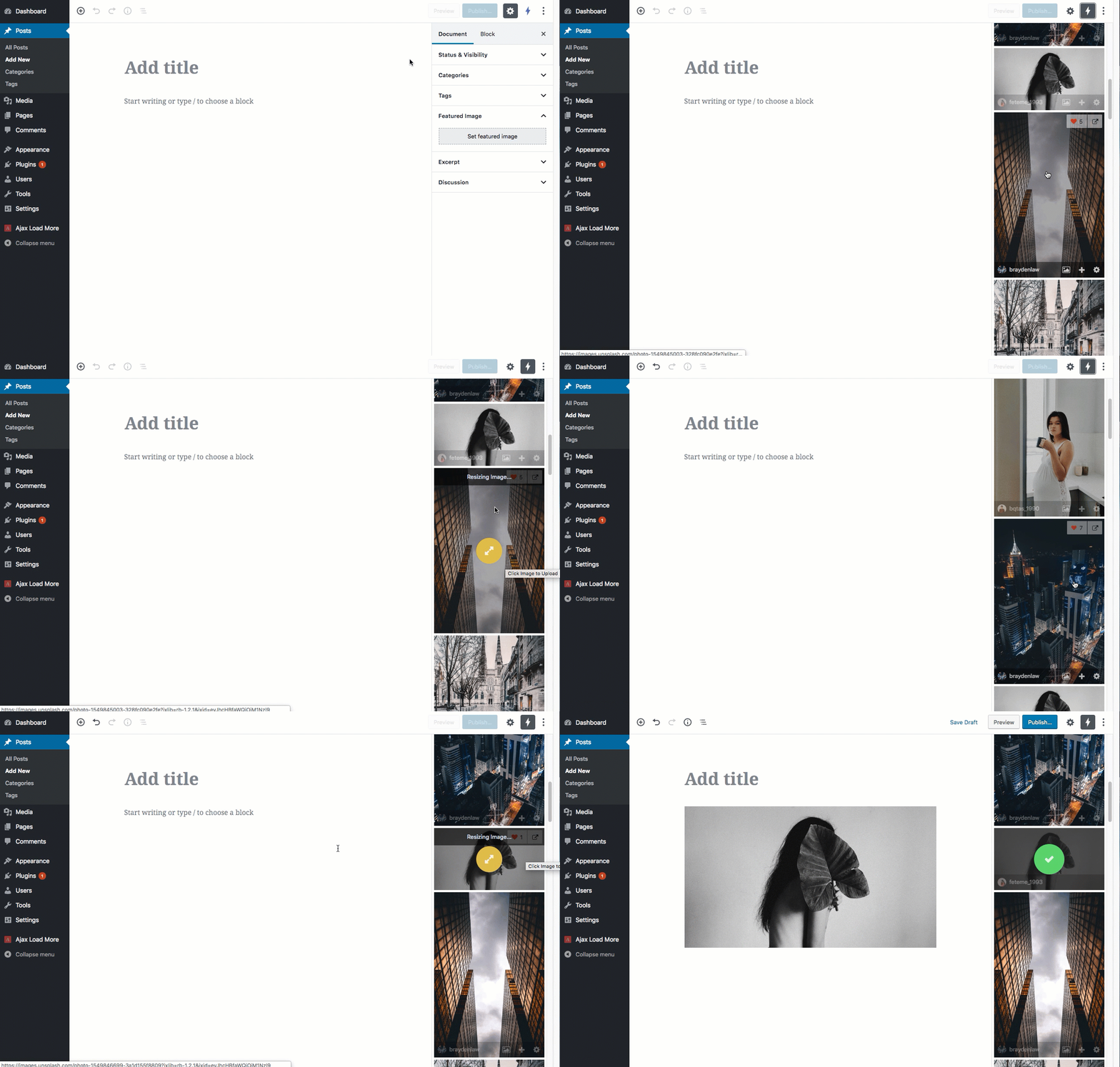
- Gutenberg – Instant Images directly integrates with Gutenberg as a plugin sidebar.
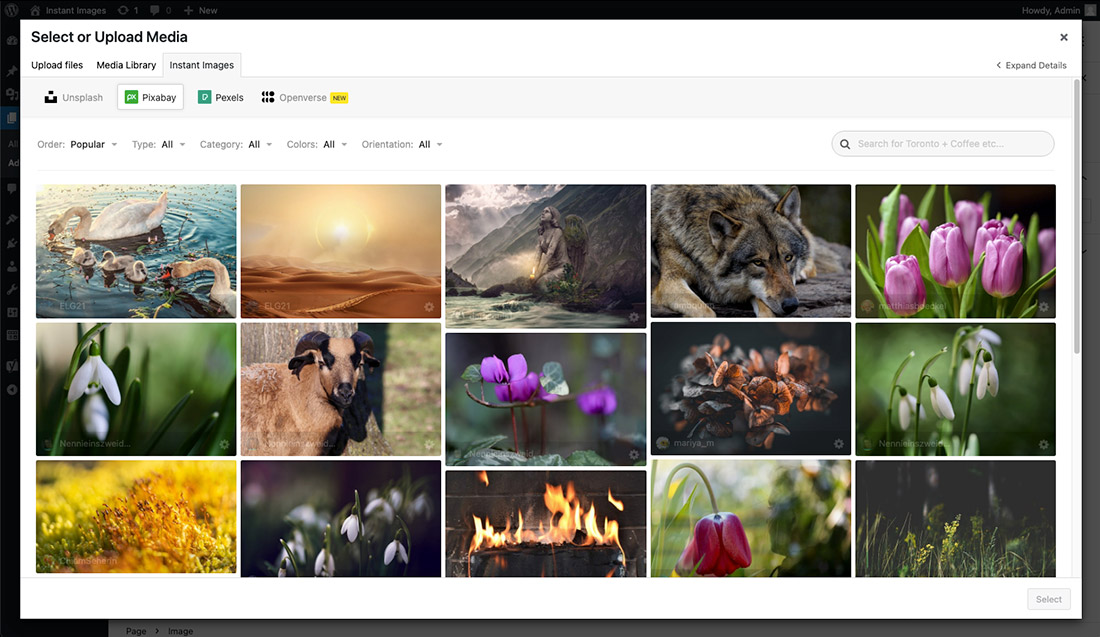
- Media Modal – Instant Images is available as a tab in the WordPress Media Modal.
- Page Builders – Instant Images integrates with page builders such as Elementor, Beaver Builder, Brizy and Divi.
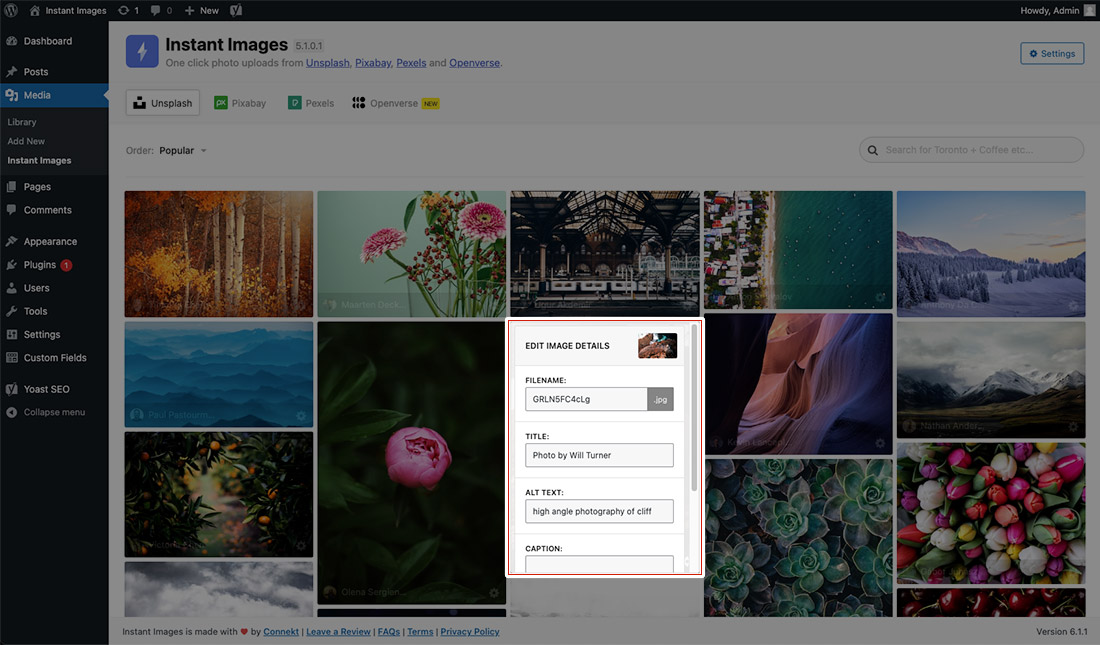
- Edit Image Metadata – Easily edit image filename, alt text and caption prior to uploading to your media library.
- Accessibility – Automatically include a relevant alt description for screen readers, visually reduced users, and SEO.
- Easy to Use – It couldn’t get much more simple, just click an image and it’s automatically uploaded to your media library for use on your site.
- No Accounts Needed – An account on any service provider is not required for use of this plugin. Just activate and you’re ready to go.
Add-ons
Instant Images: Extended
Enhance Instant Images with powerful professional features.
Includes:
– Search History & Autocomplete.
– Instant Images as a WordPress Block.
– WordPress CLI Imports.
– Batch Image Imports.
– I’m Feeling Lucky WordPress Block.
– Image Size Generator.
– Instant Featured Images
– Instagram-style image filters
– Persistent search terms across providers.
– And more…
Proxy Server
Instant Images routes all API requests to service providers (Unsplash, Pexels, Pixabay, Openverse etc.) through our custom proxy server at proxy.getinstantimages.com.
Maintaining a proxy server for Instant Images allows us to:
- Protect API keys from public exposure.
- Normalize data from multiple providers.
- Improve compatibility and reliability across plugin versions.
Please take a moment and read our Terms of Use and Privacy Policy for when using our proxy service:
How Can You Contribute?
Pull requests can be submitted via GitHub.
Webseite
Installation
How to install Instant Images.
Using The WordPress Dashboard
- Navigate to the ‘Add New’ in the plugins dashboard
- Search for ‘Instant Images’
- Click ‘Install Now’
- Activate the plugin on the Plugin dashboard
Uploading in WordPress Dashboard
- Navigate to the ‘Add New’ in the plugins dashboard
- Navigate to the ‘Upload’ area
- Select
instant-images.zipfrom your computer - Click ‘Install Now’
- Activate the plugin in the Plugin dashboard
Using FTP
- Nachladen
instant-images.zip - Extract the
instant-imagesdirectory to your computer - Upload the
instant-imagesdirectory to the/wp-content/plugins/directory - Activate the plugin in the Plugin dashboard
Änderungsprotokoll
This is an upgrade from UnsplashWP
7.2.0 – June 1, 2026
- UPDATE: Added updates for WordPress 7.0 release.
- UPDATE: Package updates and code refactoring.
7.1.1 – April 1, 2026
- FIX: Fixed issue with Gif uploads and resizing causing gifs to not be animated.
7.1.0.1 – February 13, 2026
- HOTFIX: Added fix for potential fatal error in PHP < 8.0 due to use of null safe operator.
7.1.0 – February 12, 2026
- NEW: Added new feature to allow for disabling and reordering of the image providers.
- FIX: Fixed issue with image resize not working with Pixabay and Giphy. This is resolved by using the core WordPress image editor to resize images before upload to media library.
- UPDATE: Admin UI/UX throughout plugin.
7.0.3 – February 11, 2026
- NEW: Added new
instant_images_save_post_metafilter that allows users to disable saving Instant Images data as post meta on the attachment. By default this is enabled and saves the image provider and original image URL as post meta for each uploaded image. - UPDATE: Updated plugin version and WP compatibility.
- UPDATE: Updated all plugin dependencies and packages.
7.0.2 – June 12, 2025
- FIX: Fixed issue with
load_plugin_textdomainPHP warning. - UPDATE: Added support up to WP 6.8.
- UPDATE: Bumped required WP version to 6.0.
Screenshots


Für Entwickler
Ist das dein Plugin? Zeigen Sie die Zahlen.
Fügen Sie Ihrer Website, Docs oder GitHub Readme ein Live-Badge hinzu. Es wird von selbst aktualisiert - kein Konto erforderlich.
Best Instant Images alternatives
All free images plugins →

Fragen und Antworten
Instant Images: quick answers
Gerade Antworten, gezogen von Live WordPress.org Daten.
Quelle: WordPress.org
Is Instant Images free?
Yes. Instant Images is free to download and use from the official WordPress.org plugin directory.
Is Instant Images safe to use in 2026?
Yes — Instant Images is a safe, well-maintained plugin to use in 2026. It runs on 100K+ sites, is rated 4.8/5 and was last updated 6 months ago, and scores 80/100 on our health check.
How many websites use Instant Images?
Instant Images is active on 100K+ WordPress websites and has been downloaded 3,254,116 times since it launched in November 2016. It was downloaded 12,360 times in the last 30 days.
Does Instant Images work with WordPress 7.1?
Instant Images is officially tested up to WordPress 7.0.9, while the latest release is 7.1.5. It may still work, but try it on a staging site first.
When was Instant Images last updated?
The latest version, 7.2.0, was released on June 1, 2026 (6 months ago).
Who makes Instant Images?
Instant Images is developed and maintained by connekthq.
What are the best alternatives to Instant Images?
The most popular alternatives to Instant Images are StockPack (7K+ installs), Dreamstime Stock Photos (200+ installs) and Free images pictures (20+ installs).
Angetrieben von PageForge
Eine Vorlage und eine Tabelle. Eine echte Seite für jede Suche.
PageForge Verwandelt jede Zeile eines CSV in eine WordPress-Seite mit eigenem Titel, URL, SEO Felder und Schema entworfen. Kostenlos auf WordPress.org.
- CSV und XLSX, plus Google Sheets auf Beruf und Unternehmen
- seinen eigenen Titel, URL, SEO Felder und Schema für jede Seite
- Arbeitet mit dem Blockeditor, Elementor, Divi und Avada
- Kostenlos auf WordPress.org, keine Kreditkarte