


Inline Context – Footnotes, Tooltips & Glossary Notes
Footnotes, tooltips and glossary notes for the block editor. Click a term to reveal context inline — no page jumps.

Solide Wahl
Inline Context is a solid plugin choice in 2026, with a few things worth checking first. It runs on 40+ sites, is rated 5/5 and was last updated 1 month ago, and scores 78/100 on our health check.
- Actively developed — last update 1 month ago
- Getestet mit dem neuesten WordPress (7.1)
- Kleine Benutzerbasis (40+ aktive Installationen)
- Bisher sehr wenige Bewertungen
Wie stapelt es sich?
Side-by-side bei Installationen, Updates, Bewertungen und Support



Tägliche Downloads
Download-Spitzen folgen normalerweise einer neuen Version - jede Website, die automatisch aktualisiert wird, gilt als Download.
Ranglisten
Where Inline Context stands todayWordPress.org Ranglisten suchen
Live-Position in der Plugin-Suche, Top 100| Stichwort | Position |
|---|---|
| annotations | #15 |
| footnotes | #8 |
| glossary | #12 |
| sidenotes | #1 |
| tooltip | #19 |
Versionsübernahme
Anteil aktiver Sites pro Release.
Bewertungsaufschlüsselung
★★★★★★★★★★ 5 from 2 reviews
About Inline Context
From the official readme · v2.10.0Beschreibung
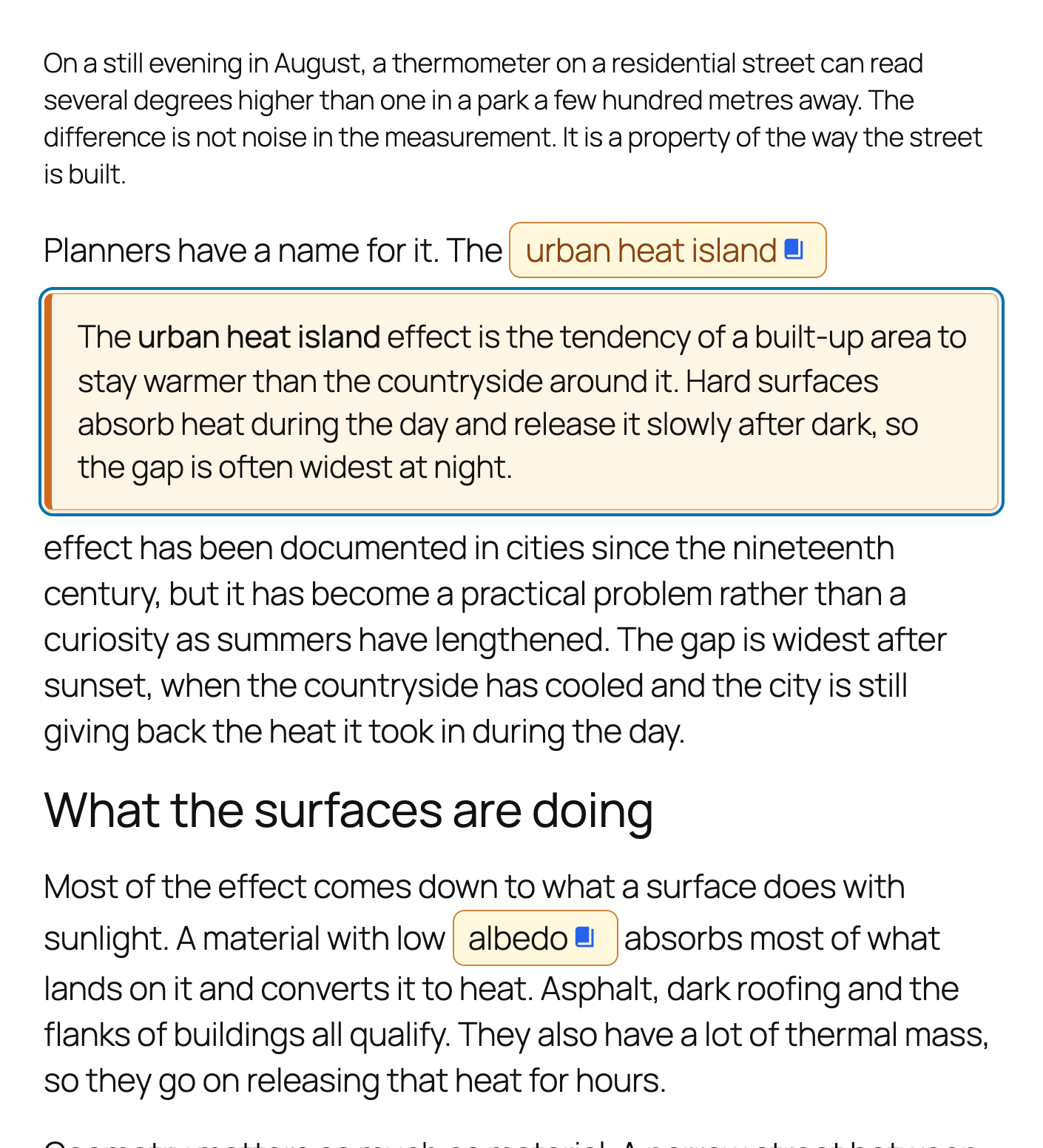
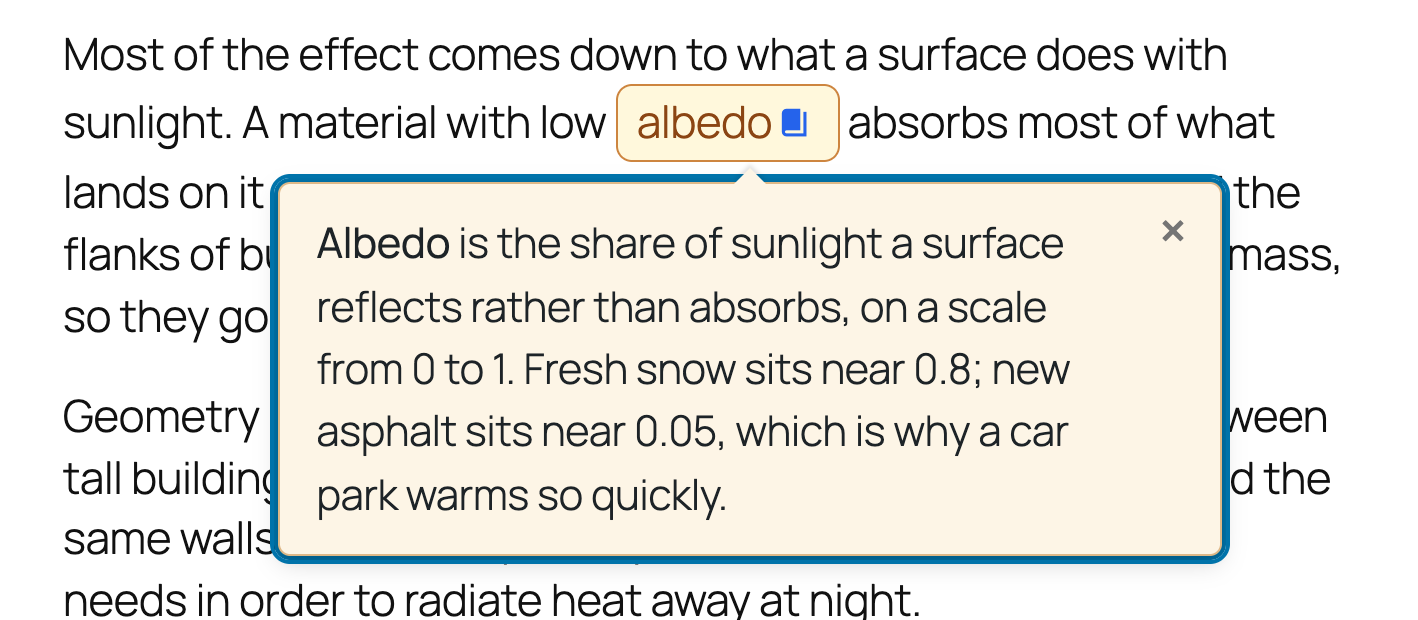
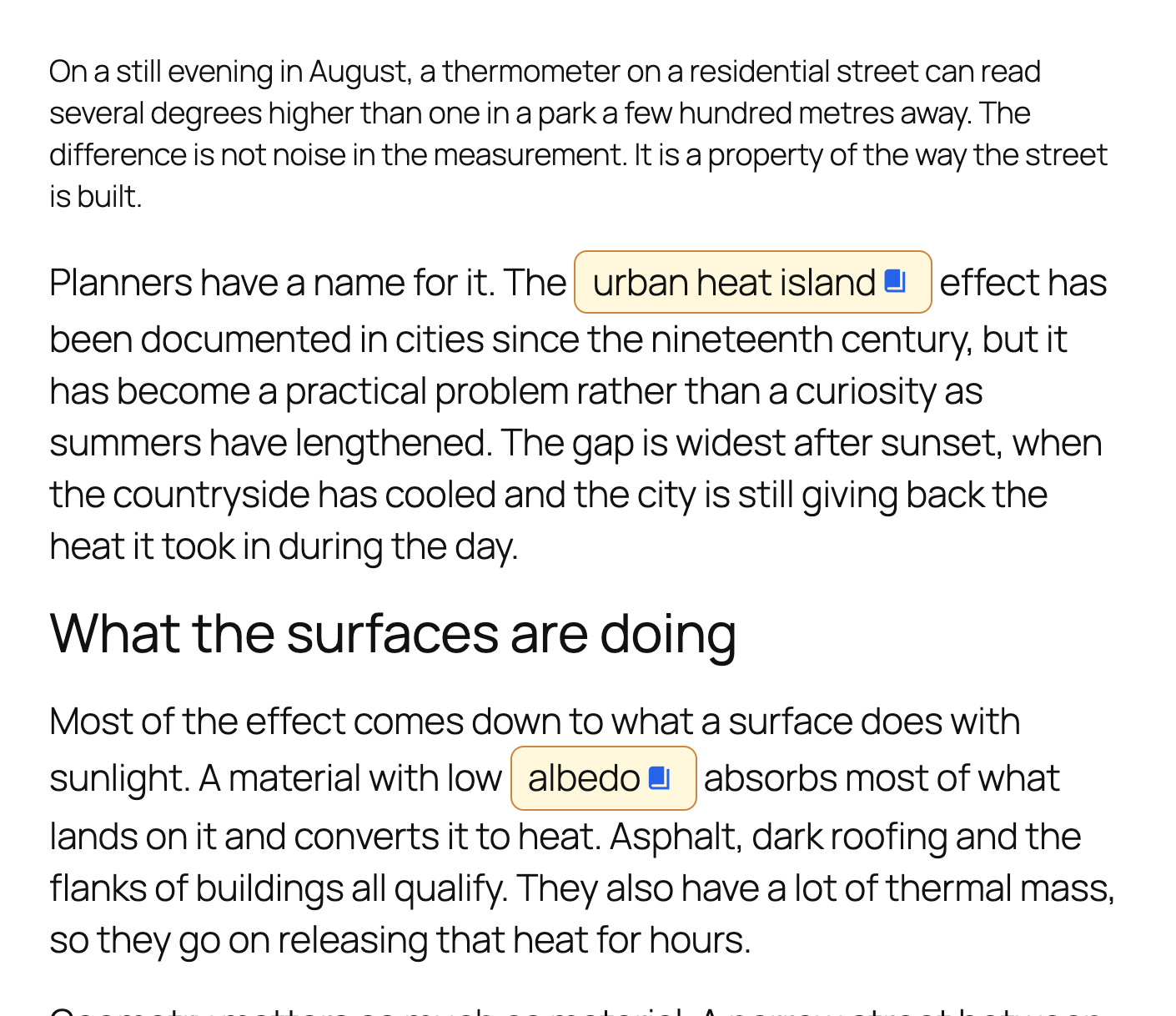
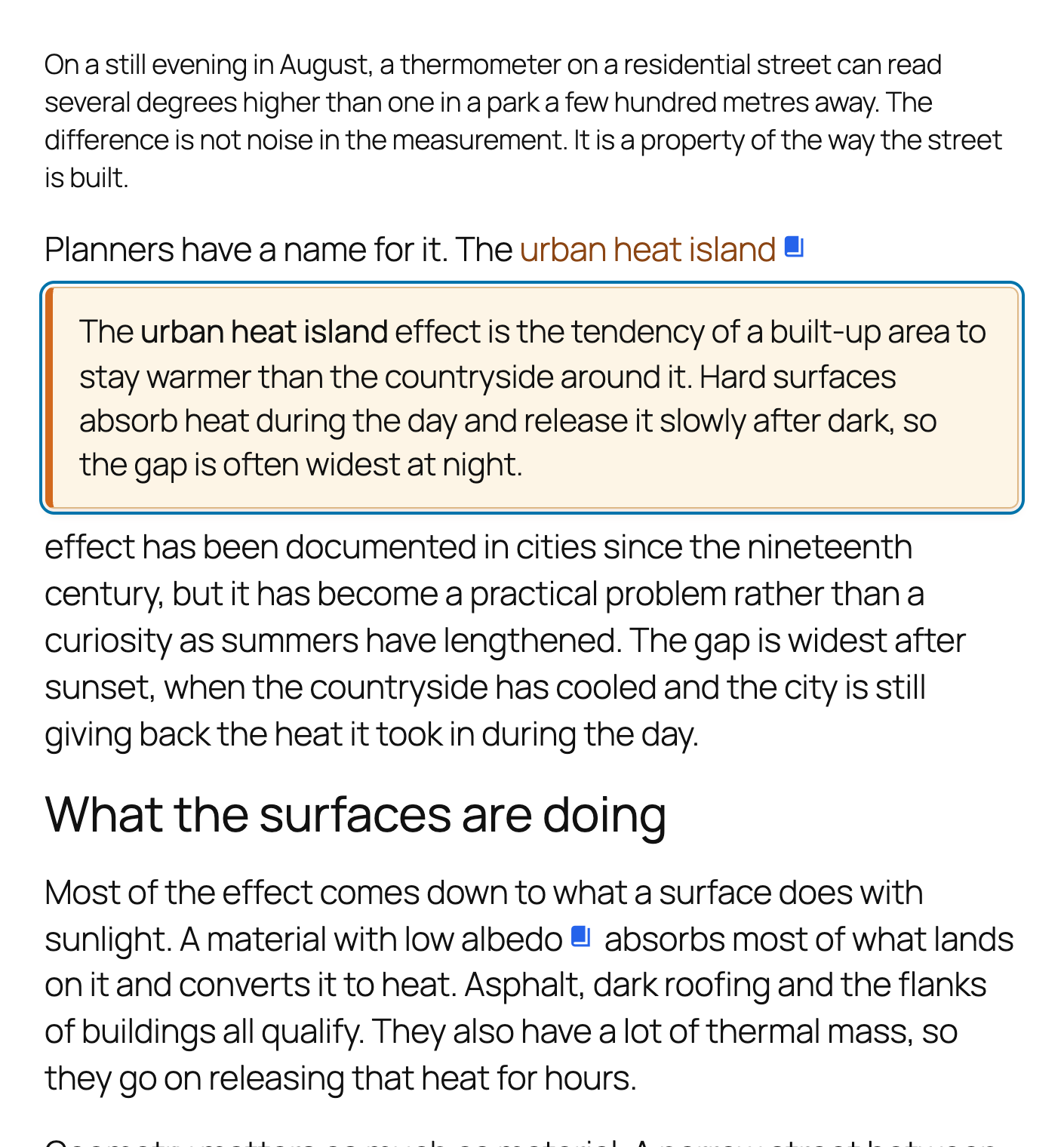
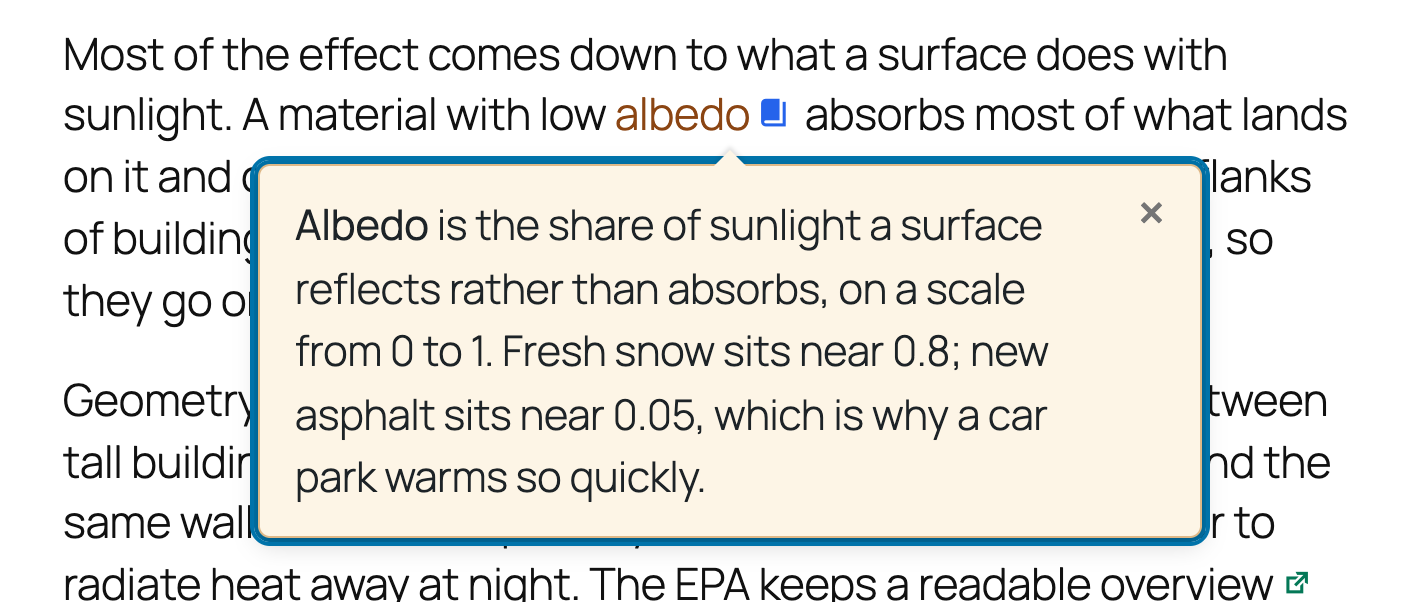
Add footnotes, tooltips and glossary notes to any text in the block editor. A reader clicks a term, the explanation opens in place, and they carry on reading – no jump to the bottom of the page, no new tab.
Try it in your browser – a real WordPress with the plugin already set up. Nothing to install.
Built for sites with a lot of text: editorial, research, documentation and education.
Wie es funktioniert
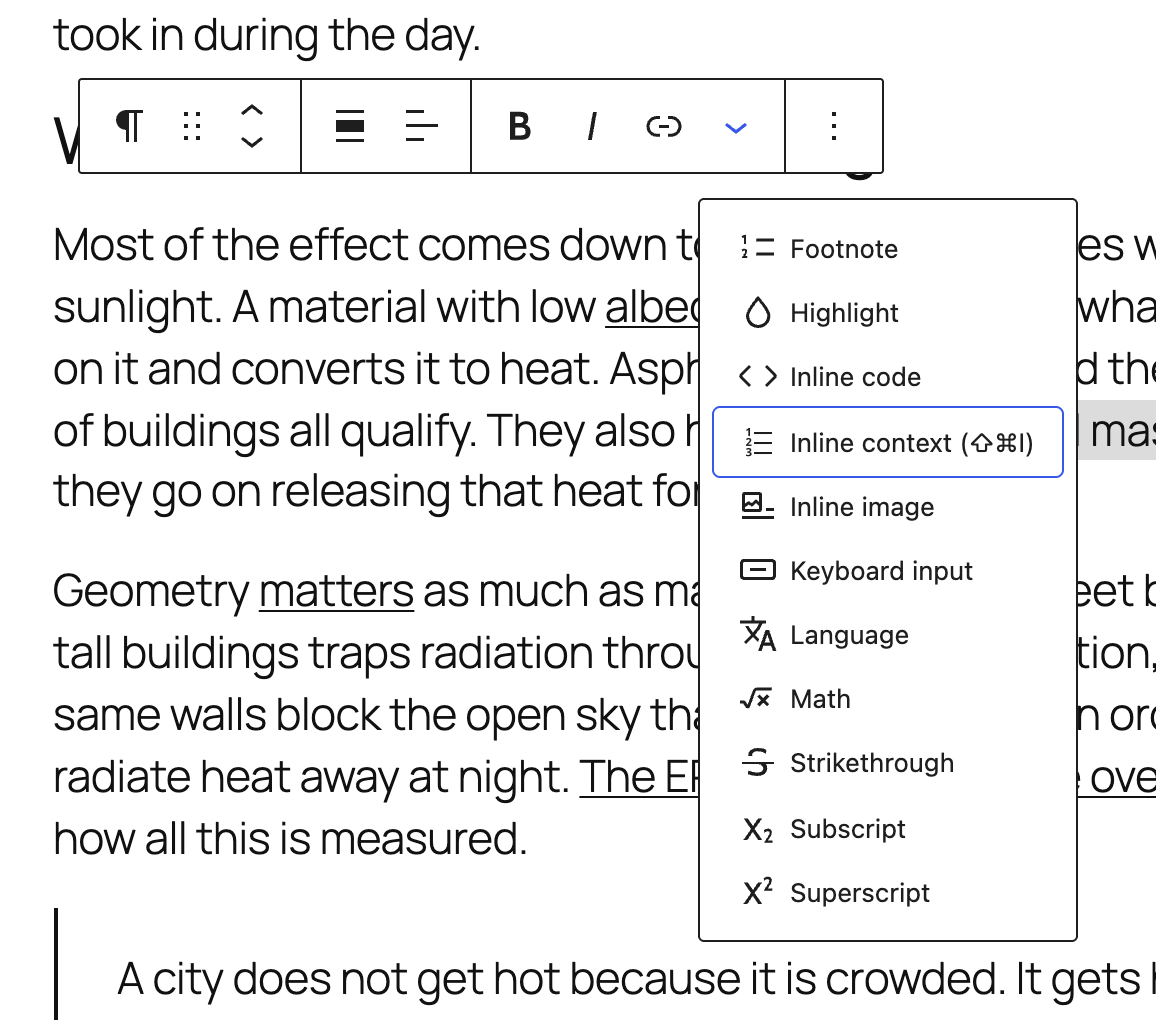
- Select text in the block editor and press Cmd+Shift+I.
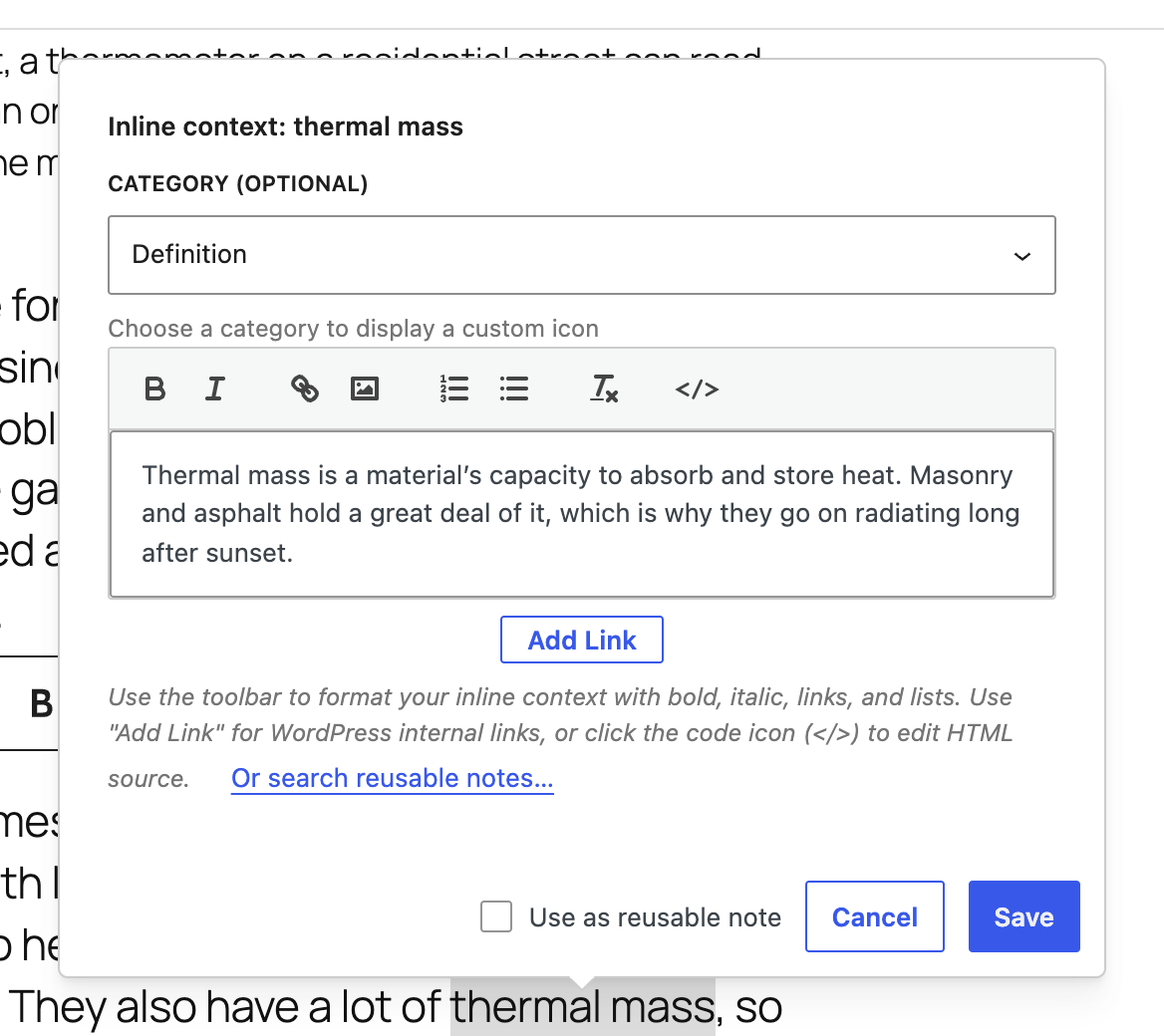
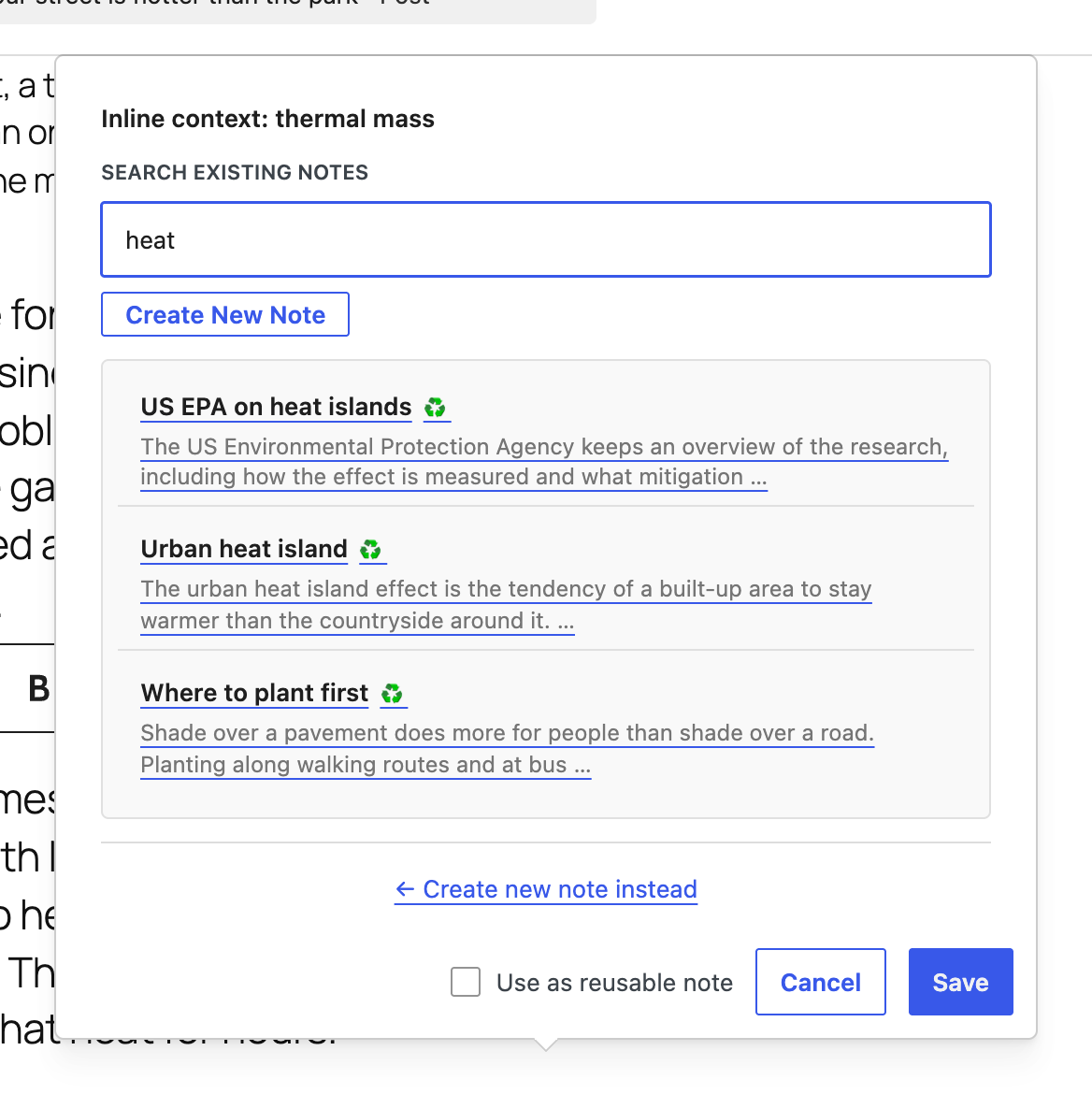
- Write the note. Rich text, links and images are supported.
- Optionally give it a category, with its own icon and colour.
- Publish. The note opens inline or as a tooltip, whichever you choose.
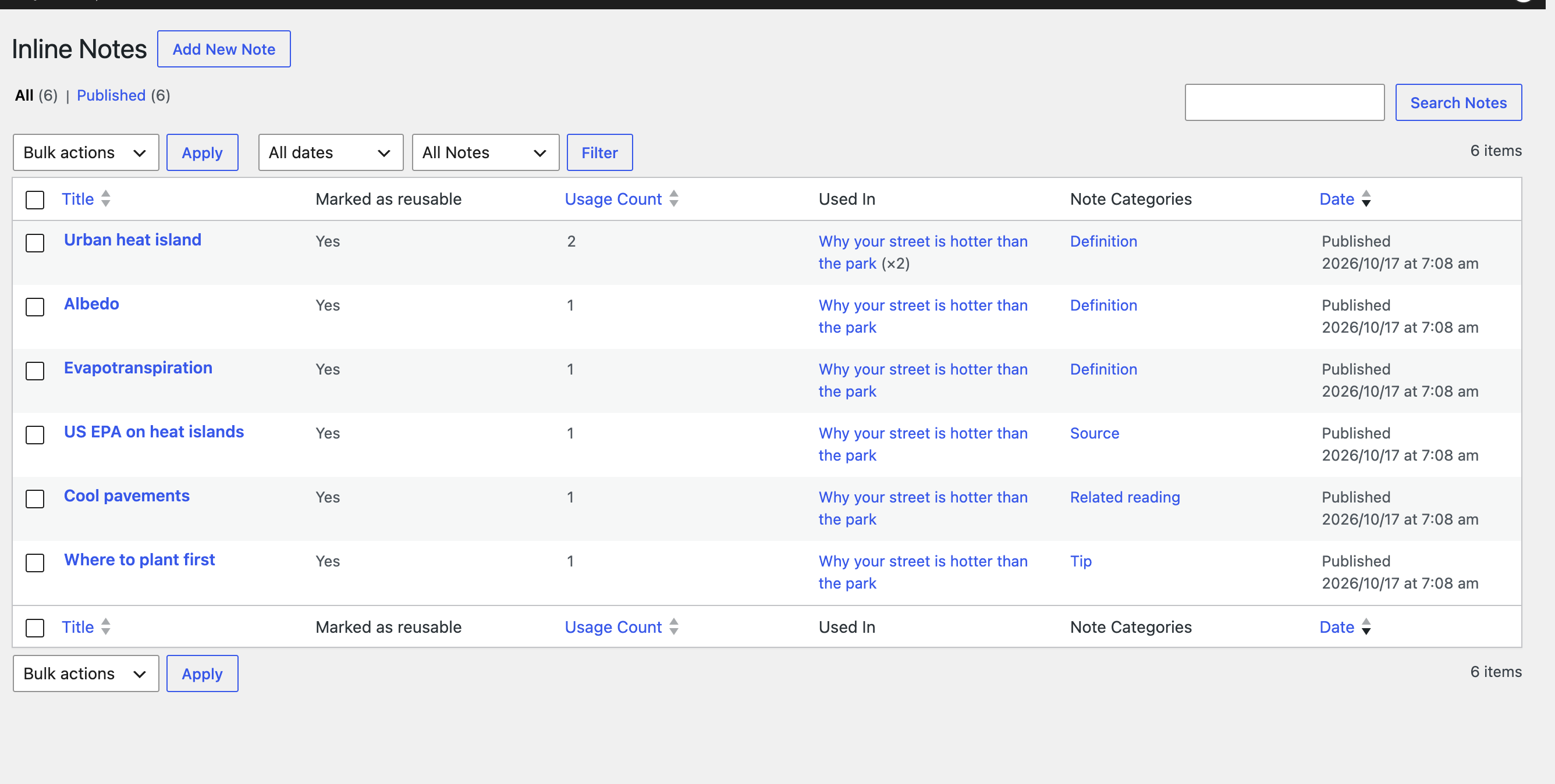
Mark a note reusable and it joins your Notes Library. Edit it once and every post that uses it updates.
Add the Glossary block to a page and those same notes are listed as a browsable reference – no second copy to keep in step with the first.
Hauptmerkmale
- Two display modes – an inline panel or a tooltip, with smart positioning and optional hover activation.
- Reusable notes – a Notes Library showing each note’s usage count and the posts it appears in, searchable from inside the editor.
- Glossary page – a block, or the
[inline_context_glossary]shortcode, listing your notes on a page you choose, grouped A-Z or by category. - Categories – as many as you like, each with its own icon and colour. On WordPress 7.1 icons are drawn as SVG, picked from a curated set; any of the 300+ Dashicons still works too.
- Styling without CSS – five WCAG 2.1 AA colour presets, plus live-preview control of colours, spacing, borders and shadows.
- Images in notes – inserted straight from the Media Library.
- Deep links – every note has its own anchor and opens automatically when someone follows that link.
- Print – every note becomes a numbered footnote, listed at the foot of the page with a link back to its place in the text.
- Keyboard shortcuts – Cmd+Shift+I to insert, Cmd+Shift+K to edit the note under the cursor.
- Settings backup – export and import your configuration as JSON.
Accessibility
Operable by keyboard throughout, with full ARIA state, Escape to close, and focus returned to where it started – in both display modes. Triggers are announced as the buttons they behave like, and every control in the note editor has a name. Note content is sanitised with DOMPurify.
If JavaScript does not run, the notes fall back to a numbered endnote list at the foot of the post, each with a link back to its place in the text, so the content stays reachable either way.
Translation-ready.
Credits & source
Built with visual artist Renée Kool, who wanted a single link to reveal several related sources. The model was the Dutch journalism platform De Correspondent – see their inline notes in this article.
Full source, including uncompiled JS and CSS: codeberg.org/joop/inline-context
Installation
- Upload the plugin files to
/wp-content/plugins/inline-context, or install via the Plugins screen. - Aktivieren Sie das Plugin.
- Configure categories and styling under Settings → Inline Context.
- In the Block Editor, select text and click Inline Context.
- Add your note content and choose a category (optional).
Änderungsprotokoll
2.10.0 – October 20, 2026
- NEW: Search for a word that only appears inside a note, and the note opens with the word marked – on the results page and on the article you click through to
- NEW: The glossary describes itself to search engines as a DefinedTermSet, so a glossary page is read as a glossary. Switchable per block
- FIX: Three settings did nothing at all. Animations and Images in notes could be switched off in the admin while the page carried on exactly as before
- FIX: Notes are announced as buttons, which is what they behave like, instead of as links
- FIX: Escape closes a note and returns focus in both display modes. It only ever worked in tooltip mode, not in the default
- FIX: Every control in the note editor now has a name. A screen reader announced eight identical “button”s for the formatting toolbar
- FIX: The filter in the Notes Library had no accessible name
- FIX: Two glossaries on one page no longer give the same note the same id twice
2.9.2 – October 19, 2026
- SECURITY: The maintenance action that rebuilds note usage data could be triggered by a link alone. It now requires a nonce as well as the administrator capability, so another site cannot make an administrator run it by getting them to visit a page
- FIX: Glossary entries always get a usable, unique anchor. Two notes sharing a title are numbered, and a title made only of punctuation no longer produces an empty id
- FIX: A glossary no longer runs one database query per note to look up its category
- NEW: Filter
inline_context_glossary_query_argsfor capping or paging a glossary on sites with a great many notes
2.9.1 – October 19, 2026
- FIX: Printing a page now produces real footnotes. Every note is numbered where it appears and printed at the foot of the page, with a link back to its place in the text
- FIX: Printing used to show only the notes a reader happened to have open, and no list at all. The notes it could not show still got a number, pointing at nothing
- FIX: The chevron no longer prints, and a note left open on screen no longer prints in its open-state colour
2.9.0 – October 18, 2026
- NEW: Glossary block, with an [inline_context_glossary] shortcode that takes the same options, listing your notes on a page you choose
- NEW: Glossary entries group by first letter or by category, with an A-Z jump bar, and every term and group heading can be linked to directly
- NEW: Glossary options for filtering to chosen categories, including one-off notes as well as reusable ones, hiding notes nothing links to, and linking to the posts each note explains – straight to the note’s own place in the article, where it opens as the reader arrives
- NEW: Category icons can be drawn as SVG on WordPress 7.1 and later, from a curated set of twelve, instead of as glyphs from the Dashicons font
- NEW: Visual icon picker on the category screen; the text field still accepts any Dashicons class
- NEW: Settings offers to switch categories with an exact match over to SVG, lists the ones that have no equivalent, and changes nothing until asked
- IMPROVED: SVG icons are centred on the font’s real cap height, so they sit correctly in any theme. Measured across four themes they land within 0.001em of the text’s optical centre, where Dashicons ranged from 0.012em to 0.040em depending on the theme
- IMPROVED: The Dashicons font is no longer loaded on the front end once every category uses an SVG icon
- IMPROVED: New sites on WordPress 7.1 start with SVG icons rather than being offered a conversion straight away
- NOTE: Nothing changes on upgrade. Existing categories keep the icons they have, on any WordPress version, until you switch them over
2.8.3 – October 17, 2026
- FIX: The editor popover opened at the far left of the screen instead of next to the text it belongs to, on WordPress 6.3 and later
- FIX: Reusable notes showed a formatting toolbar over content that cannot be edited there; the panel now reads as the preview it is
- FIX: Cmd+Shift+I did nothing when the cursor was inside an existing note. It now opens that note, as well as creating one from a selection
- IMPROVED: The two links in the reusable-note panel each carry an icon, so it is clear which one opens a new tab and which copies to the clipboard
- FIX: The note editor’s help text showed the literal characters </> instead of the code icon
</>it was describing - FIX: Note excerpts in the editor’s “search existing notes” panel ended in … instead of an ellipsis; the same escape sequence was also returned by the Abilities API
- FIX: Icon placement “middle” in the repository now matches the value WordPress.org has shipped since 2.7.2, so the released plugin and the source agree. Nothing changes in how notes look
- DEV: New tooling for contributors – a one-command local WordPress environment, a demo-content seeder, a screenshot capture script, and an SVG source for the plugin banner
- DEV: The canonical repository moved to Codeberg
2.8.2 – August 27, 2026
- FIX: The “Notes” fallback section could stay visible at the bottom of posts, with clicks on a note jumping down to it instead of expanding in place. The frontend script tied its startup to DOMContentLoaded, so it never ran when a caching or optimization plugin deferred, delayed or combined the bundle until after that event had already fired
- FIX: Accessibility — the fallback section was hidden by the generic
jsclass, which Twenty Twenty, Seventeen, Sixteen and Fifteen add to the page themselves. On those themes the fallback was hidden even when this plugin’s script had not run, leaving screen reader and keyboard users pointed at a hidden anchor with no way to reach the note text. Hiding is now tied to the plugin’s own initialisation, so the fallback stays in place until the notes genuinely work - IMPROVED: Confirmed WordPress 7.1 compatibility — “Tested up to” header bumped to 7.1
- DEV: Added a
@wordpress/envconfiguration andnpm run env:*scripts for a one-command local WordPress environment - DEV: Added
tests/test-frontend.phpcovering the endnotes fallback and its accessibility guarantees - DEV:
uninstall.phpnow removes every plugin option, not just three of them
Screenshots
Für Entwickler
Ist das dein Plugin? Zeigen Sie die Zahlen.
Fügen Sie Ihrer Website, Docs oder GitHub Readme ein Live-Badge hinzu. Es wird von selbst aktualisiert - kein Konto erforderlich.
Best Inline Context alternatives
All annotations plugins →



Fragen und Antworten
Inline Context: quick answers
Gerade Antworten, gezogen von Live WordPress.org Daten.
Quelle: WordPress.org
Is Inline Context free?
Yes. Inline Context is free to download and use from the official WordPress.org plugin directory.
Is Inline Context safe to use in 2026?
Inline Context is a solid plugin choice in 2026, with a few things worth checking first. It runs on 40+ sites, is rated 5/5 and was last updated 1 month ago, and scores 78/100 on our health check.
How many websites use Inline Context?
Inline Context is active on 40+ WordPress websites and has been downloaded 1,806 times since it launched in November 2025. It was downloaded 294 times in the last 30 days.
Does Inline Context work with WordPress 7.1?
Yes. The developer has tested Inline Context up to WordPress 7.1.5, the latest release. It requires WordPress 6.0 or newer.
What PHP version does Inline Context need?
Inline Context requires PHP 7.4 or higher. Most hosts run PHP 8.x today, so it works on any modern WordPress hosting.
When was Inline Context last updated?
The latest version, 2.10.0, was released on October 20, 2026 (1 month ago).
Who makes Inline Context?
Inline Context is developed and maintained by Joop Laan.
What are the best alternatives to Inline Context?
The most popular alternatives to Inline Context are Simple Commenter (200+ installs), Side Matter (100+ installs) and Previu (40+ installs).
Angetrieben von PageForge
Eine Vorlage und eine Tabelle. Eine echte Seite für jede Suche.
PageForge Verwandelt jede Zeile eines CSV in eine WordPress-Seite mit eigenem Titel, URL, SEO Felder und Schema entworfen. Kostenlos auf WordPress.org.
- CSV und XLSX, plus Google Sheets auf Beruf und Unternehmen
- seinen eigenen Titel, URL, SEO Felder und Schema für jede Seite
- Arbeitet mit dem Blockeditor, Elementor, Divi und Avada
- Kostenlos auf WordPress.org, keine Kreditkarte