


Import Markdown – Versatile Markdown Importer
Import Markdown lets you easily generate posts based on Markdown files.

Solide Wahl
Import Markdown is a solid plugin choice in 2026, with a few things worth checking first. It runs on 2K+ sites, is rated 5/5 and was last updated 4 weeks ago, and scores 78/100 on our health check.
- Aktiv entwickelt — letztes Update vor 4 Wochen
- Getestet mit dem neuesten WordPress (7.1)
- Momentum — downloads up 87.4% vs the previous 30 days
- Bisher sehr wenige Bewertungen
Wie stapelt es sich?
Side-by-side bei Installationen, Updates, Bewertungen und Support



Tägliche Downloads
Download-Spitzen folgen normalerweise einer neuen Version - jede Website, die automatisch aktualisiert wird, gilt als Download.
Ranglisten
Where Import Markdown stands todayWordPress.org Ranglisten suchen
Live-Position in der Plugin-Suche, Top 100| Stichwort | Position |
|---|---|
| Import | #21 |
| importer | #24 |
| markdown | #2 |
| markdown import | #1 |
| markdown importer | #1 |
Versionsübernahme
Anteil aktiver Sites pro Release.
Bewertungsaufschlüsselung
★★★★★★★★★★ 5 from 1 reviews
About Import Markdown
From the official readme · v1.15Beschreibung
Import Markdown lets you easily generate posts based on Markdown files.
Ultimate Markdown
We also run a WordPress plugin that integrates Markdown in the block editor. For more information, check out Ultimate Markdown.
Video Tutorial
Speed up your workflow with Markdown
Markdown is a lightweight and easy-to-use syntax for creating HTML. Let’s see some of the advantages of using this emerging format with the Import Markdown plugin:
- Markdown is extremely easy to use, the tokens available with the Markdown syntax can be learned in less than 30 minutes.
- Markdown translates to perfect HTML. No missing closing tags, no improperly nested tags, no blocks left without containers.
- The Markdown files are simple text files editable with any text or code editor, on any operative system.
- The Markdown files are extremely lightweight text files which don’t need to be compressed to be transported or sent on the internet.
- Writing with the Markdown syntax requires and average of 25% less characters than writing HTML.
- You can stop thinking about HTML and focus on what’s important, the content.
- You can start writing your posts in your personal distraction free editor, like a simple text/code editor customized for your needs or one of the specific Markdown editors available on the market.
- Programmers no longer need to manually convert to HTML entities the problematic characters present in code snippets. The Markdown parsers do this job for you.
- With five included parsers and three Markdown variations supported, this plugin can certainly satisfy even a Markdown expert who makes use of any possibility provided by the syntax.
Five Markdown parsers and three Markdown flavors
At this time there isn’t a clearly defined Markdown standard and different implementations are currently used on the web. For this reason this plugin doesn’t force you to adopt a specific Markdown syntax, but instead allows you to select your favorite parser among the five available.
In the Import Markdown options you will be able to select one of these five parsers. In this list for each parser you have a reference to the supported syntax.
Parsedown (GitHub)
Parsedown Extra (Extra)
Cebe Markdown (Traditional)
Cebe Markdown GitHub (GitHub)
Cebe Markdown Extra (Extra)
Credits
This plugin makes use of the following resources:
- Parsedown licensed under the MIT License
- Cebe Markdown licensed under the MIT License
- Composer licensed under the MIT License
- Chosen licensed under the MIT License
Legal Note
The name “Markdown” is used with the only purpose of making clear to the users the type of syntax supported by this plugin. You should not assume that the original author of the “Markdown” syntax, defined in 2004 with this post, endorses this plugin.
Installation
Installation (Single Site)
With this procedure you will be able to install the Import Markdown plugin on your WordPress website:
- Visit the Plugins -> Add New menu
- Click on the Upload Plugin button and select the zip file you just downloaded
- Click on Install Now
- Click on Activate Plugin
Installation (Multisite)
This plugin supports both a Network Activation (the plugin will be activated on all the sites of your WordPress Network) and a Single Site Activation in a WordPress Network environment (the plugin will be activated on a single site of the network).
With this procedure you will be able to perform a Network Activation:
- Visit the Plugins -> Add New menu
- Click on the Upload Plugin button and select the zip file you just downloaded
- Click on Install Now
- Click on Network Activate
With this procedure you will be able to perform a Single Site Activation in a WordPress Network environment:
- Visit the specific site of the WordPress Network where you want to install the plugin
- Visit the Plugins menu
- Click on the Activate button (just below the name of the plugin)
Änderungsprotokoll
1.15
Nov 6, 2025
- Added a capability check in the import form handler.
- Removed the “Log Menu” capability option. Access is now restricted to Editors or higher (edit_others_posts).
- Removed the “Maintenance Menu” capability option. Access is now restricted to Administrators (manage_options).
1.14
May 6, 2025
- Fixed PHP notice caused by early use of translation functions.
- Fixed JavaScript deprecation notices for back-end functionality.
1.13
November 29, 2024
- Resolved CSS style issue.
- The load_plugin_textdomain() function now runs with the correct hook.
1.12
September 30, 2024
- Major Back-end UI update.
- The “Log” and “Maintenance” menus have been added.
- The “thephpleague/commonmark” Markdown parser has been added.
- Refactoring to meet the WordPress Coding Standards.
- Parsedown parser updated to version 1.7.4.
- Parsedown Extra parser updated to version 0.8.1.
- cebe/markdown parser updated to version 1.2.1.
1.11
April 8, 2024
- Fixed a bug (started with WordPress version 6.5) that prevented the creation of the plugin database tables and the initialization of the plugin options during the plugin activation.
1.10
May 26, 2023
- Improved escaping functions.
- Footer text added on all the plugin menus.
- “Text Domain” added in the plugin headers.
- Minor CSS improvements in the back-end menus.
- Changelog added.
Screenshots
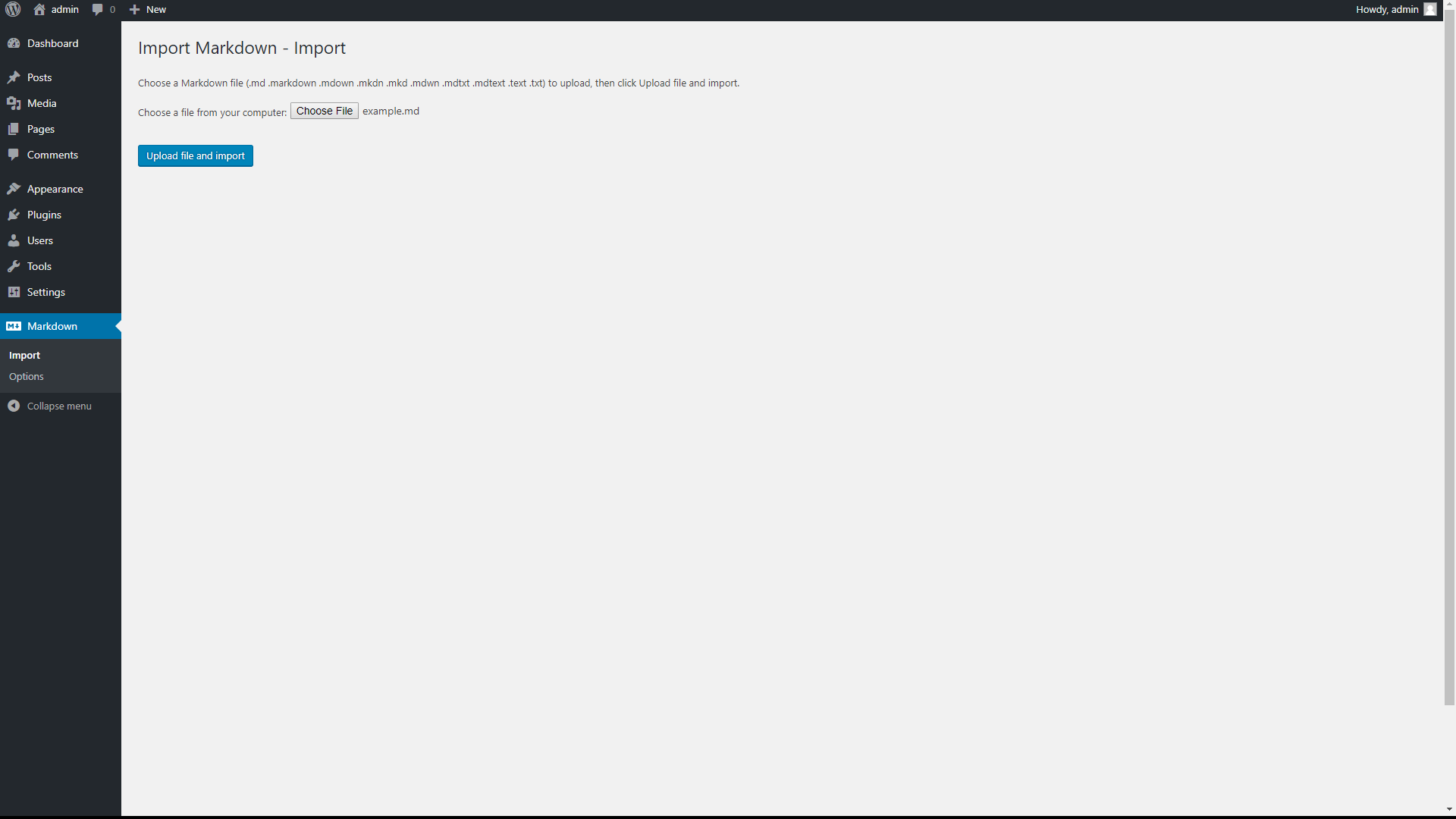
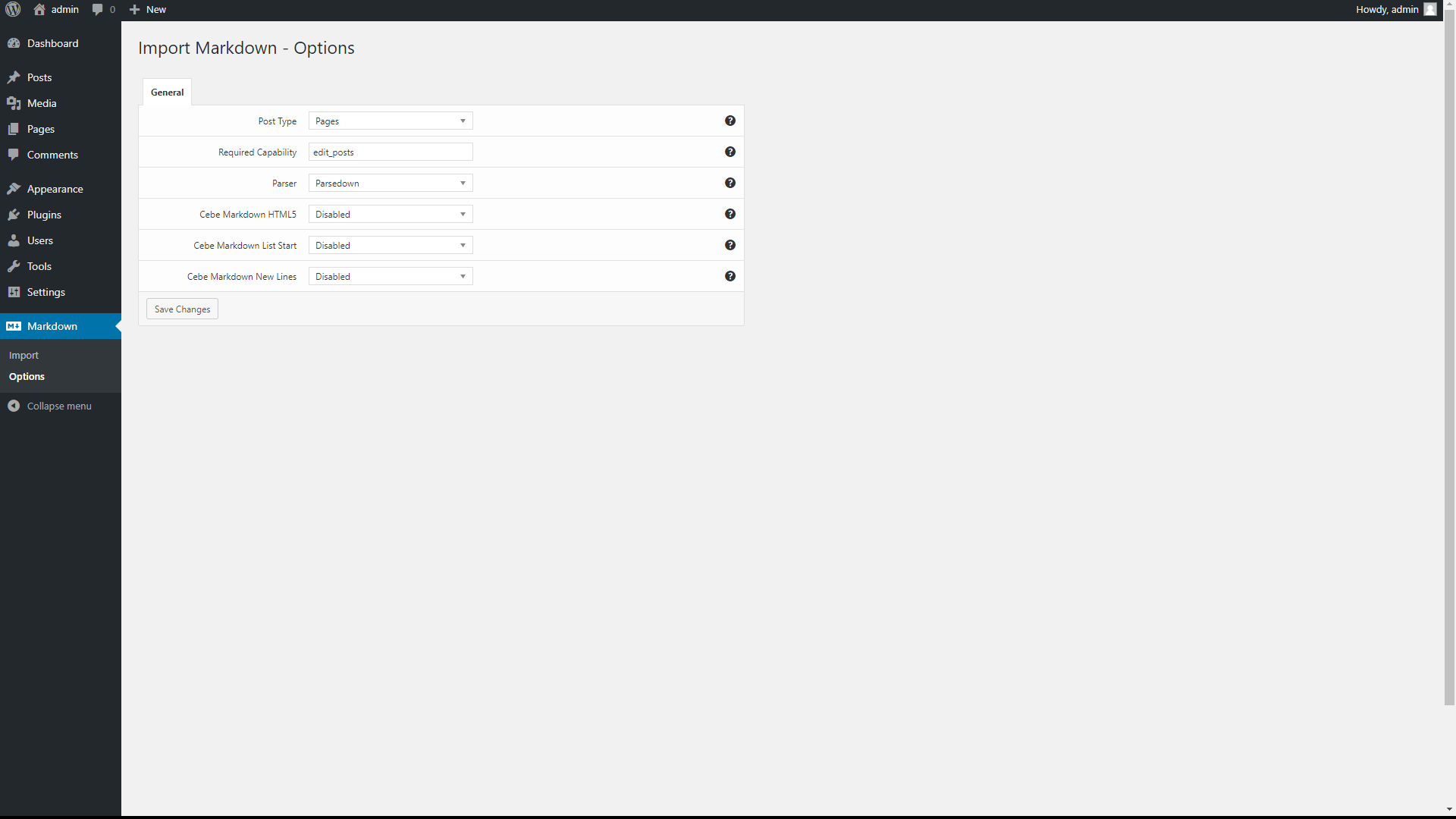
Für Entwickler
Ist das dein Plugin? Zeigen Sie die Zahlen.
Fügen Sie Ihrer Website, Docs oder GitHub Readme ein Live-Badge hinzu. Es wird von selbst aktualisiert - kein Konto erforderlich.
Best Import Markdown alternatives
All import plugins →





Fragen und Antworten
Import Markdown: quick answers
Gerade Antworten, gezogen von Live WordPress.org Daten.
Quelle: WordPress.org
Is Import Markdown free?
Yes. Import Markdown is free to download and use from the official WordPress.org plugin directory. The developer also sells premium add-ons or a Pro version with extra features.
Is Import Markdown safe to use in 2026?
Import Markdown is a solid plugin choice in 2026, with a few things worth checking first. It runs on 2K+ sites, is rated 5/5 and was last updated 4 weeks ago, and scores 78/100 on our health check.
How many websites use Import Markdown?
Import Markdown is active on 2K+ WordPress websites and has been downloaded 39,750 times since it launched in July 2018. It was downloaded 1,179 times in the last 30 days.
Does Import Markdown work with WordPress 7.1?
Yes. The developer has tested Import Markdown up to WordPress 7.1.5, the latest release. It requires WordPress 5.9 or newer.
What PHP version does Import Markdown need?
Import Markdown requires PHP 7.4 or higher. Most hosts run PHP 8.x today, so it works on any modern WordPress hosting.
When was Import Markdown last updated?
The latest version, 1.15, was released on November 3, 2026 (4 weeks ago).
Who makes Import Markdown?
Import Markdown is developed and maintained by DAEXT.
What are the best alternatives to Import Markdown?
The most popular alternatives to Import Markdown are One Click Demo Import (1M+ installs), Widget Importer & Exporter (200K+ installs) and Customizer Export/Import (100K+ installs).
Angetrieben von PageForge
Eine Vorlage und eine Tabelle. Eine echte Seite für jede Suche.
PageForge Verwandelt jede Zeile eines CSV in eine WordPress-Seite mit eigenem Titel, URL, SEO Felder und Schema entworfen. Kostenlos auf WordPress.org.
- CSV und XLSX, plus Google Sheets auf Beruf und Unternehmen
- seinen eigenen Titel, URL, SEO Felder und Schema für jede Seite
- Arbeitet mit dem Blockeditor, Elementor, Divi und Avada
- Kostenlos auf WordPress.org, keine Kreditkarte