


Image Source Control Lite – Show Image Credits and Captions
Show image credits, image captions, and copyrights. Manage image sources, licenses and AI label. The original plugin since 2012.

Sichere Auswahl
Yes — Image Source Control Lite is a safe, well-maintained plugin to use in 2026. It runs on 3K+ sites, is rated 4.6/5 and was last updated 5 days ago, and scores 90/100 on our health check.
- Loved by users — 4.6/5 from 42 reviews
- Aktiv entwickelt – letztes Update vor 5 Tagen
- Getestet mit dem neuesten WordPress (7.1)
- Momentum — downloads up 282.3% vs the previous 30 days
Tägliche Downloads
Download-Spitzen folgen normalerweise einer neuen Version - jede Website, die automatisch aktualisiert wird, gilt als Download.
Ranglisten
Where Image Source Control Lite stands todayWordPress.org Ranglisten suchen
Live-Position in der Plugin-Suche, Top 100| Stichwort | Position |
|---|---|
| attributions | #2 |
| captions | #3 |
| copyrights | #9 |
| credits | #6 |
| image sources | #4 |
Versionsübernahme
Anteil aktiver Sites pro Release.
Bewertungsaufschlüsselung
★★★★★★★★★★ 4.6 from 42 reviews
About Image Source Control Lite
From the official readme · v3.15.0Beschreibung
Are you concerned about being held liable for violating copyright law, would like to start crediting owners or AI-generated images properly?
Do you want to give back to photographers and illustrators by adding image credits, so they are rightfully attributed?
Or are you a creator yourself and want to show information on the picture licenses for your image gallery under which publishers can use or purchase your work?
Image Source Control is your go-to solution when it comes to handling copyright-protected photos and delete unused images.
Documentation | Support | Premium Features | Delete Unused Images
This level of personal and competent support deserves more than just five stars.
Highly recommended!
⭐⭐⭐⭐⭐ by eunde
Image Credit layouts
Choose between different credit displays:
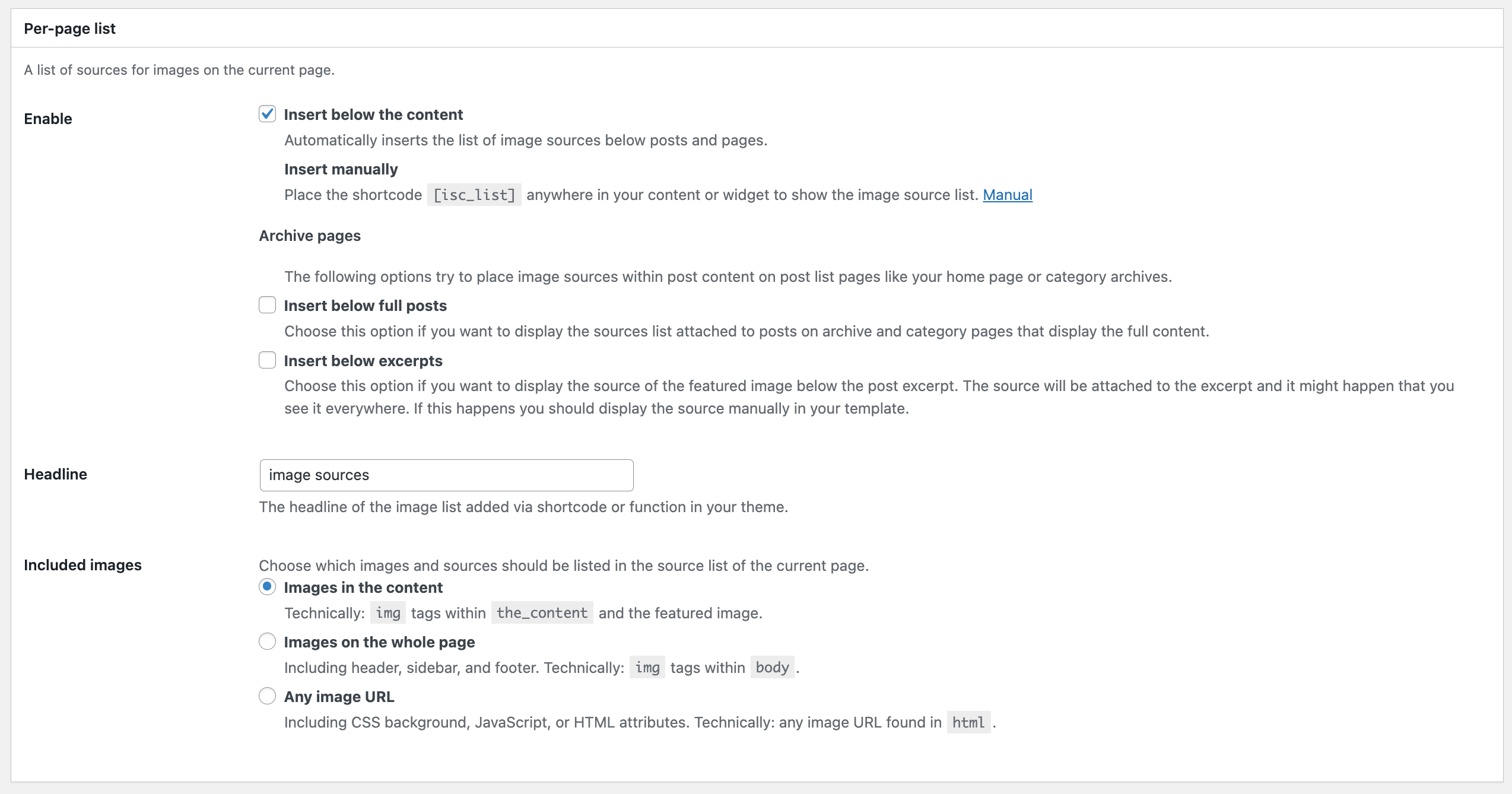
- List all image sources below the content of a specific page or place the list manually
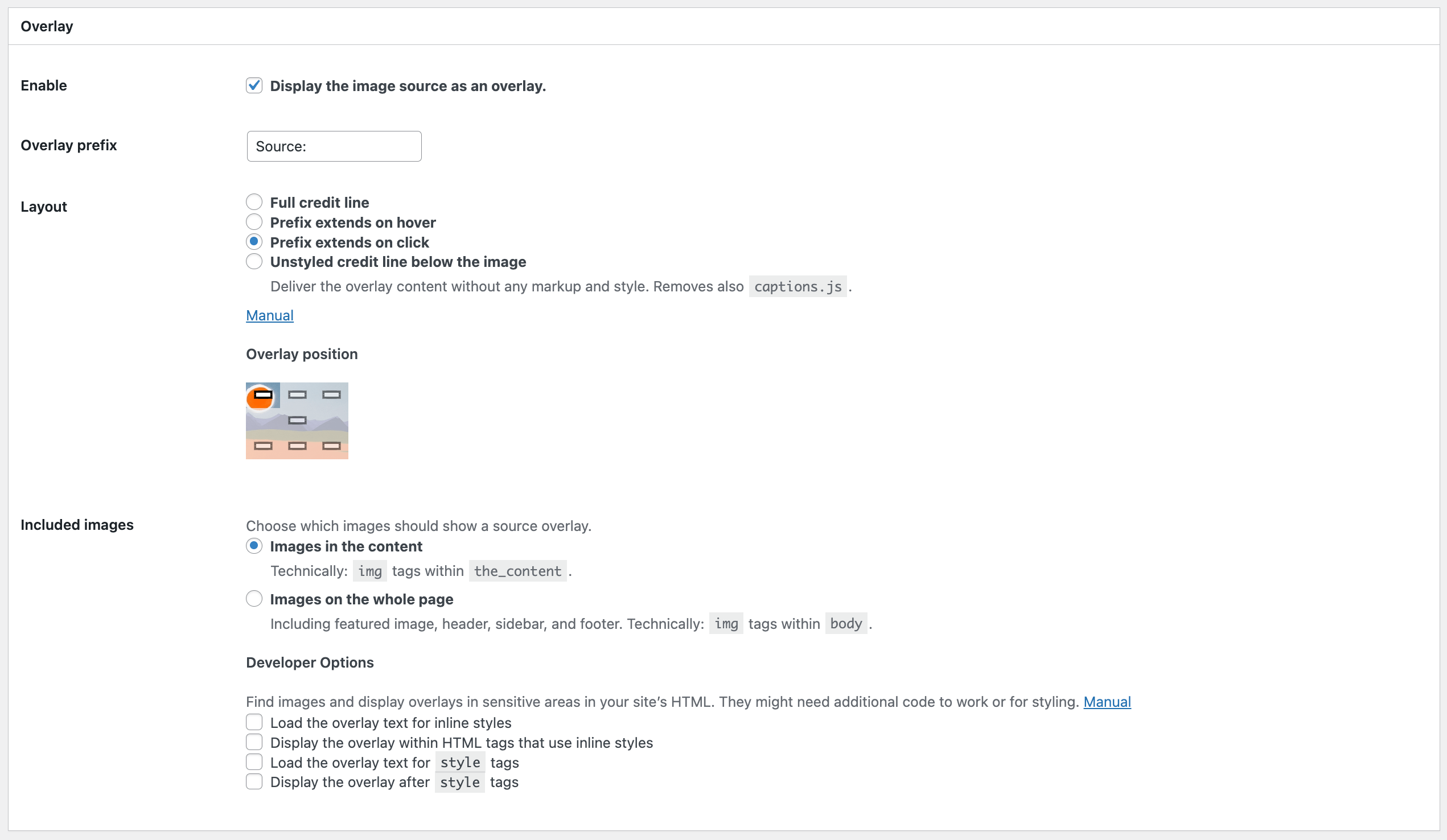
- Show an image caption overlay above or below the image
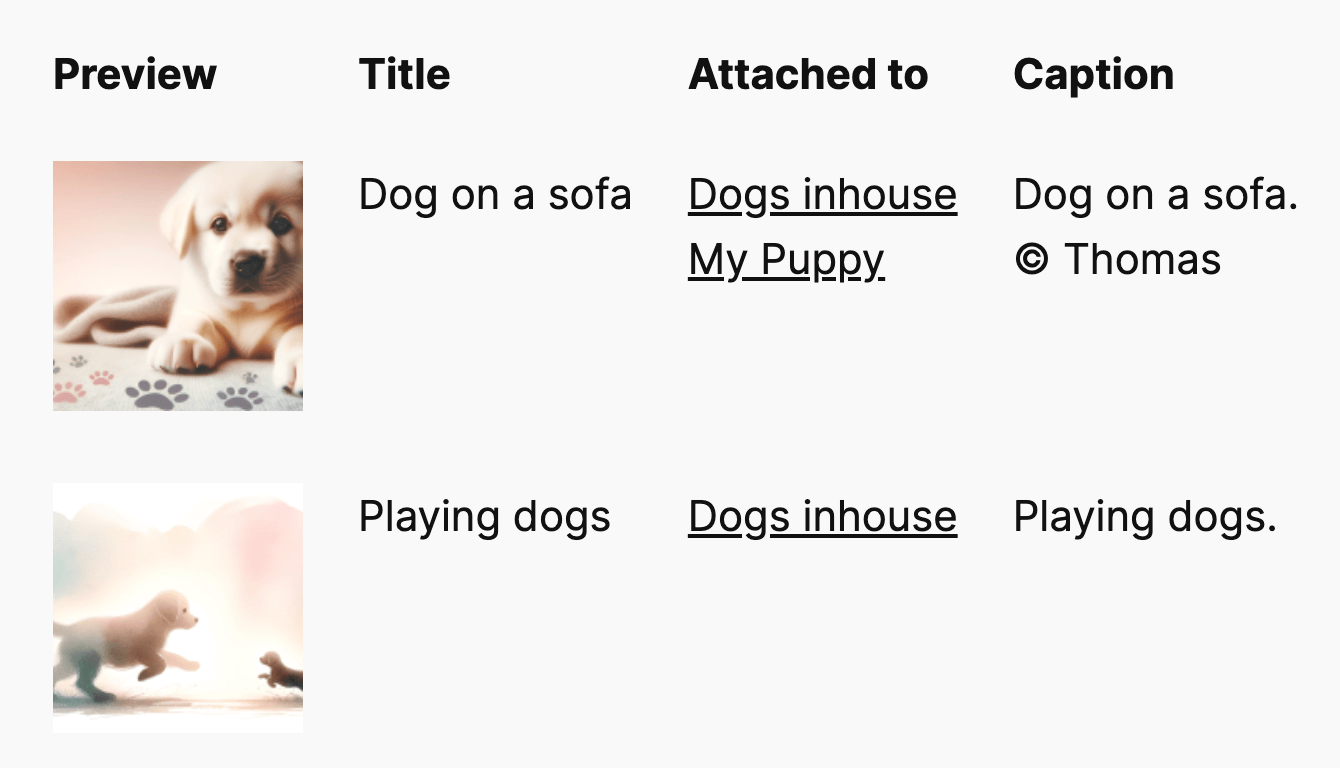
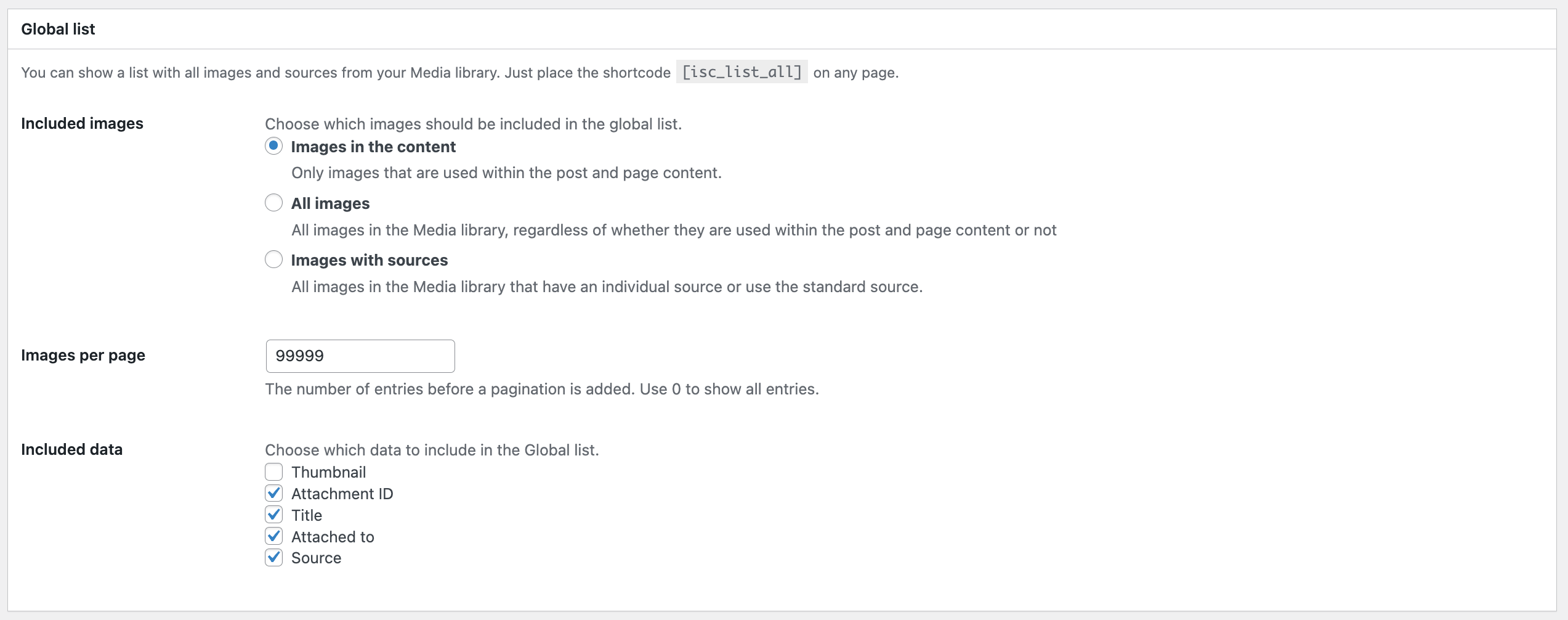
- Embed a complete image credit list with thumbnails on your website
Label AI-generated images
- Mark AI-generated images with a label that indicates the image was created by artificial intelligence. Following the EU AI act
- Available icons: AI, AI-generated, AI-manipulated
- Show only the icon or add a description text to it in the image source field
Frontend Features
- Display image credits in the content, for image galleries, images added by shortcodes, and featured images
- … see more listed under Premium features below
- Define the layout and position of the caption overlay
- Show the image source fully, or only on click or mouseover
- Attach the Per-page list automatically, by using a shortcode, or with a PHP function
- Display image sources on archive pages
- Link to the copyright holder and include a link to the image license
- Add the EU AI label that marks an image as AI-generated
Backend Features
- Add credits for any image file uploaded to the Media library
- Dedicated image source fields for the following blocks: Image, Cover Image, Featured Image, Media & Text
- Quickly assign a centrally defined source to any image and choose three options: hide image sources for these images, show a specific source (e.g., your name), or the uploader’s name
- Warn about missing image sources
- Manage, display, and link available licenses
- Enable the features for any files in the media library or for images only
- Filter the media library list by images with or without sources, or only those using the standard source
Featured Image Caption
ISC Lite works for Featured Images. By default, you will see the image credits options in the media library and the featured image options in the block editor.
The featured image caption shows in the Per-page list with all other image sources on the page.
Check out the premium features to display the image caption overlay for featured images.
Premium-Funktionen
Check out all features of Image Source Control.
- The Indexer looks for all images in all published content in one go
- List credits for images outside the content
- Add multiple links to the source string
- Manage image credits for images hosted outside the Media Library
- Handle images without file extensions
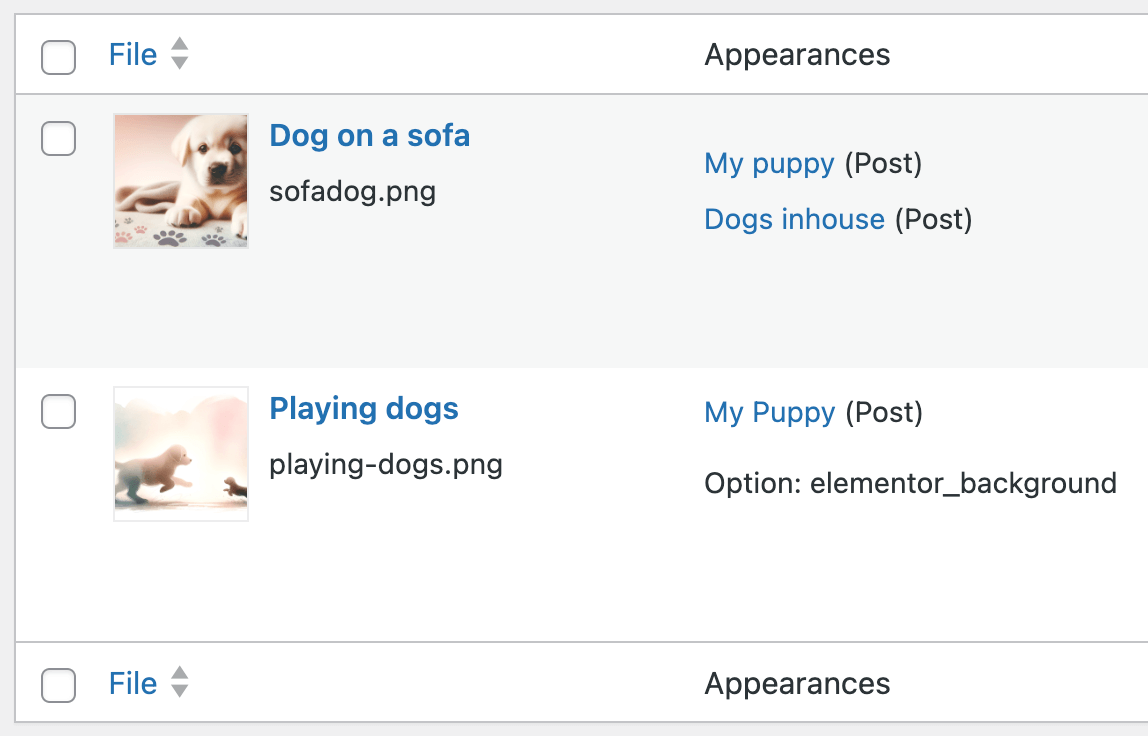
- Show image usage in the image details and the List view of the media library
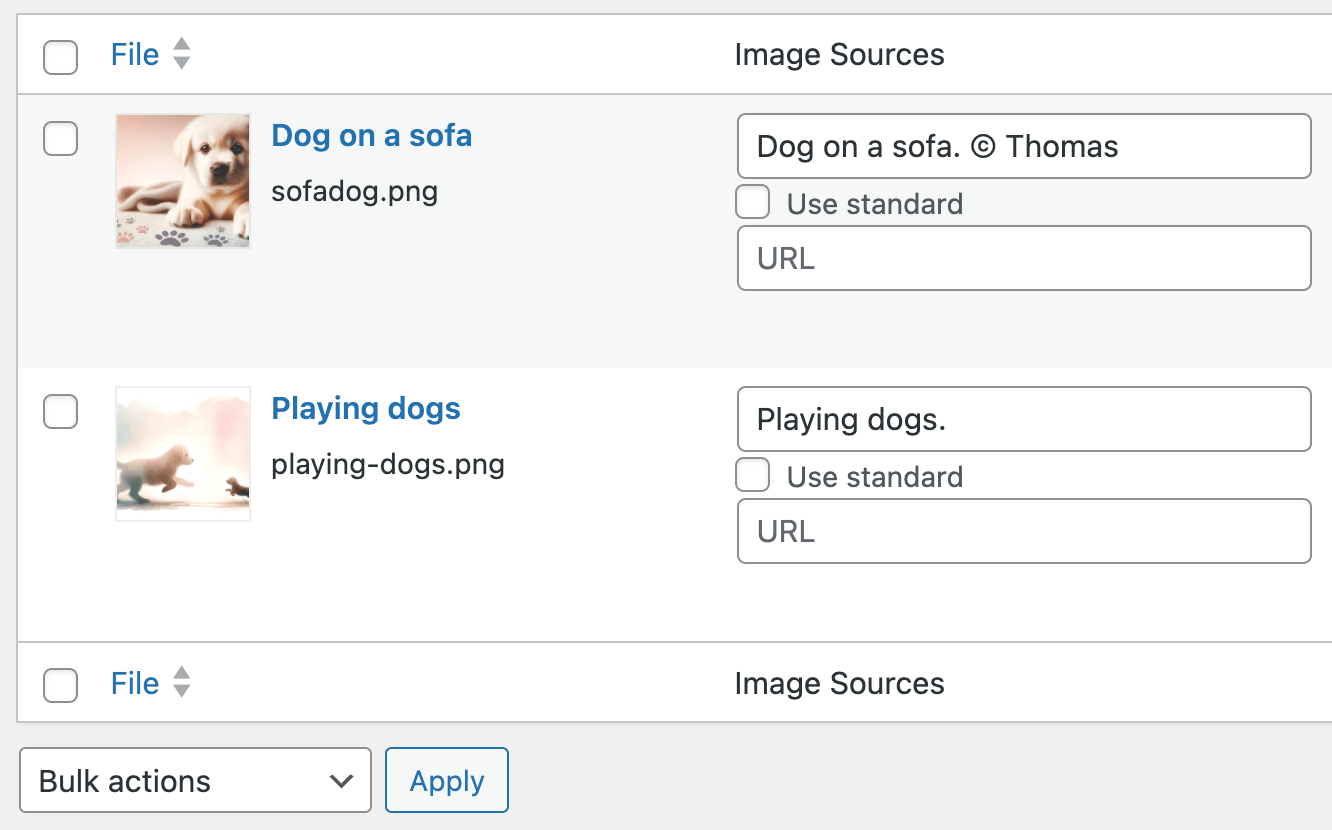
- Bulk-edit image copyright information in the media library
- Preview image credits in the media library
- Show the standard picture credit for all images without a selected source
- Display IPTC copyright metadata in the backend and automatically as a standard source in the frontend
- Show the full text only after a click or on mouseover on the caption overlay
- Choose which data is displayed in the Global List
- List only images with a proper source in the Global List
- Show the Global List as a table or a simple list view
- Show image sources for Elementor background images, images in Kadence Blocks Galleries, and Kadence Related Content Carousel
- Developer options to show overlay captions for CSS background images
- Support for background images of the Group block
- Exclude certain images from showing the overlay by adding the
isc-disable-overlayclass - Detect Unused Images (see below)
- Personal email support
Extended compatibility with Elementor, Avada, WP Bakery, Divi, Fusion Builder, Flatsome UX Builder, and other page builders
themes like Soledad and Kadence (including Kadence Blocks, Kadence Theme Kit Pro, Kadence Shop Kit Pro, and Kadence Related Content Carousel),
as well as with plugins like
- Erweiterte benutzerdefinierte Felder
- JetEngine
- Lightbox Gallery
- Newsletter plugin
- Shortpixel Image Optimizer
- WPML
Unused Images
Premium media cleaner features to remove unused images safely.
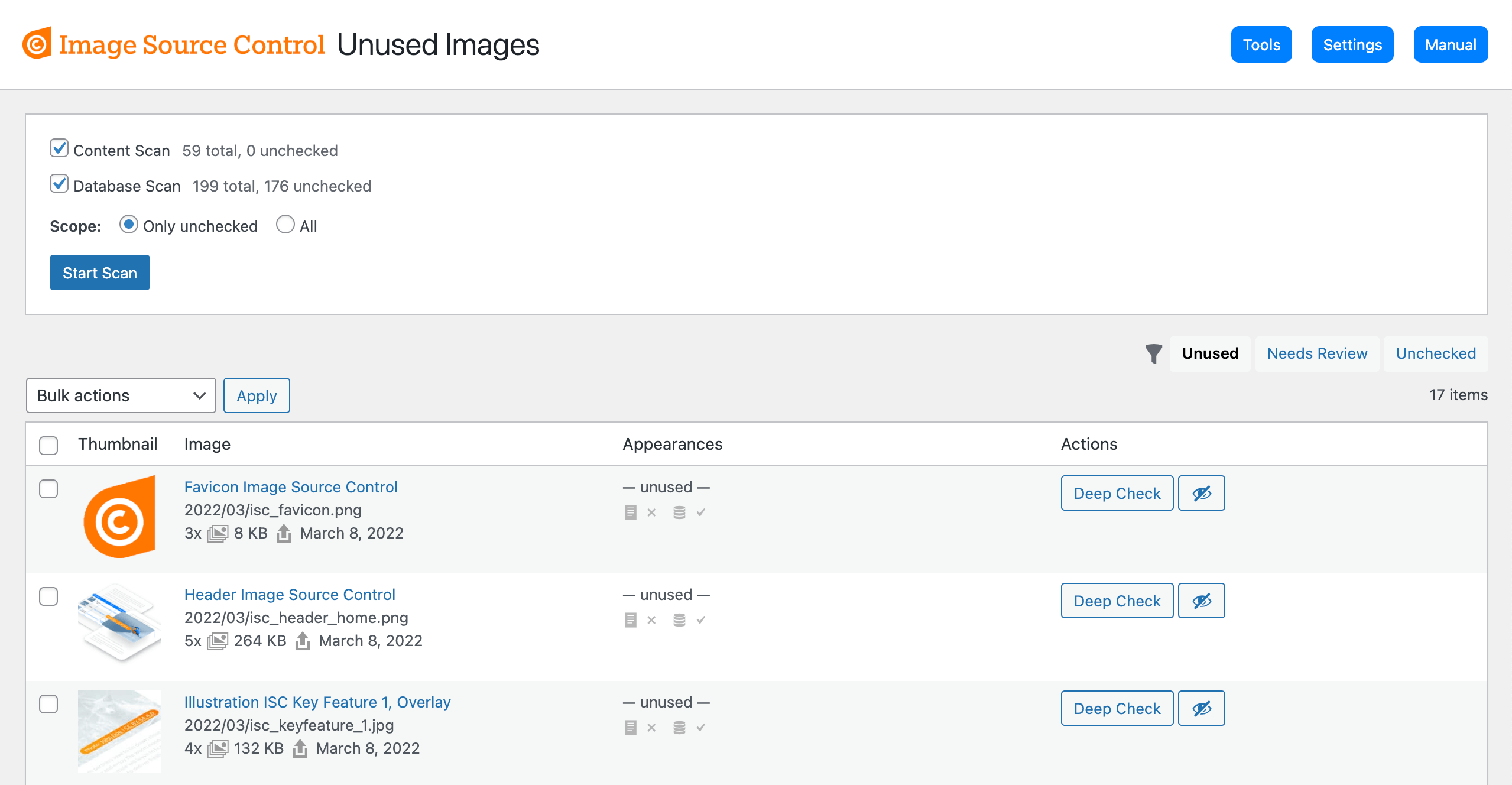
- Go to Media > Unused Images to see and remove unused images
- Run the Content Scan to find actually used images in the frontend
- Run the Database Scan to find references to images outside the content, like in meta data or options
- Bulk delete unused images
- Check either all images and pages, or only new or changed ones
- Works for pages behind a login (e.g., membership sites or maintenance mode)
- Filter the list by various states
- Ignore certain images from being listed as unused
Constantly extended support for finding used and unused images in plugins and page builders, e.g., Elementor, Divi, WP Bakery, WP User Meta, WooCommerce, Kadence, and the Newsletter Plugin.
Media Trash
Move images to the trash instead of directly deleting them permanently. This eases the test if a deleted image was actually unused and allows for easy recovery if it was not.
- Enabled the module in the settings
- Media Trash has its own menu under Media > Media Trash
- Clear the media trash in bulk
- Recover trashed images with one click
Btw., Image Source Control is a suitable alternative to the discontinued or closed plugins Image Credits, Credit Tracker, or FSM Custom Featured Image Caption.
Anleitung
Take a look at the Image Source Control Documentation.
Find a list of missing images sources and other debug tools under Media > Image sources
You can choose to display image sources below the post content or as a small caption overlay above your images. Just visit the settings page of the plugin to enable those options.
Manually included image sources on pages/posts
You can add the Per-page list manually to pages or posts via the shortcode [isc_list] in your content editor or a text widget.
Use [isc_list id="123"] to show the list of any post or page.
Use the PHP code <?php if( function_exists('isc_list') ) { isc_list(); } ?> within your template files.
List all image sources
You can add a paginated list with ALL attachments and sources attached to posts and pages—the Global list—using the shortcode [isc_list_all].
Use [isc_list_all per_page="25"] to show only a limited number of images per page.
Use [isc_list_all included="all"] to show all attachments in the list, including those not explicitly attached to a post.
The plugin searches your post content and thumbnail for images (attachments) and lists them if you included at least the image source or marked it to use the default image source.
Remove “nofollow” from all source links
In order to remove “nofollow” from source links, follow the instructions in our documentation.
Installation
In diesem Abschnitt wird beschrieben, wie Sie das Plugin installieren und zum Laufen bringen.
z.B.
- Upload
image-source-control-isc.zipthrough the ‘Plugin’ menu in your WordPress backend - Aktivieren Sie das Plugin
- Visit Settings > Image Sources for the main settings
See the Instructions section here.
Änderungsprotokoll
3.0 rewrites a lot of classes mainly to split features into modules. Developers who used any classes and methods directly should test their code.
3.15.0
- Security: Sanitize image license metadata and escape license labels and URLs to prevent authenticated authors from injecting malicious code
- Dev: Require WordPress 6.9 or newer
- Fix (Pro): Prefer bundled Pro translations over installed Lite language packs
3.14.0
- Improvement: Filter the Media Library list by images with an AI label
- Improvement: Open the filtered Media Library directly from the missing image sources section to review and edit credits
- Improvement: Show images without credits in WordPress Site Health
- Improvement: Reduce repeated lookups of stored image URLs
- Improvement (Pro): Edit AI labels directly in the Media Library list and apply them to multiple images at once
- Improvement (Pro): Clarify what the Unused Images scans counted and report scan notices in the results
- Improvement (Pro): Exclude the
site_logoimage from appearing under Unused Images - Improvement (Pro): Update German translations
- Fix: Restore the list of images outside the Media Library on the Image Sources page
- Fix: Keep valid image URLs usable in storage when they have no protocol
- Fix: Prevent a fatal error when deleting Media Library attachments if external images are stored
- Fix: Prevent fatal errors when the PHP DOM extension is missing and show a diagnostic in Site Health and the Compatibility settings
- Fix (Pro): Skip post types that cannot be viewed on the frontend during the Content Scan, including on WPML sites
3.13.0
- Improvement (Pro): Find image files created by Shortpixel Image Optimizer, e.g., when the file extension differs from the original file name
- Improvement (Pro): Update WPML compatibility for their 5.0 release. 4.x is still supported
- Fix (Pro): Fix WPML compatibility with Unused Images after a relevant hook was removed earlier
- Fix (Pro): Added missing minified file for Media Trash, which caused some delete buttons to not work
- Dev: Improved UTF-8 DOM parsing for international file names for more matches with database entries
3.12.0
- Feature: Label AI-generated images. You can now choose to mark an image as AI-generated. This will add one of three possible labels provided by the European Union
- Improvement (Pro): One can now use
/:|to separate captions into multiple segments and link them. The new separators only apply when followed by a space. - Improvement (Pro): Flatsome UX Builder compatibility with the Unused Images Database Scan
- Improvement: Show compatibility notices on the Settings page
- Fix (Pro): With WordPress 7.1, the admin notice about a missing license displayed twice
- Fix (Pro): Cleanup orphaned entries in the index table after a full Content Scan
- Dev: List storage content on the Tools page also without
WP_DEBUGenabled - Dev: The error log can now list the plugin settings
3.11.1
- Fix (Pro): A critical PHP error in Polish translation caused the site to crash
3.11.0
- Feature (Pro): New “Media Trash” module to move images to the trash instead of directly deleting them permanently. This allows for easy recovery
- Dev (Pro): Log failed license API requests when the debug option is enabled to help troubleshoot license activation issues
Screenshots


Für Entwickler
Ist das dein Plugin? Zeigen Sie die Zahlen.
Fügen Sie Ihrer Website, Docs oder GitHub Readme ein Live-Badge hinzu. Es wird von selbst aktualisiert - kein Konto erforderlich.
Fragen und Antworten
Image Source Control Lite: quick answers
Gerade Antworten, gezogen von Live WordPress.org Daten.
Quelle: WordPress.org
Is Image Source Control Lite free?
Yes. Image Source Control Lite is free to download and use from the official WordPress.org plugin directory.
Is Image Source Control Lite safe to use in 2026?
Yes — Image Source Control Lite is a safe, well-maintained plugin to use in 2026. It runs on 3K+ sites, is rated 4.6/5 and was last updated 5 days ago, and scores 90/100 on our health check.
How many websites use Image Source Control Lite?
Image Source Control Lite is active on 3K+ WordPress websites and has been downloaded 146,323 times since it launched in December 2012. It was downloaded 5,279 times in the last 30 days.
Does Image Source Control Lite work with WordPress 7.1?
Yes. The developer has tested Image Source Control Lite up to WordPress 7.1.5, the latest release. It requires WordPress 6.9 or newer.
What PHP version does Image Source Control Lite need?
Image Source Control Lite requires PHP 7.4 or higher. Most hosts run PHP 8.x today, so it works on any modern WordPress hosting.
When was Image Source Control Lite last updated?
The latest version, 3.15.0, was released on November 16, 2026 (5 days ago).
Who makes Image Source Control Lite?
Image Source Control Lite is developed and maintained by Thomas Maier.
Angetrieben von PageForge
Eine Vorlage und eine Tabelle. Eine echte Seite für jede Suche.
PageForge Verwandelt jede Zeile eines CSV in eine WordPress-Seite mit eigenem Titel, URL, SEO Felder und Schema entworfen. Kostenlos auf WordPress.org.
- CSV und XLSX, plus Google Sheets auf Beruf und Unternehmen
- seinen eigenen Titel, URL, SEO Felder und Schema für jede Seite
- Arbeitet mit dem Blockeditor, Elementor, Divi und Avada
- Kostenlos auf WordPress.org, keine Kreditkarte