


Image Hover Effects – Elementor Addon
Add creative image hover effects to Elementor page builder. Easily customize title and content and effects with intuitive interface.

Solide Wahl
Image Hover Effects is a solid plugin choice in 2026, with a few things worth checking first. It runs on 40K+ sites, is rated 4.9/5 and was last updated 5 months ago, and scores 65/100 on our health check.
- Bewährt auf 40.000 aktiven Standorten
- Loved by users — 4.9/5 from 83 reviews
Wie stapelt es sich?
Side-by-side bei Installationen, Updates, Bewertungen und Support



Tägliche Downloads
Download-Spitzen folgen normalerweise einer neuen Version - jede Website, die automatisch aktualisiert wird, gilt als Download.
Ranglisten
Where Image Hover Effects stands todayWordPress.org Ranglisten suchen
Live-Position in der Plugin-Suche, Top 100| Stichwort | Position |
|---|---|
| addons | #79 |
| css effects | #1 |
| elementor | #41 |
| elementor widget | #49 |
| image hover effects | #1 |
Versionsübernahme
Anteil aktiver Sites pro Release.
Bewertungsaufschlüsselung
★★★★★★★★★★ 4.9 from 83 reviews
About Image Hover Effects – Elementor Addon
Aus der offiziellen Readme · V1.4.5Beschreibung
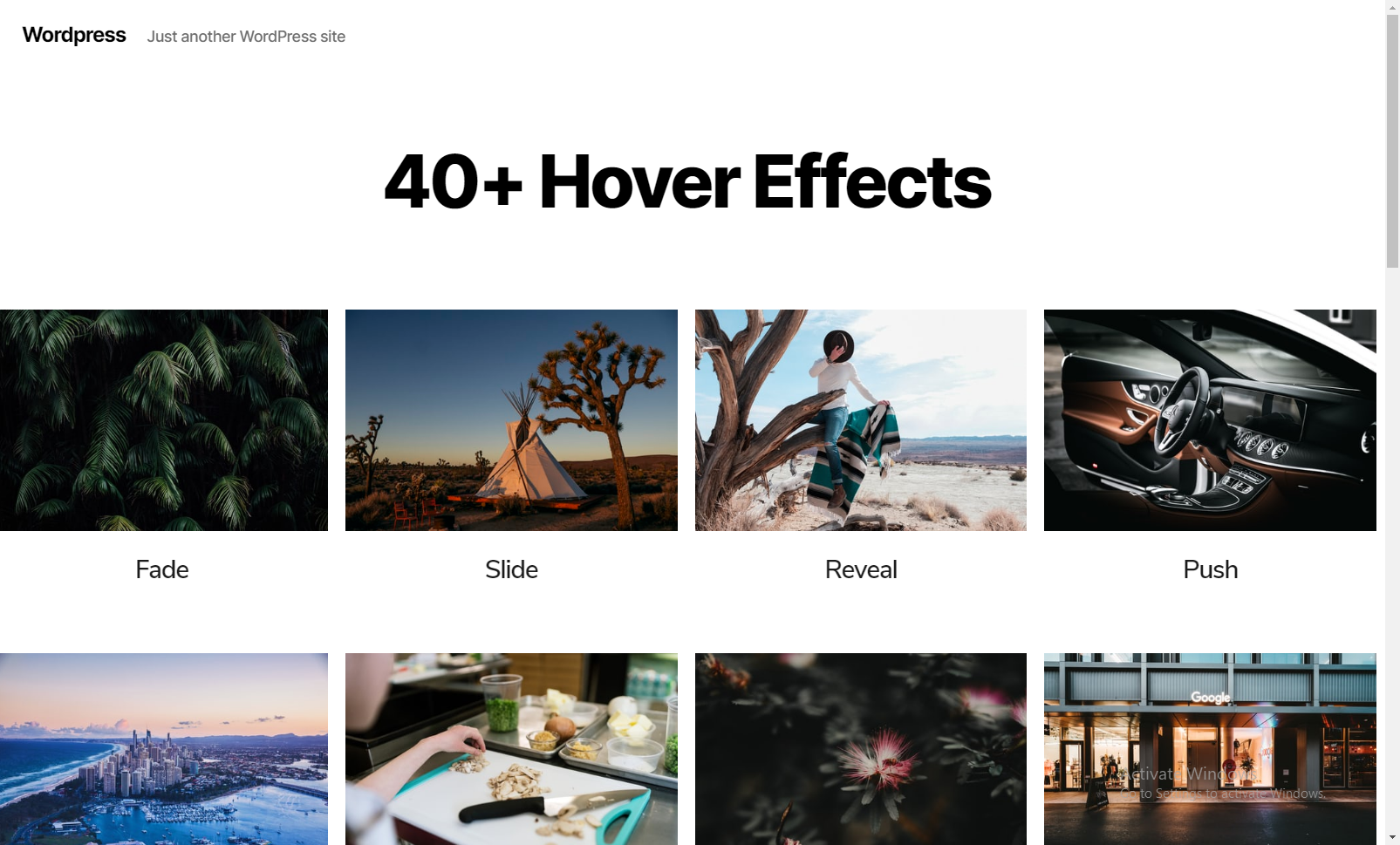
Image Hover Effects Addon for Elementor Page Builder is the best in class addon that lets you set customized hover effects for your image. It gives attention to detail by allowing you to align text, change background, set borders and offers a number of other features. This free plugin has over 40 image hover effects ranging from fade and push to zoom and blur. A pre-set combination of two or more effects is also available. It creates an interactive space for the users to your website.
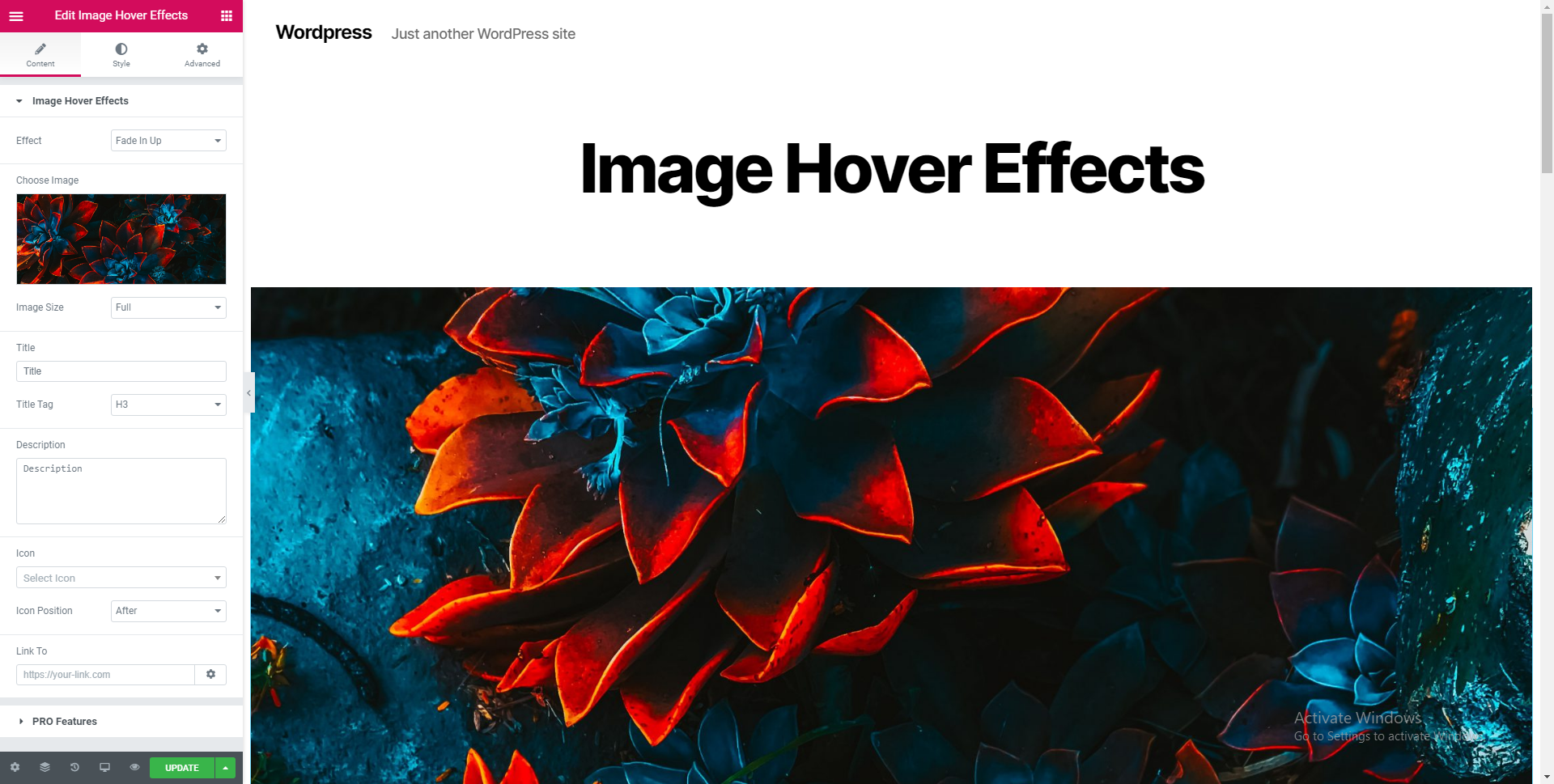
Add title and description to your image, set the title tag, add icons, link to a page or a website and do a lot more. Whenever you scroll the cursor over the image, the hover effect is effectuated to display the title and description.
The widget add-on is designed for use by both beginners and advanced users. You can either change the appearance of the effect with the click of a few buttons or choose to add custom HTML or CSS attributes.
Merkmale
- Easy to customize options.
- 40+ Image Hover Effects.
- Circle and Square border both comes with all effects.
- Center the text horizontally.
- Control the spaces between elements.
- WPML Compatibility
Background: Set a background color to the effect. You can also choose set a transparent background.
Horizontal Alignment: Align the title and description to the left, center, right with horizontal alignment.
Vertical Alignment: Align the title and description to the top, middle or bottom with vertical alignment.
Padding: Set the padding to the content over the effect.
Border Radius: You can use this feature to trim off the sharp edges of the image to give it a smoother touch.
Title: Set a title color that compliments the background. Using the ‘Typography’ option, you can choose the font, font size, weight, case, style (italic, bold, etc.), decoration (overline, underline, etc.), line height and letter spacing of the title.
Description: Similarly, you can choose the color and the typography options for your description under this option.
Icon: Set the icon’s color, it’s size and the space between the icon and the title.
Customizations
Image Hover Effects for Elementor comes with CSS3 styles that add stunning yet mellow and pleasant hover effects to your images. Let your images fade in or fade out, slide, flip, shutter, zoom, fold, roll, etc with just a click. There’s no coding involved. Image hover effects keeps things simple and elegant. If you’ve got multiple images to be displayed, then you can simply copy the style and paste it onto another image. You also have the option to duplicate the image. The hover effects from Image Hover Effects are fully responsive, and can accommodate to very small and extra-large devices. They’re designed using flexible and robust CSS.
SEO Friendly
From an SEO perspective, adding title tags, headings and descriptions to your images is indispensable. Title tags and descriptions almost always garner a click from the user whereas keywords in titles and headings can help your website rank higher in search results.
Image Hover Effects for Elementor lets you do all that and more in just a span of few seconds. Just add the title of your image to the Title field and set the tag (H1-H6, paragraph, span). Then add the description to the Description field. That’s all there is to it. Now you can customize the look of your text to being neat and crisp or wild and artistic or choose from a multitude of other choices.
Another important factor is linking to specific pages or interlinking to drive traffic. Image Hover Effects provides an option to link your image to a specified URL. You can copy the link to which your users should be directed to (when they click the image) and paste it in the field under the ‘Link To’ section.
Where it can be used
On any WordPress website that supports Elementor! Be it a blogging site, a news website or even an e-commerce or e-learning website, Image Hover Effects works flawless. Since there are over 40 hover effects, you can use a combination of styles to work wonders with your images. But why should you stop there? Try our Pro version. The Pro version offers over 150+ hover effects and a number of other perks as well.
Emage Hover Effects for Elementor (Pro)
- 150+ hover effects
- Basic to advanced image hover effects
- Apply separate effects to image, overlay and content
- 9 alignment options
- Virtually unlimited effect combinations
- Customize content with links, buttons, colors and typography
- Post Grid Hover effects
- Dynamic fields (with Elementor Pro)
Useful Links
Hover effects demo | Emage Hover Effects (Pro) | Buy Emage Hover Effects
Installation
- Upload the plugin and activate it (alternatively, install through the WP admin console)
- Edit any page/post using edit with elementor option
- On elementor widget menu, search/scroll and find the image hover effects addons
- Drag and drop this addon, where you have to add the section
- Customize the options and add the content
- Hurray! in a minute you have added the Image Hover Section
Änderungsprotokoll
This is the initial version
1.4.5
- WP 7.0 Compatibility update
1.4.4
- Minor security fix
1.4.3
- Minor security fix
1.4.2
- WP 6.5.2 Compatibility update
- Widget editor based security fix
1.4.1
- Minor Security Fix
1.4
- Enhancement – Elementor Deprecation fixes
Screenshots


Für Entwickler
Ist das dein Plugin? Zeigen Sie die Zahlen.
Fügen Sie Ihrer Website, Docs oder GitHub Readme ein Live-Badge hinzu. Es wird von selbst aktualisiert - kein Konto erforderlich.
Best Image Hover Effects alternatives
All addons plugins →





Fragen und Antworten
Image Hover Effects: quick answers
Gerade Antworten, gezogen von Live WordPress.org Daten.
Quelle: WordPress.org
Is Image Hover Effects free?
Yes. Image Hover Effects is free to download and use from the official WordPress.org plugin directory.
Is Image Hover Effects safe to use in 2026?
Image Hover Effects is a solid plugin choice in 2026, with a few things worth checking first. It runs on 40K+ sites, is rated 4.9/5 and was last updated 5 months ago, and scores 65/100 on our health check.
How many websites use Image Hover Effects?
Image Hover Effects is active on 40K+ WordPress websites and has been downloaded 710,846 times since it launched in May 2018. It was downloaded 3,295 times in the last 30 days.
Does Image Hover Effects work with WordPress 7.1?
Image Hover Effects is officially tested up to WordPress 7.0.9, while the latest release is 7.1.5. It may still work, but try it on a staging site first.
What PHP version does Image Hover Effects need?
Image Hover Effects requires PHP 5.6 or higher. Most hosts run PHP 8.x today, so it works on any modern WordPress hosting.
When was Image Hover Effects last updated?
The latest version, 1.4.5, was released on June 27, 2026 (5 months ago).
Who makes Image Hover Effects?
Image Hover Effects is developed and maintained by Blocksera.
What are the best alternatives to Image Hover Effects?
The most popular alternatives to Image Hover Effects are Jeg Kit for Elementor (300K+ installs), Qi Addons For Elementor (200K+ installs) and Addon Elements for Elemento… (80K+ installs).
Angetrieben von PageForge
Eine Vorlage und eine Tabelle. Eine echte Seite für jede Suche.
PageForge Verwandelt jede Zeile eines CSV in eine WordPress-Seite mit eigenem Titel, URL, SEO Felder und Schema entworfen. Kostenlos auf WordPress.org.
- CSV und XLSX, plus Google Sheets auf Beruf und Unternehmen
- seinen eigenen Titel, URL, SEO Felder und Schema für jede Seite
- Arbeitet mit dem Blockeditor, Elementor, Divi und Avada
- Kostenlos auf WordPress.org, keine Kreditkarte