


Maintenance Mode
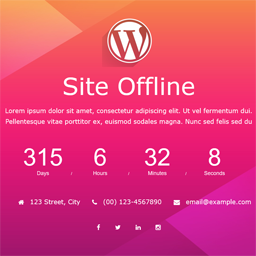
This plugin lets you place a WordPress site into maintenance mode and display a custom message, HTML page, or redirect users to a static page or external URL.

Mit Vorsicht verwenden
Maintenance Mode works, but test it on a staging site before relying on it in 2026. It runs on 8K+ sites, is rated 4.6/5 and was last updated 4 months ago, and scores 56/100 on our health check.
Wie stapelt es sich?
Side-by-side bei Installationen, Updates, Bewertungen und Support



Tägliche Downloads
Download-Spitzen folgen normalerweise einer neuen Version - jede Website, die automatisch aktualisiert wird, gilt als Download.
Ranglisten
Where Maintenance Mode stands todayWordPress.org Ranglisten suchen
Live-Position in der Plugin-Suche, Top 100| Stichwort | Position |
|---|---|
| coming soon | #49 |
| Entwickler | #57 |
| maintenance | #7 |
| umleiten | >100 |
| under construction | #20 |
Versionsübernahme
Anteil aktiver Sites pro Release.
Bewertungsaufschlüsselung
★★★★★★★★★★ 4.6 from 14 reviews
About Maintenance Mode
From the official readme · v3.2.1Beschreibung
This plugin lets you place a WordPress site into maintenance mode and display a custom message, HTML page, or redirect users to a static page or external URL.
It also disables the WordPress REST API while maintenance mode is active, helping keep site data inaccessible during maintenance.
Any logged-in user with administrator privileges can be allowed to view the site, and the required capability can be changed through a filter hook. See the FAQ section for details.
The maintenance mode behavior can be enabled or disabled at any time without losing the configured settings. However, deactivating the plugin is still recommended when maintenance mode is not needed.
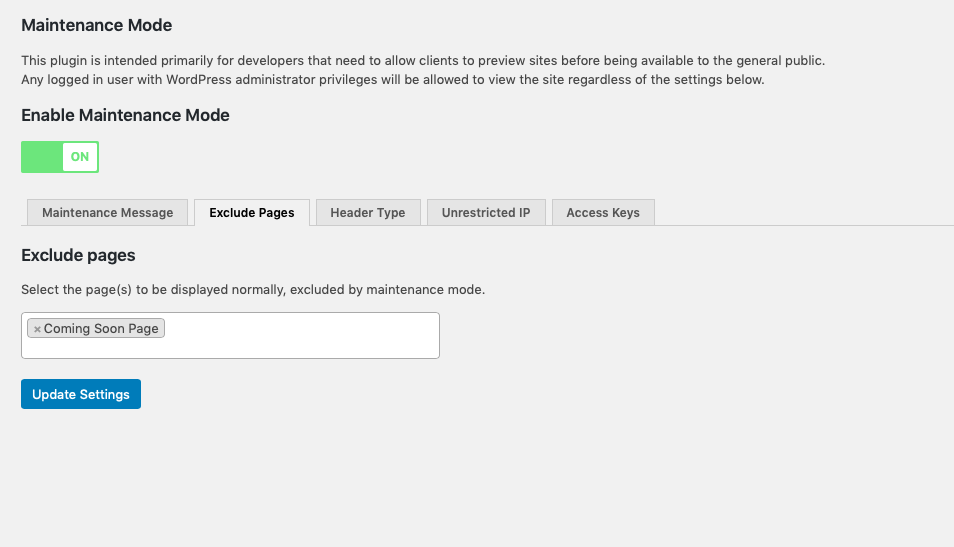
The plugin also supports excluding specific pages from maintenance mode so only selected pages remain visible.
When maintenance mode is active, the plugin sends no-cache headers to help prevent caching plugins, CDNs, or browsers from storing responses that would bypass the maintenance page.
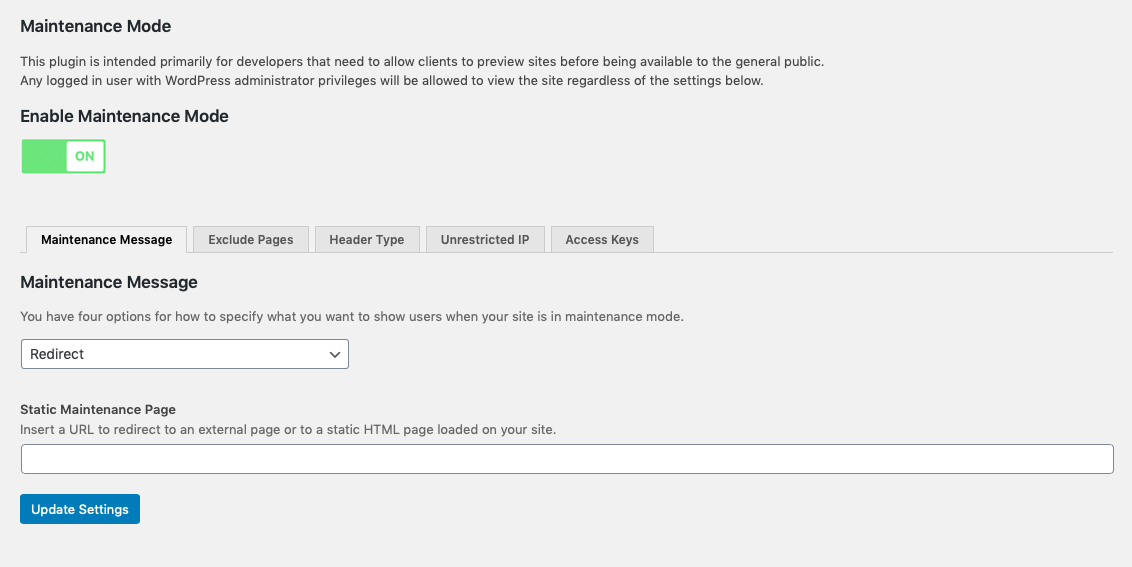
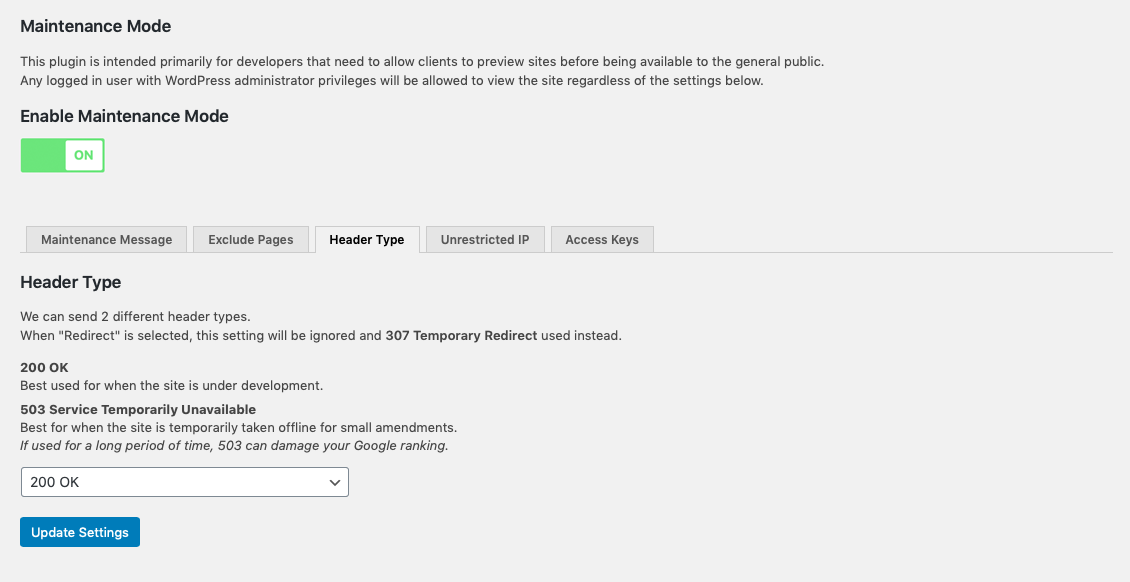
When redirect mode is enabled, the plugin can send two different response codes. “200 OK” is suitable for development environments, while “503 Service Temporarily Unavailable” is better when the site is temporarily taken offline. If used for long periods, 503 may negatively affect search engine visibility.
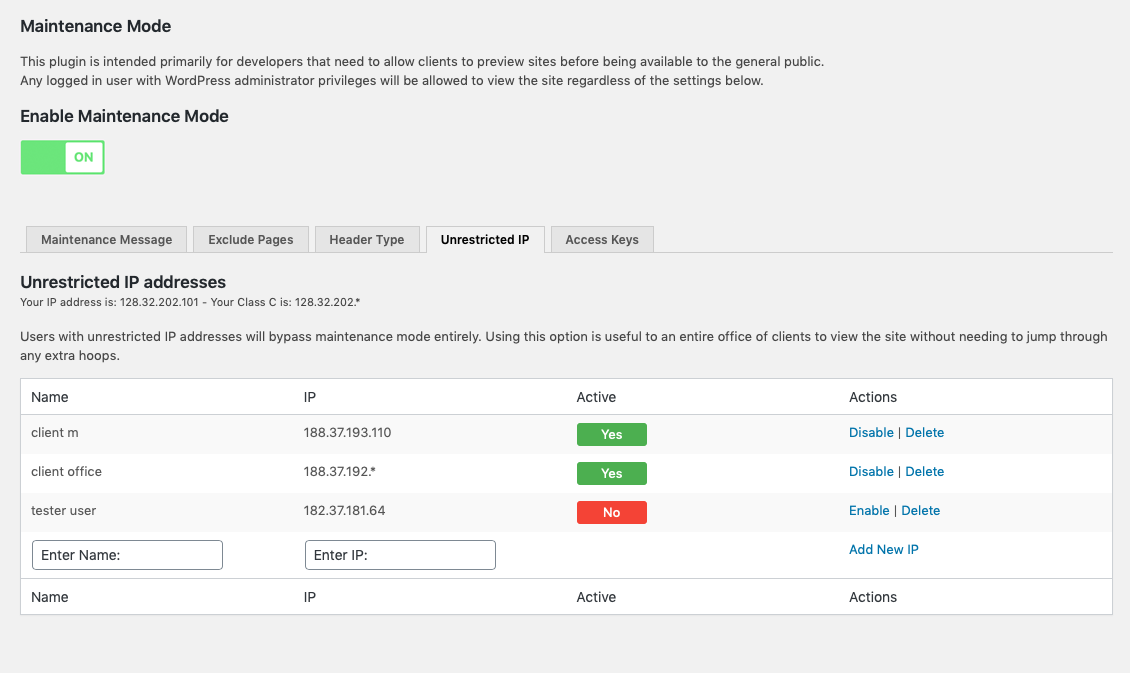
A list of IP addresses can be configured to bypass maintenance mode completely. This is useful for allowing an entire office or client team to access the site without managing individual access keys.
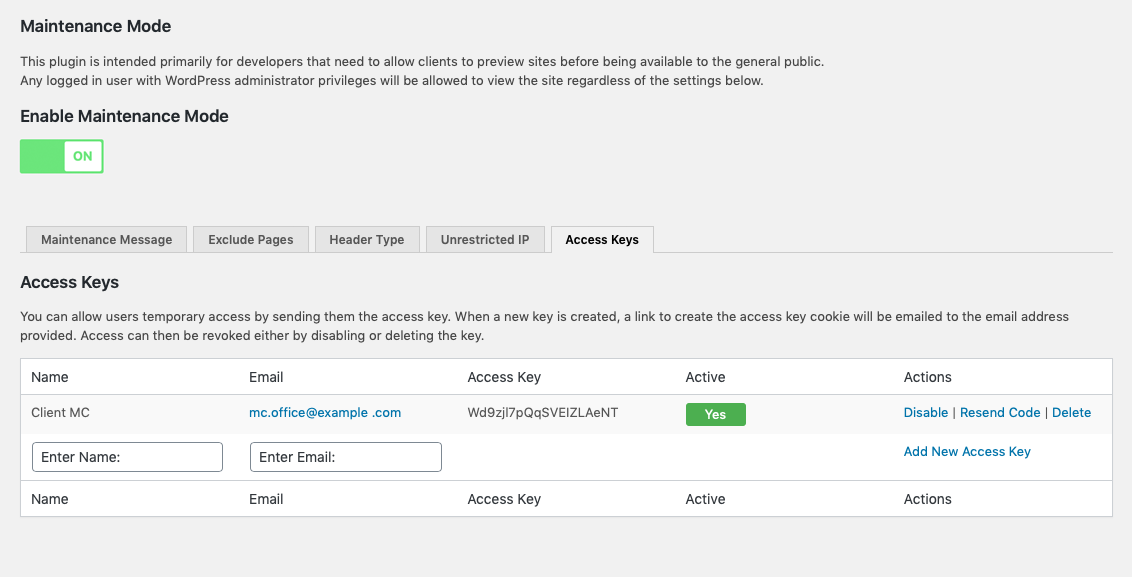
Access keys work by creating a key on the user’s computer that is checked while maintenance mode is active. When a new key is created, a link to store the access key cookie is sent to the email address provided. Access can then be revoked by disabling or deleting the key.
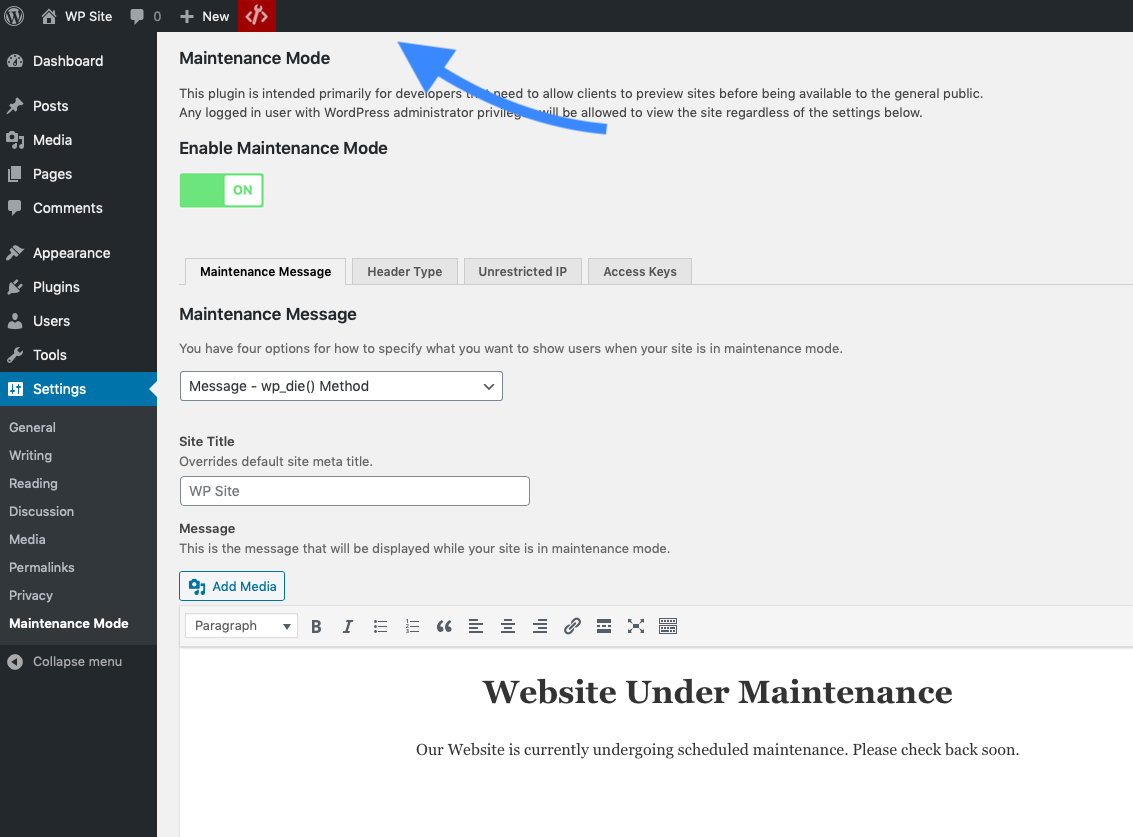
This plugin offers four ways to present the maintenance experience:
- A message rendered with WordPress’s wp_die() function, making the experience feel native to WordPress.
- A page styled with the active theme’s template.
- A custom HTML page.
- A redirect to a static page or external URL.
Installation
- Upload the
hkdev-maintenance-modefolder to your plugins directory (usually/wp-content/plugins/). - Activate the plugin through the
Pluginsmenu in WordPress. - Configure the settings through the
Maintenance ModeSettings panel.
Änderungsprotokoll
3.2.1
- Bug fixes and code quality improvements
- Security and maintenance hardening updates
3.2.0
- Updated for WordPress 7.0.2 compatibility
- Improved security hardening
- Improved REST API handling during maintenance mode
- Compatibility improvements for admin notices and asset loading
- Added no-cache headers while maintenance mode is active to reduce caching conflicts
3.1.3
- Bug fix
3.1.2
- Bug fix
3.1.1
- Updated for WordPress 6.7
- Added functionality to disable the WordPress REST API while maintenance mode is active
- Security improvements
3.0.2
- Security improvements
Screenshots

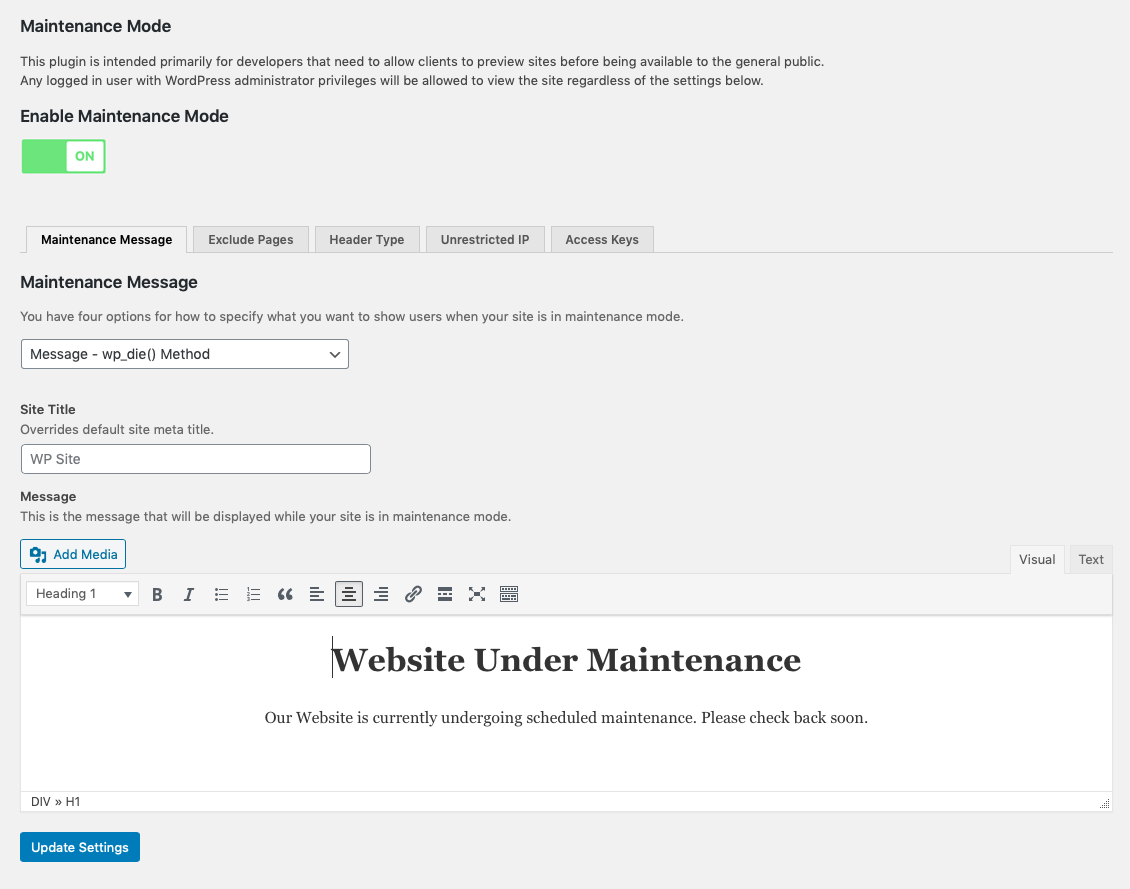
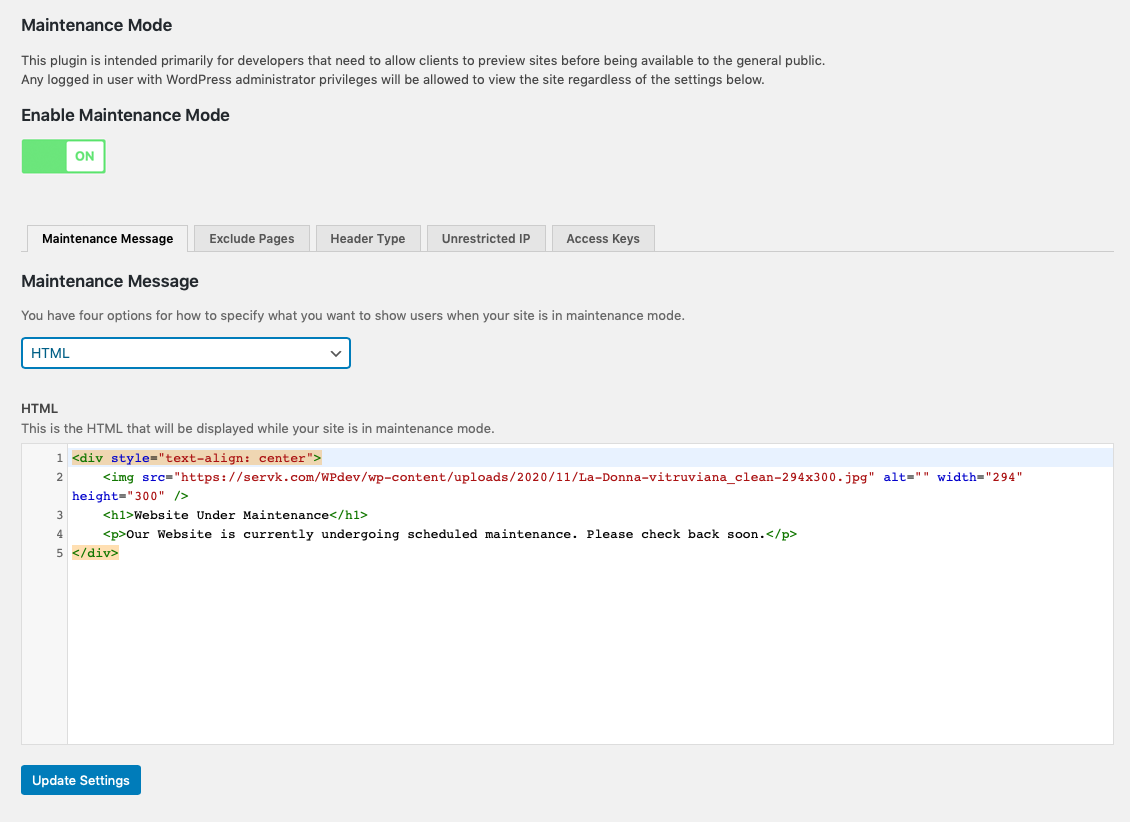
Für Entwickler
Ist das dein Plugin? Zeigen Sie die Zahlen.
Fügen Sie Ihrer Website, Docs oder GitHub Readme ein Live-Badge hinzu. Es wird von selbst aktualisiert - kein Konto erforderlich.
Best Maintenance Mode alternatives
All coming soon plugins →




Fragen und Antworten
Maintenance Mode: quick answers
Gerade Antworten, gezogen von Live WordPress.org Daten.
Quelle: WordPress.org
Is Maintenance Mode free?
Yes. Maintenance Mode is free to download and use from the official WordPress.org plugin directory.
Is Maintenance Mode safe to use in 2026?
Maintenance Mode works, but test it on a staging site before relying on it in 2026. It runs on 8K+ sites, is rated 4.6/5 and was last updated 4 months ago, and scores 56/100 on our health check.
How many websites use Maintenance Mode?
Maintenance Mode is active on 8K+ WordPress websites and has been downloaded 143,502 times since it launched in November 2020. It was downloaded 1,878 times in the last 30 days.
Does Maintenance Mode work with WordPress 7.1?
Maintenance Mode is officially tested up to WordPress 7.0.9, while the latest release is 7.1.5. It may still work, but try it on a staging site first.
What PHP version does Maintenance Mode need?
Maintenance Mode requires PHP 7.4 or higher. Most hosts run PHP 8.x today, so it works on any modern WordPress hosting.
When was Maintenance Mode last updated?
The latest version, 3.2.1, was released on August 3, 2026 (4 months ago).
Who makes Maintenance Mode?
Maintenance Mode is developed and maintained by helderk.
What are the best alternatives to Maintenance Mode?
The most popular alternatives to Maintenance Mode are Maintenance (1M+ installs), LightStart (400K+ installs) and CMP (200K+ installs).
Angetrieben von PageForge
Eine Vorlage und eine Tabelle. Eine echte Seite für jede Suche.
PageForge Verwandelt jede Zeile eines CSV in eine WordPress-Seite mit eigenem Titel, URL, SEO Felder und Schema entworfen. Kostenlos auf WordPress.org.
- CSV und XLSX, plus Google Sheets auf Beruf und Unternehmen
- seinen eigenen Titel, URL, SEO Felder und Schema für jede Seite
- Arbeitet mit dem Blockeditor, Elementor, Divi und Avada
- Kostenlos auf WordPress.org, keine Kreditkarte