


Headers Security Advanced & HSTS WP
Best all-in-one WordPress security plugin, uses HTTP & HSTS response headers to avoid vulnerabilities: XSS, injection, clickjacking. Force HTTP/HTTPS.

Solide Wahl
Headers Security Advanced & HST… is a solid plugin choice in 2026, with a few things worth checking first. It runs on 90K+ sites, is rated 4.9/5 and was last updated 3 weeks ago, and scores 76/100 on our health check.
- Bewährt im Maßstab auf 90k + aktiven Standorten
- Loved by users — 4.9/5 from 79 reviews
- Aktiv entwickelt – letztes Update vor 3 Wochen
- Momentum — downloads up 245.6% vs the previous 30 days
Wie stapelt es sich?
Side-by-side bei Installationen, Updates, Bewertungen und Support



Tägliche Downloads
Download-Spitzen folgen normalerweise einer neuen Version - jede Website, die automatisch aktualisiert wird, gilt als Download.
Ranglisten
Where Headers Security Advanced &… stands todayWordPress.org Ranglisten suchen
Live-Position in der Plugin-Suche, Top 100| Stichwort | Position |
|---|---|
| clickjacking | #2 |
| csp | #2 |
| headers | #6 |
| headers security | #4 |
| hsts | #1 |
Versionsübernahme
Anteil aktiver Sites pro Release.
Bewertungsaufschlüsselung
★★★★★★★★★★ 4.9 from 79 reviews
About Headers Security Advanced & HSTS WP
From the official readme · v5.3.6Beschreibung
Headers Security Advanced & HSTS WP is Best all-in-one a free plug-in for all WordPress users. Deactivating this plugin will return your site configuration exactly to the state it was in before.
The Headers Security Advanced & HSTS WP project implements HTTP response headers that your site can use to increase the security of your website. The plug-in will automatically set up all Best Practices (you don’t have to think about anything), these HTTP response headers can prevent modern browsers from running into easily predictable vulnerabilities. The Headers Security Advanced & HSTS WP project wants to popularize and increase awareness and usage of these headers for all wordpress users.
This plugin is developed by OpenHeaders by irn3, we care about WordPress security and best practices.
Check out the best features of Headers Security Advanced & HSTS WP:
- X-XSS-Protection (Deprecated)
- Pragma (Deprecated)
- Public-Key-Pins (Deprecated)
- Expect-CT (Deprecated)
- Access-Control-Allow-Origin
- Access-Control-Allow-Methods
- Access-Control-Allow-Headers
- X-Content-Security-Policy
- X-Content-Type-Options
- X-Frame-Options
- X-Permitted-Cross-Domain-Policies
- X-Powered-By
- Content-Security-Policy
- Referrer-Policy
- HTTP Strict Transport Security / HSTS
- Content-Security-Policy
- Content-Security-Policy-Report-Only
- Clear-Site-Data
- Cross-Origin-Embedder-Policy-Report-Only
- Cross-Origin-Opener-Policy-Report-Only
- Cross-Origin-Embedder-Policy
- Cross-Origin-Opener-Policy
- Cross-Origin-Resource-Policy
- Permissions-Policy
- Strict-dynamic
- Strict-Transport-Security
- FLoC (Federated Learning of Cohorts)
Headers Security Advanced & HSTS WP is based on OWASP CSRF to protect your wordpress site. Using OWASP CSRF, once the plugin is installed, it will provide full CSRF mitigation without having to call a method to use nonce on the output. The site will be secure despite having other vulnerable plugins (CSRF).
HTTP security headers are a critical part of your website’s security. After automatic implementation with Headers Security Advanced & HSTS WP, they protect you from the most notorious types of attacks your site might encounter. These headers protect against XSS, code injection, clickjacking, etc.
We have put a lot of effort into making the most important services operational with Content Security Policy (CSP), below are some examples that we have tested and used with Headers Security Advanced & HSTS WP:
- CSP usage for Google Tag Manager
world’s most popular tag manager - Using CSP for Gravatar
Avatar service for WordPress and Social sites - Using CSP for WordPress Internal Media
support WordPress media - Using CSP for Youtube Embedded Video SDK
support Youtube embedded frames and JS SDK - CSP usage for CookieLaw
privacy technology to meet regulatory requirements - CSP usage for Mailchimp
support for Mailchimp automation, SDK and modules - CSP usage for Google Analytics
support for basic conversion domains such as: stats.g.doubleclick.net and www.google.com - CSP usage for Google Fonts
you’re not loading it on the page, chances are one of your SDKs is using it - Using CSP for Facebook
support Facebook SDK functionality - Using CSP for Stripe
highly secure online payment system - Using CSP for New Relic
it’s a registration and monitoring utility - Using CSP for Linkedin Tags + SDKs
support Linkedin Insight, Linkedin Ads and SDK - Using CSP for OneTrust
OneTrust support helps companies manage privacy requirements - CSP usage for Moat
Moat support to measurement suite such as: ad verification, brand safety, advertising and coverage - CSP usage for jQuery
support of jQuery – JS library - CSP usage for Twitter Widgets & SDKs
support Connect, Widgets and the Twitter client-side SDK - Using CSP for Google Maps
support Google Maps as The ggpht used by streetview - Using CSP for Quantcast Choice
Quantcast support for privacy such as GDPR and CCPA - CSP usage for Twitter Ads & Analytics
Twitter support for advertising and Analytics - Using CSP for Paypal
PayPal support for online payment system - Using CSP for Drift
Drift and Driftt support - CSP usage for Cookiebot
cookie and tracker support, GDPR/ePrivacy and CCPA compliance - CSP usage for Vimeo Embedded Videos SDK
support frames, JS SDK, Froogaloop integration - Using CSP for AppNexus (now Xandr)
AppNexus support for custom retargeting - Using CSP for Mixpanel
support analytics tool with SDK/JS to collect client-side data - Using CSP for Font Awesome
toolkit support for fonts and icons over CSS and Less - Using CSP for Google reCAPTCHA
reCAPTCHA support for fraud and bot protection - CSP usage for Bootstrap CDN
Bootstrap support for CSS frameworks - Using CSP for HubSpot
Hubspot support with many features, used for monitoring and mkt functionality - Using CSP for Hotjar
Hotjar tracker support for analytics and metrics - Using CSP for WP.com
support for wp.com hosting - Using CSP for Akamai mPulse
support for Akamai mPulse, for origin and perimeter integrations - CSP usage for Cloudflare – Rocket-Loader & Mirage
support for Mirage libraries for performance acceleration - Using CSP for Cloudflare – CDN.js
Cloudflare’s open CDN support with multiple libraries - Using CSP for jsDelivr
support jsDelivr free CDN for Open Source
Headers Security Advanced & HSTS WP is based on the OWASP CSRF standard to protect your wordpress site. Using the OWASP CSRF standard, once the plugin is installed, you can customize CSP rules for full CSRF mitigation. The site will be secure despite having other vulnerable plugins (CSRF).
Integration with Sentry, Report URI, URIports and Datadog
Sentry is a well-known platform for monitoring and tracking errors in applications. By integrating Sentry with our plugin, users can:
* Receive detailed reports on content security policy (CSP) violations.
* Monitor and analyze JavaScript exceptions occurring on their site.
* Benefit from advanced tools for proactive troubleshooting.
Monitoring and Integration with Sentry, Datadog and URI Reports for optimal security.
Free Forever
Every security header, every configuration option, and every protection this plugin offers today will remain completely free. No features will ever be moved behind a paywall. Shield is a separate set of brand-new monitoring tools built on top. The free plugin gets better because Shield exists, not worse.
Even though FLoC is still fairly new and not yet widely supported, as programmers we think that privacy protection elements are important, so we choose to give you the feature of being opt out of FLoC! We’ve created a special “automatic blocking of FLoC” feature, trying to always offer the best tool with privacy protection and cyber security as main targets and focus.
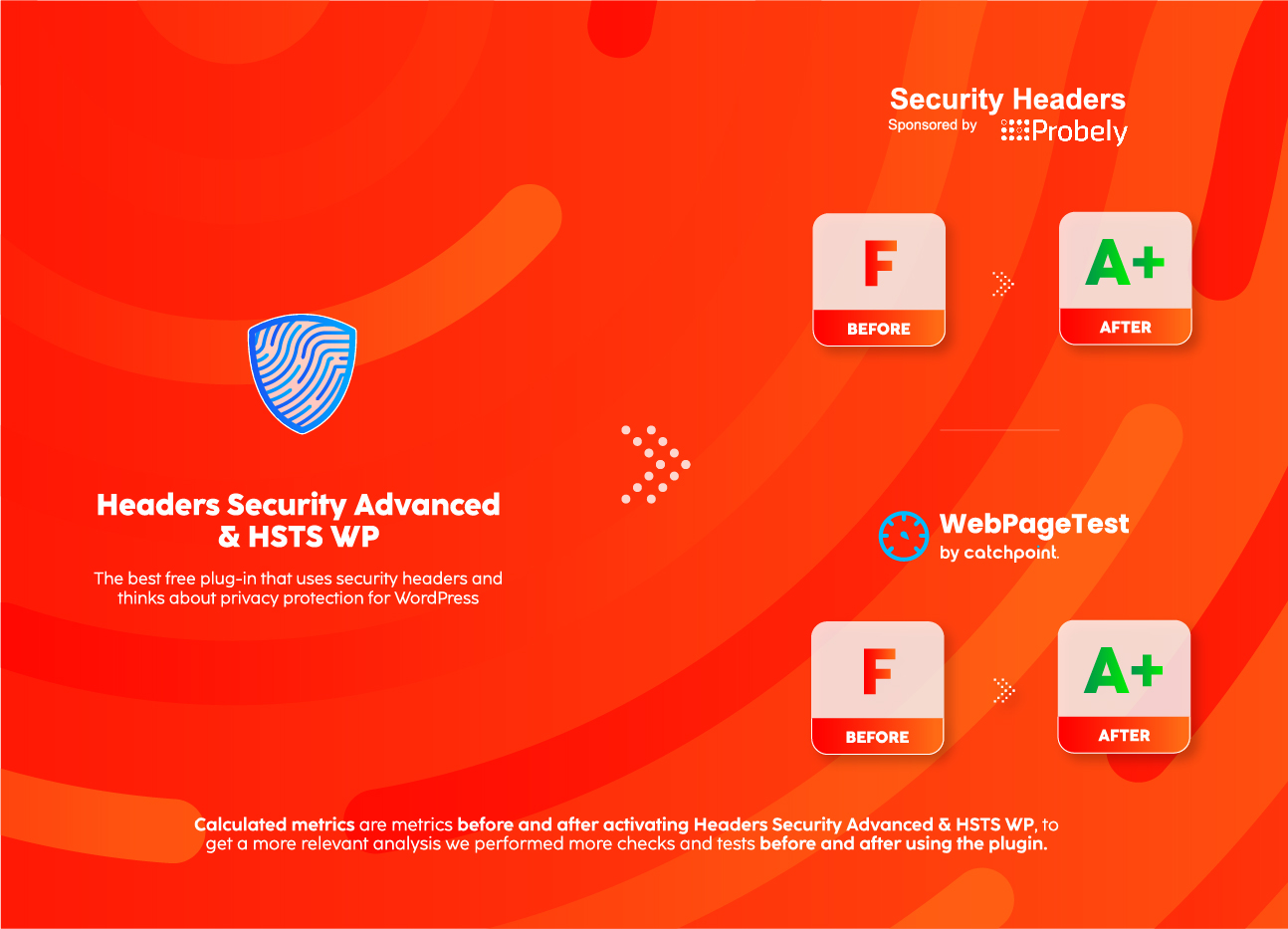
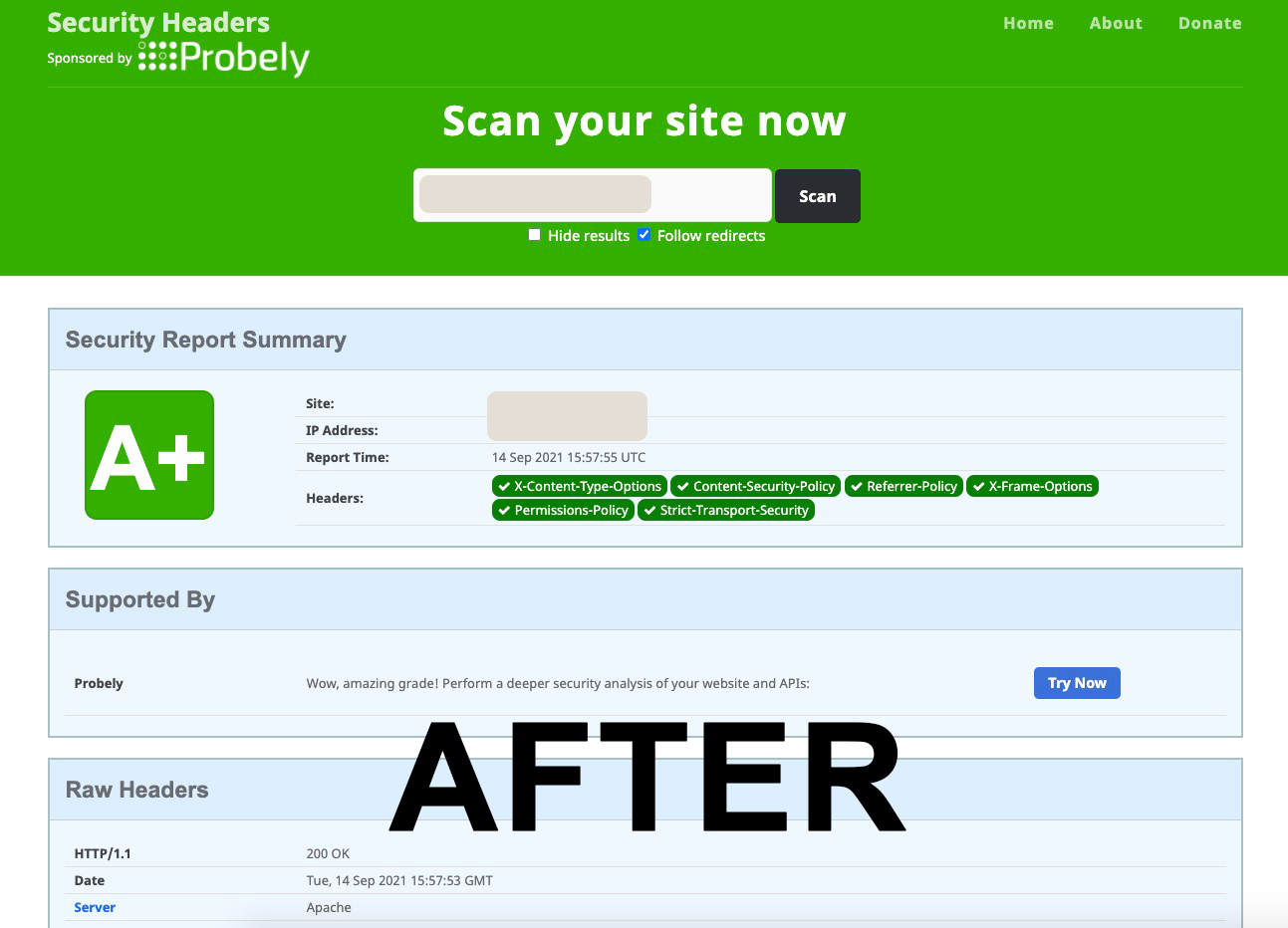
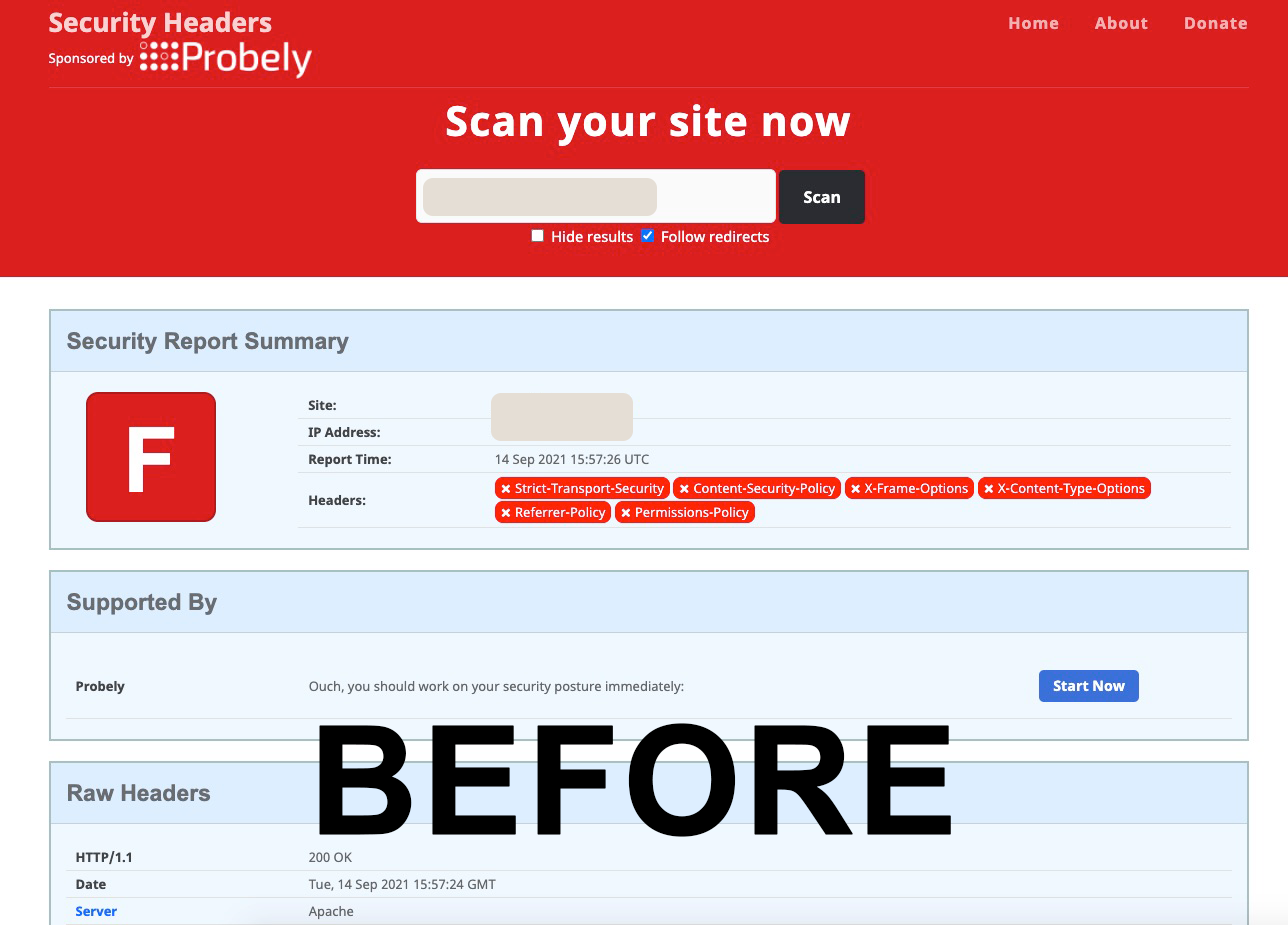
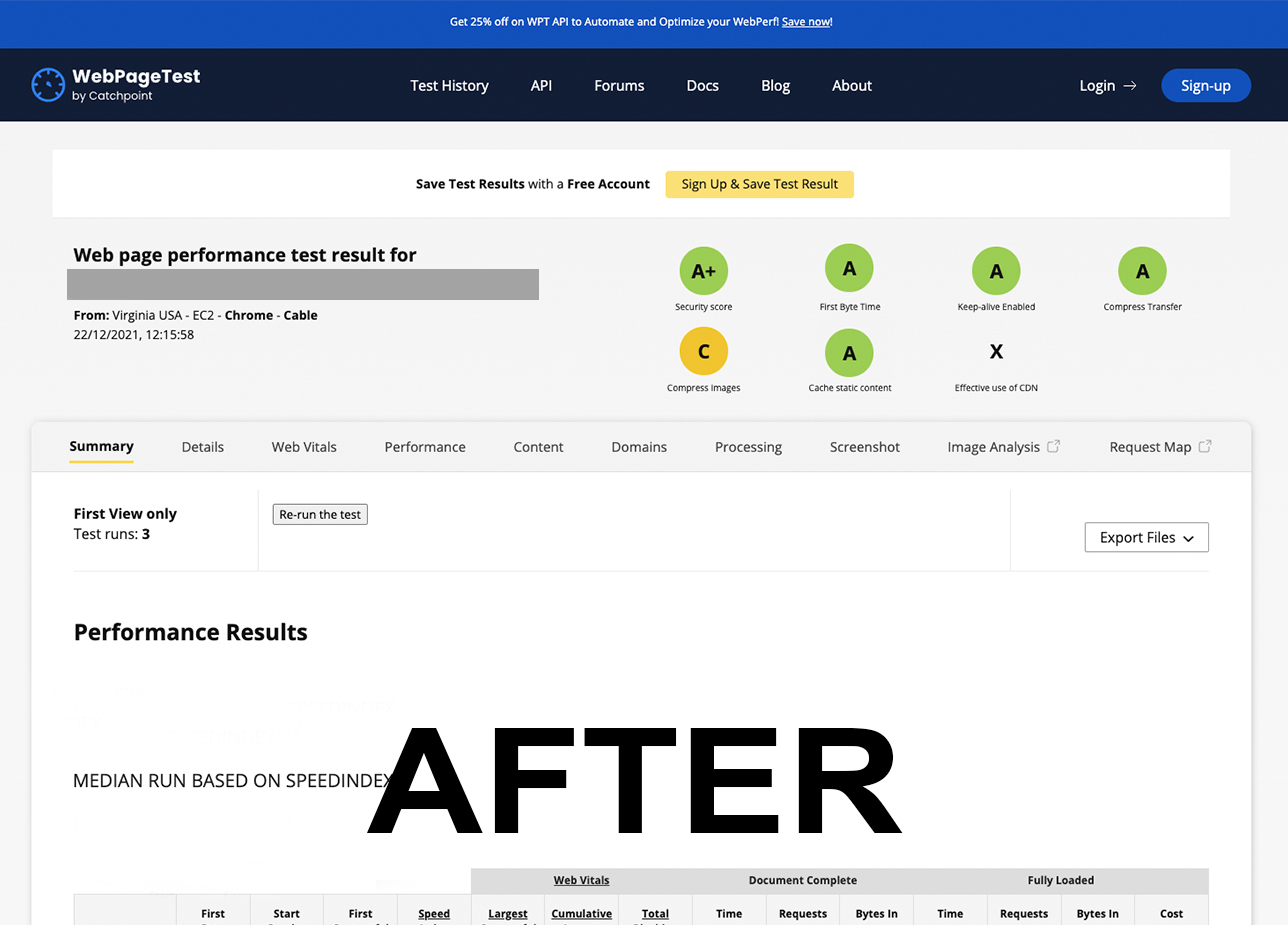
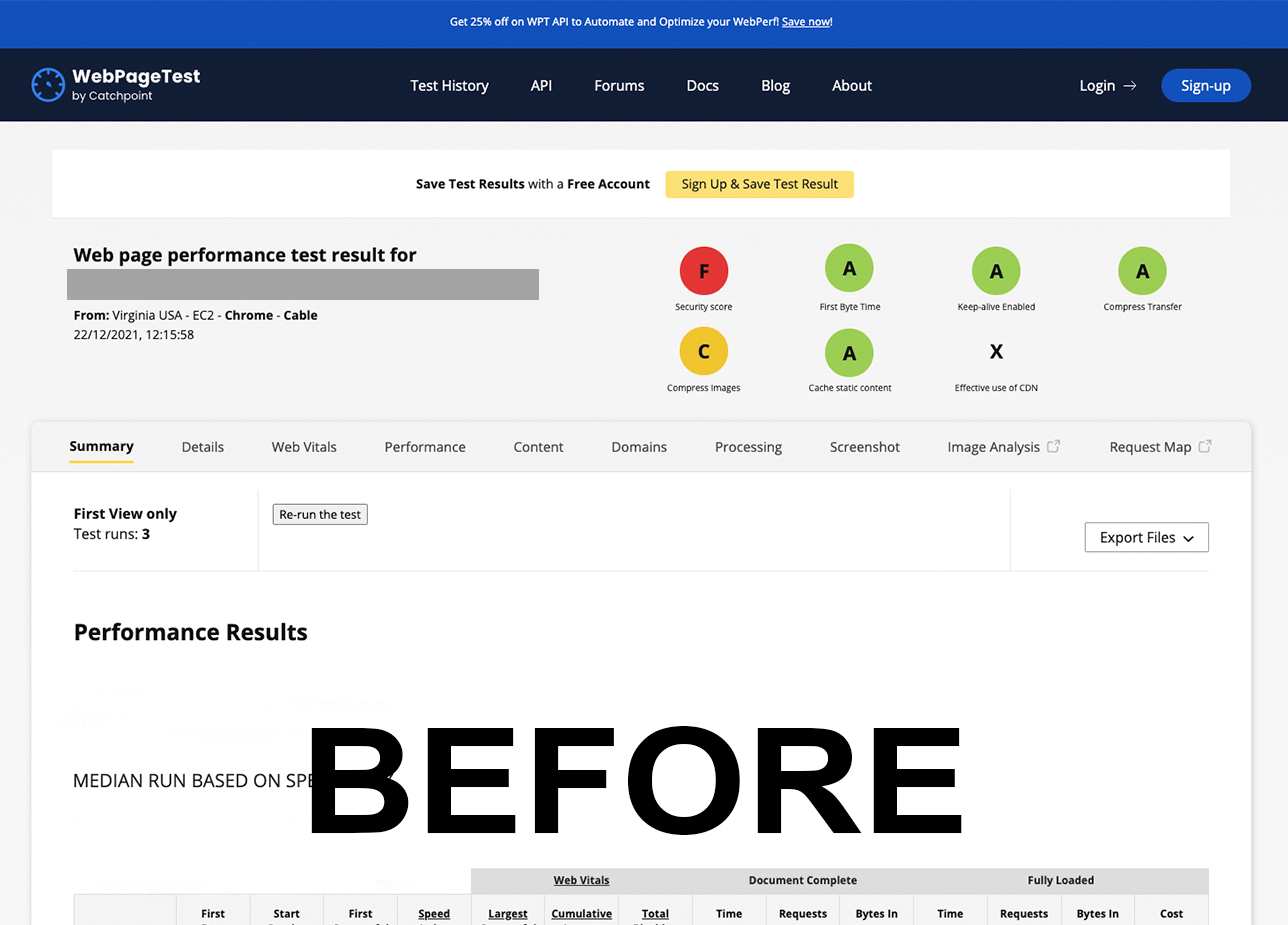
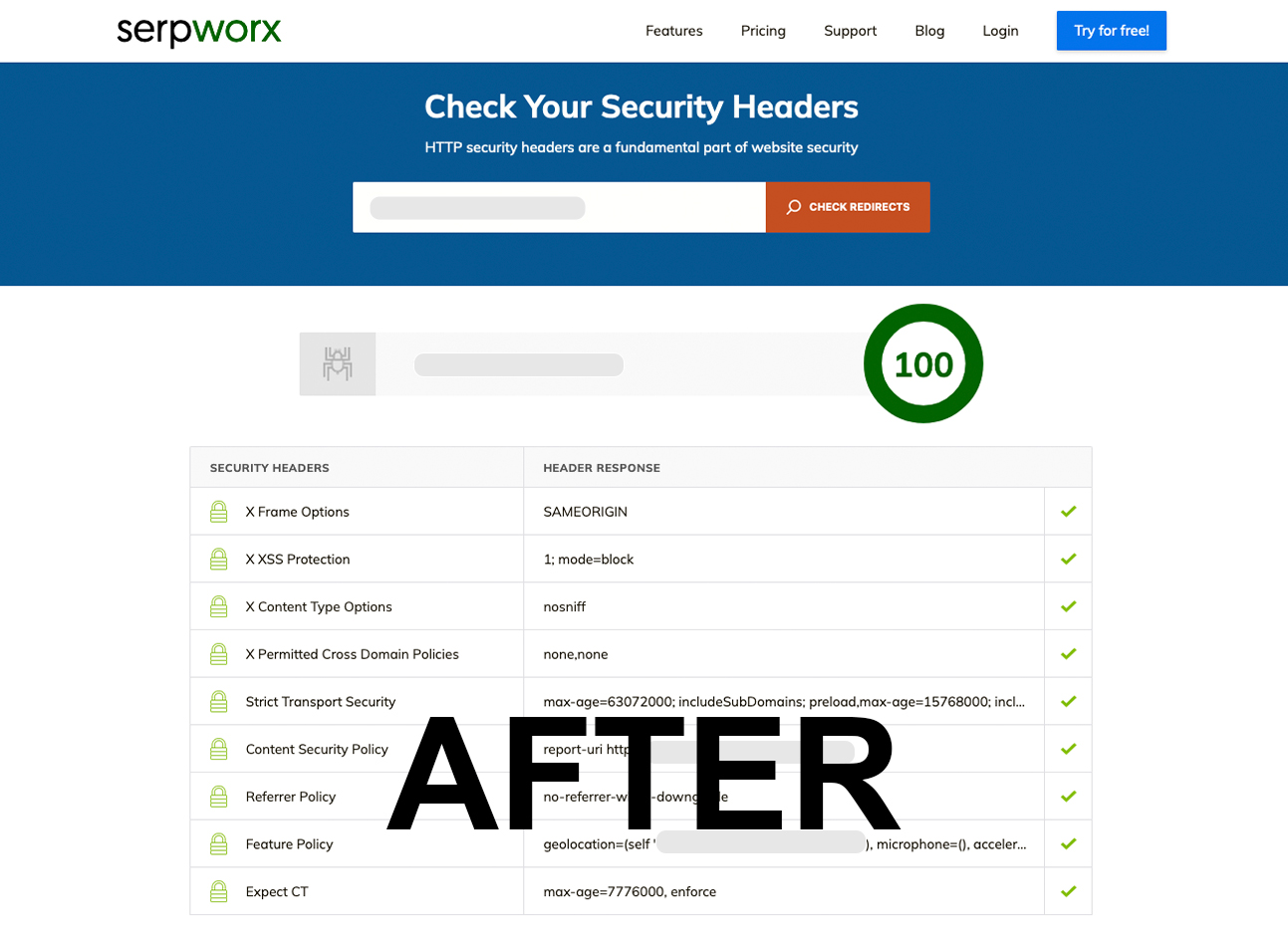
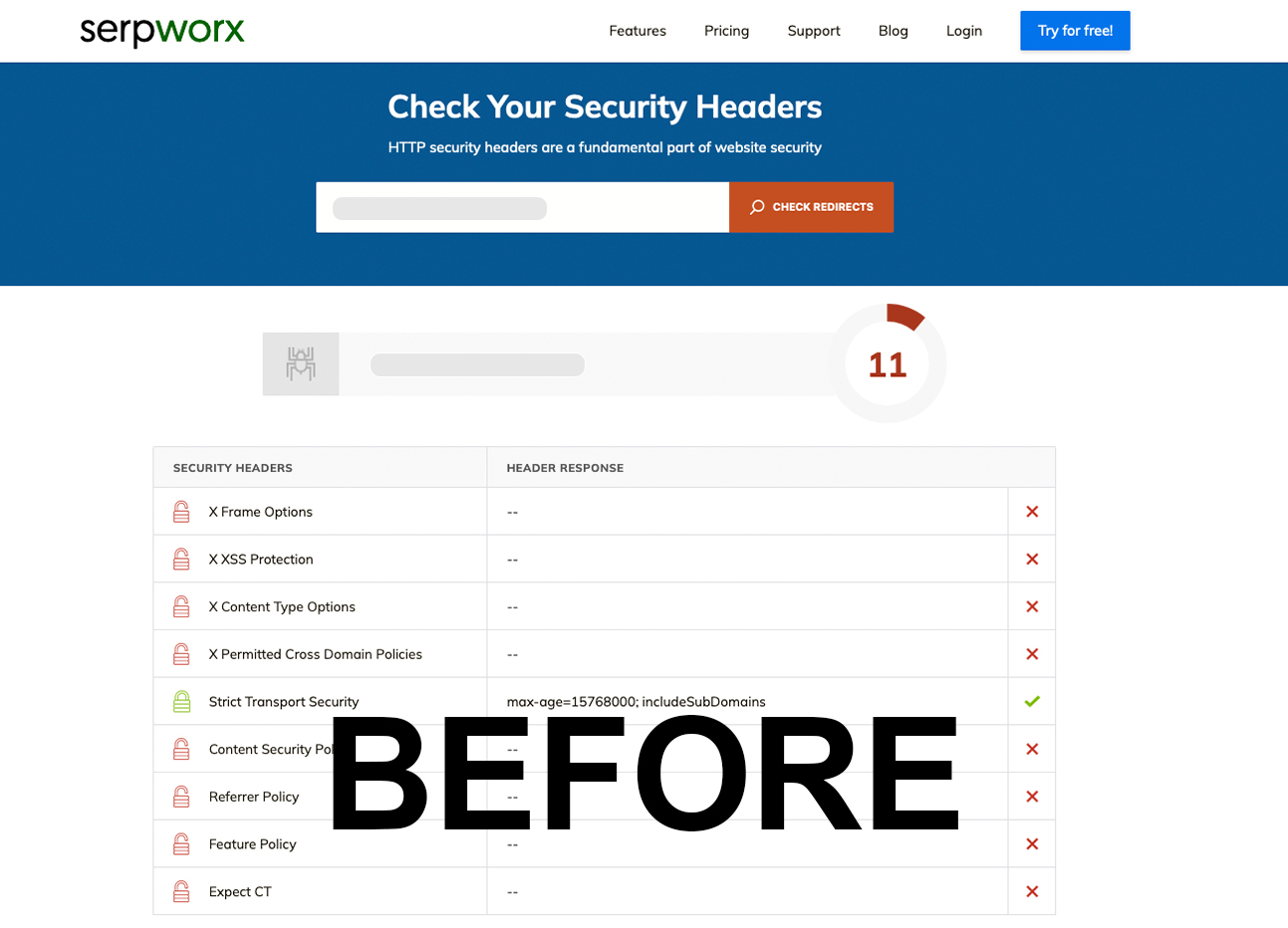
Analyze your site before and after using Headers Security Advanced & HSTS WP security headers are self-configured according to HTTP Security Headers and HTTP Strict Transport Security / HSTS best practices.
- Check HTTP Security Headers on securityheaders.com
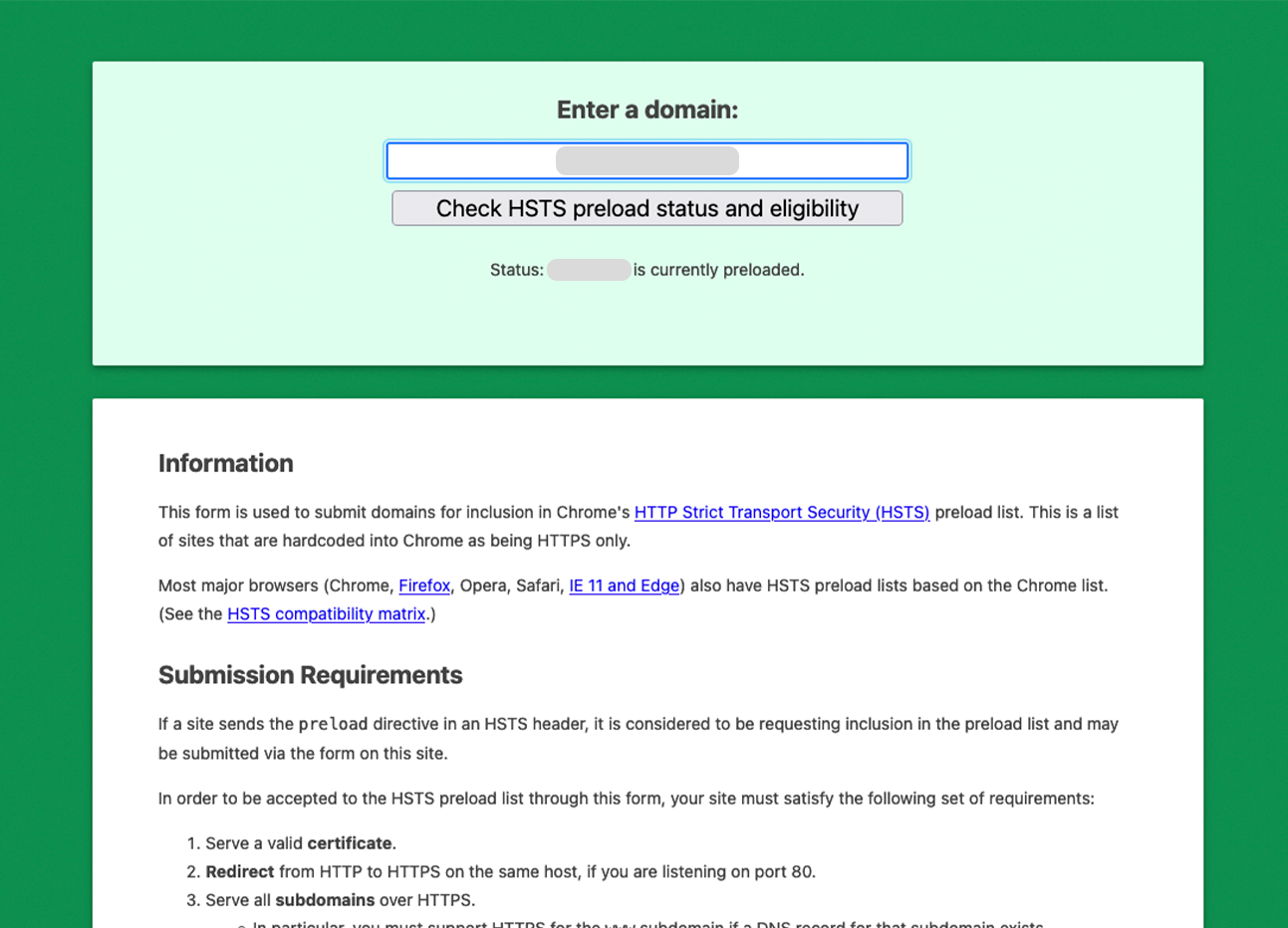
- Check HTTP Strict Transport Security / HSTS at hstspreload.org
- Check WebPageTest at webpagetest.org
- Check HSTS test website gf.dev/hsts-test
- Check CSP test website csper.io/evaluator
- Check CSP Evaluator csp-evaluator.withgoogle.com
- CSP Content Security Policy Generator addons.mozilla.org
This plugin is updated periodically, our limited support is free, we are available for your feedback (bugs, compatibility issues or recommendations for next updates). We are usually fast :-D.
Shield — Advanced Features (Optional)
Every feature this plugin offers today is and will remain completely free, forever. Shield is a separate set of brand-new advanced tools for professionals who need deeper monitoring and automation:
- Security Advisor — Analyzes your configuration and gives personalized recommendations in plain language
- CSP Guide — Recommended tools, safe workflow, WordPress-specific CSP snippets, and CSP FAQ
- Security Score Dashboard — Real-time A+ to F grade with header status for all 10 security headers
- Email & Webhook Alerts — Get notified via email, Slack, Discord, Microsoft Teams, or custom webhook when something changes
- CSP Violation Analytics — See which resources browsers are blocking and why
- Weekly Automated Scans — Automatic security audit with scan history and trend tracking
Nothing existing moves behind a paywall. Revenue from Shield directly funds free updates and maintenance for all 100,000+ users. Learn more at openheaders.org/pro.
Known limitations
- Automatic duplicate resolution needs a self-check that reaches your site’s PHP over a loopback connection. On some reverse-proxy stacks – notably nginx in front of Apache, which is the default on Plesk and cPanel – the backend selects the virtual host by TLS SNI, so a loopback request answers 421 (Misdirected Request) and the self-check cannot arm. When this happens the plugin does not de-duplicate automatically; it keeps sending every header via PHP (nothing is lost), and the Delivery diagnostics panel says so. If a header ends up duplicated on such a stack, set it to “Server only” under “Advanced: per-header delivery” – that keeps the server’s copy and drops the plugin’s own. A future release will make the loopback self-check pin the request to the backend so it can arm automatically on these stacks too.
- Content-Security-Policy is always sent via PHP on the front-end only and is never written to .htaccess, so a strict or nonce-based CSP cannot reach wp-admin or be frozen into a cached response.
- On Nginx and IIS the plugin does not write .htaccess (those servers do not read it). Normal pages are covered via PHP; a server-level cache that serves HTML without invoking PHP needs the equivalent headers added to the server or CDN config. WP Rocket’s cache is served by an early advanced-cache.php drop-in that runs before plugins load; we have modelled this but not verified coverage on a live WP Rocket site, so check its cached responses and add a server or CDN rule if a header is missing.
Installation
ITALIAN
- Vai in Plugin ‘Aggiungi nuovo’.
- Cerca Headers Security Advanced & HSTS WP.
- Cerca questo plugin, scaricalo e attivalo.
- Vai in ‘impostazioni’ > ‘Headers Security Advanced & HSTS WP’. Per personalizzare le intestazioni.
- Puoi cambiare questa opzione quando vuoi, Headers Security Advanced & HSTS WP viene impostato in automatico.
ENGLISH
- Go to Plugins ‘Add New’.
- Search for Headers Security Advanced & HSTS WP.
- Search for this plugin, download and activate it.
- Go to ‘settings’ > ‘Headers Security Advanced & HSTS WP’. To customize headers.
- You can change this option whenever you want, Headers Security Advanced & HSTS WP is set automatically.
FRANÇAIS
- Allez dans Plugins ‘Add new’.
- Recherchez Headers Security Advanced & HSTS WP.
- Recherchez ce plugin, téléchargez-le et activez-le.
- Allez dans ‘settings’ > ‘Headers Security Advanced & HSTS WP’. Pour personnaliser les en-têtes
- Vous pouvez modifier cette option quand vous le souhaitez, Headers Security Advanced & HSTS WP est réglé automatiquement.
SPANISH
- Ve a Plugins > Añadir nuevo.
- Busca Headers Security Advanced & HSTS WP.
- Busca este plugin, descárgalo y actívalo.
- Ve a Ajustes > Headers Security Advanced & HSTS WP para personalizar los encabezados.
- Puedes cambiar esta opción cuando desees, Headers Security Advanced & HSTS WP se configura automáticamente.
DEUTSCH
- Gehen Sie zu Plugins ‘Neu hinzufügen’.
- Suchen Sie nach Headers Security Advanced & HSTS WP.
- Suchen Sie nach diesem Plugin, laden Sie es herunter und aktivieren Sie es.
- Gehen Sie zu “Einstellungen” > “Kopfzeilen Sicherheit Erweitert & HSTS WP”. So passen Sie die Kopfzeilen an
- Sie können diese Option jederzeit ändern, Headers Security Advanced & HSTS WP wird automatisch eingestellt.
PORTUGUESE
- Vá para Plugins > Adicionar novo.
- Procure por Headers Security Advanced & HSTS WP.
- Procure por este plugin, baixe-o e ative-o.
- Vá para Configurações > Headers Security Advanced & HSTS WP para personalizar os cabeçalhos.
- Você pode alterar esta opção sempre que desejar, Headers Security Advanced & HSTS WP é configurado automaticamente.
SWEDISH
- Gå till Plugins > Lägg till nytt.
- Sök efter Headers Security Advanced & HSTS WP.
- Sök efter denna plugin, ladda ner och aktivera den.
- Gå till Inställningar > Headers Security Advanced & HSTS WP för att anpassa rubrikerna.
- Du kan ändra detta alternativ när du vill, Headers Security Advanced & HSTS WP är inställt automatiskt.
Änderungsprotokoll
5.3.6
This release fixes a 502 error on logout that could occur on nginx-in-front-of-Apache hosting (Plesk, webgo and similar).
- Fixed: Logging out of WordPress could return “502 Bad Gateway” from nginx (with “upstream sent too big header” in the server log) when the plugin was active. On logout WordPress already sends a large header block (it expires several cookies at once and adds the redirect), and the plugin’s security headers stacked on top could exceed the reverse proxy’s upstream header buffer. The plugin now emits only HSTS on the logout response, so the headers stay within the buffer regardless of the host’s configuration. The security headers are still applied in full on every normal page. This also guarantees the Content-Security-Policy is never sent on the logout response, independent of how the context is detected behind a proxy.
5.3.5
This release brings back server-level header coverage (cached pages and static files) that 5.3.4 lost, without reintroducing duplicate headers.
- Fixed: On full-page caches and static files (CSS, JS, images) the security headers were missing after 5.3.4, because headers were emitted only through PHP and those responses never run PHP. External scanners could report the headers as gone. The plugin now writes the headers to .htaccess again on Apache and LiteSpeed, so the web server applies them to every response.
- Added: Automatic de-duplication is available but is turned off by default in this version. The plugin writes the header to .htaccess and PHP keeps sending it too. On Apache the .htaccess directive replaces, so you still get a single copy. On LiteSpeed .htaccess appends instead, so if a header shows up twice, set that header to “Server only” under “Advanced: per-header delivery” to keep the server’s copy and drop the plugin’s. When automatic de-duplication is enabled, the plugin confirms – by measuring its own live responses – that the server is already sending a header before it stops sending its own copy; if that proof is missing, stale, or uncertain it keeps sending. It always errs toward sending, never toward a missing header.
- Added: A “Run check now” button on the settings page (Delivery diagnostics) shows which web server was detected, whether the .htaccess block is in place, the backend port the plugin learned (or that it has not learned one yet), the exact loopback candidates tried and the responding server, so header delivery can be verified at a glance.
- Added: Per-header delivery control under “Advanced: per-header delivery” (collapsed by default). Each header can be left on “On” (the plugin manages it: it writes the header to .htaccess and PHP sends it), set to “Server only” (keep the server’s or another plugin’s copy and drop the plugin’s own), or “Off” (do not send it at all). With automatic de-duplication off by default in this version, this selector is the primary way to resolve a duplicate: on LiteSpeed, set the affected header to “Server only”. The diagnostics panel points here when it detects a duplicate it cannot resolve on its own.
- Added: On Nginx and IIS the plugin does not write .htaccess (those servers do not read it) and instead shows the exact server-config snippet to hand to your host for server-level caches. Normal pages remain covered via PHP.
- Safety: Every .htaccess write is verified over HTTP and automatically rolled back to the previous file if the site returns an error, and the block is wrapped so a server without mod_headers simply ignores it. The block uses stable markers so upgrades replace it in place instead of stacking, and it is removed on deactivation and uninstall.
- Changed: Any header you had previously disabled is preserved as “Off” under the new per-header delivery control, so no header you intentionally turned off comes back.
- Note: Content-Security-Policy continues to be sent via PHP on the front-end only (never written to .htaccess), so a strict or nonce-based policy cannot reach wp-admin or be frozen into a cached file.
5.3.4
This release fixes duplicate security headers and makes header delivery predictable on every server.
- Fixed: Duplicate headers (Content-Security-Policy, Referrer-Policy, Cross-Origin-*, X-Permitted-Cross-Domain-Policies, Access-Control-Allow-Methods and others) that appeared on Apache and LiteSpeed when both PHP and .htaccess emitted them.
- Changed: Headers are now sent a single time via PHP on all servers. The plugin no longer writes a header block to .htaccess, so there is exactly one source and no duplicates. Any block left by previous versions (including very old formats) is automatically removed on update.
- Fixed: The “disable” checkboxes now work for every header, not just four, and they fully turn a header on or off. The checkboxes have been reset once during the update; a notice explains the change so no site silently loses a header it meant to keep.
- Fixed: The checkbox previously labelled “CSP” actually controlled Permissions-Policy; it has been renamed. Because its meaning changed, it (and the other reset checkboxes) start unchecked. The update notice explains how to re-check any header you want disabled.
- Removed: The deprecated X-Content-Security-Policy header (superseded by Content-Security-Policy).
- Changed: Cross-Origin-Embedder-Policy is no longer sent by default (its previous “unsafe-none” value added no protection and used non-standard syntax).
- Fixed: Removed invalid report-to=’default’ syntax from Cross-Origin headers.
- Fixed: Rewrite rules are no longer flushed during plugin updates or settings saves (fixes multilingual routing breakage with Polylang and similar plugins).
- Changed: The plugin’s Content-Security-Policy is applied to the site front-end; wp-admin is left to WordPress core’s own policy, so a strict CSP cannot break the block editor. All other security headers are still applied everywhere.
- Note: static files (CSS, JS, images) served directly by the web server no longer receive security headers, since headers are now emitted via PHP only. The practical impact is X-Content-Type-Options on static assets. Server-level coverage will return as an explicit opt-in feature in a future release.
5.3.3
This update introduces Shield — optional advanced tools for professionals who need deeper security monitoring. Every existing feature remains completely free, forever.
- New: Shield tab-based interface (Settings, Dashboard, CSP, Notifications, Export/Import, License, Free vs Shield, FAQ)
- New: Security Advisor with personalized recommendations
- New: Security Score Dashboard (A+ to F grading, 10 header status overview)
- New: CSP Guide with recommended tools (Csper.io, Google CSP Evaluator, Report URI, URIports)
- New: CSP violation analytics (top blocked domains, directives, trends)
- New: Email alerts when security score drops or headers change
- New: Webhook notifications (Slack, Discord, Microsoft Teams, custom JSON endpoint)
- New: Export/Import settings for agencies managing multiple sites
- New: Weekly automated scans with history tracking
- New: Comprehensive FAQ with search and category filters
- New: Free vs Shield comparison with transparent pricing
- Improved: Clean uninstall (license auto-deactivated, all options removed)
5.2.5
I don’t want to tell you what to do, but here’s the thing: When you update the Headers Security Advanced & HSTS WP plugin, you don’t just click a button, you enter a world of enhanced security and performance.
With version 5.2.5, I have gone above and beyond to ensure that your experience is nothing short of exceptional. I have eliminated numerous bugs, improved annoying pixels, and updated the graphics in a sleek and modern way. The result? A plugin that not only looks great, but works even better.
But that’s not all. This update brings seamless integration with the industry’s leading security monitoring platforms-Sentry, Datadog, and Report URI. These integrations offer enhanced reporting capabilities, providing detailed information on content security policy (CSP) violations and improving site security.
- Update: Code optimization for better compatibility with WordPress version 6.9.
- Fixed: Improved compatibility with WordPress 6.9 plugin list rendering
- Fixed: Resolved edge case where plugin list could stop rendering when other plugins return unexpected values from the
plugin_action_linksfilter - Hardened: Added defensive type checking for better interoperability with third-party plugins
By updating to 5.2.5, you’re not just improving your site’s security – you’re optimizing it with the best tools available. Our goal is to provide you with the most beautiful, fastest, and most impressive plugin experience around. So, shall we get started? Hit “update” and step into a new era of security and performance with Headers Security Advanced & HSTS WP. Enjoy the upgrade!
Screenshots
Für Entwickler
Ist das dein Plugin? Zeigen Sie die Zahlen.
Fügen Sie Ihrer Website, Docs oder GitHub Readme ein Live-Badge hinzu. Es wird von selbst aktualisiert - kein Konto erforderlich.
Best Headers Security Advanced & H… alternatives
All clickjacking plugins →


Fragen und Antworten
Headers Security Advanced & HSTS WP: quick answers
Gerade Antworten, gezogen von Live WordPress.org Daten.
Quelle: WordPress.org
Is Headers Security Advanced & HST… free?
Yes. Headers Security Advanced & HST… is free to download and use from the official WordPress.org plugin directory.
Is Headers Security Advanced & HST… safe to use in 2026?
Headers Security Advanced & HST… is a solid plugin choice in 2026, with a few things worth checking first. It runs on 90K+ sites, is rated 4.9/5 and was last updated 3 weeks ago, and scores 76/100 on our health check.
How many websites use Headers Security Advanced & HST…?
Headers Security Advanced & HST… is active on 90K+ WordPress websites and has been downloaded 1,694,139 times since it launched in September 2021. It was downloaded 69,739 times in the last 30 days.
Does Headers Security Advanced & HST… work with WordPress 7.1?
Headers Security Advanced & HST… is officially tested up to WordPress 7.0.9, while the latest release is 7.1.5. It may still work, but try it on a staging site first.
What PHP version does Headers Security Advanced & HST… need?
Headers Security Advanced & HST… requires PHP 7.4 or higher. Most hosts run PHP 8.x today, so it works on any modern WordPress hosting.
When was Headers Security Advanced & HST… last updated?
The latest version, 5.3.6, was released on October 30, 2026 (3 weeks ago).
Who makes Headers Security Advanced & HST…?
Headers Security Advanced & HST… is developed and maintained by Andrea Ferro.
What are the best alternatives to Headers Security Advanced & HST…?
The most popular alternatives to Headers Security Advanced & HST… are WP Anti-Clickjack (3K+ installs), HTTP Security Header (1K+ installs) and Do Not Iframe Me (10+ installs).
Angetrieben von PageForge
Eine Vorlage und eine Tabelle. Eine echte Seite für jede Suche.
PageForge Verwandelt jede Zeile eines CSV in eine WordPress-Seite mit eigenem Titel, URL, SEO Felder und Schema entworfen. Kostenlos auf WordPress.org.
- CSV und XLSX, plus Google Sheets auf Beruf und Unternehmen
- seinen eigenen Titel, URL, SEO Felder und Schema für jede Seite
- Arbeitet mit dem Blockeditor, Elementor, Divi und Avada
- Kostenlos auf WordPress.org, keine Kreditkarte