


Glimpse BI
Charts and dashboards from your WordPress tables. Build with clicks or read-only SQL, or ask in plain English with optional Ask.

Mit Vorsicht verwenden
Glimpse BI works, but test it on a staging site before relying on it in 2026. Was last updated 1 month ago, and scores 60/100 on our health check.
- Getestet mit dem neuesten WordPress (7.1)
- Kleine Benutzerbasis (<10 aktive Installationen)
- Bisher sehr wenige Bewertungen
Wie stapelt es sich?
Side-by-side bei Installationen, Updates, Bewertungen und Support


Tägliche Downloads
Download-Spitzen folgen normalerweise einer neuen Version - jede Website, die automatisch aktualisiert wird, gilt als Download.
Ranglisten
Where Glimpse BI stands todayWordPress.org Ranglisten suchen
Live-Position in der Plugin-Suche, Top 100| Stichwort | Position |
|---|---|
| Ai | >100 |
| analytics | >100 |
| charts | >100 |
| dashboard | >100 |
| sql | >100 |
About Glimpse BI
Aus der offiziellen Readme · V1.1.0Beschreibung
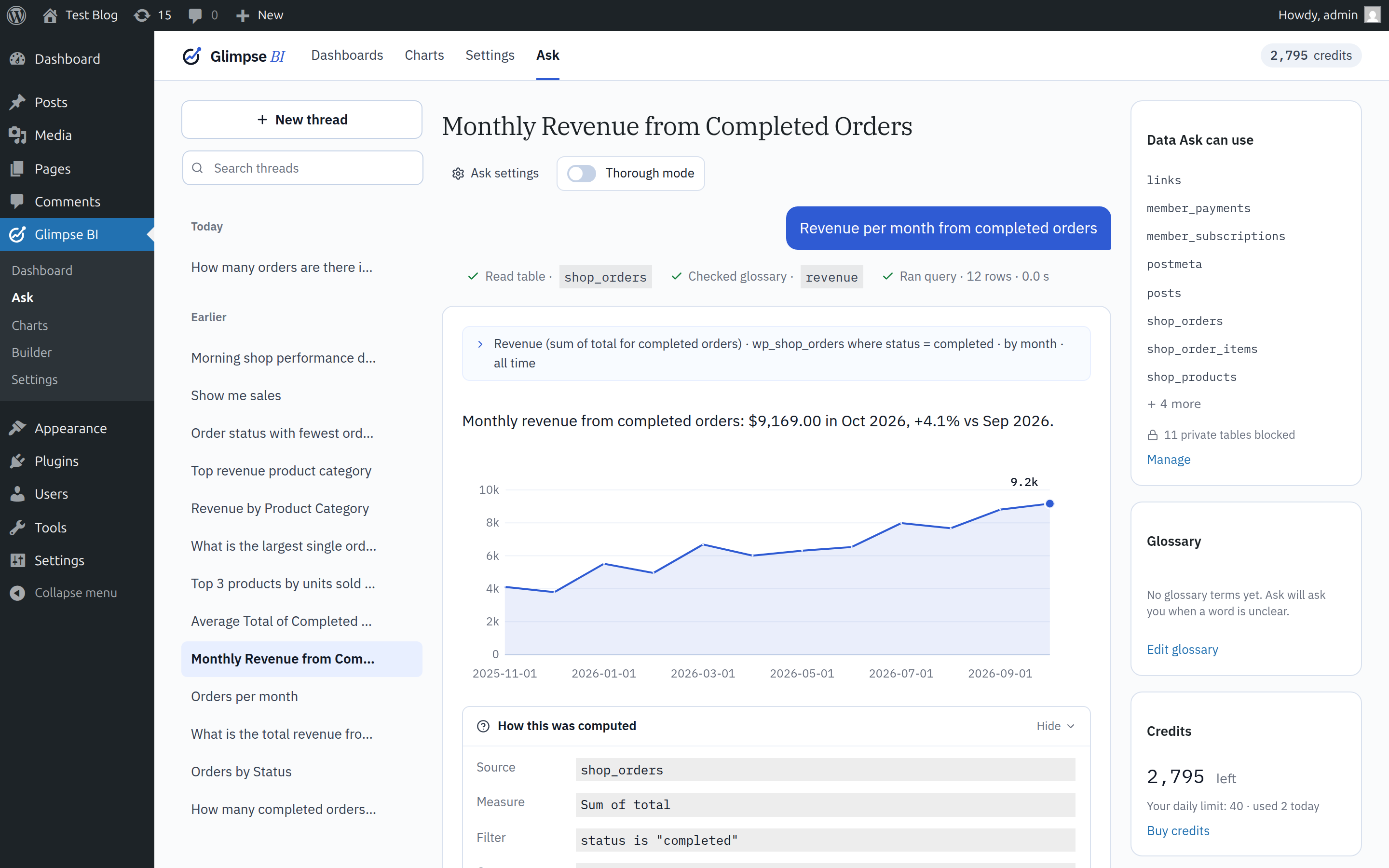
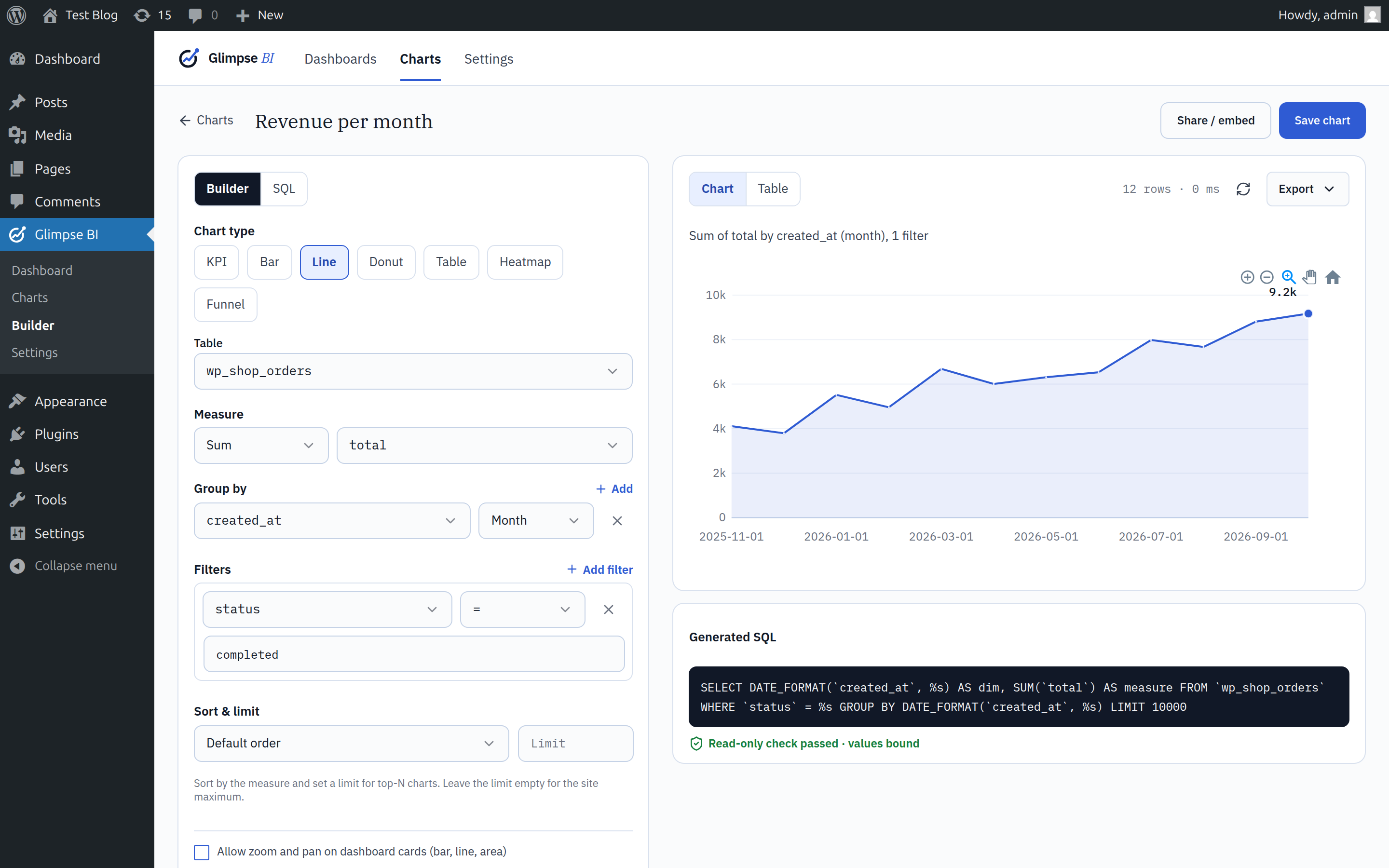
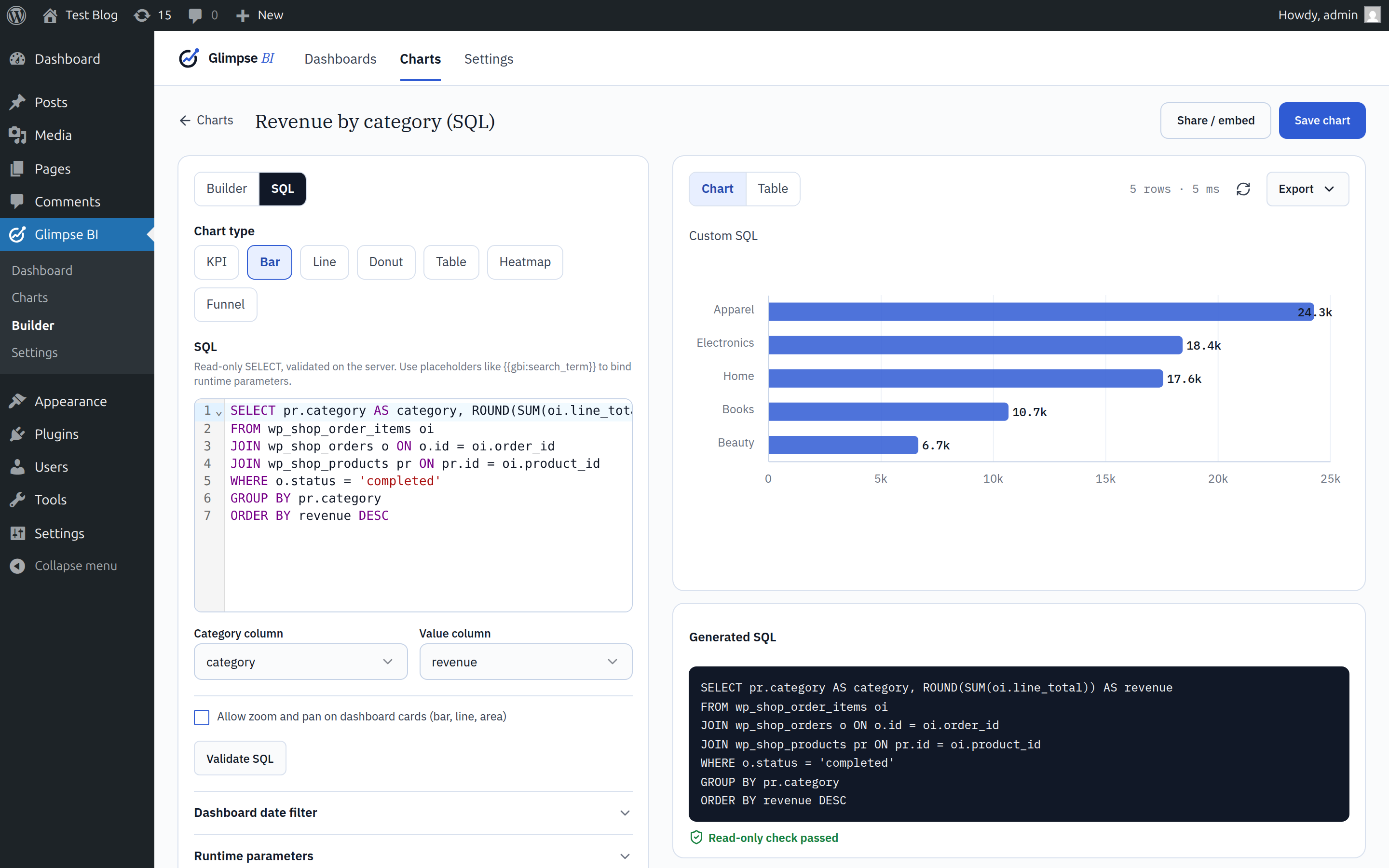
Glimpse BI turns your WordPress database into charts and dashboards inside wp-admin. Build them three ways: a no-code builder, safe read-only SQL, or Ask, which answers plain-English questions with a chart and shows the query it ran. Use your own posts, users, WooCommerce orders, KiviCare appointments, or any other table, without exporting data to a third party.
Every dashboard tile reads through a stale-while-revalidate cache, so multiple admins viewing the same dashboard share one query roundtrip per TTL window. SQL-mode charts pass through an AST-level validator (read-only SELECT/WITH ... SELECT only) before execution, so power users can write hand-tuned queries without giving up safety.
Eigenschaften:
- Ask (optional) — ask questions about your data in plain language and get charts, numbers and tables back, with the query that produced them. Ask is a service: it needs a Glimpse account and runs on Glimpse credits (new accounts include trial credits). It is off until an administrator connects the site and accepts the privacy notice, and every query still runs on your own database. See “External services” below.
- No-code chart builder (GUI mode) — pick a table, measure, dimensions, and filters
- SQL mode for hand-written queries — validated server-side, read-only, parameterized
- React-based dashboard grid with 12-column responsive layout (react-grid-layout)
- Runtime parameters per chart (search boxes, date ranges, dropdowns) backed by
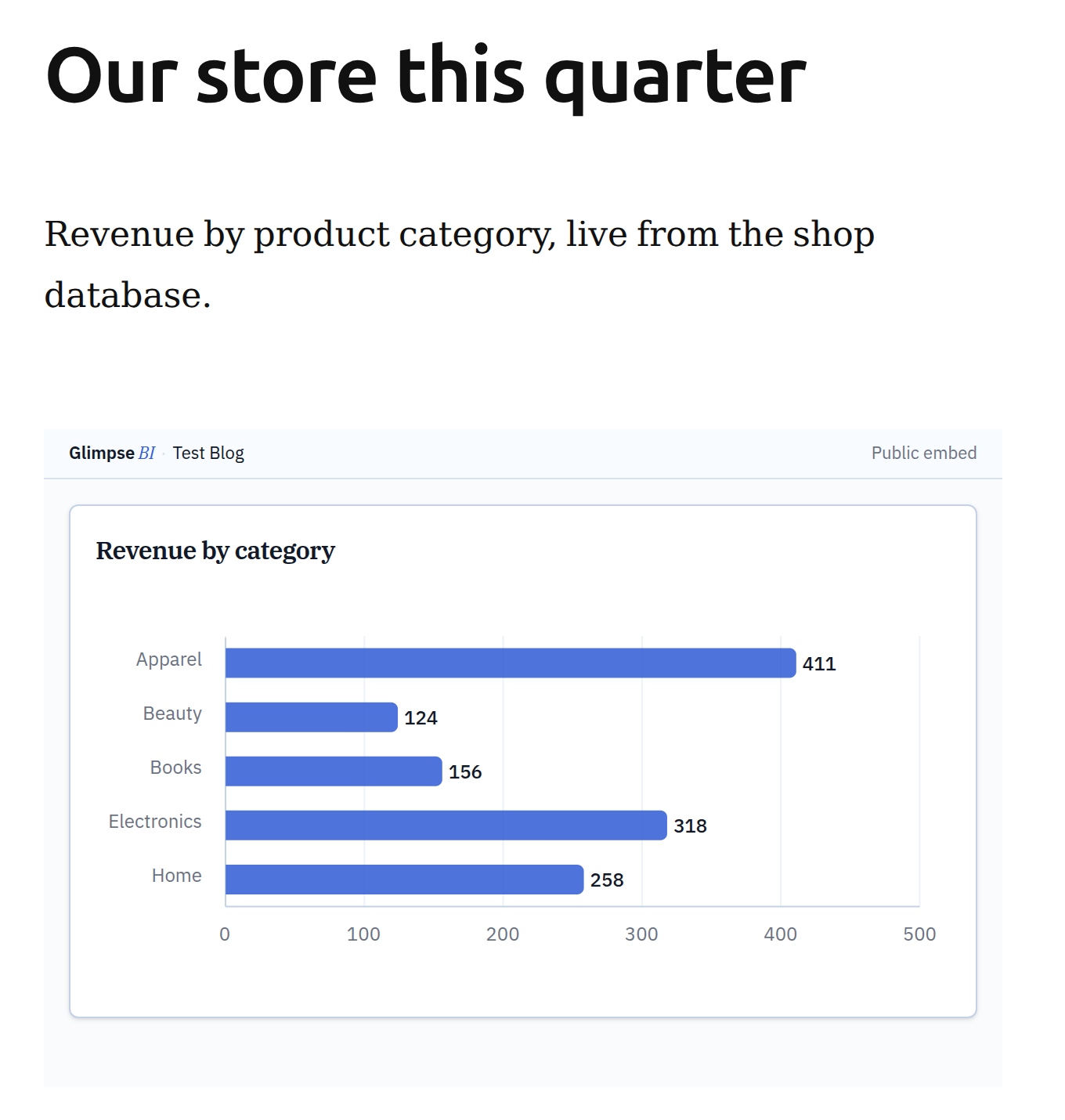
wpdb->prepare - Public embed iframes with token auth, rate limiting, and CSV / JSON export
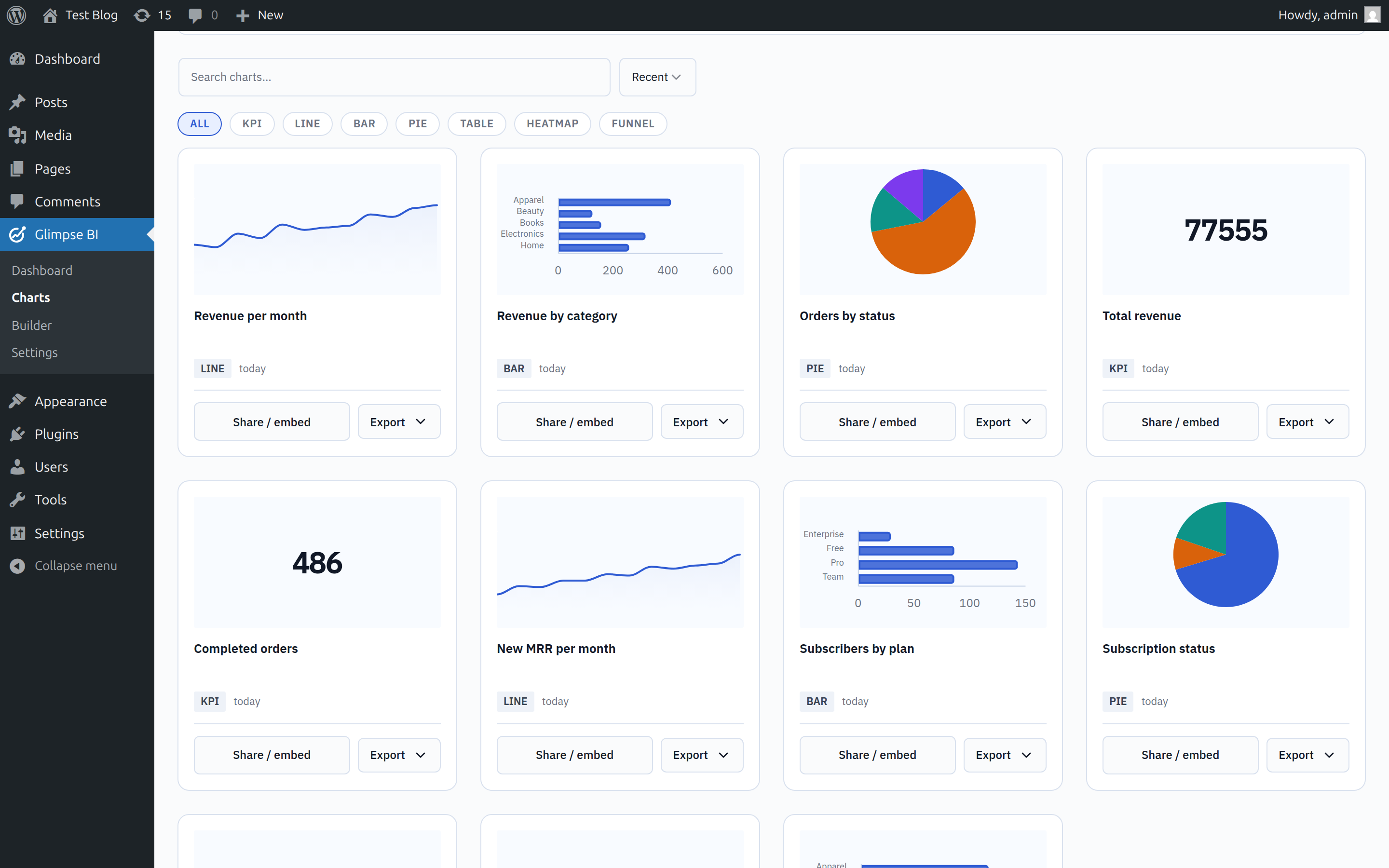
- Built-in dashboard presets — install ready-made dashboards for plugins like KiviCare in one click
- ApexCharts visualizations with a shared design-token theme (KPI, line, bar, pie, table, heatmap, funnel)
- CSV / JSON exports per chart and per dashboard
- Schema introspection with a 1-hour cache and manual refresh
Designed to be polite to your database: query timeouts, row limits (configurable, default 10K), regen-stampede locks, and persistent-object-cache support (auto-detected — uses wp_cache_* when available, transients otherwise).
Externe Dienste
Glimpse BI works entirely inside your site. The one exception is Ask, an optional feature that uses the Glimpse AI service. Nothing is sent anywhere until an administrator has connected the site to a Glimpse account (Glimpse BI → Ask → Connect to Glimpse) and accepted the Ask privacy notice. Without both, Glimpse BI makes no outbound requests for Ask, and every other feature (charts, dashboards, SQL mode, embeds, exports) works the same whether or not a site ever connects.
Glimpse relay (api.glimpsebi.com), operated by Glimpse BI. The relay chooses the AI model, adds the instructions, runs the model and bills the account’s Glimpse credits. The plugin contacts it:
- When an administrator connects the site: the browser is sent to glimpsebi.com/app/connect with the site address (home URL), a random site ID generated by the plugin, the address of this site’s Ask page and a one-time security token. After the administrator approves, the plugin exchanges a one-time code for a connection key (
POST /connect/exchange, sending the code and the site ID). When an administrator disconnects, the plugin asks the relay to revoke that key (POST /connect/revoke). - When a user with access asks a question (
POST /ai/step, once per step of an answer) and to show the credit balance (GET /ai/balance). Each request carries the connection key and the site ID.
What a question sends:
- The question and the earlier messages of the same conversation, including the AI’s previous replies and short summaries of the steps it took.
- The names of the tables and columns Ask is allowed to see, their column types, column counts and approximate row counts. Tables marked private and hidden columns (by default anything that looks like an email, password, token, secret, API key, IP address or phone number, plus the users, usermeta and options tables) are never sent.
- Glossary terms an administrator added, and on dashboards and in the chart builder the titles and definitions of the charts in view.
- The site’s language, time zone and currency, and the current time.
- Only at the data levels an administrator chooses in Ask settings: short lists of distinct column values (for example order statuses; “Schema + values”), or up to 200 result rows of the queries Ask ran (“Full results”). The default, “Schema only”, sends no values or rows from your tables.
The queries themselves run on your own database; the relay never receives database credentials and never runs queries. The relay keeps no copy of questions, conversations or results; it records usage (time, model, token counts and credits) for billing.
Cloudflare Workers AI, operated by Cloudflare, Inc., runs the model for the relay, through Cloudflare AI Gateway, whenever a question is asked. The relay forwards the data listed above. The models are DeepSeek models (DeepSeek V4) hosted on Cloudflare’s infrastructure; nothing is sent to DeepSeek’s own service. Your site never contacts Cloudflare or DeepSeek itself.
- Glimpse Terms of Use: https://glimpsebi.com/terms
- Glimpse Privacy Policy: https://glimpsebi.com/privacy
- Glimpse Data Processing Addendum: https://glimpsebi.com/dpa
- Cloudflare Website and Online Services Terms of Use: https://www.cloudflare.com/website-terms/
- Cloudflare Privacy Policy: https://www.cloudflare.com/privacypolicy/
Installation
- Upload the plugin zip via Plugins → Add New → Upload Plugin, or unzip into
wp-content/plugins/. - Activate “Glimpse BI” from the Plugins screen.
- Visit Glimpse BI → Charts to build your first chart, or install a ready-made dashboard from the Presets section at the top of the Charts page.
The plugin self-migrates schema on every activation and on plugins_loaded (compares stored glimpsebi_db_version against the bundled constant).
Änderungsprotokoll
New: Ask, an optional AI assistant that answers questions about your data with charts. Off until an administrator connects the site and agrees to the privacy notice. Also fixes embedded dashboards ignoring the date range.
1.1.0
- New: Ask — ask questions about your data in plain language and get a chart, number or table back, with the query it ran. Ask is optional and off by default: an administrator connects the site to a Glimpse account and accepts the privacy notice first. It runs on Glimpse credits; queries still run on your own database, and private tables and hidden columns never leave the site. See “External services”.
- New: Ask settings control what Ask may see (schema only, schema + values, or full results), private tables, hidden columns, a glossary, a daily limit per person, thread retention and an optional audit log of what was sent.
- Developer:
glimpsebi_ai_relay_credential,glimpsebi_ai_monthly_limitandglimpsebi_ai_role_grants_availablefilters for add-ons.GLIMPSEBI_API_BASEandGLIMPSEBI_PORTAL_URLcan be overridden inwp-config.php. - Changed: uninstalling also removes Ask’s tables, settings, connection and scheduled clean-up.
- Fixed: embedded dashboards now apply the selected date range to every chart, including charts scoped through the dashboard’s filter mappings, and so do their per-chart exports.
- Fixed: charts saved without an explicit builder mode opened as an empty SQL editor. They now open in the chart builder.
- Fixed: the preset card’s Install button was hard to read.
- Fixed: table charts showed internal column names (DIM, MEASURE) as headers. They now show the field and measure, for example “status” and “Count”.
1.0.3
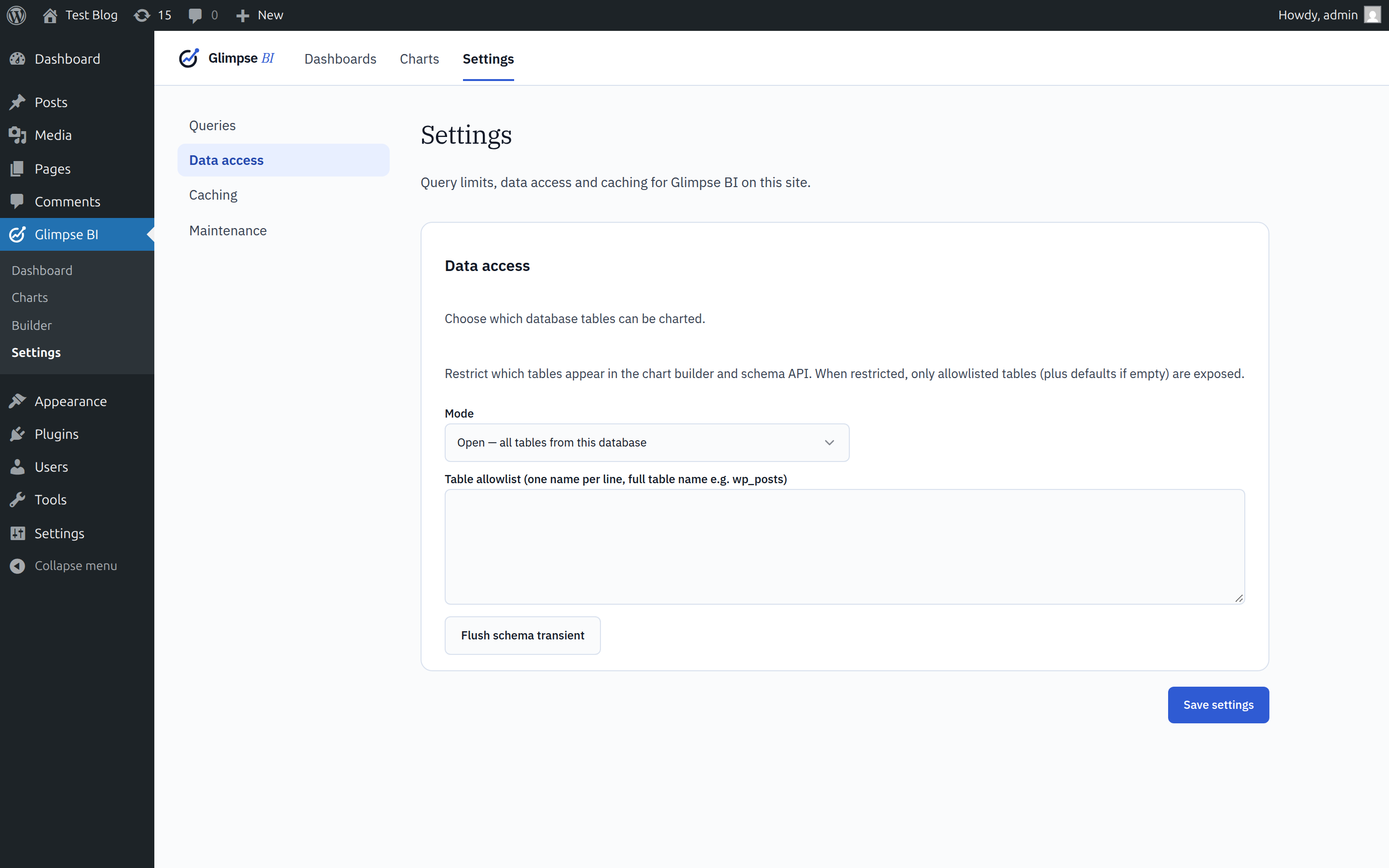
- Security: the schema allowlist is now enforced on the server when builder (GUI) charts are previewed and saved, not just hidden in the builder. A builder chart can no longer read a table that Settings hides, such as the users table. Existing saved charts keep rendering. SQL-mode charts, which only administrators can write, are not restricted by the allowlist.
- Fixed: a chart whose query the database rejects (for example a column that no longer exists) now shows an error instead of an empty chart, and the error is never cached.
- Fixed: previewing or saving a chart that references a missing table or column now names the exact field to fix.
- Developer: chart definitions accept Min, Max and Count distinct measures and an optional
order(by value or group) for top-N charts;GlimpseBI_Query::json_schema()andGlimpseBI_Query::describe()expose the definition contract. - Changed: the readme documents where the source of every compiled file lives and how to rebuild it, with links to each bundled library’s source.
1.0.2
- Security: chart labels and series names are now escaped in chart tooltips and legends, so text stored in your data (post titles, customer names) can never run as code in wp-admin or on embeds.
- Security: dashboard exports only include charts the current user is allowed to see.
- Fixed: uninstalling now also removes dashboard presets and the stored schema version.
- Changed: the bundled JavaScript can be rebuilt from the included source with
npm ci && npm run buildfrom the plugin folder.
1.0.1
- Fixed: chart and dashboard exports could download as empty files. Exports now use the dashboard’s selected date range, ignore filters a chart doesn’t use, and show a clear message when a chart still needs filter values instead of silently returning nothing.
- Fixed: exporting a whole dashboard failed with a fatal error.
- Fixed: “New dashboard”, “Duplicate” and embed-token creation could throw a script error.
- New: date ranges Last quarter, Last 6 months, Last 12 months and Last year, plus a custom From/To picker on dashboards. Embedded dashboards offer the longer ranges too.
- Changed: re-installing a preset over an existing one now keeps your existing dashboard and charts (renamed “(previous)”) instead of deleting them.
- Developer: new
glimpsebi_admin_export_formatsfilter lets add-ons offer extra export formats in the Export menus.
1.0.0
- First public release on WordPress.org. Self-serve BI inside wp-admin: a no-code chart builder and validated read-only SQL mode over your existing WordPress tables (WooCommerce, members, bookings, and more), a responsive dashboard grid, public embed iframes with token auth, CSV/JSON exports, dashboard presets, and a stale-while-revalidate cache that keeps it polite to your database. Consolidates all prior 0.x development into a stable 1.0.
0.4.4
- Changed: the chart builder’s Chart-tab preview now shows table charts as a capped 25-row sample (with a “first 25 of N rows” note) instead of the full paginated tile. The builder is for shaping a definition, not browsing the whole result set — the live dashboard tile and public embed still show all rows with pagination/search. No effect on non-table chart types.
Screenshots

Für Entwickler
Ist das dein Plugin? Zeigen Sie die Zahlen.
Fügen Sie Ihrer Website, Docs oder GitHub Readme ein Live-Badge hinzu. Es wird von selbst aktualisiert - kein Konto erforderlich.
Best Glimpse BI alternatives
Alle AI-Plugins →





Fragen und Antworten
Glimpse BI: quick answers
Gerade Antworten, gezogen von Live WordPress.org Daten.
Quelle: WordPress.org
Is Glimpse BI free?
Yes. Glimpse BI is free to download and use from the official WordPress.org plugin directory.
Is Glimpse BI safe to use in 2026?
Glimpse BI works, but test it on a staging site before relying on it in 2026. Was last updated 1 month ago, and scores 60/100 on our health check.
How many websites use Glimpse BI?
Glimpse BI is active on <10 WordPress websites and has been downloaded 276 times since it launched in October 2026. It was downloaded 128 times in the last 30 days.
Does Glimpse BI work with WordPress 7.1?
Yes. The developer has tested Glimpse BI up to WordPress 7.1.5, the latest release. It requires WordPress 6.5 or newer.
What PHP version does Glimpse BI need?
Glimpse BI requires PHP 8.0 or higher. Most hosts run PHP 8.x today, so it works on any modern WordPress hosting.
When was Glimpse BI last updated?
The latest version, 1.1.0, was released on October 26, 2026 (1 month ago).
Who makes Glimpse BI?
Glimpse BI is developed and maintained by belloglimpsebi.
What are the best alternatives to Glimpse BI?
The most popular alternatives to Glimpse BI are Elementor Agent Ready Websi… (10M+ installs), Jetpack (3M+ installs) and All in One SEO (2M+ installs).
Angetrieben von PageForge
Eine Vorlage und eine Tabelle. Eine echte Seite für jede Suche.
PageForge Verwandelt jede Zeile eines CSV in eine WordPress-Seite mit eigenem Titel, URL, SEO Felder und Schema entworfen. Kostenlos auf WordPress.org.
- CSV und XLSX, plus Google Sheets auf Beruf und Unternehmen
- seinen eigenen Titel, URL, SEO Felder und Schema für jede Seite
- Arbeitet mit dem Blockeditor, Elementor, Divi und Avada
- Kostenlos auf WordPress.org, keine Kreditkarte