


Gatey – Login & SSO with Amazon Cognito
Drag-and-drop Amazon Cognito integration: 22-language screens, Single Sign-on, Multi-Factor Authentication, secure JWT tokens, and more.

Solide Wahl
Gatey is a solid plugin choice in 2026, with a few things worth checking first. It runs on 10+ sites, is rated 5/5 and was last updated 3 days ago, and scores 73/100 on our health check.
- Aktiv entwickelt – letztes Update vor 3 Tagen
- Getestet mit dem neuesten WordPress (7.1)
- Momentum — downloads up 172.8% vs the previous 30 days
- Kleine Benutzerbasis (10+ aktive Installationen)
- Bisher sehr wenige Bewertungen
- Benötigt PHP 8.1 oder neuer
Wie stapelt es sich?
Side-by-side bei Installationen, Updates, Bewertungen und Support



Tägliche Downloads
Download-Spitzen folgen normalerweise einer neuen Version - jede Website, die automatisch aktualisiert wird, gilt als Download.
Ranglisten
Where Gatey stands todayWordPress.org Ranglisten suchen
Live-Position in der Plugin-Suche, Top 100| Stichwort | Position |
|---|---|
| aws | #71 |
| cognito | #5 |
| login | >100 |
| MFA | #13 |
| sso | #35 |
Versionsübernahme
Anteil aktiver Sites pro Release.
Bewertungsaufschlüsselung
★★★★★★★★★★ 5 from 1 reviews
About Gatey – Login & SSO with Amazon Cognito
From the official readme · v2.6.17Beschreibung
Gatey provides a seamless integration with Amazon Cognito for secure, scalable authentication in WordPress. This plugin supports both dynamic WordPress sites and statically generated WordPress frontends.
Gatey is part of the WP Suite product family by Smart Cloud Solutions, Inc. WP Suite keeps WordPress as the CMS and editing layer, while optional connected features can extend selected workflows into modular AWS-backed services for identity, AI, APIs, workflows, protected routes, and static delivery. The free Gatey features described here do not require a WP Suite account or subscription; AWS services are used only where you configure them directly, such as your own Amazon Cognito user pool, or where you enable optional connected features.
Key features include:
– Amazon Cognito user pool login and registration
– Fully localized front-end Authenticator screens in 22 built-in languages, plus the shared WP Suite localization catalog, with JSON import/export for overriding matching text or adding languages site-wide
– Single Sign-On (SSO) integration with Social login, SAML, and OIDC providers
– Gutenberg block, Elementor widget, and shortcode support
– Multi-factor authentication (MFA)
– Profile editing and password reset features
– Secure API access with JWT or AWS IAM Signature authorization
– Role-based access control
You can find the plugin’s continuously expanding, detailed documentation at:
What’s on the site?
– Get Started guide — quick start, installation, first‑time setup.
– CSS/JS references — components, API, usage examples.
– Creating User Pools — step‑by‑step instructions with AWS CloudFormation / CDK scripts.
– Protecting static sites — full tutorial with point‑by‑point walkthroughs and AWS scripts.
This plugin is not affiliated with or endorsed by Amazon Web Services or the WordPress Foundation. All trademarks are property of their respective owners.
Free and Premium Usage Notice
Gatey works entirely offline and provides full login and registration functionality via your WordPress installation without requiring any registration or subscription.
Optional premium features (like advanced customization or frontend integrations) are only available after connecting your WordPress instance via a secure frontend-only JavaScript authenticator to our Gatey service. Registration and subscription are not required to use the core plugin functionality. All premium interactions happen client-side using standard AWS Amplify and Stripe components – no external PHP code is loaded or executed.
Machine-readable resources
- AI plugin manifest: https://wpsuite.io/.well-known/ai-plugin.json
- OpenAPI spec: https://wpsuite.io/.well-known/openapi.yaml
Externe Dienste
This plugin integrates with the following third-party services:
-
Amazon Cognito
- What it is & what it’s used for:
A managed user-identity and authentication service from Amazon Web Services (AWS). We use Cognito User Pools to handle user registration, login, multi-factor authentication (MFA), password resets, and JWT issuance. - What data is sent & when:
- Registration / Sign-up: username, email, and any required attributes are sent to Cognito for account creation.
- Sign-in / Authentication: username and password (and MFA code if enabled) are sent to Cognito for verification.
- Token exchange: on successful login, Cognito returns ID, access, and refresh tokens which are stored client-side for session management.
- Password reset & profile updates: relevant identifiers and new credentials or attributes are sent when users trigger those flows.
- Endpoints called:
https://cognito-idp.{region}.amazonaws.com/{userPoolId}- Other AWS API endpoints under the
amazonaws.comdomain.
- Links:
- Terms of Service: https://aws.amazon.com/service-terms/
- Privacy Policy: https://aws.amazon.com/privacy/
- What it is & what it’s used for:
-
Google reCAPTCHA v3
- What it is & what it’s used for:
A client-side bot-detection widget from Google that provides a score for interactions. We integrate reCAPTCHA v3 into the Authenticator block’s sign-up form by fetching a token in the browser. - What data is sent & when:
- Client-side only: the plugin’s JS calls
grecaptcha.execute()to retrieve a reCAPTCHA token and then includes that token in the sign-up request sent to Amazon Cognito. - Server-side verification: only happens if you configure a Pre-SignUp Lambda in your Cognito user pool that calls Google’s
siteverifyAPI with your secret key. That Lambda is wholly under your control—Gatey does not handle or store your secret.
- Client-side only: the plugin’s JS calls
- Configuration in WordPress:
- Enter your reCAPTCHA v3 Site Key in Settings → General → reCAPTCHA v3 Public Key.
- No Secret Key is required by the plugin.
- Links:
- About reCAPTCHA v3: https://www.google.com/recaptcha/about/
- Google Terms of Service: https://policies.google.com/terms
- Google Privacy Policy: https://policies.google.com/privacy
- What it is & what it’s used for:
-
WP Suite platform connection (optional; site/workspace linking & shared features)
- When it applies:
When you use WP Admin → SmartCloud → Connect your Site to WP Suite to link this WordPress site to a WP Suite workspace, or to switch/disconnect later. - What it’s used for:
Storing and retrieving Pro feature configuration (e.g., API/chatbot/feature settings) and enabling an admin-side preview experience so you can try Pro features in WP Admin before enabling them on the live site. - What data may be sent:
Minimal account/session data required for authentication, and minimal site/workspace linking data required to associate a WordPress site with a workspace (e.g., site/workspace identifiers and the site’s URL/domain). - Where it goes / how it’s called:
Secure HTTPS requests from the browser to WPSuite.io services (e.g. wpsuite.io and api.wpsuite.io). - Links:
- WPSuite.io Privacy Policy: https://wpsuite.io/privacy-policy
- WPSuite.io Terms of Use: https://wpsuite.io/terms-of-use
- When it applies:
-
Stripe (optional; subscription/purchase flow)
- When it applies: Only when the user opens the optional WP Suite subscription / purchase flow in the shared admin component.
- What it’s used for: Displaying hosted pricing/subscription UI for optional paid features.
- What data may be sent: Browser/session data required by Stripe to render the hosted purchase UI and process the purchase flow.
- Links:
- Terms: https://stripe.com/legal/consumer
- Privacy: https://stripe.com/privacy
Client-Side Libraries
- AWS Amplify Authenticator
- What it is & why we use it:
A React UI component library from the Amplify Framework. We embed its<Authenticator>component inside our Gutenberg block to render and manage the login/signup flows. - What it does:
- Renders sign-in, sign-up, MFA, and password-reset forms.
- Under the hood it calls the Amazon Cognito APIs (see External Services entry), but does not itself authenticate or store secrets.
- Docs & source:
- GitHub repo: https://github.com/aws-amplify/amplify-ui
- Docs: https://ui.docs.amplify.aws/react/connected-components/authenticator
- What it is & why we use it:
Trademark Notice
Amazon Web Services, AWS, and Amazon Cognito are trademarks of Amazon.com, Inc. or its affiliates.
Gatey is an independent open-source project and is not affiliated with, sponsored by, or endorsed by Amazon Web Services.
All references to “Amazon Cognito” are made purely to describe this plugin’s interoperability.
Source & Build
Public (free) source code:
All of the code that ships in this public ZIP (the “free” version) is published here: https://github.com/smartcloudsol/gatey
Shared WP Suite admin and localization:
The bundled WP Suite Hub admin originates from the wpsuite-admin/ module in https://github.com/smartcloudsol/smartcloud-wpsuite and is packaged under smartcloud-wpsuite/. It owns the site-wide custom translation catalog used by Gatey, AI-Kit, and Flow, alongside shared workspace linking, licence validation, and subscription management.
Premium-only features:
We maintain a fork of the AWS Amplify Authenticator (with Edit Account, Setup TOTP, etc.) and any additional paid-only screens and services in a private repository. Those files are not part of this public source.
Installation
Upload the plugin files to the /wp-content/plugins/gatey directory, or install via the WordPress plugin repository.
Activate the plugin through the “Plugins” screen in WordPress.
Navigate to WP Admin > SmartCloud > Settings to configure your AWS Cognito user pool and integration settings.
Änderungsprotokoll
Update promptly if your sign-in form is blank. Republish static exports so the sign-in page can load its updated authentication module.
2.6.17
- Review and adopt Cognito settings recommended by a linked cloud deployment.
- Highlight pending deployment recommendations in the WP Suite overview and Tools menu.
2.6.16
- Update the shared WP Suite Hub with WordPress asset enqueueing and translatable validation messages.
2.6.15
- Restore the sign-in form and account actions when the browser has cached an older authentication module.
2.6.14
- Show an accessible loading indicator during sign-in, sign-out and redirects.
- Fix passkey MFA status and renew Site Guardian cookies after Cognito refreshes the access token.
2.6.13
- Show passkey sign-in progress immediately and prevent duplicate submissions.
2.6.12
- Load the smaller authentication SDK on regular pages and the full sign-in interface when needed.
- Renew Site Guardian signed cookies before returning to a protected page. Update the shared WP Suite Hub.
Screenshots
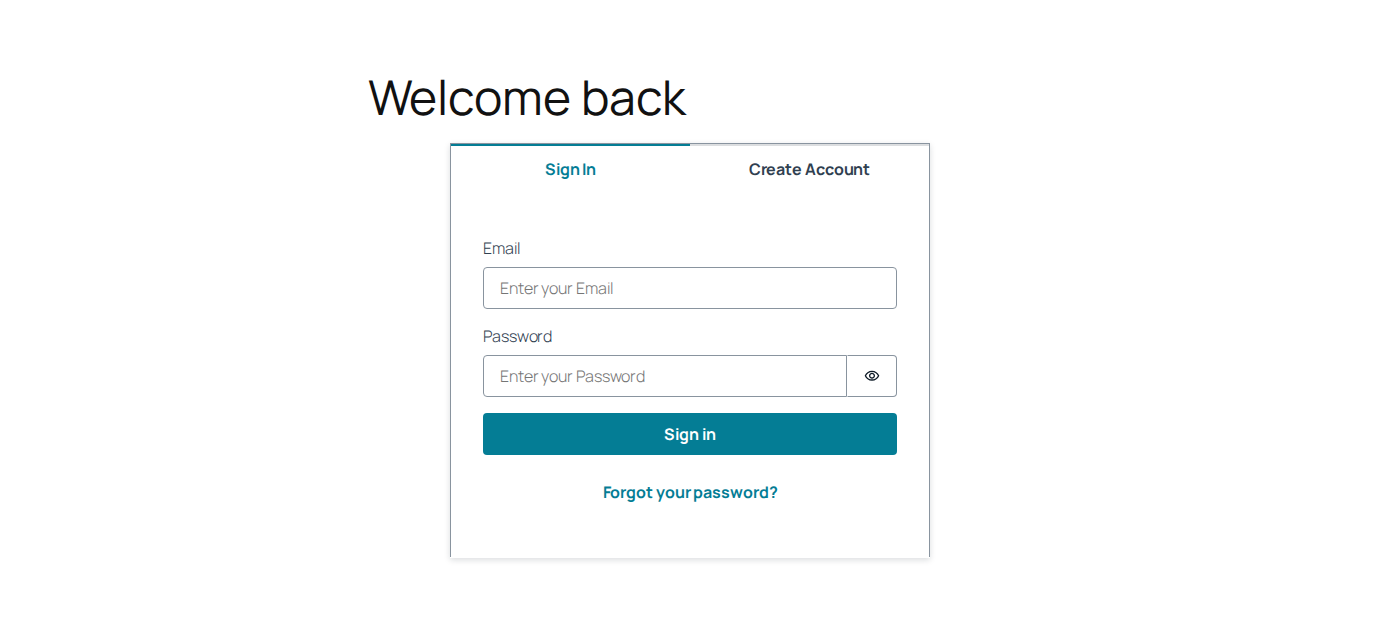
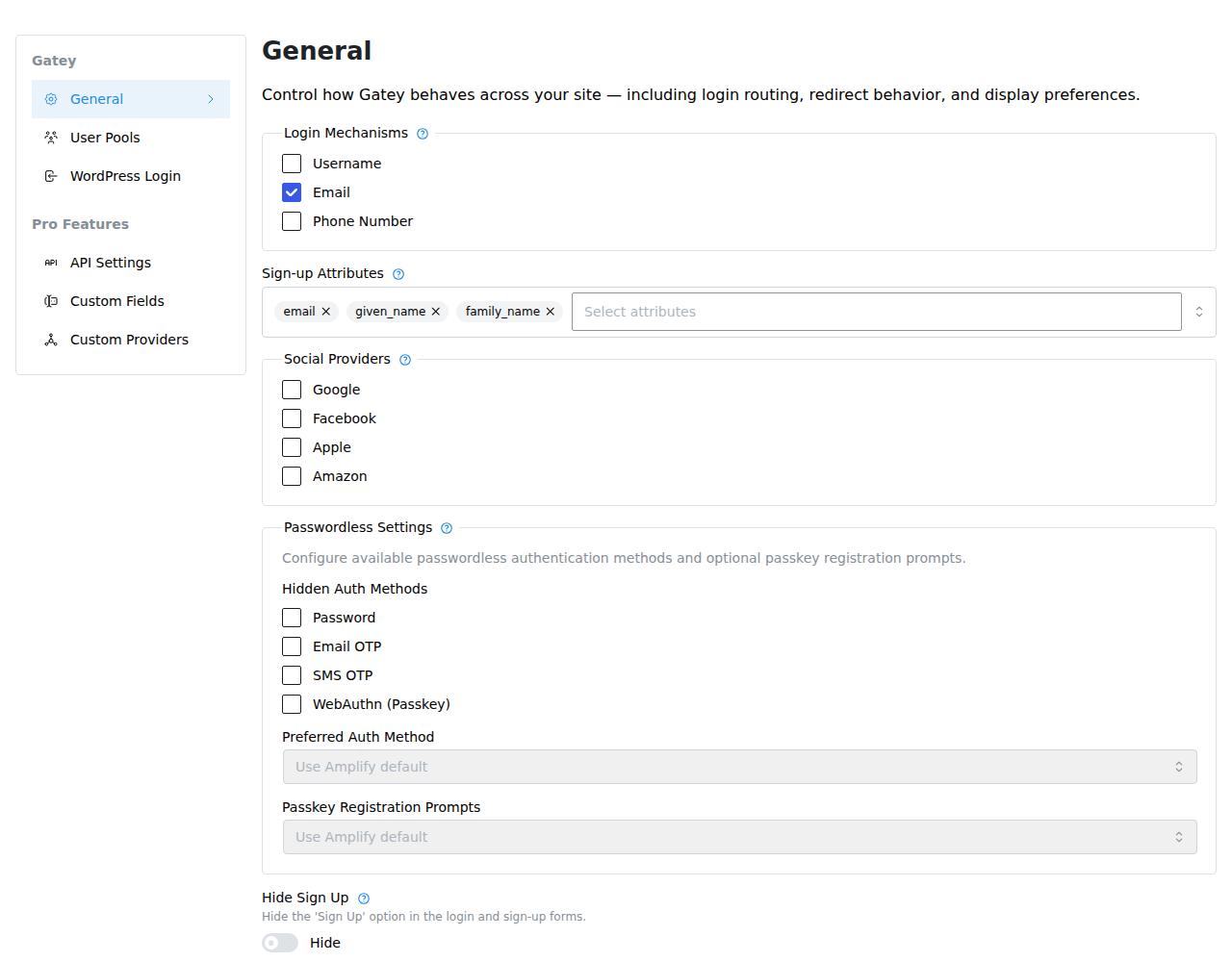
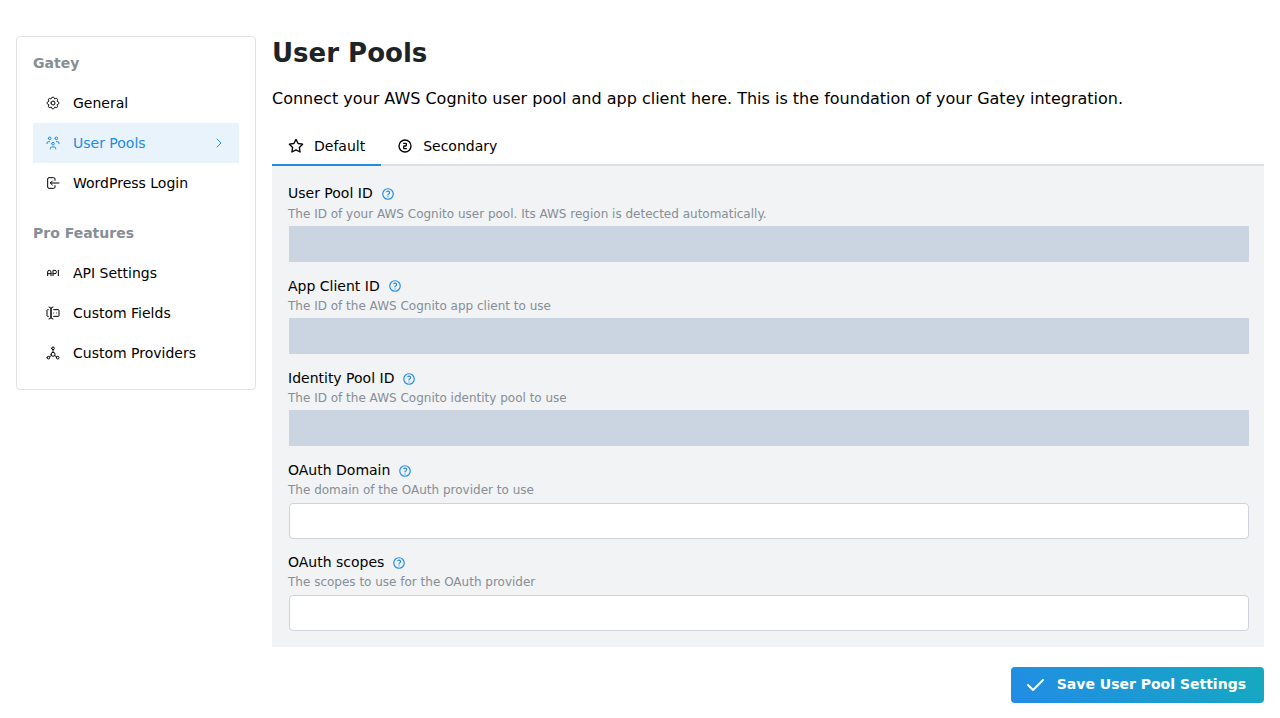
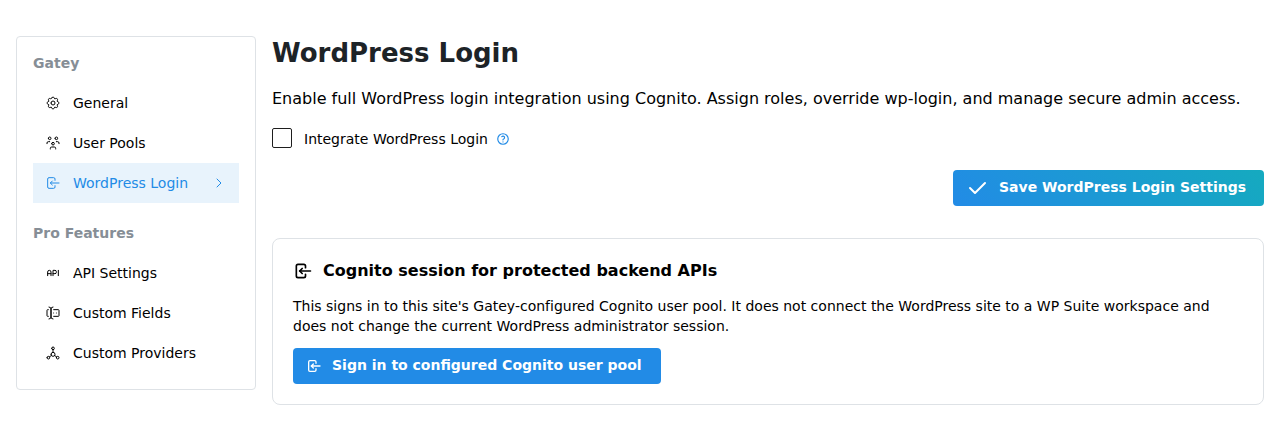
Für Entwickler
Ist das dein Plugin? Zeigen Sie die Zahlen.
Fügen Sie Ihrer Website, Docs oder GitHub Readme ein Live-Badge hinzu. Es wird von selbst aktualisiert - kein Konto erforderlich.
Best Gatey alternatives
All aws plugins →





Fragen und Antworten
Gatey: quick answers
Gerade Antworten, gezogen von Live WordPress.org Daten.
Quelle: WordPress.org
Is Gatey free?
Yes. Gatey is free to download and use from the official WordPress.org plugin directory.
Is Gatey safe to use in 2026?
Gatey is a solid plugin choice in 2026, with a few things worth checking first. It runs on 10+ sites, is rated 5/5 and was last updated 3 days ago, and scores 73/100 on our health check.
How many websites use Gatey?
Gatey is active on 10+ WordPress websites and has been downloaded 6,514 times since it launched in June 2025. It was downloaded 1,173 times in the last 30 days.
Does Gatey work with WordPress 7.1?
Yes. The developer has tested Gatey up to WordPress 7.1.5, the latest release. It requires WordPress 6.9 or newer.
What PHP version does Gatey need?
Gatey requires PHP 8.1 or higher. Most hosts run PHP 8.x today, so it works on any modern WordPress hosting.
When was Gatey last updated?
The latest version, 2.6.17, was released on November 27, 2026 (3 days ago).
Who makes Gatey?
Gatey is developed and maintained by Smart Cloud Solutions Inc..
What are the best alternatives to Gatey?
The most popular alternatives to Gatey are C3 Cloudfront Cache Control… (3K+ installs), SMTP for Amazon SES (3K+ installs) and Media Cloud Sync (1K+ installs).
Angetrieben von PageForge
Eine Vorlage und eine Tabelle. Eine echte Seite für jede Suche.
PageForge Verwandelt jede Zeile eines CSV in eine WordPress-Seite mit eigenem Titel, URL, SEO Felder und Schema entworfen. Kostenlos auf WordPress.org.
- CSV und XLSX, plus Google Sheets auf Beruf und Unternehmen
- seinen eigenen Titel, URL, SEO Felder und Schema für jede Seite
- Arbeitet mit dem Blockeditor, Elementor, Divi und Avada
- Kostenlos auf WordPress.org, keine Kreditkarte