


Functionality
A functionality plugin is a way to separate what you might normally place in a theme’s functions.php file, and put it in a plugin instead. It works the same way as a theme functions.php file, but is separate from the…

Betrachten Sie eine Alternative
Functionality shows warning signs in 2026 — compare the alternatives below before installing. It runs on 1K+ sites, is rated 4.6/5 and was last updated 6 years ago, and scores 37/100 on our health check.
- Kein Update in 5 Jahren
- Only tested up to WordPress 5.6 (latest is 7.1)
Wie stapelt es sich?
Side-by-side bei Installationen, Updates, Bewertungen und Support


Tägliche Downloads
Download-Spitzen folgen normalerweise einer neuen Version - jede Website, die automatisch aktualisiert wird, gilt als Download.
Ranglisten
Where Functionality stands todayWordPress.org Ranglisten suchen
Live-Position in der Plugin-Suche, Top 100| Stichwort | Position |
|---|---|
| functionality | >100 |
| functions.php | >100 |
Versionsübernahme
Anteil aktiver Sites pro Release.
Bewertungsaufschlüsselung
★★★★★★★★★★ 4.6 from 12 reviews
About Functionality
Aus der offiziellen Readme · V2.0.0Beschreibung
A functionality plugin is a way to separate what you might normally place in a theme’s functions.php file, and put it in a plugin instead. It works the same way as a theme functions.php file, but is separate from the theme and so not affected by theme upgrades, or tied to the theme so you loose all of your functions if you choose to switch themes.
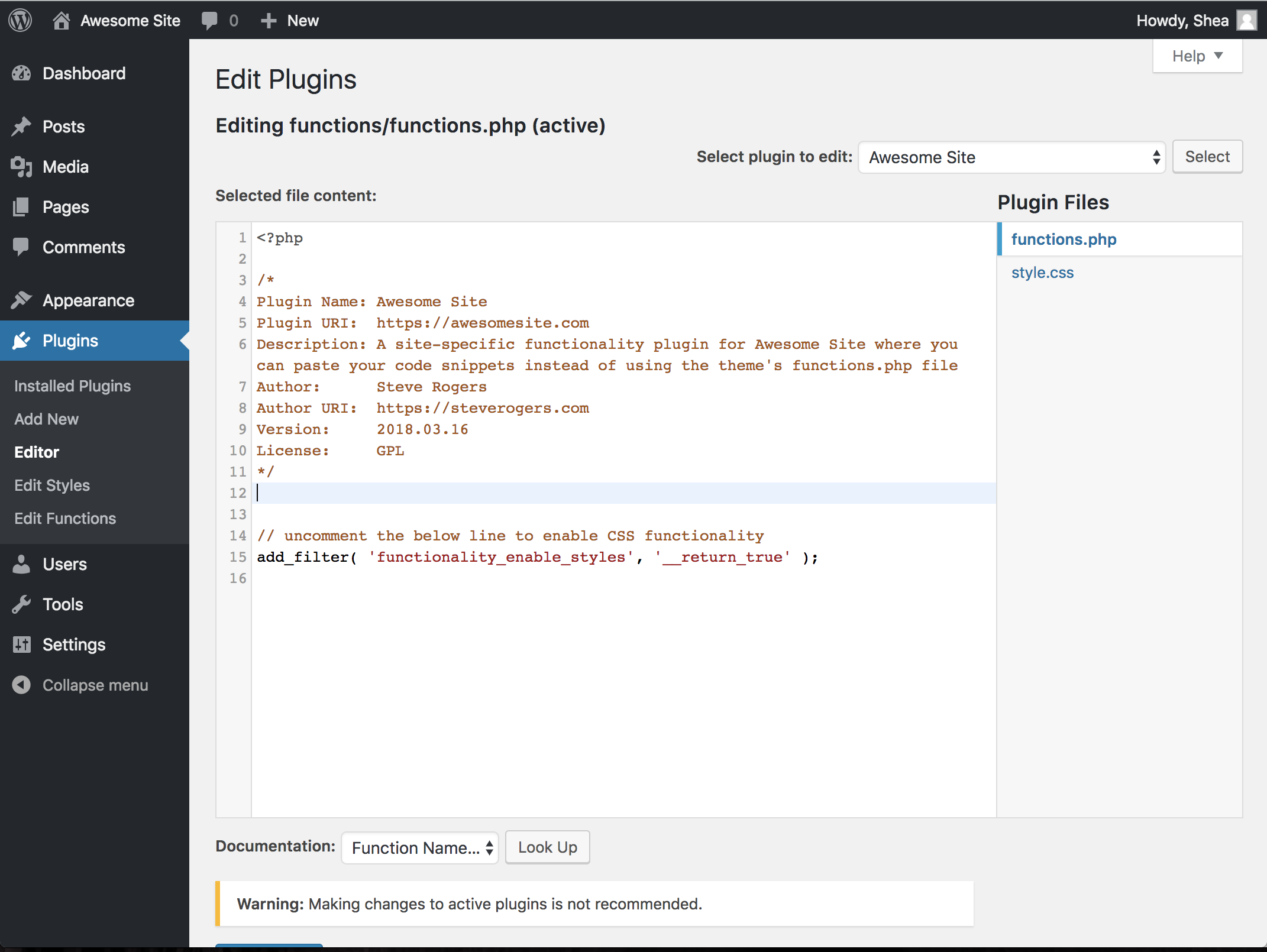
This plugin automates the process of creating a functionality plugin. Simply install and activate this plugin, and your very own functionality plugin will be created for you. You can then edit your functionality plugin and add snippets to it using the quick link in the admin menu.
See this WP Daily post for more information on functionality plugins.
This plugin’s code is available on GitHub. Please feel free to fork the repository and send a pull request. If you find a bug in the plugin, open an issue.
Serbian translation provided by Ogi Djuraskovic from FirstSiteGuide.com.
Installation
- Upload the
functionalitydirectory to the/wp-content/plugins/directory - Aktivieren Sie das Plugin über das „Plugins“-Menü in WordPress
- Visit the ‘Plugins > Edit Functions’ menu in WordPress and enter filesystem credentials if necessary
- A functionality plugin will be created for you in
wp-content/plugins/functions/functions.php - Use the built-in WordPress file editor to edit your functionality plugin
Enable Styles Feature
- To enable the optional CSS styles feature, uncomment that line in the functions file, save the changes, and refresh the page
- Visit the new ‘Plugins > Edit Styles’ admin menu and enter filesystem credentials if necessary
- A stylesheet file will be created for you in
wp-content/plugins/functions/style.css. This file will be automatically loaded on the front-end of your site. - Use the built-in WordPress file editor to edit your stylesheet plugin
This plugin may be removed at any time, and your functionality plugin will remain working and intact. You will, however, loose the quick edit links in the admin menu, and automatic styles loading if that feature is enabled.
Änderungsprotokoll
Fixed all errors
2.0.0
- Reorganised internal structure of plugin
- Improved formatting of default file content
- Moved functionality plugin into its own subdirectory
- Added feature for creating a CSS stylesheet
- Improved integration with the WP Filesystem API
1.2.1
- Fixed bug preventing functionality plugin from being created on plugin activation
1.2.0
- Updated to use
wp_get_current_user()instead ofget_currentuserinfo() - Updated code structure to use a controller class
- Added support for the WP Editor plugin
1.1.1
- Added Serbian translation thanks to Ogi Djuraskovic from FirstSiteGuide.com
1.1
- Fixed a spelling error when initializing the class
- Only initialize the class on plugin activation
- Move class to separate file
- Used a more reliable method of functionality plugin activation
1.0
- Erste Freigabe
Screenshots
Für Entwickler
Ist das dein Plugin? Zeigen Sie die Zahlen.
Fügen Sie Ihrer Website, Docs oder GitHub Readme ein Live-Badge hinzu. Es wird von selbst aktualisiert - kein Konto erforderlich.
Best Functionality alternatives
All functionality plugins →Fragen und Antworten
Functionality: quick answers
Gerade Antworten, gezogen von Live WordPress.org Daten.
Quelle: WordPress.org
Is Functionality free?
Yes. Functionality is free to download and use from the official WordPress.org plugin directory.
Is Functionality safe to use in 2026?
Functionality shows warning signs in 2026 — compare the alternatives below before installing. It runs on 1K+ sites, is rated 4.6/5 and was last updated 6 years ago, and scores 37/100 on our health check.
How many websites use Functionality?
Functionality is active on 1K+ WordPress websites and has been downloaded 46,085 times since it launched in August 2013. It was downloaded 457 times in the last 30 days.
Does Functionality work with WordPress 7.1?
Functionality is officially tested up to WordPress 5.6.0, while the latest release is 7.1.5. It may still work, but try it on a staging site first.
What PHP version does Functionality need?
Functionality requires PHP 5.2 or higher. Most hosts run PHP 8.x today, so it works on any modern WordPress hosting.
When was Functionality last updated?
The latest version, 2.0.0, was released on December 1, 2020 (6 years ago).
Who makes Functionality?
Functionality is developed and maintained by Shea Bunge.
What are the best alternatives to Functionality?
The most popular alternatives to Functionality are LibWp (300+ installs), Login bbPress (10+ installs) and Amoos Functionality Suite (10+ installs).
Angetrieben von PageForge
Eine Vorlage und eine Tabelle. Eine echte Seite für jede Suche.
PageForge Verwandelt jede Zeile eines CSV in eine WordPress-Seite mit eigenem Titel, URL, SEO Felder und Schema entworfen. Kostenlos auf WordPress.org.
- CSV und XLSX, plus Google Sheets auf Beruf und Unternehmen
- seinen eigenen Titel, URL, SEO Felder und Schema für jede Seite
- Arbeitet mit dem Blockeditor, Elementor, Divi und Avada
- Kostenlos auf WordPress.org, keine Kreditkarte