


FluentC – AI-Powered Translation for WP
Effortless website translation with AI-powered technology, enhanced performance, and unlimited translations.

Mit Vorsicht verwenden
FluentC works, but test it on a staging site before relying on it in 2026. It runs on 20+ sites, is rated 3/5 and was last updated 6 months ago, and scores 53/100 on our health check.
- Kleine Benutzerbasis (20+ aktive Installationen)
- Low rating so far — 3/5 from only 4 reviews
Wie stapelt es sich?
Side-by-side bei Installationen, Updates, Bewertungen und Support



Tägliche Downloads
Download-Spitzen folgen normalerweise einer neuen Version - jede Website, die automatisch aktualisiert wird, gilt als Download.
Ranglisten
Where FluentC stands todayWordPress.org Ranglisten suchen
Live-Position in der Plugin-Suche, Top 100| Stichwort | Position |
|---|---|
| automatic translation | #54 |
| language switcher | >100 |
| multilingual | >100 |
| translate | >100 |
| translation | #68 |
Versionsübernahme
Anteil aktiver Sites pro Release.
Bewertungsaufschlüsselung
★★★★★★★★★★ 3 from 4 reviews
About FluentC – AI-Powered Translation for WP
From the official readme · v2.8.4Beschreibung
Try for Free with no account needed!
FluentC transforms your WordPress site into a multilingual powerhouse with AI-powered translations in over 130 languages. It’s designed to be fast, reliable, and easy to use, without the need for technical expertise. Enjoy SEO-optimized translations to increase international traffic and sales, all while maintaining top performance on your WordPress site.
Key Features:
– AI-Powered Automatic Translation: Translate your WordPress site in over 130 languages with AI precision, ensuring high-quality, human-like translations.
– Flat-Rate Pricing: Per language with unlimited translations. No hidden fees or word limits.
– SEO-Optimized: Automatically generates SEO-friendly translations, including meta tags, URL slugs, and schema.org data.
– No Performance Impact: Translations occur without slowing down your website, ensuring optimal speed even with multiple languages.
– Manual Translation Edits: Easily fine-tune and manually adjust translations to get them just right for your audience.
– Compatible with Popular Plugins: Seamless integration with WooCommerce, Yoast SEO, WPForms, Contact Form 7, Elementor, and ACF, ensuring all your site’s elements are translated.
FluentC for WooCommerce:
Boost your WooCommerce store’s global reach with automated translations for:
– Product Pages: Translate product descriptions, categories, attributes, and more.
– SEO Optimization: FluentC translates WooCommerce schema.org data for improved multilingual SEO.
– Full Metadata Translation: Ensure your products are accurately translated, including meta keywords and descriptions for improved search engine visibility.
Advanced Features:
– Hreflang Tags: Automatically generated hreflang tags help search engines index your multilingual pages properly.
– Manual Translation Control: Take control by manually editing translations without losing context.
Installation
Install the plugin from the WordPress plugin directory
Activate the plugin
Go to FluentC Settings in your WordPress dashboard
Sign up for a FluentC account and enter your API key
Choose your target languages and configure display settings
Add the FluentC widget to your site using
Änderungsprotokoll
Upgrade now to unlock advanced translation editing, seamless navigation integration, flexible FluentC block placement, and our game-changing proactive translation technology. Experience a new level of multilingual website management!
2.5
Updated Ajax control
Improved editing capabilities
Free Manual translations
1.9
Improved edit translation capabilities for fine-tuning your multilingual content
Added support for Elementor, ACF, WPForo and SiteOrigin builder.
1.7
Introduced powerful edit translation capabilities for fine-tuning your multilingual content
Added support for the Navigation Menu Block, enabling easy language switcher placement
Launched the versatile FluentC block for flexible integration anywhere in your theme
Unveiled our groundbreaking proactive translation tool, revolutionizing site-wide language adaptation
1.6
Introduced AI-powered translation improvements
Enhanced SEO features for multilingual sites
1.5
Added compatibility with WordPress 6.6
Bug fixes and stability improvements
Screenshots
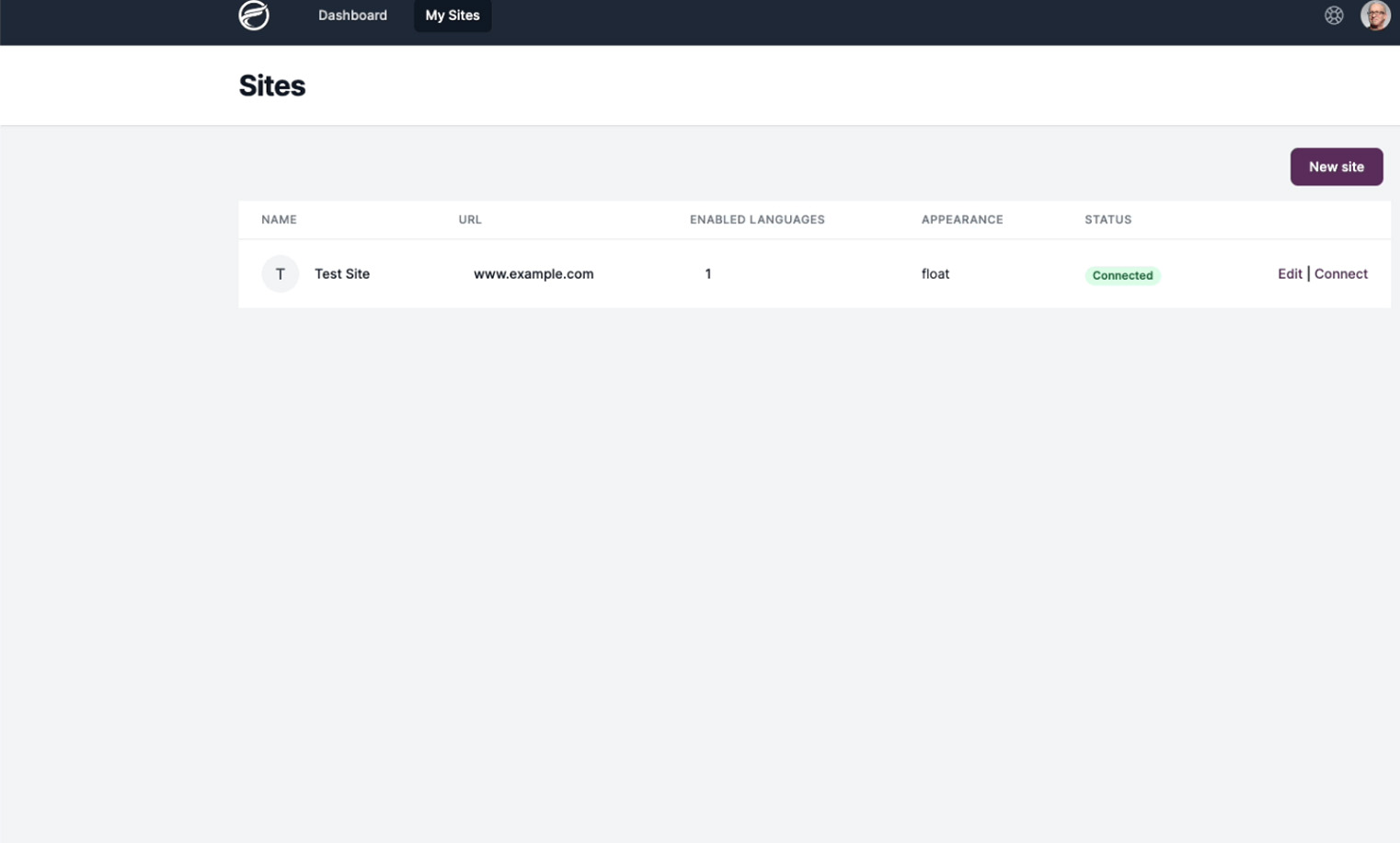
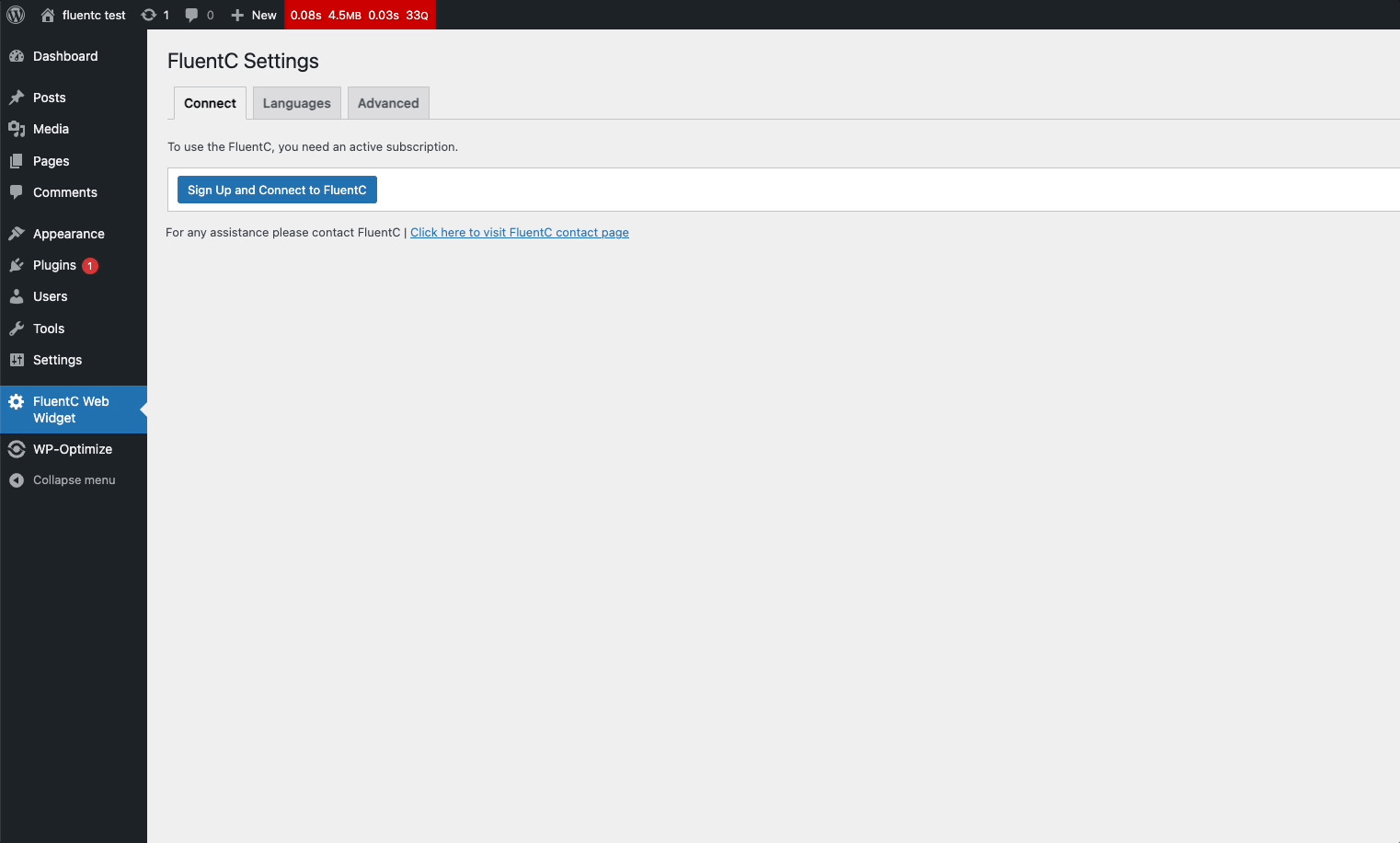
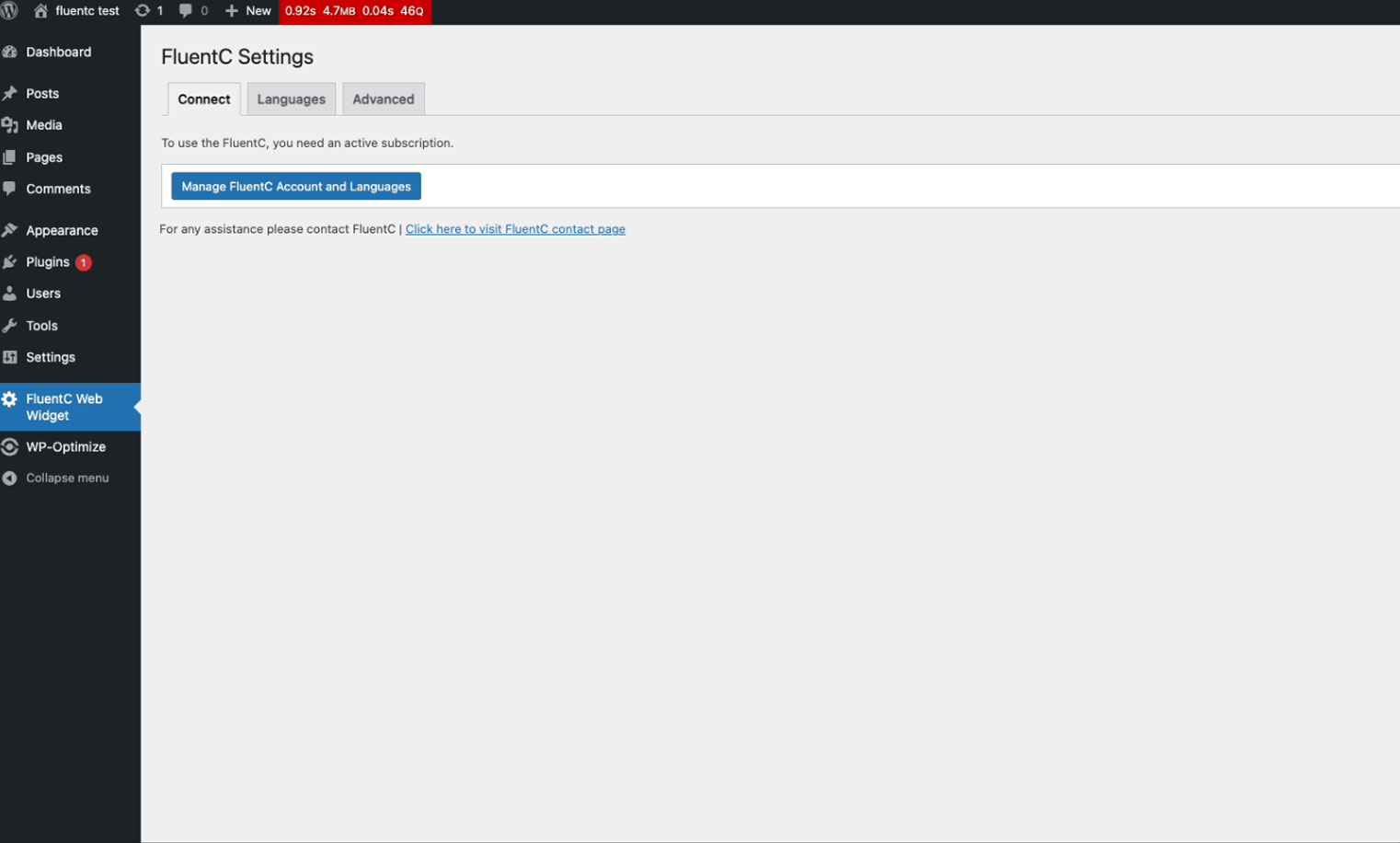
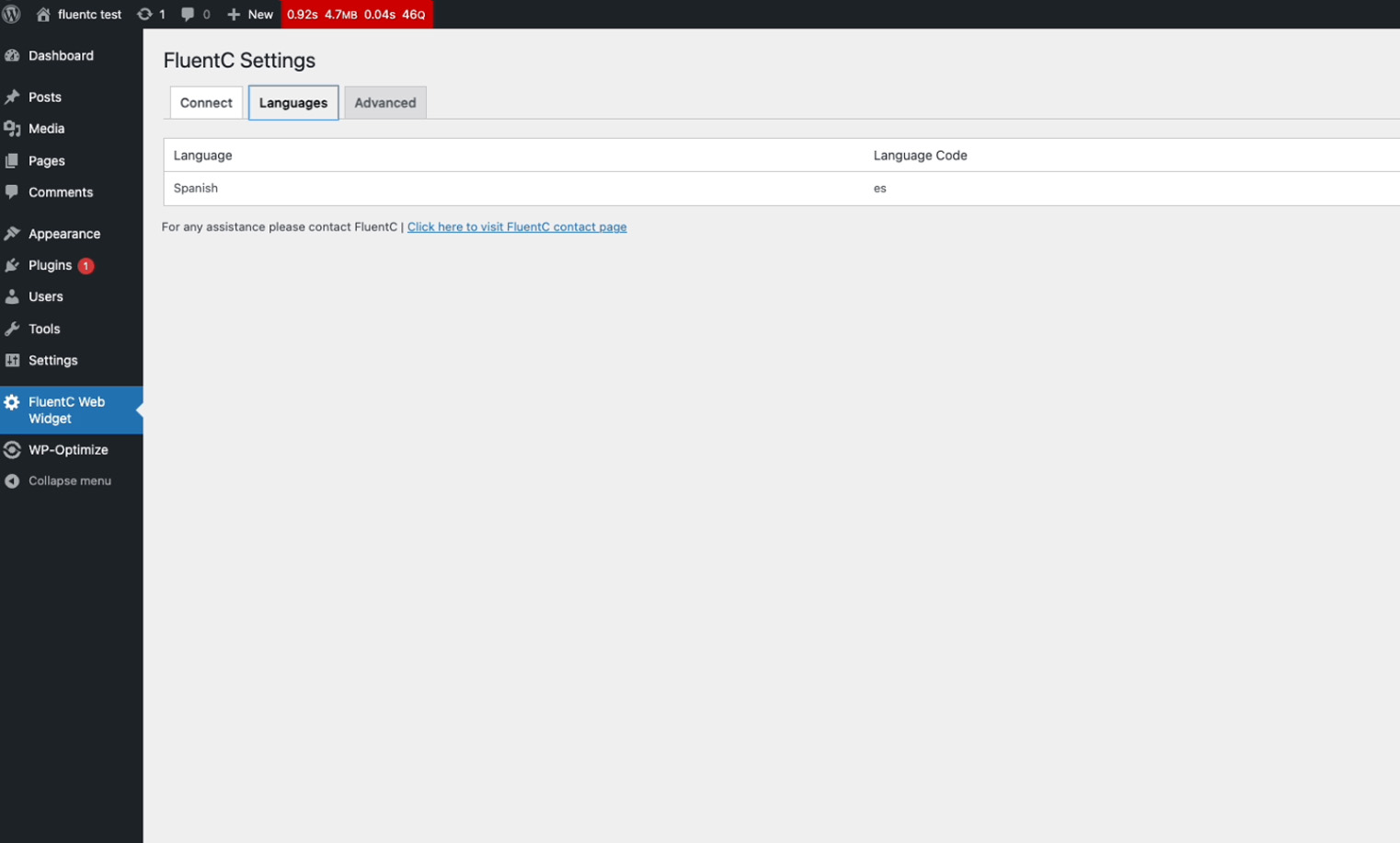
Für Entwickler
Ist das dein Plugin? Zeigen Sie die Zahlen.
Fügen Sie Ihrer Website, Docs oder GitHub Readme ein Live-Badge hinzu. Es wird von selbst aktualisiert - kein Konto erforderlich.
Best FluentC alternatives
All automatic translation plugins →





Fragen und Antworten
FluentC: quick answers
Gerade Antworten, gezogen von Live WordPress.org Daten.
Quelle: WordPress.org
Is FluentC free?
Yes. FluentC is free to download and use from the official WordPress.org plugin directory.
Is FluentC safe to use in 2026?
FluentC works, but test it on a staging site before relying on it in 2026. It runs on 20+ sites, is rated 3/5 and was last updated 6 months ago, and scores 53/100 on our health check.
How many websites use FluentC?
FluentC is active on 20+ WordPress websites and has been downloaded 7,952 times since it launched in April 2024. It was downloaded 310 times in the last 30 days.
Does FluentC work with WordPress 7.1?
FluentC is officially tested up to WordPress 7.0.9, while the latest release is 7.1.5. It may still work, but try it on a staging site first.
What PHP version does FluentC need?
FluentC requires PHP 7.4 or higher. Most hosts run PHP 8.x today, so it works on any modern WordPress hosting.
When was FluentC last updated?
The latest version, 2.8.4, was released on May 27, 2026 (6 months ago).
Who makes FluentC?
FluentC is developed and maintained by Matthias Pupillo.
What are the best alternatives to FluentC?
The most popular alternatives to FluentC are TranslatePress (400K+ installs), Translate WordPress with We… (50K+ installs) and AI Translation For Translat… (10K+ installs).
Angetrieben von PageForge
Eine Vorlage und eine Tabelle. Eine echte Seite für jede Suche.
PageForge Verwandelt jede Zeile eines CSV in eine WordPress-Seite mit eigenem Titel, URL, SEO Felder und Schema entworfen. Kostenlos auf WordPress.org.
- CSV und XLSX, plus Google Sheets auf Beruf und Unternehmen
- seinen eigenen Titel, URL, SEO Felder und Schema für jede Seite
- Arbeitet mit dem Blockeditor, Elementor, Divi und Avada
- Kostenlos auf WordPress.org, keine Kreditkarte