

Expired Link Redirection – Temporary Link, Keyword Autolink, Page Redirect, 404 Redirect, Link Timer
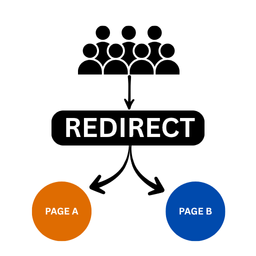
Expired Link Redirection is a powerful plugin that allows you to create links that redirect traffic from one URL to another URL after a set period. Expired links that redirect to your preferred page.

Betrachten Sie eine Alternative
Expired Link Redirection shows warning signs in 2026 — compare the alternatives below before installing. It runs on 10+ sites and was last updated 1 year ago, and scores 32/100 on our health check.
- Kleine Benutzerbasis (10+ aktive Installationen)
- Bisher sehr wenige Bewertungen
- Kein Update in über einem Jahr
- Nur getestet bis WordPress 6.9 (letzt ist 7.1)
Wie stapelt es sich?
Side-by-side bei Installationen, Updates, Bewertungen und Support



Tägliche Downloads
Download-Spitzen folgen normalerweise einer neuen Version - jede Website, die automatisch aktualisiert wird, gilt als Download.
Ranglisten
Where Expired Link Redirection stands todayWordPress.org Ranglisten suchen
Live-Position in der Plugin-Suche, Top 100| Stichwort | Position |
|---|---|
| 404 redirect | >100 |
| autolink | #9 |
| expiring links | #60 |
| link management | >100 |
| redirection | >100 |
Versionsübernahme
Anteil aktiver Sites pro Release.
About Expired Link Redirection
Aus der offiziellen Readme · V1.1.1Beschreibung
Expired Link Redirection is a powerful plugin that allows you to create links that redirect traffic from one URL to another URL after a set period. Expired links that redirect to your preferred page.
You can use it to run flash sales by creating a link that automatically redirect traffic to the original price after the flash sales period.
✅ FREE FEATURES:
- Create unlimited redirect links
– Easily duplicate existing redirect links
– Link timer
– Set link to expire in minutes
– Set link to expire in hours
– Set link to expire in days
– Set link to expire in weeks
– Set link to expire in months
– Autolink keyword in posts
– Set global 404 Redirect for broken or mistyped link - Save redirect links as reusable templates
- Track the number of clicks on your link
– Reset data for each generated redirect link - Reset data for all links at once
🚀 PRO FEATURES:
– Unlimited redirect links.
– Organize links with labels
– Bulk links deletion
– Edit links slug at any time
– Move links to trash or permanently delete it
– Restore links from trash can
– Export – Import link in JSON file
– Conditional Routing by Device
– Conditional Routing by operating system
– Conditional Routing by referral
– Conditional Routing (Browsers)
– Conditional Routing (Android & iOS Versions)
– A/B Testing Variations
– Link Rotator (Sequential – Rotate on every click)
– Link Rotator (Timed – Each link active for specified minutes)
– Link Rotator (Timed – Each link active for specified hours)
– Expire by Click Limit
– Expire by Per-User Cookie
– Role-Based Access Control
– Gated access (Make link unopen for logged out users)
– Link Cloaking / Masking
– Link schedule between two dates
– Specify three URLs for scheduled link (before, during, and after)
– Reusable Link Templates
– Filter Links by labels
– Search Links
– Analytics & Tracking
– Full Analytics Dashboard
– Conversion Tracking Pixel
– Detailed Click Logs
– 30 Days click graph
– A/B Test Performance Reports
– Export links performance in CSV for analysis
– Hide plugin menu from specific role(s)
– Custom URL Slugs (e.g., /recommends/)
– Disable search engine link indexing (per link)
– Access to support forum and premium marketing resources
– Priority Support
Usage Instruction:
– Click “Expired Links” from the menu list.
– Enter the Redirection name for the redirect link. Note that the name will also serve as the slug.
– Enter the original URL. This is the page you want users to see when the link is active.
– Enter the Redirect URL (After expiration). This is the page users will see when the set time has passed.
– Select your expiration time.
– Click “Generate Redirect Link” and the link will be created.
The generated link will appear in the “All Redirections” where you can copy it and start using as you want.
Developed by Ojasweb Digital Solution.
Installation
- Laden Sie den Ordner
expired-link-redirectionin das/wp-content/plugins/-Verzeichnis hoch. - Aktivieren Sie das Plugin über das „Plugins“-Menü in WordPress.
- Navigate to ‘Expired Links’ in the admin menu to start creating redirections.
Änderungsprotokoll
= 1.1.1
New Feature: Added “Autolink Keywords” to automatically link keywords in content to a redirect link.
* Ensured autolink cache clears correctly when links are saved or deleted.
= 1.1.0
This update introduces a feature designed to improve your website’s user experience by handling broken links more effectively.
New Feature: Global 404 Redirect. You can now set a site-wide redirect for all “404 Not Found” errors.
How to enable it:
Navigate to Expired Links -> Plugin Settings.
Locate the new “Global 404 Redirect URL” field under General Settings.
Enter the full URL where you want visitors to be redirected.
Save your changes, and the plugin will begin redirecting all 404 errors to your specified URL.
This powerful new feature ensures that you capture traffic from broken or mistyped links, keeping users engaged with your site. We recommend updating to the latest version to take advantage of this improvement.
= 1.0.1
* Security – Major security hardening. Added nonce verification to all forms and admin actions to prevent Cross-Site Request Forgery (CSRF) vulnerabilities.
* Security – Implemented user capability checks for all actions to ensure only authorized users can perform them.
* Security – Added sanitization and escaping to all user inputs and data outputs to protect against Cross-Site Scripting (XSS) attacks.
* Dev – Replaced the short prefix (‘elr’) with a unique, longer prefix (‘elrlitev’) across all classes, functions, hooks, post types, and database options to prevent conflicts with other plugins and themes.
* New – Added a proper uninstallation routine (uninstall.php) to completely remove all plugin data (redirection links and settings) from the database upon deletion.
* Dev – Ensured full internationalization (i18n) support by making all user-facing strings in the admin area translatable.
* New – Added a warning confirmation prompt on the Plugins page before deactivation to prevent accidental data loss upon plugin deletion.
* Tweak – Improved the “Edit Redirection” screen to display the link’s current expiration date, providing better context for users.
* Dev – Optimized performance by conditionally loading admin and front-end components only when needed.
* Dev – Improved admin form handler efficiency by moving its logic from the global ‘admin_init’ hook to the specific plugin page hook.
Screenshots


Für Entwickler
Ist das dein Plugin? Zeigen Sie die Zahlen.
Fügen Sie Ihrer Website, Docs oder GitHub Readme ein Live-Badge hinzu. Es wird von selbst aktualisiert - kein Konto erforderlich.
Best Expired Link Redirection alternatives
All 404 redirect plugins →





Fragen und Antworten
Expired Link Redirection: quick answers
Gerade Antworten, gezogen von Live WordPress.org Daten.
Quelle: WordPress.org
Is Expired Link Redirection free?
Yes. Expired Link Redirection is free to download and use from the official WordPress.org plugin directory.
Is Expired Link Redirection safe to use in 2026?
Expired Link Redirection shows warning signs in 2026 — compare the alternatives below before installing. It runs on 10+ sites and was last updated 1 year ago, and scores 32/100 on our health check.
How many websites use Expired Link Redirection?
Expired Link Redirection is active on 10+ WordPress websites and has been downloaded 738 times since it launched in October 2025. It was downloaded 76 times in the last 30 days.
Does Expired Link Redirection work with WordPress 7.1?
Expired Link Redirection is officially tested up to WordPress 6.9.12, while the latest release is 7.1.5. It may still work, but try it on a staging site first.
What PHP version does Expired Link Redirection need?
Expired Link Redirection requires PHP 7.4 or higher. Most hosts run PHP 8.x today, so it works on any modern WordPress hosting.
When was Expired Link Redirection last updated?
The latest version, 1.1.1, was released on October 23, 2025 (1 year ago).
Who makes Expired Link Redirection?
Expired Link Redirection is developed and maintained by Ojasweb.
What are the best alternatives to Expired Link Redirection?
The most popular alternatives to Expired Link Redirection are 404 Solution: Redirection a… (10K+ installs), 404 Redirect (200+ installs) and Digi Eye Redirects (100+ installs).
Angetrieben von PageForge
Eine Vorlage und eine Tabelle. Eine echte Seite für jede Suche.
PageForge Verwandelt jede Zeile eines CSV in eine WordPress-Seite mit eigenem Titel, URL, SEO Felder und Schema entworfen. Kostenlos auf WordPress.org.
- CSV und XLSX, plus Google Sheets auf Beruf und Unternehmen
- seinen eigenen Titel, URL, SEO Felder und Schema für jede Seite
- Arbeitet mit dem Blockeditor, Elementor, Divi und Avada
- Kostenlos auf WordPress.org, keine Kreditkarte