


Email Templates Customizer and Designer for WordPress and WooCommerce
Design and send custom emails with Email Templates plugin for WordPress and WooCommerce

Sichere Auswahl
Yes — Email Templates Customizer and… is a safe, well-maintained plugin to use in 2026. It runs on 20K+ sites, is rated 4.6/5 and was last updated 4 weeks ago, and scores 85/100 on our health check.
- Bewährt auf 20.000 aktiven Standorten
- Loved by users — 4.6/5 from 133 reviews
- Aktiv entwickelt — letztes Update vor 4 Wochen
- Getestet mit dem neuesten WordPress (7.1)
- Momentum — downloads up 367.5% vs the previous 30 days
Wie stapelt es sich?
Side-by-side bei Installationen, Updates, Bewertungen und Support



Tägliche Downloads
Download-Spitzen folgen normalerweise einer neuen Version - jede Website, die automatisch aktualisiert wird, gilt als Download.
Ranglisten
Where Email Templates Customizer… stands todayWordPress.org Ranglisten suchen
Live-Position in der Plugin-Suche, Top 100| Stichwort | Position |
|---|---|
| #12 | |
| E-Mail-Customizer | #6 |
| E-Mail-Designer | #2 |
| email templates | #1 |
| WooCommerce-E-Mail | #16 |
Versionsübernahme
Anteil aktiver Sites pro Release.
Bewertungsaufschlüsselung
★★★★★★★★★★ 4.6 from 133 reviews
About Email Templates Customizer and Designer…
From the official readme · v1.5.15Beschreibung
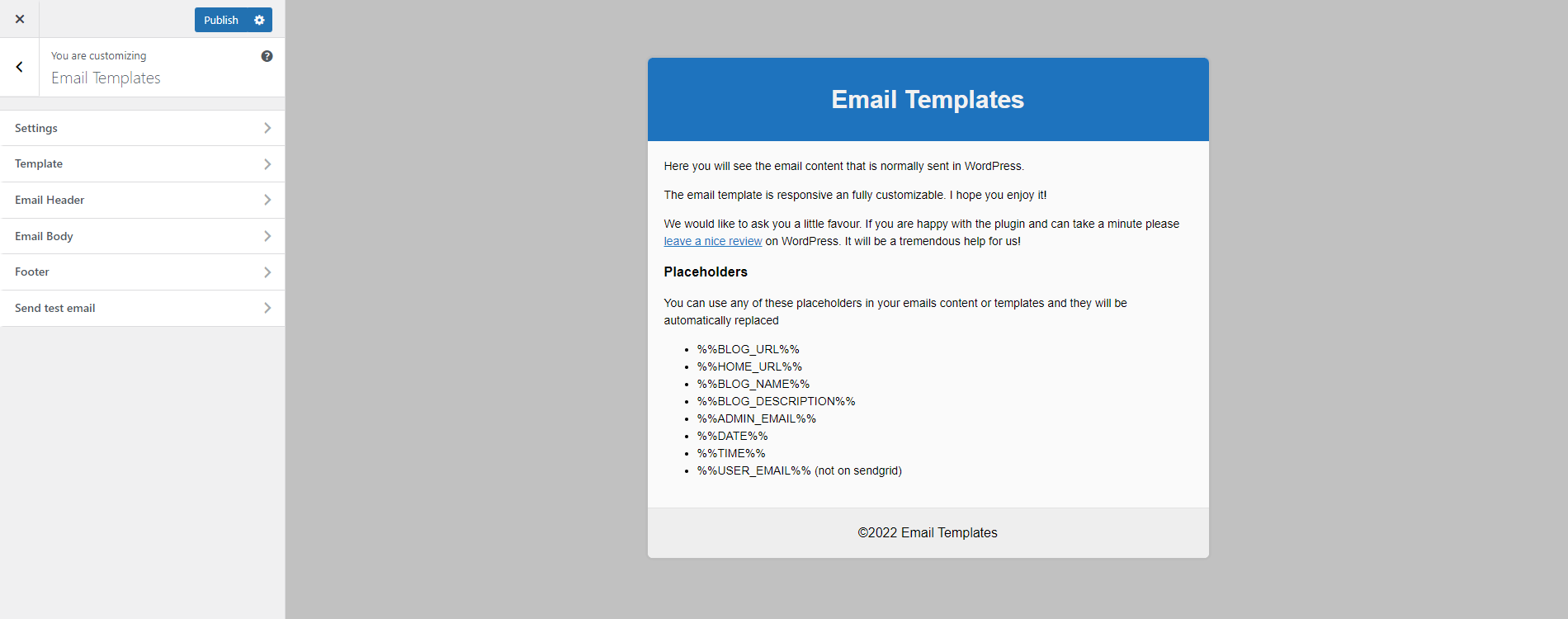
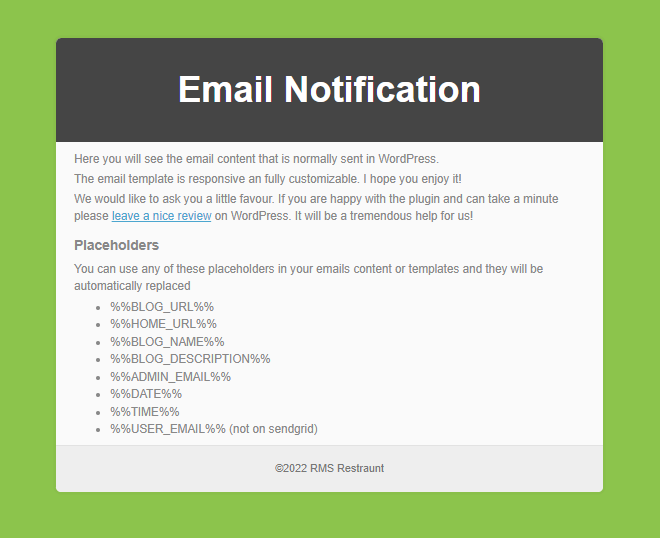
Email Templates is a WordPress plugin that allows you to customize your WooCommerce and WordPress website’s default transactional email designs and templates.
The easy-to-use editor lets you choose a template style, and you can customize it by adding a logo or text, changing colors, and editing the footer.
Why use Email templates for your WordPress/WooCommerce website?
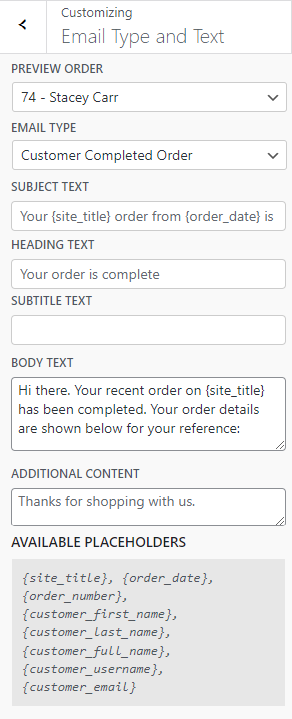
- Live preview your WordPress and WooCommerce emails
- Customize emails to match your brand’s color theme
- Customize your email’s heading, subtitle, and body text (including header and footer text)
- Choose from a variety of template styles
- Configure settings like the sender’s name and email address
- Send test emails to the administrator’s email address
- View your WooCommerce order emails or choose to view a mockup template.
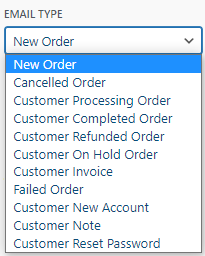
- Select email type from a dropdown list – New order, canceled order, customer processing order, customer completed order, customer refunded order, customer on-hold order, customer invoice, failed order, new account, customer note, reset password.
- Each email type has a default email template and template settings
- Import/export custom style settings
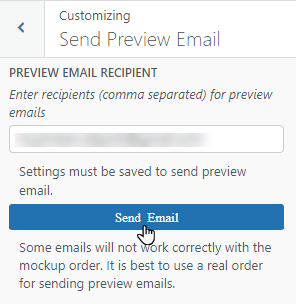
- Send preview email after importing custom style settings
Compatible with Post SMTP Mailer/Email Log – Best Mail SMTP For WP
PostSMTP is a next-generation WP Mail SMTP plugin that assists and improves the email deliverability process of your WordPress website.
Easy-to-use and reliable – 300,000+ customers trust Post SMTP Mailer to send their daily WordPress emails to millions of users worldwide.
Email Templates Features
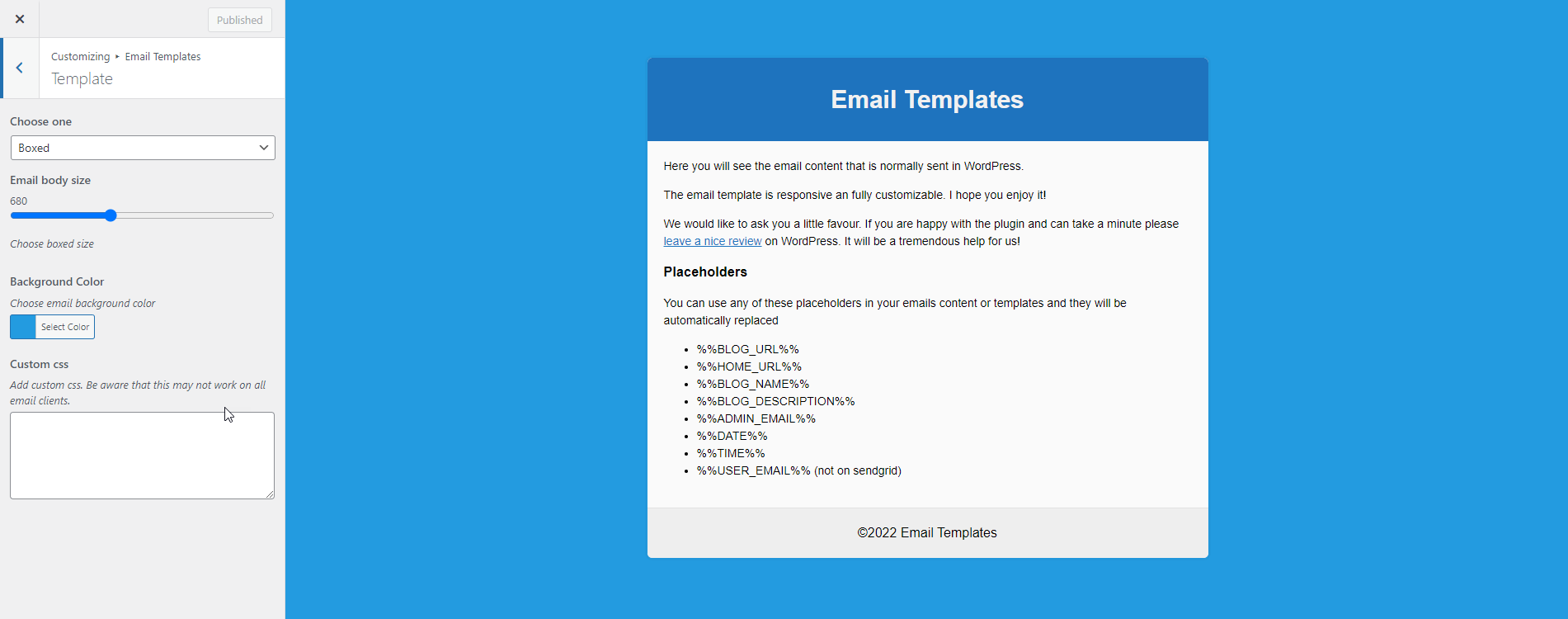
WordPress Email Template – General Settings
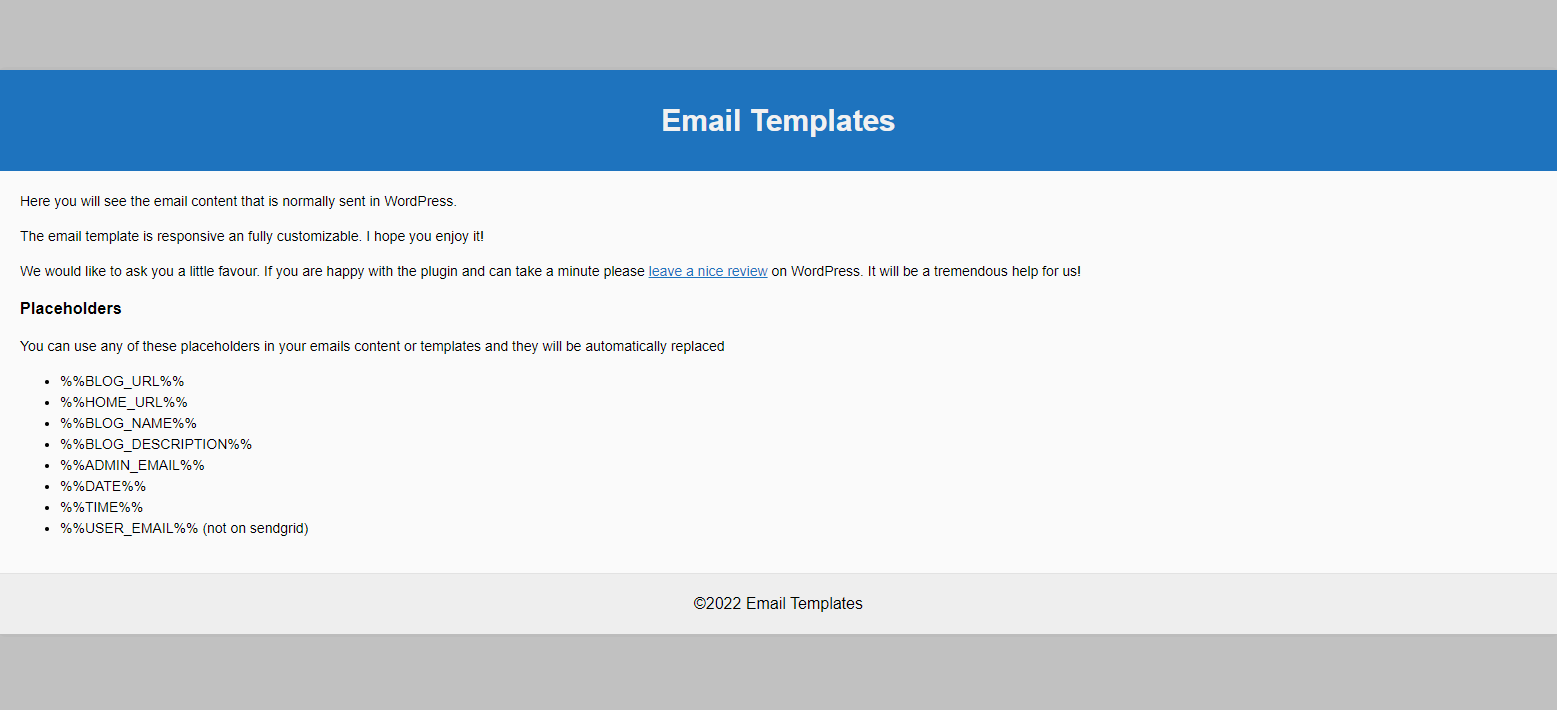
- Choose the size of your email template (boxed or full-width)
- Add custom CSS to your email template
- Choose the background color for your email template
- Resize the body of the email box using a slider
WordPress Email Template – Header Settings
- Add an image to your email template’s header
- Add text and color to your email header.
- Choose an alignment for the email’s header (Left, Center, Right)
- Increase or decrease the size of the text in the header.
WordPress Email Template – Email Body Settings
- Set a background color for the email body
- Set a text color for links in the email body
WordPress Email Template – Footer Settings
- Edit the text on the email footer
- Choose an alignment for the email footer (Left, Center, Right)
- Set a background color for the email footer
- Resize the footer text using a slider
- Set the color of the text on the footer
- Enable/disable the link to the plugin page (Powered by)
Mindestanforderungen
WordPress 4.0.0
Help with translations
Send your translations to Transifex
Currently Available in:
- Englisch
- Spanisch
- Französisch
- Chinese
- Portugiesisch
- Niederländisch
- Persian
- Russisch
- Deutsch
Collaborate in Github
Latest Update
Email Templates v1.5
Text box implementation
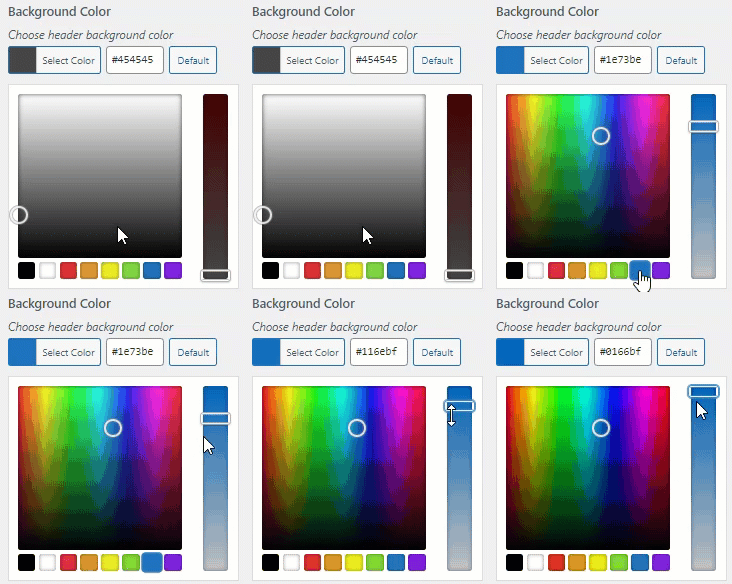
Added a text box above the slider so the Administrator can manually enter the number. In the color option, the admin can select the color from the color grid and can also enter the color code manually.
Template Settings
Gave the option a particular name called “Template Setting”
Relocated the **Border Color option in Template Settings**
Now, the Border Color option would appear after the Border Right Width option and above the Border Radius option to define the border widths properly.
Rename and Capitalization of Options For Template Settings
Some option names, such as ‘bottom padding’, ‘Custom css’, and ‘box shadow’, have been capitalized for better readability.
Rename and Capitalization of Options for Email Header
Spelling Corrections, Capitalization, and the Renaming of options in the Email Header tab.
Rename and Capitalization of Options in Email Body
Spelling Corrections, Capitalization, and the Renaming of options in the Email Body tab.
Slider Issue In Footer Text Padding Top And Footer Text Padding Bottom Options
Added a textbox to manually adjust the slider in the ‘Footer Text Padding Top’ and ‘Footer Text Padding Bottom’ options in the Footer tab.
Rename and Capitalization of Options in Footer
Spelling corrections, capitalization, and the renaming of options in the Footer tab.
Rename and Capitalization of Options in Subtitle Styles (WooCommerce)
Spelling Corrections, capitalization, and the renaming of options in the Subtitle Styles (WooCommerce) tab.
Dropdown Menu was not appearing correctly
The dropdown menu was appearing incorrectly, and the first option should be selected by default since it works like that in the previous options. Now it has been fixed.
Order Table Styles option | No reflection in real-time
Previously, this option was not reflecting any change when any sub-option was selected from the dropdown menu. It has been fixed now.
Product Image & Product Image Size options | No reflection in real-time
Both options (Product Image & Product Image Size) were not reflecting any change when any sub-option was selected from the dropdown menu. It has been fixed now.
Order Table Border Color option | No reflection in real-time
Previously, this option was not reflecting any change in real time. Now it has been fixed.
Order Table Heading Style option | No reflection on real-time
Previously, this option was not reflecting any change in real time. Now it has been fixed.
Slider issue in Footer Text Padding Top/Bottom, Left/Right, and Border Width options
The numbers were not appearing on the slider in the Padding Top/Bottom and Padding Left/Right options in the Footer tab. Now it has been fixed by implementing a text box so the admin can manually enter the numbers.
Enable order notes to be moved bellow option | Spelling mistake and No reflection on real-time | Order Items Styles (WooCommerce)
Spelling correction was made, and real-time reflection was fixed.
Rename the “Clear” button to “Default” in color grid options – Order Items Styles (WooCommerce)
The color grid option had the option name “Clear” which has been replaced by “Default” for better user understanding.
Rename and Capitalization of Options in Order Items Styles (WooCommerce)
Spelling mistakes and capitalization of words were corrected in various places.
Button Font Size option Slider issue in Button Style (WooCommerce)
The numbers were not appearing on the slider in the Button Font Size option in the Footer tab. Now it has been fixed by implementing a text box to enable the admin to enter numbers manually.
Installation
- Upload the plugin in /wp-admin/plugin-install.php
- Aktivieren Sie das Plugin über das „Plugins“-Menü in WordPress
- Click on Email Templates -> “WordPress Email” to start editing
- Click on Email Templates -> “WooCommerce Email” to start editing
Änderungsprotokoll
1.5.15
Fixed – Minor bug fixes.
Fixed- Added matching @version headers to WooCommerce email template overrides and added the customer address section hook for better compatibility.
1.5.14
Fixed – Logo header image size.
1.5.13
Tweak – Code Improvement.
Fixed – Resolved conflicts with some plugins.
1.5.12
Tweak – Compatible with WordPress Version 7.0
1.5.11
Fixed – Minor bug fixes.
1.5.10
Fixed: Default template override.
Fixed – Minor bug fixes.
Screenshots
Für Entwickler
Ist das dein Plugin? Zeigen Sie die Zahlen.
Fügen Sie Ihrer Website, Docs oder GitHub Readme ein Live-Badge hinzu. Es wird von selbst aktualisiert - kein Konto erforderlich.
Best Email Templates Customizer an… alternatives
Alle E-Mail-Plugins →





Fragen und Antworten
Email Templates Customizer and Desi…: quick answers
Gerade Antworten, gezogen von Live WordPress.org Daten.
Quelle: WordPress.org
Is Email Templates Customizer and… free?
Yes. Email Templates Customizer and… is free to download and use from the official WordPress.org plugin directory.
Is Email Templates Customizer and… safe to use in 2026?
Yes — Email Templates Customizer and… is a safe, well-maintained plugin to use in 2026. It runs on 20K+ sites, is rated 4.6/5 and was last updated 4 weeks ago, and scores 85/100 on our health check.
How many websites use Email Templates Customizer and…?
Email Templates Customizer and… is active on 20K+ WordPress websites and has been downloaded 657,972 times since it launched in July 2015. It was downloaded 17,364 times in the last 30 days.
Does Email Templates Customizer and… work with WordPress 7.1?
Yes. The developer has tested Email Templates Customizer and… up to WordPress 7.1.5, the latest release. It requires WordPress 4.8 or newer.
What PHP version does Email Templates Customizer and… need?
Email Templates Customizer and… requires PHP 7.1 or higher. Most hosts run PHP 8.x today, so it works on any modern WordPress hosting.
When was Email Templates Customizer and… last updated?
The latest version, 1.5.15, was released on October 28, 2026 (4 weeks ago).
Who makes Email Templates Customizer and…?
Email Templates Customizer and… is developed and maintained by Saad Iqbal.
What are the best alternatives to Email Templates Customizer and…?
The most popular alternatives to Email Templates Customizer and… are WP Mail SMTP by WPForms (4M+ installs), MC4WP: Mailchimp for WordPr… (1M+ installs) and Easy WP SMTP (500K+ installs).
Angetrieben von PageForge
Eine Vorlage und eine Tabelle. Eine echte Seite für jede Suche.
PageForge Verwandelt jede Zeile eines CSV in eine WordPress-Seite mit eigenem Titel, URL, SEO Felder und Schema entworfen. Kostenlos auf WordPress.org.
- CSV und XLSX, plus Google Sheets auf Beruf und Unternehmen
- seinen eigenen Titel, URL, SEO Felder und Schema für jede Seite
- Arbeitet mit dem Blockeditor, Elementor, Divi und Avada
- Kostenlos auf WordPress.org, keine Kreditkarte