


Elio Blocks — Weather Forecast & Current Conditions for the Block Editor
Easily display the current weather and forecasts for any location on your site, with blocks that feel native.

Solide Wahl
Elio Blocks is a solid plugin choice in 2026, with a few things worth checking first. Was last updated 10 hours ago, and scores 64/100 on our health check.
- Actively developed — last update 10 hours ago
- Getestet mit dem neuesten WordPress (7.1)
- Kleine Benutzerbasis (<10 aktive Installationen)
- Bisher sehr wenige Bewertungen
- Benötigt PHP 8.2 oder neuer
Wie stapelt es sich?
Side-by-side bei Installationen, Updates, Bewertungen und Support



Tägliche Downloads
Download-Spitzen folgen normalerweise einer neuen Version - jede Website, die automatisch aktualisiert wird, gilt als Download.
Ranglisten
Where Elio Blocks stands todayWordPress.org Ranglisten suchen
Live-Position in der Plugin-Suche, Top 100| Stichwort | Position |
|---|---|
| block-editor | >100 |
| Blöcke | >100 |
| forecast | #50 |
| Lage | >100 |
| weather | #82 |
About Elio Blocks
Aus der offiziellen Readme · V1.0.1Beschreibung
Elio Blocks brings the weather to the Block Editor the way WordPress would have built it: with blocks that look, feel and behave like the ones you already use every day.
Insert the Weather block, start typing a city and pick it among the suggestions: the live forecast shows up right in the editor. Publish, and see if the sun shines! ☀️
No coding required. No widgets, no shortcodes, no iframe either.
Try it live on the Elio Blocks website, and read the handbook to go further: every block, and how to add a weather provider or an icon collection from your own code.
Feels native, because it is
- Blocks all the way down. The Weather block works like the Query Loop: it gets the forecast of its location and passes it on to everything nested inside. Temperature, humidity, wind, UV index, sunrise and sunset, condition icon, time of the last update and more are each a block of their own: add them, remove them, reorder them, nest them in rows, columns or groups, straight from the canvas or the List View.
- A full set of weather icons. 92 icons cover every condition, by day and by night, with a line width and a color you set like any other block. Use another collection for the whole site, a single report or one icon, and on WordPress 7.1 find them in the Icon block too.
- Forecast lists built like a Post Template. Lay out one hour or one day with the blocks of your choice: the Forecast Template repeats that row for each hour or day, the way the Post Template repeats a post.
- Start from a layout. Pick one of the ready-made variations (Default, Minimal, Hourly Forecast, Daily Forecast), or start blank and build your own.
- Every design tool you expect. Colors, typography, spacing, borders and layout come from the standard block supports, so they appear in the same panels as those of core blocks, follow your theme’s presets, and can be set for the whole site in
theme.jsonor the Styles of the Site Editor. - Your site’s settings, respected. Dates and times use your site’s language and date formats, in the timezone of the location. Units are metric or imperial, site-wide or per block.
- What you see is what you get. The editor shows the real forecast of your location, styled as it will be on your site.
- Open to developers. Other weather data providers and icon collections can be registered from PHP, with the same functions the plugin uses for its own.
Fast and up to date on the front end
Blocks are rendered on the server, so the weather is in the page from the first byte. Then the Interactivity API, the front-end framework of WordPress itself, keeps the data fresh in your visitors’ browsers without reloading the page. No jQuery, no heavy scripts: condition icons are shared across the page and forecast data is cached on your server.
Weather data and location search are provided by the Open-Meteo API. See the External services section below for what is sent to it and when.
Source code
The scripts and styles in the build folder of the plugin are compiled. Their human-readable sources (the src folder) and the configuration of the build tools are public on GitHub, where the plugin is developed: https://github.com/alexandrebuffet/elio-blocks
To build the plugin from its sources, with Node.js 22 and Composer:
git clone https://github.com/alexandrebuffet/elio-blocks.gitcd elio-blockscomposer installnpm installnpm run build
The build uses @wordpress/scripts (webpack), the build tool of WordPress itself. See the README of the repository for every command.
Externe Dienste
This plugin relies on Open-Meteo, an open-source weather API, to get weather data and to find locations by name. The blocks cannot display any weather without it. Open-Meteo requires no account and no API key for non-commercial use.
All requests are sent by your WordPress server, through the plugin’s REST API. Visitors’ browsers never contact Open-Meteo directly, so their IP address is not sent to it. Each request carries your server’s IP address and a user agent naming the plugin, its version, your site’s URL and the WordPress version, as the default WordPress user agent does.
Open-Meteo Weather Forecast API
- Endpoint:
https://api.open-meteo.com/v1/forecast, orhttps://customer-api.open-meteo.com/v1/forecastonce the API key of an Open-Meteo subscription is set in the plugin settings. - Used for: the current conditions and the hourly and daily weather forecasts of the location chosen in a Weather block.
- Data sent: the latitude and longitude of that location (rounded to 2 decimals), the unit system (metric or imperial), the list of requested weather variables, the number of forecast days and, with a subscription, its API key. No data about your visitors or your content is sent.
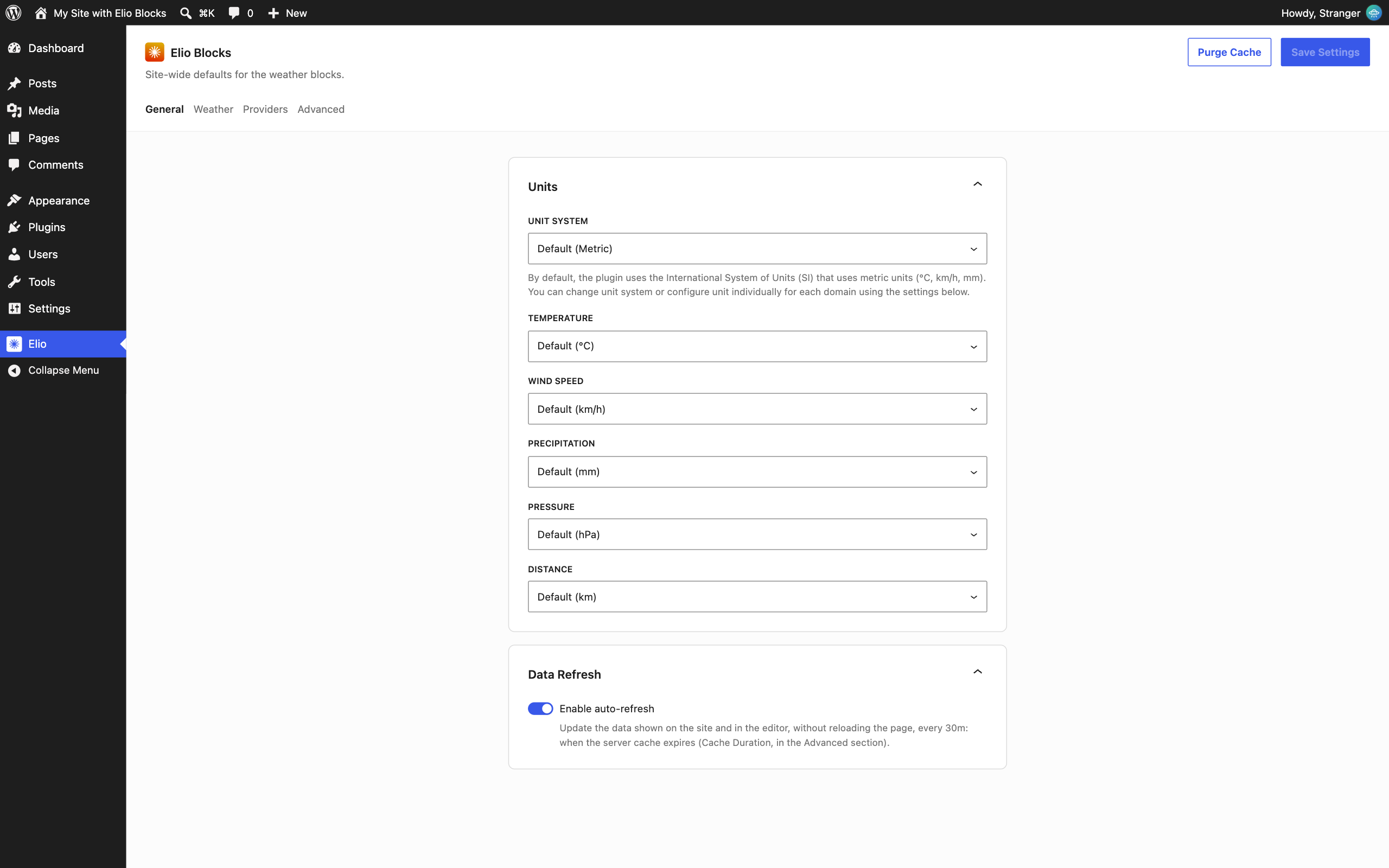
- When: when a page containing a Weather block is displayed, when the block refreshes its data, in the visitor’s browser or in the Block Editor while it is open, and when the block is edited in the Block Editor. Answers are cached in a transient, 30 minutes by default (see Elio in the admin menu), so Open-Meteo is only called again once the cached copy has expired, unless you turn the cache off.
Open-Meteo Geocoding API
- Endpoint:
https://geocoding-api.open-meteo.com/v1/search - Used for: finding a location by name in the Block Editor.
- Data sent: the text typed in the location search field and the maximum number of results.
- When: only when a user who can edit posts searches for a location in the Block Editor. Answers are cached in a transient like weather forecasts. It is never called on the front end.
Terms, privacy and licence
The free Open-Meteo API, which this plugin uses, is for non-commercial use only and has daily request limits. Commercial use requires a paid Open-Meteo subscription. Open-Meteo weather data is licensed under CC BY 4.0: credit Open-Meteo where its data is shown. The Provider Attribution block does it at the bottom of every Weather block, (“Weather data by Open-Meteo, licensed under CC BY 4.0”, both names linked): keep it, or credit Open-Meteo elsewhere on the page if you remove it.
- Open-Meteo website: https://open-meteo.com/
- Terms of use: https://open-meteo.com/en/terms#terms
- Privacy policy: https://open-meteo.com/en/terms#privacy
- Data licence: https://open-meteo.com/en/licence
- Pricing for commercial use: https://open-meteo.com/en/pricing
Credits
The Elio icon collection is a rework inspired by Tabler Icons (MIT License).
Installation
Installation from within WordPress
- Visit Plugins > Add New.
- Search for Elio Blocks.
- Install and activate the Elio Blocks plugin.
Manuelle Installation
- Upload the entire
elio-blocksfolder to the/wp-content/plugins/directory. - Visit Plugins.
- Activate the Elio Blocks plugin.
Änderungsprotokoll
1.0.1
- WordPress 7.2: the weather shows again on the front end, where the new HTML sanitizer of WordPress emptied the reports.
- WordPress 7.2: the settings page and the location search use the versions of the WordPress packages that WordPress 7.2 asks for.
- WordPress 6.7 to 6.9: the Weather and Location blocks are back in the editor, and the Condition Icon block no longer breaks there once the weather is loaded.
- WordPress 7.0 and later: in a pattern, the location of a Weather Report and the prefixes of its values can be edited, where WordPress now locks the rest of the pattern.
- Block icons: the sun of the Weather block and a few other icons are outlined again instead of filled, and the icons of the plugin page are larger.
1.0.0
- Public release.
Screenshots


Für Entwickler
Ist das dein Plugin? Zeigen Sie die Zahlen.
Fügen Sie Ihrer Website, Docs oder GitHub Readme ein Live-Badge hinzu. Es wird von selbst aktualisiert - kein Konto erforderlich.
Best Elio Blocks alternatives
All block-editor plugins →





Fragen und Antworten
Elio Blocks: quick answers
Gerade Antworten, gezogen von Live WordPress.org Daten.
Quelle: WordPress.org
Is Elio Blocks free?
Yes. Elio Blocks is free to download and use from the official WordPress.org plugin directory.
Is Elio Blocks safe to use in 2026?
Elio Blocks is a solid plugin choice in 2026, with a few things worth checking first. Was last updated 10 hours ago, and scores 64/100 on our health check.
How many websites use Elio Blocks?
Elio Blocks is active on <10 WordPress websites and has been downloaded 347 times since it launched in October 2026. It was downloaded 186 times in the last 30 days.
Does Elio Blocks work with WordPress 7.1?
Yes. The developer has tested Elio Blocks up to WordPress 7.2, the latest release. It requires WordPress 6.7 or newer.
What PHP version does Elio Blocks need?
Elio Blocks requires PHP 8.2 or higher. Most hosts run PHP 8.x today, so it works on any modern WordPress hosting.
When was Elio Blocks last updated?
The latest version, 1.0.1, was released on November 29, 2026 (10 hours ago).
Who makes Elio Blocks?
Elio Blocks is developed and maintained by Alexandre Buffet.
What are the best alternatives to Elio Blocks?
The most popular alternatives to Elio Blocks are Classic Editor (8M+ installs), Advanced Editor Tools (1M+ installs) and Disable Gutenberg (500K+ installs).
Angetrieben von PageForge
Eine Vorlage und eine Tabelle. Eine echte Seite für jede Suche.
PageForge Verwandelt jede Zeile eines CSV in eine WordPress-Seite mit eigenem Titel, URL, SEO Felder und Schema entworfen. Kostenlos auf WordPress.org.
- CSV und XLSX, plus Google Sheets auf Beruf und Unternehmen
- seinen eigenen Titel, URL, SEO Felder und Schema für jede Seite
- Arbeitet mit dem Blockeditor, Elementor, Divi und Avada
- Kostenlos auf WordPress.org, keine Kreditkarte