


ECS – Ele Custom Skin for Elementor
Seven free modules for Elementor: dark mode, container layouts, mobile menu, editorial text, style presets, JSON editor — all modular, all free.

Sichere Auswahl
Yes — ECS is a safe, well-maintained plugin to use in 2026. It runs on 100K+ sites, is rated 4.6/5 and was last updated 4 weeks ago, and scores 94/100 on our health check.
- Bewährt im Maßstab auf 100k+ aktiven Standorten
- Loved by users — 4.6/5 from 117 reviews
- Aktiv entwickelt — letztes Update vor 4 Wochen
- Getestet mit dem neuesten WordPress (7.1)
Wie stapelt es sich?
Side-by-side bei Installationen, Updates, Bewertungen und Support



Tägliche Downloads
Download-Spitzen folgen normalerweise einer neuen Version - jede Website, die automatisch aktualisiert wird, gilt als Download.
Ranglisten
Where ECS stands todayWordPress.org Ranglisten suchen
Live-Position in der Plugin-Suche, Top 100| Stichwort | Position |
|---|---|
| color scheme | #2 |
| container | #5 |
| dark mode | #10 |
| elementor | #23 |
| loop | #9 |
Versionsübernahme
Anteil aktiver Sites pro Release.
Bewertungsaufschlüsselung
★★★★★★★★★★ 4.6 from 117 reviews
About ECS – Ele Custom Skin for Elementor
From the official readme · v4.3.14Beschreibung
ECS adds what Elementor doesn’t have — without replacing what it does well.
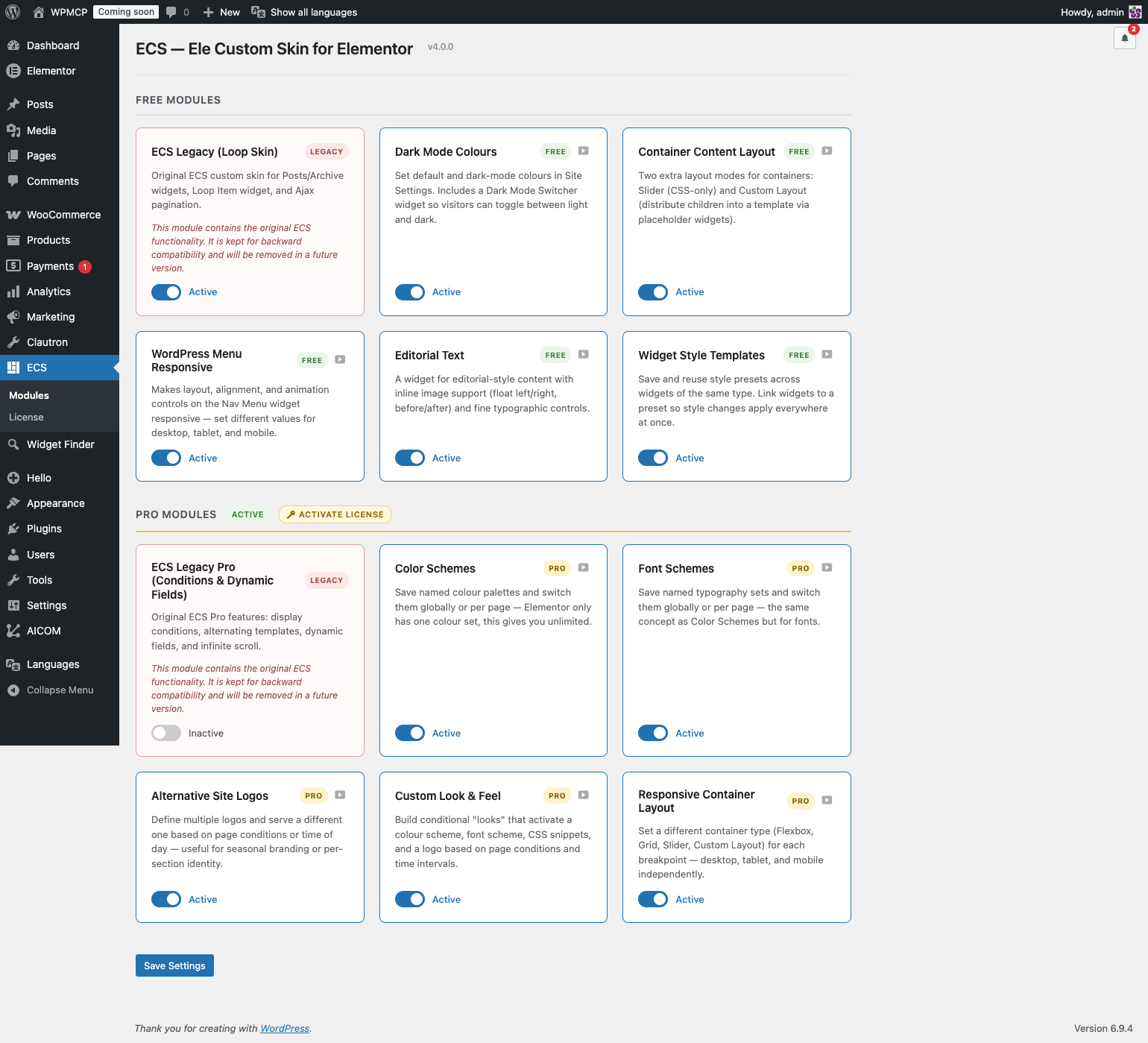
Every feature is a standalone module. Enable only what you need from ECS → Modules in the WordPress admin. Unused modules load zero CSS, zero JS, and register no hooks.
🎨 Dark Mode Colours
A Default Colours tab appears inside Elementor’s Site Settings, right next to Global Colors.
- Set a Default and a Dark Mode colour for every global colour slot.
- Dark mode colours are written as CSS variables — no JavaScript swapping, pure CSS, zero flash.
- A fallback swatch shows the default colour when the dark slot is empty.
- The Dark Mode Switcher widget lets visitors toggle between light and dark with full style controls.
📐 Container Layout
Two additional layout modes for Elementor Flex Containers:
Slider Mode — Turn any container into a CSS-only slider. No JS library, no dependencies.
Custom Layout — Pick a Theme Builder template as the layout frame. Place ECS Placeholder widgets inside the template; ECS distributes the container’s children into those slots automatically. Supports cycling and graceful fallback. Works live in the Elementor editor.
🔁 Loop Custom Layout
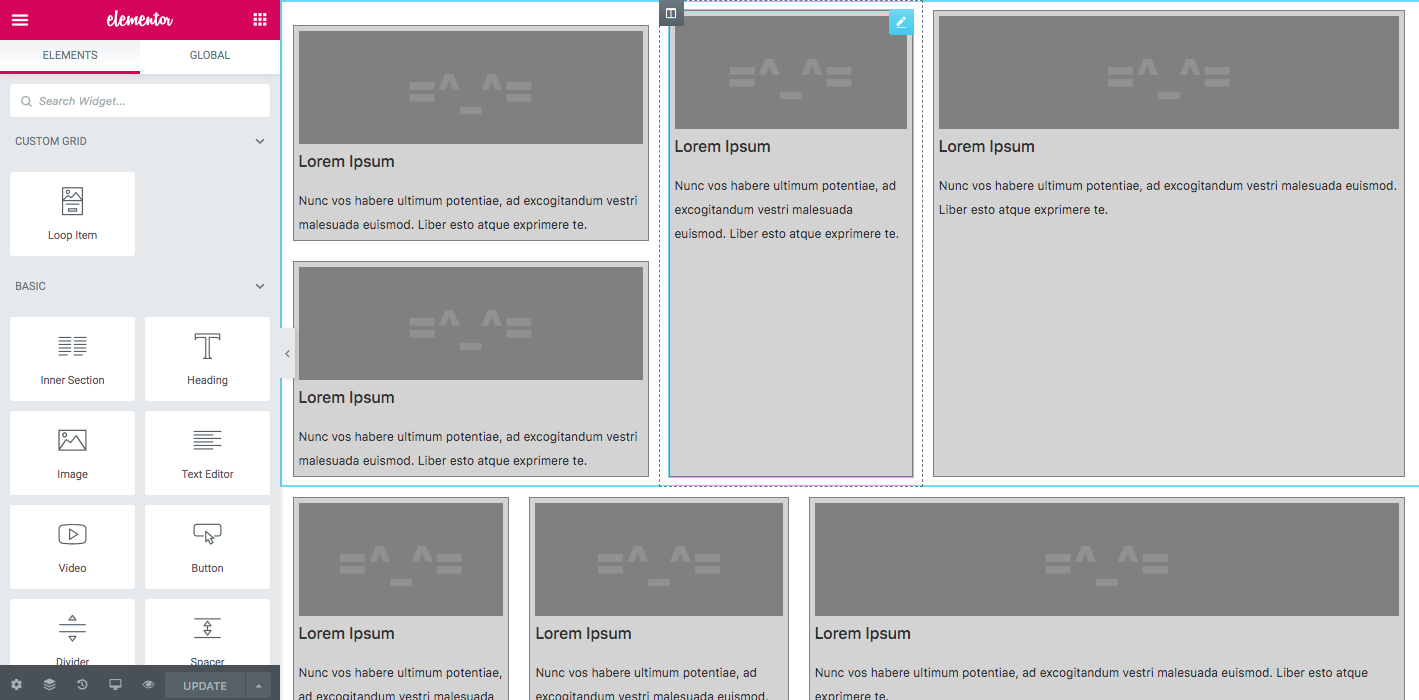
Arrange Loop Grid items inside a Custom Layout template using ECS Placeholder widgets — powered by Elementor’s native Loop Grid query. Full editorial control over the item grid without leaving Elementor.
📱 Menu Responsive
Turn any Elementor Nav Menu widget into a responsive hamburger menu. Layout, alignment, animation, and breakpoint controls — all from the Elementor panel.
✍️ Editorial Text
Wrap images inside text blocks with float controls and captions. Magazine-style editorial layouts built entirely in Elementor.
🎨 Style Templates
Save any widget’s Style tab settings as a named preset and apply them to other widgets of the same type in one click — across pages, templates, and sites. Export and import your full style library as JSON.
🛠 JSON PowerEdit
Edit any Elementor widget’s raw settings JSON directly from the panel. Raw textarea for paste-and-replace, interactive tree view for surgical edits. Keyboard shortcut: Ctrl/Cmd + Enter to apply.
✅ Legacy (ECS 3.x — backward compatibility)
The original loop skin functionality is preserved in the Legacy module for existing sites built with ECS 3.x. If you’re updating from ECS 3.x, this module activates automatically. For new projects, use Elementor’s native Loop Builder.
Note: This plugin requires Elementor (free). Container Layout (Custom Layout mode) and Style Templates require Elementor Pro.
Installation
- Install and activate Elementor (free).
- Upload and activate ECS – Ele Custom Skin for Elementor through the Plugins screen.
- Go to ECS → Modules in the WordPress admin and toggle on only the modules you need.
- Activated modules register their controls, widgets, and assets automatically.
Updating from ECS 3.x? Just update the plugin. The Legacy module activates automatically; all your existing loop skins keep working.
Änderungsprotokoll
4.3.14
- Fixed: AJAX Load More/Infinite Load on archive pages (category, tag, author, etc.) returned an empty response and stopped working. Caused by the 4.3.8 security fix checking the post ID before it was resolved for archive listings.
- Fixed: “Cannot redeclare control” PHP notice on the Nav Menu widget’s Style tab color controls, logged when Elementor’s optimized control loading stores them separately from the controls our remove_control() call was clearing.
4.3.13
- Security: Dynamic Repeater Builder’s save/break binding handlers now verify that the binding entry being written actually belongs to the post being edited, closing a gap where a Contributor could hijack or erase another post’s binding using their own post as cover. Thanks to Animesh (Automattic) for the report.
4.3.12
- Fixed: Container Layout — Slider mode now correctly shows the configured number of visible slides on sites with slider settings saved before version 4.0. Previously these sites always showed 1 slide regardless of the configured column count.
4.3.11
- Security: Style Templates and Color Wheel now require a site-level capability to save or delete a template/palette, since both are stored in a single site-wide option shared by every user, instead of trusting edit_posts alone.
- Added: all CSS and JS files are now minified in the release build, cutting file size by roughly 25-30%.
- Verified compatibility with WordPress 7.1 (currently in Release Candidate) — full plugin test suite passing.
4.3.10
- Security: closed a gap in the 4.3.9 fix — the Dynamic Repeater ACF source’s post read check can now no longer be bypassed via the current_post_id fallback. Thanks to Erwan Le Rousseau (WPScan) for the follow-up report.
4.3.9
- Security: Dynamic Repeater Builder’s ACF source now requires read access to the specific post a data source config points at, instead of trusting a post ID from the request. Thanks to Erwan Le Rousseau (WPScan) for the report.
- Security: the ACF source no longer falls back to reading raw post meta for a field name with no registered ACF repeater definition.
Screenshots

Für Entwickler
Ist das dein Plugin? Zeigen Sie die Zahlen.
Fügen Sie Ihrer Website, Docs oder GitHub Readme ein Live-Badge hinzu. Es wird von selbst aktualisiert - kein Konto erforderlich.
Best ECS alternatives
All color scheme plugins →



Fragen und Antworten
ECS – Ele Custom Skin for Elementor: quick answers
Gerade Antworten, gezogen von Live WordPress.org Daten.
Quelle: WordPress.org
Is ECS free?
Yes. ECS is free to download and use from the official WordPress.org plugin directory.
Is ECS safe to use in 2026?
Yes — ECS is a safe, well-maintained plugin to use in 2026. It runs on 100K+ sites, is rated 4.6/5 and was last updated 4 weeks ago, and scores 94/100 on our health check.
How many websites use ECS?
ECS is active on 100K+ WordPress websites and has been downloaded 2,227,315 times since it launched in April 2018. It was downloaded 57,704 times in the last 30 days.
Does ECS work with WordPress 7.1?
Yes. The developer has tested ECS up to WordPress 7.1.5, the latest release. It requires WordPress 6.0 or newer.
What PHP version does ECS need?
ECS requires PHP 8.0 or higher. Most hosts run PHP 8.x today, so it works on any modern WordPress hosting.
When was ECS last updated?
The latest version, 4.3.14, was released on October 24, 2026 (4 weeks ago).
Who makes ECS?
ECS is developed and maintained by dudaster.
What are the best alternatives to ECS?
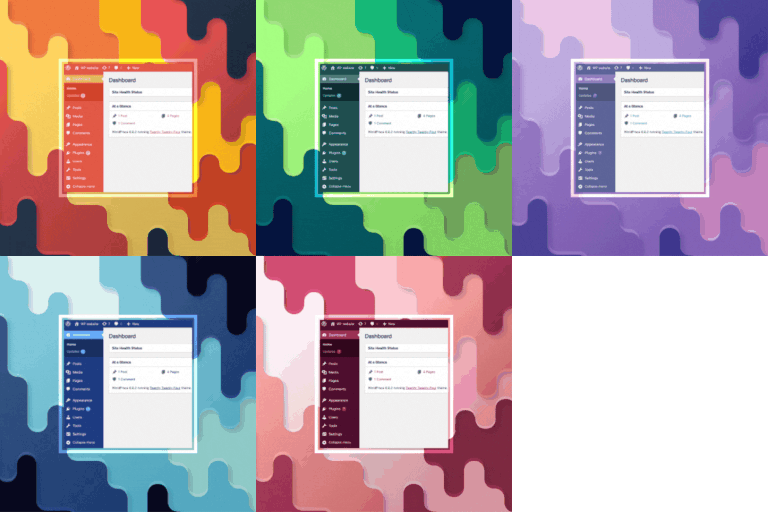
The most popular alternatives to ECS are Default Admin Color Scheme (800+ installs), Force Admin Color Scheme (500+ installs) and Colorize Admin (200+ installs).
Angetrieben von PageForge
Eine Vorlage und eine Tabelle. Eine echte Seite für jede Suche.
PageForge Verwandelt jede Zeile eines CSV in eine WordPress-Seite mit eigenem Titel, URL, SEO Felder und Schema entworfen. Kostenlos auf WordPress.org.
- CSV und XLSX, plus Google Sheets auf Beruf und Unternehmen
- seinen eigenen Titel, URL, SEO Felder und Schema für jede Seite
- Arbeitet mit dem Blockeditor, Elementor, Divi und Avada
- Kostenlos auf WordPress.org, keine Kreditkarte