


Easy Timer
Allows you to easily display a count down/up timer, the time or the current date on your website, and to schedule an automatic content modification.

Mit Vorsicht verwenden
Easy Timer works, but test it on a staging site before relying on it in 2026. It runs on 1K+ sites, is rated 4.3/5 and was last updated 1 year ago, and scores 45/100 on our health check.
- Momentum — downloads up 76.4% vs the previous 30 days
- Kein Update in über einem Jahr
- Nur getestet bis WordPress 6.8 (letzt ist 7.1)
Wie stapelt es sich?
Side-by-side bei Installationen, Updates, Bewertungen und Support


Tägliche Downloads
Download-Spitzen folgen normalerweise einer neuen Version - jede Website, die automatisch aktualisiert wird, gilt als Download.
Ranglisten
Where Easy Timer stands todayWordPress.org Ranglisten suchen
Live-Position in der Plugin-Suche, Top 100| Stichwort | Position |
|---|---|
| clock | #47 |
| countdown | >100 |
| Zähler | >100 |
| countup | #4 |
| date | >100 |
Versionsübernahme
Anteil aktiver Sites pro Release.
Bewertungsaufschlüsselung
★★★★★★★★★★ 4.3 from 17 reviews
About Easy Timer
From the official readme · v5.0Beschreibung
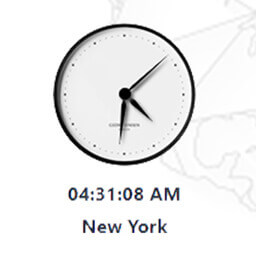
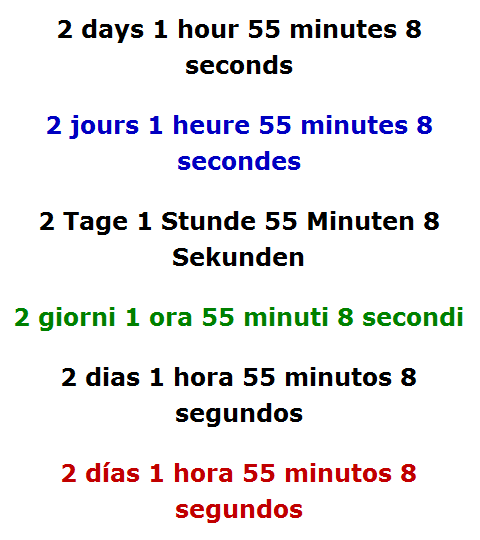
Easy Timer allows you to easily insert into posts, pages and widgets of your website an unlimited number of count down/up timers that refresh every second, and the time or date. Each countdown timer shows the time remaining until the date you choose, and, if you want, reveals a hidden content when this date is reached. Each countup timer shows the time elapsed since the date you choose or the time spent by the Internet user on the webpage.
Easy Timer also allows you to schedule an automatic content modification.
Translators
- Aboelabbas (Arabic)
- Ales J. (Czech)
- Alexander Ovsov (Belarusian)
- Chris K. (Hungarian)
- Dave (Portuguese)
- Dovis (Chinese)
- Flemming (Danish)
- Gunlukucretsiz (Turkish)
- Johan (Swedish)
- Kaloyan (Bulgarian)
- Krzysztof (Polish)
- Mihalcea (Romanian)
- Omer (Hebrew)
- Peter (Slovak)
- Reza E. (Persian)
- Sofokli (Albanian)
- Tohru M. (Japanese)
- Vladimir (Russian)
Plugins from the same author
- Commerce Manager, to sell your products
- Affiliation Manager, to create your affiliate program
- Membership Manager, to create your members areas
- Optin Manager, to build your prospects lists
- Contact Manager, to create your contact forms
- Content Switcher, to display random or variable contents
- Device Detect, to detect smartphones and tablets
Installation
You can install Easy Timer through the “Add Plugins” page of the “Plugins” menu in WordPress (Plugins => Add New => Upload Plugin). Upload the plugin file without unzipping it. You can also install it like this:
- Unzip the plugin file.
- Upload with your FTP software the “easy-timer” folder, and only this folder, to your plugins directory (it should be “wp-content/plugins”).
Once you have installed Easy Timer:
- Aktivieren Sie das Plugin über das „Plugins“-Menü in WordPress.
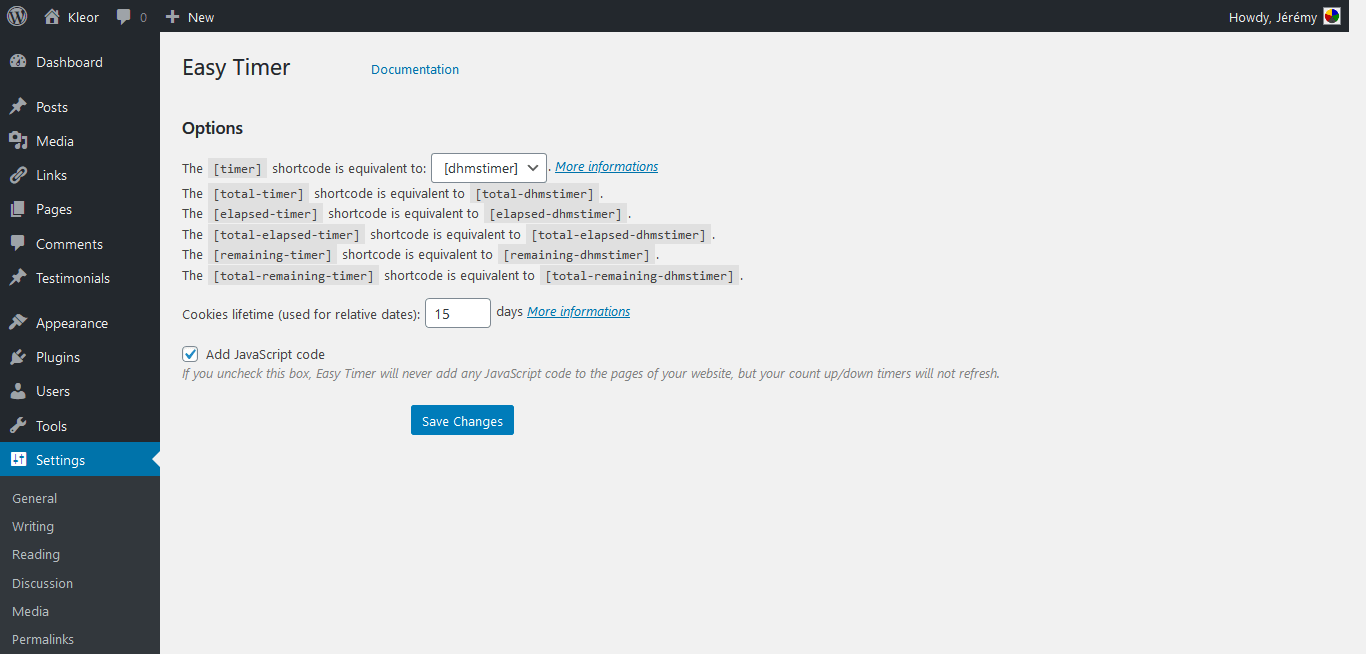
- Configure the plugin through the Easy Timer options page in WordPress.
Änderungsprotokoll
When you upgrade Easy Timer, you don't lose any settings or any data. You can upgrade Easy Timer through the "Plugins" menu in WordPress, and through the "WordPress Updates" page of the "Dashboard" menu in WordPress (Dashboard => Updates), or through the "Add Plugins" page of the "Plugins" menu in WordPress (Plugins => Add New => Upload Plugin, upload the plugin file without unzipping it). You can also upgrade it like this: Unzip the plugin file. Upload with your FTP software the "easy-timer" folder, and only this folder, to your plugins directory (it should be "wp-content/plugins"), without deleting the "easy-timer" folder that already exists in this directory. You don't need to deactivate and reactivate the plugin.
- Version 5.0
- Remove the “adodb-time.php” file
- Version 4.2.2
- Improve the security of the “filter” attribute
- Version 4.2.1
- Update the “adodb-time.php” file
- Version 4.2
- Add the [clocktimer] and [total-clocktimer] shortcodes
- Version 4.1
- Add the ability to display counters with years, months and weeks
- Version 4.0.4
- Fix a bug with PHP 8
- Version 4.0.3
- Reduce the size of the “easy-timer.js” file
- Version 4.0.2
- Improve the security
- Version 4.0.1
- Improve the security
- Version 4.0
- Use anonymous functions instead of “create_function”
- Version 3.9
- Add the ability to use custom languages
- Version 3.8
- Add the ability to use custom files
- Version 3.7.2
- Add Persian translation
- Version 3.7.1
- Add Japanese translation
- Version 3.7
- Adapt to WordPress 4.3
- Version 3.6.6
- Add Bulgarian translation
- Version 3.6.5
- Load the “easy-timer.js” file in a better way
- Version 3.6.4
- Use the HTML5 “data-*” attributes instead of the “id” and “title” attributes
- Fix a bug with countdowns
- Version 3.6.3
- Add Czech translation
- Version 3.6.2
- Fix a bug with Internet Explorer 11
- Version 3.6.1
- Improve the stability of the plugin when its folder is renamed
- Version 3.6
- Optimize the CSS styles of the options page for WordPress 3.8
- Improve the uninstallation of the plugin
- Version 3.5.2
- Improve the “filter” attribute
- Version 3.5.1
- Improve the shortcodes
- Version 3.5
- Add a meta box in the edit pages of posts and pages
- Version 3.4.1
- Improve the installation instructions
- Version 3.4
- Reduce the usage of memory
- Improve the structure of files
- Version 3.2.4
- Add Turkish translation
- Version 3.2.3
- Fix a bug with Internet Explorer 10
- Version 3.2.2
- Add Danish translation
- Version 3.2.1
- Add Romanian translation
- Version 3.2
- Improve the structure of files
- Version 3.1.1
- Fix a bug with chronometers
- Version 3.1
- Improve the code
- Version 3.0.1
- Add Arabic translation
- Version 3.0
- Add Multisite support
- Version 2.8.4
- Add Albanian translation
- Version 2.8.3
- Improve Portuguese translation
- Version 2.8.2
- Add an upgrade notice
- Factorize the code to reduce the usage of memory
- Version 2.8.1
- Fix a minor bug with shortcodes
- Version 2.8
- Reduce the usage of memory
- Add the ability to reset the options of Easy Timer
- Version 2.7.6
- Fix a bug with relative dates
- Minify the code
- Version 2.7.5
- Minify the size of the “languages” folder
- Version 2.7.4
- Add Belarusian language
- Version 2.7.3
- Reduce the usage of memory
- Version 2.7.2
- Improve the ability to delete the options of Content Switcher
- Version 2.7.1
- Add Slovak language
- Version 2.7
- Add the “period” attribute to display periodic counters
- Version 2.6.4
- Fix a conflict with the “nonSecureAnonymousFramework file” of LinkedIn share button script
- Version 2.6.3
- Deactivation/reactivation is no longer necessary to add new options when Easy Timer is updated
- Add the ability to display the version of Easy Timer
- Version 2.6.2
- Fix a minor JavaScript bug (undefined items)
- Version 2.6.1
- Add the “default” and “filter” attributes
- Add the ability to delete the options of Easy Timer
- Version 2.6
- Add the [easy-timer] shortcode
- Minify the number of files
- Version 2.5.8
- Minify the size of the “initial-options.php”, “install.php” and “options-page.php” files
- Version 2.5.7
- Improve the structure of files
- Version 2.5.6
- Fix a minor bug
- Version 2.5.5
- Add the “origin” attribute for relative dates
- Minify the code of the options page
- Version 2.5.4
- Optimize the performance of the options page
- Version 2.5.3
- Update the links to the documentation
- Version 2.5.2
- Add links to the options page and the documentation below the plugin’s description
- Improve the compatibility with Internet Explorer 9
- Version 2.5.1
- Improve the options page
- Version 2.5
- Improve the code
- Version 2.4.1
- Add Russian language
- Version 2.4
- Add the [rtimer] shortcode to display only a part of the time displayed by the [timer] shortcode
- Version 2.3.1
- Add Chinese language
- Version 2.3
- Support dates before 1970 and after 2038
- Version 2.2
- Use “id” attributes instead of “title” attributes to update timers and clocks
- Add Swedish language
- Version 2.1.3
- Fix a parse error
- Version 2.1.2
- Fix a minor bug (undefined function “date_default_timezone_set” for some servers)
- Add Dutch language
- Version 2.1.1
- Improve German, Italian, Portuguese and Spanish translations
- Version 2.1
- Add the ability to use shortcodes in titles and excerpts
- Version 2.0
- Add the ability to specify relative dates for the “date” attribute
- Version 1.9.1
- Best factorization of the code
- Add Hungarian language
- Version 1.9
- Add the [total-timer], [total-elapsed-timer] and [total-remaining-timer] shortcodes
- Fix a bug with the “mktime” function (string given instead of integer)
- Version 1.8
- Add the [counter] shortcode to display elapsed and remaining time
- Add the ability to specify several dates for the “date” attribute (an alternative to imbrication of counters)
- Version 1.6
- Load JavaScript files only when needed
- Version 1.5
- Add an options page
- Version 1.1
- Add the [countdown1] and [countup1] shortcodes
- Version 1.0.1
- Add Polish language
- Version 1.0
- Initial version
Screenshots
Für Entwickler
Ist das dein Plugin? Zeigen Sie die Zahlen.
Fügen Sie Ihrer Website, Docs oder GitHub Readme ein Live-Badge hinzu. Es wird von selbst aktualisiert - kein Konto erforderlich.
Best Easy Timer alternatives
All clock plugins →





Fragen und Antworten
Easy Timer: quick answers
Gerade Antworten, gezogen von Live WordPress.org Daten.
Quelle: WordPress.org
Is Easy Timer free?
Yes. Easy Timer is free to download and use from the official WordPress.org plugin directory.
Is Easy Timer safe to use in 2026?
Easy Timer works, but test it on a staging site before relying on it in 2026. It runs on 1K+ sites, is rated 4.3/5 and was last updated 1 year ago, and scores 45/100 on our health check.
How many websites use Easy Timer?
Easy Timer is active on 1K+ WordPress websites and has been downloaded 136,067 times since it launched in May 2010. It was downloaded 716 times in the last 30 days.
Does Easy Timer work with WordPress 7.1?
Easy Timer is officially tested up to WordPress 6.8.13, while the latest release is 7.1.5. It may still work, but try it on a staging site first.
What PHP version does Easy Timer need?
Easy Timer requires PHP 5.3 or higher. Most hosts run PHP 8.x today, so it works on any modern WordPress hosting.
When was Easy Timer last updated?
The latest version, 5.0, was released on October 26, 2025 (1 year ago).
Who makes Easy Timer?
Easy Timer is developed and maintained by Kleor.
What are the best alternatives to Easy Timer?
The most popular alternatives to Easy Timer are CoolClock (1K+ installs), MX Time Zone Clocks (1K+ installs) and WPC Countdown Timer for Woo… (1K+ installs).
Angetrieben von PageForge
Eine Vorlage und eine Tabelle. Eine echte Seite für jede Suche.
PageForge Verwandelt jede Zeile eines CSV in eine WordPress-Seite mit eigenem Titel, URL, SEO Felder und Schema entworfen. Kostenlos auf WordPress.org.
- CSV und XLSX, plus Google Sheets auf Beruf und Unternehmen
- seinen eigenen Titel, URL, SEO Felder und Schema für jede Seite
- Arbeitet mit dem Blockeditor, Elementor, Divi und Avada
- Kostenlos auf WordPress.org, keine Kreditkarte