


Easy Tabs Block – Smart, Lightweight & Responsive Tabs for the Block Editor
Responsive Gutenberg tabs — vertical tabs, tabbed content & WooCommerce product tabs. 100+ patterns, lightweight & accessible.

Solide Wahl
Easy Tabs Block is a solid plugin choice in 2026, with a few things worth checking first. It runs on 1K+ sites, is rated 5/5 and was last updated 1 month ago, and scores 78/100 on our health check.
- Getestet mit dem neuesten WordPress (7.1)
Wie stapelt es sich?
Side-by-side bei Installationen, Updates, Bewertungen und Support



Tägliche Downloads
Download-Spitzen folgen normalerweise einer neuen Version - jede Website, die automatisch aktualisiert wird, gilt als Download.
Ranglisten
Where Easy Tabs Block stands todayWordPress.org Ranglisten suchen
Live-Position in der Plugin-Suche, Top 100| Stichwort | Position |
|---|---|
| Accordion | #88 |
| responsive tabs | #5 |
| tab | #19 |
| tabs | #5 |
| wordpress tabs | #7 |
Versionsübernahme
Anteil aktiver Sites pro Release.
Bewertungsaufschlüsselung
★★★★★★★★★★ 5 from 5 reviews
About Easy Tabs Block
From the official readme · v2.0.4Beschreibung
Get Pro | Documentation | Support
Easy Tabs Block is the easiest way to add responsive tabs, collapsible tabs, and accordion layouts to your WordPress site — right inside the block editor, without writing a single line of code.
Organize long pages into clean, clickable sections. Build horizontal tabs, vertical tabs, or turn your Gutenberg tabs into a smooth FAQ accordion with one click. Drop in any Gutenberg block — images, videos, buttons, shortcodes, even other blocks-inside-blocks — and your tabbed content stays fast, accessible, and beautiful on every screen size.
Whether you run a blog, a business site, or a WooCommerce store, Easy Tabs Block helps you show more content in less space — and keeps visitors engaged instead of scrolling away.
In a nutshell:
- 100+ ready-made patterns (30+ free) — insert a full tab layout with one click
- Horizontal & vertical tabs — switch orientation with a single click
- Collapsible tabs & accordion mode (Pro) — perfect for FAQs and mobile-first pages
- Full style control — colors, borders, spacing, hover & active states
- Ultra lightweight — dependency-free JavaScript, no jQuery, no bloat
- Accessible by default — ARIA roles, keyboard navigation, screen reader friendly
🎯 Why Choose Easy Tabs Block?
Easy Tabs Block is a modern WordPress tabs plugin that combines current block standards with genuine ease of use. Built natively on the WordPress Gutenberg Block API, this tabs plugin delivers lightweight performance, accessibility, and full compatibility with the latest versions of WordPress — no page builder, no shortcodes, no bloat.
Key Highlights:
- Accessible Tabs – WCAG-friendly markup with proper ARIA roles,
aria-selectedstates, and full keyboard navigation support. - Zero Dependencies – No jQuery and no heavy JavaScript frameworks. The entire frontend is clean, lightweight vanilla JavaScript that loads only on pages that actually use the block.
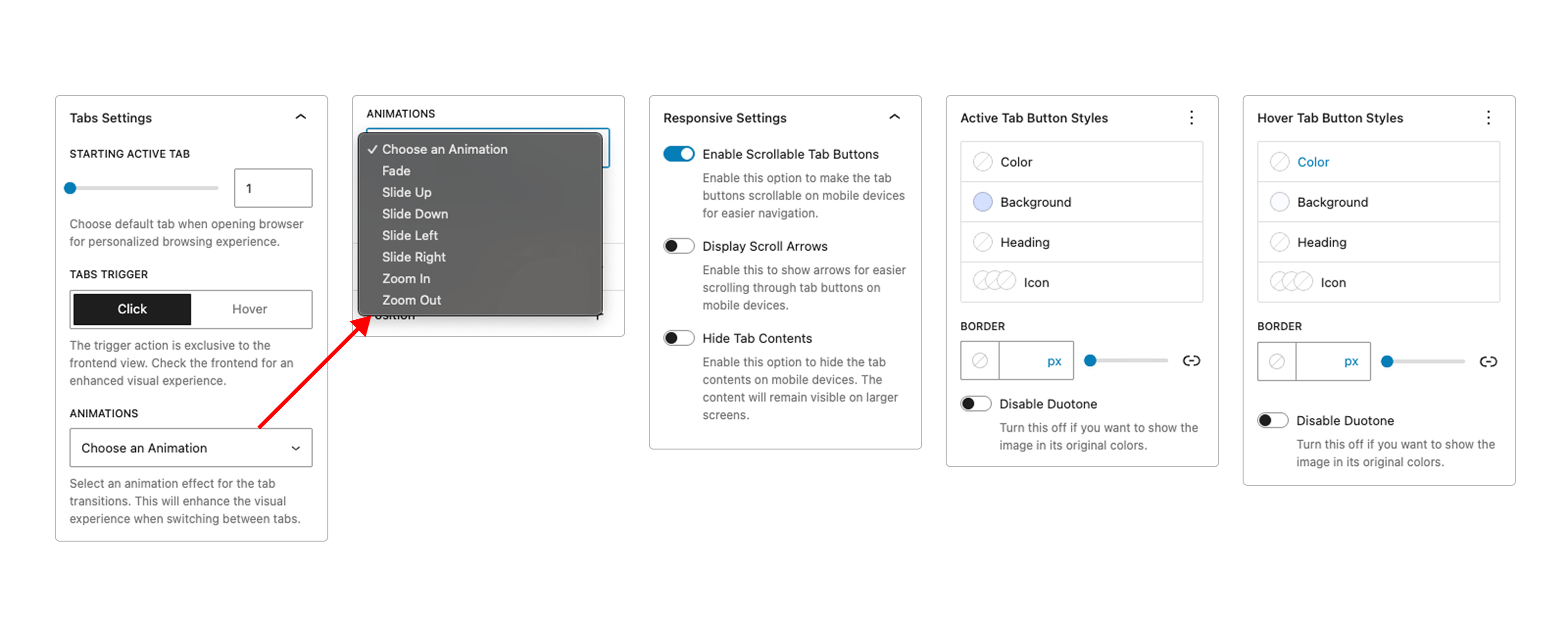
- Responsive by Default – On smaller screens your tab bar becomes a horizontally scrollable menu with arrow navigation buttons, so visitors can glide through every tab without the layout ever breaking.
- Horizontal & Vertical Layouts – Switch between tab orientations with a single click in the block toolbar.
- Ready-to-Use Templates – Choose from 100+ professionally designed patterns to create attractive tab layouts in seconds.
- Native Editor Experience – Build with the same controls you already use every day. If you know the WordPress block editor, you already know Easy Tabs Block.
✨ Free Features
The free version of Easy Tabs Block is loaded with everything you need to build flexible, responsive tabbed content:
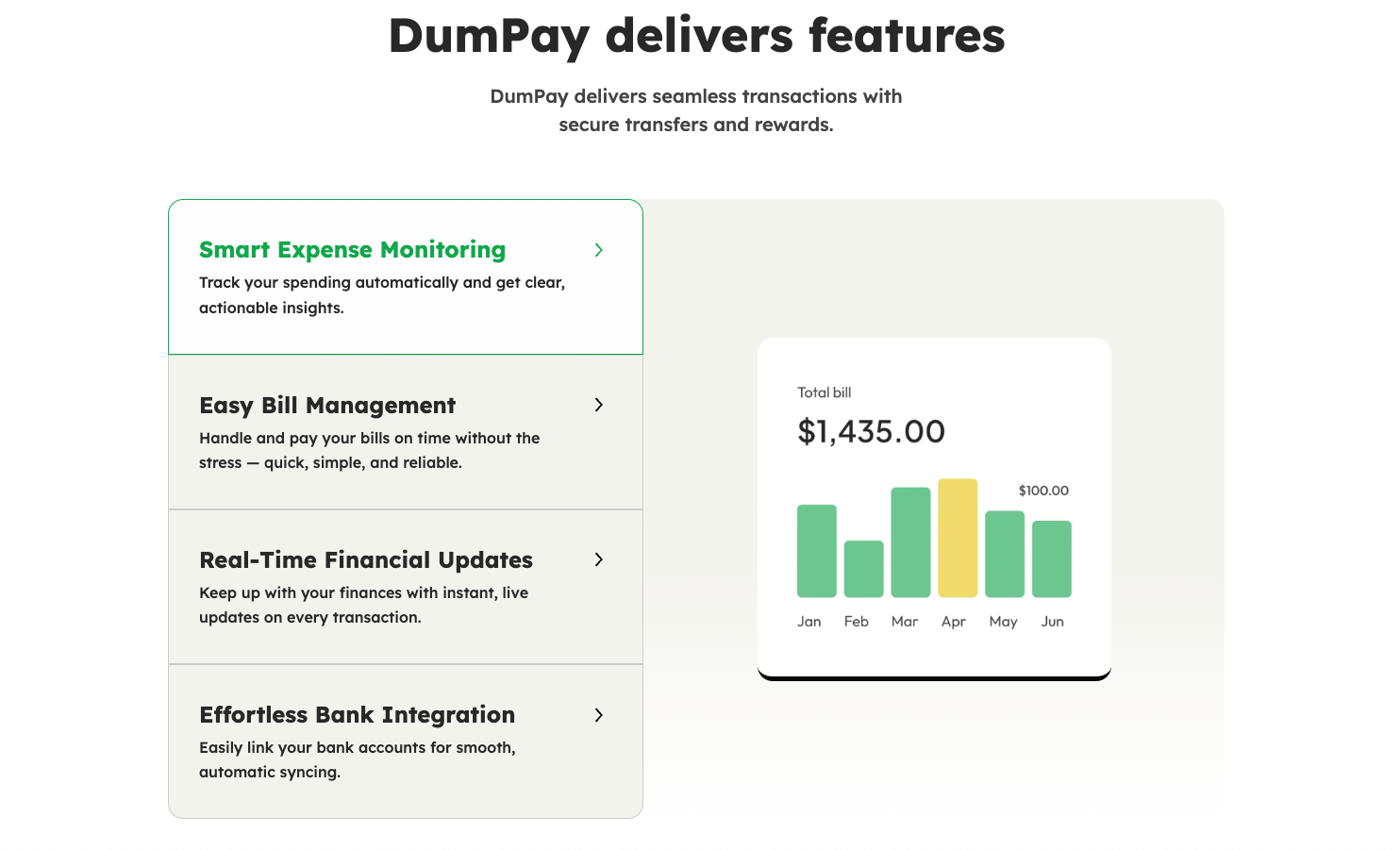
- Multiple Layouts – Choose horizontal tabs, vertical tabs, or aligned styles. Ideal for product tabs, sidebars, comparison sections, and more.
- Any Block Inside Your Tabs – Insert text, images, videos, buttons, or shortcodes to build image tabs, video tabs, or rich mixed layouts. If a block works in the editor, it works in a tab.
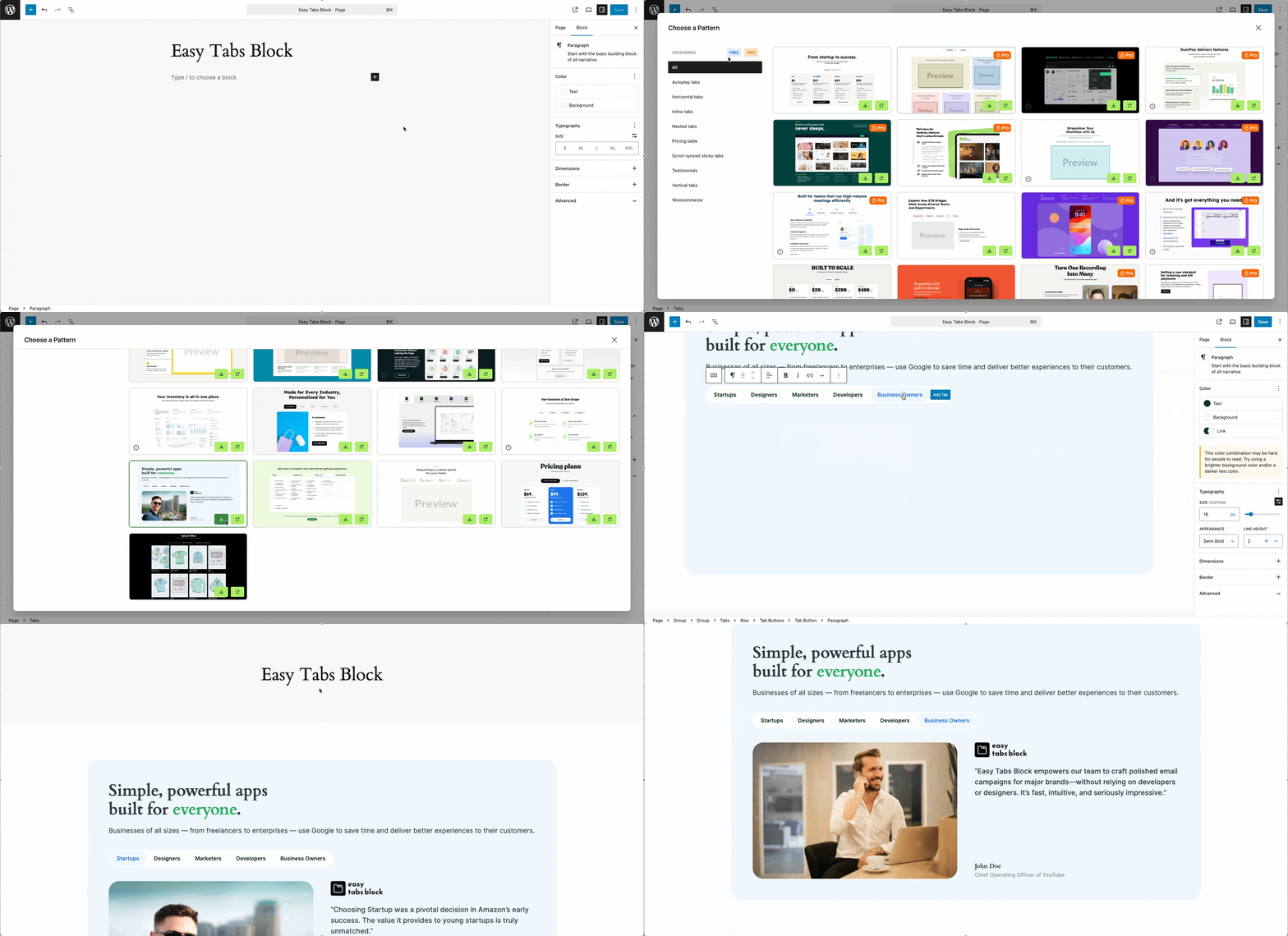
- 30+ One-Click Templates – Open the pattern library, pick a design, and insert a complete tab layout instantly.
- Full Style Control – Adjust colors, spacing, borders, typography, and backgrounds straight from the block settings. No CSS required.
- Active & Hover Effects – Set distinct styles for normal, hover, and active tab states, including image filters.
- Tab Animations – Add smooth fade, slide, or zoom transitions to create eye-catching animation tabs when switching.
- Tab Icons – Use the included icon block to add an icon to any tab button.
- Nested Tabs – Create tabs within tabs for layered content like detailed product info or step-by-step guides.
- Responsive Design – Your responsive tabs adapt automatically to mobile, tablet, and desktop screens.
- Duplicate / Delete Tabs – Clone a tab with all its content, or remove it, in one click.
- Lightweight & Fast – Clean, optimized code that won’t slow your site down.
All features work seamlessly inside the native WordPress block editor — build professional WordPress tabs and Gutenberg tabs with no extra setup and no additional tools.
🚀 Pro Features
Upgrade to Easy Tabs Block Pro to unlock advanced tools for dynamic, interactive tab layouts:
- Auto Play Tabs – Rotate through tabs automatically on a timer. Great for featured content, product highlights, and announcements.
- Expandable / Collapsible Tabs – Let visitors expand or collapse individual tab sections as they browse, so they can focus on one section at a time.
- URL-Based Tab Activation – Link directly to a specific tab with a unique URL. Perfect for sharing exact sections or deep-linking from menus and emails.
- Accordion Mode – Transform your tabs into a fully functional collapsible accordion with a single click. Perfect for FAQs, mobile-first designs, and content-heavy pages.
- 100+ Premium Patterns – Access the full, growing library of professionally designed tab patterns.
- Priority Support – Fast, dedicated help from the team, from setup to advanced customization.
🎯 Popular Use Cases for Easy Tabs Block
- WooCommerce Product Tabs — Split descriptions, specifications, and reviews into clean WooCommerce tabs and product tabs that improve the shopping experience.
- FAQ Tabs & Accordions — Group common questions into scannable tabbed content or a mobile-friendly accordion block.
- Documentation & Tutorials — Organize setup steps, guides, and references so readers find answers fast.
- Pricing & Feature Comparisons — Lay out plans and features side by side in a compact tab block.
- Image & Video Galleries — Sort media into image tabs and video tabs to showcase more without clutter.
- Service & Team Pages — Present services, profiles, and case studies in a polished, organized layout.
💡 Perfect For
- Bloggers & Content Creators – Present tutorials, FAQs, and comparisons in clean, engaging tab layouts.
- Business & Agency Owners – Build polished service pages, pricing sections, and team profiles.
- eCommerce Store Owners – Organize product details, specs, and reviews inside responsive product tabs.
- Developers & Designers – Ship interactive pages faster with ready-made patterns, clean markup, and zero dependencies.
- Educators & Coaches – Structure lessons, course content, and resources into easy-to-navigate sections.
🛠️ How to Create Tabs in WordPress (in Under a Minute)
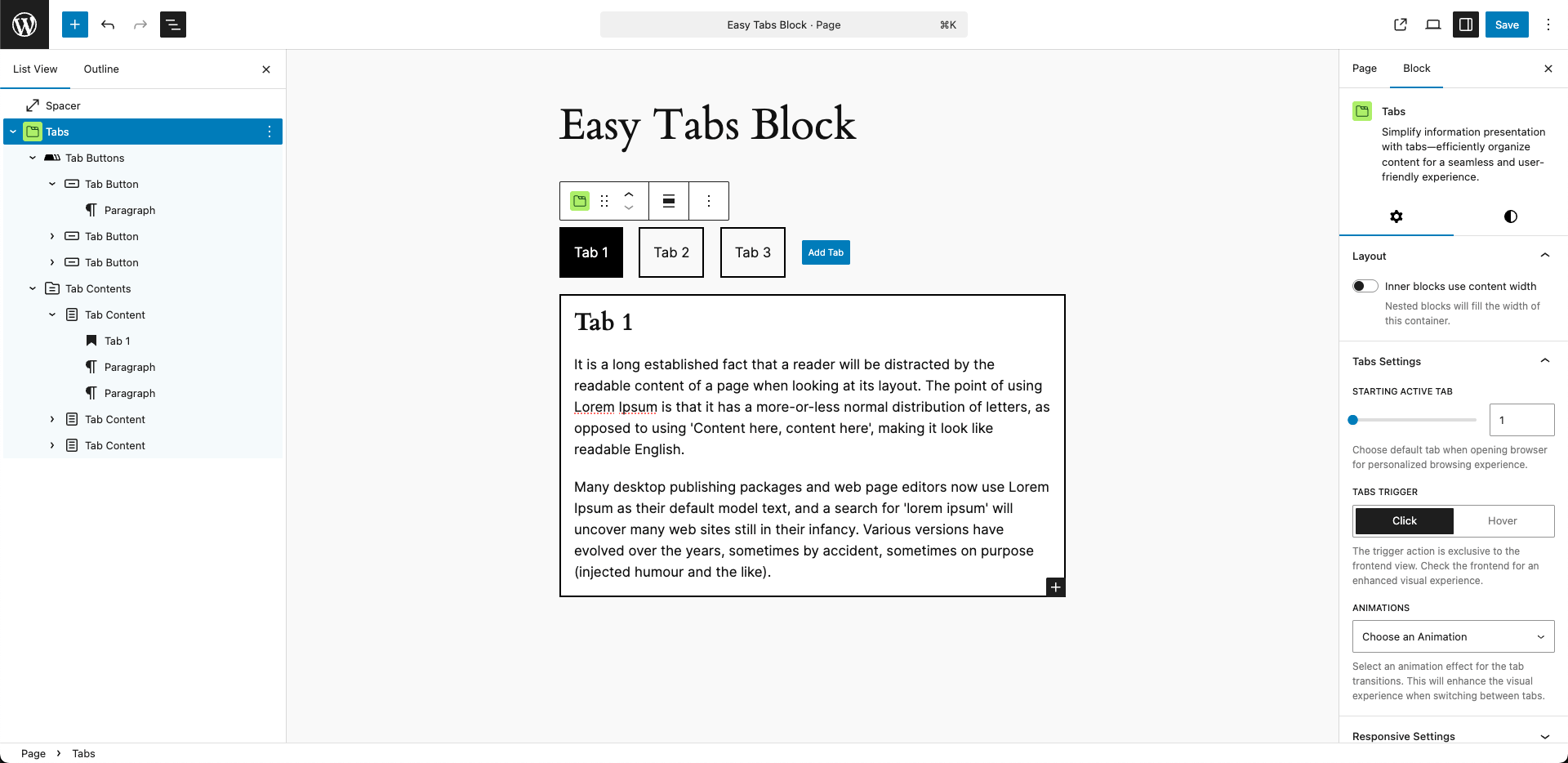
- Add the block – In the editor, click + and search for “Tabs”.
- Pick a layout or pattern – Start from scratch or insert one of 30+ free templates.
- Add your content – Drop any Gutenberg block inside each tab panel.
- Style it – Set colors, spacing, icons, animations, and hover/active states from the sidebar.
- Publish – Your responsive, accessible tabs are live. That’s it.
📚 Helpful Resources
- Live Demo – Try responsive tabs and tabbed content live in your browser.
- Documentation – Step-by-step guides for building and styling your tabs block layouts.
- All Features – Explore everything Easy Tabs Block can do, including horizontal tabs, vertical tabs, animations, and more.
Installation
From your WordPress dashboard (recommended)
- Go to Plugins → Add New.
- Search for “Easy Tabs Block”.
- Klicken Sie auf Jetzt installieren und dann Aktivieren.
- In any post or page, add the Tabs block from the block inserter.
Manuelle Installation
- Upload the
easy-tabs-blockfolder to/wp-content/plugins/. - Activate the plugin through Plugins → Installed Plugins.
- Add the Easy Tabs Block via the block inserter.
Änderungsprotokoll
Improved security and reliability of the pattern library, plus minor fixes.
2.0.4 – Oct 21, 2026
- Fixed: Left/right move arrows for horizontal tab buttons
- Enhance: Refreshed starter patterns with new names and previews
2.0.3 – Sep 22, 2026
- Update: Build tools and WordPress packages upgraded to the latest versions
- Update: Removed outdated browser prefixes from styles
- Enhance: Minor code cleanup
2.0.2 – Aug 24, 2026
- Enhance: Improved security and reliability of the pattern library
- Fixed: Minor bugs and small improvements
2.0.1 – Aug 21, 2026
- New: Pattern library now loads live, so new patterns arrive without an update
- New: Separate Free/Pro filter, usable alongside the category filter
- Fixed: Pro patterns could show up under the Free filter
- Fixed: Broken “Preview pattern” links on some patterns
- Fixed: Failed pattern inserts now explain what went wrong
- Enhance: Color pickers now offer Theme, Default and Custom palettes
- Enhance: Pattern markup is loaded on insert, so the library opens faster
- Enhance: Starter patterns are bundled, so the library still works offline
- Update: Promotion notices now match this plugin and your license
- Update: Removed the Icon Block warning from pattern cards
- Update: Author and plugin links moved to XeroQode
- Enhance: Added compatibility with WordPress v7.1
2.0.0 – June 14, 2026
- New: Added new tab patterns
- Fixed: False unsaved-changes prompt after inserting the Tabs block
1.0.9 – May 12, 2026
- New: Added new tab patterns
- Fixed: Minor fixes and improvements
- Enhance: Added compatibility with WordPress v7.0
Screenshots

Für Entwickler
Ist das dein Plugin? Zeigen Sie die Zahlen.
Fügen Sie Ihrer Website, Docs oder GitHub Readme ein Live-Badge hinzu. Es wird von selbst aktualisiert - kein Konto erforderlich.
Best Easy Tabs Block alternatives
All Accordion plugins →




Fragen und Antworten
Easy Tabs Block: quick answers
Gerade Antworten, gezogen von Live WordPress.org Daten.
Quelle: WordPress.org
Is Easy Tabs Block free?
Yes. Easy Tabs Block is free to download and use from the official WordPress.org plugin directory.
Is Easy Tabs Block safe to use in 2026?
Easy Tabs Block is a solid plugin choice in 2026, with a few things worth checking first. It runs on 1K+ sites, is rated 5/5 and was last updated 1 month ago, and scores 78/100 on our health check.
How many websites use Easy Tabs Block?
Easy Tabs Block is active on 1K+ WordPress websites and has been downloaded 15,295 times since it launched in April 2025. It was downloaded 935 times in the last 30 days.
Does Easy Tabs Block work with WordPress 7.1?
Yes. The developer has tested Easy Tabs Block up to WordPress 7.1.5, the latest release. It requires WordPress 6.7 or newer.
What PHP version does Easy Tabs Block need?
Easy Tabs Block requires PHP 7.4 or higher. Most hosts run PHP 8.x today, so it works on any modern WordPress hosting.
When was Easy Tabs Block last updated?
The latest version, 2.0.4, was released on October 21, 2026 (1 month ago).
Who makes Easy Tabs Block?
Easy Tabs Block is developed and maintained by Easy Tabs Block.
What are the best alternatives to Easy Tabs Block?
The most popular alternatives to Easy Tabs Block are Accordion FAQ (30K+ installs), Ultimate FAQ Accordion Plug… (30K+ installs) and Read More Without Refresh (20K+ installs).
Angetrieben von PageForge
Eine Vorlage und eine Tabelle. Eine echte Seite für jede Suche.
PageForge Verwandelt jede Zeile eines CSV in eine WordPress-Seite mit eigenem Titel, URL, SEO Felder und Schema entworfen. Kostenlos auf WordPress.org.
- CSV und XLSX, plus Google Sheets auf Beruf und Unternehmen
- seinen eigenen Titel, URL, SEO Felder und Schema für jede Seite
- Arbeitet mit dem Blockeditor, Elementor, Divi und Avada
- Kostenlos auf WordPress.org, keine Kreditkarte