


Easy Post Types and Fields
Easy Post Types and Fields makes it quick and easy to add custom post types, custom fields, and taxonomies to your WordPress website.

Mit Vorsicht verwenden
Easy Post Types and Fields works, but test it on a staging site before relying on it in 2026. It runs on 1K+ sites, is rated 2.7/5 and was last updated 3 months ago, and scores 60/100 on our health check.
- Getestet mit dem neuesten WordPress (7.1)
- Momentum — downloads up 74.1% vs the previous 30 days
- Bisher niedrige Bewertung — 2,7/5 aus nur 3 Bewertungen
Wie stapelt es sich?
Side-by-side bei Installationen, Updates, Bewertungen und SupportTägliche Downloads
Download-Spitzen folgen normalerweise einer neuen Version - jede Website, die automatisch aktualisiert wird, gilt als Download.
Ranglisten
Where Easy Post Types and Fields stands todayWordPress.org Ranglisten suchen
Live-Position in der Plugin-Suche, Top 100| Stichwort | Position |
|---|---|
| custom data | >100 |
| custom field | >100 |
| Benutzerdefinierte Post-Typ | >100 |
| custom taxonomy | >100 |
| meta fields | #38 |
Versionsübernahme
Anteil aktiver Sites pro Release.
Bewertungsaufschlüsselung
★★★★★★★★★★ 2.7 from 3 reviews
About Easy Post Types and Fields
From the official readme · v1.1.14Beschreibung
Easy Post Types and Fields makes it quick and easy to add custom post types, custom fields, and taxonomies to your WordPress website.
There are lots of reasons why WordPress site owners need to add extra content types to the CMS:
-
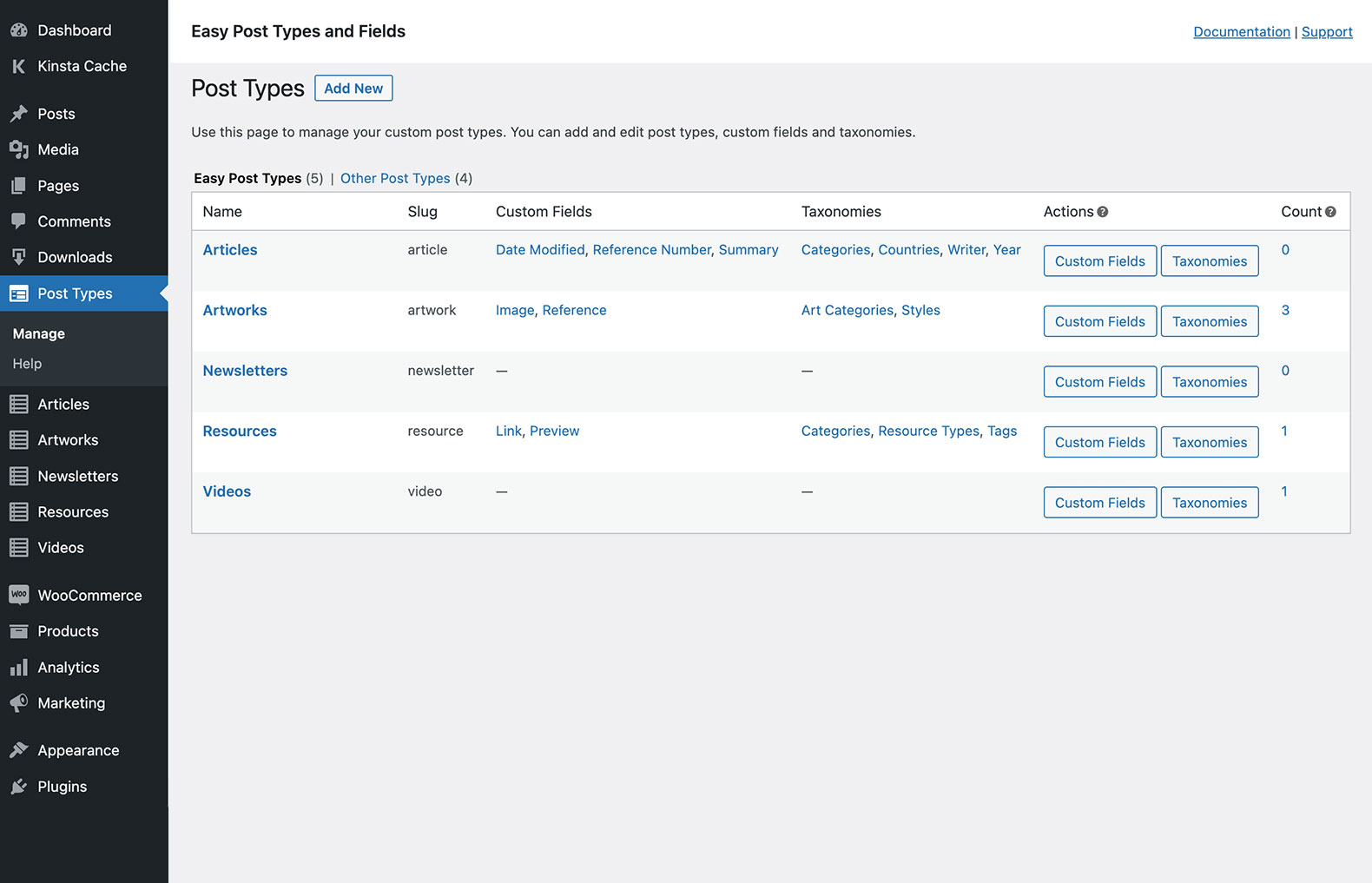
Create dedicated areas for each type of content within the WordPress admin (these are called ‘custom post types’). For example, if you’re adding ‘Resources’ to your site then it’s best to create a ‘Resources’ custom post type and manage the resources separately from your pages and posts.
-
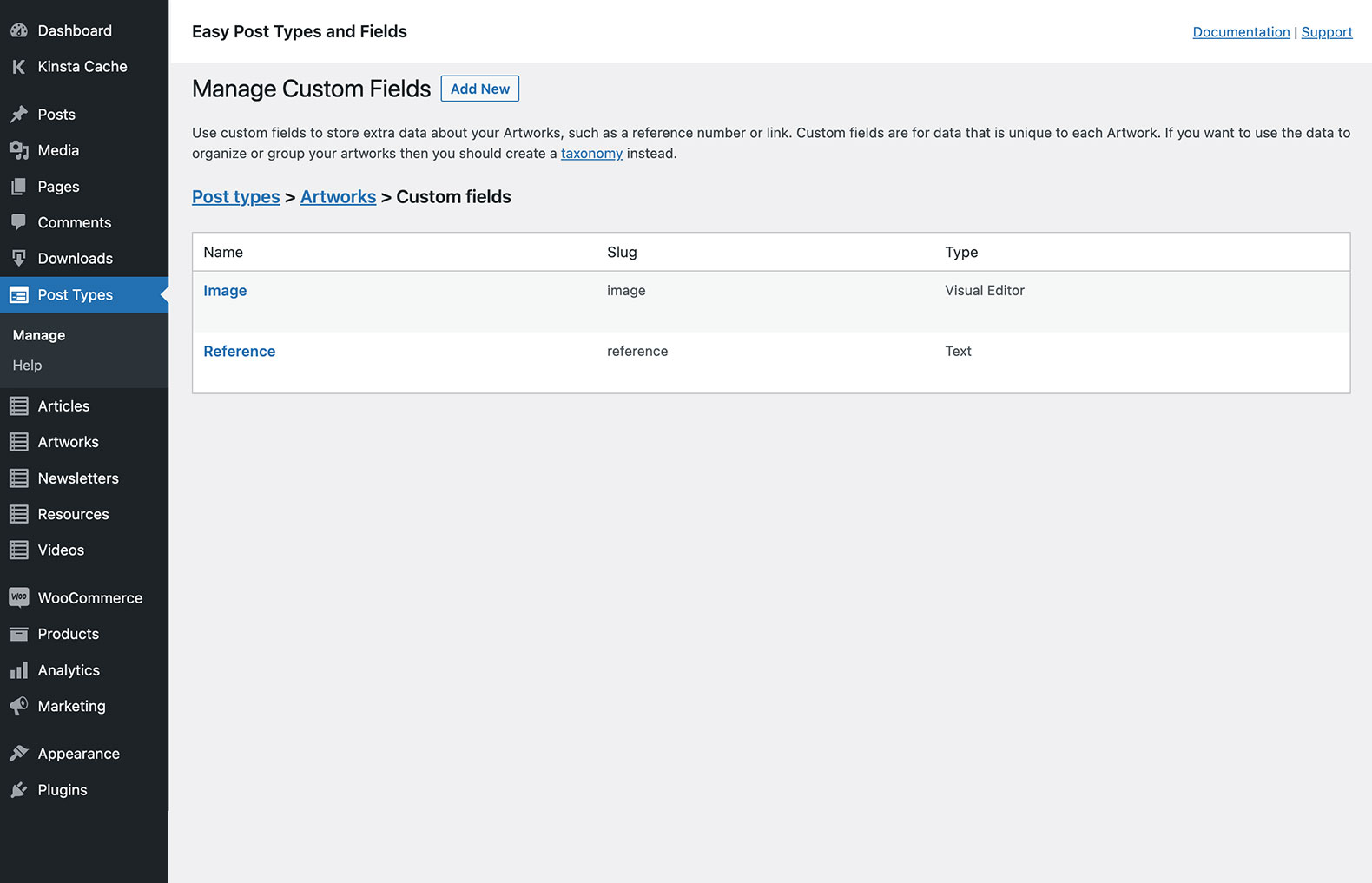
Add extra fields (called ‘custom fields’) to your pages, posts, or any custom post type. These are useful for storing and displaying information in a structured way. For example, you might add a ‘Modified Date’ field to your Resources post type.
-
Create extra ways of categorizing and organizing your website content (these are called ‘custom taxonomies’). These are like categories and tags in WordPress, but the difference is that you can have as many as you like – for any post type. For example, you might create an ‘Industries’ taxonomy in order to group your Resources by industry.
Developed by leading UK-based plugin company Barn2, Easy Post Types and Fields is intentionally simpler and easier to use than other plugins. It has all the essential features that you need to create custom post types, custom fields, and custom taxonomies – without any unnecessary complexity.
How to add custom post types, fields, and taxonomies to WordPress
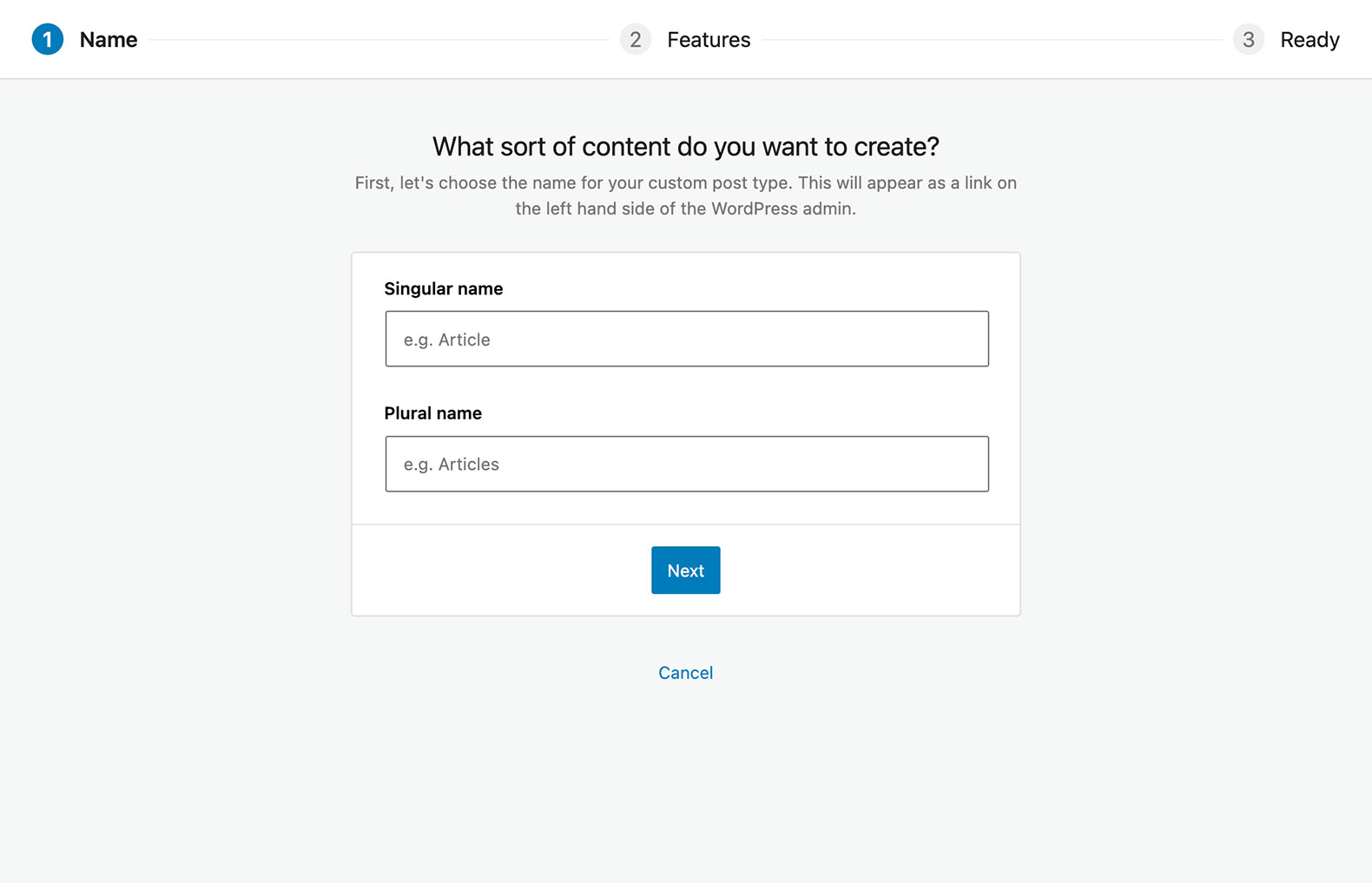
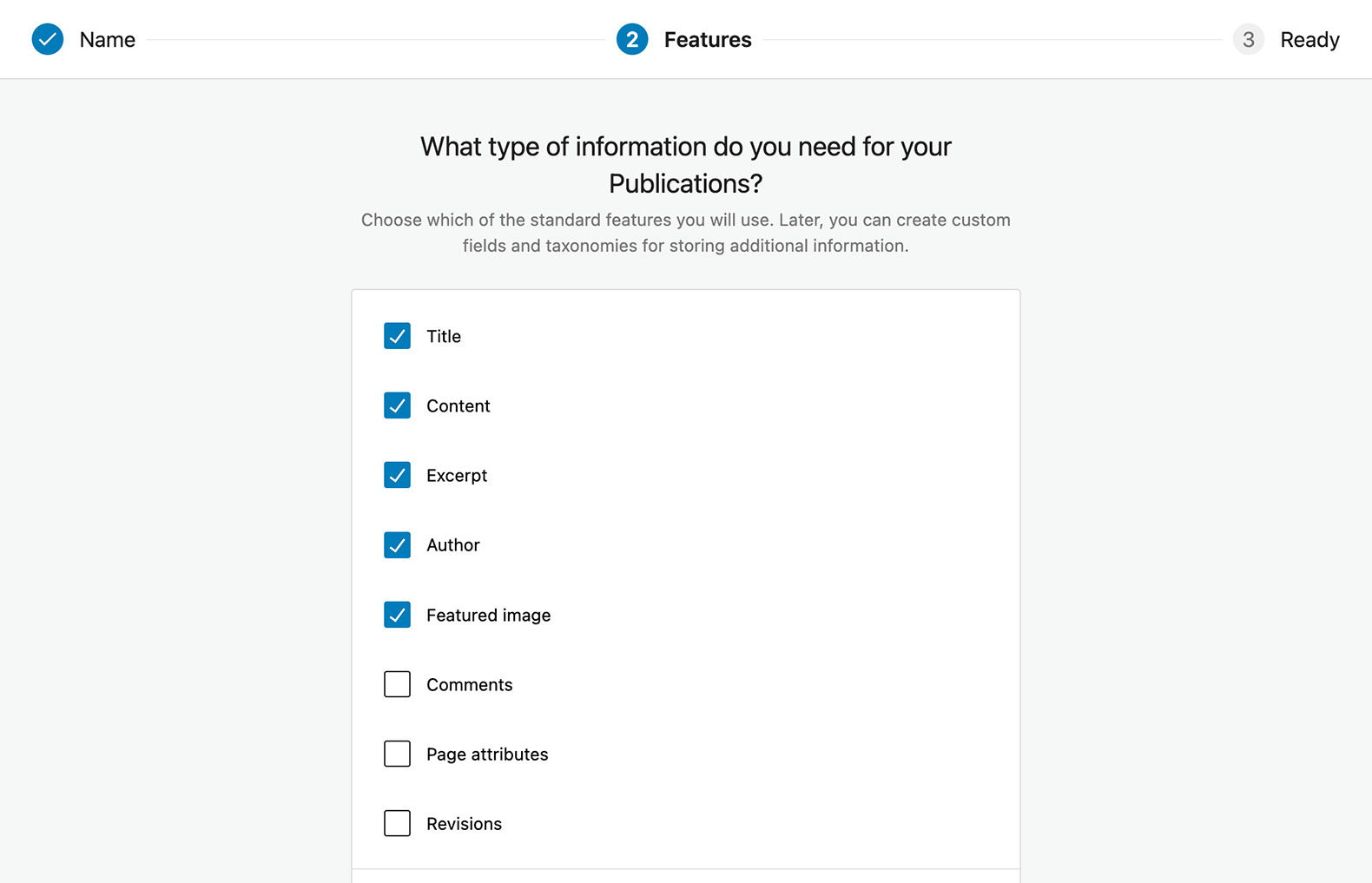
Simply create any type of content using a simple and intuitive wizard. You can create brand new custom post types, or add custom fields and taxonomies to existing post types. Either way, it’s incredibly straightforward.
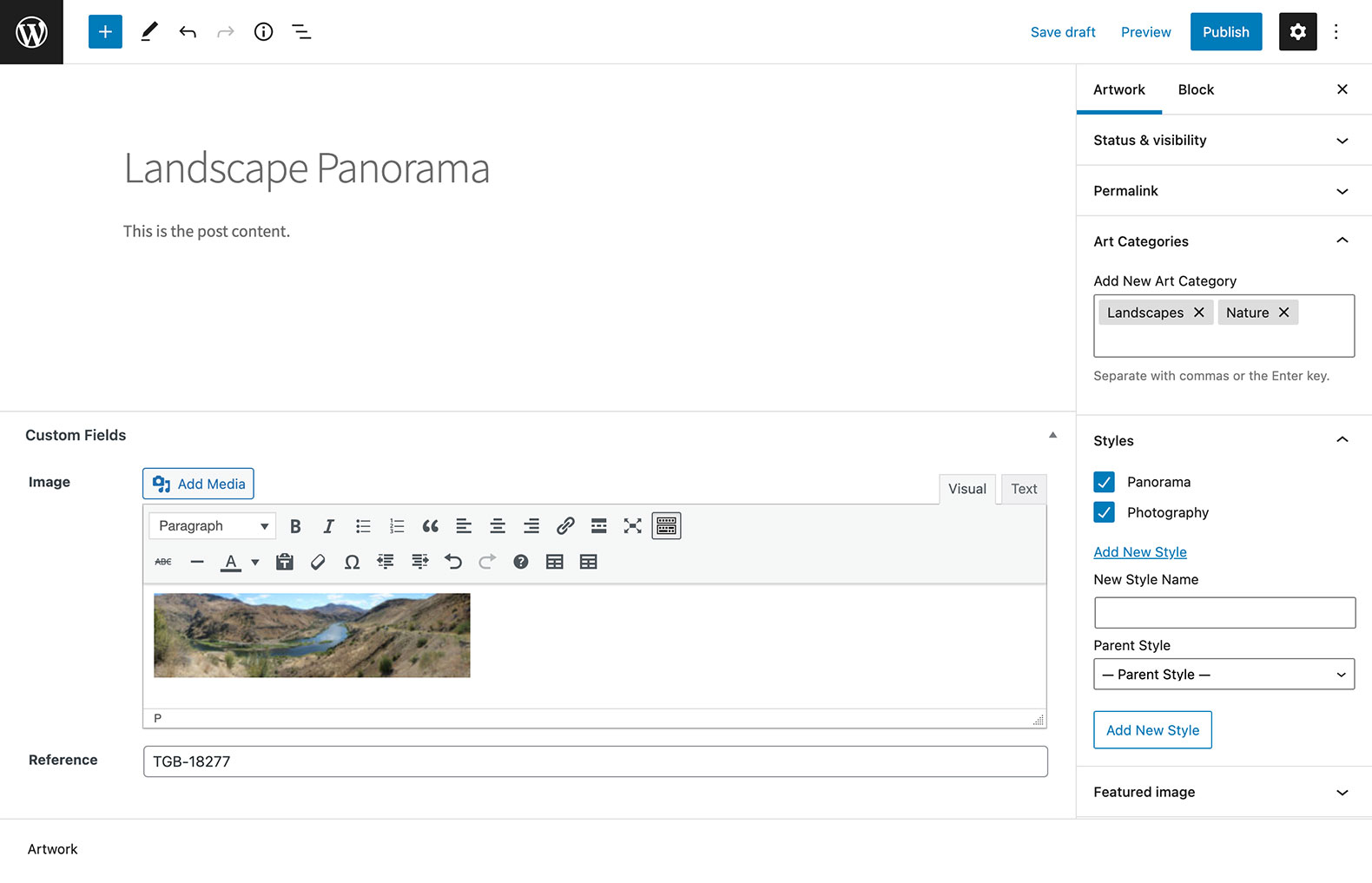
Once you have created your custom post types, fields, and taxonomies, it’s easy to add the extra information to the WordPress CMS. Each custom post type has its own section on the left of the WordPress admin. Your custom fields and taxonomies appear on the ‘Add/Edit’ screen for each post.
View the full plugin documentation in our knowledge base.
Can I display the custom content on the front end of my website?
By default, your theme will display your custom post types using the same templates as the blog. This will list custom posts in the same way as blog posts, and won’t include your custom fields or taxonomies. This may not be the best way to present your custom content, so we recommend displaying it in a table using the Posts Table Pro plugin.
Posts Table Pro is a dynamic WordPress table plugin that lists any type of content from your website in a searchable table. As well as displaying any custom post type, you can choose which columns of information to show in the table – including your custom fields and custom taxonomies. See below for screenshots.
Your users will view the information in a table on the front end of your site. They can use the search box, sortable columns, and filter dropdowns to find exactly what they’re looking for.
This is how it displays the information from Easy Post Types and Fields:
-
Create a table listing any or all of the posts from your custom post type. For example, you can list all the custom posts, or list posts with a specific ID, custom field value, custom taxonomy term, published date, etc.
-
Display each custom field as a separate column in the table. Users can sort the table by custom field.
-
Display each custom taxonomy as a separate column in the table. Users can sort by taxonomy terms, and also click on a term to filter the table. In addition, you can add each taxonomy as a filter dropdown above the table. That way, users can instantly find custom posts by taxonomy.
This free WordPress custom post type plugin includes:
-
Custom post types:
-
Create an unlimited number of custom post types. Each custom post type has its own section in the WordPress admin, so you can manage your custom content separately from other WordPress post types.
-
Extend existing post types.
-
-
Custom fields:
-
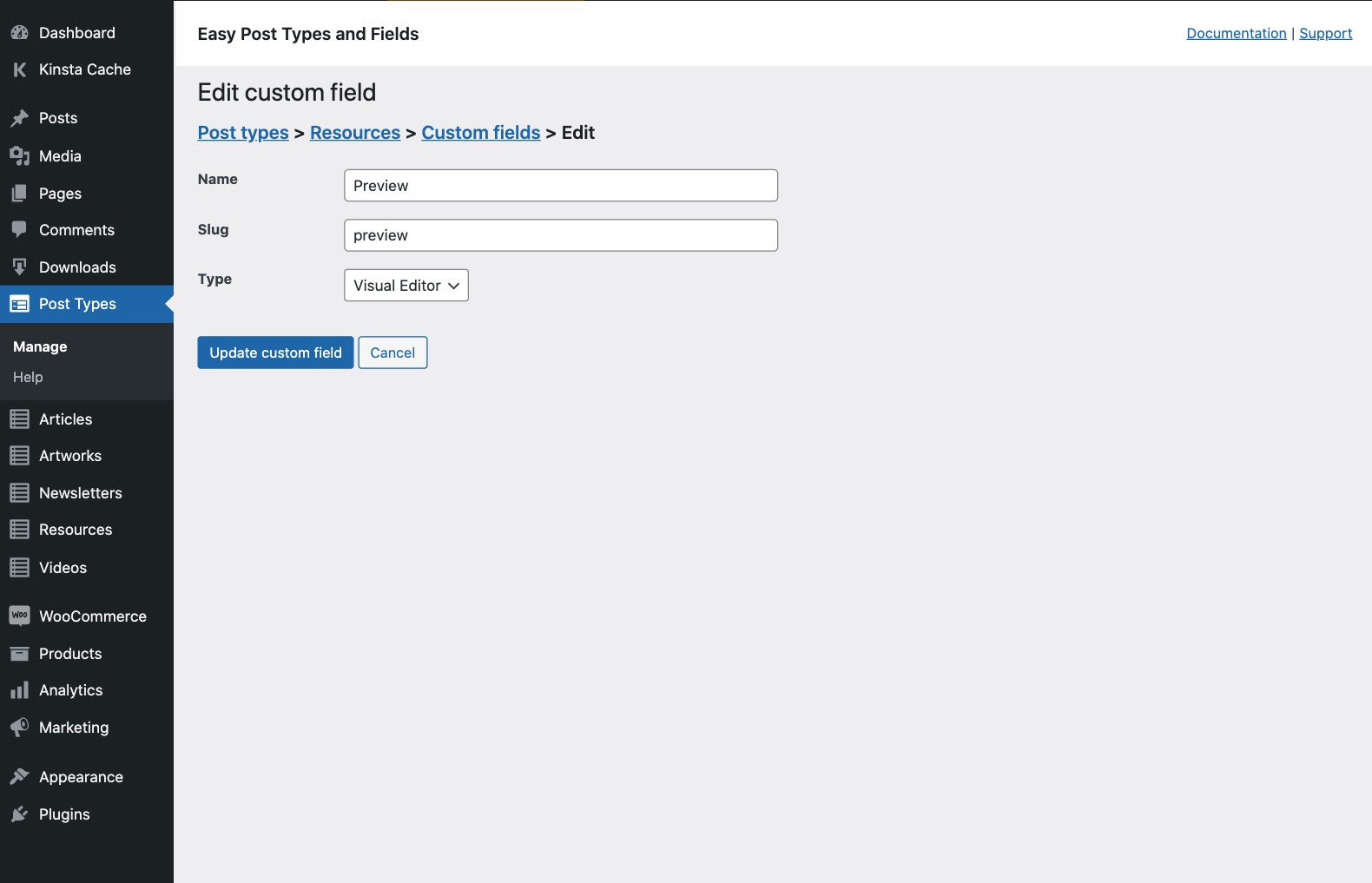
Add custom fields to any WordPress post type – either the post types that are built into WordPress itself (pages, posts, media attachments, etc.), content types created using Easy Post Types and Fields, or any other custom post type (e.g. post types created using other plugins such as Document Library Pro and WooCommerce Product Table.
-
2 custom field types: Plain text or WYSIWYG (Visual Editor).
-
-
Custom taxonomies:
-
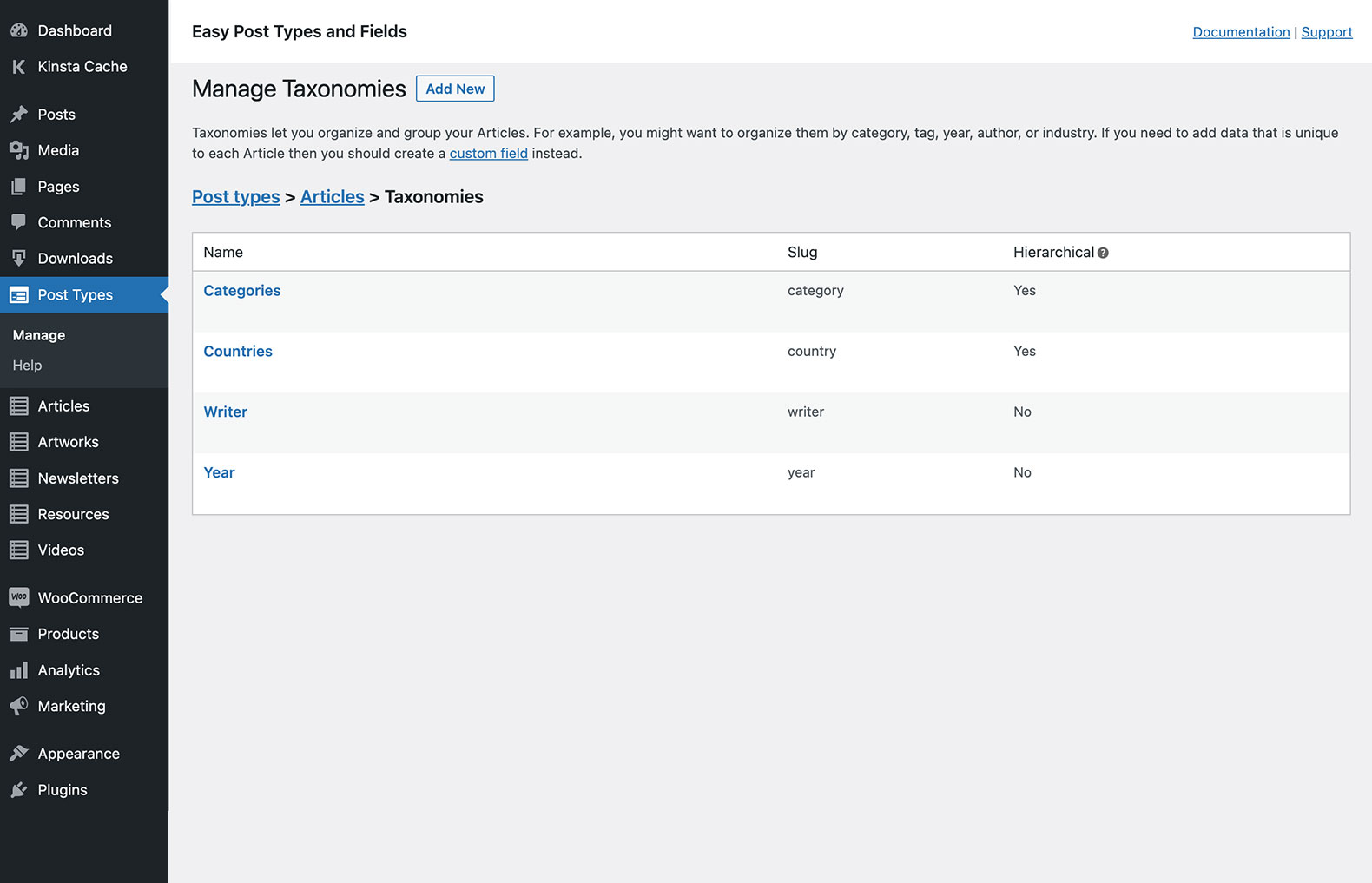
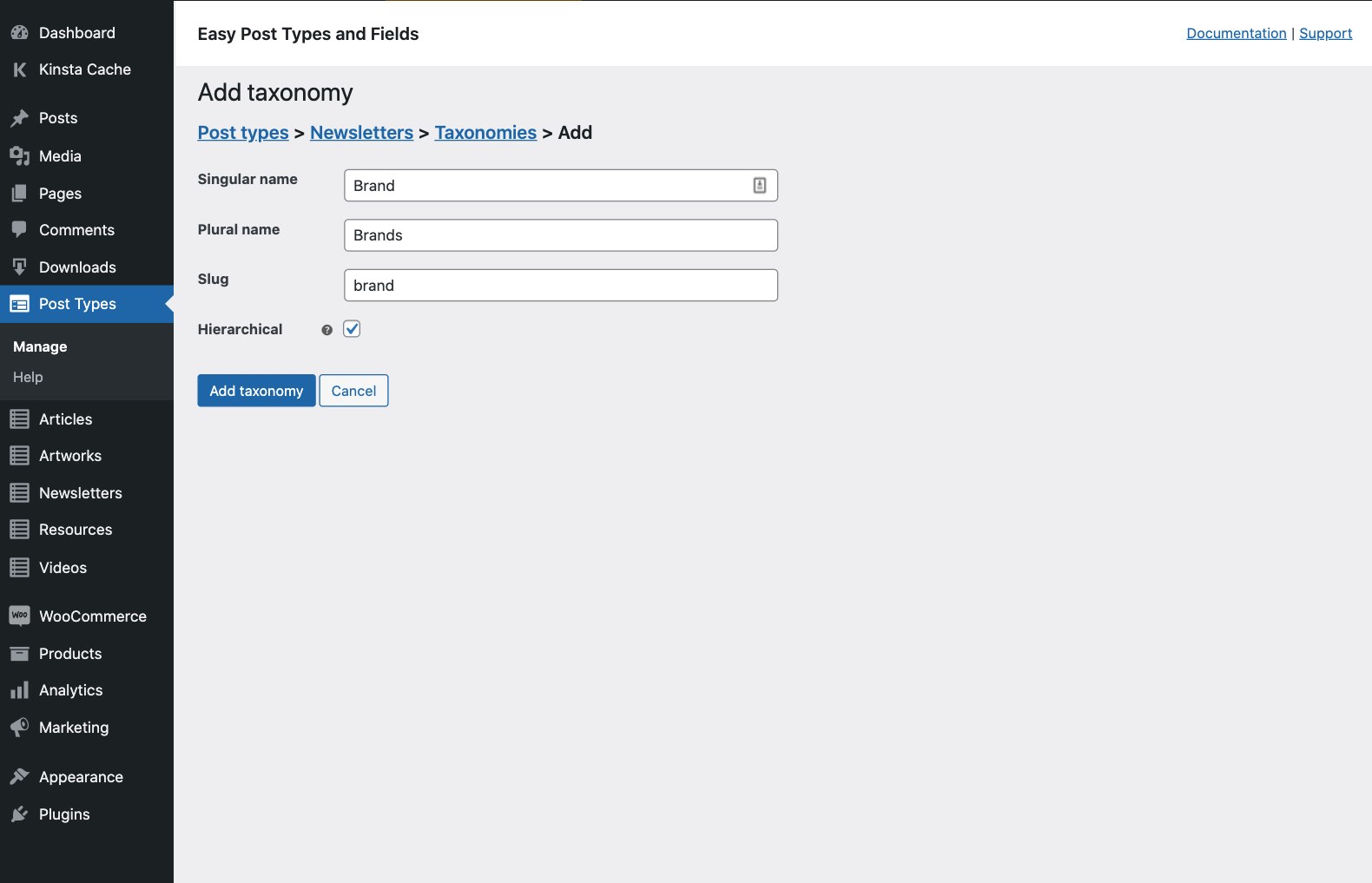
Add custom taxonomies to any post type.
-
Choose between hierarchical taxonomies (similar to WordPress categories) or non-hierarchical taxonomies (similar to WordPress tags).
-
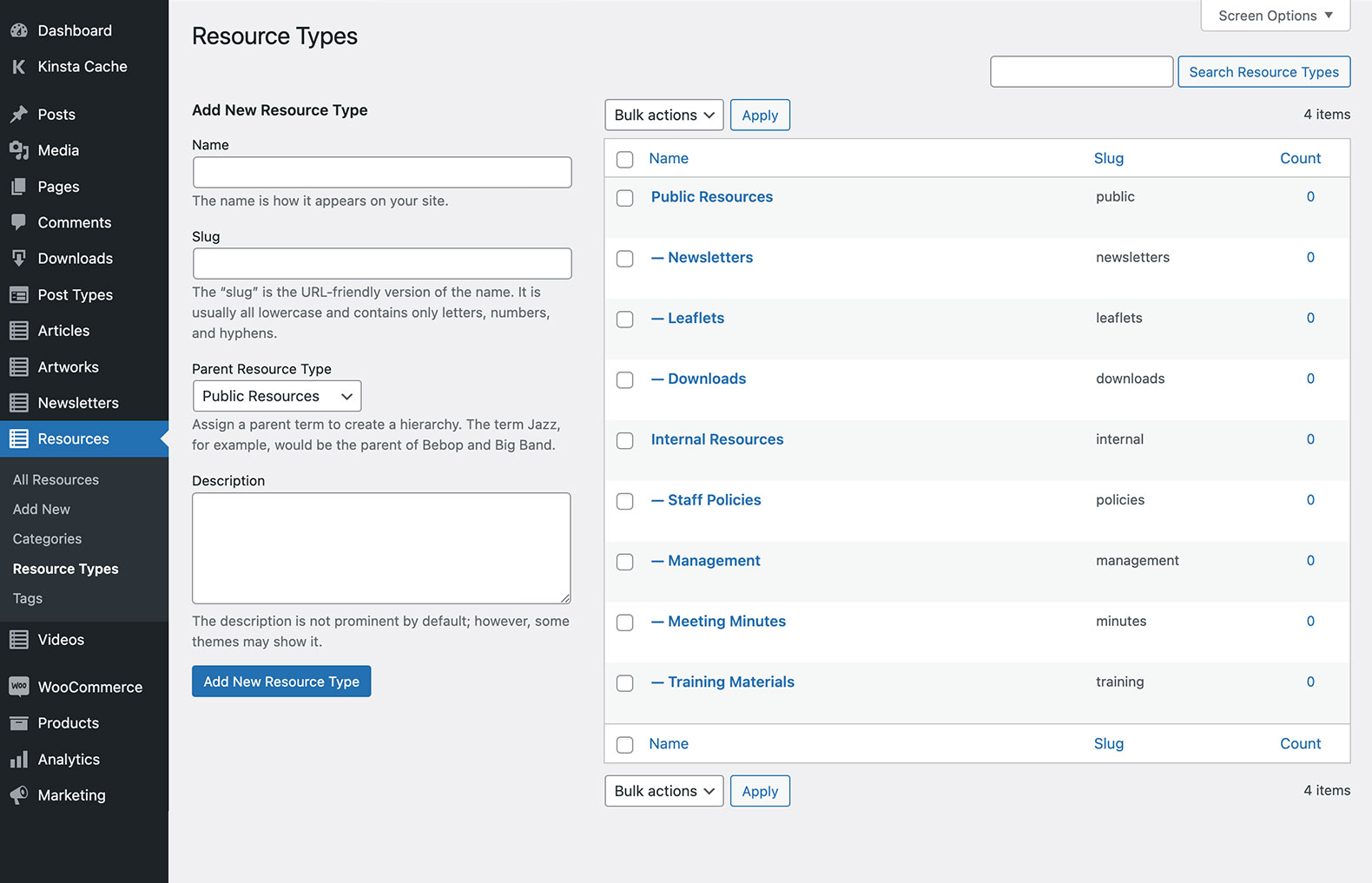
Each taxonomy is unique to a specific post type, so you can manage the taxonomy terms separately from other categories and taxonomies.
-
What doesn’t it include?
Easy Post Types and Fields includes the features that the majority of WordPress site owners use when they create custom post types, custom fields, and taxonomies. It intentionally does not include more advanced features that only a small proportion of users need, such as:
-
Additional custom field types such as date picker, checkbox, and color picker fields (remember, you can add dates, numbers, images, etc. to a Visual Editor custom field in Easy Post Types and Fields).
-
Privacy options to restrict which user roles can see each field.
-
Relationship and repeater fields.
-
Advanced Content Types (ACTs) that get their own database tables.
If you need these features then we recommend using a different custom post type plugin (e.g. Pods, Custom Post Type UI, or ACF). There are some excellent options available if you are happy with the added complexity.
Restrict access to custom post types and make them private
Some people want to control who can access some or all of their custom posts. You can do this by using Easy Post Types and Fields with our other plugin, WordPress Password Protected Categories. This adds privacy options to your hierarchical custom taxonomies.
Simply restrict each one to specific logged-in users or user roles, or to anyone with the password. All the posts/custom posts in that taxonomy will then be private and hidden from view.
Installation
- Laden Sie die Plugin-Dateien in das
/wp-content/plugins/easy-post-types-fields-Verzeichnis hoch oder installieren Sie das Plugin über den WordPress-Plugin-Bildschirm direkt. - Aktivieren Sie das Plugin über den Bildschirm „Plugins“ in WordPress.
- Follow the setup wizard or go to EPT > Settings and configure your custom post types, fields, and taxonomies.
- Create your new posts.
- Use your favorite plugins to show your new post types, fields, and taxonomies on your website.
Änderungsprotokoll
1.1.14
Release date 2 September 2025
- Dev: Added translation files for most used languages in WordPress
- Fix: The tooltip content was not showing
- New: Added the link to custom fields/taxonomies in the setup wizard
See changelog.txt for more details.
Screenshots
Für Entwickler
Ist das dein Plugin? Zeigen Sie die Zahlen.
Fügen Sie Ihrer Website, Docs oder GitHub Readme ein Live-Badge hinzu. Es wird von selbst aktualisiert - kein Konto erforderlich.
Best Easy Post Types and Fields alternatives
All custom data plugins →| Rang | Plugin | Aktive Installationen |
|---|---|---|
| 2 |
 WP Custom Data
Through WP Custom Data you can easily use your custom fields with any theme or plugin. |
10+ |
Fragen und Antworten
Easy Post Types and Fields: quick answers
Gerade Antworten, gezogen von Live WordPress.org Daten.
Quelle: WordPress.org
Is Easy Post Types and Fields free?
Yes. Easy Post Types and Fields is free to download and use from the official WordPress.org plugin directory.
Is Easy Post Types and Fields safe to use in 2026?
Easy Post Types and Fields works, but test it on a staging site before relying on it in 2026. It runs on 1K+ sites, is rated 2.7/5 and was last updated 3 months ago, and scores 60/100 on our health check.
How many websites use Easy Post Types and Fields?
Easy Post Types and Fields is active on 1K+ WordPress websites and has been downloaded 25,097 times since it launched in May 2022. It was downloaded 639 times in the last 30 days.
Does Easy Post Types and Fields work with WordPress 7.1?
Yes. The developer has tested Easy Post Types and Fields up to WordPress 7.1.5, the latest release. It requires WordPress 6.1 or newer.
What PHP version does Easy Post Types and Fields need?
Easy Post Types and Fields requires PHP 7.4 or higher. Most hosts run PHP 8.x today, so it works on any modern WordPress hosting.
When was Easy Post Types and Fields last updated?
The latest version, 1.1.14, was released on August 24, 2026 (3 months ago).
Who makes Easy Post Types and Fields?
Easy Post Types and Fields is developed and maintained by Barn2 Plugins.
What are the best alternatives to Easy Post Types and Fields?
The most popular alternatives to Easy Post Types and Fields are WP Custom Data (10+ installs).
Angetrieben von PageForge
Eine Vorlage und eine Tabelle. Eine echte Seite für jede Suche.
PageForge Verwandelt jede Zeile eines CSV in eine WordPress-Seite mit eigenem Titel, URL, SEO Felder und Schema entworfen. Kostenlos auf WordPress.org.
- CSV und XLSX, plus Google Sheets auf Beruf und Unternehmen
- seinen eigenen Titel, URL, SEO Felder und Schema für jede Seite
- Arbeitet mit dem Blockeditor, Elementor, Divi und Avada
- Kostenlos auf WordPress.org, keine Kreditkarte