


Administratorbenachrichtigungen deaktivieren – Dashboard-Benachrichtigungen ausblenden
Disable admin notices and hide dashboard notifications from plugins, themes and core. Hide all notices, selected ones, or show them in a single line.

Sichere Auswahl
Yes — Disable Admin Notices is a safe, well-maintained plugin to use in 2026. It runs on 100K+ sites, is rated 4.7/5 and was last updated 3 weeks ago, and scores 95/100 on our health check.
- Bewährt im Maßstab auf 100k+ aktiven Standorten
- Loved by users — 4.7/5 from 367 reviews
- Aktiv entwickelt – letztes Update vor 3 Wochen
- Getestet mit dem neuesten WordPress (7.1)
- Momentum — downloads up 154.9% vs the previous 30 days
Wie stapelt es sich?
Side-by-side bei Installationen, Updates, Bewertungen und Support



Tägliche Downloads
Download-Spitzen folgen normalerweise einer neuen Version - jede Website, die automatisch aktualisiert wird, gilt als Download.
Ranglisten
Where Disable Admin Notices stands todayWordPress.org Ranglisten suchen
Live-Position in der Plugin-Suche, Top 100| Stichwort | Position |
|---|---|
| Admin notices | #1 |
| dashboard notifications | #1 |
| dismiss notices | #1 |
| hide admin notices | #2 |
| notices | #1 |
Versionsübernahme
Anteil aktiver Sites pro Release.
Bewertungsaufschlüsselung
★★★★★★★★★★ 4.7 from 367 reviews
About Disable Admin Notices
From the official readme · v1.4.9Beschreibung
WordPress admin notices and dashboard notifications can quickly become overwhelming. Plugin alerts, theme warnings, update messages, and promotional notices often take up valuable space and disrupt your workflow. Disable Admin Notices gives you full control by letting you hide, remove, or disable admin notices across the entire dashboard.
You can hide all notifications, disable selected notices only, or move everything into a clean compact bar so messages no longer clutter your admin screen. The plugin also lets you disable plugin and theme update notifications, disable WordPress core update alerts, manage which items appear in the admin bar, and even block redirect URLs used by some plugins to show ads or promotional pages.
Whether you want a cleaner dashboard, fewer interruptions, or complete control over WordPress admin notifications, this plugin helps you keep your workspace organized and distraction-free.
Hauptmerkmale
Disable Admin Notices
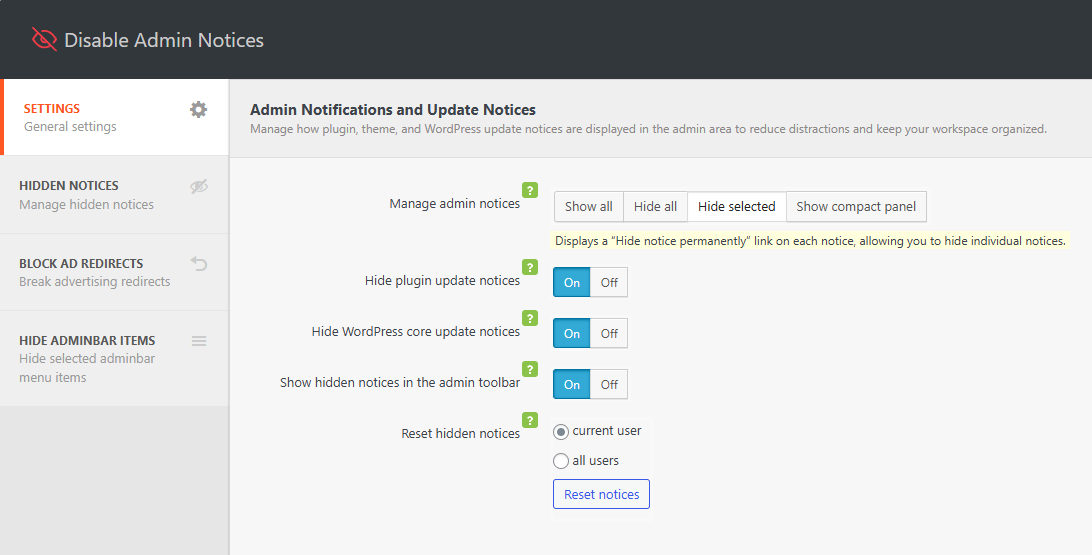
– Disable admin notices globally or hide selected notifications only
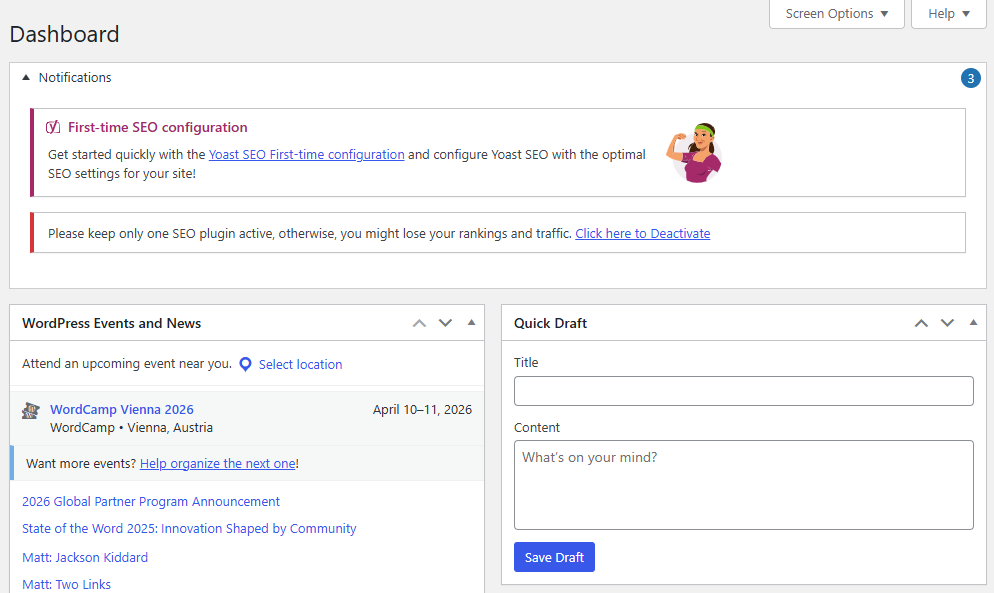
– Hide dashboard notices and show them in a single compact line
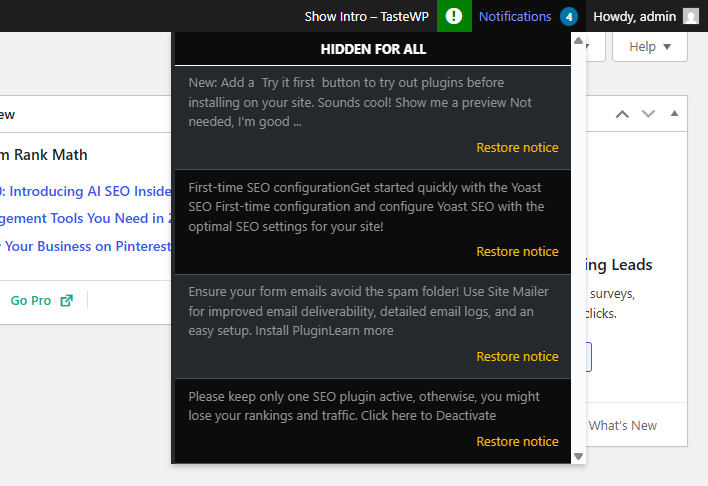
– Option to display all admin notifications in the WordPress admin bar
– Disable plugin update notifications
– Disable WordPress core update notifications
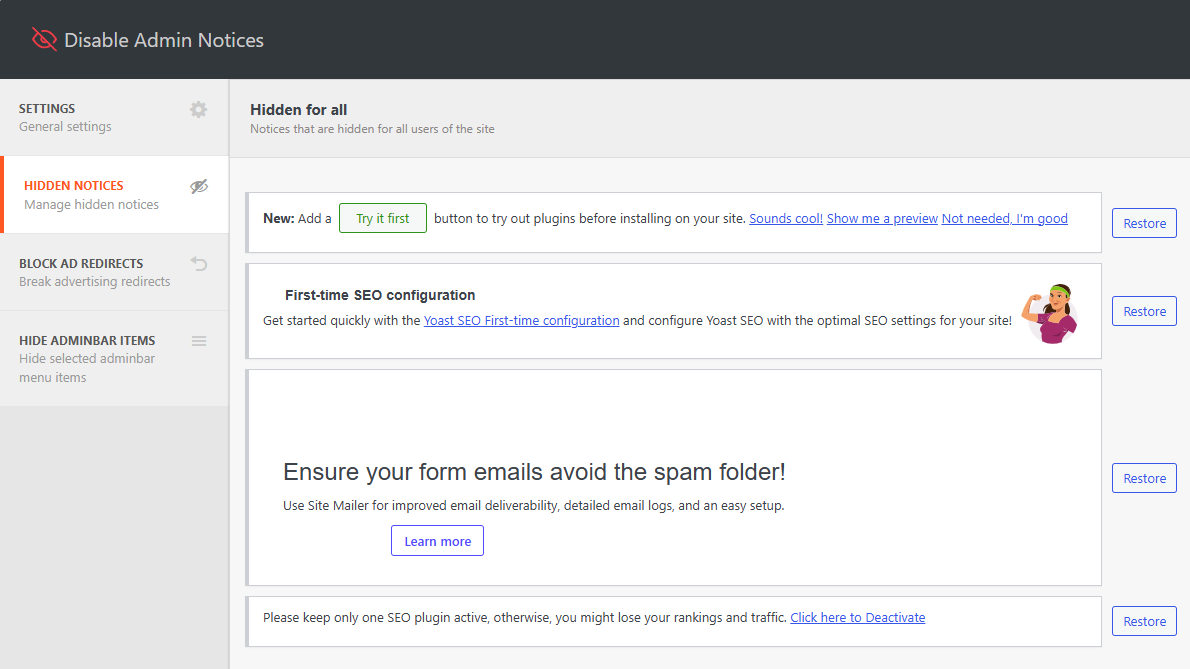
– Access all hidden notices anytime from the plugin dashboard
– Reset or restore hidden notices at any time
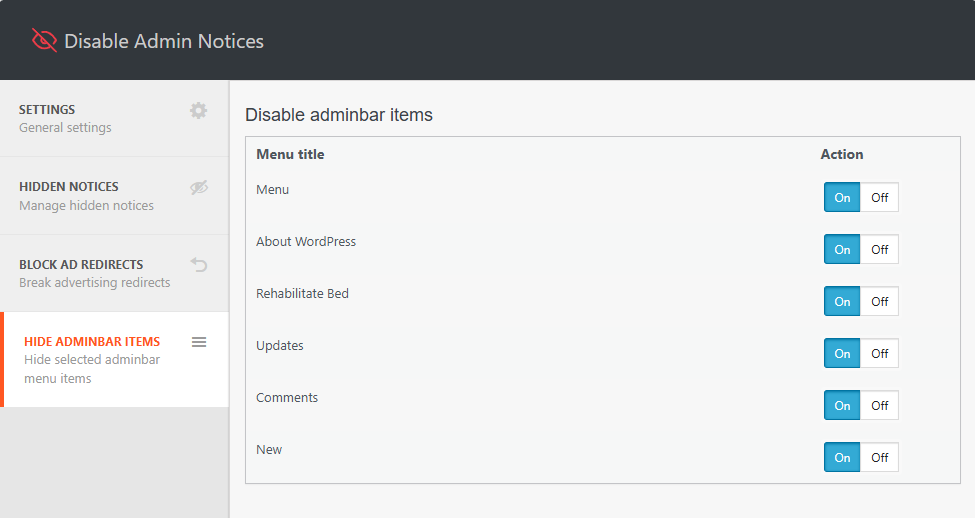
Disable Admin Bar Items
– Choose which items appear in the WordPress admin bar
– Hide or remove unnecessary plugin, theme, or tool menu items to reduce clutter
Block Ad Redirects
– Block specific redirect URLs to prevent plugins from sending you to ads or promotional screens
– Avoid unexpected admin redirects when activating or updating plugins
Unterstützen
We’re here to help. Feel free to open a new thread on the Support Forum.
Useful Resources
- If you like this plugin, you’re sure to love our other plugins as well.
- Our blog is a great place to learn more about WordPress.
- Get the most out of your website with our helpful WordPress YouTube Tutorials.
Installation
- In your WordPress admin, go to Plugins > Add New
- In the Search field, type “Disable Admin Notices”
- Under “Disable Admin Notices” by Themeisle, click the Install Now link
- Once the process is complete, click the Activate Plugin link
- Go to Settings → Hide admin notices to configure the plugin.
Änderungsprotokoll
Version 1.4.9 (2026-10-28)
- Updated dependencies
Version 1.4.8 (2026-09-14)
- Fixed admin screens crashing when a notice callback is unavailable.
- Updated dependencies
Version 1.4.7 (2026-07-29)
- Updated dependencies
Version 1.4.6 (2026-07-24)
- Fixed an issue where admin bar items you chose to hide were still visible when viewing the sites frontend.
- Updated dependencies
- Enhanced security
Version 1.4.5 (2026-05-25)
- Updated dependencies
Version 1.4.4 (2026-04-09)
- Updated dependencies
Version 1.4.3 (2026-02-17)
- Enhanced security
Version 1.4.2 (2026-01-13)
- Improved UI and removed tooltip color
- Removed support box and simplified review CTA
- Improved setting page labels
- Fixed broken notices
- Removed all related notifications from appearing
- Updated newsletter
- Updated title, added explanation text, fixed errors with strings
- Enhanced security
Version 1.4.1 (2025-12-16)
- Enhanced security
Version 1.4.0 (2025-11-05)
Disable Admin Notices plugin has been acquired by Themeisle 🎉
We’re happy to announce that Themeisle is now the new owner of Disable Admin Notices. This acquisition will help ensure the plugin’s continued development, better support, and exciting new updates in the future.
Your existing setup will continue to work as usual — no action is required on your part.
1.3.6 (05.12.2024)
- Added: Compatibility with WordPress 6.7
- Fixed: Security issue
1.3.5 (22.03.2024)
- Added: Compatibility with WordPress 6.5
- Added: Compatibility with php 8.3
1.3.4 (22.03.2023)
- Added: Compatibility with WordPress 6.4
- Added: Compatibility with php 8.2
1.3.3 (22.03.2023)
- Fixed: Freemius framework conflict
- Added: Compatibility with WordPress 6.2
1.3.0 (27.05.2022)
- Added: Compatibility with WordPress 6.0
Screenshots
Für Entwickler
Ist das dein Plugin? Zeigen Sie die Zahlen.
Fügen Sie Ihrer Website, Docs oder GitHub Readme ein Live-Badge hinzu. Es wird von selbst aktualisiert - kein Konto erforderlich.
Best Disable Admin Notices alternatives
All Admin notices plugins →





Fragen und Antworten
Disable Admin Notices: quick answers
Gerade Antworten, gezogen von Live WordPress.org Daten.
Quelle: WordPress.org
Is Disable Admin Notices free?
Yes. Disable Admin Notices is free to download and use from the official WordPress.org plugin directory.
Is Disable Admin Notices safe to use in 2026?
Yes — Disable Admin Notices is a safe, well-maintained plugin to use in 2026. It runs on 100K+ sites, is rated 4.7/5 and was last updated 3 weeks ago, and scores 95/100 on our health check.
How many websites use Disable Admin Notices?
Disable Admin Notices is active on 100K+ WordPress websites and has been downloaded 1,663,438 times since it launched in January 2018. It was downloaded 46,310 times in the last 30 days.
Does Disable Admin Notices work with WordPress 7.1?
Yes. The developer has tested Disable Admin Notices up to WordPress 7.1.5, the latest release. It requires WordPress 5.6 or newer.
What PHP version does Disable Admin Notices need?
Disable Admin Notices requires PHP 7.4 or higher. Most hosts run PHP 8.x today, so it works on any modern WordPress hosting.
When was Disable Admin Notices last updated?
The latest version, 1.4.9, was released on October 28, 2026 (3 weeks ago).
Who makes Disable Admin Notices?
Disable Admin Notices is developed and maintained by Themeisle.
What are the best alternatives to Disable Admin Notices?
The most popular alternatives to Disable Admin Notices are Admin Notices Manager (10K+ installs), WP Notification Center (1K+ installs) and Notice Vault (200+ installs).
Angetrieben von PageForge
Eine Vorlage und eine Tabelle. Eine echte Seite für jede Suche.
PageForge Verwandelt jede Zeile eines CSV in eine WordPress-Seite mit eigenem Titel, URL, SEO Felder und Schema entworfen. Kostenlos auf WordPress.org.
- CSV und XLSX, plus Google Sheets auf Beruf und Unternehmen
- seinen eigenen Titel, URL, SEO Felder und Schema für jede Seite
- Arbeitet mit dem Blockeditor, Elementor, Divi und Avada
- Kostenlos auf WordPress.org, keine Kreditkarte