


DiffVerity – File Integrity & Source Diff
Verify core, plugin, and theme files and inspect exact changes against trusted sources or local baselines.

Mit Vorsicht verwenden
DiffVerity works, but test it on a staging site before relying on it in 2026. Was last updated 1 month ago, and scores 60/100 on our health check.
- Getestet mit dem neuesten WordPress (7.1)
- Kleine Benutzerbasis (<10 aktive Installationen)
- Bisher sehr wenige Bewertungen
Wie stapelt es sich?
Side-by-side bei Installationen, Updates, Bewertungen und Support



Tägliche Downloads
Download-Spitzen folgen normalerweise einer neuen Version - jede Website, die automatisch aktualisiert wird, gilt als Download.
Ranglisten
Where DiffVerity stands todayWordPress.org Ranglisten suchen
Live-Position in der Plugin-Suche, Top 100| Stichwort | Position |
|---|---|
| checksum | >100 |
| File Integrity | #59 |
| modified files | >100 |
| plugin integrity | #87 |
| source diff | #9 |
About DiffVerity
From the official readme · v1.2.2Beschreibung
DiffVerity is a focused, read-only integrity investigation tool. It answers what changed, where it changed, what comparison source was used, and whether that source is independently authoritative.
It does not claim that a changed file is malware, and it does not claim that an unchanged installation is secure. File differences can result from legitimate customization, deployment tooling, an incomplete update, unintended modification, or compromise.
Merkmale
- Verifies WordPress core against checksums for the exact installed version and locale.
- Verifies eligible WordPress.org plugins against exact-version checksums.
- Compares WordPress.org themes with exact-version official packages.
- Supports explicit, hash-only Local Baselines for private, premium, and custom plugins/themes.
- Separates Officially Verified, Official Source Available, Official Core Bundle, Local Baseline, No Trusted Source, and Not Verifiable states.
- Recognizes current and recent official plugin/theme copies bundled with WordPress, including older wp-content variants legitimately preserved during core updates.
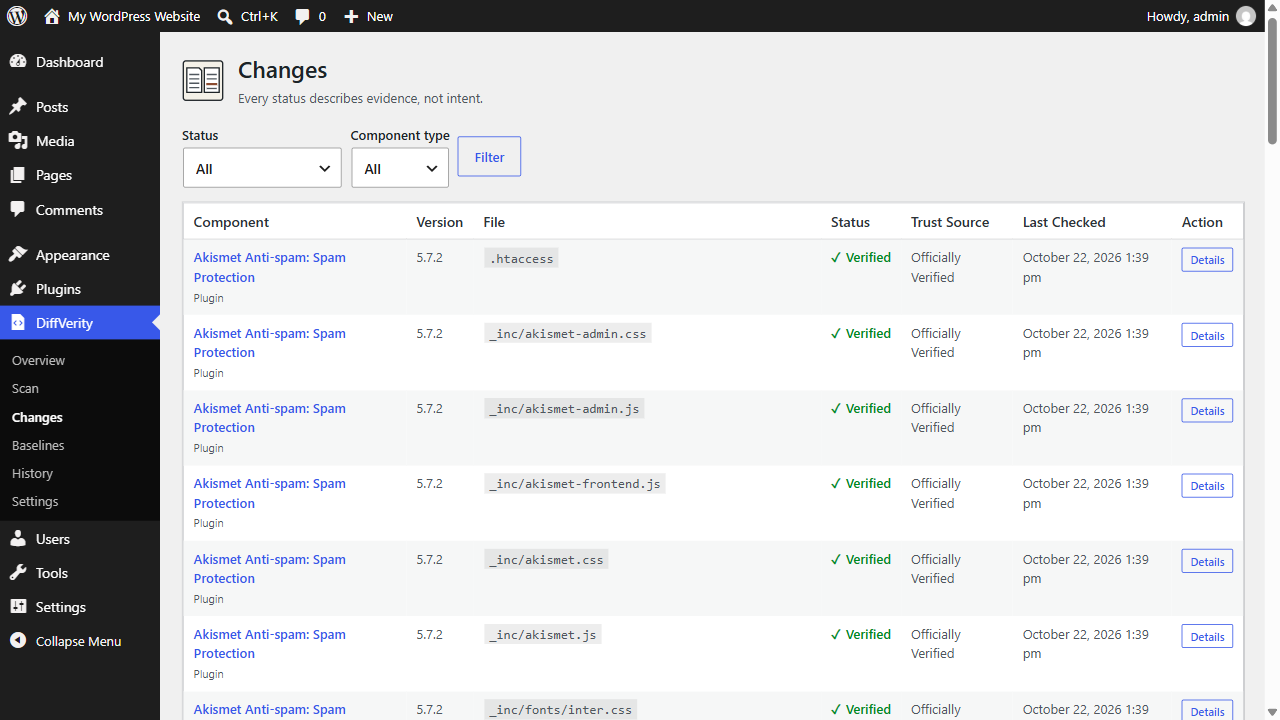
- Detects verified, modified, missing, unexpected, baseline-added, baseline-missing, and skipped files.
- Identifies line-ending and UTF-8 BOM-only changes as Soft Differences while retaining the raw mismatch.
- Shows escaped, human-readable source diffs for eligible text files.
- Shows hashes and sizes instead of attempting line diffs for binaries or large files.
- Runs on demand in resumable, resource-bounded admin batches with cancellation and scan locking.
- Scans all components or one selected WordPress core, plugin, or theme component.
- Stores capped scan history and baseline history in dedicated, indexed tables.
- Exports JSON, CSV, and text reports without full source code or absolute server paths.
- Adds no frontend assets, telemetry, analytics, tracking, firewall, automated repair, or malware claims.
Trust sources
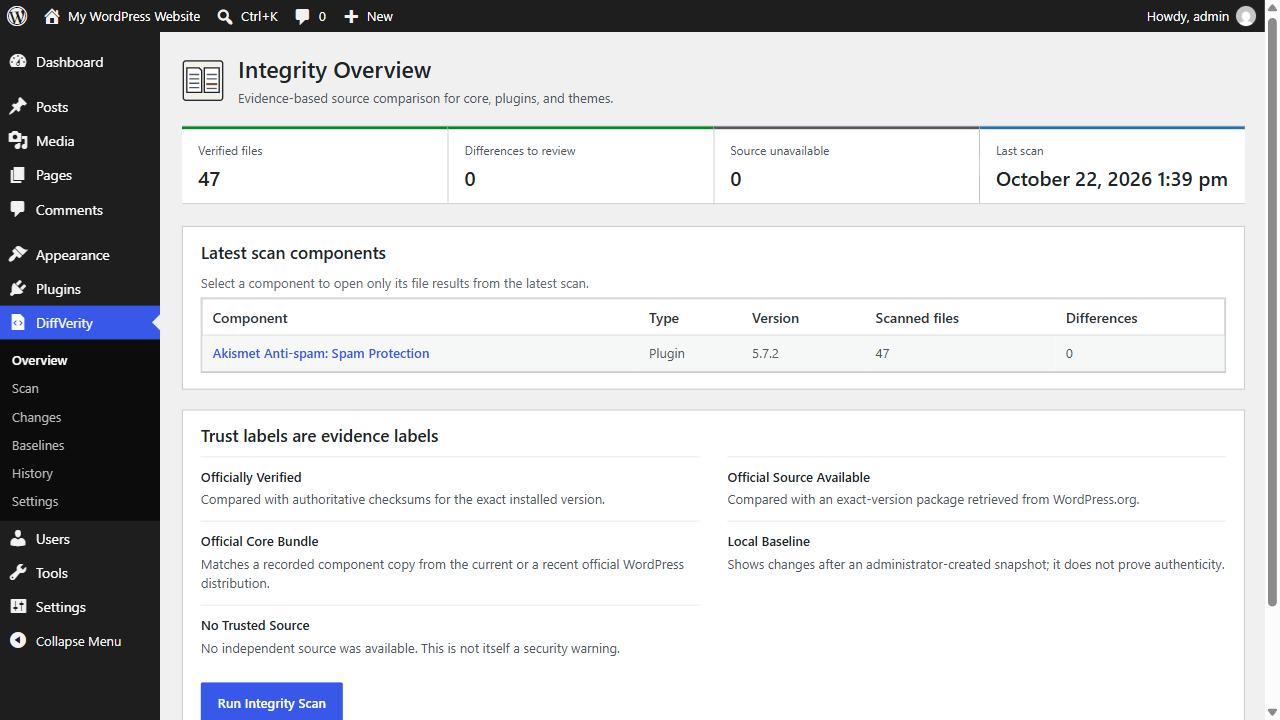
Officially Verified means the installed file was compared with an authoritative checksum for the exact installed version.
Official Source Available means DiffVerity retrieved an authoritative exact-version WordPress.org package and generated a comparison manifest.
Official Core Bundle means the file matches a checksum from a current or recent official WordPress distribution. WordPress can change default-theme metadata or bundled plugin code without changing the component’s own version, and core updates preserve existing wp-content files. DiffVerity records the originating WordPress bundle version for exact evidence and diffs.
Local Baseline means an administrator deliberately recorded local SHA-256 hashes. Local baselines prove that files changed after the baseline was created. They do not prove that the baseline itself was clean or authentic.
No Trusted Source means no independent comparison source could be established. This is not itself a security warning.
Not Verifiable describes a source that could not be checked, for example because of a network or malformed-response failure.
Externe Dienste
DiffVerity contacts WordPress.org only when an administrator runs a scan or requests an exact source diff.
api.wordpress.orgis used to request checksums for the installed WordPress version/locale and, only when a bundled component header matches neither the component package nor the current bundle, a bounded newest-to-oldest set of recent WordPress minor releases.downloads.wordpress.org/plugin-checksums/is used to request eligible plugin checksums for the exact installed slug and version.downloads.wordpress.org/plugins/,downloads.wordpress.org/theme/, anddownloads.wordpress.org/release/are used to retrieve exact-version packages when package comparison or original-line display is needed.core.svn.wordpress.orgis used only for an administrator-requested diff of a core-bundled plugin/theme file. DiffVerity retrieves that one file from the recorded WordPress tag instead of downloading the complete WordPress release archive.
Requests send the component slug/version or WordPress version/locale, a DiffVerity user-agent, and the site URL included in that user-agent. DiffVerity does not send local source code, database content, customer information, admin usernames, or site content. Requests use HTTPS with certificate verification. Redirects to unrelated hosts are not followed.
Checksum-verified single-file source responses are cached under the server’s private temporary directory for up to six hours to make repeated diff actions fast. Cache filenames are hashes, cached files use a non-executable .source extension and restrictive permissions, and stale entries are removed automatically.
WordPress.org privacy policy: https://wordpress.org/about/privacy/
Privatsphäre
DiffVerity includes no telemetry, analytics, tracking, advertising, marketing requests, or vendor cloud API. Its only external communication is the documented, administrator-triggered authoritative WordPress.org lookup described above.
Limitations
File integrity does not measure overall website security. An official package can still contain a software vulnerability, and compromise can exist in the database, uploads, server configuration, or another unscanned location. DiffVerity does not make malware-free, clean, authentic, or overall-security guarantees.
Local Baselines retain hashes and metadata rather than full source copies, so original-line diffs are unavailable for baseline-only changes.
DiffVerity does not repair or delete files. It deliberately keeps investigation separate from remediation because changed files may be legitimate local additions or customizations.
Installation
- Upload the
diffverityfolder to/wp-content/plugins/, or install the ZIP through Plugins > Add New > Upload Plugin. - Activate DiffVerity.
- Open DiffVerity > Scan.
- Choose all components or one specific core, plugin, or theme target, then select Run Integrity Scan.
- Review differences under DiffVerity > Changes.
Activation does not scan, download a package, create a baseline, schedule a task, or contact an external service.
Änderungsprotokoll
Reworked the admin presentation, accessibility, and directory media while preserving the 1.2.1 feature set.
1.2.2
- Replaced the directory icon and banners with an original, flat file-comparison mark.
- Simplified the admin screens to follow WordPress controls and improve narrow-screen reading.
- Added keyboard focus management and progress announcements to the evidence dialog and scan controls.
- Resumes an active scan when its administrator returns to the Scan screen.
- Rejects plugin checksum manifests with a different identity or without the selected entry file.
- Limits root-level single-file plugin scans and bundled-core evidence to the selected entry file.
- Aligns translation calls with the existing
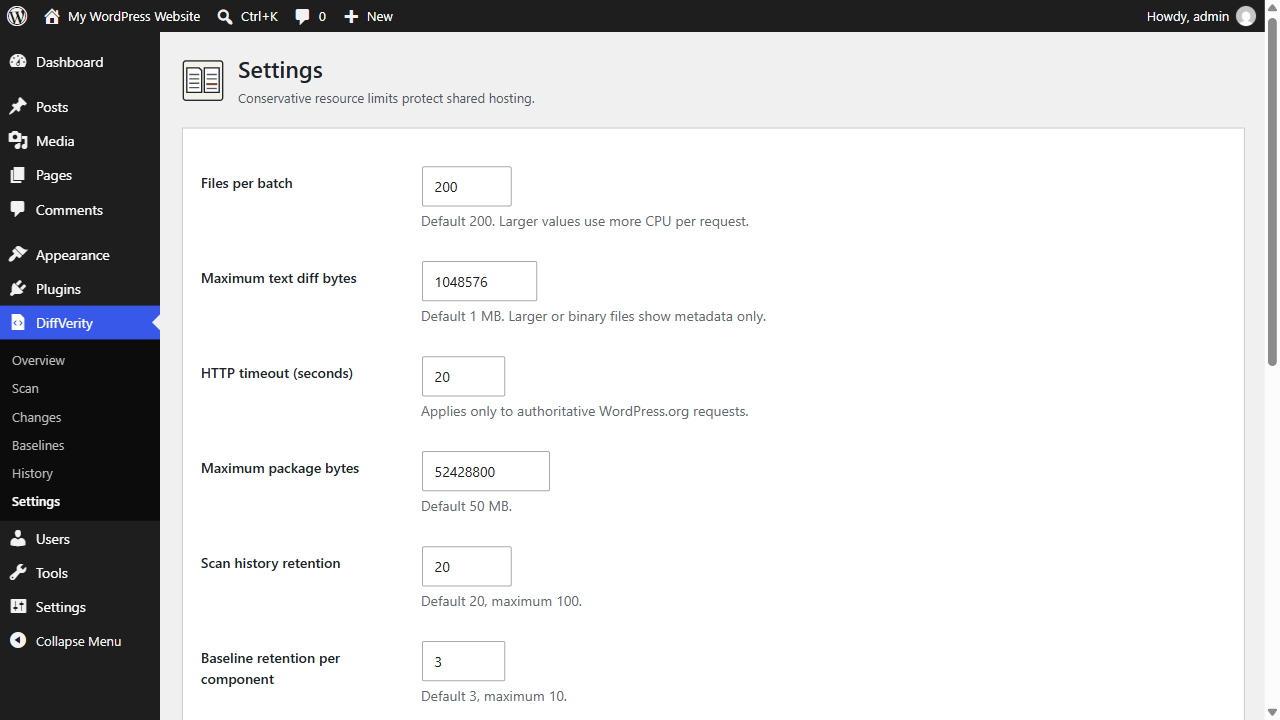
diffverityplugin slug. - Added screenshots of the real Changes, Overview, and Settings screens.
1.2.1
- Fixed history comparisons so every result is processed in bounded pages instead of stopping after 500 files.
- Streamed complete JSON, CSV, and text exports without loading the entire scan into memory.
- Added paginated file results so scans larger than 500 files remain fully accessible.
- Added stable result ordering and protected CSV fields from spreadsheet-formula interpretation.
1.2.0
- Removed all file-repair actions so the plugin remains read-only and never writes to WordPress core, plugin, or theme directories.
- Changed the text domain to match the assigned WordPress.org plugin slug.
- Corrected the WordPress.org contributor username.
1.1.4
- Fixed false Soft Difference results when WordPress.org publishes multiple accepted hashes for one plugin file.
- Preserved every official MD5 or SHA-256 variant returned by the plugin checksum service instead of coercing checksum arrays to a single invalid value.
- Recorded the matching official checksum variant in scan evidence.
1.1.3
- Fixed false Modified results for older official wp-content variants preserved after WordPress core updates.
- Added bounded historical core-bundle checksum matching for recent WordPress minor releases.
- Verified Twenty Twenty-Three 1.6 variants from WordPress 6.7, 6.8, 6.9, and 7.0 without treating compatibility-header changes as local modifications.
- Verified the official Hello Dolly
die();variant bundled with WordPress 6.8 through 7.0. - Replaced full WordPress ZIP downloads for core-bundle diffs with one checksum-verified source-file request.
- Added a private six-hour verified source cache so repeated diff views do not repeat the request.
- Recorded the originating WordPress source version in scan evidence and exports.
1.1.2
- Fixed core-bundle verification for an individual file when another file in the bundled plugin or theme was locally customized.
- Compared modified bundled components, including Hello Dolly, with the exact WordPress-release copy so the diff shows only the remaining local changes.
- Added clickable latest-scan components on Overview and clickable component names in Changes.
Screenshots
Für Entwickler
Ist das dein Plugin? Zeigen Sie die Zahlen.
Fügen Sie Ihrer Website, Docs oder GitHub Readme ein Live-Badge hinzu. Es wird von selbst aktualisiert - kein Konto erforderlich.
Best DiffVerity alternatives
All checksum plugins →Fragen und Antworten
DiffVerity: quick answers
Gerade Antworten, gezogen von Live WordPress.org Daten.
Quelle: WordPress.org
Is DiffVerity free?
Yes. DiffVerity is free to download and use from the official WordPress.org plugin directory.
Is DiffVerity safe to use in 2026?
DiffVerity works, but test it on a staging site before relying on it in 2026. Was last updated 1 month ago, and scores 60/100 on our health check.
How many websites use DiffVerity?
DiffVerity is active on <10 WordPress websites and has been downloaded 309 times since it launched in September 2026. It was downloaded 87 times in the last 30 days.
Does DiffVerity work with WordPress 7.1?
Yes. The developer has tested DiffVerity up to WordPress 7.1.5, the latest release. It requires WordPress 6.2 or newer.
What PHP version does DiffVerity need?
DiffVerity requires PHP 7.4 or higher. Most hosts run PHP 8.x today, so it works on any modern WordPress hosting.
When was DiffVerity last updated?
The latest version, 1.2.2, was released on October 22, 2026 (1 month ago).
Who makes DiffVerity?
DiffVerity is developed and maintained by shahidirfan100.
What are the best alternatives to DiffVerity?
The most popular alternatives to DiffVerity are Integrity Checker (200+ installs), Core Checksum Verifier (20+ installs) and Aviiimageworks Security Mon… (<10 installs).
Angetrieben von PageForge
Eine Vorlage und eine Tabelle. Eine echte Seite für jede Suche.
PageForge Verwandelt jede Zeile eines CSV in eine WordPress-Seite mit eigenem Titel, URL, SEO Felder und Schema entworfen. Kostenlos auf WordPress.org.
- CSV und XLSX, plus Google Sheets auf Beruf und Unternehmen
- seinen eigenen Titel, URL, SEO Felder und Schema für jede Seite
- Arbeitet mit dem Blockeditor, Elementor, Divi und Avada
- Kostenlos auf WordPress.org, keine Kreditkarte