


Database Export Genie
One button. Your WordPress database as a verified .zip of standard SQL. Nothing else.

Mit Vorsicht verwenden
Database Export Genie works, but test it on a staging site before relying on it in 2026. Was last updated 1 month ago, and scores 60/100 on our health check.
- Getestet mit dem neuesten WordPress (7.1)
- Kleine Benutzerbasis (<10 aktive Installationen)
- Bisher sehr wenige Bewertungen
Wie stapelt es sich?
Side-by-side bei Installationen, Updates, Bewertungen und Support



Tägliche Downloads
Download-Spitzen folgen normalerweise einer neuen Version - jede Website, die automatisch aktualisiert wird, gilt als Download.
Ranglisten
Where Database Export Genie stands todayWordPress.org Ranglisten suchen
Live-Position in der Plugin-Suche, Top 100| Stichwort | Position |
|---|---|
| Sicherungskopie | >100 |
| database backup | >100 |
| Export database | >100 |
| sql | >100 |
| zip | >100 |
About Database Export Genie
Aus der offiziellen Readme · V3.0.1Beschreibung
- One page, one button, a list of your backups.
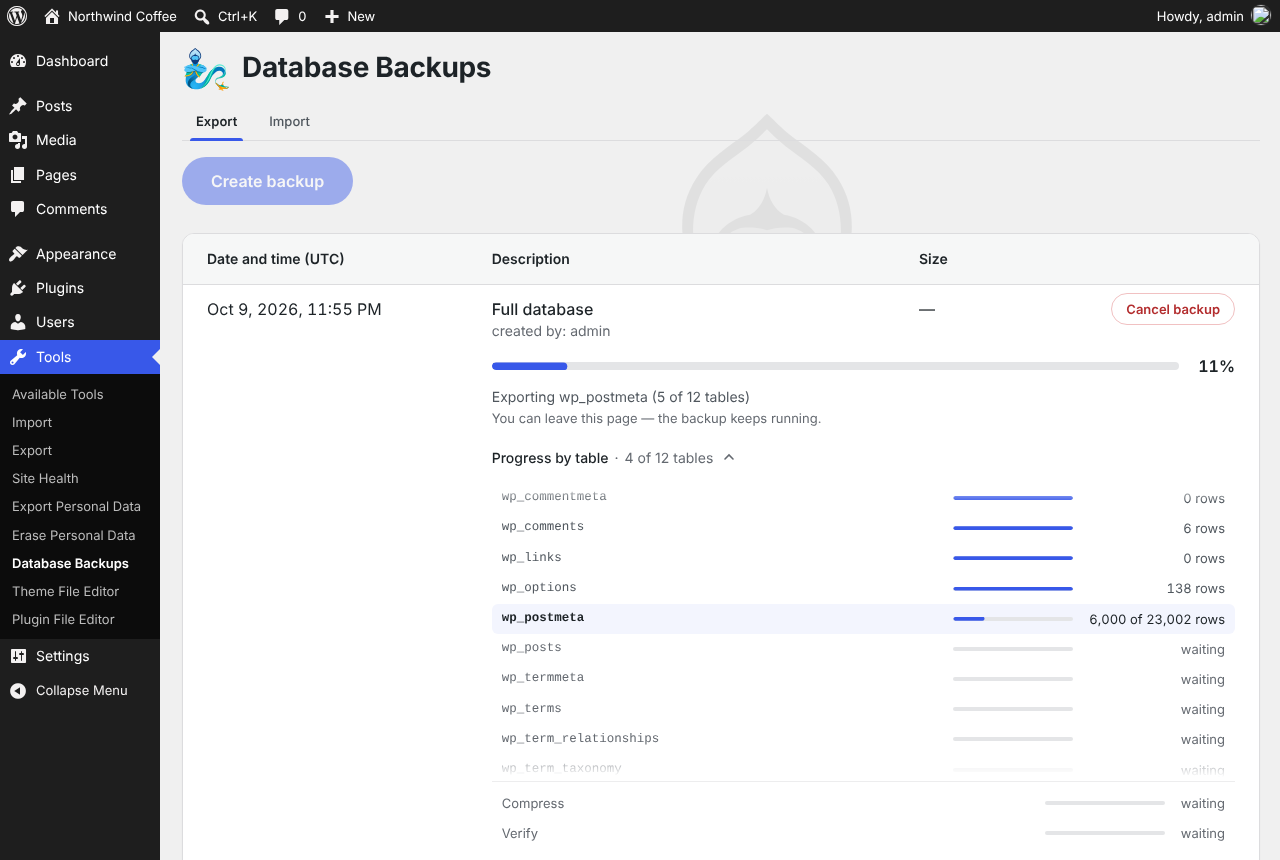
- Runs in the background: leave the page or close the tab and the backup keeps going.
- Works on shared hosting: no mysqldump, no exec(), handles short timeouts and low memory limits.
- Checks disk space before starting, and stops cleanly if the disk fills.
- Every backup is verified before it’s shown as ready: the zip is re-read and every compressed chunk is checked against the SQL that was written.
- Download or delete backups at any time. Delete the whole backup folder in one click.
- Standard .sql inside. Restore with phpMyAdmin, Adminer, the mysql command or WP-CLI. No paywall, no Pro version.
- Works with MySQL, MariaDB, Percona, Amazon Aurora, SQLite (WordPress Playground / SQLite Database Integration) and HyperDB / LudicrousDB setups.
- Multisite: back up the whole network, or one site (optionally with its users, optionally renamed for a standalone install).
- No emails, no upsells, no tracking. The only outbound request is to your own site (to keep the backup running in the background).
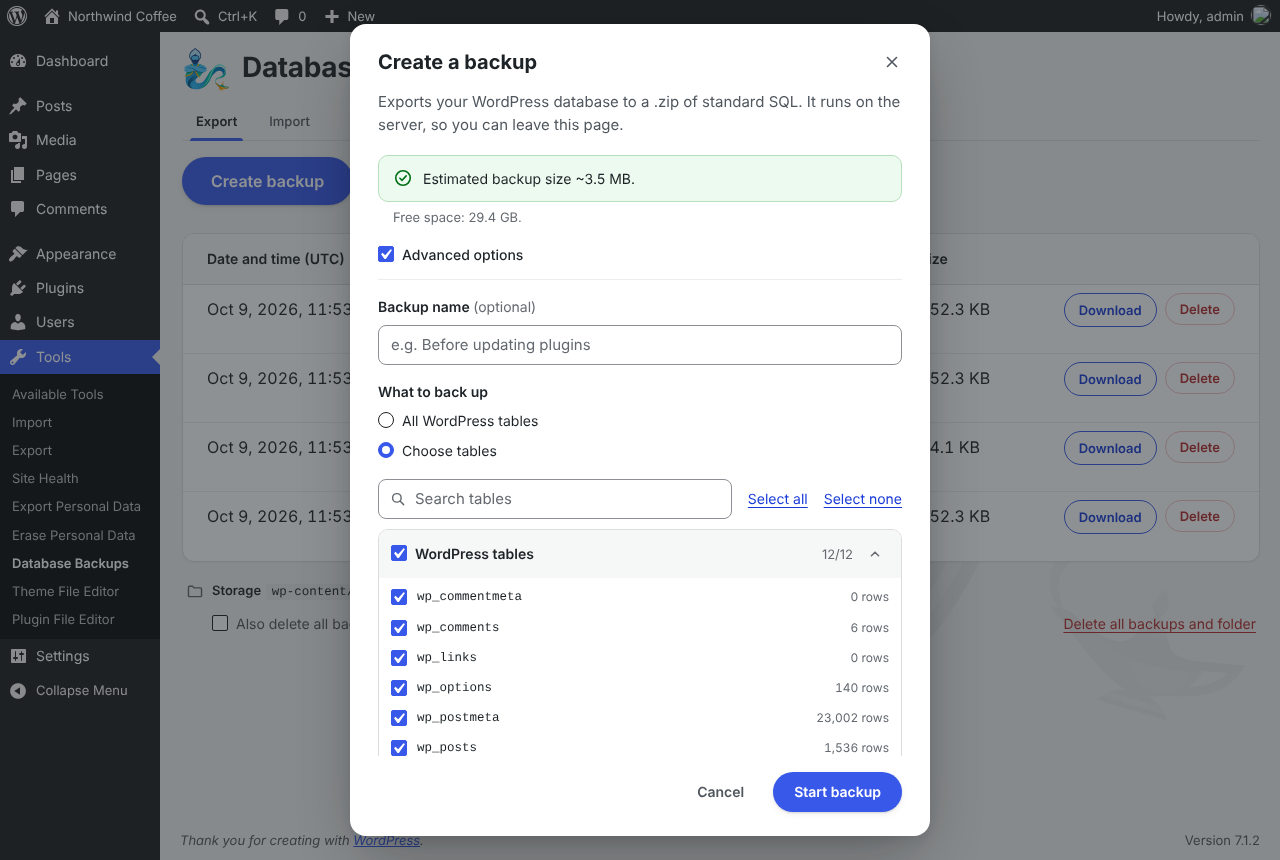
Advanced options (hidden behind one checkbox): a custom backup name, and a table picker so you can export a few tables, or just one.
Was ist enthalten
Every table that starts with your WordPress table prefix. Nothing inside those tables is skipped, including transients and options that start with an underscore. The one exception is this plugin’s own progress data (dbmg_* rows in the options table), which would be meaningless after a restore. Tables from other applications that share the database are listed under “Other tables” in Advanced options and are only exported if you tick them.
WP-CLI
wp dbmg create [--description=<text>] [--tables=<list>] [--site=<id>] [--include-users] [--convert-prefix] [--run]wp dbmg run— finish the running backup in this process (useful on hosts that block background requests, or from a system cron).wp dbmg status,wp dbmg list,wp dbmg delete <id>...,wp dbmg cancel
Future ideas
Not planned for now, listed here so they don’t creep in: restore from the dashboard, file backups, schedules, cloud destinations, email notifications.
Credits
The SQL export engine follows the design of WP Migrate Lite’s table exporter (GPLv2 or later): keyset pagination over primary and compound keys, hex-encoded binary columns and multi-row INSERT buffering. This plugin is not affiliated with or endorsed by its authors.
The genie icon is based on the genie from Noto Emoji, copyright Google LLC, used under the Apache License 2.0 (head and turban redrawn) (https://www.apache.org/licenses/LICENSE-2.0, source: https://github.com/googlefonts/noto-emoji).
Installation
- Upload the
database-export-geniefolder to/wp-content/plugins/, or install it from the Plugins screen. - Activate it (Network Activate on multisite).
- Go to Tools → Database Backups (multisite: Network Admin → Settings → Database Backups) and click Create backup.
Änderungsprotokoll
3.0.1
- New plugin directory banner and icon. No code changes.
3.0.0
- Erste Veröffentlichung.
Screenshots

Für Entwickler
Ist das dein Plugin? Zeigen Sie die Zahlen.
Fügen Sie Ihrer Website, Docs oder GitHub Readme ein Live-Badge hinzu. Es wird von selbst aktualisiert - kein Konto erforderlich.
Best Database Export Genie alternatives
Alle Backup-Plugins →





Fragen und Antworten
Database Export Genie: quick answers
Gerade Antworten, gezogen von Live WordPress.org Daten.
Quelle: WordPress.org
Is Database Export Genie free?
Yes. Database Export Genie is free to download and use from the official WordPress.org plugin directory.
Is Database Export Genie safe to use in 2026?
Database Export Genie works, but test it on a staging site before relying on it in 2026. Was last updated 1 month ago, and scores 60/100 on our health check.
How many websites use Database Export Genie?
Database Export Genie is active on <10 WordPress websites and has been downloaded 311 times since it launched in October 2026. It was downloaded 135 times in the last 30 days.
Does Database Export Genie work with WordPress 7.1?
Yes. The developer has tested Database Export Genie up to WordPress 7.1.5, the latest release. It requires WordPress 6.2 or newer.
What PHP version does Database Export Genie need?
Database Export Genie requires PHP 7.4 or higher. Most hosts run PHP 8.x today, so it works on any modern WordPress hosting.
When was Database Export Genie last updated?
The latest version, 3.0.1, was released on October 21, 2026 (1 month ago).
Who makes Database Export Genie?
Database Export Genie is developed and maintained by mansoormunib.
What are the best alternatives to Database Export Genie?
The most popular alternatives to Database Export Genie are All-in-One WP Migration and… (5M+ installs), UpdraftPlus: WP Backup & Mi… (4M+ installs) and Jetpack (3M+ installs).
Angetrieben von PageForge
Eine Vorlage und eine Tabelle. Eine echte Seite für jede Suche.
PageForge Verwandelt jede Zeile eines CSV in eine WordPress-Seite mit eigenem Titel, URL, SEO Felder und Schema entworfen. Kostenlos auf WordPress.org.
- CSV und XLSX, plus Google Sheets auf Beruf und Unternehmen
- seinen eigenen Titel, URL, SEO Felder und Schema für jede Seite
- Arbeitet mit dem Blockeditor, Elementor, Divi und Avada
- Kostenlos auf WordPress.org, keine Kreditkarte