


Smash Balloon Social Post Feed – Einfache Social Feeds für WordPress
Formerly "Custom Facebook Feed". Display completely customizable Facebook feeds of a Facebook page. Supports Facebook oEmbeds.

Sichere Auswahl
Yes — Smash Balloon Social Post Feed is a safe, well-maintained plugin to use in 2026. It runs on 100K+ sites, is rated 4.7/5 and was last updated 1 week ago, and scores 95/100 on our health check.
- Bewährt im Maßstab auf 100k+ aktiven Standorten
- Loved by users — 4.7/5 from 1,511 reviews
- Aktiv entwickelt — letztes Update vor 1 Woche
- Getestet mit dem neuesten WordPress (7.1)
- Momentum — downloads up 108% vs the previous 30 days
Wie stapelt es sich?
Side-by-side bei Installationen, Updates, Bewertungen und Support



Tägliche Downloads
Download-Spitzen folgen normalerweise einer neuen Version - jede Website, die automatisch aktualisiert wird, gilt als Download.
Ranglisten
Where Smash Balloon Social Post F… stands todayWordPress.org Ranglisten suchen
Live-Position in der Plugin-Suche, Top 100| Stichwort | Position |
|---|---|
| #4 | |
| Facebook account | #2 |
| facebook feed | #3 |
| Facebook Page | #3 |
| Facebook posts | #1 |
Versionsübernahme
Anteil aktiver Sites pro Release.
Bewertungsaufschlüsselung
★★★★★★★★★★ 4.7 from 1,511 reviews
About Smash Balloon Social Post Feed
Aus der offiziellen Readme · V4.16.0Beschreibung
Display Facebook posts on your WordPress site in an attractive feed. Completely customizable, responsive, search engine crawlable, and GDPR compliant feeds. Automatically powers any Facebook oEmbeds on your site.
“The perfect Facebook plugin with amazing support! What else do you want? Get it!” – JoeJeffries
“I honestly cannot recommend this Facebook plugin enough. The plugin itself is gorgeous and super customizable, and if you run into trouble…support will get you out of it. Five Stars across the board.” – pamsavoybarnett
Please note: This free Facebook plugin allows you to display text and links from Facebook posts. To display photos, videos, comments, and more, we offer a Pro version of the plugin. See the Pro Version section below for more information.
Merkmale
NEW: Now Supports Facebook oEmbeds
WordPress is no longer able to support Facebook oEmbeds without the use of a plugin. Install Custom Facebook Feeds on your website to support oEmbeds. No developer app required.
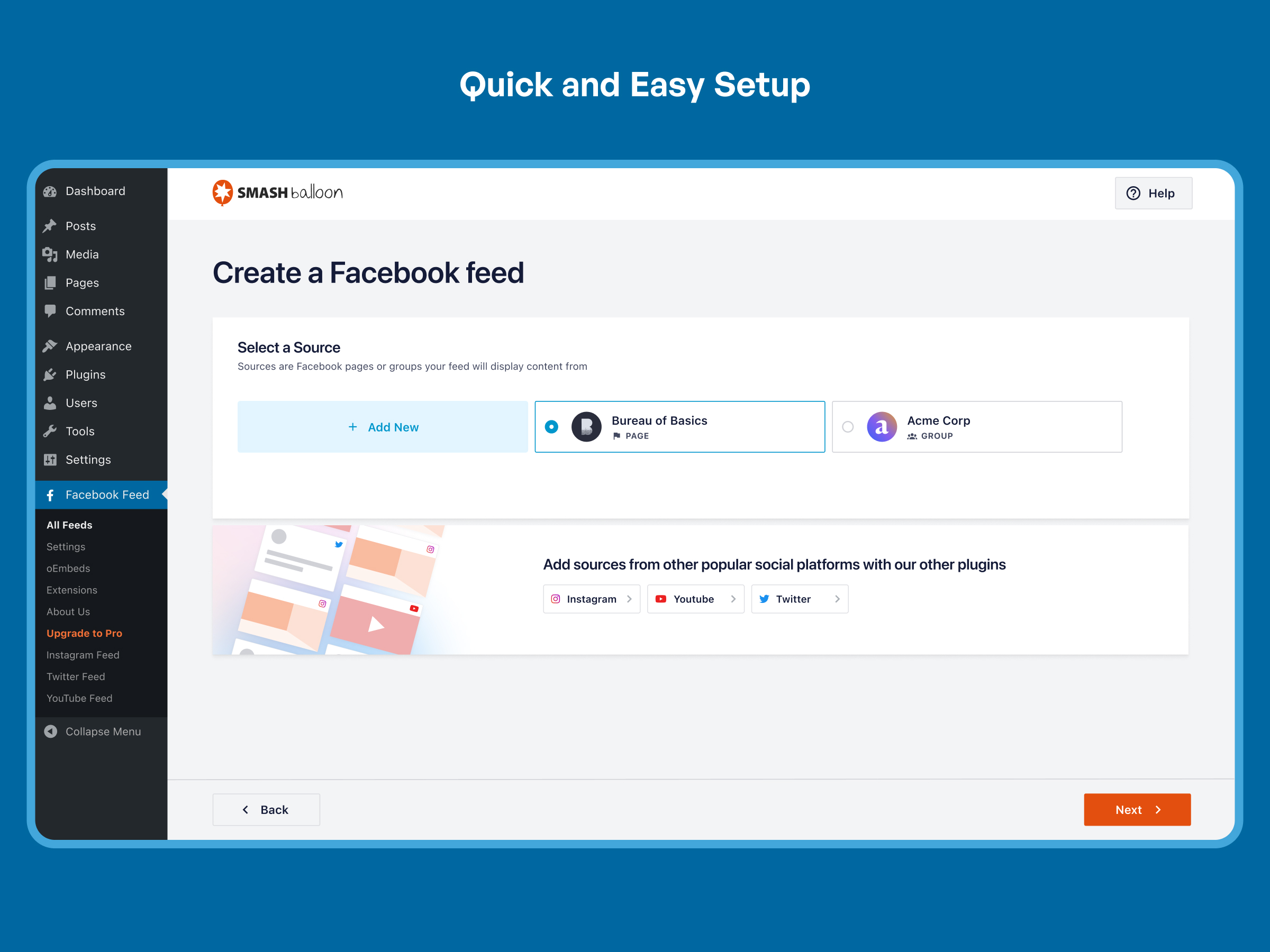
Super Simple to Set Up
One of our main priorities has always been to make our Facebook plugin as easy as possible to setup and use. Get up and running in less than 1 minute with our signature quick setup – no Facebook Developer App required.
Display Feeds from Your Facebook Page
Use the plugin to display Facebook feeds from a Facebook page that you are an admin of.
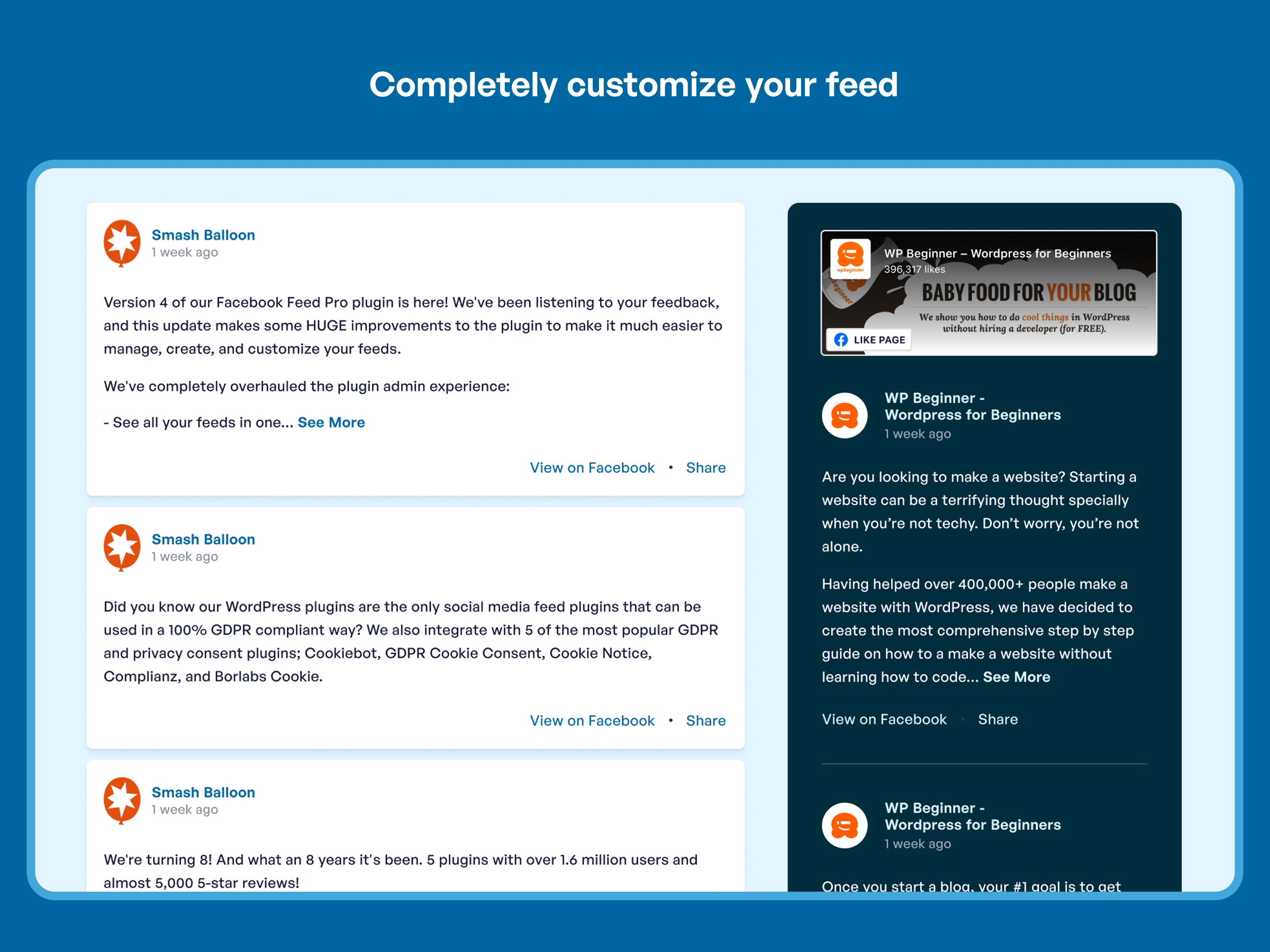
Completely Customizable
By default the feed will adopt the styles of your WordPress theme, but your feeds can be completely customized to look however you like using our visual feed customizer – with tons of options to customize every part of your feed.
Elementor and Divi Ready
Custom Facebook Feeds has a built-in Elementor and Divi block for easy page building. Simply launch your Elementor or Divi builder and find the related Custom Facebook Feed block in the sidebar like any other block.
SEO Friendly
The Facebook feed content is crawlable by search engines adding SEO value to your site. This is unlike other Facebook plugins embed the feed using iframes which are not crawlable.
GDPR Compliant
Automatically integrates with many of the popular GDPR cookie consent plugins and includes a 1-click easy GDPR setting.
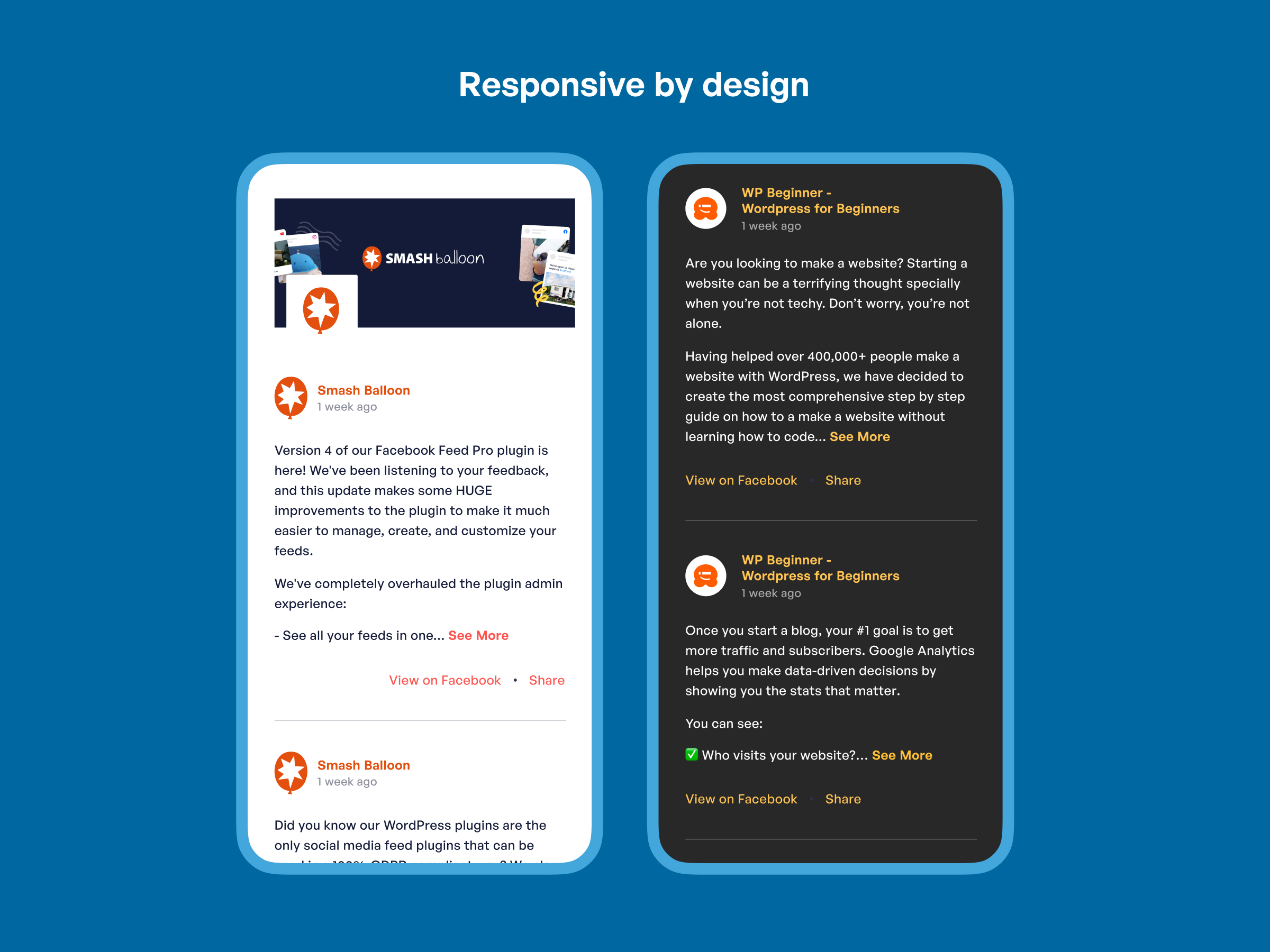
Responsive and Mobile Optimized
The plugin layouts look great on any screen size and in any container width.
Unlimited Feeds from Unlimited Different Facebook Pages
We don’t limit how many Facebook feeds you can display on your site. With the use of a shortcode or block you can insert a feed into posts or widgets anywhere on your site.
Built for Speed
Built-in caching means that your Facebook feeds load lightning fast. Set how long the cache lasts until the feed updates again.
Like Box Widget and Visual Header
Include the official Facebook Like Box widget at the top or bottom of your Facebook feed and display a beautiful visual header with your Facebook page or cover photo, profile picture, bio, and number of likes.
So Much More
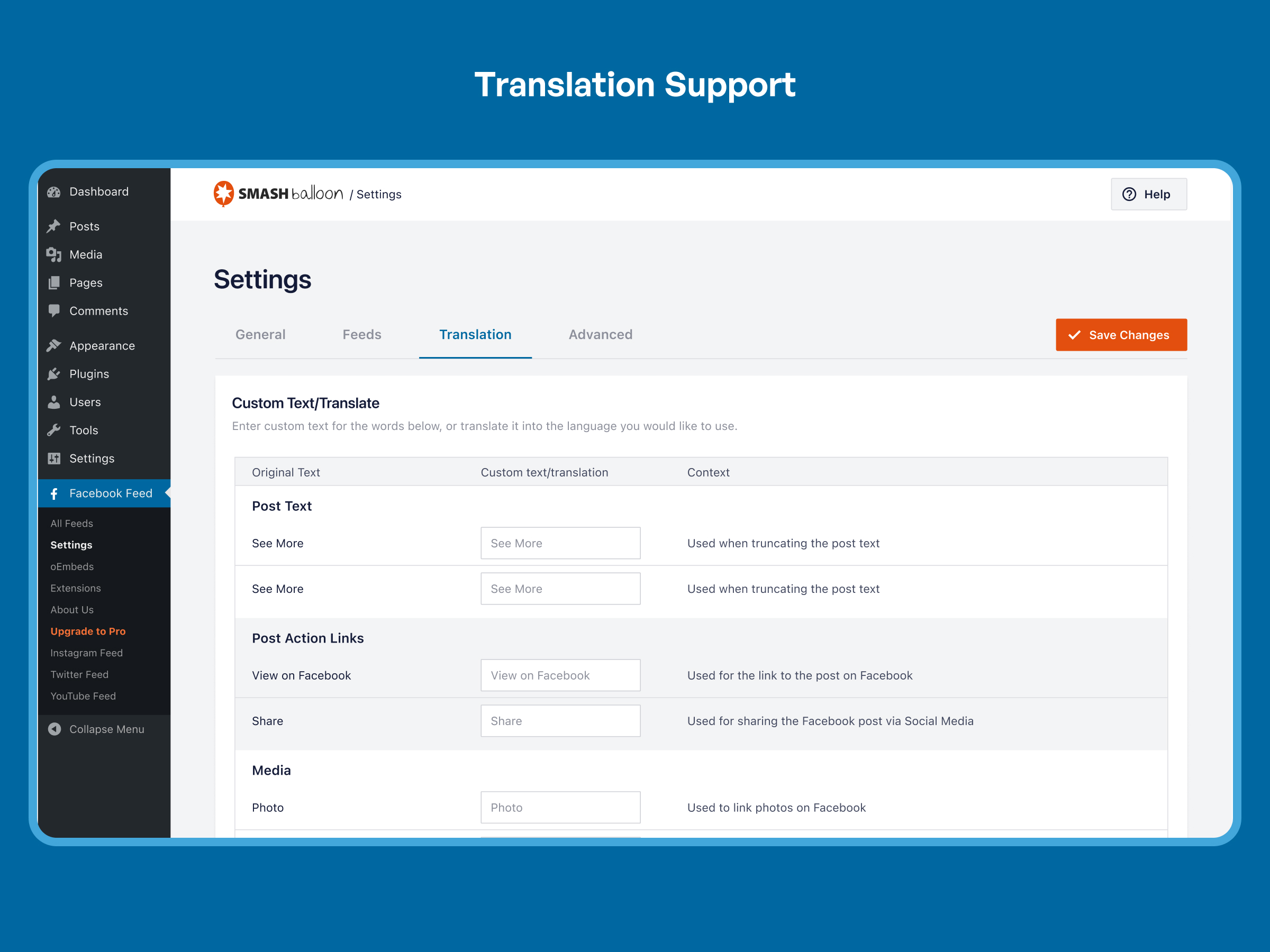
Show and hide certain parts of each Facebook post, choose whose posts to show in the feed, customize colors, font sizes and styles, the number of Facebook posts to display, set max text lengths, translate text, custom CSS, and much, much more.
Pro Version (Custom Facebook Feed Pro)
In order to maintain the free version of the Custom Facebook Feed plugin on an ongoing basis, and to provide quick and effective support for free, we offer a Pro version of the plugin. Custom Facebook Feed Pro allows you to display photos, videos, the number of likes, shares, reactions and comments for each Facebook post, choose from multiple layout options, filter Facebook posts by type or #hashtag/string, load more Facebook posts into your feed, and more. Click here for a full list of all differences between the Custom Facebook Feed free and Pro versions.
Benefits of Displaying a Facebook Feed on Your Website
- Increase social engagement between you and your users, customers, or fans
- Save time by using the Custom Facebook Feed to generate dynamic, search engine crawlable content on your website
- Get more likes by displaying your Facebook content directly on your site
- Improve your SEO as all of that quality keyword-rich Facebook content from posts and Facebook comments is directly embedded into your website
- Display your Facebook content your way to perfectly match your website’s style
- No Coding Required – choose from tons of built-in customization options to create a truly unique feed of your Facebook content.
- The Custom Facebook Feed plugin is updated regularly with new features, bug-fixes and Facebook API changes
- Support is quick and effective
- We’re dedicated to providing the most customizable, robust and well supported Facebook feed plugin in the world!
How to use the Custom Facebook Feed plugin
Once you’ve installed the plugin there are only a few steps to get up and running:
1) Use the button on the ‘Facebook Feed’ settings page to log into your Facebook account and authorize the plugin.
2) Save the plugin settings and add the [custom-facebook-feed] shortcode to any page, post, or widget where you want the Facebook feed to be displayed.
That’s it! You can then customize the Facebook feed as needed using the settings on the Facebook Feed > Customize page.
For full step-by-step setup directions with screenshots, see here.
Requesting support
Customer support is a huge deal to us. We pride ourselves on always providing quick, effective, and courteous support to all of our users. If you’re having an issue using the Custom Facebook Feed plugin then just let us know and we’ll be there to help as soon as possible. You can either open a ticket on the support forum on WordPress.org, or directly on the Custom Facebook Feed section of our website. We also have a large collection of help documentation and FAQs on our website for all common issues related to the Custom Facebook Feed plugin.
At Smash Balloon we have two goals:
- Creating and maintaining the most useful, functional, customizable, robust and down-right awesomist Facebook feed plugin your website has ever seen.
- To provide the quickest, friendliest and most mind-blowingly amazing product support you have ever experienced.
Installation
- Install the Custom Facebook Feed either via the WordPress plugin directory, or by uploading the files to your web server (in the
/wp-content/plugins/directory). - Aktivieren Sie das Plugin über das „Plugins“-Menü in WordPress.
- Navigate to the ‘Facebook Feed’ settings page to configure your feed.
- Use the shortcode
[custom-facebook-feed]in your page, post or widget to display your feed. - You can display multiple feeds of different Facebook pages by specifying a Page ID directly in the shortcode:
[custom-facebook-feed id=smashballoon num=5].
Änderungsprotokoll
4.16.0
- New: The Embed button in the feed builder now opens a new Embed Feed window, and “Add to a Page” opens the editor with your Facebook Feed block already added. This needs WordPress 5.8 or later; on older versions the Embed button shows your feed shortcode instead.
- Tweak: If you had turned on usage tracking, that choice now carries over to the Data Sharing setting when you update. If you never turned it on, or turned Data Sharing off, it stays off.
- Fix: The feed builder preview no longer hides every post when no post types are selected.
- Fix: Saving a feed twice in quick succession (for example Save, then Embed) no longer shows “Error saving Feed”.
- Fix: When several Smash Balloon plugins show a notice on the front of your site, the notices now stack instead of covering each other.
- Fix: Plugin security hardening.
4.15.1
- Fix: The data-sharing popup no longer locks you out of your WordPress admin when your choice can’t be saved. You can always close it and keep working.
- Fix: Plugin security hardening.
4.15.0
- New: Ask AI assistants like Claude, ChatGPT and Cursor to check and update your Facebook Feed settings for you, through the WordPress Abilities API (requires WordPress 6.9 or later and the free WPVibe plugin). A new AI Agents card in Settings → General lets you install or open WPVibe. Assistants can read your settings right away, and the plugin keeps its own AI changes off until you turn on MCP Write Access under Settings > General. Write access is off by default, and your license key and access tokens are never shared. See what Facebook Feed Pro adds
4.14.0
- New: An admin notice now warns you when a feed has been showing an old saved copy of your Facebook posts for several days because it can’t fetch fresh content, and the weekly Feed Issue Email Report now covers this case too.
- New: Added a Debug tab in the plugin settings where you can control anonymous data sharing and in-plugin notifications. Usage data is only sent when you opt in, and onboarding now includes a consent checkbox.
- Tweak: Refreshed the About Us page.
- Fix: Facebook source errors are now reported more accurately. Rate limits no longer show a false “Source Invalid” or reconnect prompt, a problem on one source is still reported when another is only being rate-limited, and feeds from a Facebook Page you don’t manage are flagged as invalid again in the feed builder. Facebook API errors also come with clearer guidance on what to do.
- Fix: A Facebook source that starts working again now clears its own error, so the critical-issue notice, admin menu badge, Site Health warning and weekly issue email no longer stay on for a problem that has been resolved. When the plugin does report a critical issue, the settings page now explains it.
- Fix: The “Action Required Within 7 Days” data-deletion warning now only appears while that deletion is actually scheduled.
- Fix: The feed builder and customizer no longer show a blank screen on PHP 8 when a connected Facebook account’s data can’t be read.
- Fix: Turning off Feed Issue Email Reports now actually stops the weekly report emails.
- Fix: The Smash Balloon logo is back on the left of the admin header, and the label beside it now names the current page.
- Fix: Dismissed in-plugin notifications no longer reappear after a page reload.
- Fix: The deactivation feedback survey no longer conflicts with other Smash Balloon plugins active on the same site.
- Fix: Plugin security hardening.
4.13.0
- Fix: Feeds now honor the “Check for new posts every…” caching setting instead of only checking once every 7 days.
4.12.0
- Tweak: Confirmed compatibility with WordPress 7.1.
- Tweak: The feed builder and the Facebook feed are now far more accessible to keyboard and screen reader users, meeting WCAG 2.1 AA. Controls throughout the builder, onboarding and settings screens can be reached and operated by keyboard and announce their purpose; the feed and its posts describe their structure to screen readers; dialogs keep focus where it belongs and close with Escape; notices are announced as they appear; links that open a new tab say so; and decorative icons and images are hidden from screen readers.
Screenshots




Für Entwickler
Ist das dein Plugin? Zeigen Sie die Zahlen.
Fügen Sie Ihrer Website, Docs oder GitHub Readme ein Live-Badge hinzu. Es wird von selbst aktualisiert - kein Konto erforderlich.
Best Smash Balloon Social Post Feed alternatives
All facebook plugins →





Fragen und Antworten
Smash Balloon Social Post Feed: quick answers
Gerade Antworten, gezogen von Live WordPress.org Daten.
Quelle: WordPress.org
Is Smash Balloon Social Post Feed free?
Yes. Smash Balloon Social Post Feed is free to download and use from the official WordPress.org plugin directory.
Is Smash Balloon Social Post Feed safe to use in 2026?
Yes — Smash Balloon Social Post Feed is a safe, well-maintained plugin to use in 2026. It runs on 100K+ sites, is rated 4.7/5 and was last updated 1 week ago, and scores 95/100 on our health check.
How many websites use Smash Balloon Social Post Feed?
Smash Balloon Social Post Feed is active on 100K+ WordPress websites and has been downloaded 9,996,809 times since it launched in June 2013. It was downloaded 280,247 times in the last 30 days.
Does Smash Balloon Social Post Feed work with WordPress 7.1?
Yes. The developer has tested Smash Balloon Social Post Feed up to WordPress 7.1.5, the latest release. It requires WordPress 4.1 or newer.
What PHP version does Smash Balloon Social Post Feed need?
Smash Balloon Social Post Feed requires PHP 7.4 or higher. Most hosts run PHP 8.x today, so it works on any modern WordPress hosting.
When was Smash Balloon Social Post Feed last updated?
The latest version, 4.16.0, was released on November 12, 2026 (1 week ago).
Who makes Smash Balloon Social Post Feed?
Smash Balloon Social Post Feed is developed and maintained by Syed Balkhi.
What are the best alternatives to Smash Balloon Social Post Feed?
The most popular alternatives to Smash Balloon Social Post Feed are Meta for WooCommerce (400K+ installs), Meta pixel for WordPress (400K+ installs) and Nextend Social Login and Re… (200K+ installs).
Angetrieben von PageForge
Eine Vorlage und eine Tabelle. Eine echte Seite für jede Suche.
PageForge Verwandelt jede Zeile eines CSV in eine WordPress-Seite mit eigenem Titel, URL, SEO Felder und Schema entworfen. Kostenlos auf WordPress.org.
- CSV und XLSX, plus Google Sheets auf Beruf und Unternehmen
- seinen eigenen Titel, URL, SEO Felder und Schema für jede Seite
- Arbeitet mit dem Blockeditor, Elementor, Divi und Avada
- Kostenlos auf WordPress.org, keine Kreditkarte