


Cordex Forms
Build submission forms against Microsoft Dataverse and Dynamics 365. Every submission creates a record in your own environment.

Solide Wahl
Cordex Forms is a solid plugin choice in 2026, with a few things worth checking first. Is rated 5/5 and was last updated 3 months ago, and scores 67/100 on our health check.
- Getestet mit dem neuesten WordPress (7.1)
- Kleine Benutzerbasis (<10 aktive Installationen)
- Bisher sehr wenige Bewertungen
Wie stapelt es sich?
Side-by-side bei Installationen, Updates, Bewertungen und Support



Tägliche Downloads
Download-Spitzen folgen normalerweise einer neuen Version - jede Website, die automatisch aktualisiert wird, gilt als Download.
Ranglisten
Where Cordex Forms stands todayWordPress.org Ranglisten suchen
Live-Position in der Plugin-Suche, Top 100| Stichwort | Position |
|---|---|
| crm | >100 |
| Dataverse | #6 |
| dynamics 365 | #34 |
| Formulare | >100 |
| Power Platform | >100 |
Bewertungsaufschlüsselung
★★★★★★★★★★ 5 from 1 reviews
About Cordex Forms
From the official readme · v1.9.32Beschreibung
Cordex Forms connects your WordPress site to Microsoft Dataverse, the data platform behind Dynamics 365 Customer Engagement and Power Apps. You build a submission form in the admin, place its shortcode on a page, and each submission is written to your environment as a new record.
The connection uses a service principal (a Microsoft Entra app registration added to your environment as an application user), so it does not depend on a signed-in person.
What the plugin does
- Connects to one Microsoft Dataverse / Dynamics 365 environment using a service principal. You can test the connection from the admin; the result and its timestamp are saved.
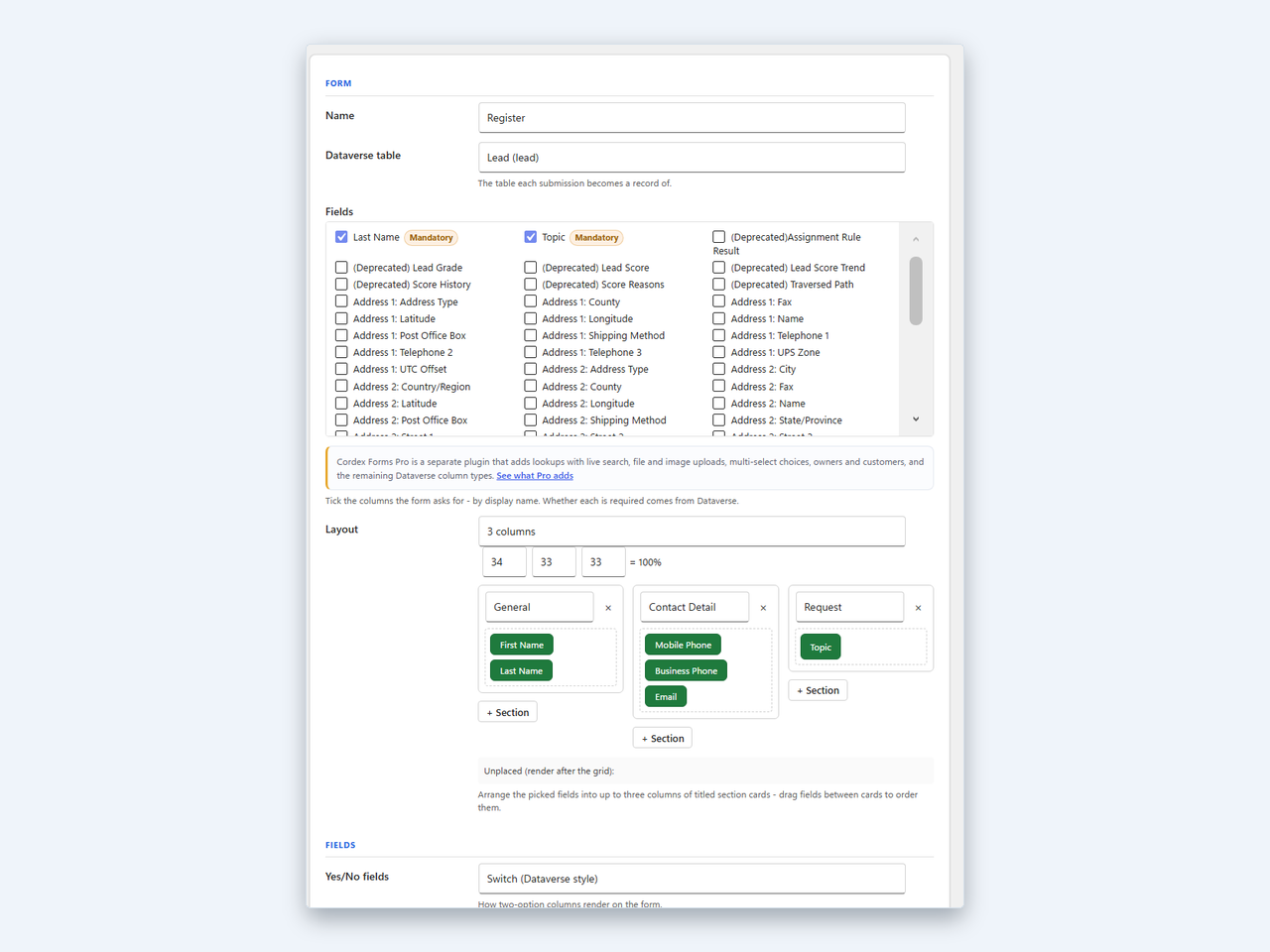
- Builds submission forms in the admin: choose a table, tick the columns you want by display name, and place the generated
[cordex_form id="..."]shortcode on any page. There is no limit on the number of forms, and no other plugin is required. - Supports these Dataverse column types: single-line text, multi-line text, single choice (option set), yes/no, whole number, decimal, float, currency, and date/time. Choice and yes/no options are read from your table’s own metadata. Date/time values are sent in the representation the column’s behaviour requires (UTC for User Local, a bare date for Date Only, wall-clock for Time Zone Independent).
- Validates every submission server-side against the table’s metadata before a record is created. The browser only ever posts values against a saved form id, never field definitions.
- Turns on anti-abuse by default: a nonce, a honeypot field, a minimum fill-time check, and per-IP rate limiting on the submission endpoint (10 submissions per 10 minutes by default).
- Queues submissions when Dataverse is unreachable. Accepted submissions are stored locally, encrypted at rest, and retried automatically with exponential backoff and jitter, honouring any Retry-After the service sends. The visitor still sees the normal success message. Items that cannot succeed are parked on the Queue screen for review, retry, or discard, and the site administrator is emailed (at most once every six hours).
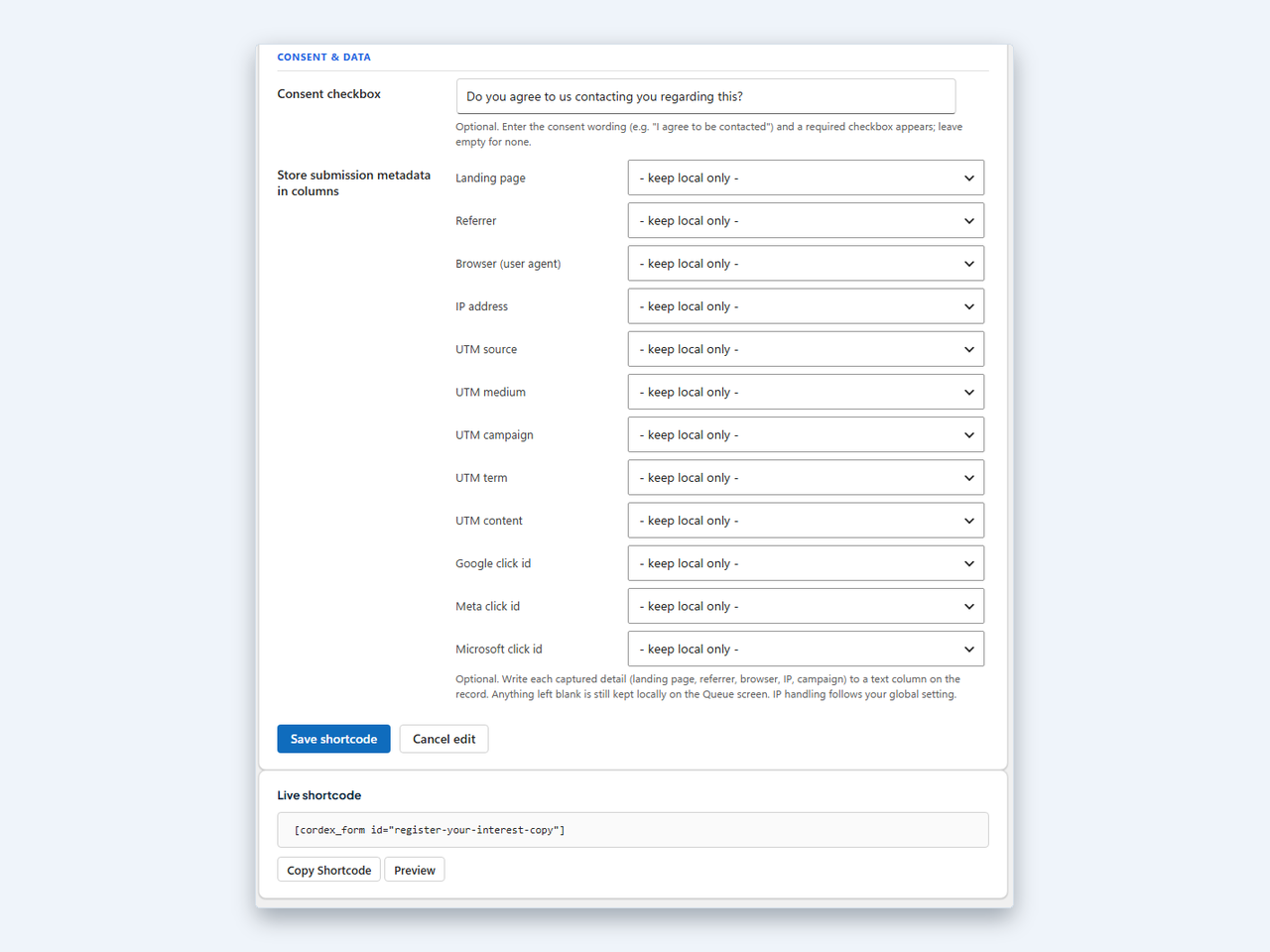
- Records consent: an optional required consent checkbox with your own wording. Each edit of the wording appends a new immutable version to the form’s history, and queued submissions record the version and UTC timestamp they were submitted under.
- Captures submission context server-side: landing page, referrer and browser user agent, plus the visitor’s IP address stored full, truncated, hashed, or not at all, as you choose. UTM parameters and Google/Meta/Microsoft click ids are captured only when the visitor consents. Each detail can be written to a text column on the record or kept local only.
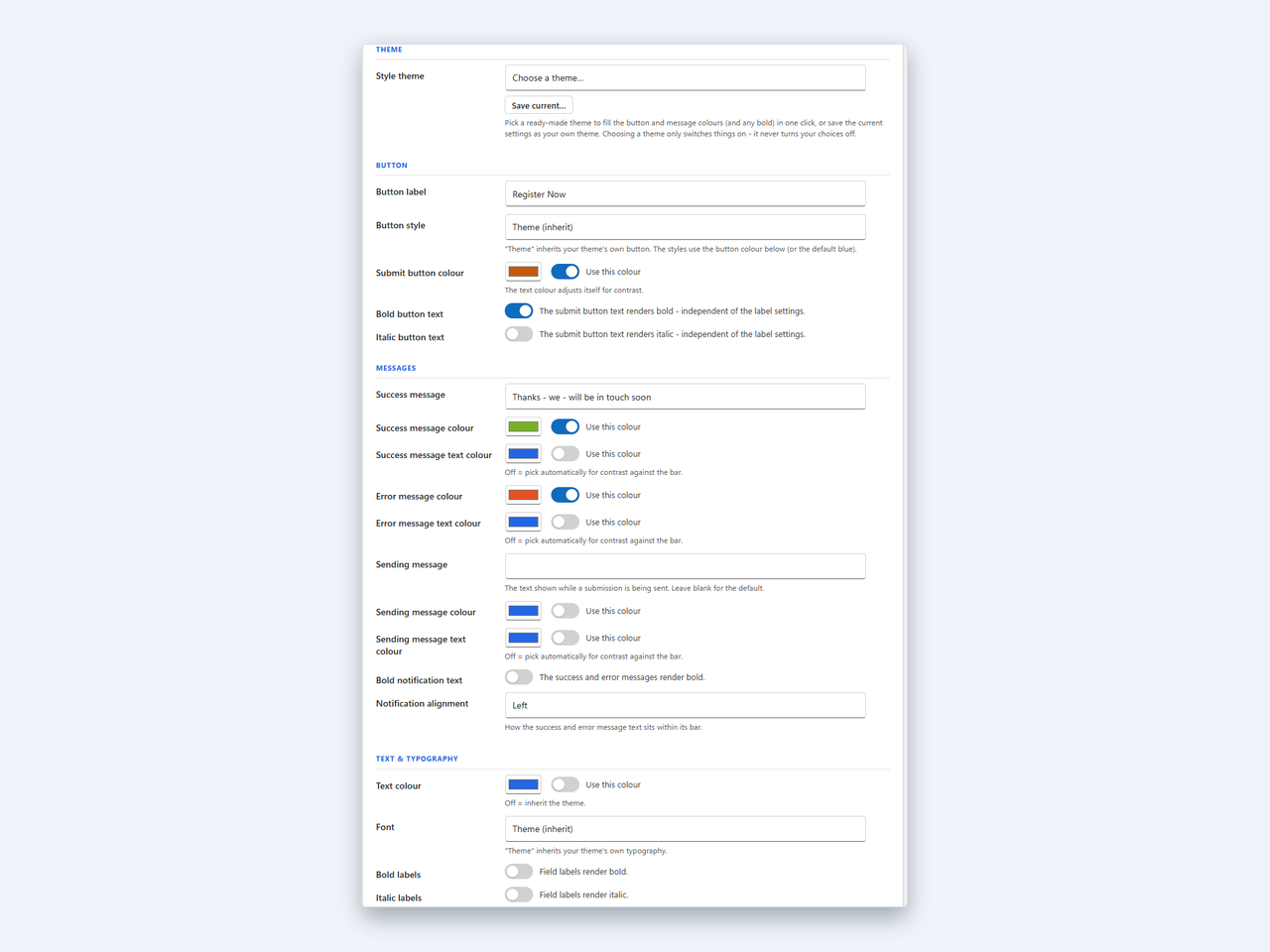
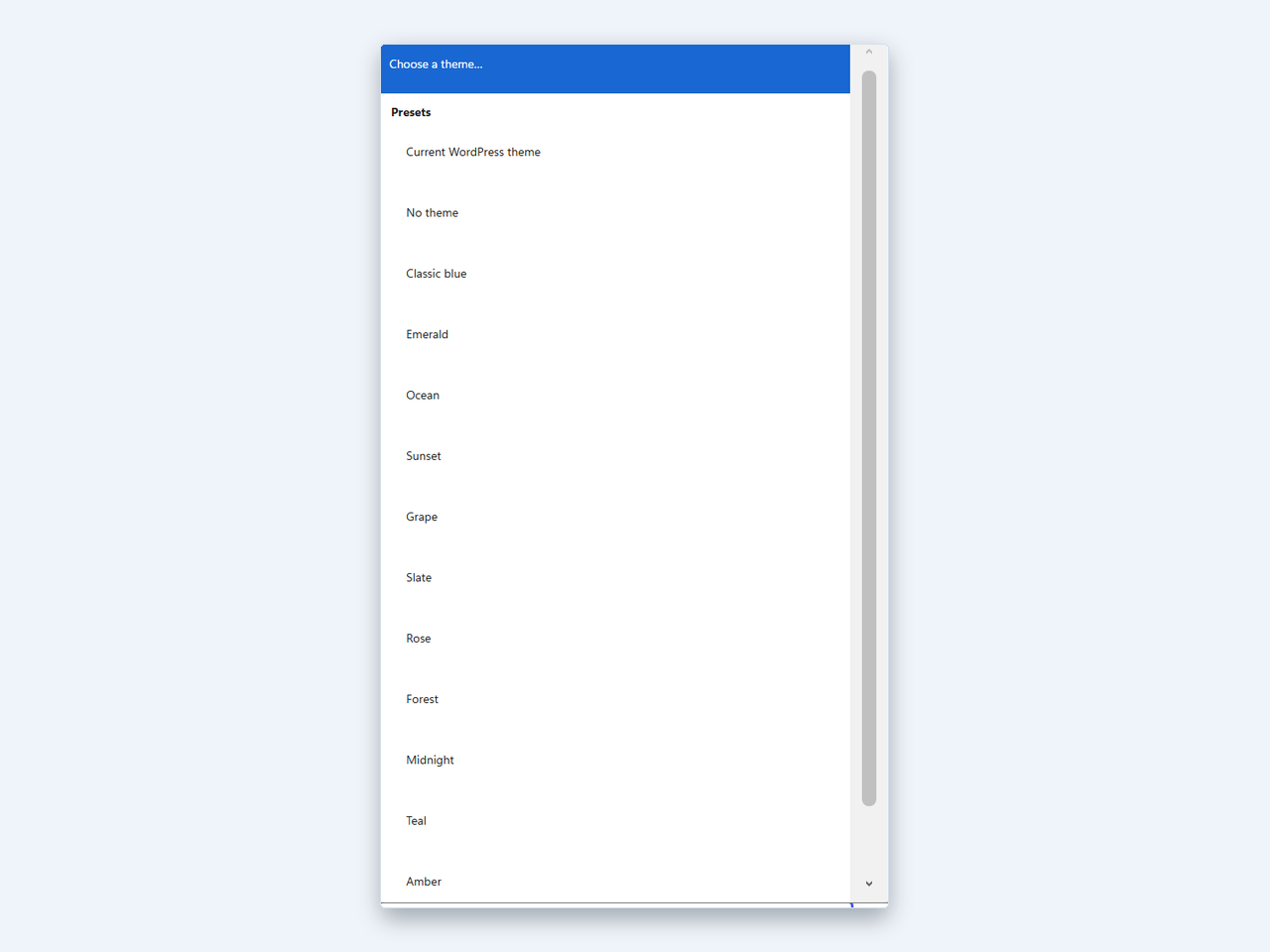
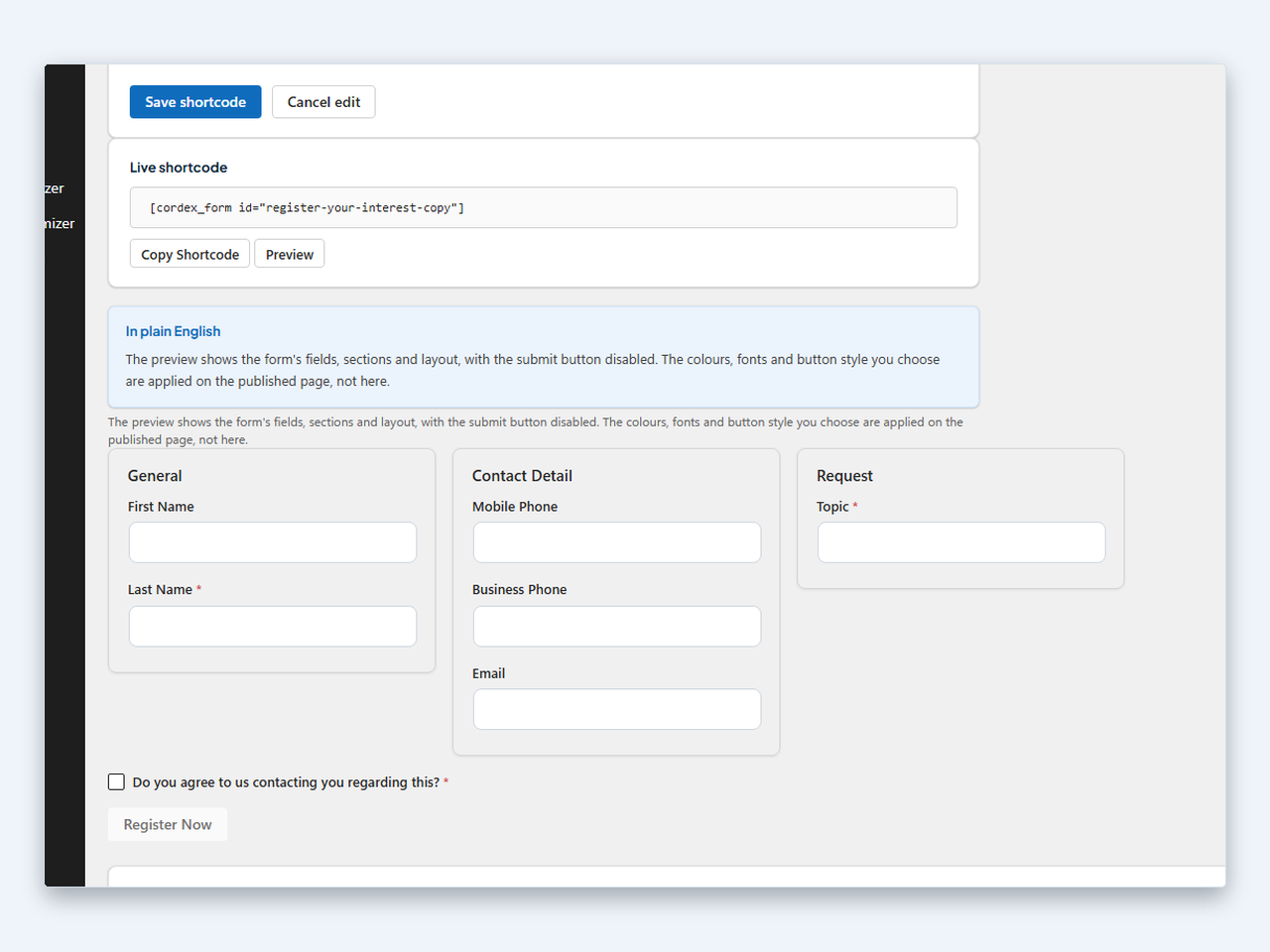
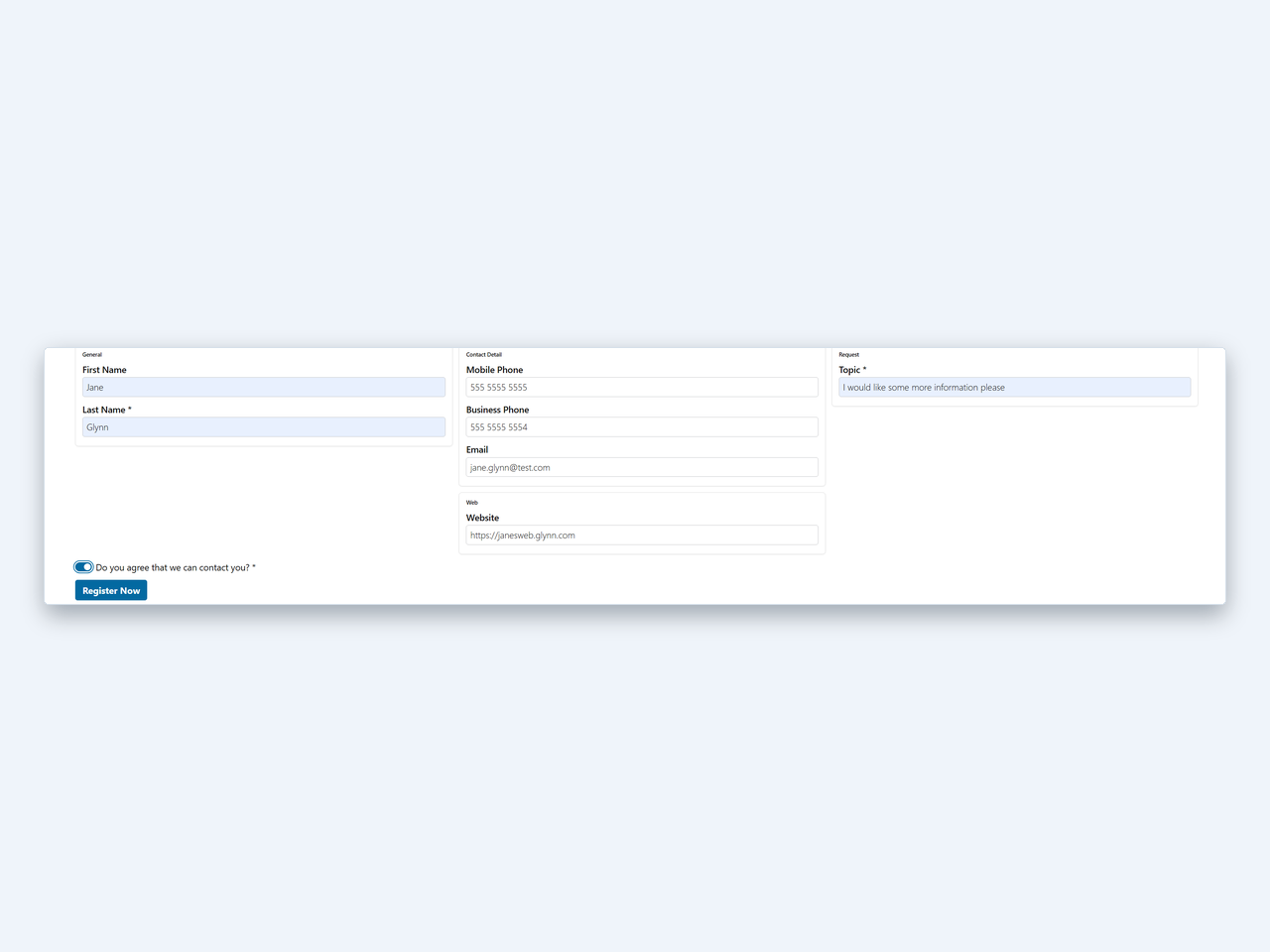
- Lays out forms in one to three columns of titled sections, with optional column widths, button and colour theming, twelve presets, and themes you can save and reuse. Unset options inherit your active WordPress theme.
- Encrypts the client secret at rest in your database using the PHP sodium extension. The secret is write-only: once saved it is never rendered or returned by any screen or endpoint.
- Guards the environment URL against SSRF: only Microsoft-operated Dataverse and Dynamics hosts are accepted, checked both when saved and again before every outbound request. Redirects are never followed.
- Integrates with the WordPress privacy tools: the personal-data exporter and eraser cover the plugin’s queued submissions.
- Exports and imports the whole configuration as a JSON file for backup or migration. Client secrets are never written to an export.
- Uninstalls cleanly, removing the plugin’s options, table, scheduled event and cached tokens, with an opt-in setting to retain data for a migration.
Bedarf
- WordPress 6.2 or later and PHP 7.4 or later.
- The PHP sodium extension (
sodium_crypto_secretbox). It is required, not optional: the plugin encrypts credentials with it and will not start without it. Sodium is bundled with PHP 7.2 and later on most hosts. - Your own Microsoft Dataverse / Dynamics 365 environment, and an application user (service principal) with privileges to create rows on the tables you write to. Cordex Forms does not provide the Microsoft environment.
Cordex Forms Pro
Everything described in this readme is included in this plugin and is fully functional as installed. Nothing here is limited, timed, restricted by quota, or unlocked by a key, and the plugin contains no licensing code of any kind. Cordex Forms Pro is a separate plugin, installed alongside this one, for sites whose tables need column types and features this plugin does not implement:
- Lookup, Customer, Owner and party-list columns, with live record search.
- File and image upload columns, and multi-select choice columns.
- Related-record writes, and submitting in a specific Dataverse user’s security context.
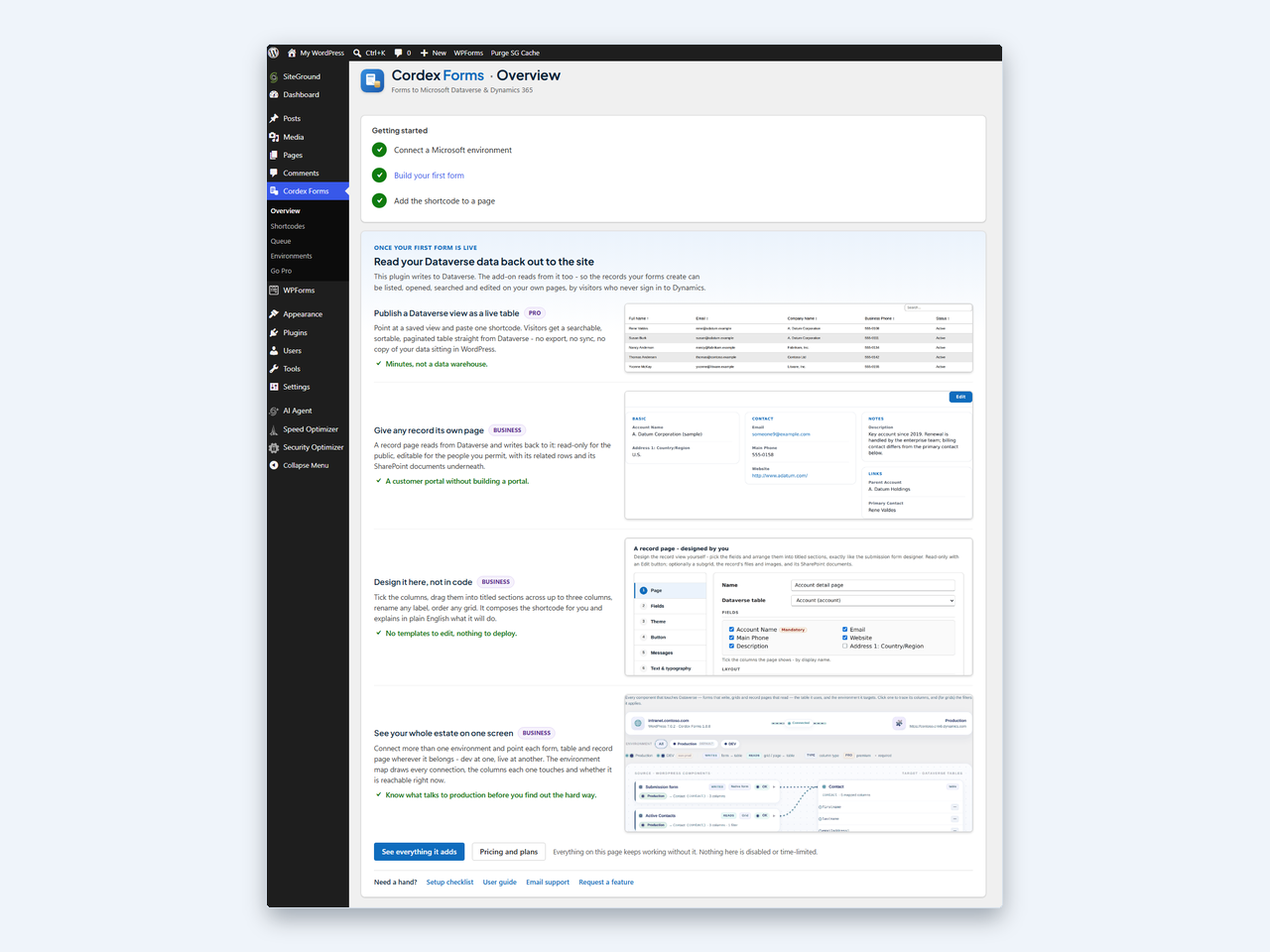
- Reading Dataverse data back out to the site: data grids and record pages.
- More than one environment, and an overview of which component targets which environment.
Details: https://myitandapps.com.au/products/cordex-forms/ – support: cordex-forms@myitandapps.com.au
Externe Dienste
This plugin contacts two remote endpoints, both of them Microsoft services that you configure. It does not contact the plugin author or any other third party.
1. Microsoft Entra ID – login.microsoftonline.com
Used to obtain the OAuth 2.0 access token that authorises every call to your Dataverse environment.
- What is sent: an HTTP POST to
https://login.microsoftonline.com/{tenant id}/oauth2/v2.0/token, with your Microsoft Entra tenant id in the URL path and, in the request body,grant_type=client_credentials, the application (client) id, the client secret, and a scope of{your environment URL}/.default. These are the credentials you entered on the Environments screen. No visitor data and no form data are ever sent to this endpoint. - When it happens: only when the site does not already hold a valid cached token. The token is cached in a WordPress transient for the lifetime Microsoft reports, less sixty seconds – typically about one hour – so under continuous use the endpoint is called roughly once an hour. It is also called when you use Test connection.
- Service terms: https://www.microsoft.com/licensing/terms/
- Privacy statement: https://privacy.microsoft.com/privacystatement
2. Your own Microsoft Dataverse / Dynamics 365 environment
This is the environment URL you enter on the Environments screen, for example https://yourorg.crm6.dynamics.com. It is your own Microsoft tenant, under your own agreement with Microsoft. It is not a service operated by the author of this plugin, and the author has no access to it.
- What is read: table, column and choice metadata from the Web API (
EntityDefinitions,Attributes, option sets), plus aWhoAmIcall when you use Test connection. Metadata responses are cached locally for about ten minutes. - What is written: one record per submission, created with
POST /api/data/v9.2/{entity set}. The record contains the values the visitor entered in the form’s fields, and – only for the details you have explicitly mapped to a column on the Shortcodes screen – the landing page URL, the HTTP referrer, the browser user agent, the visitor’s IP address in the form your IP mode produces (full, truncated, hashed, or omitted entirely), and, when the visitor has ticked the consent box, theutm_source,utm_medium,utm_campaign,utm_termandutm_contentparameters and thegclid,fbclidandmsclkidclick ids. A per-submission correlation reference and the consent version are also written where you have mapped columns for them. Details you have not mapped are never sent to Dataverse. - When it happens: on every form submission; when an administrator opens the form builder or saves a form, to read metadata (subject to the ten-minute cache); when you use Test connection; and on an unattended scheduled task. That scheduled task is a WordPress cron event that runs every five minutes, claims up to ten queued submissions that are due, and attempts to deliver them to your environment. It is registered when the plugin is activated and removed when it is deactivated, and it will make outbound requests without an administrator being present whenever the queue is not empty.
- Terms and privacy for this endpoint are those of your own Microsoft agreement; see https://www.microsoft.com/licensing/terms/ and https://privacy.microsoft.com/privacystatement
No data is sent to the plugin author or to any third party. The plugin performs no analytics, telemetry, usage tracking, update checks or remote logging of any kind.
Bundled fonts
The plugin’s admin screens use two open-source typefaces, both bundled with the plugin and served from your own site. No CDN or external font service is contacted.
- Inter, copyright the Inter Project Authors, SIL Open Font License 1.1.
- Plus Jakarta Sans, copyright the Plus Jakarta Sans Project Authors, SIL Open Font License 1.1.
The full licence text for each is included in assets/fonts/ as ofl-inter.txt and ofl-plusjakartasans.txt. The font files are used only in wp-admin; the front-end form ships no stylesheet and inherits your active theme.
Trademarks and affiliation
Cordex Forms is an independent product developed by My IT & Apps Pty Ltd. It is not affiliated with, endorsed by, or sponsored by Microsoft Corporation. “Microsoft”, “Microsoft Entra”, “Microsoft Dataverse”, “Dynamics 365”, “Power Apps” and “Power Platform” are trademarks of the Microsoft group of companies. “WordPress” is a trademark of the WordPress Foundation. These names are used only to describe compatibility.
Licensing, updates and checkout for this plugin are powered by Key-Warden.
Installation
- Upload the
cordex-formsfolder to/wp-content/plugins/, or install the plugin through the Plugins screen in WordPress. - Activate the plugin through the Plugins screen.
- Create a Microsoft Entra app registration with a client secret, and add it to your environment as an application user with privileges to create rows. See https://learn.microsoft.com/power-platform/admin/manage-application-users
- In WordPress, go to Cordex Forms – Environments, enter the environment URL, tenant id, application (client) id and client secret, then use Test connection.
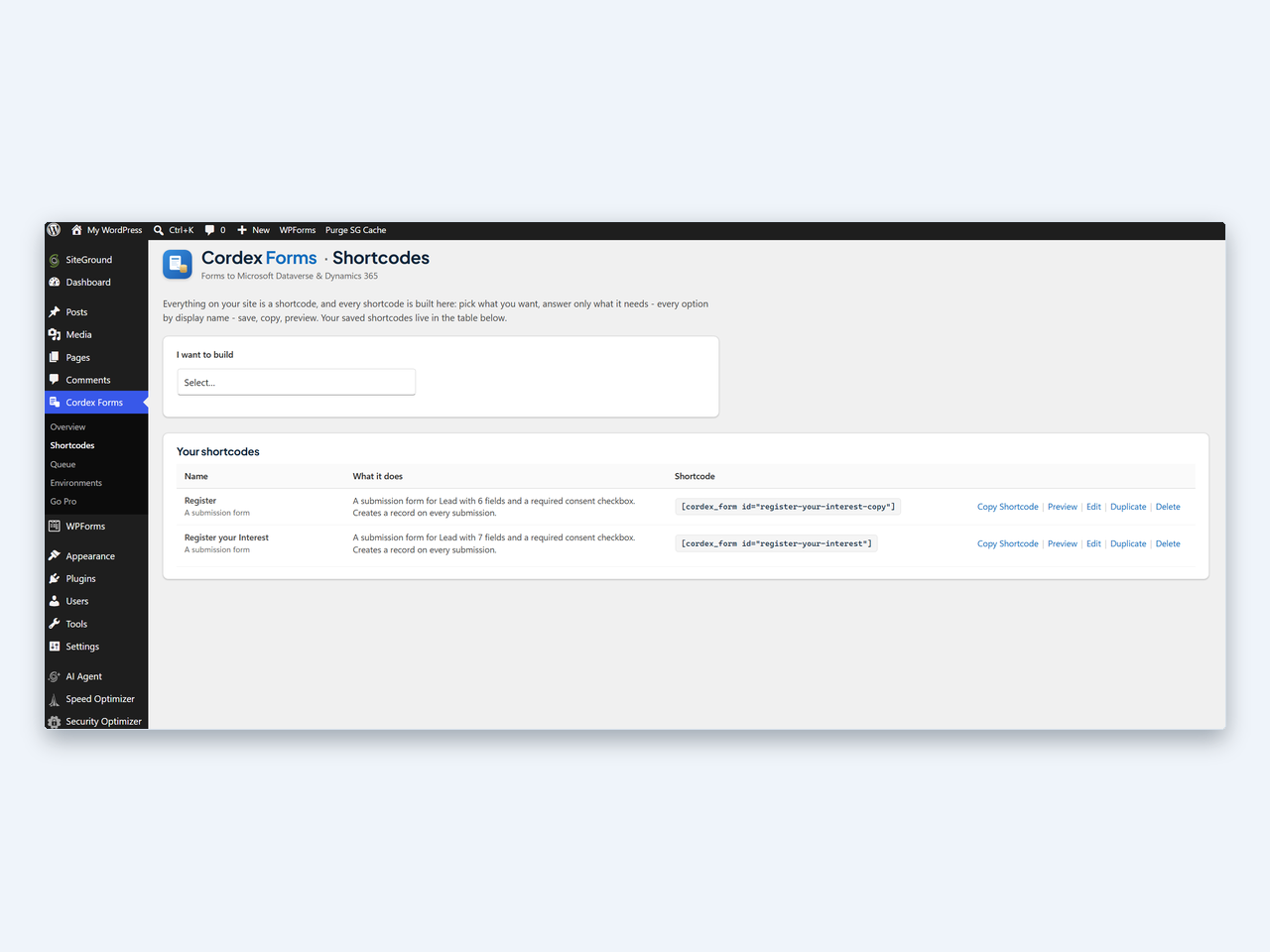
- Go to Cordex Forms – Shortcodes, build a form by choosing a table and ticking its columns, and place the generated
[cordex_form id="..."]shortcode on any page.
Änderungsprotokoll
Entries describe this plugin. Where a fix also applied to the separate Cordex Forms Pro add-on, that is noted; nothing here requires the add-on.
1.9.32
- Version alignment only. Core and the Pro add-on ship as a matched pair; this
release carries no Core code change. The Pro add-on’s licensing update is
described in its own changelog.
1.9.29
- Maintenance release. Rebuilt to bake a rotated internal service credential (the KeyWarden APIM subscription key). No functional or code change; no action needed on your part.
1.9.28
- Maintenance release. Version aligned with the Cordex Forms Pro add-on, which removes its single “Document upload” field in favour of Required documents. No functional change to this free plugin.
1.9.27
- Fixes an “orphan” form – one that rendered on a page but was nowhere in the Shortcodes list, so it could not be previewed, edited or deleted. A [cordex_form] whose id has no saved entry now shows the “this form no longer exists” notice (and its submission endpoint refuses), instead of rendering a form nothing could manage. The underlying cause – a configuration export/import that let a compiled form outlive its entry – is fixed too: the export carries only forms that have an entry, and an import reconciles the two. Installing this version also removes any orphans already in the database and shows a notice naming what was removed.
1.9.26
- Maintenance release. Version aligned with the Cordex Forms Pro add-on, which fixes its grid designer. No functional change to this free plugin.
1.9.25
- Fixes a form that could not be saved after a field it no longer offers was left in the picked set (for example a form first built with the Pro add-on, then opened here). Such a field now shows in the Layout designer’s “Unplaced” row as an amber chip with its own × button, so you can remove it and save – the saver already refused by name, but there was previously no way to act on it.
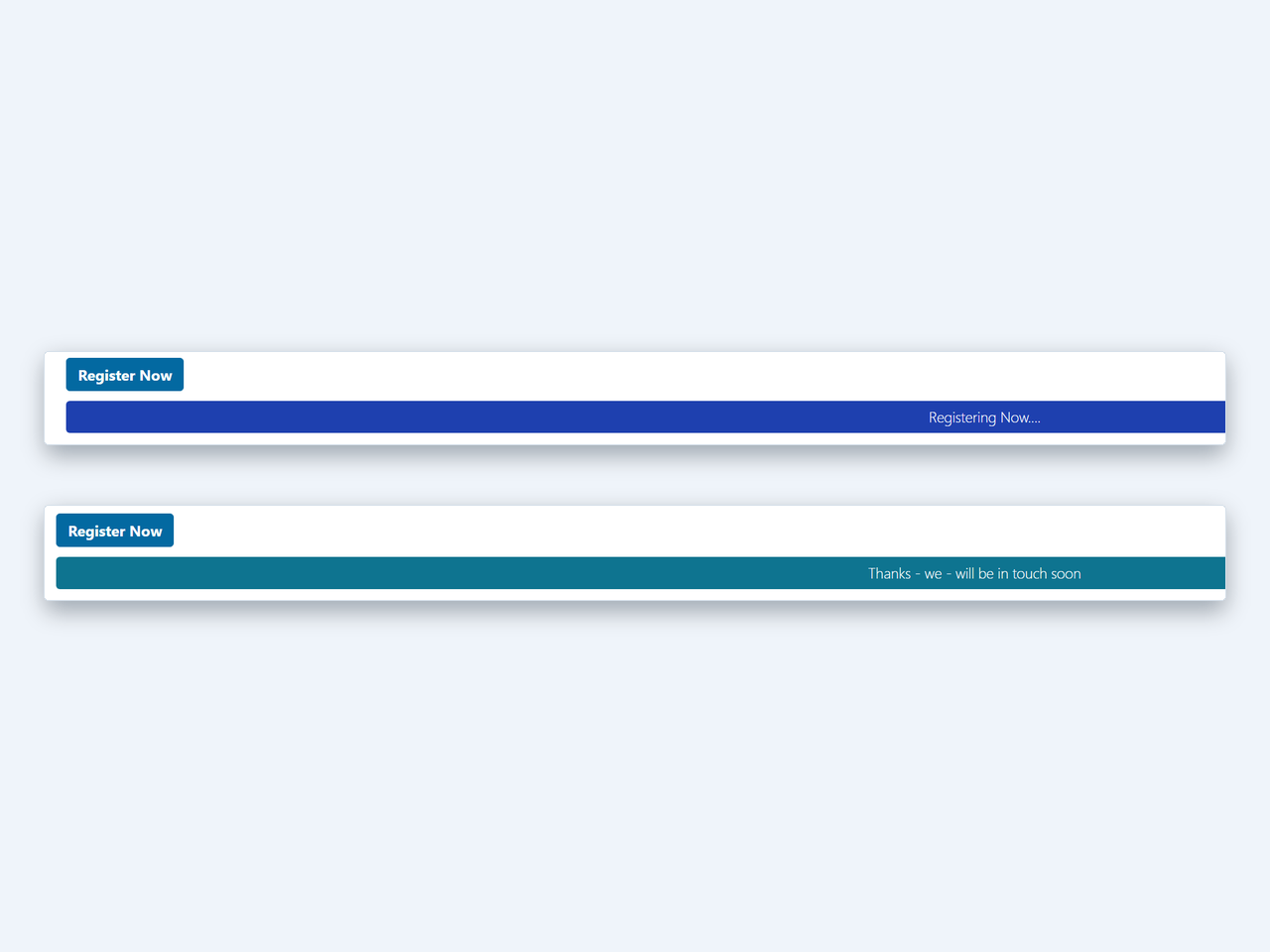
Screenshots
Für Entwickler
Ist das dein Plugin? Zeigen Sie die Zahlen.
Fügen Sie Ihrer Website, Docs oder GitHub Readme ein Live-Badge hinzu. Es wird von selbst aktualisiert - kein Konto erforderlich.
Best Cordex Forms alternatives
All crm plugins →





Fragen und Antworten
Cordex Forms: quick answers
Gerade Antworten, gezogen von Live WordPress.org Daten.
Quelle: WordPress.org
Is Cordex Forms free?
Yes. Cordex Forms is free to download and use from the official WordPress.org plugin directory.
Is Cordex Forms safe to use in 2026?
Cordex Forms is a solid plugin choice in 2026, with a few things worth checking first. Is rated 5/5 and was last updated 3 months ago, and scores 67/100 on our health check.
How many websites use Cordex Forms?
Cordex Forms is active on <10 WordPress websites and has been downloaded 505 times since it launched in August 2026. It was downloaded 77 times in the last 30 days.
Does Cordex Forms work with WordPress 7.1?
Yes. The developer has tested Cordex Forms up to WordPress 7.1.5, the latest release. It requires WordPress 6.2 or newer.
What PHP version does Cordex Forms need?
Cordex Forms requires PHP 7.4 or higher. Most hosts run PHP 8.x today, so it works on any modern WordPress hosting.
When was Cordex Forms last updated?
The latest version, 1.9.32, was released on September 13, 2026 (3 months ago).
Who makes Cordex Forms?
Cordex Forms is developed and maintained by My IT and Apps.
What are the best alternatives to Cordex Forms?
The most popular alternatives to Cordex Forms are Flamingo (800K+ installs), HubSpot All-In-One Marketing (200K+ installs) and FluentCRM (80K+ installs).
Angetrieben von PageForge
Eine Vorlage und eine Tabelle. Eine echte Seite für jede Suche.
PageForge Verwandelt jede Zeile eines CSV in eine WordPress-Seite mit eigenem Titel, URL, SEO Felder und Schema entworfen. Kostenlos auf WordPress.org.
- CSV und XLSX, plus Google Sheets auf Beruf und Unternehmen
- seinen eigenen Titel, URL, SEO Felder und Schema für jede Seite
- Arbeitet mit dem Blockeditor, Elementor, Divi und Avada
- Kostenlos auf WordPress.org, keine Kreditkarte