


Checkoutline – Checkout Field Editor for WooCommerce
Add your own checkout fields to the Checkout block and the classic checkout, and rename, require or hide WooCommerce's address fields. No code.

Mit Vorsicht verwenden
Checkoutline works, but test it on a staging site before relying on it in 2026. Was last updated 1 month ago, and scores 60/100 on our health check.
- Getestet mit dem neuesten WordPress (7.1)
- Kleine Benutzerbasis (<10 aktive Installationen)
- Bisher sehr wenige Bewertungen
Wie stapelt es sich?
Side-by-side bei Installationen, Updates, Bewertungen und Support



Tägliche Downloads
Download-Spitzen folgen normalerweise einer neuen Version - jede Website, die automatisch aktualisiert wird, gilt als Download.
Ranglisten
Where Checkoutline stands todayWordPress.org Ranglisten suchen
Live-Position in der Plugin-Suche, Top 100| Stichwort | Position |
|---|---|
| checkout block | >100 |
| checkout field editor | >100 |
| checkout fields | >100 |
| custom fields | >100 |
| WooCommerce | >100 |
About Checkoutline
Aus der offiziellen Readme · V1.0.2Beschreibung
Ask customers for what your store needs: a gift message, a VAT number, a gate code, how they heard about you. Checkoutline adds a WooCommerce → Checkout Fields page where you add, order and switch fields on and off. No code.
Built on WooCommerce’s own checkout fields
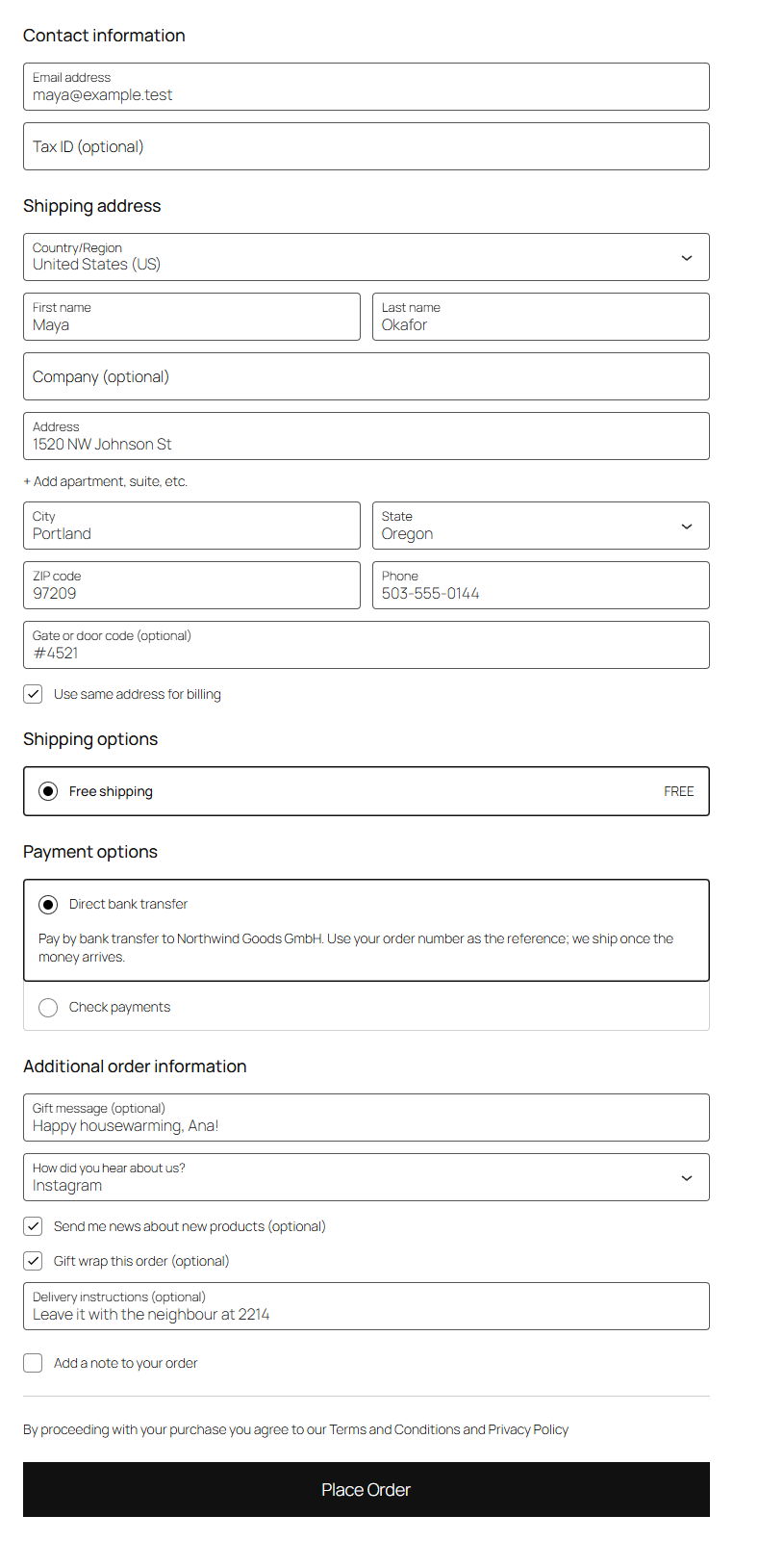
- In the Checkout block, your fields are WooCommerce’s own additional checkout fields: WooCommerce shows them, checks required ones, saves them on the order and the customer, and lists them on the order screen, the order confirmation, My Account and its emails.
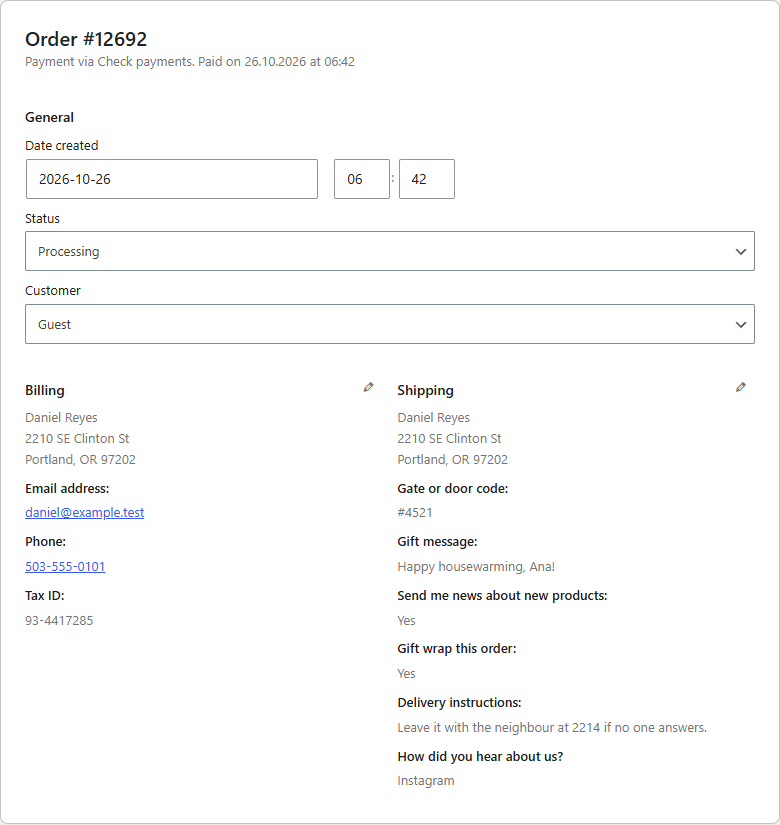
- The classic checkout gets the same fields and saves them in the same place. WooCommerce itself only lists these fields on Checkout block orders, so Checkoutline lists them on classic checkout orders too: on the order screen (editable), the order confirmation, My Account and order emails. An order reads the same whichever checkout placed it.
Your fields
- Text, text area, dropdown and checkbox fields.
- In the contact information, on the addresses (billing and shipping), or with the order.
- Required or optional, enabled or switched off, in the order you drag them to.
- A placeholder and a default value: a dropdown that starts on the usual choice, a checkbox that starts ticked.
WooCommerce’s fields
- Rename the first name, last name, company, address, city, state, postcode and phone fields. Your label replaces the one WooCommerce uses for each country.
- Make any of them optional, required or hidden, in both checkouts and My Account’s address forms.
Für Entwickler
Checkoutline is built to be extended. Other plugins can register more field types (checkoutline_field_types), keep settings of their own on a field, change a field in either checkout (checkoutline_block_field, checkoutline_classic_field), check answers (checkoutline_value_problem), decide when a field shows, format answers on orders, and add settings to a field’s screen. checkoutline_loaded fires once Checkoutline has loaded. The hooks are documented in the code and on extendiment.com.
Checkoutline Pro
The separate Checkoutline Pro add-on adds radio button, date, number, email and phone fields; fields that only show when they apply (products or categories in the cart, local pickup or delivery, shipping methods, countries, or another field’s answer); and a format and maximum length the answer must match, with your own error message. Everything described above works without it. See extendiment.com/plugins/checkoutline.
Installation
- Install and activate Checkoutline from Plugins → Add New Plugin, or upload the zip there. WooCommerce must be active.
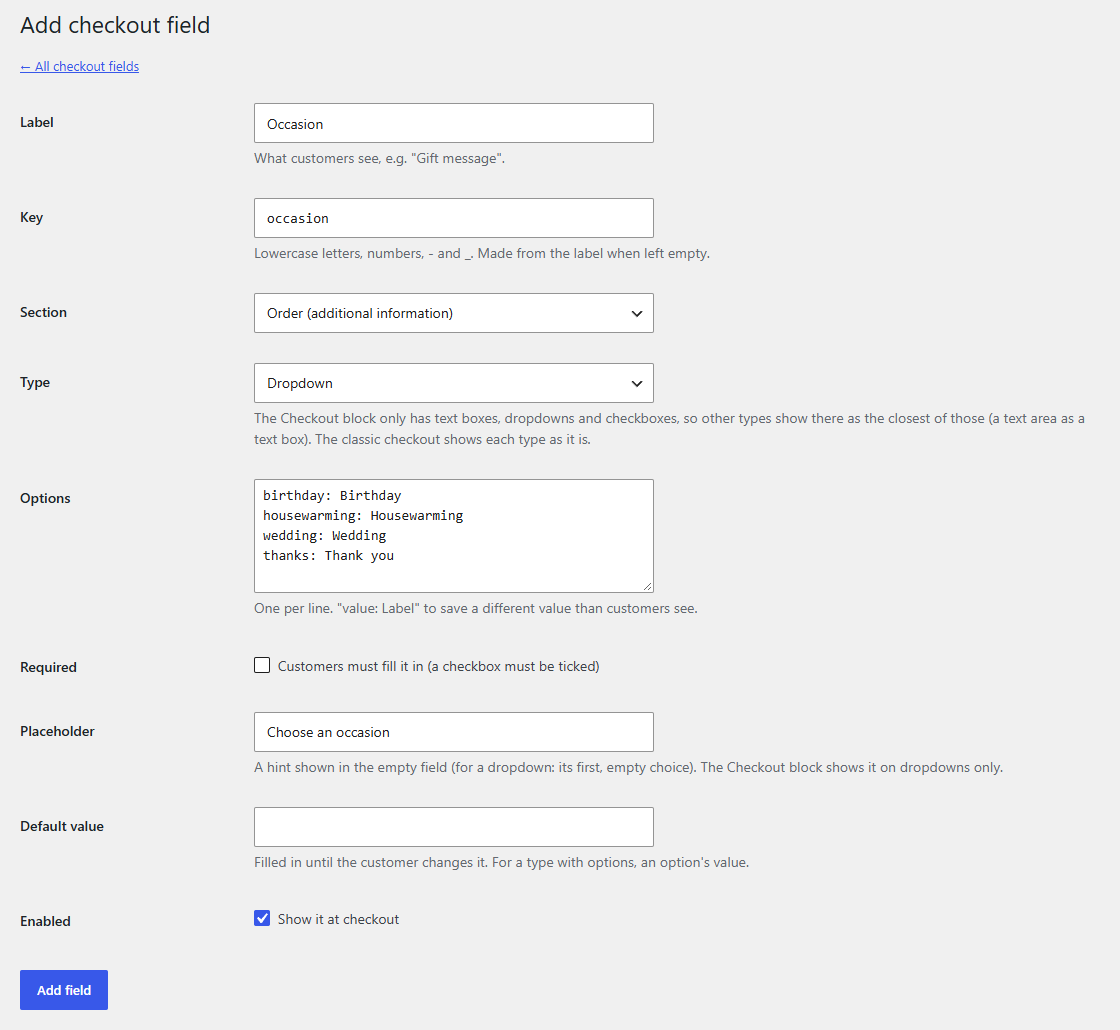
- Go to WooCommerce → Checkout Fields and click Add field.
- Give it a label, choose its section and type, and click Add field. It shows at checkout straight away.
Änderungsprotokoll
1.0.2
- Changed: New plugin name.
1.0.1
- Fix: on a multisite network, deleting the plugin now removes a site’s data only if that site chose to; deactivating it on one site no longer decides for the others.
1.0.0
- Erste Veröffentlichung.
Screenshots

Für Entwickler
Ist das dein Plugin? Zeigen Sie die Zahlen.
Fügen Sie Ihrer Website, Docs oder GitHub Readme ein Live-Badge hinzu. Es wird von selbst aktualisiert - kein Konto erforderlich.
Best Checkoutline alternatives
All checkout block plugins →





Fragen und Antworten
Checkoutline: quick answers
Gerade Antworten, gezogen von Live WordPress.org Daten.
Quelle: WordPress.org
Is Checkoutline free?
Yes. Checkoutline is free to download and use from the official WordPress.org plugin directory.
Is Checkoutline safe to use in 2026?
Checkoutline works, but test it on a staging site before relying on it in 2026. Was last updated 1 month ago, and scores 60/100 on our health check.
How many websites use Checkoutline?
Checkoutline is active on <10 WordPress websites and has been downloaded 158 times since it launched in October 2026. It was downloaded 112 times in the last 30 days.
Does Checkoutline work with WordPress 7.1?
Yes. The developer has tested Checkoutline up to WordPress 7.1.5, the latest release. It requires WordPress 6.5 or newer.
What PHP version does Checkoutline need?
Checkoutline requires PHP 7.4 or higher. Most hosts run PHP 8.x today, so it works on any modern WordPress hosting.
When was Checkoutline last updated?
The latest version, 1.0.2, was released on October 28, 2026 (1 month ago).
Who makes Checkoutline?
Checkoutline is developed and maintained by Extendiment.
What are the best alternatives to Checkoutline?
The most popular alternatives to Checkoutline are Checkout & Store Toolkit fo… (800+ installs), Checkout Field Visibility f… (20+ installs) and Unwan (10+ installs).
Angetrieben von PageForge
Eine Vorlage und eine Tabelle. Eine echte Seite für jede Suche.
PageForge Verwandelt jede Zeile eines CSV in eine WordPress-Seite mit eigenem Titel, URL, SEO Felder und Schema entworfen. Kostenlos auf WordPress.org.
- CSV und XLSX, plus Google Sheets auf Beruf und Unternehmen
- seinen eigenen Titel, URL, SEO Felder und Schema für jede Seite
- Arbeitet mit dem Blockeditor, Elementor, Divi und Avada
- Kostenlos auf WordPress.org, keine Kreditkarte