

PublishPress Capabilities: User Role Access Control, Admin Area Permissions
User role editing for WordPress. Manage user roles, control capabilities and permissions, and restrict admin access for any role.

Sichere Auswahl
Yes — PublishPress Capabilities: User… is a safe, well-maintained plugin to use in 2026. It runs on 90K+ sites, is rated 4.7/5 and was last updated 2 days ago, and scores 95/100 on our health check.
- Bewährt im Maßstab auf 90k + aktiven Standorten
- Loved by users — 4.7/5 from 144 reviews
- Aktiv entwickelt — Letztes Update vor 2 Tagen
- Getestet mit dem neuesten WordPress (7.1)
- Benötigt PHP 8.2 oder neuer
Wie stapelt es sich?
Side-by-side bei Installationen, Updates, Bewertungen und Support



Tägliche Downloads
Download-Spitzen folgen normalerweise einer neuen Version - jede Website, die automatisch aktualisiert wird, gilt als Download.
Ranglisten
Where PublishPress Capabilities:… stands todayWordPress.org Ranglisten suchen
Live-Position in der Plugin-Suche, Top 100| Stichwort | Position |
|---|---|
| access-control | #3 |
| capabilities | #1 |
| permissions | #3 |
| user role editor | #5 |
| user roles | #6 |
Versionsübernahme
Anteil aktiver Sites pro Release.
Bewertungsaufschlüsselung
★★★★★★★★★★ 4.7 from 144 reviews
About PublishPress Capabilities: User Role Ac…
From the official readme · v2.54.0Beschreibung
PublishPress Capabilities is a user role editor for WordPress. You can edit user roles, create new ones, and control every capability and permission on your site — without writing code.
You can manage all your WordPress user roles, from Administrators and Editors to Authors, Contributors, Subscribers and custom roles. Each user role gets exactly the capabilities your site needs, and every change is backed up automatically so you can roll it back.
Beyond roles, PublishPress Capabilities cleans up what each role actually sees. You can decide what authors see when they’re writing posts, hide any feature on the block editor or Classic Editor screens, and remove items from the WordPress dashboard, toolbar and Profile screen.
The Key Features of PublishPress Capabilities
- Roles: Edit, create, or duplicate any WordPress user role.
- Capabilities: Control all WordPress and plugin capabilities from one screen.
- Editor Features: Decide what users see when they’re writing posts in the block editor or the Classic Editor.
- Admin Features: Remove items from the WordPress admin, toolbar, and dashboard widgets.
- Admin Styles: Customize the admin area with your own branding, per user role.
- Admin Menus: Edit admin menu links and control who can access them.
- Profile Features: Hide features for users on the “Profile” screen.
- Redirects: Control where users are sent when they log in, log out, or register.
- Frontend Features: Modify your site’s frontend by hiding elements or adding CSS, targeted by role.
- Navigation Menus: Restrict access to navigation menus by user role or logged-in status.
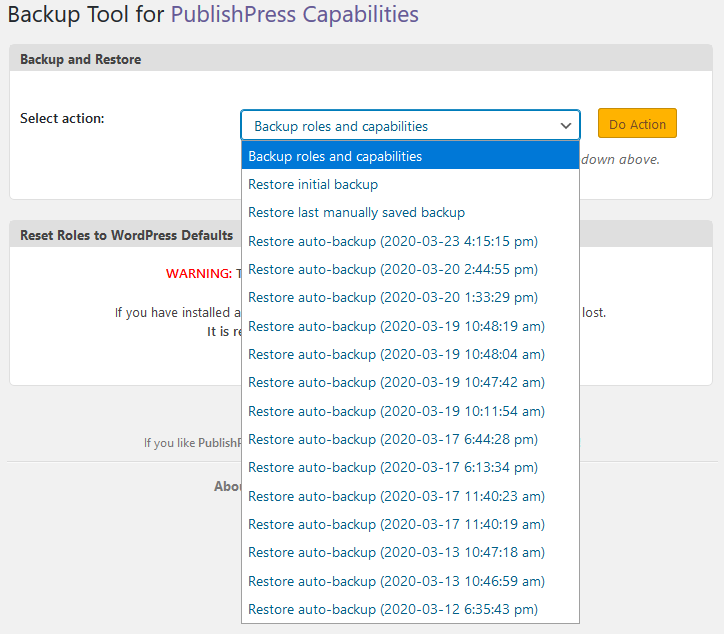
- Automatic Backups: Every permissions change is backed up, so any mistake can be rolled back.
- User Testing: Safely test any user’s account without resetting their password.
- Admin Notices: Organize all the messages and advertisements in your admin area.
1. Roles
PublishPress Capabilities gives you detailed control over all the permission levels on your WordPress site. You can edit user roles on your site, from Administrator and Editor to Contributor and Subscriber.
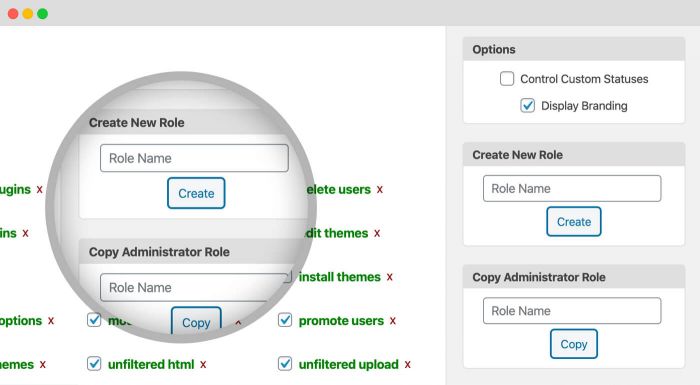
With PublishPress Capabilities you can create or copy any existing WordPress user role. These roles can be customized in exactly the same way as the default WordPress roles. These new roles can be added to single sites or to an entire multisite network.
Click here to see how to manage user roles.
2. Capabilities
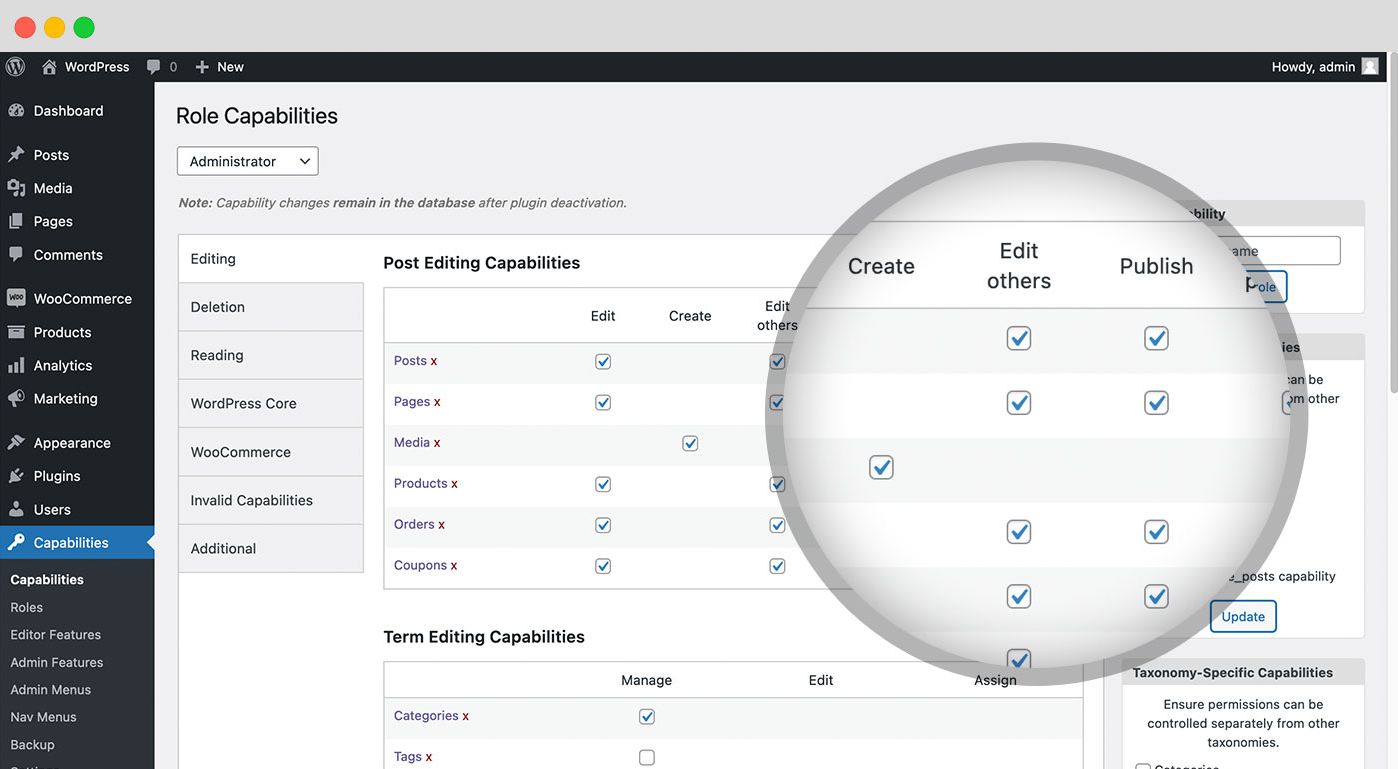
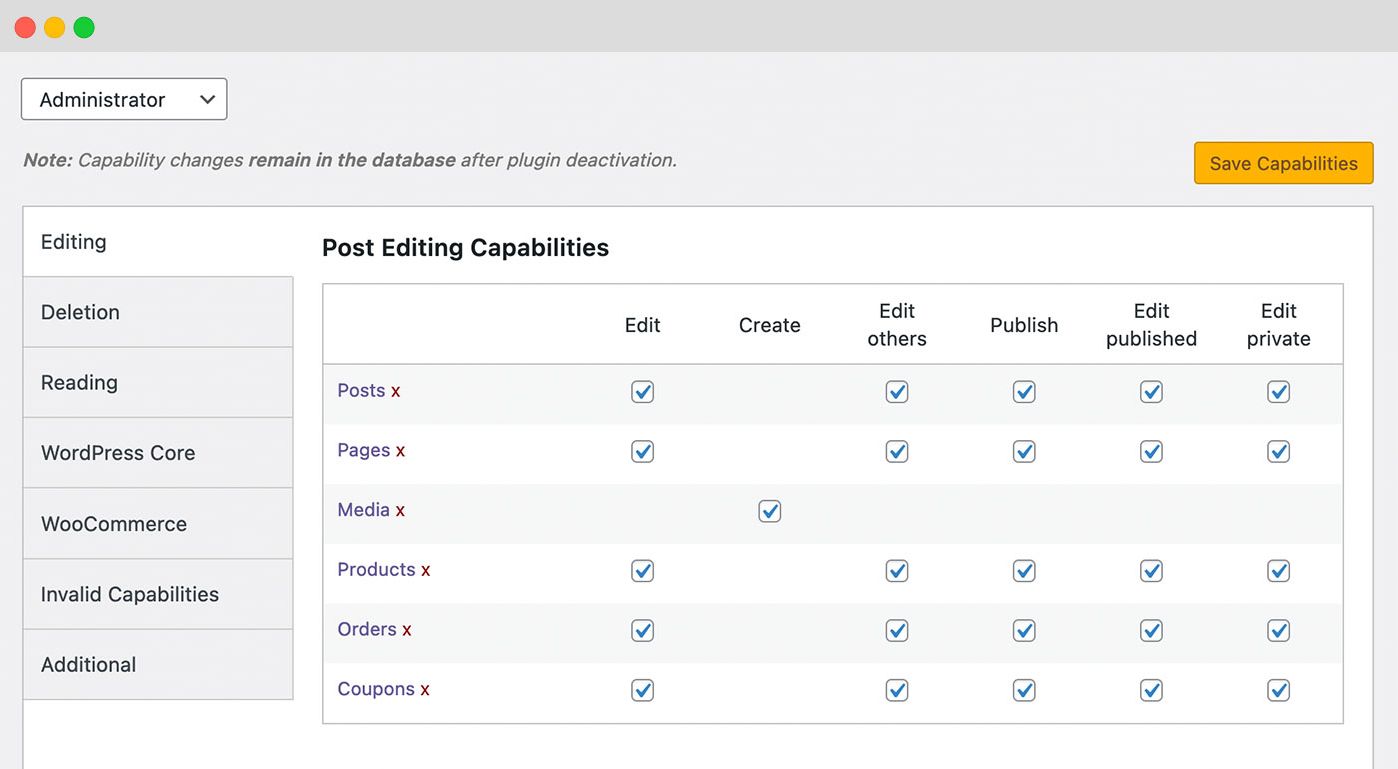
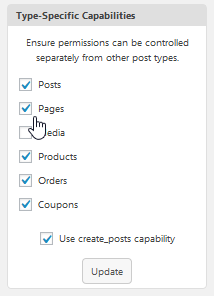
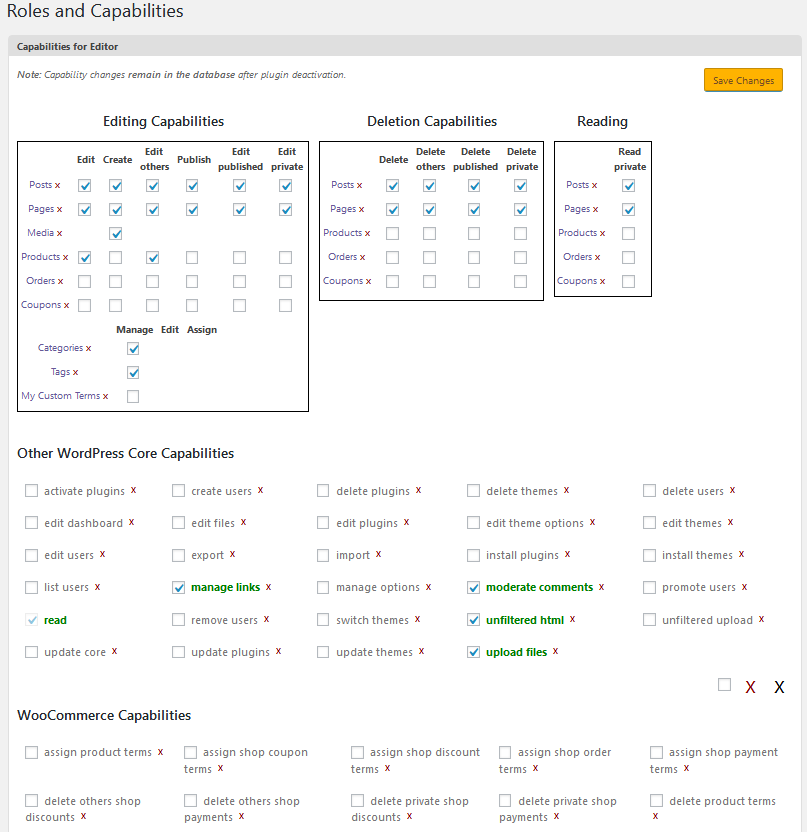
With the Capabilities plugin, you can choose who can Publish, Read, Edit and Delete content. You can choose permissions for posts, pages, custom content types, categories, tags, and more.
Click here to see how to manage capabilities.
Many WordPress users have sites with custom post types. This can be done using custom code, a theme, or with a plugin. No matter how your post type is created, PublishPress Capabilities lets you enforce and assign distinct capabilities for your post type.
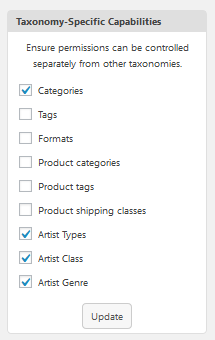
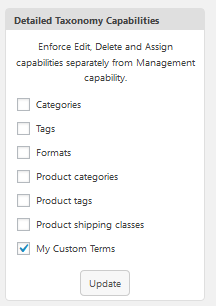
PublishPress Capabilities enables you to add extra permissions to the taxonomies on your site. This feature includes the default Categories and Tags, but also applies to other taxonomies. For example, in WooCommerce you can apply custom permissions to Product categories, Product tags, and Product shipping classes. You can enforce and assign “Manage”, “Edit” and “Assign” distinct capabilities for all your taxonomies.
Click here to learn about taxonomy permissions.
3. Editor Features
PublishPress Capabilities has an option called “Editor Features” allows you to clean up the post editing screen. You can decide what users see when they’re writing posts. You can hide anything on the Gutenberg or Classic Editor screens. You can hide boxes inside the sidebar such as Tags, Categories, or Excerpt. You can hide the “Publish” button. You can even hide the post title, body, or permalink. This is a great alternative to plugins such as Adminimize.
Click here to learn about hiding editor features.
WordPress has a feature called “metaboxes”. This is a strange name, but you have seen them often if you use WordPress. When a user edits a post, the edit screen has several default boxes: Status & visibility, Featured image, Categories, Tags, etc. These boxes are metaboxes. Plugins can add also add their own metaboxes. The Pro version of the PublishPress Capabilities plugin allows you to hide metaboxes for specific user roles.
Click here to learn about hiding metaboxes.
4. Admin Features
Admin Features allows you to hide items in the WordPress admin area and toolbar. You can decide what users see in your WordPress dashboard. You can use this option to hide all the links in the toolbar including “About WordPress”, “Visit Site” and more. You can also hide dashboard widgets such as “At a Glance”, “Quick Draft”, and “WordPress Events and News”.
Click here to learn about removing toolbar items and dashboard widgets.
5. Admin Styles
The Admin Styles feature allows you to customize the WordPress admin area with your own branding. You can change the color scheme and visual features for the admin screens. It’s also possible to have different settings for different user roles.
Click here to learn about customizing the admin area with your own branding..
6. Admin Menus
With PublishPress Capabilities you can edit all your admin menu links. You can also restrict access to admin menu screens by user roles. This is useful because many plugin do not have any way to control who can access their admin screens.
Adding new menu links, submenu links, and separators is available in PublishPress Capabilities Pro. In the free version, the Add New form previews this feature with an upgrade panel.
Click to see how to block Admin menu access.
7. Profile Features
“Profile Features” allows you to hide features in the “Profile” screen. You can decide what users see in their accounts. This “Profile” area is used as a dumping ground for the settings of many different plugins.
Click here to learn about the Profile Features option.
8. Redirects
PublishPress Capabilities has a “Redirects” screen that allows you to control where users are sent before and after logging in to your site. There are four options available:
* Login Redirect: Where users are sent when they log in.
* Logout Redirect: Where users are sent when they log out.
* Registration Redirect: Where users are sent when they register on your site.
* First Login Redirect: Where users are sent when they log in to your site for the first time.
Click to see how to redirect users.
9. Frontend Features
The “Frontend Features” screen allows you to modify the features that show on the frontend of your website. You can choose to hide IDs or classes, add CSS styles, or add body classes. All of these changes can be targeted to specific user roles.
Click here to learn about frontend changes.
10. Navigation Menu Restrictions
PublishPress Capabilities enables you to restrict access to navigation menus by roles, logged in and logged out users. This is useful because a default WordPress site does not give you way to control the visibility of your links.
Click to see how to block frontend menu access.
11. Automatic Backups. PublishPress Capabilities is Safe to Use
PublishPress Capabilities is completely safe to use. Every time you change your site’s permissions, this plugin will take a backup that you can restore if anything goes wrong. You can use these backups to migrate your roles and permissions from one site to another.
This security feature is also very helpful if you want to test out changes on your site, or if you’ve installed a new plugin that has changed your site’s permissions.
Every time you change your permissions, the PublishPress Capabilities plugin will now automatically create a backup. If you make a mistake, go to the “Backup” menu link and you’ll be able to roll back to a previous version.
Click here to see how to backup permissions.
12. User Testing / User Switching
If you run a WordPress website which allows users to log in, you probably spend a lot of time answering account questions or solving website bugs for your users. Site administrators often have to browse their site and see exactly what the user sees. They need to test the user’s account without resetting their password. This is possible with PublishPress Capabilities.
Click here to learn about user testing.
13. Admin Notices
This feature helps organize messages and advertisements in your WordPress admin area. It helps remove clutter from your WordPress experience. This feature will organize all these admin notices into a new area in the top-right corner of your screen. This “Admin Notices” area will show all the notices in a clean, organized area. Nothing is changed about the notices so you can deal with them as normal. The only difference is that you won’t be pestered by these notices on your main admin dashboard.
Click here to learn about Admin Notices.
Support for Media Library Permissions
PublishPress Capabilities enables you to decide who can upload, edit and delete files from your site’s Media Library. By default, only Administrators are able to delete files in your Media Library. Subscribers and Contributors are not even allowed to upload files. You can customize these permissions for the Media Library and also the Featured Image box.
Click here to learn about Media Library permissions.
Support for WooCommerce Permissions
We mentioned earlier that PublishPress Capabilities has special support for WooCommerce taxonomies. This is true for the rest of WooCommerce also. With PublishPress Capabilities you can control permissions for WooCommerce products, orders and coupons.
Click here to learn about WooCommerce permissions.
Support for WordPress Multisite
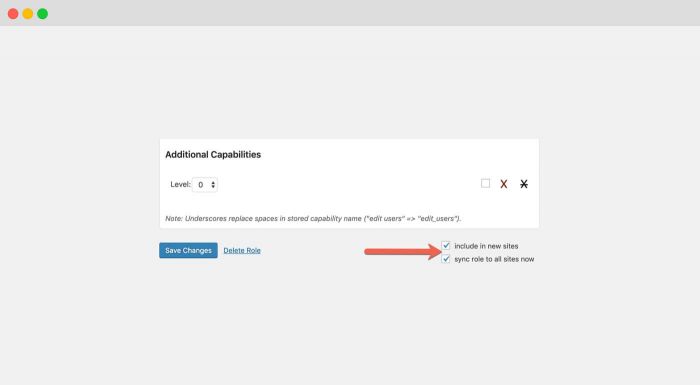
PublishPress Capabilities allows you to control permissions on a single site or across your whole network. Every time you update permissions in PublishPress Capabilities, you can choose to sync those changes across your multisite network.
Click here to learn about multisite permissions.
PublishPress Capabilities Pro
Upgrade to Capabilities Pro
This plugin is the free version of PublishPress Capabilities. With Capabilities Pro you can also edit admin menu links, hide metaboxes for specific roles, block admin pages by URL, and manage access to posts, pages, media and custom post types. Click here to control access to your WordPress site with Capabilities Pro!
Join PublishPress and get the Pro plugins
The Pro versions of the PublishPress plugins are well worth your investment. The Pro versions have extra features and faster support. Click here to join PublishPress.
Join PublishPress and you’ll get access to these Pro plugins:
- PublishPress Authors Pro allows you to add multiple authors and guest authors to WordPress posts.
- PublishPress Blocks Pro has everything you need to build professional websites with the WordPress block editor.
- PublishPress Capabilities Pro is the plugin to manage your WordPress user roles, permissions, and capabilities.
- PublishPress Checklists Pro enables you to define tasks that must be completed before content is published.
- PublishPress Future Pro is the plugin for scheduling changes to your posts.
- PublishPress Permissions Pro is the plugin for restricted content and advanced WordPress permissions.
- PublishPress Planner Pro is the plugin for managing and scheduling WordPress content.
- PublishPress Revisions Pro allows you to update your published pages with teamwork and precision.
- PublishPress Series Pro enables you to group content together into a series.
- PublishPress Shortlinks Pro allows you to create custom URLs for your posts and external links.
- PublishPress Statuses Pro enables you to create additional publishing steps for your posts.
Together, these plugins are a suite of powerful publishing tools for WordPress. If you need to create a professional workflow in WordPress, with moderation, revisions, permissions and more… then you should try PublishPress.
Bug Reports
Bug reports for PublishPress Capabilities are welcomed in our repository on GitHub. Please note that GitHub is not a support forum, and that issues that aren’t properly qualified as bugs will be closed.
Änderungsprotokoll
The full changelog can be found on GitHub.
Screenshots
Für Entwickler
Ist das dein Plugin? Zeigen Sie die Zahlen.
Fügen Sie Ihrer Website, Docs oder GitHub Readme ein Live-Badge hinzu. Es wird von selbst aktualisiert - kein Konto erforderlich.
Best PublishPress Capabilities: Us… alternatives
All access-control plugins →





Fragen und Antworten
PublishPress Capabilities: User Rol…: quick answers
Gerade Antworten, gezogen von Live WordPress.org Daten.
Quelle: WordPress.org
Is PublishPress Capabilities: User… free?
Yes. PublishPress Capabilities: User… is free to download and use from the official WordPress.org plugin directory.
Is PublishPress Capabilities: User… safe to use in 2026?
Yes — PublishPress Capabilities: User… is a safe, well-maintained plugin to use in 2026. It runs on 90K+ sites, is rated 4.7/5 and was last updated 2 days ago, and scores 95/100 on our health check.
How many websites use PublishPress Capabilities: User…?
PublishPress Capabilities: User… is active on 90K+ WordPress websites and has been downloaded 4,492,756 times since it launched in July 2012. It was downloaded 60,173 times in the last 30 days.
Does PublishPress Capabilities: User… work with WordPress 7.1?
Yes. The developer has tested PublishPress Capabilities: User… up to WordPress 7.1.5, the latest release. It requires WordPress 5.5 or newer.
What PHP version does PublishPress Capabilities: User… need?
PublishPress Capabilities: User… requires PHP 8.2 or higher. Most hosts run PHP 8.x today, so it works on any modern WordPress hosting.
When was PublishPress Capabilities: User… last updated?
The latest version, 2.54.0, was released on November 18, 2026 (2 days ago).
Who makes PublishPress Capabilities: User…?
PublishPress Capabilities: User… is developed and maintained by PublishPress.
What are the best alternatives to PublishPress Capabilities: User…?
The most popular alternatives to PublishPress Capabilities: User… are Content Control (40K+ installs), Restrict User Access (10K+ installs) and PublishPress Permissions: A… (10K+ installs).
Angetrieben von PageForge
Eine Vorlage und eine Tabelle. Eine echte Seite für jede Suche.
PageForge Verwandelt jede Zeile eines CSV in eine WordPress-Seite mit eigenem Titel, URL, SEO Felder und Schema entworfen. Kostenlos auf WordPress.org.
- CSV und XLSX, plus Google Sheets auf Beruf und Unternehmen
- seinen eigenen Titel, URL, SEO Felder und Schema für jede Seite
- Arbeitet mit dem Blockeditor, Elementor, Divi und Avada
- Kostenlos auf WordPress.org, keine Kreditkarte