


Kalender
A simple but effective Calendar plugin for WordPress that allows you to manage your events and appointments and display them to the world on your website.

Mit Vorsicht verwenden
Calendar works, but test it on a staging site before relying on it in 2026. It runs on 4K+ sites, is rated 3.7/5 and was last updated 7 months ago, and scores 44/100 on our health check.
- Momentum — downloads up 19.5% vs the previous 30 days
- Nur getestet bis WordPress 6.9 (letzt ist 7.1)
Wie stapelt es sich?
Side-by-side bei Installationen, Updates, Bewertungen und Support



Tägliche Downloads
Download-Spitzen folgen normalerweise einer neuen Version - jede Website, die automatisch aktualisiert wird, gilt als Download.
Ranglisten
Where Calendar stands todayWordPress.org Ranglisten suchen
Live-Position in der Plugin-Suche, Top 100| Stichwort | Position |
|---|---|
| calendar | #31 |
| dates | #47 |
| Veranstaltungen | >100 |
| times | #70 |
Versionsübernahme
Anteil aktiver Sites pro Release.
Bewertungsaufschlüsselung
★★★★★★★★★★ 3.7 from 24 reviews
About Calendar
From the official readme · v1.3.18Beschreibung
A simple but effective Calendar plugin for WordPress that allows you to
manage your events and appointments and display them to the world on your
website.
Eigenschaften:
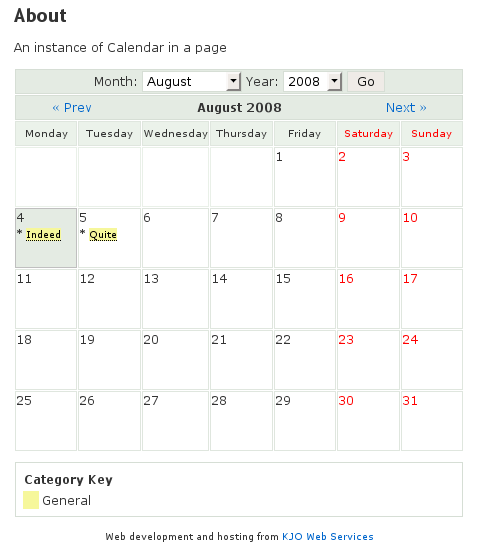
- Monthly view of events
- Mouse-over details for each event
- Events can have a timestamp (optional)
- Events can display their author (optional)
- Events can span more than one day
- Multiple events per day possible
- Events can repeat on a weekly, monthly (set numerical day), monthly (set textual day) or yearly basis
- Repeats can occur indefinitely or a limited number of times
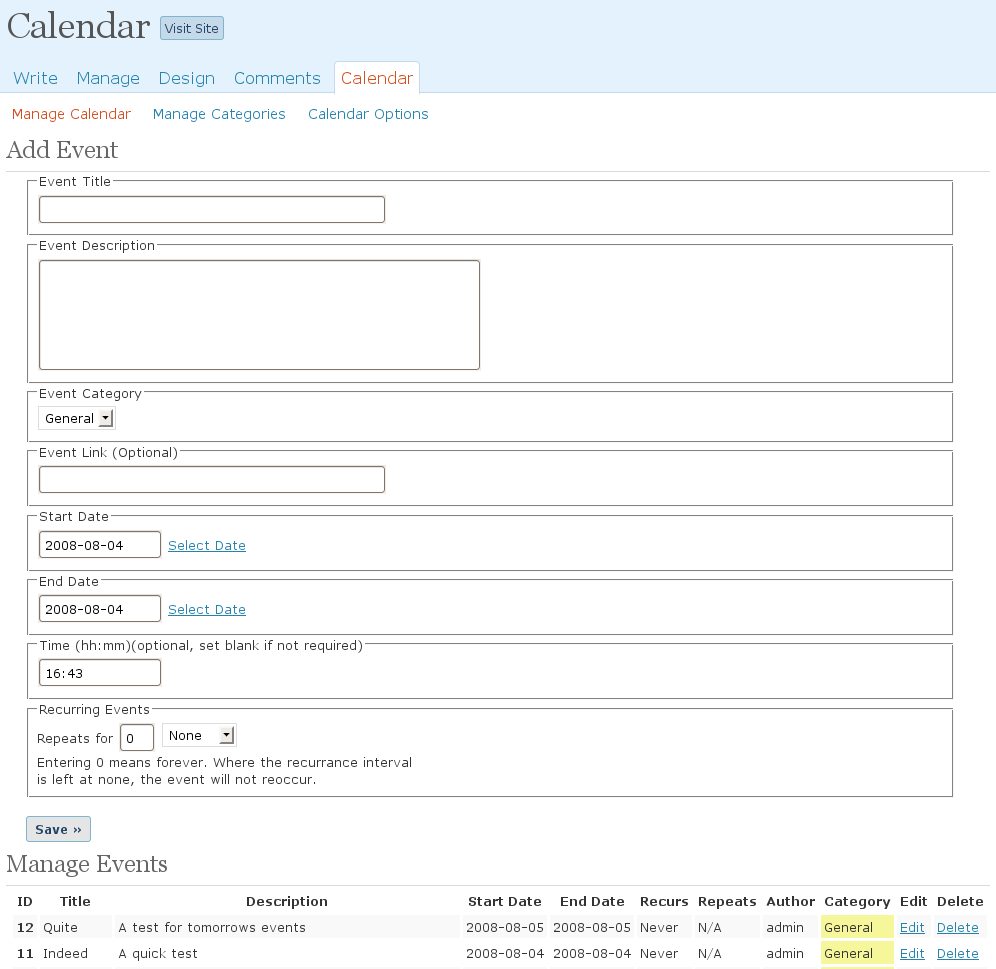
- Easy to use events manager in admin dashboard
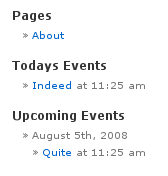
- Sidebar function/Widget to show todays events
- Sidebar function/Widget to show upcoming events
- Lists of todays events can be displayed in posts or pages
- Lists of upcoming events can be displayed in posts or pages
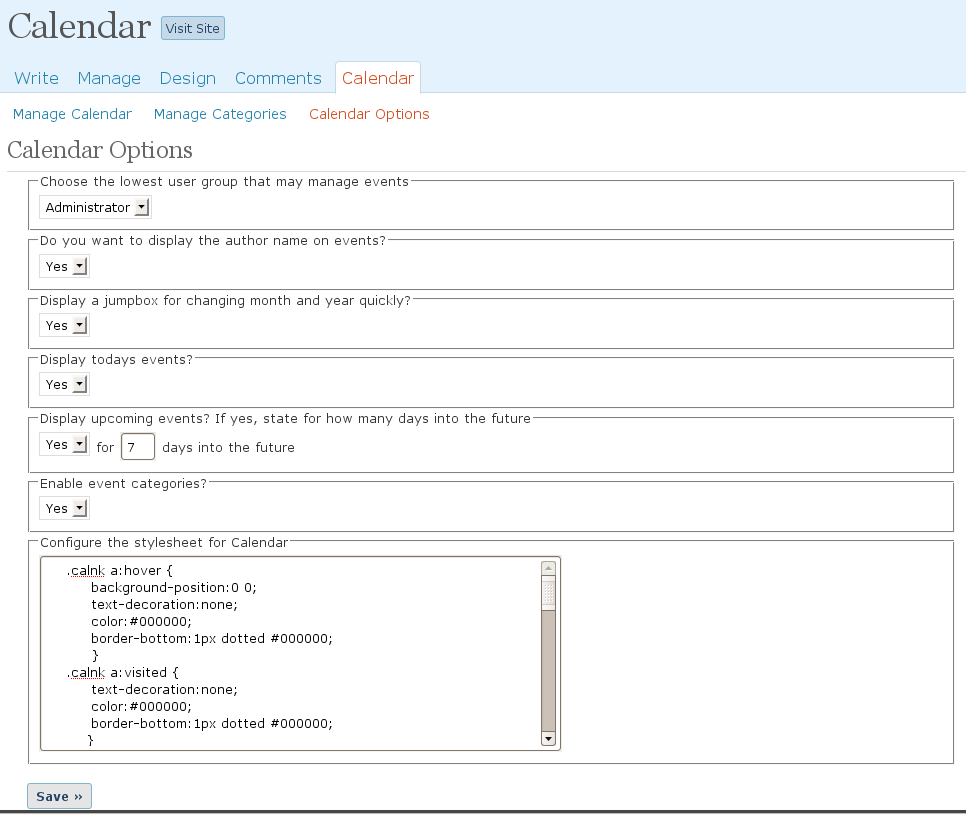
- Comprehensive options panel for admin
- Modifiable CSS using the options panel
- Optional drop down boxes to quickly change month and year
- User groups other than admin can be permitted to manage events
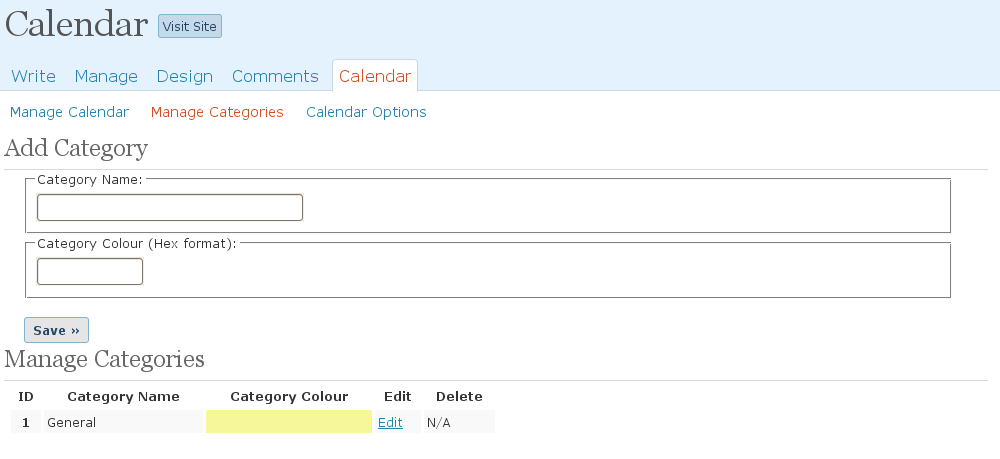
- Events can be placed into categories
- A calendar of events for just one of more categories can be displayed
- Categories system can be switched on or off
- Pop up javascript calendars help the choosing of dates
- Events can be links pointing to a location of your choice
- Full internationalisation is possible
- Comaptible with WordPress MU
- iCalendar feed of events can be made accessible
Installation
The installation is extremely simple and straightforward. It only takes a second.
Installing
- Upload the whole calendar directory into your WordPress plugins directory.
- Activate the plugin on your WordPress plugins page
- Configure Calendar using the following pages in the admin panel: Calendar -> Manage Calendar, Calendar -> Manage Categories, and Calendar -> Calendar Options
- Edit or create a page on your blog which includes the text
{CALENDAR}and visit
the page you have edited or created. You should see your calendar in action. - You’ll see two new widgets, “Today’s Events” and “Upcoming Events” that will render data from the plugin. These can
be configured with custom titles and limited to certain categories by specifying their IDs, comma separated - Additional data from the calendar may be inserted into posts and pages using the following legacy tags. Note the
inclusion of optional category ids to limit display in this way
{CALENDAR} or {CALENDAR;1} or {CALENDAR;1,2}
{MINICAL} or {MINICAL;1} or {MINICAL;1,2}
{TODAYS_EVENTS} or {TODAYS_EVENTS;1} or {TODAYS_EVENTS;1,3}
{UPCOMING_EVENTS} or {UPCOMING_EVENTS;1} or {UPCOMING_EVENTS;1,3} - Later versions of the plugin also support the new WordPress short code system, examples as follows
[calendar] or [calendar categories=”1,3″] or [calendar type=”mini” categories=”1″] or [calendar type=”upcoming”] - There is an iCalendar available within calendar. Once activated on the calendar options page, simply visit your site
with calendar_feed appended, e.g.
example.com/?calendar_feed - If you’re coding your own theme or plugin, you can call out to calendar functions directly to include content
calendar() or calendar(“1”) or calendar(“1,3”)
alternatively all the below using similar variations to the above for categories
calendar_minical() or calendar_upcoming_events() or calendar_todays_events()
Upgrading from 1.2 or later
- Deactivate the plugin (you will not lose any events)
- Remove your current calendar directory from the WordPress plugins directory
- Upload the whole calendar directory into your WordPress plugins directory.
- Activate the plugin on your WordPress plugins page
Upgrading from 1.1
- Deactivate the plugin (you will not lose any events)
- Remove the Rewrite rules from your .htaccess file that you added
when you first installed Calendar. - Delete plugins/calendar.php, wp-admin/edit-calendar.php, wp-calendar.php
- Upload the whole calendar directory into your WordPress plugins directory.
- Activate the plugin on your WordPress plugins page
Deinstallieren
- Deactivate the plugin on the plugins page of your blog dashboard
- Delete the uploaded files for the plugin
- Delete the following database tables wp_calendar, wp_calendar_config and wp_calendar_categories
- Remove the text
{CALENDAR}from the page you were using to show calendar, or delete that page
Änderungsprotokoll
1.3.18
- Fixed XSS issue with event link
1.3.17
- Fixed CVE-2025-14548
- Checked compatibility with WordPress 6.9
- Corrected missing domain on some i18n calls
- Updated POT file for translations
- Achieved green check on latest Plugin Check version (1.7)
- Hook add_calendar_entry renamed to calendar_add_entry for compatibility with other plugins
- Filter modify_drawn_event_content renamed to calendar modify_drawn_event_content to avoid clashes with other plugins
- Filter modify_calendar_link renamed to calendar_modify_link to avoid clashes with other plugins
1.3.16
- Fixed error on event save for some users; Attempt to assign property “event_title” on null
- Fixed DB error when attempting to display a calendar with a limited number of categories
- Ensured the version of calendar is correctly updated in the DB upon upgrade
- Checked compatibility with WordPress 6.6
1.3.15
- Fixed CVE-2024-2831
- Refactored DB calls to increase code re-use, improve auditability and harden security
- Comprehensive review and refactor of all variable reads, writes and sanitising
- Brought code and comments up to latest WordPress standards resulting in clean sheet on “Plugin Check”
- Upgraded widgets to OOP, now supporting WYSIWYG operation in editor
- Adjustments to storage approach and widget upgrades may require editing of some events/widgets to correct formatting
1.3.14
- Correcting CSS that was inadvertently overriding wider site elements
- Removed use of date_i18n – this changed in WordPress 5.3 and now causes undesired operation on upcoming events
- Enhanced use of CSS colours; added backgrounds on mini calendar, add option to improve category foreground contrast
- Adding span wrappers around * and “all day” elements with CSS classes to permit removal if so desired
- Validated performance and compatibility with latest version of WordPress
1.3.13
- Fixed loading order issue with internationalisation
- Enabled the full 30 characters in the title, even for unicode
- Fix ability to add basic HTML (line breaks etc.) into event descriptions
- Validated performance and compatibility with latest version of WordPress
Screenshots
Für Entwickler
Ist das dein Plugin? Zeigen Sie die Zahlen.
Fügen Sie Ihrer Website, Docs oder GitHub Readme ein Live-Badge hinzu. Es wird von selbst aktualisiert - kein Konto erforderlich.
Best Calendar alternatives
All calendar plugins →




Fragen und Antworten
Calendar: quick answers
Gerade Antworten, gezogen von Live WordPress.org Daten.
Quelle: WordPress.org
Is Calendar free?
Yes. Calendar is free to download and use from the official WordPress.org plugin directory.
Is Calendar safe to use in 2026?
Calendar works, but test it on a staging site before relying on it in 2026. It runs on 4K+ sites, is rated 3.7/5 and was last updated 7 months ago, and scores 44/100 on our health check.
How many websites use Calendar?
Calendar is active on 4K+ WordPress websites and has been downloaded 682,923 times since it launched in May 2007. It was downloaded 1,162 times in the last 30 days.
Does Calendar work with WordPress 7.1?
Calendar is officially tested up to WordPress 6.9.12, while the latest release is 7.1.5. It may still work, but try it on a staging site first.
When was Calendar last updated?
The latest version, 1.3.18, was released on May 16, 2026 (7 months ago).
Who makes Calendar?
Calendar is developed and maintained by Kieran O'Shea.
What are the best alternatives to Calendar?
The most popular alternatives to Calendar are The Events Calendar (600K+ installs), Events Manager (60K+ installs) and SimplyBook.me (30K+ installs).
Angetrieben von PageForge
Eine Vorlage und eine Tabelle. Eine echte Seite für jede Suche.
PageForge Verwandelt jede Zeile eines CSV in eine WordPress-Seite mit eigenem Titel, URL, SEO Felder und Schema entworfen. Kostenlos auf WordPress.org.
- CSV und XLSX, plus Google Sheets auf Beruf und Unternehmen
- seinen eigenen Titel, URL, SEO Felder und Schema für jede Seite
- Arbeitet mit dem Blockeditor, Elementor, Divi und Avada
- Kostenlos auf WordPress.org, keine Kreditkarte