


Button Generator – Easily Create Custom Buttons with Icons and Analytics
Design and display custom buttons anywhere on your site. Add floating or inline buttons with icons, advanced targeting, and built-in analytics.

Solide Wahl
Button Generator is a solid plugin choice in 2026, with a few things worth checking first. It runs on 4K+ sites, is rated 4.3/5 and was last updated 2 months ago, and scores 66/100 on our health check.
- Getestet mit dem neuesten WordPress (7.1)
Wie stapelt es sich?
Side-by-side bei Installationen, Updates, Bewertungen und Support



Tägliche Downloads
Download-Spitzen folgen normalerweise einer neuen Version - jede Website, die automatisch aktualisiert wird, gilt als Download.
Ranglisten
Where Button Generator stands todayWordPress.org Ranglisten suchen
Live-Position in der Plugin-Suche, Top 100| Stichwort | Position |
|---|---|
| buttons | #34 |
| call button | #9 |
| contact button | #14 |
| floating button | #14 |
| floating menu | #32 |
Versionsübernahme
Anteil aktiver Sites pro Release.
Bewertungsaufschlüsselung
★★★★★★★★★★ 4.3 from 18 reviews
About Button Generator
From the official readme · v3.2.7Beschreibung
Button Generator is a lightweight and powerful WordPress plugin that lets you create fully customizable buttons with icons, styles, and built-in analytics — without writing a single line of code.
Add floating buttons, inline buttons, or call-to-action buttons anywhere on your website. Each button can be customized with full control over size, colors, fonts, borders, and effects. You can also add icons, define button placement, and track performance with detailed analytics.
With Button Generator, you can design contact buttons, floating buttons, sticky action buttons, or button with any link.
🎨 Boost engagement. 💡 Improve navigation. 📈 Track results.
Merkmale
🛠️ Intuitive Button Builder
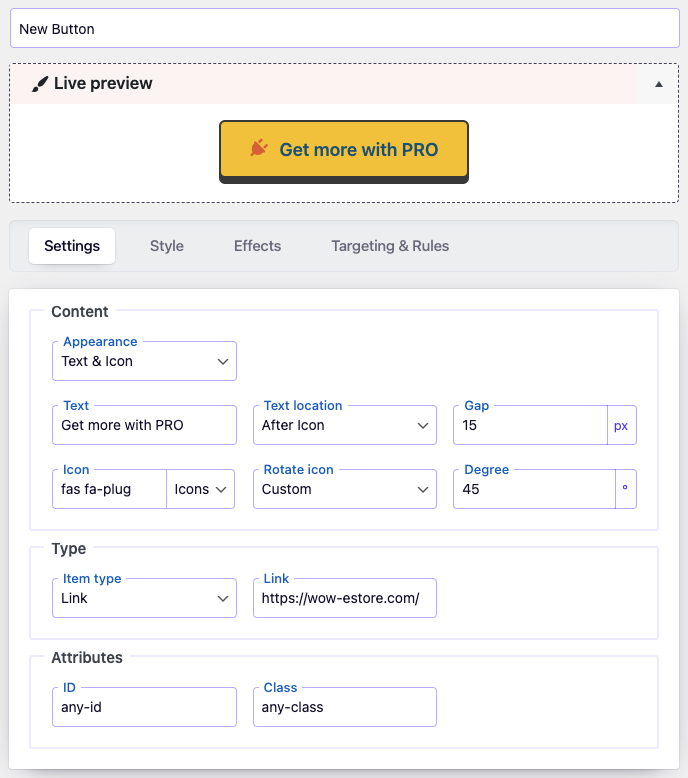
- Visual live preview while editing your buttons
- Choose between text buttons, icon buttons, or a mix of both
- Add links and attributes (ID, class, aria-label) for accessible buttons
🎨 Style Control
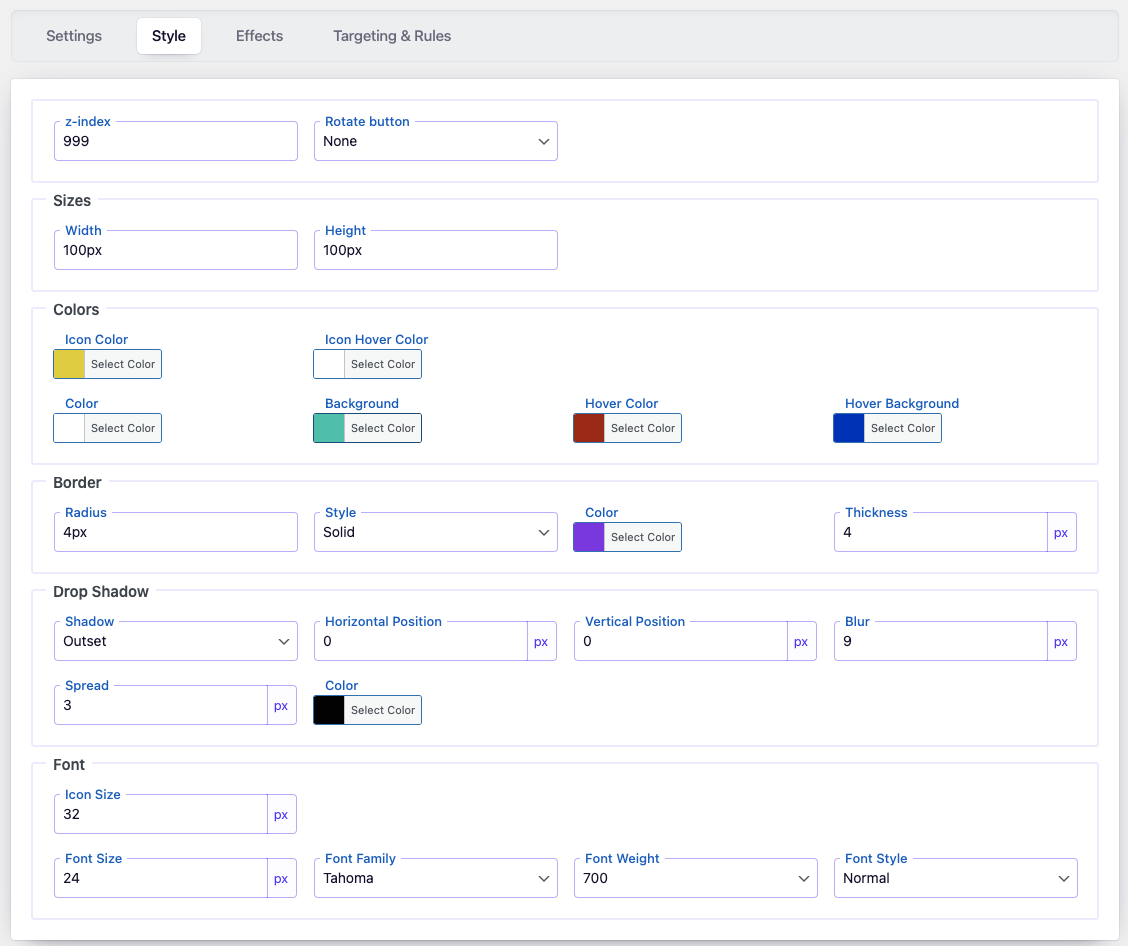
- Set button width, height, and z-index
- Customize colors for button text, background, icons, and hover states
- Border settings: style, radius, thickness
- Drop shadow options for standout buttons
- Font settings: family, weight, size, style
💫 Effects
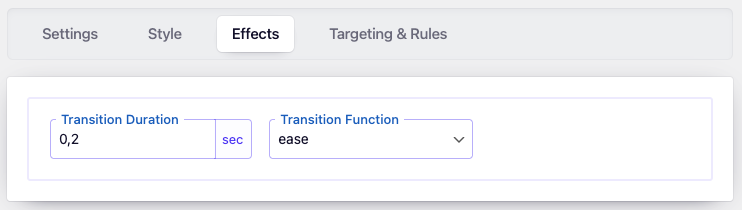
- Smooth button animations with custom transition duration
- Choose easing functions (ease, linear, etc.)
🎯 Display & Targeting
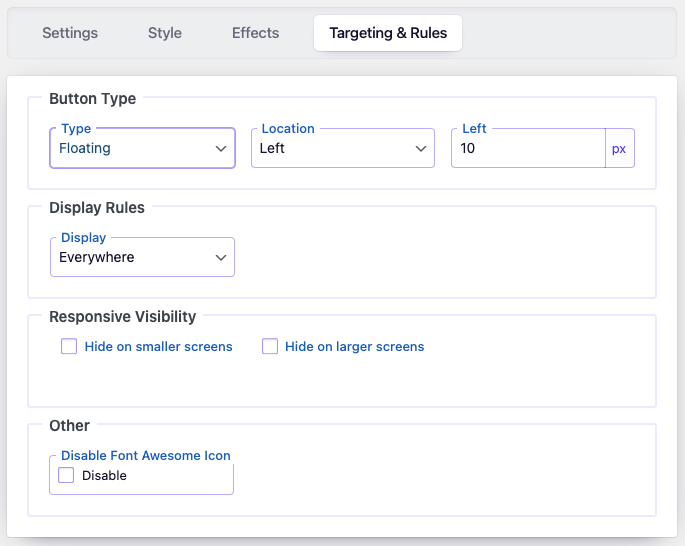
- Floating or inline button types
- Position buttons anywhere on the screen
- Display buttons via shortcode or advanced targeting rules (posts, pages, categories, tags, authors, archives)
- Responsive visibility: show or hide buttons on mobile or desktop
- Option to disable Font Awesome loading if not needed
📊 Analytics & Controls
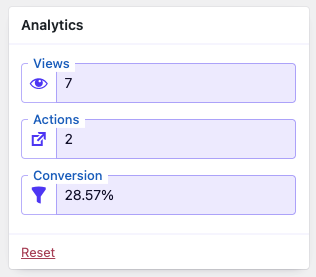
- Built-in tracking for button views, clicks, and conversion rates
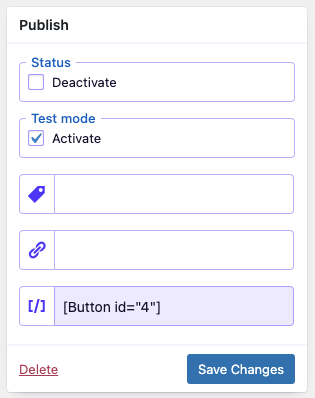
- Enable/disable specific buttons or use test mode for admin-only preview
🎥 Video Preview
Types of Buttons You Can Create
With Button Generator, you can design any type of button your website needs:
- Call Button – let visitors contact you in one click.
- Chat Button – open a live chat or messaging app.
- Email Button – instantly launch an email client.
- Link Button – redirect to internal pages or external websites.
- Floating Button – keep important actions visible while scrolling.
- Sticky Button – fixed at the top or bottom of the page.
- Inline Button – placed directly inside your content.
- Icon Button – lightweight buttons with FontAwesome icons.
Unterstützen
Need help? Visit the Support Forum
Installation Instructions
📌 Option 1: Install via WordPress Dashboard
- Log into your WordPress admin (
wp-admin). - Navigate to
Plugins→Add New. - Search for “Button Generator” and click “Install Now”.
- Once installed, click “Activate”.
📌 Option 2: Manual Installation (Upload)
- Download the Button Generator plugin ZIP file.
- In your WordPress admin, go to
Plugins→Add New→Upload Plugin. - Select the downloaded ZIP file and click “Install Now”.
- Click “Activate” after installation.
📌 Option 3: Installation via FTP
- Download and unzip the Button Generator plugin.
- Upload the extracted
button-generationfolder to the/wp-content/plugins/directory on your server using FTP. - Log in to WordPress admin, navigate to
Plugins, and click “Activate” next to Button Generator.
🚀 Getting Started
- After activation, navigate to the new
Button Generatormenu in your WordPress admin. - Click “Add New” to create your first button set.
- Customize button settings as desired.
- Click “Save” to display your custom buttons on your website.
Änderungsprotokoll
3.2.7
- Fixed: PHP warning “Undefined array key ‘standard'” for buttons created before version 3.0
3.2.6
- Fixed: grammar error in ListTable
- Fixed: wrong variable type in ListTable
- Changed: method for output of buttons styles
3.2.5
- Updated: FontAwesome icons to version 7.1.
- Update: purify.js to version 3.3.0.
- Fixed: minor bugs.
3.2.4
- Fixed: issue with saving the option block status
- Fixed: improved sanitization and escaping in the builder
3.2.3
- Improved: Refactored AdminActions class for better performance and readability
- Improved: Reordered condition checks for better execution performance
- Updated: Added strict type hinting for method arguments in AdminActions
3.2.2
- Improved: Reorganized method order in DBManager class for better readability and maintenance
- Improved: Minor SQL formatting for consistency
- Cleaned: Minor code style improvements according to WordPress Coding Standards (WPCS)
Screenshots
Für Entwickler
Ist das dein Plugin? Zeigen Sie die Zahlen.
Fügen Sie Ihrer Website, Docs oder GitHub Readme ein Live-Badge hinzu. Es wird von selbst aktualisiert - kein Konto erforderlich.
Best Button Generator alternatives
All buttons plugins →




Fragen und Antworten
Button Generator: quick answers
Gerade Antworten, gezogen von Live WordPress.org Daten.
Quelle: WordPress.org
Is Button Generator free?
Yes. Button Generator is free to download and use from the official WordPress.org plugin directory.
Is Button Generator safe to use in 2026?
Button Generator is a solid plugin choice in 2026, with a few things worth checking first. It runs on 4K+ sites, is rated 4.3/5 and was last updated 2 months ago, and scores 66/100 on our health check.
How many websites use Button Generator?
Button Generator is active on 4K+ WordPress websites and has been downloaded 121,922 times since it launched in October 2018. It was downloaded 1,278 times in the last 30 days.
Does Button Generator work with WordPress 7.1?
Yes. The developer has tested Button Generator up to WordPress 7.1.5, the latest release. It requires WordPress 5.5 or newer.
What PHP version does Button Generator need?
Button Generator requires PHP 7.4 or higher. Most hosts run PHP 8.x today, so it works on any modern WordPress hosting.
When was Button Generator last updated?
The latest version, 3.2.7, was released on September 18, 2026 (2 months ago).
Who makes Button Generator?
Button Generator is developed and maintained by Wow-Company.
What are the best alternatives to Button Generator?
The most popular alternatives to Button Generator are WP Edit (40K+ installs), Sticky Side Buttons (10K+ installs) and Qty Increment Buttons for W… (9K+ installs).
Angetrieben von PageForge
Eine Vorlage und eine Tabelle. Eine echte Seite für jede Suche.
PageForge Verwandelt jede Zeile eines CSV in eine WordPress-Seite mit eigenem Titel, URL, SEO Felder und Schema entworfen. Kostenlos auf WordPress.org.
- CSV und XLSX, plus Google Sheets auf Beruf und Unternehmen
- seinen eigenen Titel, URL, SEO Felder und Schema für jede Seite
- Arbeitet mit dem Blockeditor, Elementor, Divi und Avada
- Kostenlos auf WordPress.org, keine Kreditkarte