


Browser Screenshots
Automate the process of taking website screenshots.

Betrachten Sie eine Alternative
Browser Screenshots shows warning signs in 2026 — compare the alternatives below before installing. It runs on 3K+ sites, is rated 4.8/5 and was last updated 3 years ago, and scores 39/100 on our health check.
- Momentum — downloads up 53.9% vs the previous 30 days
- Kein Update in 2 Jahren
- Nur getestet bis WordPress 6.5 (letzt ist 7.1)
Wie stapelt es sich?
Side-by-side bei Installationen, Updates, Bewertungen und Support



Tägliche Downloads
Download-Spitzen folgen normalerweise einer neuen Version - jede Website, die automatisch aktualisiert wird, gilt als Download.
Ranglisten
Where Browser Screenshots stands todayWordPress.org Ranglisten suchen
Live-Position in der Plugin-Suche, Top 100| Stichwort | Position |
|---|---|
| Blöcke | >100 |
| browser | >100 |
| browser shot | #4 |
| generator | >100 |
| screenshot | >100 |
Versionsübernahme
Anteil aktiver Sites pro Release.
Bewertungsaufschlüsselung
★★★★★★★★★★ 4.8 from 19 reviews
About Browser Screenshots
From the official readme · v1.7.7Beschreibung
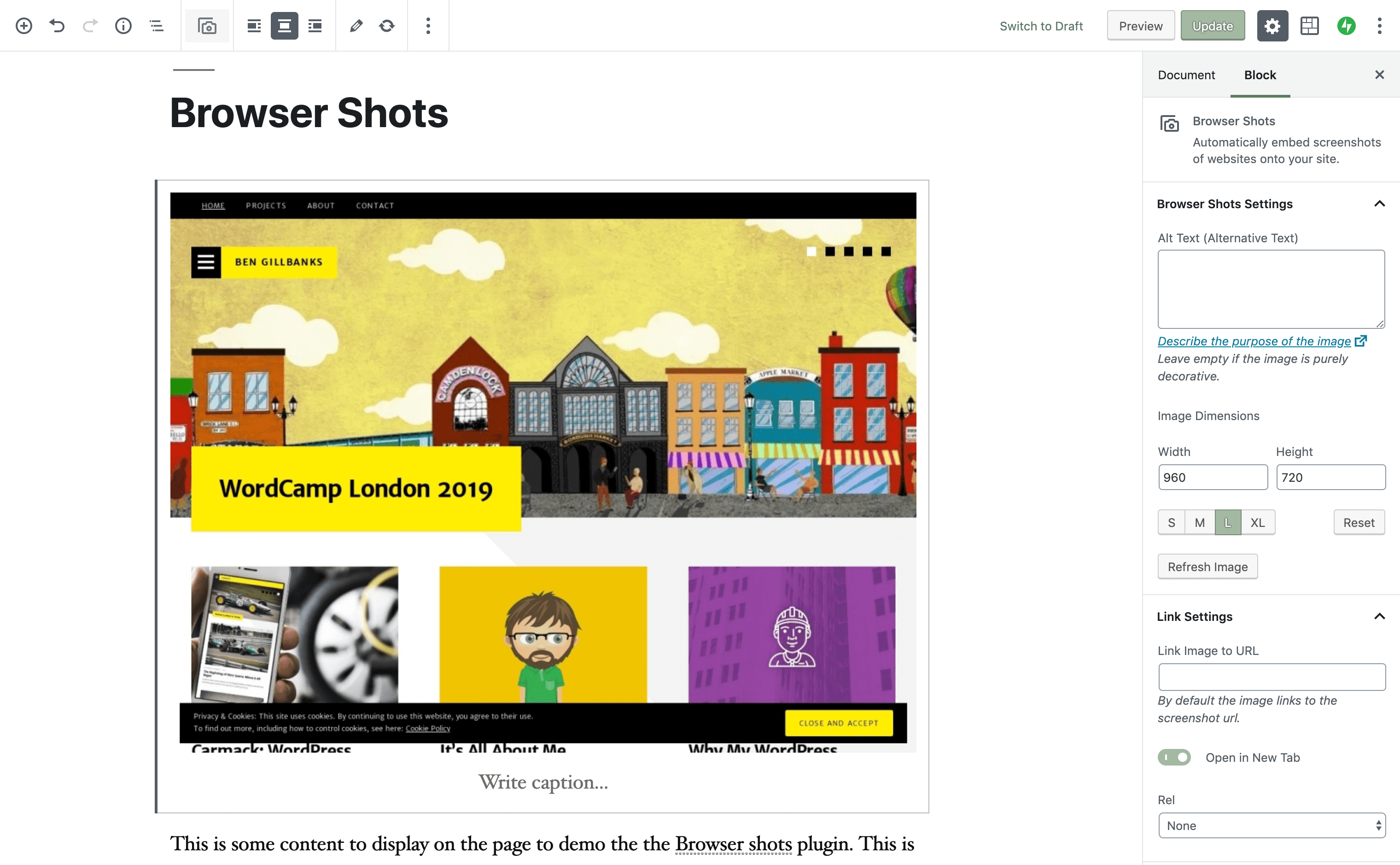
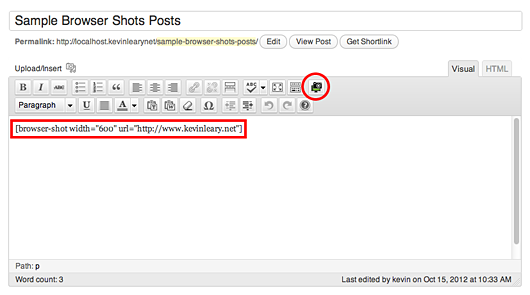
Use the [browser-shot] shortcode to automate the process of taking website screenshots. An icon is also added to the TinyMCE editor to make the shortcode creation process easy.
The plugin uses the ‘mshots’ functionality, from WordPress.com, to automatically take screenshots of websites. This function is free for non-commercial use.
The images are stored on the wordpress.com servers and are not saved onto your own website. The images are cached for roughly 24 hours before being generated again.
Shortcode Preview
// basic shot 600px wide
[browser-shot url="https://link-to-website" width="600"]

// shot with link to other website
[browser-shot url="https://link-to-website" width="700" link="https://www.binarymoon.co.uk/"]

// shot with caption (uses default WordPress caption styles)
[browser-shot url="https://link-to-website" width="700"]Add Caption[/browser-shot]
Available Parameters
- url (required) – the url of the link to shorten
- width – the width of the image
- height – the height of the image
- alt – the image alt text
- link – where the image links. Left blank it will point to the website where the screenshot is being taken
- target – browser target. Set to _blank to open in a new window
- class – add a class to the browsershots wrapper
- image_class – change the default browsershots image class from alignnone to your chosen class
- display_link (true or false – default true) to display a link in your screenshot
- post_links (true or false – default false) to link to the permalink of the post the screenshot is on
Generating Screenshots with code
If you want to create screenshots in a theme using this plugin then you can do so using the BrowserShots::get_shot method.
Zum Beispiel:
<img src="<?php echo BrowserShots::get_shot( 'https://prothemedesign.com', 600, 450 ); ?>" />
Keep in mind that the plugin must be installed and activated for this to work.
The get_shot method has 3 parameters.
- The url.
- The width.
- The height.
The other parameters, from the shotcode, can be implemented manually when outputting the html.
Multisite Compatibility
The Browser Shots plugin is compatibly with WordPress Multisite, just use the Network Activate feature to enable the shortcode on every site. If you only want to enable the shortcode for a specific site, activate the plugin for that site only.
More…
Installation
- Install easily with the WordPress plugin control panel or manually download the plugin and upload the folder
browser-shotsto the/wp-content/plugins/directory - Aktivieren Sie das Plugin über das „Plugins“-Menü in WordPress
Änderungsprotokoll
1.7.7 – 22nd November 2021
- Fix broken images (the image url moved – thanks @idanka for finding the fix).
- Small tweaks and improvements to the UX
- Update scripts and packages to the latest version.
1.7.6 – 18th June 2021
- Fix possible XSS vulnerability as reported by WPScan.
1.7.5 – 27th January 2021
- Fix variable comparison that could cause errors in some situations.
- Add missing text domain for translations.
1.7.4 – 15th July 2019
- Add a $shortcode parameter to the shortcode_atts function call so that the shortcode properties can be filtered.
- Added option to allow screenshot to link to the post’s URL.
- Make get_shots static so it can be used outside of the shortcode/ gutenberg block.
1.7.3 – 12th June 2019
- Add PERMALINK as a link property. If you set the link url to PERMALINK then the url will point to the currrent page or post.
- Improve the default alt text. Previously it would display the url for the screenshot, but this could be messy, and is not actually useful. Now displays “Screenshot from domain-name”.
1.7.2 – 11th June 2019
- Ensuring display_link is a boolean in the shortcode.
- Code formatting and cleanup.
Screenshots

Für Entwickler
Ist das dein Plugin? Zeigen Sie die Zahlen.
Fügen Sie Ihrer Website, Docs oder GitHub Readme ein Live-Badge hinzu. Es wird von selbst aktualisiert - kein Konto erforderlich.
Best Browser Screenshots alternatives
Alle Blöcke Plugins →





Fragen und Antworten
Browser Screenshots: quick answers
Gerade Antworten, gezogen von Live WordPress.org Daten.
Quelle: WordPress.org
Is Browser Screenshots free?
Yes. Browser Screenshots is free to download and use from the official WordPress.org plugin directory.
Is Browser Screenshots safe to use in 2026?
Browser Screenshots shows warning signs in 2026 — compare the alternatives below before installing. It runs on 3K+ sites, is rated 4.8/5 and was last updated 3 years ago, and scores 39/100 on our health check.
How many websites use Browser Screenshots?
Browser Screenshots is active on 3K+ WordPress websites and has been downloaded 107,240 times since it launched in October 2012. It was downloaded 677 times in the last 30 days.
Does Browser Screenshots work with WordPress 7.1?
Browser Screenshots is officially tested up to WordPress 6.5.0, while the latest release is 7.1.5. It may still work, but try it on a staging site first.
When was Browser Screenshots last updated?
The latest version, 1.7.7, was released on January 30, 2024 (3 years ago).
Who makes Browser Screenshots?
Browser Screenshots is developed and maintained by Kevin Leary.
What are the best alternatives to Browser Screenshots?
The most popular alternatives to Browser Screenshots are Spectra Legacy (1M+ installs), Kadence Blocks (600K+ installs) and Extendify (500K+ installs).
Angetrieben von PageForge
Eine Vorlage und eine Tabelle. Eine echte Seite für jede Suche.
PageForge Verwandelt jede Zeile eines CSV in eine WordPress-Seite mit eigenem Titel, URL, SEO Felder und Schema entworfen. Kostenlos auf WordPress.org.
- CSV und XLSX, plus Google Sheets auf Beruf und Unternehmen
- seinen eigenen Titel, URL, SEO Felder und Schema für jede Seite
- Arbeitet mit dem Blockeditor, Elementor, Divi und Avada
- Kostenlos auf WordPress.org, keine Kreditkarte