


Block Rewind – Version History for Blocks
Preview and restore earlier versions of any block while you edit. History is kept in your browser, with nothing stored on the server.

Solide Wahl
Block Rewind is a solid plugin choice in 2026, with a few things worth checking first. Was last updated 3 weeks ago, and scores 64/100 on our health check.
- Aktiv entwickelt – letztes Update vor 3 Wochen
- Getestet mit dem neuesten WordPress (7.1)
- Kleine Benutzerbasis (<10 aktive Installationen)
- Bisher sehr wenige Bewertungen
Wie stapelt es sich?
Side-by-side bei Installationen, Updates, Bewertungen und Support



Tägliche Downloads
Download-Spitzen folgen normalerweise einer neuen Version - jede Website, die automatisch aktualisiert wird, gilt als Download.
Ranglisten
Where Block Rewind stands todayWordPress.org Ranglisten suchen
Live-Position in der Plugin-Suche, Top 100| Stichwort | Position |
|---|---|
| block-editor | >100 |
| restore | >100 |
| revisions | >100 |
| undo | >100 |
| version history | >100 |
About Block Rewind
Aus der offiziellen Readme · V1.0.1Beschreibung
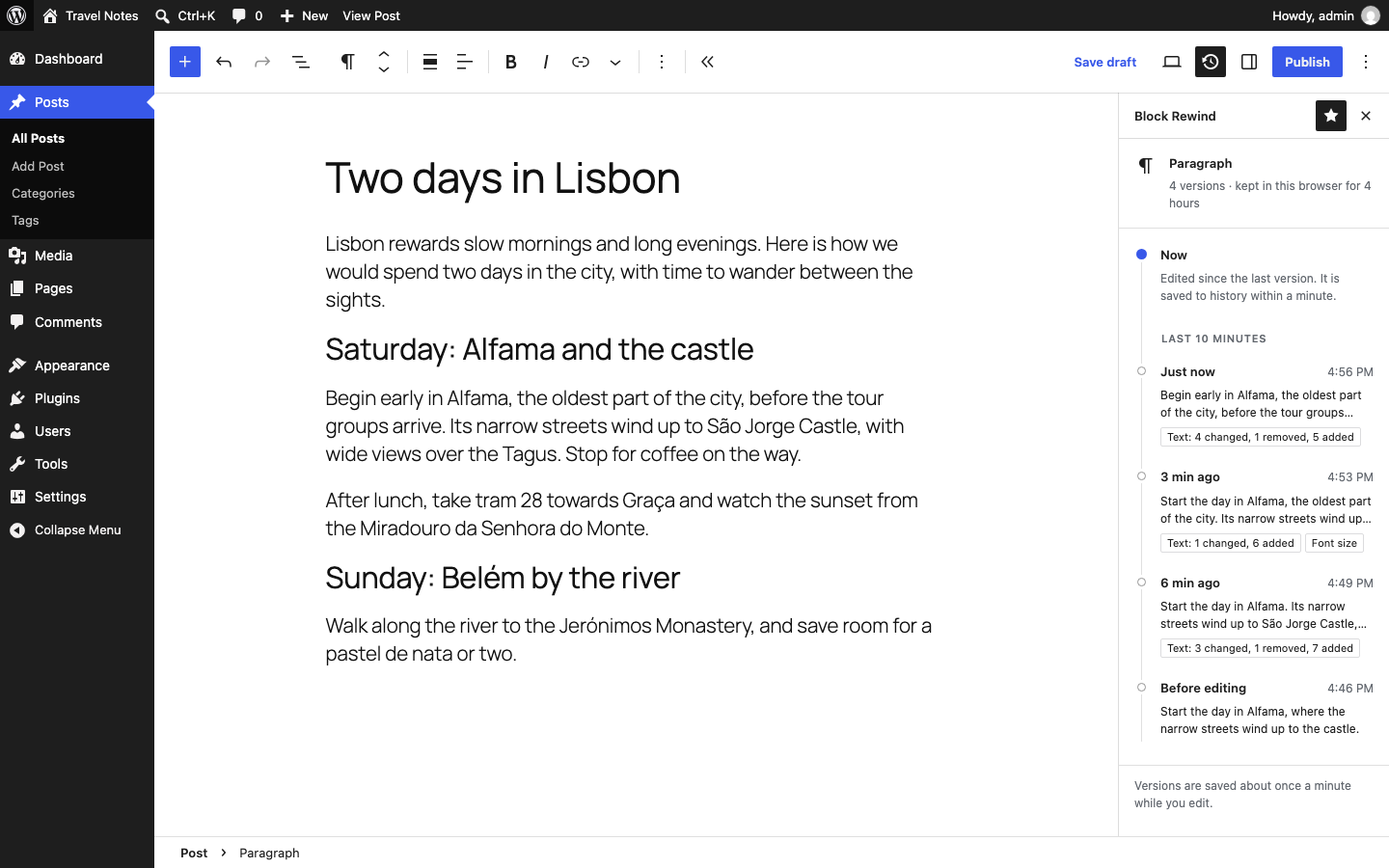
WordPress revisions save the whole post, and only when you save it. Undo works step by step, and only for the whole post. Block Rewind keeps a short history for each block, so you can bring back a paragraph you rewrote ten minutes ago without losing everything you changed since.
Select a block and click the Block Rewind button in the editor’s top bar to see its versions.
Merkmale
- History per block. Each block keeps its own versions, saved about once a minute while you edit it. The version from before your first edit is kept too.
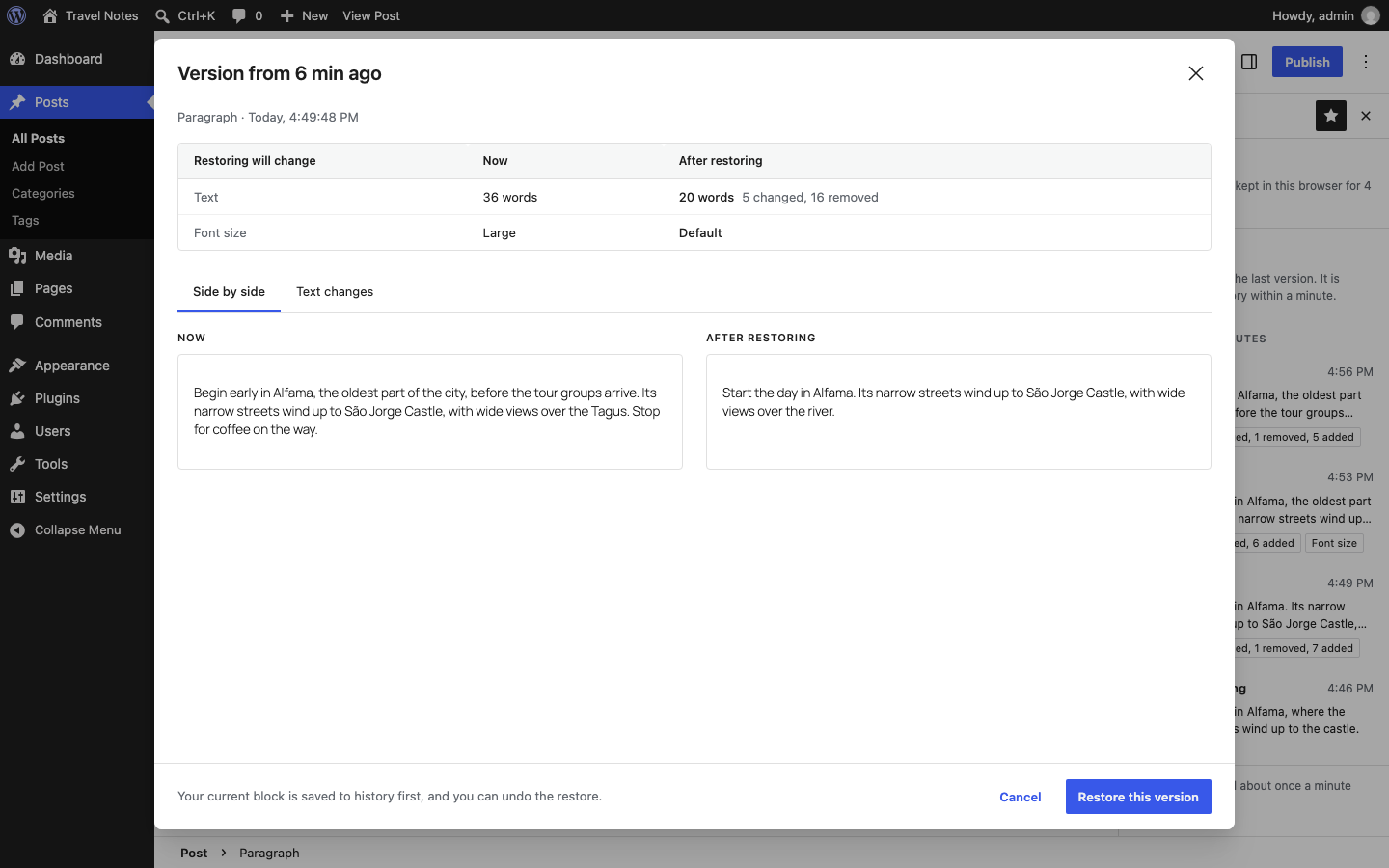
- Compare before you restore. See the version next to the block as it is now, a word-by-word view of the text changes, and a list of every setting that would change: font size, colors, spacing, layout and more.
- Safe restores. The current content is saved to history before a restore, and every restore can be undone in one step.
- Blocks inside blocks. Restore a whole Group or Columns block at once, or open the history of a single block inside it.
- Survives a reload. If the editor reloads before you save the post, the blocks get their history back.
- Private by design. History is stored in your browser only, separately for each site and each user. Nothing is sent to your server or anywhere else.
Was es nicht tut
- History is short-lived: versions are kept for 4 hours by default, and up to 100 versions per block. Use WordPress revisions for long-term history.
- History stays in the browser it was made in. It is not shared with other devices, browsers or users.
- The Site Editor, templates, template parts and synced patterns are not supported yet. History pauses while you edit them from a post.
Source code
The plugin’s JavaScript in the build folder is compiled from the source in the src folder, which is included in the plugin. Development happens on GitHub: rajdeepgaur/block-rewind. To build the plugin yourself, clone the repository and run npm install and then npm run build.
Privatsphäre
Block Rewind does not send any data to your server or to third parties, and it does not use cookies or tracking.
- Versions of the blocks you edit are stored in your browser’s IndexedDB storage, separately for each site and each user. They are removed after 4 hours by default, or when you clear the site’s data in your browser.
- A random ID is added to each block you edit and saved with the post. It contains no personal data.
Installation
- In your WordPress admin, go to Plugins → Add New Plugin and search for “Block Rewind”.
- Klicken Sie auf Jetzt installieren und dann Aktivieren.
- Edit a post or page, select a block, and click the Block Rewind button in the editor’s top bar.
Änderungsprotokoll
1.0.1
- Fixed: clicks on buttons in the history list were sometimes lost, for example when opening an older version right after closing a comparison.
1.0.0
- Erste Freigabe.
Screenshots

Für Entwickler
Ist das dein Plugin? Zeigen Sie die Zahlen.
Fügen Sie Ihrer Website, Docs oder GitHub Readme ein Live-Badge hinzu. Es wird von selbst aktualisiert - kein Konto erforderlich.
Best Block Rewind alternatives
All block-editor plugins →





Fragen und Antworten
Block Rewind: quick answers
Gerade Antworten, gezogen von Live WordPress.org Daten.
Quelle: WordPress.org
Is Block Rewind free?
Yes. Block Rewind is free to download and use from the official WordPress.org plugin directory.
Is Block Rewind safe to use in 2026?
Block Rewind is a solid plugin choice in 2026, with a few things worth checking first. Was last updated 3 weeks ago, and scores 64/100 on our health check.
How many websites use Block Rewind?
Block Rewind is active on <10 WordPress websites and has been downloaded 468 times since it launched in November 2026. It was downloaded 475 times in the last 30 days.
Does Block Rewind work with WordPress 7.1?
Yes. The developer has tested Block Rewind up to WordPress 7.1.5, the latest release. It requires WordPress 6.6 or newer.
What PHP version does Block Rewind need?
Block Rewind requires PHP 7.4 or higher. Most hosts run PHP 8.x today, so it works on any modern WordPress hosting.
When was Block Rewind last updated?
The latest version, 1.0.1, was released on November 11, 2026 (3 weeks ago).
Who makes Block Rewind?
Block Rewind is developed and maintained by Rajdeep Singh Gaur.
What are the best alternatives to Block Rewind?
The most popular alternatives to Block Rewind are Classic Editor (8M+ installs), Advanced Editor Tools (1M+ installs) and Disable Gutenberg (500K+ installs).
Angetrieben von PageForge
Eine Vorlage und eine Tabelle. Eine echte Seite für jede Suche.
PageForge Verwandelt jede Zeile eines CSV in eine WordPress-Seite mit eigenem Titel, URL, SEO Felder und Schema entworfen. Kostenlos auf WordPress.org.
- CSV und XLSX, plus Google Sheets auf Beruf und Unternehmen
- seinen eigenen Titel, URL, SEO Felder und Schema für jede Seite
- Arbeitet mit dem Blockeditor, Elementor, Divi und Avada
- Kostenlos auf WordPress.org, keine Kreditkarte