

Block Accessibility Checks
Prevent WCAG accessibility errors in your content with real-time validation for blocks, meta fields, and document structure.

Solide Wahl
Block Accessibility Checks is a solid plugin choice in 2026, with a few things worth checking first. It runs on 90+ sites, is rated 5/5 and was last updated 2 weeks ago, and scores 75/100 on our health check.
- Aktiv entwickelt — letztes Update vor 2 Wochen
- Getestet mit dem neuesten WordPress (7.1)
- Kleine Benutzerbasis (90+ aktive Installationen)
- Bisher sehr wenige Bewertungen
Wie stapelt es sich?
Side-by-side bei Installationen, Updates, Bewertungen und Support


Tägliche Downloads
Download-Spitzen folgen normalerweise einer neuen Version - jede Website, die automatisch aktualisiert wird, gilt als Download.
Ranglisten
Where Block Accessibility Checks stands todayWordPress.org Ranglisten suchen
Live-Position in der Plugin-Suche, Top 100| Stichwort | Position |
|---|---|
| accessibility | #39 |
| Blöcke | >100 |
| Gutenberg | >100 |
| validation | >100 |
| wcag | #86 |
Versionsübernahme
Anteil aktiver Sites pro Release.
Bewertungsaufschlüsselung
★★★★★★★★★★ 5 from 1 reviews
About Block Accessibility Checks
From the official readme · v4.2.3Beschreibung
Block Accessibility Checks is a comprehensive WordPress plugin that proactively prevents accessibility issues in your content before they reach your audience. Designed for the Gutenberg block editor, it provides real-time validation with a three-tier system that ensures your blocks, post meta fields, and overall document structure meet WCAG (Web Content Accessibility Guidelines) requirements.
Unlike reactive accessibility tools that scan published content, this plugin catches problems during the editing process—giving immediate visual feedback and preventing publication of content with critical accessibility errors. Content creators get clear guidance on what needs fixing, while developers can extend the system with custom checks for blocks, meta fields, and editor-level validation.
Whether you’re a content creator ensuring your posts are accessible, a developer building accessible blocks, or an organization maintaining compliance standards, Block Accessibility Checks provides the tools you need to create inclusive content effortlessly.
Features for Content Creators & Editors:
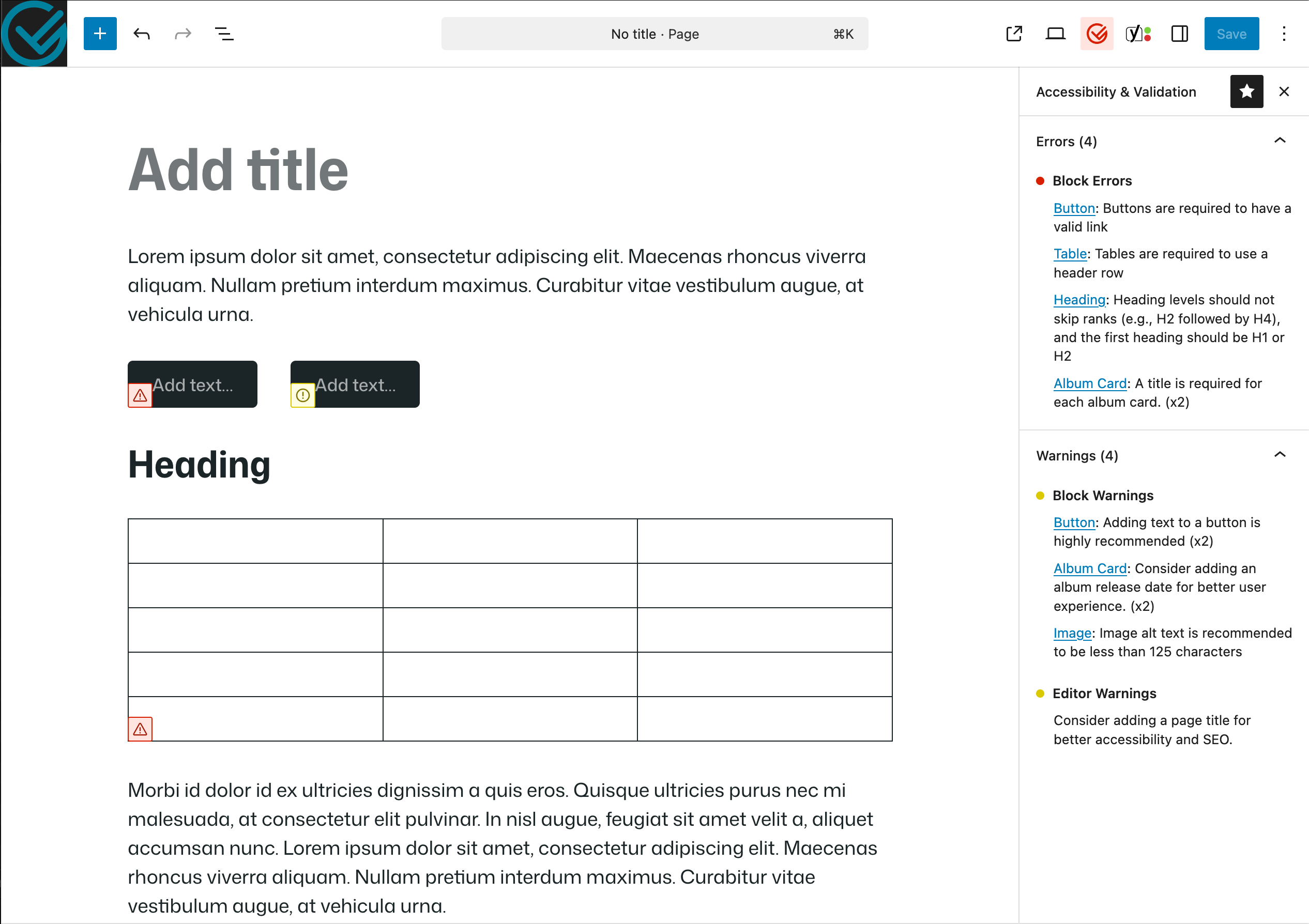
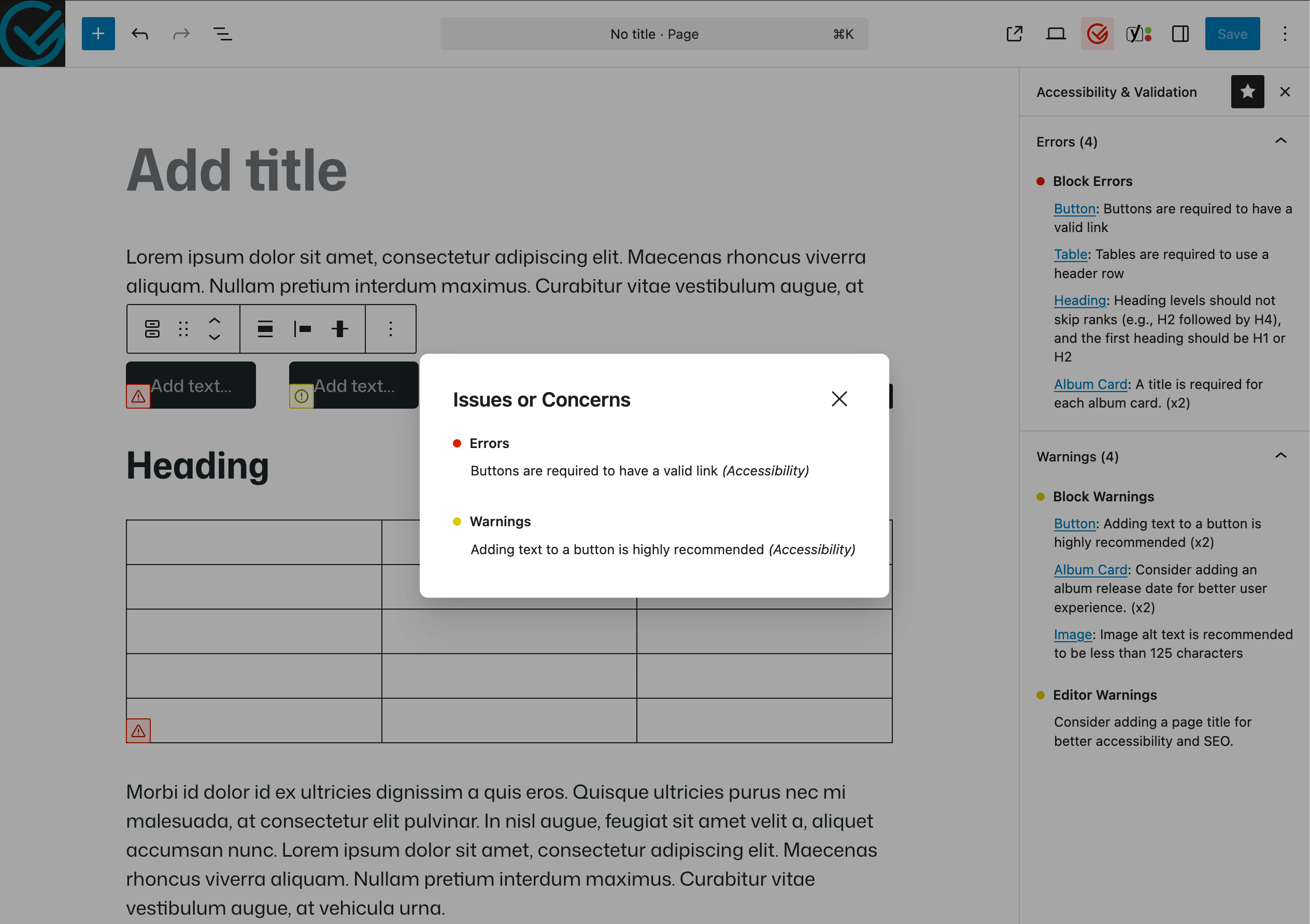
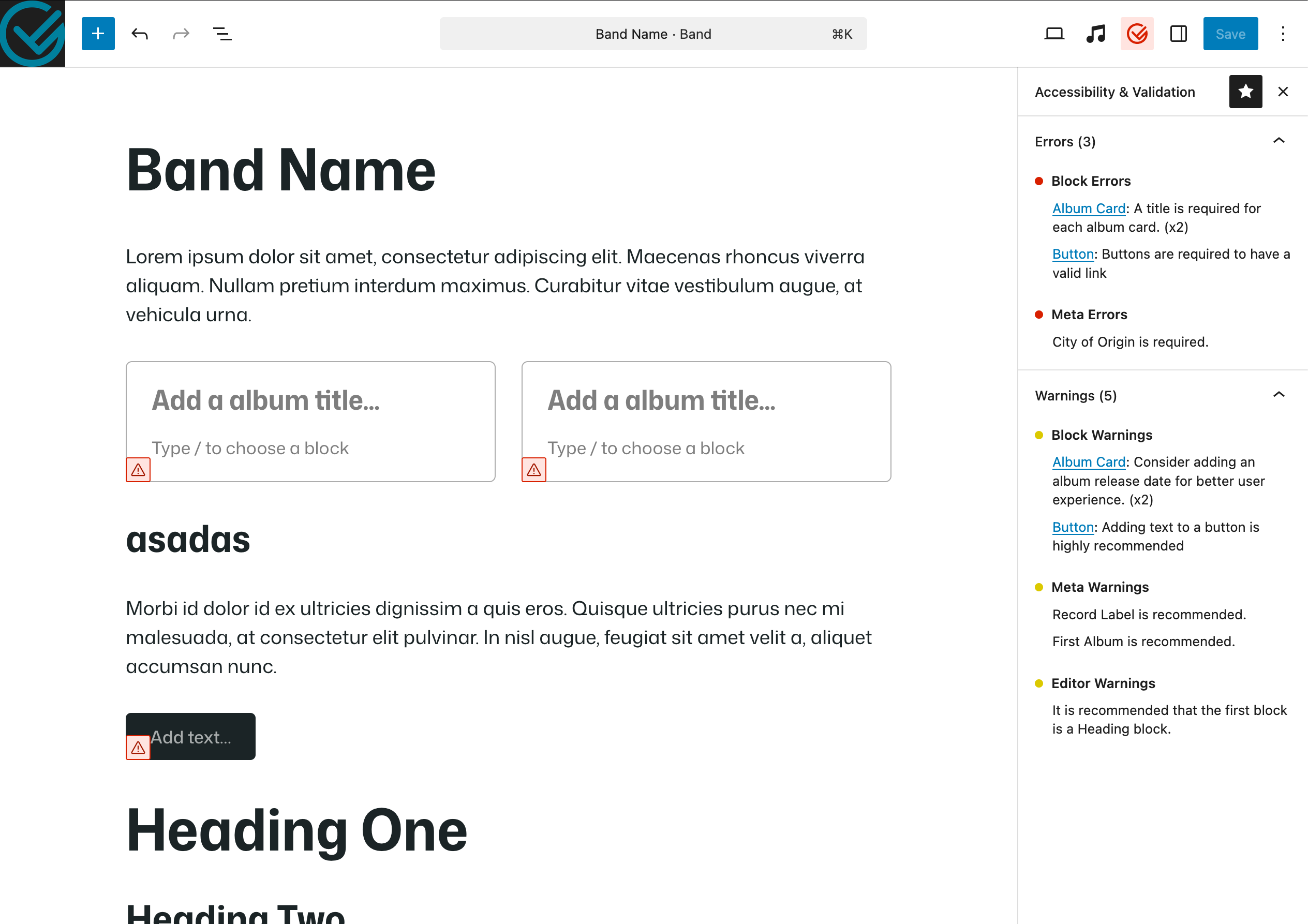
- Real-time Visual Feedback – See accessibility issues instantly with color-coded borders (red for errors, yellow for warnings) around problematic blocks and detailed error messages in the block inspector panel
- Smart Publishing Control – Critical accessibility errors prevent publishing until resolved, while warnings allow publication with user awareness
- Comprehensive Block Coverage – Built-in validation for images, buttons, tables, headings, and galleries with clear guidance on how to fix issues
- Document-Wide Validation – Advanced heading hierarchy checking prevents skipped heading levels and ensures proper content structure across your entire post
- Title Validation – Ensures posts and pages have a title set for accessibility and SEO, validates in real-time as you type
- Intelligent URL Validation – Real TLD validation using the Public Suffix List ensures only legitimate domains are accepted in button links
- Configurable Settings – Control which checks are errors (prevent publishing), warnings (allow with notice), or disabled through an intuitive admin interface
- Grouped Error Display – All accessibility issues shown at once in organized groups, eliminating the “fix one, see another” frustration
- Works Everywhere – Validation runs in both the post editor and site editor (templates/template parts) with separate configurable settings
Features for Developers & Plugin Authors:
- Three-Tier Validation API – Register custom checks for block attributes, post meta fields, and editor-level validation using comprehensive hooks and filters
- JavaScript-Only Validation – All validation logic runs in JavaScript for real-time editor feedback without server round-trips
- Automatic Settings Integration – Checks from external plugins automatically appear in the unified settings table, attributed and filterable by plugin
- External Plugin Support – Works seamlessly with custom blocks from third-party plugins and themes
- Heading Source Declaration – Blocks that render their own headings count toward heading order validation, automatically or via
ba11yc_register_heading_source() - Extensive Hook System – 20+ action and filter hooks for complete customization of registration, validation, and display behavior
- Well-Documented API – Complete developer documentation with quick start guides and working code examples
Upgrading an integration from v3? Version 4.0.0 introduced breaking changes to the developer API — registration functions, argument keys, and JavaScript filter names all changed, and v3 integrations stop validating silently rather than erroring. See the v4 upgrade guide for a complete migration reference.
Wie es funktioniert:
The plugin provides immediate feedback as you edit content through a sophisticated three-tier validation system:
- Block Validation – Validates individual block attributes in real-time as you type and edit
- Meta Field Validation – Checks required post meta fields with automatic post locking when validation fails
- Editor-Level Validation – Validates document-wide concerns like heading hierarchy that span across multiple blocks
When accessibility issues are detected, they are highlighted with visual indicators (red for errors, yellow for warnings) and detailed messages explain how to fix the problems. Critical errors prevent publishing until resolved, while warnings allow publication with user acknowledgment.
Built-in Accessibility Checks:
- Button Blocks – Ensures buttons have descriptive text content and validates link destinations using real TLD validation (Public Suffix List)
- Image Blocks – Requires alt text (unless marked decorative), validates alt text length (warns if exceeding 125 characters), prevents caption duplication, and detects non-descriptive patterns like “image of” or “photo123”
- Table Blocks – Requires proper headers or captions for screen reader navigation
- Heading Blocks – Validates heading hierarchy across the whole document, including headings rendered by other blocks. Requires the first heading to be H1 or H2, and any of H1–H6 can be disabled (H1 by default)
- Gallery Blocks – Applies comprehensive image accessibility checks to all gallery items (alt text, length, patterns, caption duplication)
- Post & Page Title Validation – Ensures posts and pages have a title set for accessibility and SEO, validates in real-time as users type, prevents publishing content without a title, configurable independently for posts and pages
- Post Meta Fields – Validate required custom fields with real-time validation, automatic post locking for errors, and seamless integration with block validation system
Perfect For:
- Government websites requiring WCAG compliance
- Educational institutions with accessibility mandates
- Businesses committed to inclusive web content
- Developers building accessible WordPress themes and plugins
- Content teams who want accessibility guidance built into their workflow
Developer Resources:
Extend the plugin with custom accessibility checks using the comprehensive validation API. See the complete developer documentation for quick start guides, API reference, code examples, and a working example plugin.
Getting Involved
If you would like to get involved and contribute to the development of this plugin or view it’s source code you can find more information in the plugins GitHub repo.
Installation
From WordPress Admin:
1. Go to Plugins → Add New in your WordPress admin
2. Search for “Block Accessibility Checks”
3. Click “Install Now” and then “Activate”
4. Navigate to Block Checks → Core Block Checks to configure your preferences
Manual Installation:
1. Download the plugin files and upload to /wp-content/plugins/block-accessibility-checks/
2. Activate the plugin through the Plugins menu in WordPress
3. Configure your accessibility check preferences in the settings
After Installation:
The plugin works immediately after activation with sensible defaults. You can customize settings at:
- Block Checks → Core Block Validations – Configure core WordPress block validation
- Block Checks → Editor Validation – Configure post/page title validation
- Block Checks → Meta Field Checks – Configure post meta field validation (if any registered)
- Block Checks → Site Editor Checks – Configure validation for site editor (templates/template parts)
- Block Checks → [External Plugin Name] – Configure validation for external plugin blocks (automatically created)
Änderungsprotokoll
Major update. End-user settings migrate automatically. Developers integrating custom checks MUST update to the new registration API and renamed JavaScript filters — v3 integrations stop validating silently. See docs/upgrade-to-v4.md.
4.0.0
Major release. All admin settings move to a single unified settings page, and the developer API is overhauled with breaking changes — see the upgrade notice below and the v4 upgrade guide.
- New: single settings page listing every registered check from every plugin in one filterable, sortable table
- New: global registration functions
ba11yc_register_block_check(),ba11yc_register_meta_check(),ba11yc_register_editor_check() - New:
ba11yc_check_levelfilter for runtime severity overrides - New: REST API at
block-accessibility-checks/v1(/checks,/settings) - Changed (breaking): check severity is now
level+configurable(replacestype); anamespaceargument is required - Changed (breaking): JavaScript validation filters renamed to
ba11yc.validateBlock,ba11yc.validateEditor,ba11yc.validateMeta - Changed (breaking):
window.BlockAccessibilityChecksremoved; configuration now available viagetEditorSettings().blockA11yChecksand theblock-accessibility-checksdata store - Removed: per-plugin settings submenu pages (old links redirect to the unified page)
- Migration: all saved v3 settings are migrated automatically; no user action needed
View the full changelog on the plugin website.
Screenshots


Für Entwickler
Ist das dein Plugin? Zeigen Sie die Zahlen.
Fügen Sie Ihrer Website, Docs oder GitHub Readme ein Live-Badge hinzu. Es wird von selbst aktualisiert - kein Konto erforderlich.
Best Block Accessibility Checks alternatives
All accessibility plugins →





Fragen und Antworten
Block Accessibility Checks: quick answers
Gerade Antworten, gezogen von Live WordPress.org Daten.
Quelle: WordPress.org
Is Block Accessibility Checks free?
Yes. Block Accessibility Checks is free to download and use from the official WordPress.org plugin directory.
Is Block Accessibility Checks safe to use in 2026?
Block Accessibility Checks is a solid plugin choice in 2026, with a few things worth checking first. It runs on 90+ sites, is rated 5/5 and was last updated 2 weeks ago, and scores 75/100 on our health check.
How many websites use Block Accessibility Checks?
Block Accessibility Checks is active on 90+ WordPress websites and has been downloaded 15,724 times since it launched in October 2024. It was downloaded 3,130 times in the last 30 days.
Does Block Accessibility Checks work with WordPress 7.1?
Yes. The developer has tested Block Accessibility Checks up to WordPress 7.2, the latest release. It requires WordPress 6.7 or newer.
What PHP version does Block Accessibility Checks need?
Block Accessibility Checks requires PHP 7.0 or higher. Most hosts run PHP 8.x today, so it works on any modern WordPress hosting.
When was Block Accessibility Checks last updated?
The latest version, 4.2.3, was released on November 17, 2026 (2 weeks ago).
Who makes Block Accessibility Checks?
Block Accessibility Checks is developed and maintained by Troy Chaplin.
What are the best alternatives to Block Accessibility Checks?
The most popular alternatives to Block Accessibility Checks are Web Accessibility (formally… (500K+ installs), Auto Image Attributes From… (100K+ installs) and Accessibility by UserWay (80K+ installs).
Angetrieben von PageForge
Eine Vorlage und eine Tabelle. Eine echte Seite für jede Suche.
PageForge Verwandelt jede Zeile eines CSV in eine WordPress-Seite mit eigenem Titel, URL, SEO Felder und Schema entworfen. Kostenlos auf WordPress.org.
- CSV und XLSX, plus Google Sheets auf Beruf und Unternehmen
- seinen eigenen Titel, URL, SEO Felder und Schema für jede Seite
- Arbeitet mit dem Blockeditor, Elementor, Divi und Avada
- Kostenlos auf WordPress.org, keine Kreditkarte