


Beehive Analytics – Google Analytics Dashboard
View visitor stats and track user behavior from within WordPress. A Google Analytics plugin with dashboard reports and Google Tag Manager support.

Sichere Auswahl
Yes — Beehive Analytics is a safe, well-maintained plugin to use in 2026. It runs on 20K+ sites, is rated 4.5/5 and was last updated 2 days ago, and scores 82/100 on our health check.
- Bewährt auf 20.000 aktiven Standorten
- Aktiv entwickelt — Letztes Update vor 2 Tagen
- Momentum — downloads up 31.5% vs the previous 30 days
Wie stapelt es sich?
Side-by-side bei Installationen, Updates, Bewertungen und Support



Tägliche Downloads
Download-Spitzen folgen normalerweise einer neuen Version - jede Website, die automatisch aktualisiert wird, gilt als Download.
Ranglisten
Where Beehive Analytics stands todayWordPress.org Ranglisten suchen
Live-Position in der Plugin-Suche, Top 100| Stichwort | Position |
|---|---|
| Google Analytics | #12 |
| google analytics dashboard | #5 |
| Google Tag-Manager | #33 |
| website analytics | #7 |
| WordPress analytics | #11 |
Versionsübernahme
Anteil aktiver Sites pro Release.
Bewertungsaufschlüsselung
★★★★★★★★★★ 4.5 from 13 reviews
About Beehive Analytics
From the official readme · v3.5.4Beschreibung
The smart, privacy-friendly way to add Google Analytics to WordPress. Track visitor stats, monitor display ads, and view your traffic dashboard, all from your WP admin.
Beehive brings your Google Analytics data right into your WordPress dashboard. No fuss, no confusing setup, just real-time stats and smart reports that actually make sense.
Whether you’re running a single site or managing a massive multisite network, Beehive gives you the insights you need to optimize traffic, track user behavior, and understand your audience, all in one place.
- Want even more firepower? Upgrade to Beehive Pro for advanced features like white label site analytics and automated client reporting + access to the full suite of WPMU DEV plugins and site management tools.
TL;DR: Beehive’s Key Features at a Glance:
-
GA4 Integration: Connect Google Analytics 4 seamlessly.
-
Multisite-Ready: Track subsites with a single setup.
-
Google Tag Manager Support: Track how users interact with your site.
-
User-Role-Based Access Control: Restrict analytics access as needed.
-
Real-Time Reporting: Get instant insights into site traffic.
-
Customizable Reports: View the metrics that matter most.
-
Visual Data Insights: Graphs and trend analysis for easy tracking.
-
Top Content Tracking: See your best-performing pages instantly.
-
Visitor Geo Insights: View traffic sources on a world map.
-
Ad & Referral Tracking: Monitor Display Ads and referral links.
-
Privacy-Focused: Anonymize user IPs for GDPR compliance.
-
One-Click Setup Wizard: Get started quickly with guided setup.
Why Beehive?
Beehive isn’t just another Google Analytics plugin. It’s your all-in-one website analytics dashboard built for WordPress: designed for devs and data nerds who want deep insights, fast.
GA4 Integration
Connect Google Analytics 4 in minutes.
No code, no manual scripts. Just a guided setup wizard that makes it simple to link your GA4 property. Stay up-to-date with Google’s latest analytics standard and future-proof your tracking setup.
Analytics Dashboard in WordPress
Your traffic data, where you need it.
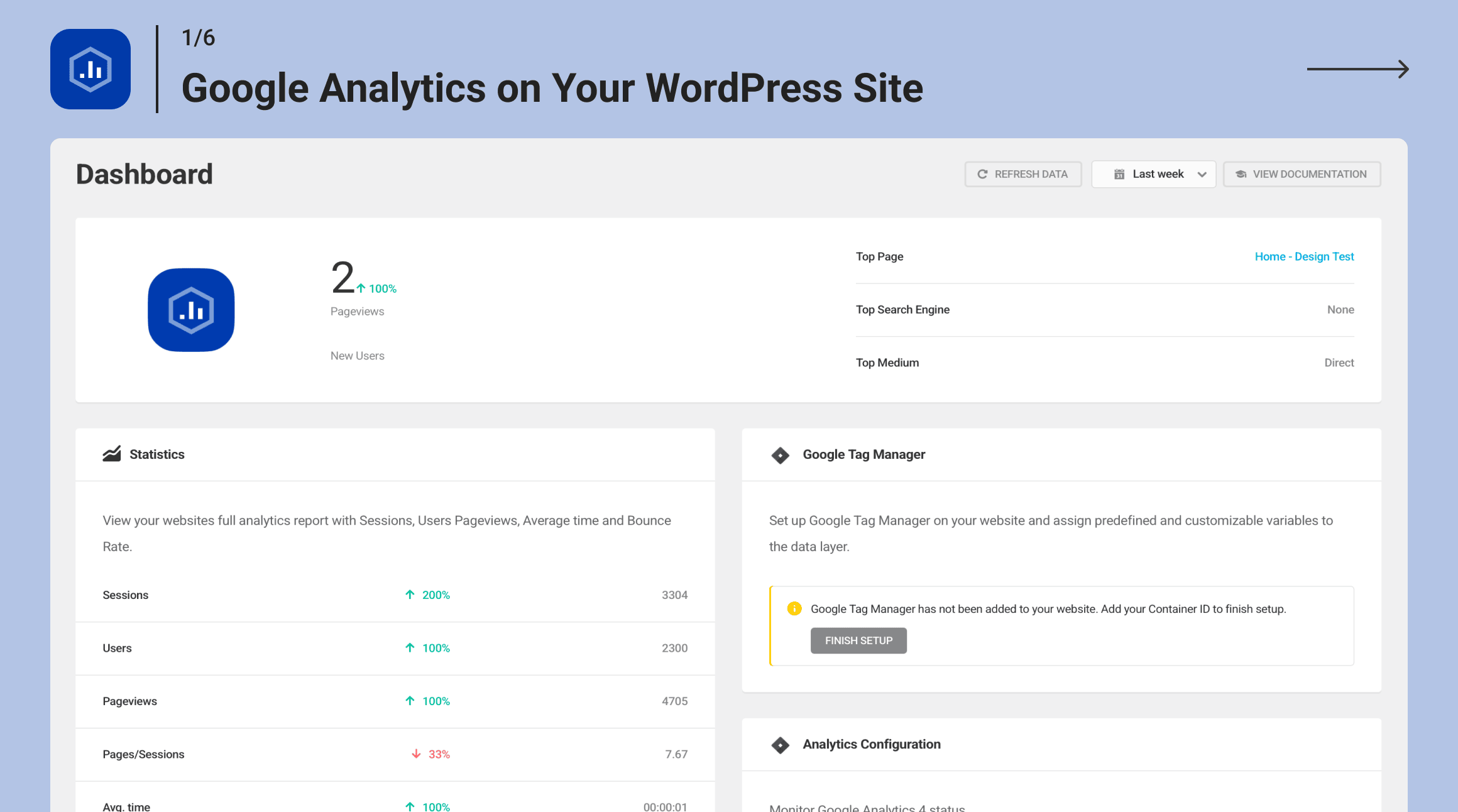
Access key site metrics like sessions, pageviews, bounce rate, traffic sources, and user behavior, directly inside your WP admin. No more switching tabs or logging into external tools.
Display Advertising & Referral Tracking
Measure the impact of your Google Display Ads.
Track ad clicks, impressions, and referral traffic so you know exactly what’s driving results and where to double down. Perfect for marketers and publishers who want clarity on ROI.
Google Tag Manager Support
Advanced tracking, made simple.
Easily connect GTM to set up event tracking, measure conversions, and monitor deeper user interactions, all without touching your theme files. Ideal for developers and power users who want total flexibility.
Multisite-Ready
One setup. Unlimited subsites.
Beehive was built with WordPress Multisite in mind. Add analytics to every site in your network from a single dashboard, no need to configure them one by one.
Role-Based Access Control
Only the right people see the right data.
Set detailed permissions by user role so editors, authors, and clients only see the analytics relevant to them. Great for agencies, collaborators, and client-facing sites.
Real-Time Visitor Tracking
Live insights at your fingertips.
Want to see who’s on your site right now, where they came from, and what they’re doing? Beehive’s real-time dashboard gives you a live pulse of your website activity.
Top Content & Geo Insights
Know what works, and where it’s working.
Quickly spot your most popular pages, posts, and referral links. Plus, view interactive world maps showing where your visitors are coming from geographically.
Privacy-Friendly by Default
Built for GDPR-conscious site owners.
Beehive gives you the option to anonymize IP addresses, helping you stay compliant with privacy regulations without losing access to core traffic insights.
What Users Are Saying About Beehive:
★★★★★
Easy to set up and lets you track an entire site including admin pages and subdomains. The graphs and stats make it easy to track the visits, bounce rate, sessions, and referrers of your pages and posts. – WPLeaders
★★★★★
There are many GA plugins out there. If you are looking for one that has a modern interface, a dashboard widget and lots of features and a really nice support team, look no further! – Mistergeko
★★★★★
I’ve tried a bunch of different Google Analytics plugins for WordPress, but this one is by far my favorite. It’s incredibly straightforward to use, and the dashboard is user-friendly. – Hatisenang
A Note from Beehive
Hey there! I’m Beehive, your go-to analytics dashboard for WordPress. With just a few clicks, I help you track user behavior, generate custom reports, and deliver valuable insights, right from your WordPress admin.
I’m proud to be part of the WPMU DEV family: a superhero team of powerful plugins and site management tools. If you haven’t already met them, here are some of my closest allies:
-
Smush: Image compression & optimization
-
Forminator – Forms, polls, quizzes & surveys
-
Hummingbird – Page speed & performance booster
-
Hustle – Pop-ups, slide-ins & email opt-ins
-
Defender – Security, monitoring & hack protection
-
SmartCrawl – SEO checker, analyzer & optimizer
You’ll also love the WPMU DEV Blog—it’s packed with some of the best WordPress tutorials around.
Thanks for checking out Beehive! I can’t wait to help you grow your site with real, actionable insights.
- Beehive
Beehive Analytics: Use Cases
-
You’re a developer managing client sites and want a central analytics hub.
-
You want to track display ads and referrals without extra code.
-
You need to share traffic data with clients (without giving them access to GA directly).
-
You’re running a multisite network and need to track everything from one place.
-
You’re tired of opening 17 browser tabs just to see which post is getting the most traffic.
Installation: Here’s How To Get Started
Getting started is easy with Beehive’s guided setup wizard. No API key hunting. No guesswork. Just connect, click, and see your stats.
-
Install the plugin from the WordPress Plugin Directory or upload it manually.
-
Aktivieren Sie das Plugin über das „Plugins“-Menü in WordPress.
-
Launch the setup wizard and connect your Google Analytics 4 property.
-
Optionally connect Google Tag Manager for even deeper tracking.
-
Sit back and watch the insights roll in.
Need more help? Check out the full docs on wpmudev.com.
Learn The Ropes With These Hands-On Beehive Analytics Tutorials
About Us
At WPMU DEV, we’re dedicated to helping WordPress users build faster, smarter, more secure websites with our suite of powerful plugins, site tools, and expert support.
Join our community of developers, designers, and site owners at wpmudev.com, your all-in-one destination for WordPress success.
Want to sharpen your skills and stay on top of the latest tips and trends? The WPMU DEV Blog is your go-to source for top-tier tutorials, updates, and insights.
And hey, thanks for using our free plugins! We’ve loved building them for you, and we’re excited to see what you create with them.
About Us
WPMU DEV is a premium supplier of quality WordPress plugins, services and support. Join us here:
https://wpmudev.com/
Don’t forget to stay up to date on everything WordPress from the Internet’s number one resource:
WPMU DEV Blog
Hey, one more thing… we hope you enjoy our free offerings as much as we’ve loved making them for you!
Änderungsprotokoll
3.5.4 (2026-11-18)
- Improvement: Miscellaneous code improvements and bug fixes
3.5.3 (2026-10-13)
- Enhance: Updated WPMU DEV Dashboard notification submodule.
- Fix: Resolved Beehive connection issue when multiple Google accounts are available.
- Fix: Dashboard widget and Statistics page now respect role permissions.
- Fix: GTM Variables count on Dashboard now includes custom variables.
- Fix: Popular posts widget now handles page paths and post types correctly.
- Fix: Statistics tiles now show data for the correct date range.
- Fix: Date picker presets no longer select a date range that is off by one day.
3.5.2 (2026-04-07)
- New: Refactored admin interface for improved performance and maintainability.
- Enhance: Improved mobile responsive design across all admin pages.
- Enhance: Improved timestamp retrieval and display for statistics refresh.
- Enhance: Better statistics visualization with actual values and percentages in charts.
3.4.19.1 (2025-12-17)
- Miscellaneous improvements.
3.4.19 (2025-11-20)
- Miscellaneousness improvements.
3.4.18 (2025-08-25)
- Enhance: Removed tutorials menu widget and related assets.
- Fix: CSS pointer-events rule making links non-clickable in GTM integrations.
- Fix: Custom range statistics display and date ordering in GA4 reports.
- Fix: Security improvements.
Screenshots


Für Entwickler
Ist das dein Plugin? Zeigen Sie die Zahlen.
Fügen Sie Ihrer Website, Docs oder GitHub Readme ein Live-Badge hinzu. Es wird von selbst aktualisiert - kein Konto erforderlich.
Best Beehive Analytics alternatives
All google analytics plugins →





Fragen und Antworten
Beehive Analytics: quick answers
Gerade Antworten, gezogen von Live WordPress.org Daten.
Quelle: WordPress.org
Is Beehive Analytics free?
Yes. Beehive Analytics is free to download and use from the official WordPress.org plugin directory. The developer also sells premium add-ons or a Pro version with extra features.
Is Beehive Analytics safe to use in 2026?
Yes — Beehive Analytics is a safe, well-maintained plugin to use in 2026. It runs on 20K+ sites, is rated 4.5/5 and was last updated 2 days ago, and scores 82/100 on our health check.
How many websites use Beehive Analytics?
Beehive Analytics is active on 20K+ WordPress websites and has been downloaded 207,532 times since it launched in November 2019. It was downloaded 8,361 times in the last 30 days.
Does Beehive Analytics work with WordPress 7.1?
Beehive Analytics is officially tested up to WordPress 7.0.9, while the latest release is 7.1.5. It may still work, but try it on a staging site first.
What PHP version does Beehive Analytics need?
Beehive Analytics requires PHP 7.4 or higher. Most hosts run PHP 8.x today, so it works on any modern WordPress hosting.
When was Beehive Analytics last updated?
The latest version, 3.5.4, was released on November 18, 2026 (2 days ago).
Who makes Beehive Analytics?
Beehive Analytics is developed and maintained by WPMU DEV - Your All-in-One WordPress Platform.
What are the best alternatives to Beehive Analytics?
The most popular alternatives to Beehive Analytics are MonsterInsights (2M+ installs), GTM4WP (700K+ installs) and WP Statistics (500K+ installs).
Angetrieben von PageForge
Eine Vorlage und eine Tabelle. Eine echte Seite für jede Suche.
PageForge Verwandelt jede Zeile eines CSV in eine WordPress-Seite mit eigenem Titel, URL, SEO Felder und Schema entworfen. Kostenlos auf WordPress.org.
- CSV und XLSX, plus Google Sheets auf Beruf und Unternehmen
- seinen eigenen Titel, URL, SEO Felder und Schema für jede Seite
- Arbeitet mit dem Blockeditor, Elementor, Divi und Avada
- Kostenlos auf WordPress.org, keine Kreditkarte