

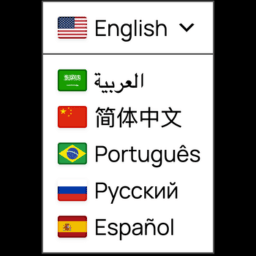
Automatic Translator with Google Translate
Translate your WordPress site with a polished Google Translate language switcher for instant visitor translation.

Solide Wahl
Automatic Translator with Googl… is a solid plugin choice in 2026, with a few things worth checking first. It runs on 3K+ sites, is rated 4.4/5 and was last updated 1 month ago, and scores 66/100 on our health check.
- Getestet mit dem neuesten WordPress (7.1)
Wie stapelt es sich?
Side-by-side bei Installationen, Updates, Bewertungen und Support



Tägliche Downloads
Download-Spitzen folgen normalerweise einer neuen Version - jede Website, die automatisch aktualisiert wird, gilt als Download.
Ranglisten
Where Automatic Translator with G… stands todayWordPress.org Ranglisten suchen
Live-Position in der Plugin-Suche, Top 100| Stichwort | Position |
|---|---|
| google translate | #8 |
| language switcher | #28 |
| translate | #13 |
| translation | >100 |
| website translator | #6 |
Versionsübernahme
Anteil aktiver Sites pro Release.
Bewertungsaufschlüsselung
★★★★★★★★★★ 4.4 from 11 reviews
About Automatic Translator with Google Transl…
From the official readme · v2.3.0Beschreibung
Automatic Translator with Google Translate by Pampa Dev helps you translate WordPress content for visitors with a lightweight Google Translate language switcher. Add a floating selector, place it in a menu, publish it in a widget area, insert it with a shortcode, or use the selector block.
Version 2 makes the language switcher easier to use, easier to place, and easier to style. Visitors get a cleaner translation experience, and site owners get better controls for where the selector appears, which languages are shown, and what content should stay untranslated.
Automatic Translator is a free visitor translation plugin. It changes what visitors see in their browser after they choose a language. It does not create translated URLs, translated posts, hreflang tags, sitemap entries, translated metadata, or SEO-indexable translated pages.
Plugin interface translations are included for Spanish, German, French, Italian, Portuguese (Brazil), Japanese and English (UK).
Merkmale
- Free client-side translation powered by the Google Translate website widget
- Custom language switcher for a polished visitor-facing selector
- Translate posts, pages, menus, widgets, theme text, plugin text, and WooCommerce storefront text that appears in the page HTML
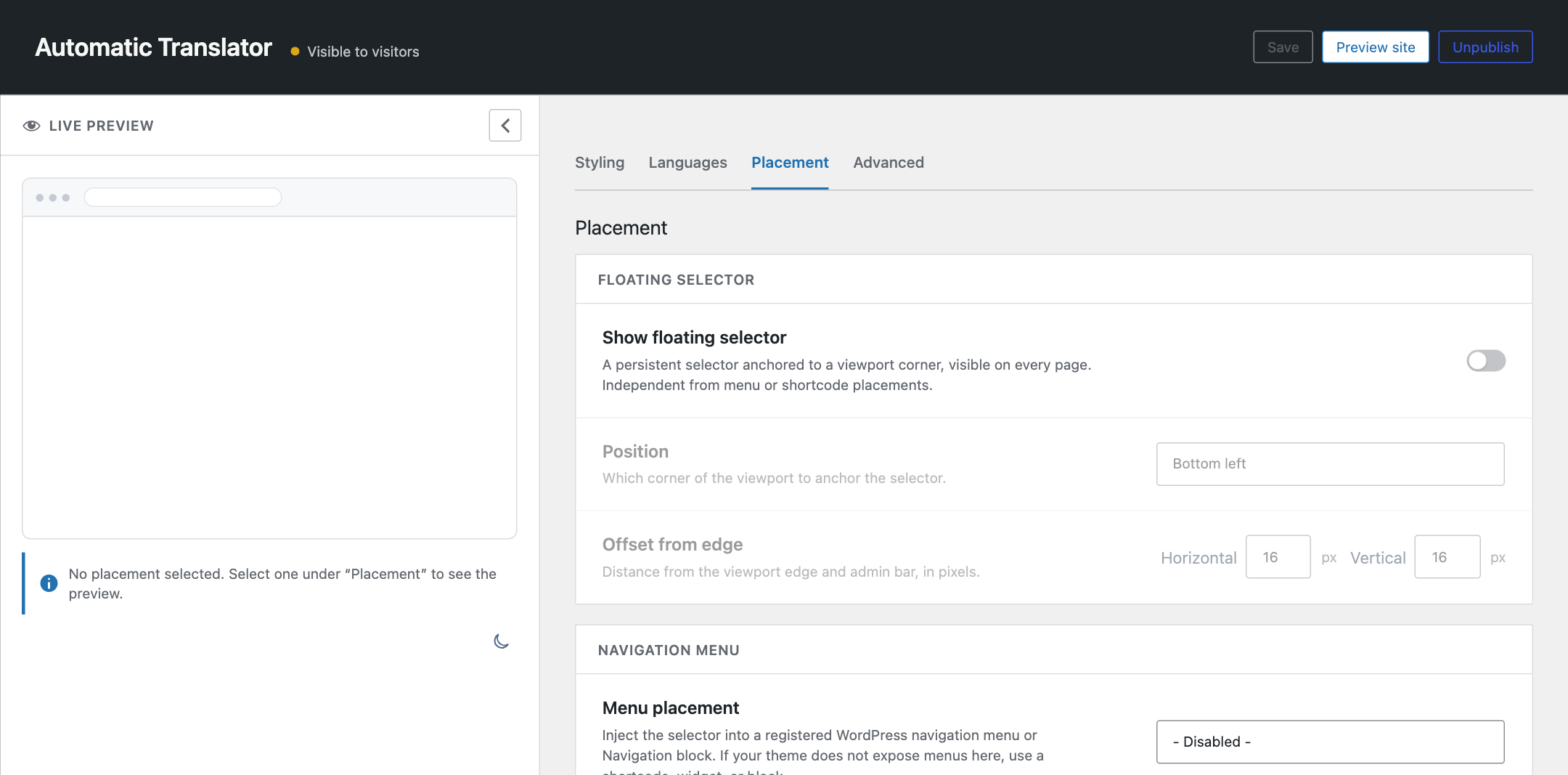
- Floating language selector with configurable corner and offset controls
- Menu, widget, shortcode, and selector block placement options
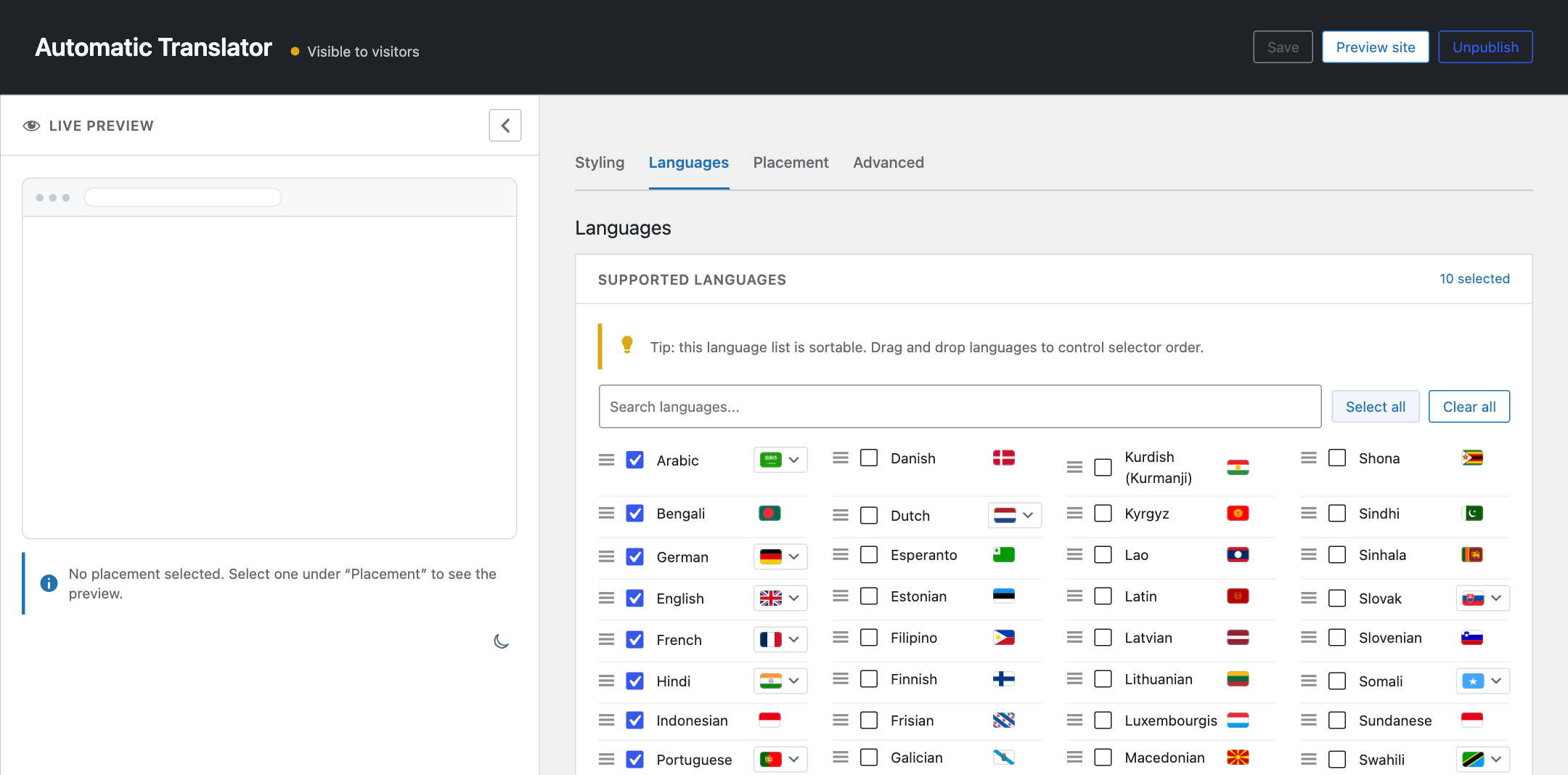
- Language search, selection, ordering, and optional all-languages mode
- Country flags with broad regional flag choices for languages spoken in multiple places
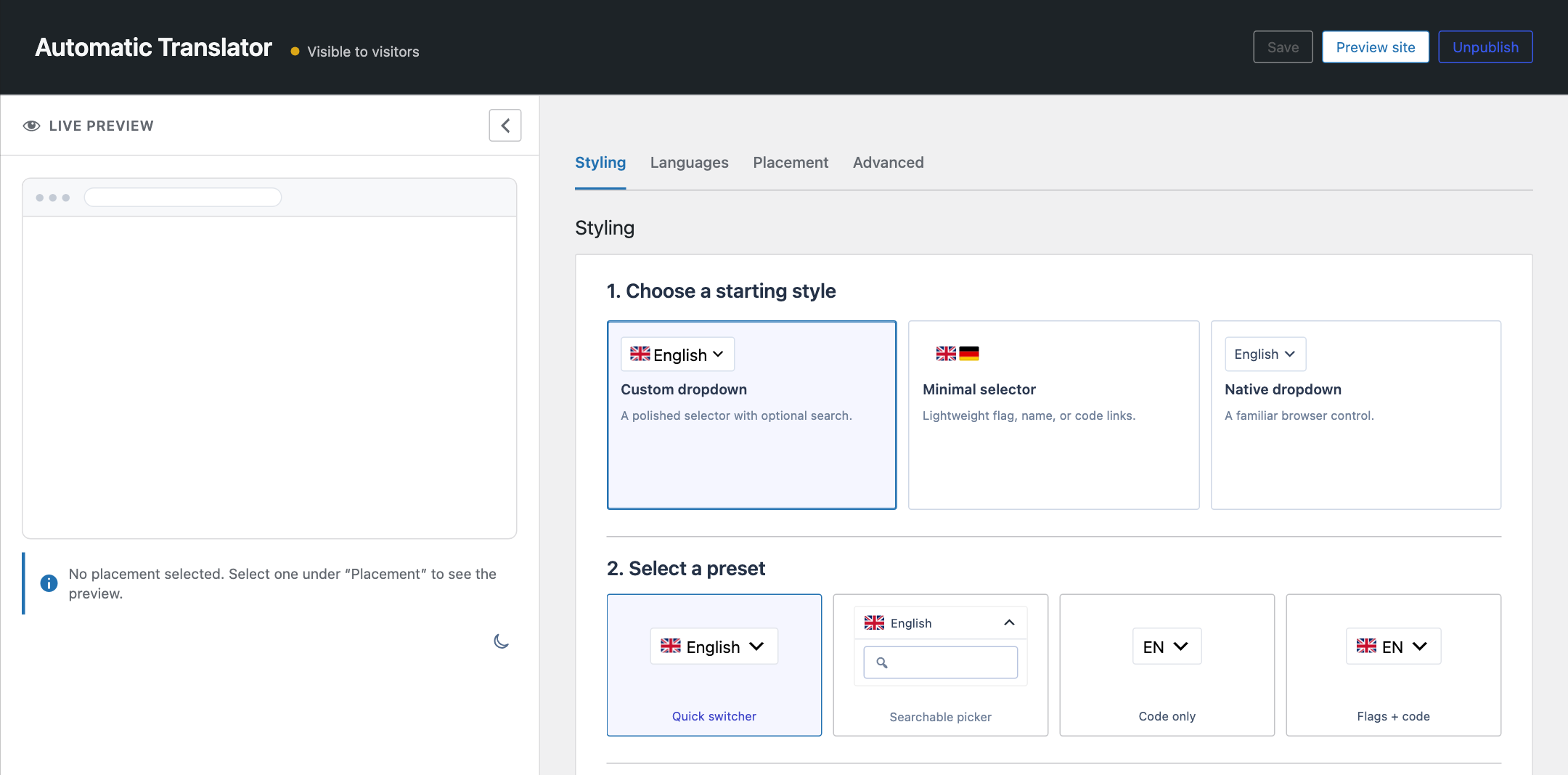
- Styling controls for colors, borders, typography, shadows, icons, and dropdown appearance
- Auto-detect option based on the visitor browser language
- Multiple selectors on the same page with shared translation state
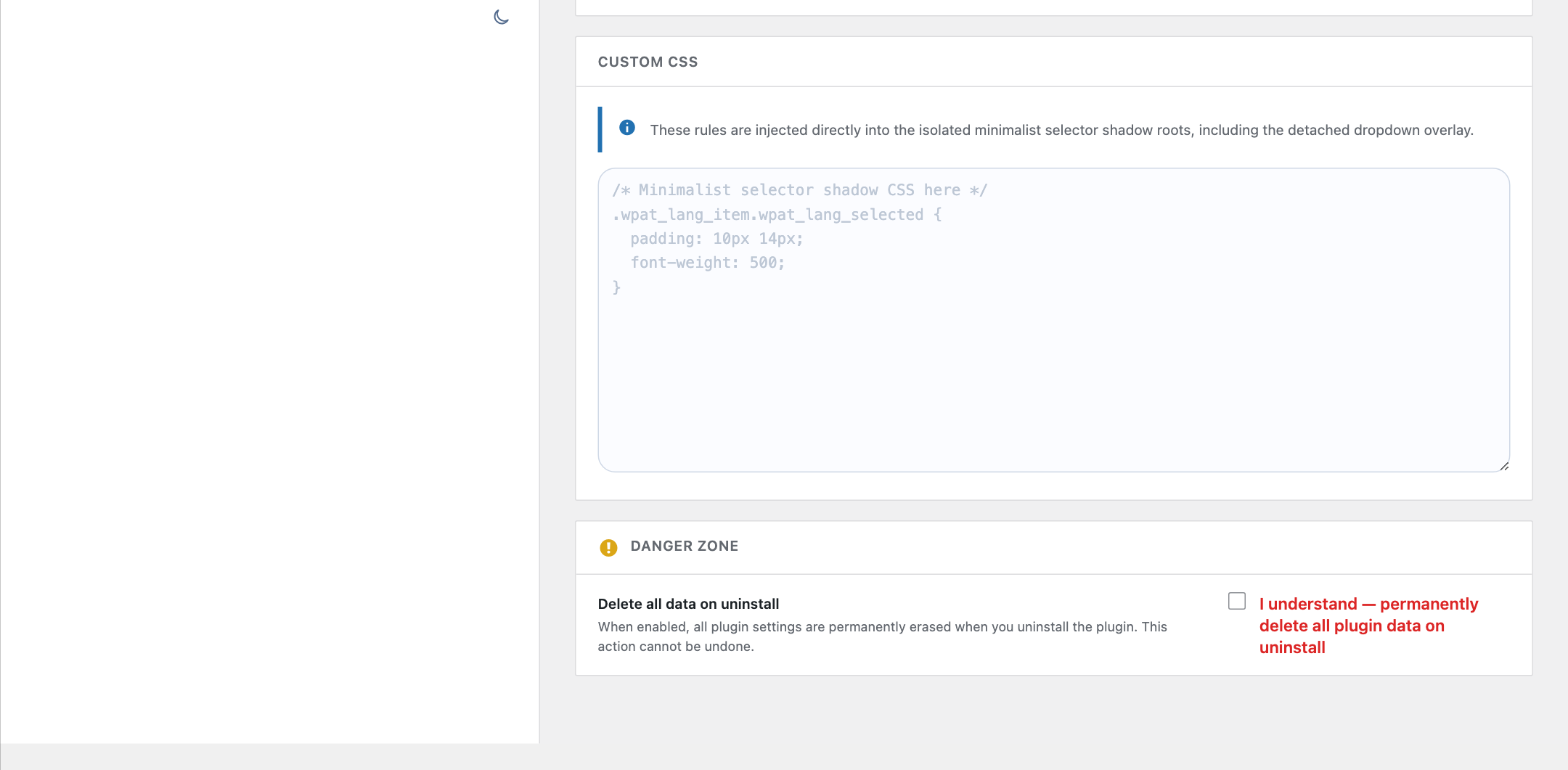
- Advanced exclusion selectors for brand names, code samples, checkout fragments, or other content that should not be translated
- Dedicated shadow-scoped CSS for the isolated minimalist selector and detached dropdown overlay
- Loads translation tools only when visitors need them
- Hardens translated content and selector styling against aggressive theme CSS
- Uses a more isolated custom selector shell so theme CSS is less likely to break translated labels or icon alignment
- Renders the open language list in a detached shadow-isolated overlay layer so theme stacking, local containers, and theme CSS are less likely to break or block it
- No paid SaaS account or translation API key required
Free mode and multilingual SEO
Automatic Translator is built for instant visitor translation, not multilingual SEO indexing.
Free client-side translation is useful when visitors need to read your existing site in another language without creating and maintaining translated content. Search engines generally see the original page, because translated versions are not stored on separate URLs.
If you need multilingual SEO, you need a server-rendered translation system with stable language URLs, canonical handling, hreflang, sitemap integration, translated metadata, and translated slugs. Automatic Translator does not claim those features in free mode.
Placement options
You can place the language switcher in several ways:
- Floating selector in the Placement tab (enabled by default).
- Add the selector block in the block editor.
- Add the selector to a classic menu or Navigation block menu.
- Add the Automatic Translator widget to a widget area.
- Insert a shortcode in content or a template.
Supported languages
Automatic Translator supports the languages available through the Google Translate website widget:
- Afrikaans
- Albanian
- Amharic
- Arabic
- Armenian
- Azerbaijani
- Basque
- Belarusian
- Bengali
- Bosnian
- Bulgarian
- Catalan
- Cebuano
- Chichewa
- Chinese (Simplified)
- Chinese (Traditional)
- Corsican
- Croatian
- Czech
- Danish
- Niederländisch
- Englisch
- Esperanto
- Estonian
- Filipino
- Finnish
- Französisch
- Frisian
- Galician
- Georgian
- Deutsch
- Greek
- Gujarati
- Haitian Creole
- Hausa
- Hawaiian
- Hebrew
- Hindi
- Hmong
- Hungarian
- Icelandic
- Igbo
- Indonesian
- Irish
- Italienisch
- Japanisch
- Javanese
- Kannada
- Kazakh
- Khmer
- Korean
- Kurdish (Kurmanji)
- Kyrgyz
- Lao
- Latin
- Latvian
- Lithuanian
- Luxembourgish
- Macedonian
- Malagasy
- Malay
- Malayalam
- Maltese
- Maori
- Marathi
- Mongolian
- Myanmar (Burmese)
- Nepali
- Norwegian
- Pashto
- Persian
- Polieren
- Portugiesisch
- Punjabi
- Romanian
- Russisch
- Samoan
- Scots Gaelic
- Serbian
- Sesotho
- Shona
- Sindhi
- Sinhala
- Slovak
- Slovenian
- Somali
- Spanisch
- Sundanese
- Swahili
- Swedish
- Tajik
- Tamil
- Telugu
- Thai
- Turkish
- Ukrainian
- Urdu
- Uzbek
- Vietnamese
- Welsh
- Xhosa
- Yiddish
- Yoruba
- Zulu
Datenschutzerklärung
Automatic Translator with Google Translate uses Appsero SDK to collect some telemetry data upon user’s confirmation. This helps us troubleshoot problems faster and make product improvements.
Appsero SDK does not gather any data by default. The SDK only starts gathering basic telemetry data when a user allows it via the admin notice.
Integrating Appsero SDK does not immediately start gathering data without confirmation from users in any case.
Learn more about how Appsero collects and uses this data.
Installation
- Install the plugin through the WordPress plugin installer, or upload it to
/wp-content/plugins/auto-translate/. - Aktivieren Sie das Plugin über den Plugin-Bildschirm in WordPress.
- Open Translator in the WordPress admin menu.
- Choose your languages, selector style, and placement.
- Visit the frontend and test the language switcher.
Änderungsprotokoll
Unreleased
2.3.0
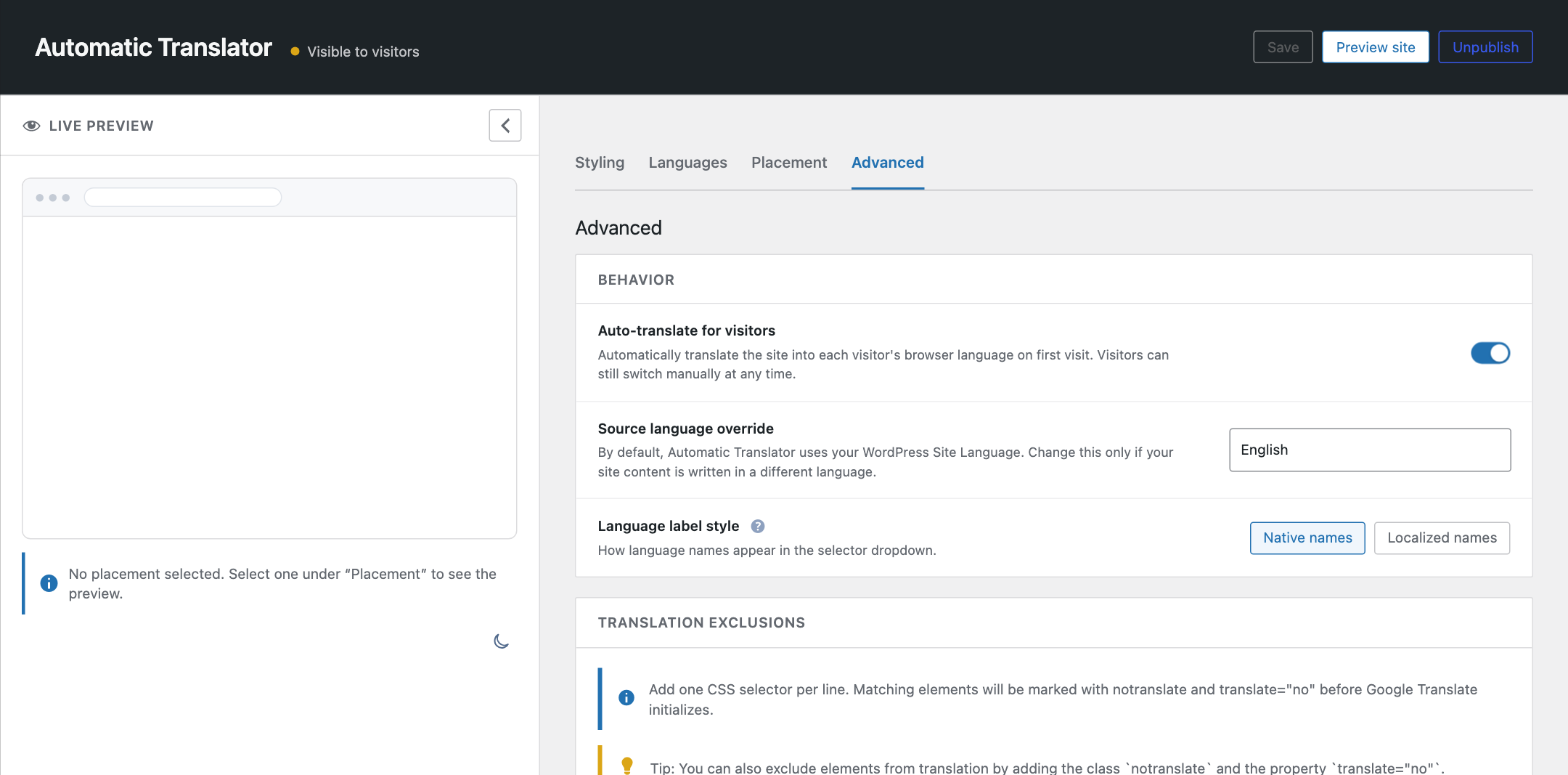
- Added a unified cross-tab settings draft with Save, Preview site, Publish/Unpublish, and Discard changes controls.
- Added a private full-site preview and a pre-publish readiness checklist for languages, placement, and styling.
- Added no-reload settings tabs with browser history, accessible loading and error states, and no-JavaScript fallbacks.
- Added a guided selector style studio with Compact, Minimal, and Native starting styles, deterministic presets, and live light/dark previews.
- Added a native HTML language selector, Emoji flags, and transparent Minimal selector colour controls.
- Improved the live preview so staged language, ordering, style, floating position, offset, and menu-placement changes appear before saving.
- Improved the settings experience at narrow and zoomed widths and strengthened keyboard support for the pre-publish reminder.
- Fixed draft races, expired drafts, immediate discard, and overlapping browser tabs so publishing commits the complete staged configuration.
- Fixed language selection and ordering after Select all, Clear all, ordinary selection, and explicit drag ordering.
- Fixed selector preset application and settings-header action visibility, hover, and keyboard-focus states.
- Replaced the persistent setup checklist with the unified publish workflow and made review and support notices dismissible until the plugin is updated.
2.2.1
- Bestätigte Kompatibilität mit WordPress 7.1.
2.2.0
- Added a preview-mode dashboard flow so new installs can configure and preview Automatic Translator as admins before making it visible to visitors.
- Added a setup checklist for the core launch steps: choosing languages, setting placement, adjusting styling, previewing the site, and going live.
- Added a machine-readable frontend meta tag containing the installed plugin version.
- Updated Appsero deactivation feedback with clearer Automatic Translator-specific reasons and matching reason icons.
2.1.3
- Corrected the WordPress.org release package so it contains the 2.1.3 source and build outputs.
2.1.2
- Fixed PHP template calls to
do_shortcode( '[auto_translate_button]' )so they bootstrap the frontend translator runtime when the floating selector is disabled and the shortcode is not present in post content
Screenshots




Für Entwickler
Ist das dein Plugin? Zeigen Sie die Zahlen.
Fügen Sie Ihrer Website, Docs oder GitHub Readme ein Live-Badge hinzu. Es wird von selbst aktualisiert - kein Konto erforderlich.
Best Automatic Translator with Goo… alternatives
All google translate plugins →





Fragen und Antworten
Automatic Translator with Google Tr…: quick answers
Gerade Antworten, gezogen von Live WordPress.org Daten.
Quelle: WordPress.org
Is Automatic Translator with Googl… free?
Yes. Automatic Translator with Googl… is free to download and use from the official WordPress.org plugin directory.
Is Automatic Translator with Googl… safe to use in 2026?
Automatic Translator with Googl… is a solid plugin choice in 2026, with a few things worth checking first. It runs on 3K+ sites, is rated 4.4/5 and was last updated 1 month ago, and scores 66/100 on our health check.
How many websites use Automatic Translator with Googl…?
Automatic Translator with Googl… is active on 3K+ WordPress websites and has been downloaded 63,564 times since it launched in April 2019. It was downloaded 1,760 times in the last 30 days.
Does Automatic Translator with Googl… work with WordPress 7.1?
Yes. The developer has tested Automatic Translator with Googl… up to WordPress 7.1.5, the latest release. It requires WordPress 6.5 or newer.
What PHP version does Automatic Translator with Googl… need?
Automatic Translator with Googl… requires PHP 7.4 or higher. Most hosts run PHP 8.x today, so it works on any modern WordPress hosting.
When was Automatic Translator with Googl… last updated?
The latest version, 2.3.0, was released on October 7, 2026 (1 month ago).
Who makes Automatic Translator with Googl…?
Automatic Translator with Googl… is developed and maintained by Pampa Dev.
What are the best alternatives to Automatic Translator with Googl…?
The most popular alternatives to Automatic Translator with Googl… are LocoAI (70K+ installs), Prisna GWT (7K+ installs) and Linguator (3K+ installs).
Angetrieben von PageForge
Eine Vorlage und eine Tabelle. Eine echte Seite für jede Suche.
PageForge Verwandelt jede Zeile eines CSV in eine WordPress-Seite mit eigenem Titel, URL, SEO Felder und Schema entworfen. Kostenlos auf WordPress.org.
- CSV und XLSX, plus Google Sheets auf Beruf und Unternehmen
- seinen eigenen Titel, URL, SEO Felder und Schema für jede Seite
- Arbeitet mit dem Blockeditor, Elementor, Divi und Avada
- Kostenlos auf WordPress.org, keine Kreditkarte