


Auto Alt Text
This plugin allows you to automatically generate an Alt Text for images uploaded into the media library via AI.

Solide Wahl
Auto Alt Text is a solid plugin choice in 2026, with a few things worth checking first. It runs on 4K+ sites, is rated 5/5 and was last updated 3 months ago, and scores 69/100 on our health check.
- Getestet mit dem neuesten WordPress (7.1)
Wie stapelt es sich?
Side-by-side bei Installationen, Updates, Bewertungen und Support


Tägliche Downloads
Download-Spitzen folgen normalerweise einer neuen Version - jede Website, die automatisch aktualisiert wird, gilt als Download.
Ranglisten
Where Auto Alt Text stands todayWordPress.org Ranglisten suchen
Live-Position in der Plugin-Suche, Top 100| Stichwort | Position |
|---|---|
| accessibility | >100 |
| alt tag | #3 |
| Alt Text | #3 |
| openai | #35 |
| SEO | >100 |
Versionsübernahme
Anteil aktiver Sites pro Release.
Bewertungsaufschlüsselung
★★★★★★★★★★ 5 from 8 reviews
About Auto Alt Text
From the official readme · v3.0.3Beschreibung
This plugin implements the automatic creation of alt text for images uploaded to the media library. The alt text is generated at the time of uploading the image and it is also possible to generate the alt text for images already present in the media library.
To generate the alt text, you can choose to use the artificial intelligence of OpenAI, Anthropic Claude, Google Gemini or Azure, or decide if you simply want to copy the title of the article where the image is uploaded or the name of the image.
Clearly, using artificial intelligence will allow for a more accurate and useful alt texts.
Merkmale
This plugin allows you to generate alt texts in the following ways:
– using Openai APIs (the most recently released models and any other compatible model available on your account)
– using Anthropic Claude API
– using Google Gemini API
– using Azure APIs for computational vision;
– recovering the title of the image
– recovering the title of the article in which the image is uploaded
It can also fill in, on the fly, the missing alt texts of the images already published in your content, using the alt text stored in the media library.
Loslegen
After installing the plugin, click on the ‘Auto Alt Text’ menu item.
Choice of Generation Method
Select the Generation Method you prefer
OpenAI’s APIs
In your OpenAI account, retrieve the following data to enter on the options page:
– API Key
Once the API Key is saved, the list of the models available on your account is retrieved directly from OpenAI, so you can always choose among the up-to-date models.
If the model you selected is retired by OpenAI, a notice is displayed in the administration area and the least expensive available model is used as a fallback until you choose a new one.
Choose the model you want to use for generating the alt text.
Enter a prompt for generating the alt text according to your needs.
Claude Anthropic’s APIs
In your Anthropic account, retrieve the following data to enter on the options page:
– API Key
Choose the model you want to use for generating the alt text.
Enter a prompt for generating the alt text according to your needs.
Google Gemini’s APIs
In your Google AI Studio account, retrieve the following data to enter on the options page:
– API Key
Once the API Key is saved, the list of the models available on your account is retrieved directly from Google, so you can always choose among the up-to-date models.
If the model you selected is retired by Google, a notice is displayed in the administration area and the least expensive available model is used as a fallback until you choose a new one.
Choose the model you want to use for generating the alt text.
Enter a prompt for generating the alt text according to your needs.
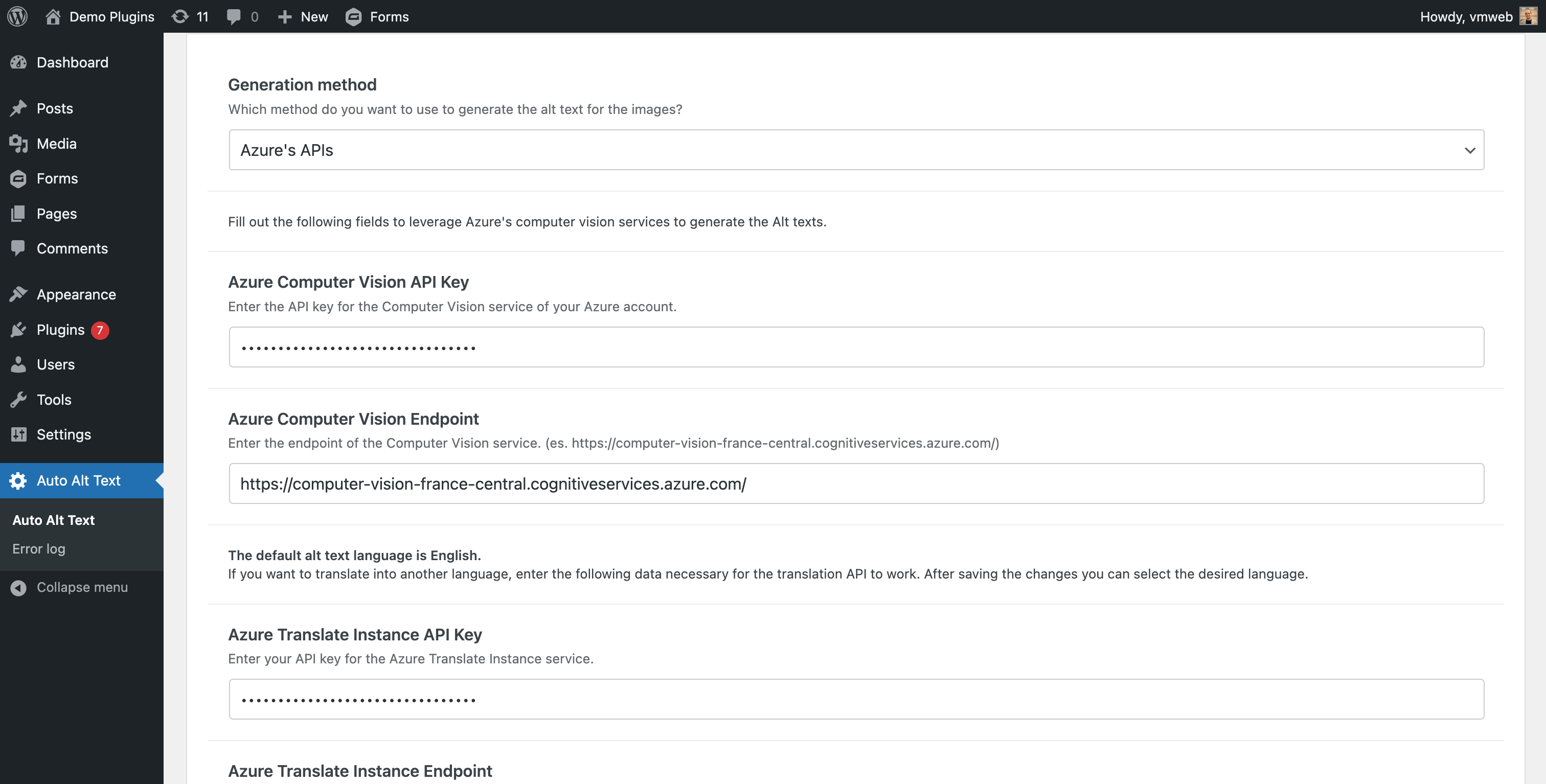
Azure’s APIs
On your Azure account, create a Computer Vision instance and retrieve the following data to enter on the options page:
– Computer Vision API Key
– Computer Vision Endpoint
If you want to generate an alt text in English, save the options without filling in any other fields.
If you want to generate an alt text in a different language, on your Azure account, create a Translator instance and retrieve the following data to enter on the options page:
– Translator Instance API Key
– Translator Instance Endpoint
– Translator Instance Region
After entering this data, save the options.
Select the desired language and save the options again.
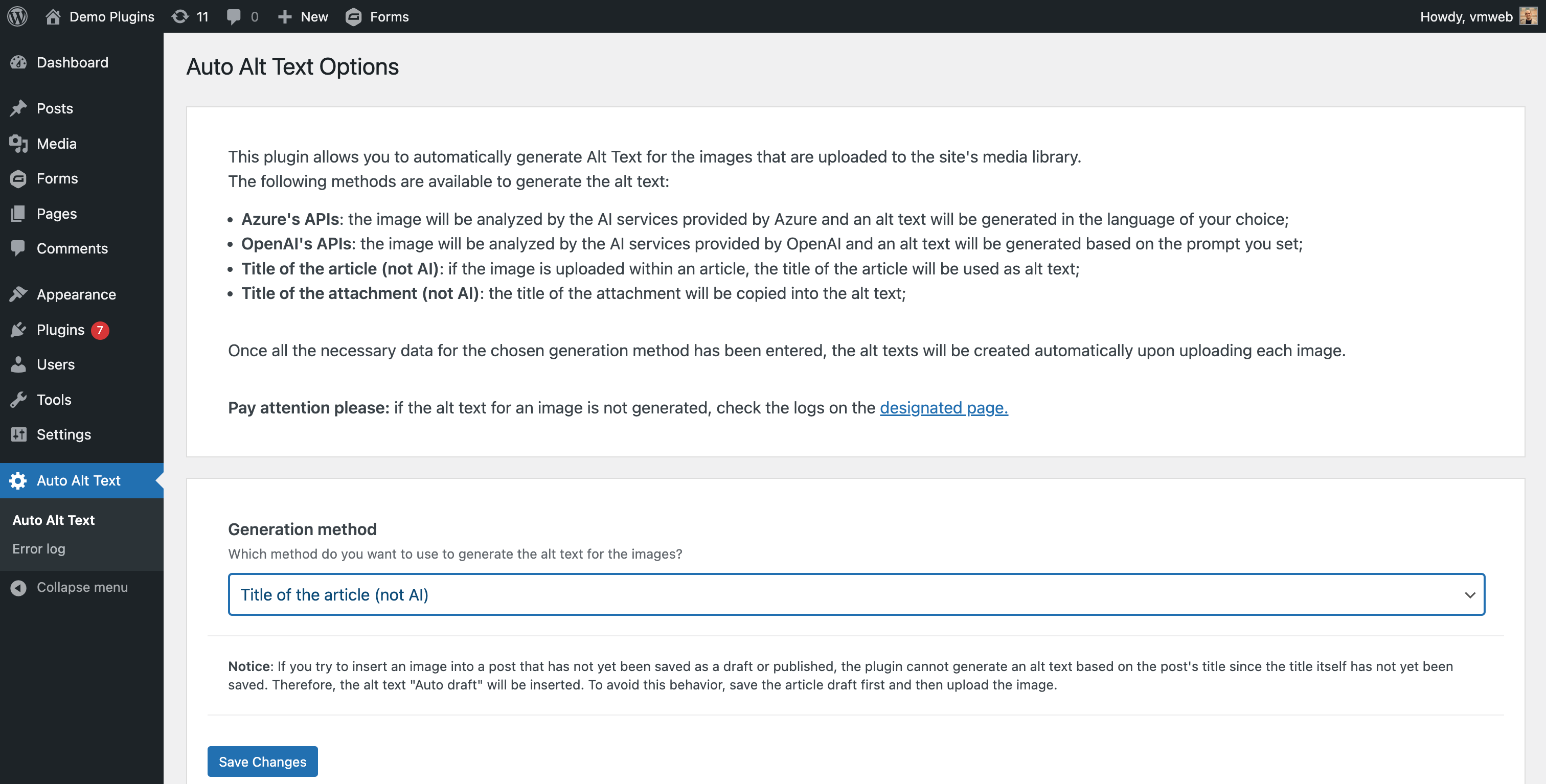
Title of the article
For this generation method, there are no options to set as the alt text will be generated by copying the title of the article in which the image is uploaded.
In case the article is not uploaded as an attachment of an article, the “Title of the attachment” method will be used as a fallback.
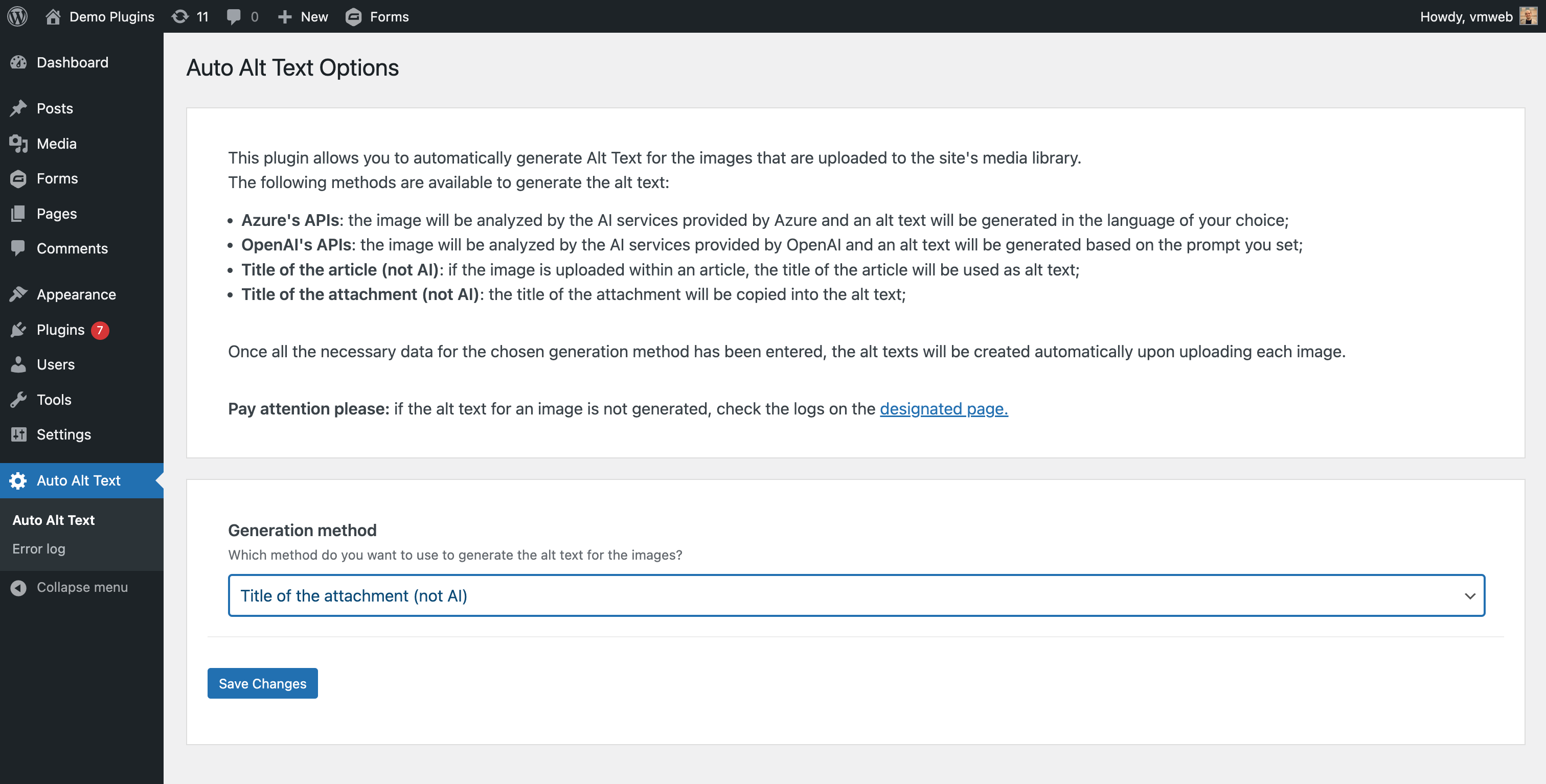
Title of the attachment
For this generation method, there are no options to set as the alt text will be generated by copying the title of the image.
Functioning
Once the plugin is configured, each time an image is uploaded to the media library, an alt text will be automatically set based on the selected generation method.
For images already in the media library, you can create bulk alt texts. Open the Media Library in the “list” view, select the images for which to generate the alt text, and choose the “Generate alt text” bulk action. (Depending on the number of images chosen and their weight, this may take some time.)
You can also generate the alt text of a single image directly from the media library. Open the Media Library in “grid” mode, choose the image for which to generate the alt text, and click the “Generate alt text” button. In no time the alt text field will be overwritten by the generated description.
Automatic alt text rendering in content
Images that were inserted in your posts and pages before the alt text was generated keep the empty alt attribute saved in the content, even after the media library has been filled.
By enabling the “Automatically render alt text in content” option, when a page is displayed the plugin looks at every image of the content and, for those without an alt text, it writes the alt text stored in the media library (when available). Images that already have an alt text are never touched, and your saved content is not modified in any way: the alt text is only added to the rendered HTML.
The option is disabled by default and it is independent of the chosen generation method.
Developers can also control this behaviour with two filters: aatxt_content_alt_text_enabled to skip the processing for a specific request, and aatxt_content_image_alt_text to filter the alt text before it is written into the image tag.
WP-CLI
If you prefer generating alt text in batch (e.g., to avoid processing in the Media Library UI), you can use WP-CLI.
This is the recommended way to work on a large media library: the bulk action of the Media Library runs inside a single web request, so depending on your server settings (PHP max_execution_time, PHP-FPM request_terminate_timeout, web server or proxy timeouts) it can be interrupted before all the selected images have been processed. WP-CLI is not affected by those limits, shows a progress bar and can be resumed with --offset.
Generate alt text for a list of attachment IDs:
wp auto-alt-text generate --ids=123,456,789
Process all image attachments in batches:
wp auto-alt-text generate --all --limit=200 --offset=0
wp auto-alt-text generate --all --limit=200 --offset=200
Dry run (no metadata updates):
wp auto-alt-text generate --ids=123,456 --dry-run
Force overwrite of existing alt text (even if “Keep existing alt text” is enabled):
wp auto-alt-text generate --all --limit=200 --offset=0 --force
Notice: If you choose one of the methods that involves the use of external APIs, the upload times for images in the media library might increase because it requires sending a request to the APIs, waiting for the external server to process, and waiting for a response.
Logging
If the generation of the alt text via AI is set, in case of errors, to avoid blocking the editorial work, the image is loaded anyway but without the alt text being compiled.
When a call to the OpenAI, Anthropic, Gemini or Azure API fails, a record containing the error message is saved in a custom database table.
In this case, the cause of the error can be seen on the Auto Alt Text -> Error log page.
Externe Dienste
This plugin uses the following external services alternatively:
OpenAI
Selecting the generation method “OpenAI’s APIs” will use the API services of OpenAI.
This plugin does not collect any information from your OpenAI account. The data transmitted to OpenAI mainly consists of the image files uploaded to your website and the specified prompt.
For accurate information on privacy and conditions of use, please consult the privacy policy and terms and conditions directly on the official website. It is also advisable to check the costs and usage statistics of the API service on the OpenAI website.
Anthropisch Claude
Selecting the generation method “Anthropic’s APIs” will use the API services of Anthropic.
This plugin does not collect any information from your Anthropic Claude account. The data transmitted to Anthropic Claude mainly consists of the image files uploaded to your website and the specified prompt.
For accurate information on privacy and conditions of use, please consult the privacy policy, terms and conditions for consumers and terms and conditions for commercial directly on the official website. It is also advisable to check the costs and usage statistics of the API service on the Anthropic website.
Google Gemini
Selecting the generation method “Google Gemini’s APIs” will use the API services of Google Gemini.
This plugin does not collect any information from your Google account. The data transmitted to Google mainly consists of the image files uploaded to your website and the specified prompt.
For accurate information on privacy and conditions of use, please consult the privacy policy and terms of service directly on the official website. It is also advisable to check the costs and usage statistics of the API service on the Google AI website.
Azure
Selecting the “Azure’s APIs” generation method will use the API services of Microsoft Azure.
This plugin does not collect any information from your Azure account. The data transmitted to Azure consists mainly of image files uploaded to your website.
For accurate information on privacy and conditions of use, please directly consult the privacy policy and terms and conditions on the official website. It is also advisable to check the costs and usage statistics of the API service on the Microsoft Azure’s website.
Encryption Constants
We strongly recommend defining the new plugin-specific constants in your wp-config.php:
define( 'AATXT_ENCRYPTION_KEY',  'a_random_string_of_at_least_64_characters' );
define( 'AATXT_ENCRYPTION_SALT', 'another_random_string_of_at_least_64_characters' );
You will find these two define(…) lines already generated for you on the Auto Alt Text » Options page – simply copy & paste them before the /* That's all, stop editing! Happy publishing. */ line in your wp-config.php.
If you choose not to add them, the plugin will continue to work normally, but it will fall back to using your WordPress LOGGED_IN_KEY / LOGGED_IN_SALT, which may break if those salts are ever changed.
Disclaimer
Auto Alt Text is a plugin that helps users automatically generate Alt Texts of their images using AI services such as OpenAI’s ChatGPT or Microsoft Azure.
Users need their own API key and must follow the rules set by the AI service they choose.
By using Auto Alt Text, users agree to watch and manage AI-made content and address any issues or misuse.
AI Engine developer and related parties are not responsible for any problems or losses caused by the use of the plugin or AI-generated content.
Credits
A big thank you to everyone who has improved this plugin with a pull request:
- joshuafredrickson – native WP-CLI support for batch alt text generation, and the Media Library bulk action redirect fix that preserves pagination and filters
The full list is available on the contributors page.
Contributions are welcome: feel free to open an issue or a pull request on GitHub.
Änderungsprotokoll
3.0.3
- Send the API requests over IPv4, so the generation no longer fails on hosts whose IPv6 address Google geolocates outside the supported regions
- Explain in the error log that a rejection based on the location depends on the server outbound IP, not on the API key or the plan
- Ask Gemini for a low thinking level instead of a minimal one, which the most recent models refuse
- Implement the Google Gemini API as an alternative for generating alt text
- Fill missing alt text on images rendered in the post content, using the alt text stored in the media library, without modifying the saved content
- Add the “Automatically render alt text in content” option to enable/disable this behaviour (disabled by default)
- Retrieve the available OpenAI and Gemini models automatically, and notify the user when the selected model is no longer available
- Add the Gemini 3.6 Flash model, now used as the fallback when the selected one is unavailable
- Send the image to Gemini inline instead of by URL, so the generation also works on sites Google cannot reach (local, staging, HTTP authentication)
- Avoid duplicate entries in the error log
- Replace the admin-ajax call for the single image generation with a REST API endpoint
- Update translations, Vite and the Composer dependencies
2.8.2
- Improve compatibility scoping vendor dependencies
2.8.1
- Update available Claude models
2.8.0
- Implement WP CLI commands for generating alt text
2.7.0
- Migrate to the Responses API from the Chat Completion API for OpenAI
- Remove o1 Mini deprecated model
2.6.2
- Replace hardcoded Openai model with the one selected from the user
- Update phpunit
- Update Vite
Screenshots



Für Entwickler
Ist das dein Plugin? Zeigen Sie die Zahlen.
Fügen Sie Ihrer Website, Docs oder GitHub Readme ein Live-Badge hinzu. Es wird von selbst aktualisiert - kein Konto erforderlich.
Best Auto Alt Text alternatives
All accessibility plugins →





Fragen und Antworten
Auto Alt Text: quick answers
Gerade Antworten, gezogen von Live WordPress.org Daten.
Quelle: WordPress.org
Is Auto Alt Text free?
Yes. Auto Alt Text is free to download and use from the official WordPress.org plugin directory.
Is Auto Alt Text safe to use in 2026?
Auto Alt Text is a solid plugin choice in 2026, with a few things worth checking first. It runs on 4K+ sites, is rated 5/5 and was last updated 3 months ago, and scores 69/100 on our health check.
How many websites use Auto Alt Text?
Auto Alt Text is active on 4K+ WordPress websites and has been downloaded 41,371 times since it launched in March 2024. It was downloaded 1,752 times in the last 30 days.
Does Auto Alt Text work with WordPress 7.1?
Yes. The developer has tested Auto Alt Text up to WordPress 7.1.0, the latest release. It requires WordPress 6.2.0 or newer.
What PHP version does Auto Alt Text need?
Auto Alt Text requires PHP 7.4 or higher. Most hosts run PHP 8.x today, so it works on any modern WordPress hosting.
When was Auto Alt Text last updated?
The latest version, 3.0.3, was released on August 24, 2026 (3 months ago).
Who makes Auto Alt Text?
Auto Alt Text is developed and maintained by Valerio Monti.
What are the best alternatives to Auto Alt Text?
The most popular alternatives to Auto Alt Text are Web Accessibility (formally… (500K+ installs), Auto Image Attributes From… (100K+ installs) and Accessibility by UserWay (80K+ installs).
Angetrieben von PageForge
Eine Vorlage und eine Tabelle. Eine echte Seite für jede Suche.
PageForge Verwandelt jede Zeile eines CSV in eine WordPress-Seite mit eigenem Titel, URL, SEO Felder und Schema entworfen. Kostenlos auf WordPress.org.
- CSV und XLSX, plus Google Sheets auf Beruf und Unternehmen
- seinen eigenen Titel, URL, SEO Felder und Schema für jede Seite
- Arbeitet mit dem Blockeditor, Elementor, Divi und Avada
- Kostenlos auf WordPress.org, keine Kreditkarte