


Author Avatars List/Block
Display lists of user avatars using widgets or shortcodes. With Gutenberg support.

Sichere Auswahl
Yes — Author Avatars List/Block is a safe, well-maintained plugin to use in 2026. It runs on 3K+ sites, is rated 4.8/5 and was last updated 3 months ago, and scores 81/100 on our health check.
- Loved by users — 4.8/5 from 32 reviews
- Getestet mit dem neuesten WordPress (7.1)
- Momentum — downloads up 46.6% vs the previous 30 days
Wie stapelt es sich?
Side-by-side bei Installationen, Updates, Bewertungen und Support


Tägliche Downloads
Download-Spitzen folgen normalerweise einer neuen Version - jede Website, die automatisch aktualisiert wird, gilt als Download.
Ranglisten
Where Author Avatars List/Block stands todayWordPress.org Ranglisten suchen
Live-Position in der Plugin-Suche, Top 100| Stichwort | Position |
|---|---|
| author | #6 |
| Avatar | #7 |
| Block | >100 |
| image | >100 |
| profile | #80 |
Versionsübernahme
Anteil aktiver Sites pro Release.
Bewertungsaufschlüsselung
★★★★★★★★★★ 4.8 from 32 reviews
About Author Avatars List/Block
From the official readme · v2.2.0Beschreibung
This plugin makes it easy to display lists of user avatars, grouped by user roles, on your (multiuser) site. It also allows you to insert single avatars for blog users or any email address into a post or page – great for displaying an image of someone you’re talking about.
It makes use of built-in WordPress (core) functions to retrieve user information and get avatars.
Integrates with: Gutenberg, BuddyPress, xprofile, Multisite, Wpmu, BBPress, co-authors.
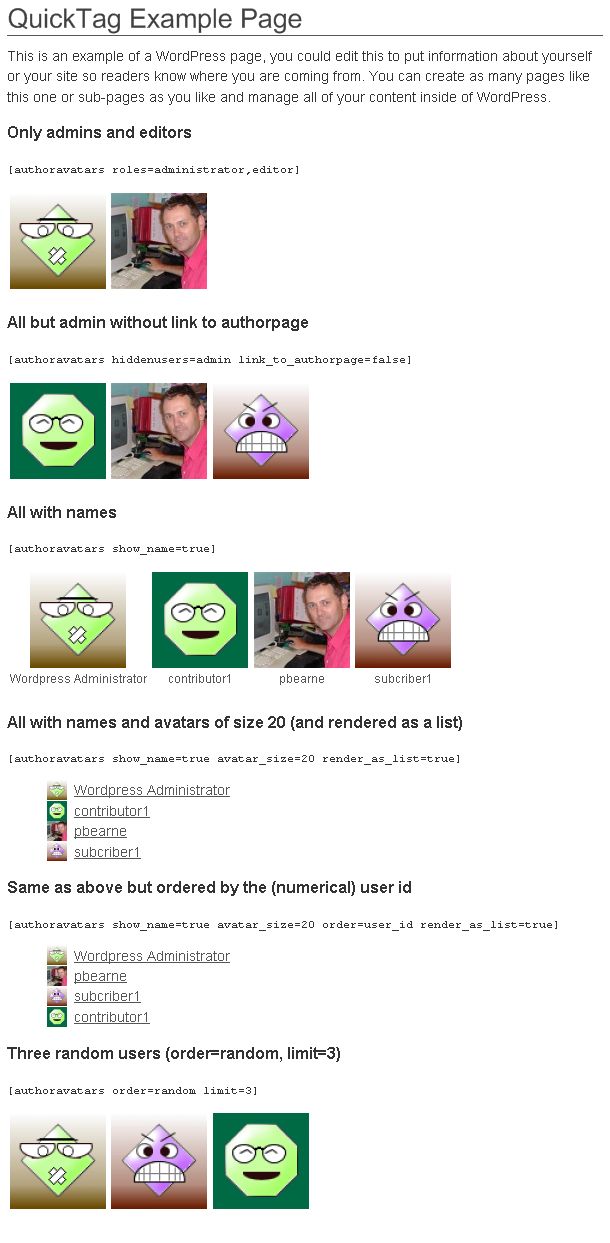
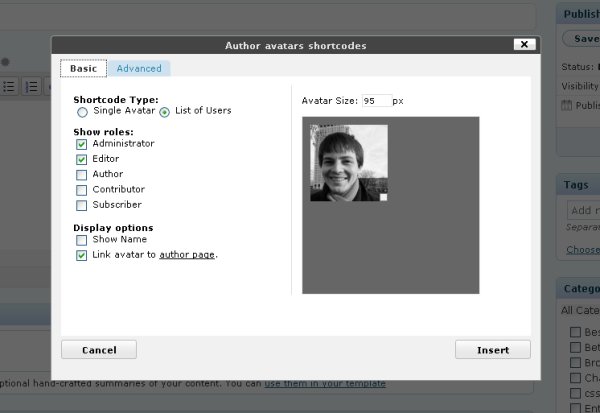
Avatar lists can be inserted into your sidebar by adding a widget or into posts/pages by using a shortcode. The plugin comes with a tinymce editor plugin which makes inserting shortcodes very easy.
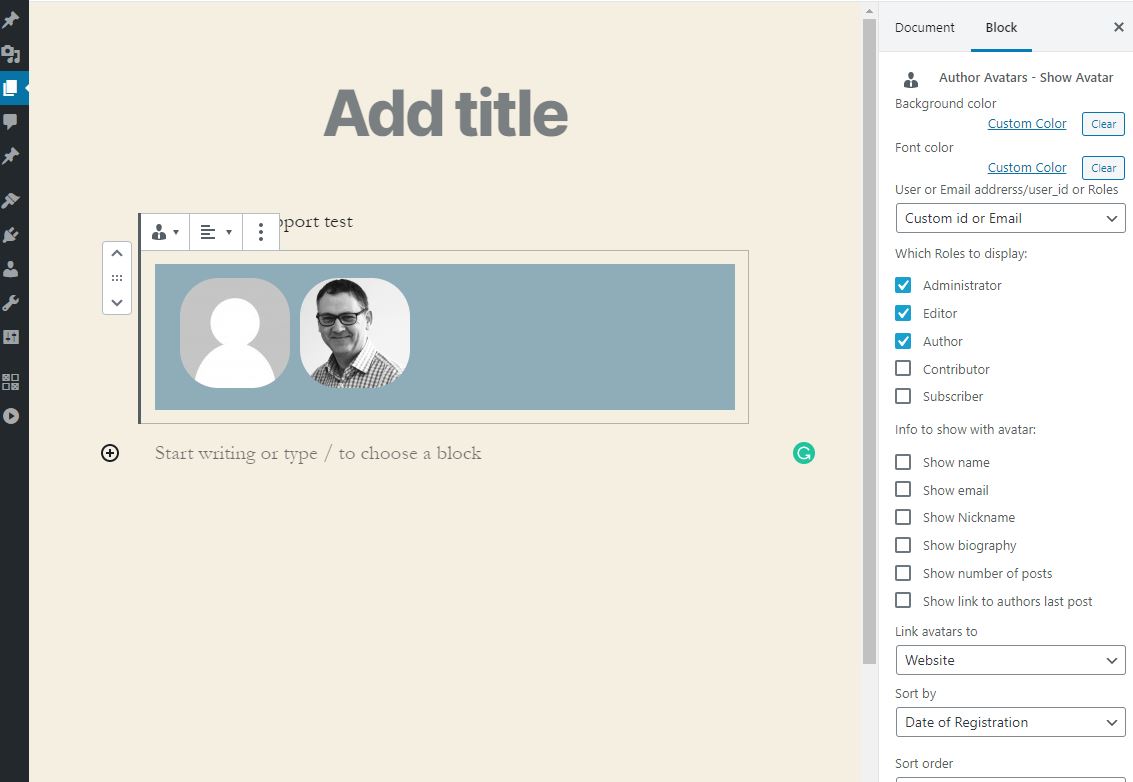
This also provides Gutenberg Block for use with the Gutenberg editor.
Please help with the plugin Translations at https://translate.wordpress.org/projects/wp-plugins/author-avatars.
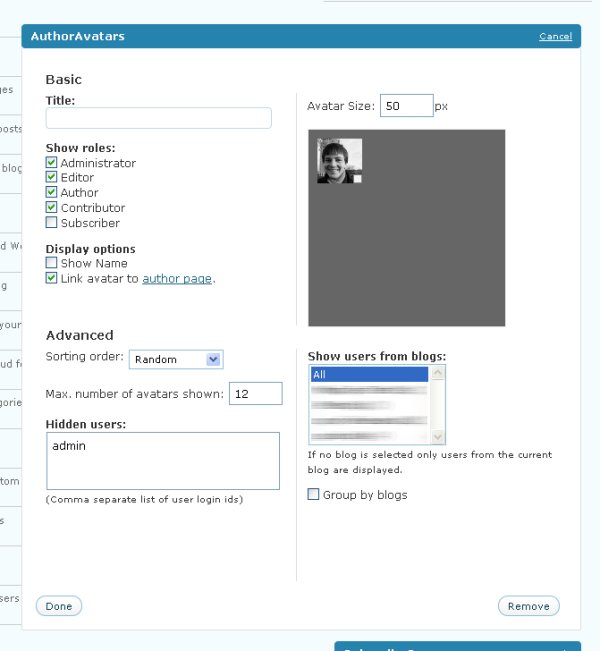
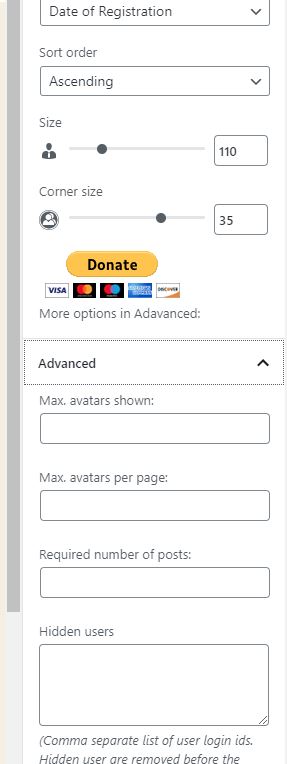
Both the shortcode and widget and Gutenberg Block can be configured to:
- Show a custom title (widget only)
- Only show specific user groups and/or hide certain users
- Limit the number of users shown
- Change the sort order of users or show in random order
- Adjust the size of user avatars
- Optionally show a user’s name or biography
- Show users from the current blog, all blogs or a selection of blogs (on WPMU/Multisite)
- Group users by their blog (when showing from multiple blogs), and show the blog name above each grouping.
- Support users from Co-Author Plus, Ultimate Member, BBpress and BuddyPress (xprofile)
- Limit the number of avatars per page for large sets by adding a page_size to the shortcode e.g. “page_size=30” (shortcode only)
Additionally, single user avatars can be inserted using the show_avatar shortcode and configured to:
- Adjust the size of the user avatar.
- Align the avatar left, centered or right.
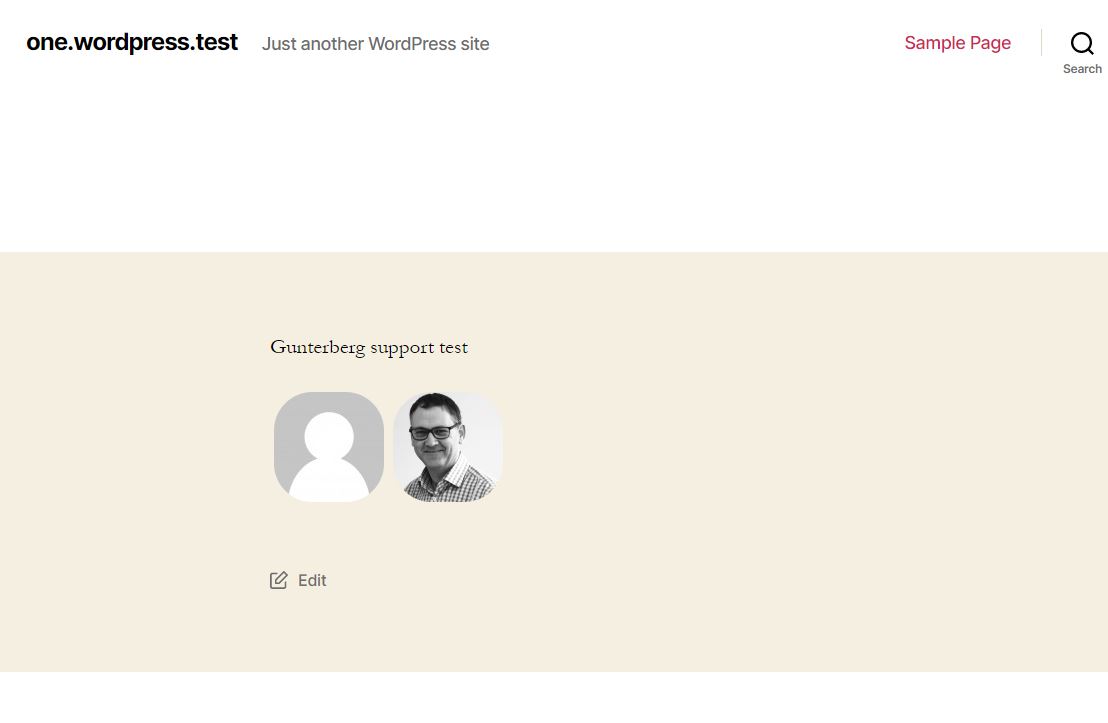
The Gutenberg Block support both single user avatars and role based selections of avatars
Please report bugs and provide feedback in the wordpress support forum.
Plugin support: In 2011, Ben stepped down as maintainer of the Plugin, handing over ownership to co-author Paul Bearne, who continues to provide support and drive the development of new features.
Installation
- Laden Sie den Ordner
author-avatarsin das/wp-content/plugins/-Verzeichnis hoch - Aktivieren Sie das Plugin über das „Plugins“-Menü in WordPress
- Enable and configure the widget as usual on the Design / Widgets page.
Look at this page to find out how to use the [authoravatars] shortcode.
You can find information for developers on this page.
Änderungsprotokoll
Breaking change in 1.8.0 in CSS .multiwidget_author_avatars is now .widget_author_avatars. This is caused by a library change in-order to support the jetpack visibility option. If you have added CSS to your theme you may have to update it for this upgrade (do a find and replace).
2.2.0
fixed an issue the paging AAjax not checking the values passed were allowed
Tidy up the code
2.1.29
re-added missing avatar size setting removed by mistake in the control updates
2.1.28
Bumped block version
added a playground file
2.1.27
Update blocks to use the new block editor controls
Bumped WP VERSION
Added Playground file
2.1.26
Bumped WP VERSION
2.1.25
Added lazy loading tag to avatars
Can be overriden with filter aa_user_avatar_lazy_load set to false
Bumped WP VERSION
2.1.24
Addjusted where the late escaping happened for the background-color
Fix issue with the border in the block
Added radius control for avatar in the block
2.1.23
Addjusted where the late escaping happened for the avatar name
2.1.22
Added late escaping to avatar name
2.1.21
Fix an enqueuing issue @props @ryanwelcher
2.1.20
fix to display attr in Blocks @props @joergliwa
2.1.19
2.1.18
Fixed an additional input
reported by Ngô Thiên An (ancorn_)
2.1.17
Fixed lack of escaping on the shortcode
reported by Ngô Thiên An (ancorn_)
2.1.16
Fixed duplicate query when sorting by posts
2.1.15
“wp-editor” script should not be enqueued notice fixed
2.1.14
php 8.1 fix
2.1.13
wp version bump
2.1.11
added missing files
2.1.10
Fixed color picker cashing in editor
Added border options
2.1.8
Fix for PHP 8 thanks to @editpostok for reporting
2.1.5
Stopped not needed css from loading
2.1.4
Removed .live in js
2.1.3
Added filter for last post link text
2.1.2
fix object type for Gutenberg block
2.1.1
added preview and block.json
2.0.8
fixed the detection for bbPress plugin
2.0.7
Fixed block not setting the user_id dropdown on page reload
2.0.6
Fixed trim function
2.0.5
added more lang for TinyMCE plugin
2.0.4
trim $atts so , don’t break short code
refactoring code (start)
2.0.3
removed PHP 7 return type
2.0.2
Fixed padding in Gutenberg sidebar
2.0.1
Added missing files
2.0.0
Gutenberg support added 🙂
1.18
PHP 7.3 errors
https://wordpress.org/support/topic/php-7-3-17/
1.17
bumped WP version
1.16
fixed name not loading in ajax paging calls
1.15
Added filter aa_user_final_css to filter the classes on the user div
added name-{first_letter} class
Added span wrape around post count brackets
1.14
Added nickname what could be show
refactored [show_avatar] to use display
1.13
added implode to xprofile content if array
Screenshots

Für Entwickler
Ist das dein Plugin? Zeigen Sie die Zahlen.
Fügen Sie Ihrer Website, Docs oder GitHub Readme ein Live-Badge hinzu. Es wird von selbst aktualisiert - kein Konto erforderlich.
Best Author Avatars List/Block alternatives
All author plugins →



Fragen und Antworten
Author Avatars List/Block: quick answers
Gerade Antworten, gezogen von Live WordPress.org Daten.
Quelle: WordPress.org
Is Author Avatars List/Block free?
Yes. Author Avatars List/Block is free to download and use from the official WordPress.org plugin directory.
Is Author Avatars List/Block safe to use in 2026?
Yes — Author Avatars List/Block is a safe, well-maintained plugin to use in 2026. It runs on 3K+ sites, is rated 4.8/5 and was last updated 3 months ago, and scores 81/100 on our health check.
How many websites use Author Avatars List/Block?
Author Avatars List/Block is active on 3K+ WordPress websites and has been downloaded 392,795 times since it launched in November 2008. It was downloaded 1,299 times in the last 30 days.
Does Author Avatars List/Block work with WordPress 7.1?
Yes. The developer has tested Author Avatars List/Block up to WordPress 7.1.0, the latest release. It requires WordPress 6.1 or newer.
When was Author Avatars List/Block last updated?
The latest version, 2.2.0, was released on August 7, 2026 (3 months ago).
Who makes Author Avatars List/Block?
Author Avatars List/Block is developed and maintained by Paul Bearne.
What are the best alternatives to Author Avatars List/Block?
The most popular alternatives to Author Avatars List/Block are Edit Author Slug (100K+ installs), WP Meta and Date Remover (80K+ installs) and Hide/Remove Metadata (20K+ installs).
Angetrieben von PageForge
Eine Vorlage und eine Tabelle. Eine echte Seite für jede Suche.
PageForge Verwandelt jede Zeile eines CSV in eine WordPress-Seite mit eigenem Titel, URL, SEO Felder und Schema entworfen. Kostenlos auf WordPress.org.
- CSV und XLSX, plus Google Sheets auf Beruf und Unternehmen
- seinen eigenen Titel, URL, SEO Felder und Schema für jede Seite
- Arbeitet mit dem Blockeditor, Elementor, Divi und Avada
- Kostenlos auf WordPress.org, keine Kreditkarte