


Australcode Email Marketing
Self-hosted email marketing for WordPress — send newsletters from your own server, with double opt-in, one-click unsubscribe, and no monthly fees.

Mit Vorsicht verwenden
Australcode Email Marketing works, but test it on a staging site before relying on it in 2026. Was last updated 1 month ago, and scores 60/100 on our health check.
- Getestet mit dem neuesten WordPress (7.1)
- Kleine Benutzerbasis (<10 aktive Installationen)
- Bisher sehr wenige Bewertungen
- Benötigt PHP 8.1 oder neuer
Wie stapelt es sich?
Side-by-side bei Installationen, Updates, Bewertungen und Support



Tägliche Downloads
Download-Spitzen folgen normalerweise einer neuen Version - jede Website, die automatisch aktualisiert wird, gilt als Download.
Ranglisten
Where Australcode Email Marketing stands todayWordPress.org Ranglisten suchen
Live-Position in der Plugin-Suche, Top 100| Stichwort | Position |
|---|---|
| double opt in | >100 |
| email campaigns | >100 |
| E-Mail-Marketing | >100 |
| Rundschreiben | >100 |
| Abonnenten | >100 |
About Australcode Email Marketing
From the official readme · v1.1.4Beschreibung
Australcode Email Marketing is a self-hosted newsletter plugin: it turns your WordPress site into a complete email marketing platform. Grow a subscriber list with a compliant subscribe form, confirm every contact with double opt-in, and send campaigns from your own server — unlimited subscribers, no monthly SaaS fee, no per-subscriber pricing.
Your subscribers, your campaigns, and your consent records live in your own WordPress database.
Why self-hosted email marketing?
- Your data stays on your site. Subscribers, consent logs, and campaign history are stored in custom tables in your WordPress database, exportable to CSV at any time.
- No usage-based pricing. The free plugin sends through your site’s own email transport (wp_mail or your SMTP plugin) — the size of your list never changes what you pay.
- One admin. Forms, subscribers, campaigns, and settings live in wp-admin.
Compliance built in
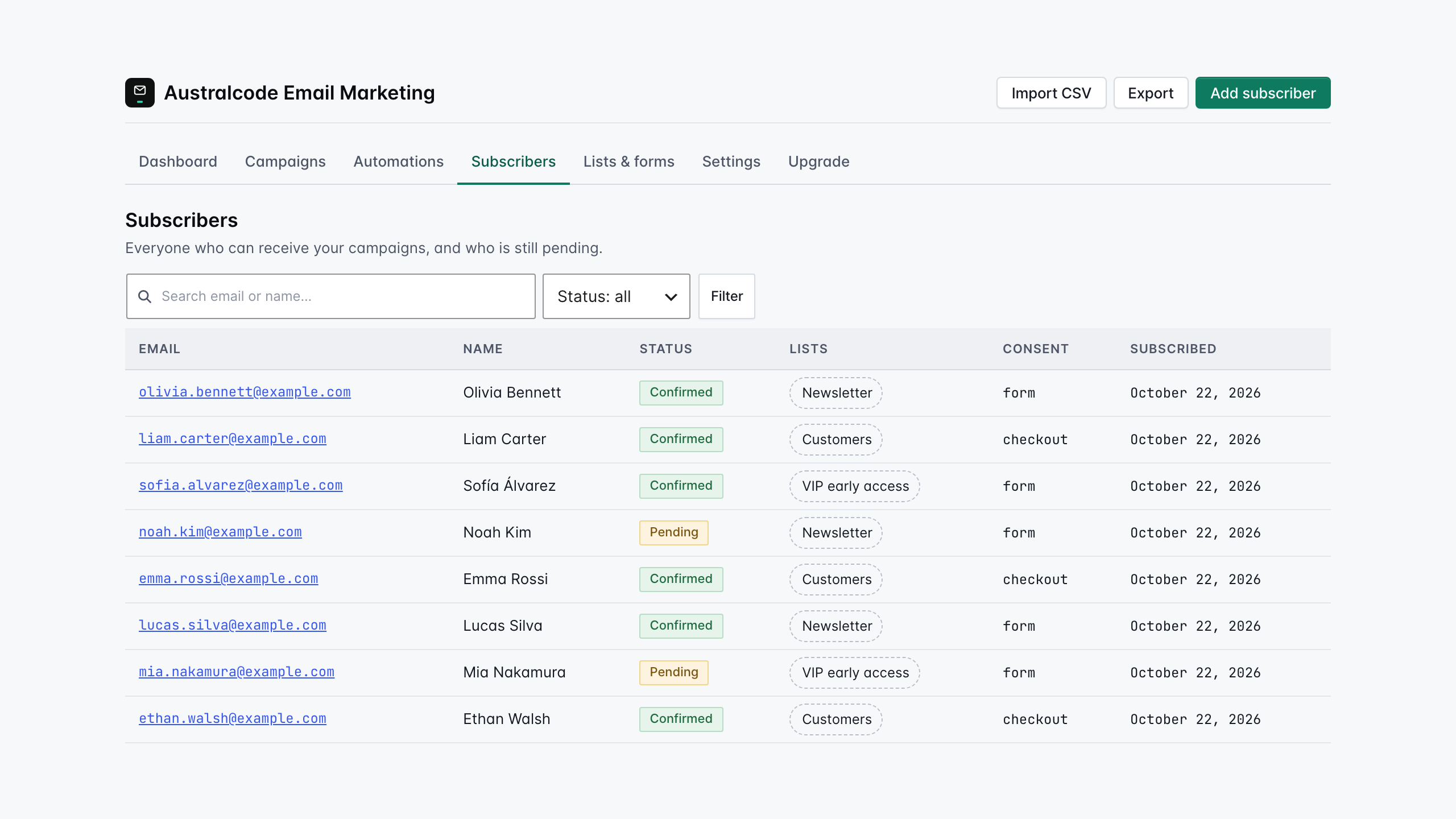
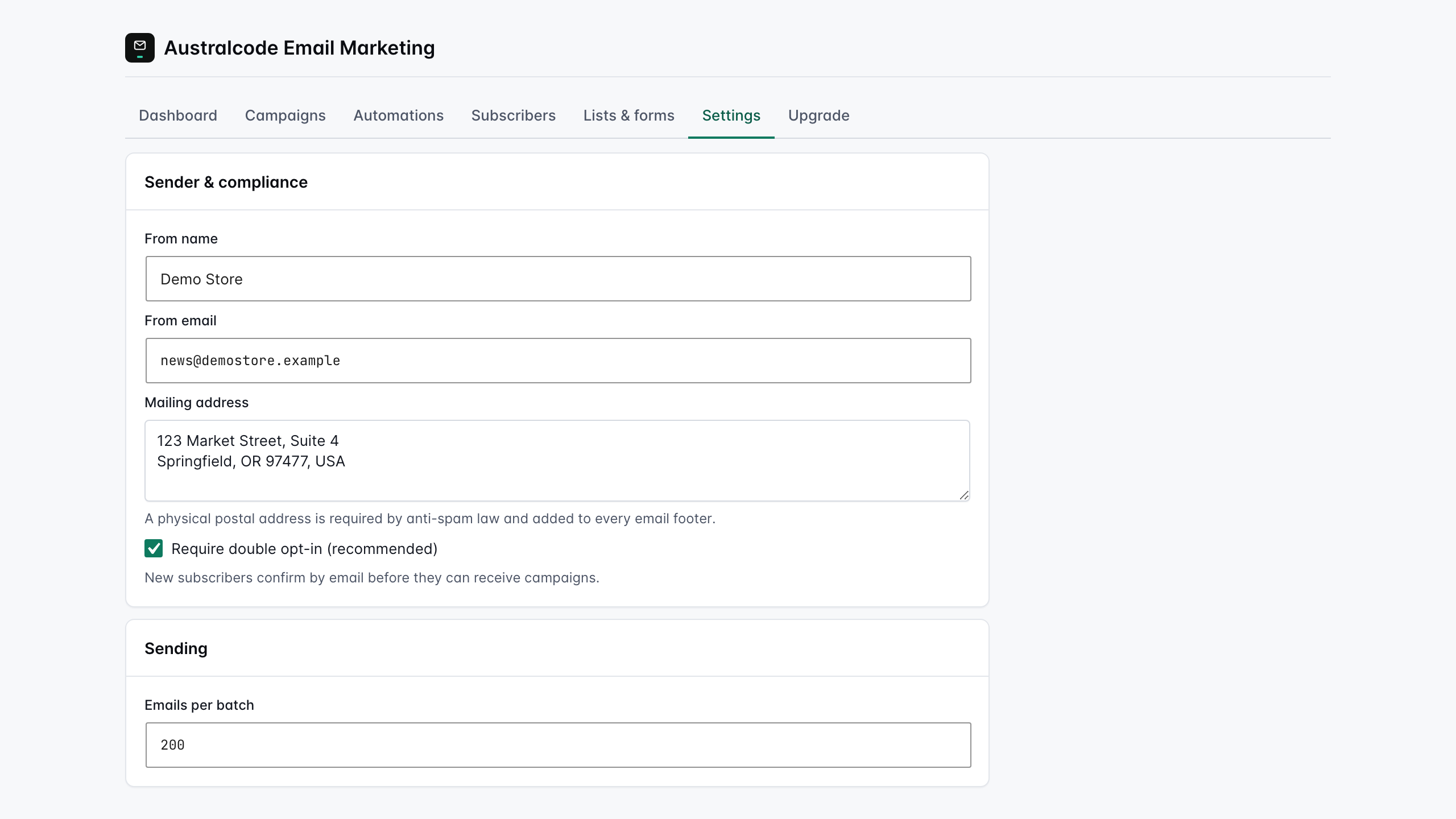
- Double opt-in — subscribers confirm by email before they can receive campaigns.
- Consent log — date, source, and hashed IP recorded for every subscription.
- One-click unsubscribe with a standard List-Unsubscribe header — and a preference center where subscribers pick the lists they want instead of leaving altogether.
- Physical mailing address added to every email footer, as anti-spam law requires.
The sending engine
A queue built on WP-cron batches, throttles, and retries your sends so shared hosting stays happy. The free version sends through your existing email transport (wp_mail or any SMTP plugin); Pro adds high-deliverability transports for larger lists.
Everything in free
- Unlimited subscribers and unlimited lists.
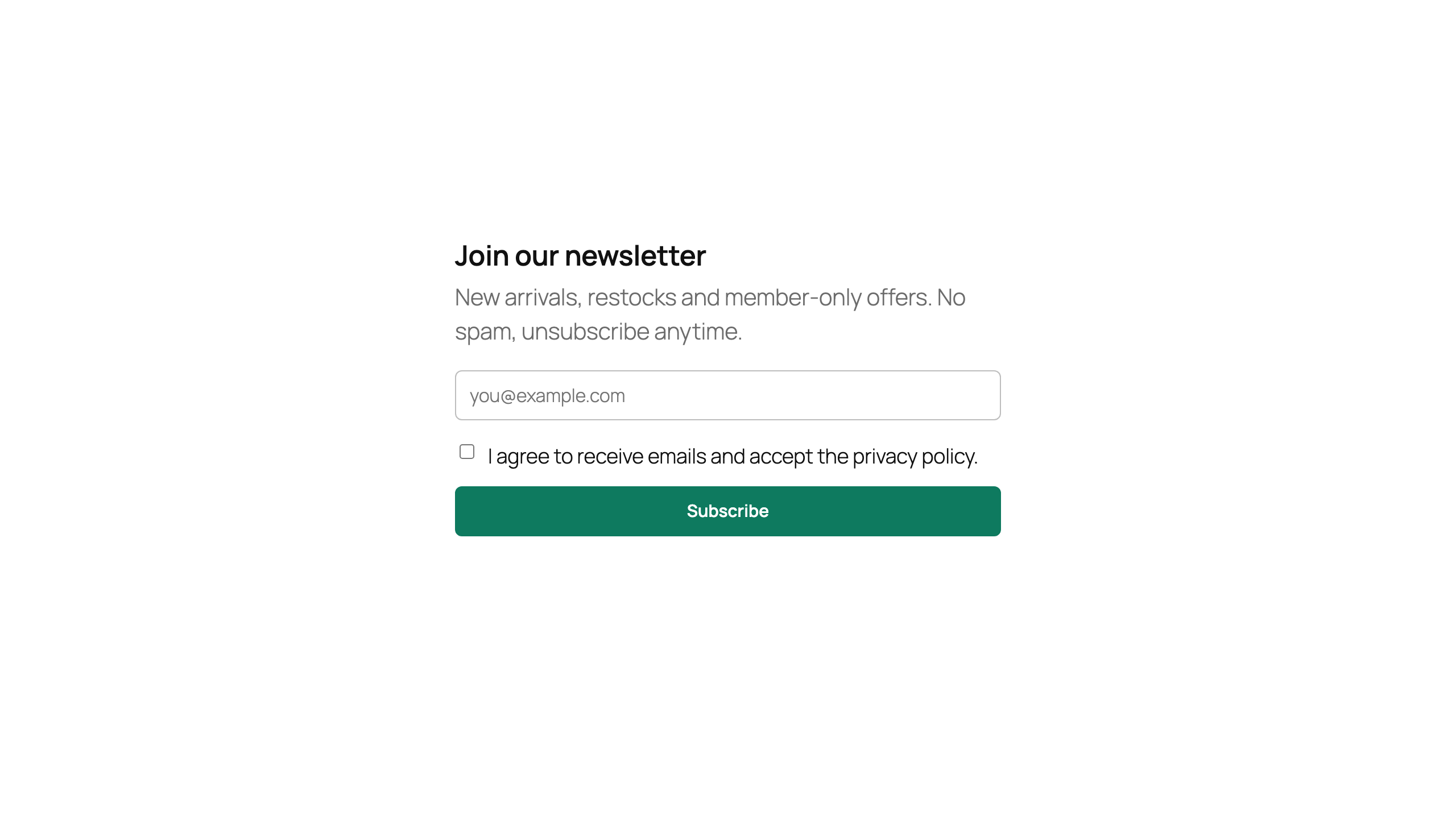
- Subscribe form as a shortcode, a block, and a widget — theme-agnostic.
- Double opt-in with a full consent log.
- Preference center: subscribers choose which lists they stay on, or unsubscribe from everything in one click, with a List-Unsubscribe header.
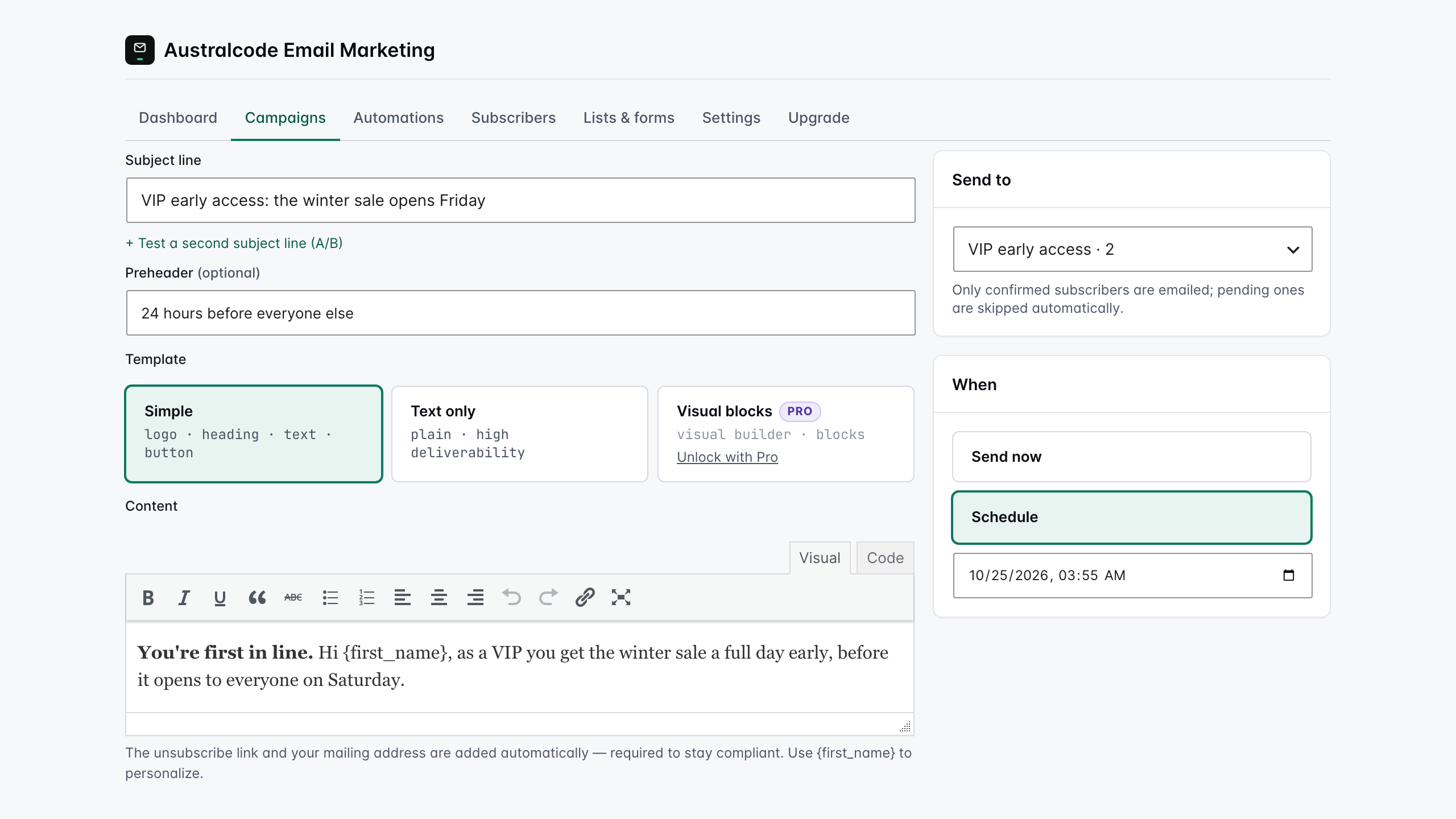
- Broadcast campaigns: subject, template, rich-text body, send now or schedule.
- Audience segmentation — target by engagement, purchases (with WooCommerce), and subscriber fields.
- A/B subject line testing — split your list 50/50 across two subject lines.
- Self-hosted sending queue with batching, throttling, and retry.
- Per-campaign delivery report: how many were sent, how many failed, and the most common reasons they failed.
- CSV import and export.
- WooCommerce checkout subscribe opt-in (when WooCommerce is active).
WooCommerce (optional)
The plugin is standalone and works on any WordPress site. When WooCommerce is active, it adds a consent-first subscribe opt-in at checkout so buyers can join your list in one click.
Profi
Australcode Email Marketing Pro adds scale and automation: high-deliverability transports (Amazon SES, Postmark, Mailgun, Brevo), automations (welcome series, abandoned cart, post-purchase, win-back), a visual block composer with unlimited saved templates, open and click tracking, and resend to non-openers.
Externe Dienste
This plugin uses Freemius (freemius.com) for optional usage tracking, licensing, and Pro upgrades.
- What it is: Freemius provides the licensing, checkout, and update delivery for the Pro version, plus an optional “Contact Us” support channel.
- What data is sent and when: Nothing is sent without your action. If you explicitly opt in on the activation screen (you can skip it), your admin email address and site URL are sent to Freemius. If you activate a Pro license, your license key, site URL, and admin email are sent to validate the license and deliver updates. Opening the in-admin “Contact” page loads an external Freemius form whose URL includes your site URL and plugin identifiers.
- Terms of Service: https://freemius.com/terms/
- Privacy Policy: https://freemius.com/privacy/
The Pro version (sold and delivered by Freemius, not hosted on WordPress.org) can send your campaigns through a third-party email delivery provider that you choose and configure:
- Amazon SES, Postmark, Mailgun, or Brevo — only the provider you select is contacted.
- What data is sent and when: when the sending engine dispatches a campaign (or you press “Send test email”), the recipient’s email address, the email subject and body, and your configured sender identity are sent to your chosen provider’s API using the API credentials you entered. Nothing is sent to any provider until you configure it and pass its deliverability test.
- Amazon SES — Terms: https://aws.amazon.com/service-terms/ · Privacy: https://aws.amazon.com/privacy/
- Postmark — Terms: https://postmarkapp.com/terms-of-service · Privacy: https://www.activecampaign.com/legal/privacy-policy
- Mailgun — Terms: https://www.mailgun.com/legal/terms/ · Privacy: https://www.mailgun.com/legal/privacy-policy/
- Brevo — Terms: https://www.brevo.com/legal/termsofuse/ · Privacy: https://www.brevo.com/legal/privacypolicy/
Installation
- Upload the plugin to
/wp-content/plugins/or install it from the Plugins screen. - Activate it.
- Open Australcode Email Marketing → Settings and set your sender name, from address, and the physical mailing address required by anti-spam law.
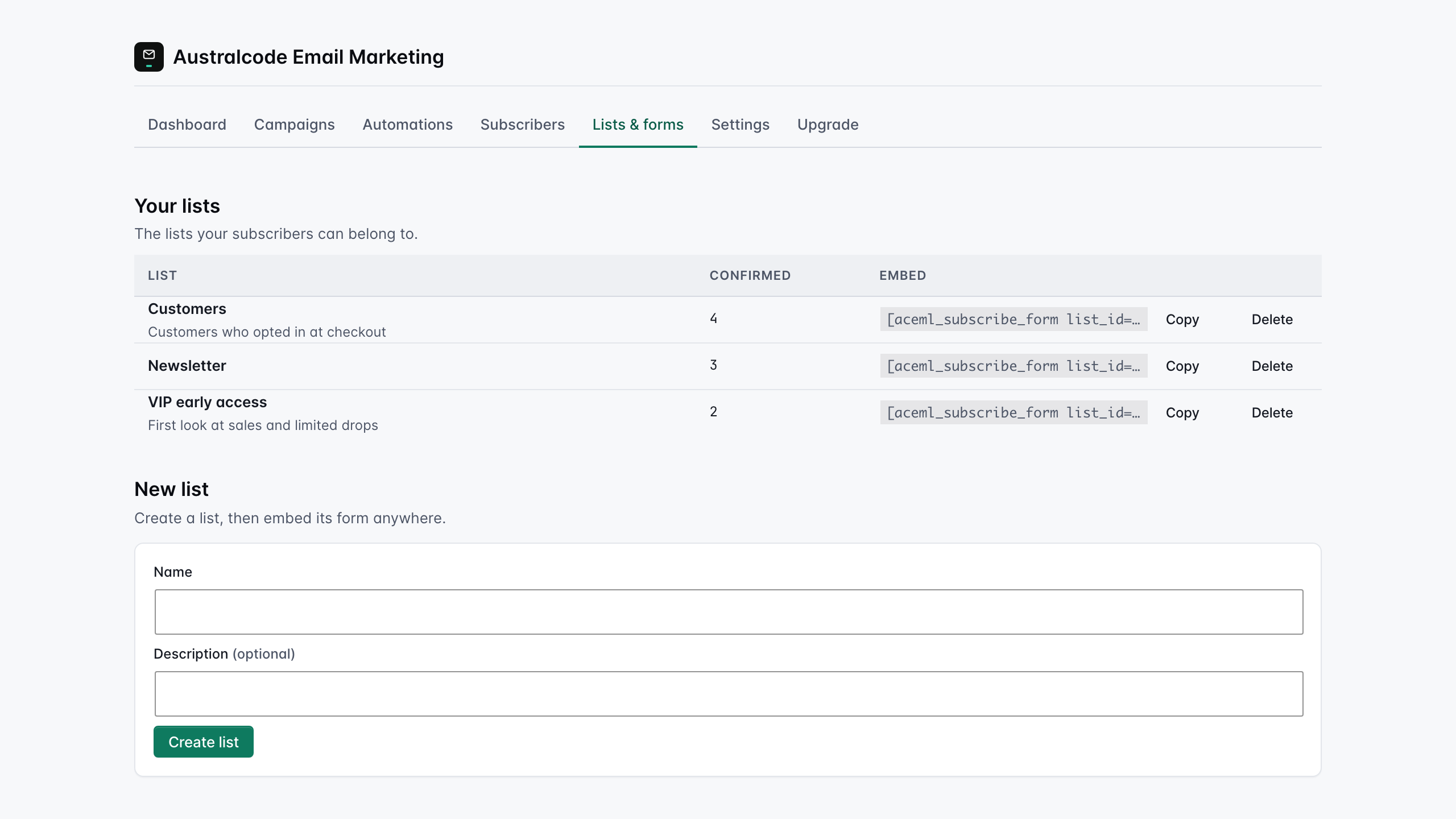
- Place the subscribe form on any page (shortcode, block, or widget) — activation creates a default “Newsletter” list for you, and you can add more under Lists & forms.
- Send your first campaign from Campaigns.
Documentation and Pro: australcode.io/email-marketing
Änderungsprotokoll
Now runs on PHP 8.1 or newer. No action required.
1.1.4
- Changed: the plugin now runs on PHP 8.1 or newer (it asked for 8.2). Nothing else changes.
1.1.3
- Fixed: importing subscribers from a CSV no longer loses a row when a cell ends in a backslash (for example
"Office C:\"). Import and export now follow RFC 4180, the format Excel, Google Sheets and email services use, so an exported list re-imports exactly. - Changed: the plugin’s page now lives at https://australcode.io/email-marketing/ (the old address redirects there).
1.1.2
- Fixed: on the dashboard, the “View all” link next to Recent campaigns dropped below the heading instead of sitting beside it. Introduced in 1.1.1.
1.1.1
- Improved: a campaign report now shows why deliveries failed. Under the failed count you get the most common reasons, grouped — so a failed send is a diagnosis instead of a number you cannot act on.
- Improved: every admin view now names itself consistently, so you always know where you are.
- Fixed: for double opt-in confirmations the consent log was storing the date and source but leaving the hashed IP and browser blank. The confirmation click is the strongest evidence you have that the mailbox owner agreed, and it is now recorded like every other consent event.
1.1.0
- Added: the preference center now lets subscribers choose which lists they want, instead of only offering to unsubscribe.
- Added: one-click copy button for the subscribe form shortcode on the Lists screen.
- Fixed: saving Settings could wipe stored sending credentials when a Pro licence had lapsed.
- Fixed: campaigns can no longer be sent without the mailing address that anti-spam law requires in the footer.
- Fixed: a campaign delivered with failures is no longer shown with the green “success” badge.
- Fixed: the Upgrade screen showed a purchase pitch to people who had already bought a licence.
- Fixed: the confirmation, unsubscribe and preference pages now have a page title and are excluded from search engines.
- Fixed: accessibility — locked template details no longer fall below the minimum contrast ratio.
- Fixed: choosing “Schedule” without picking a date said “Campaign scheduled.” while the campaign stayed a draft and was never sent. It now saves your draft and asks for the date.
- Fixed: the Upgrade screen and the readme described the Pro composer as “drag & drop”; it is a visual block composer with keyboard-friendly controls, and it is now named accurately everywhere.
- Fixed: the Upgrade screen now tells a lapsed licence to renew instead of offering to buy again.
- Fixed: on block themes the confirmation, unsubscribe and preference pages came out with no page title, so the browser tab showed the raw link including the unsubscribe token.
- Fixed: the send confirmation dialog counted the whole list even when a segment was selected, so it could ask you to confirm sending to far more people than the campaign would actually reach.
- Fixed: a single subscriber row with an unrecognised status could take down the whole Subscribers screen.
- Fixed: accessibility — the subscribe form fields now carry proper labels for screen readers instead of relying on the placeholder.
1.0.1
- Audience segmentation and A/B subject testing are now part of the free version.
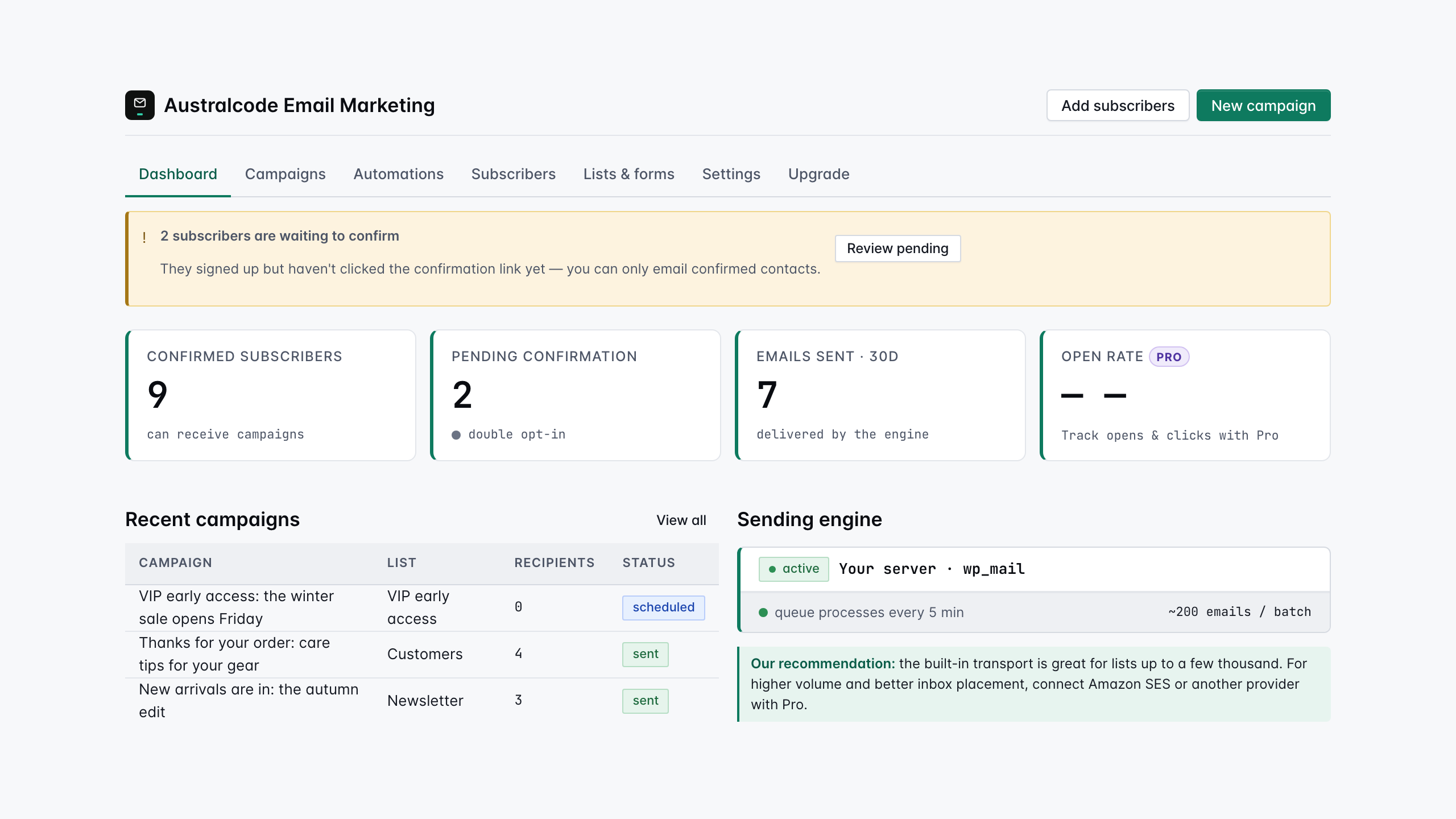
Screenshots
Für Entwickler
Ist das dein Plugin? Zeigen Sie die Zahlen.
Fügen Sie Ihrer Website, Docs oder GitHub Readme ein Live-Badge hinzu. Es wird von selbst aktualisiert - kein Konto erforderlich.
Best Australcode Email Marketing alternatives
All double opt in plugins →



Fragen und Antworten
Australcode Email Marketing: quick answers
Gerade Antworten, gezogen von Live WordPress.org Daten.
Quelle: WordPress.org
Is Australcode Email Marketing free?
Yes. Australcode Email Marketing is free to download and use from the official WordPress.org plugin directory.
Is Australcode Email Marketing safe to use in 2026?
Australcode Email Marketing works, but test it on a staging site before relying on it in 2026. Was last updated 1 month ago, and scores 60/100 on our health check.
How many websites use Australcode Email Marketing?
Australcode Email Marketing is active on <10 WordPress websites and has been downloaded 577 times since it launched in July 2026. It was downloaded 108 times in the last 30 days.
Does Australcode Email Marketing work with WordPress 7.1?
Yes. The developer has tested Australcode Email Marketing up to WordPress 7.1.5, the latest release. It requires WordPress 6.5 or newer.
What PHP version does Australcode Email Marketing need?
Australcode Email Marketing requires PHP 8.1 or higher. Most hosts run PHP 8.x today, so it works on any modern WordPress hosting.
When was Australcode Email Marketing last updated?
The latest version, 1.1.4, was released on October 22, 2026 (1 month ago).
Who makes Australcode Email Marketing?
Australcode Email Marketing is developed and maintained by australcode.
What are the best alternatives to Australcode Email Marketing?
The most popular alternatives to Australcode Email Marketing are Double Opt-In for Contact F… (1K+ installs), Mailster Gravity Forms (700+ installs) and Hafenstudios Leadlotse (10+ installs).
Angetrieben von PageForge
Eine Vorlage und eine Tabelle. Eine echte Seite für jede Suche.
PageForge Verwandelt jede Zeile eines CSV in eine WordPress-Seite mit eigenem Titel, URL, SEO Felder und Schema entworfen. Kostenlos auf WordPress.org.
- CSV und XLSX, plus Google Sheets auf Beruf und Unternehmen
- seinen eigenen Titel, URL, SEO Felder und Schema für jede Seite
- Arbeitet mit dem Blockeditor, Elementor, Divi und Avada
- Kostenlos auf WordPress.org, keine Kreditkarte