


Aurora Heatmap
Beautiful like an aurora! A simple WordPress heatmap that can be completed with just a plugin.

Solide Wahl
Aurora Heatmap is a solid plugin choice in 2026, with a few things worth checking first. It runs on 10K+ sites, is rated 4.7/5 and was last updated 2 months ago, and scores 69/100 on our health check.
- Bewährt im Maßstab auf 10k + aktiven Standorten
- Getestet mit dem neuesten WordPress (7.1)
Wie stapelt es sich?
Side-by-side bei Installationen, Updates, Bewertungen und Support



Tägliche Downloads
Download-Spitzen folgen normalerweise einer neuen Version - jede Website, die automatisch aktualisiert wird, gilt als Download.
Ranglisten
Where Aurora Heatmap stands todayWordPress.org Ranglisten suchen
Live-Position in der Plugin-Suche, Top 100| Stichwort | Position |
|---|---|
| analytics | >100 |
| analyze | #7 |
| click | >100 |
| heatmap | #1 |
| Japanisch | #21 |
Versionsübernahme
Anteil aktiver Sites pro Release.
Bewertungsaufschlüsselung
★★★★★★★★★★ 4.7 from 7 reviews
About Aurora Heatmap
From the official readme · v1.7.3Beschreibung
Goddess Aurora is said to give light to the user world.
The name “Aurora Heatmap” visualizes user behavior with a beautiful heatmap.
Bringing light to the activation and optimization of your website.
The most important thing in site management.
That is, Is the user satisfied?
- Where do users see and move through the content?
- Whether the user is not confused?
Aurora Heatmap is the strongest tool for visualizing it.
- Are you guiding users well?
- Wechselkurs
- Are you missing out on prospects and readers?
- How is it evaluated by Google?
You will be able to see the points of improvement.
Plugin features
No Coding
No Setting
You just install and activate the plugin.
No troublesome user registration or setup is required.
It works as default in most WordPress environments.
And Aurora Heatmap is complete with just plugin.
The free version can check the click heat map of PC and mobile, and can be used on any number of sites.
Even if it is free, there is no limit due to the number of PV and analysis pages.
Special notes
If it does not work well when used with a cache plugin, turn off JavaScript-related optimization, or exclude jQuery and Aurora Heatmap measurement script (reporter.js) from optimization.
For more details, please refer to official site description page.
Aurora Heatmap can be used with the following cache plugins.
- WP Rocket
- W3 Gesamtcache
- WP Super Cache
Usage and support
More detailed usage and FAQs are provided on the Aurora Heatmap official site.
If you can’t find the answer to your question in those documents, use the WordPress.org support forum.
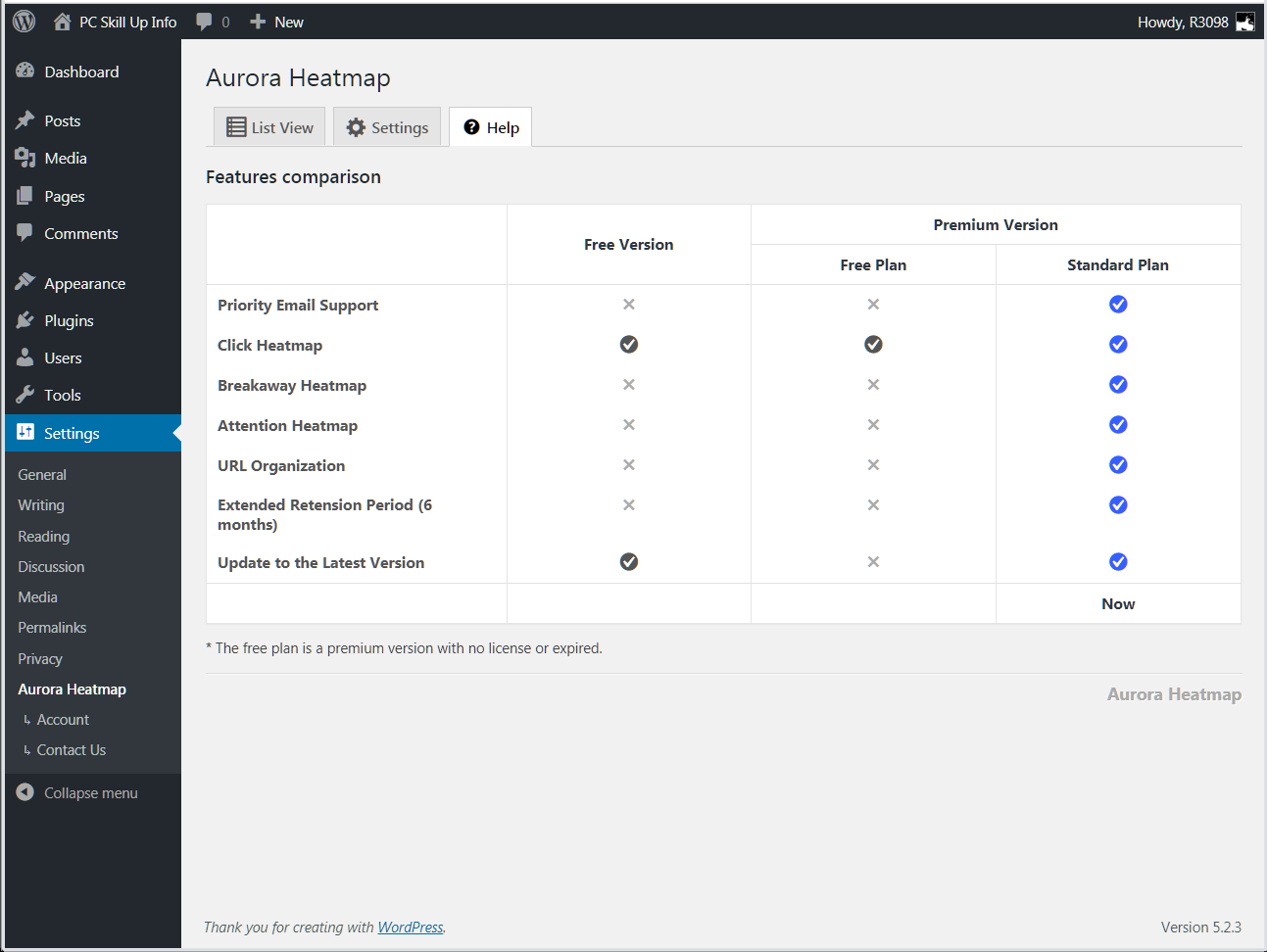
The premium version has priority email support.
About privacy
This plugin does not perform the following operations.
- User tracking
- Send recorded data to external server
- Use of cookies
- Record of personally identifiable data including IP address
Aurora Heatmap Free version 90 seconds demo
Installation
- Login to your WordPress admin.
- Click on the plugins tab.
- Click Add New and search for “Aurora Heatmap”.
- Click Install Now, then Activate Plugin.
- The analysis will start, and after a while you will be able to see the actions of the visitors.
Since 1.2.0, the translation data for both free and premium versions has been unified into GlotPress on WordPress.org.
If you do not want to switch to Japanese notation, please update the translation from “Update WordPress” on the dashboard.
Änderungsprotokoll
Requirements increased to PHP 7.0.
1.7.3
- Fixed stored XSS via report URL.
- Tested up to WordPress 7.1.
- Update the Freemius SDK from 2.13.0 to 2.13.4 in the premium version.
- Fixed Freemius SDK initialization timing in the premium version.
1.7.2
- Update the Freemius SDK in the premium version.
1.7.1
- Fixed an issue where the plugin activation process was not performed correctly.
- Fixed the Notice error in WordPress 6.7.0 or later.
- Tested up to WordPress 6.8.
- Update the Freemius SDK in the premium version.
1.7.0
- Requirements increased to PHP 7.0.
- Added two settings, for avoiding frequent communication in the premium version.
1.6.2
- Fixed PHP deprecated notice on PHP 8.x.
1.6.1
- Fixed PHP deprecated notice on PHP 8.x.
- Tested up to WordPress 6.4.
- Update the Freemius SDK in the premium version.
Screenshots




Für Entwickler
Ist das dein Plugin? Zeigen Sie die Zahlen.
Fügen Sie Ihrer Website, Docs oder GitHub Readme ein Live-Badge hinzu. Es wird von selbst aktualisiert - kein Konto erforderlich.
Best Aurora Heatmap alternatives
All analytics plugins →





Fragen und Antworten
Aurora Heatmap: quick answers
Gerade Antworten, gezogen von Live WordPress.org Daten.
Quelle: WordPress.org
Is Aurora Heatmap free?
Yes. Aurora Heatmap is free to download and use from the official WordPress.org plugin directory.
Is Aurora Heatmap safe to use in 2026?
Aurora Heatmap is a solid plugin choice in 2026, with a few things worth checking first. It runs on 10K+ sites, is rated 4.7/5 and was last updated 2 months ago, and scores 69/100 on our health check.
How many websites use Aurora Heatmap?
Aurora Heatmap is active on 10K+ WordPress websites and has been downloaded 378,616 times since it launched in September 2019. It was downloaded 2,560 times in the last 30 days.
Does Aurora Heatmap work with WordPress 7.1?
Yes. The developer has tested Aurora Heatmap up to WordPress 7.1.5, the latest release. It requires WordPress 4.9 or newer.
What PHP version does Aurora Heatmap need?
Aurora Heatmap requires PHP 7.0 or higher. Most hosts run PHP 8.x today, so it works on any modern WordPress hosting.
When was Aurora Heatmap last updated?
The latest version, 1.7.3, was released on September 25, 2026 (2 months ago).
Who makes Aurora Heatmap?
Aurora Heatmap is developed and maintained by r3098.
What are the best alternatives to Aurora Heatmap?
The most popular alternatives to Aurora Heatmap are Site Kit by Google (5M+ installs), MonsterInsights (2M+ installs) and WP Statistics (500K+ installs).
Angetrieben von PageForge
Eine Vorlage und eine Tabelle. Eine echte Seite für jede Suche.
PageForge Verwandelt jede Zeile eines CSV in eine WordPress-Seite mit eigenem Titel, URL, SEO Felder und Schema entworfen. Kostenlos auf WordPress.org.
- CSV und XLSX, plus Google Sheets auf Beruf und Unternehmen
- seinen eigenen Titel, URL, SEO Felder und Schema für jede Seite
- Arbeitet mit dem Blockeditor, Elementor, Divi und Avada
- Kostenlos auf WordPress.org, keine Kreditkarte